Metal Gear Solid Mobile Native Port
Metal Gear Solid Mobile Native Port is a port of Metal Gear Solid Mobile to Windows, Linux, and Android with widescreen support and 60 fps. *Quiver Moderator Note: This game utilizes Unicorn's ARM CPU emulator as its backbone, and is not a true native port of the game as the project's name implies.
- Type: PC port
- Game: Metal Gear Solid Mobile
- Runs on Windows, Linux and Android
- By LeithSilver
- Latest release v0.1, 2026-10-17
- Source: https://github.com/LeithSilver/mgsm
README
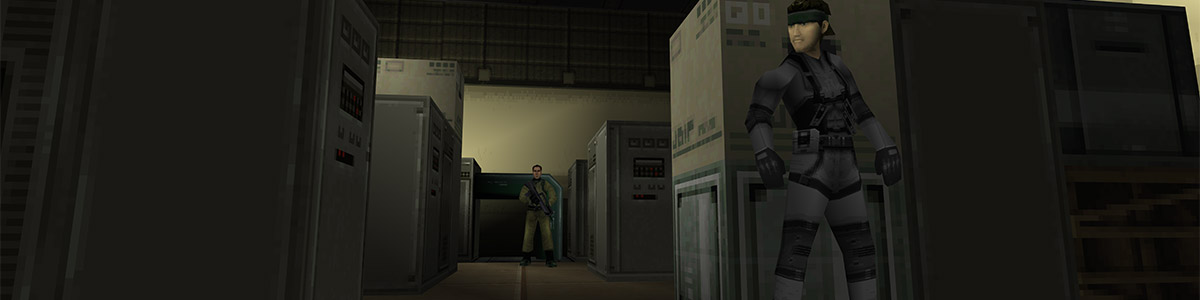
Metal Gear Solid Mobile — Native Port
A native port of Metal Gear Solid Mobile (Ideaworks3D / Kojima Productions, 2008), originally released for the Nokia N-Gage 2.0. No Symbian emulator is involved: the game's own ARM code runs in a CPU emulator (Unicorn) on Windows, Linux and Android, and directly on the CPU on the New 3DS and PS Vita; the engine calls it makes for graphics, sound, input and files are answered by native code.
This project is neither a decompilation nor a static recompilation, and no part of this project is human written. No one deserves credit for this release except for the hard working individuals who created the game in 2008. LLM driven projects like this should focus entirely on preserving, presenting, and making available the incredible works made by real human beings.
This repository contains no game data. You need your own copy of the game (Metal.Gear.Solid.n-gage, 2,542,447 bytes, SHA-256 575afba9a431775edd30e20a54e23380d182560d7d51db90ae5edd5b810b2d81); the first run extracts the files and installs it.
Enhancements
- Runs on Windows, Linux, Android, the New 3DS (homebrew, with stereoscopic 3D) and the PS Vita (homebrew)
- Widescreen / Arbitrary Resolution Support: the 3D view fills any window shape, with an adjustable field of view; the original 320x240 mode is still there
- An untouched original presentation of the game's menus
- Sharper rendering: native resolution, supersampling and MSAA (desktop), or the game's own software renderer
- 60 fps
- Controllers: gamepad support and rebindable keys; on-screen touch controls on Android
- Better movement (optional, off by default): diagonal movement and analog steering with the stick
- Settings overlay (F1, or Back / R3 on a pad; Select on the Vita) that pauses the game; settings are saved to
mgs_mobile.ini - Custom textures: every texture is extracted to
textures\as PNG; edited or new PNGs of any size replace them in game - Screenshots (F12) and a photo mode (F5) with camera and frame stepping
- Debug mode: level select, inventory editor, cheats, and texture and model viewers
Getting started
| Platform | Build |
|---|---|
| Windows | mgs_native\build.bat (Visual Studio 2022, CMake, Ninja, Python with pip install unicorn==2.1.4) |
| Linux | bash mgs_native/build.sh (C++17 compiler, CMake, Ninja, SDL 3, Unicorn 2.1.4) |
| Android | python android/build.py (Android SDK + NDK 24, JDK 17) |
| New 3DS | mgs_native\3ds\build.bat (devkitPro with 3ds-dev). Copy your .n-gage to sdmc:/3ds/mgs_mobile/; the first start installs it |
| PS Vita | mgs_native/vita/build.sh (VitaSDK; run mgs_native/vita/build_vitagl.sh once first). Needs kubridge (HENkaku / Ensō). Install the VPK and copy your .n-gage to ux0:data/mgs_mobile/; the first start installs it |
Run mgs_mobile and point the setup window at your Metal.Gear.Solid.n-gage (or use --install <file>).
Keyboard: arrows move, Z = action, C = first person, Enter = OK, A = pause menu, X = equipment, F1 = settings.
License
The port's own code is licensed under the GNU General Public License, version 2 or (at your option) any later version (LICENSE), as required by Unicorn. Bundled third-party code keeps its own licence (licenses/THIRD_PARTY.txt).
Metal Gear Solid Mobile is © Konami Digital Entertainment. This is an unofficial project, not affiliated with or endorsed by Konami.