PrimeRecomp
Prime Remastered is a native Windows port of Metroid Prime Remastered that recompiles the game's code and reimplements system services.
- Type: PC port
- Game: Metroid Prime Remastered
- Runs on Windows
- By gminustwo
- Latest release v0.0.1, 2026-10-25
- Source: https://github.com/gminustwo/primerecomp
README
PrimeRecomp
PrimeRecomp runs Metroid Prime Remastered (Nintendo Switch, 2023) natively on Windows. The game's code is statically recompiled - translated ahead of time from the Switch's ARM64 code into C and compiled for your PC - and the Switch's system services and NVN graphics are reimplemented on Windows and Vulkan. No emulator runs.
[!IMPORTANT] PrimeRecomp is built on LAS Recomp by Peiikai and the LAS Recomp contributors. LAS Recomp is the static recompilation of The Legend of Zelda: Link's Awakening for Switch, and nearly everything that makes PrimeRecomp possible is their work: the recompiler that turns Switch code into C, the Horizon OS kernel and services, the NVN-to-Vulkan renderer and shader translator, audio, input, the start screen, the in-game menu and the setup that builds the game on your own PC. PrimeRecomp adapts that work to Metroid Prime Remastered. Please star LAS Recomp too. Full credits are below.
[!NOTE] No game files are included. You need your own copy of Metroid Prime Remastered for Nintendo Switch, version 1.0.0 (no updates), dumped from your own console. Nothing from the game is in this repository or in the release downloads; the game is recompiled on your PC from your files the first time you set it up.
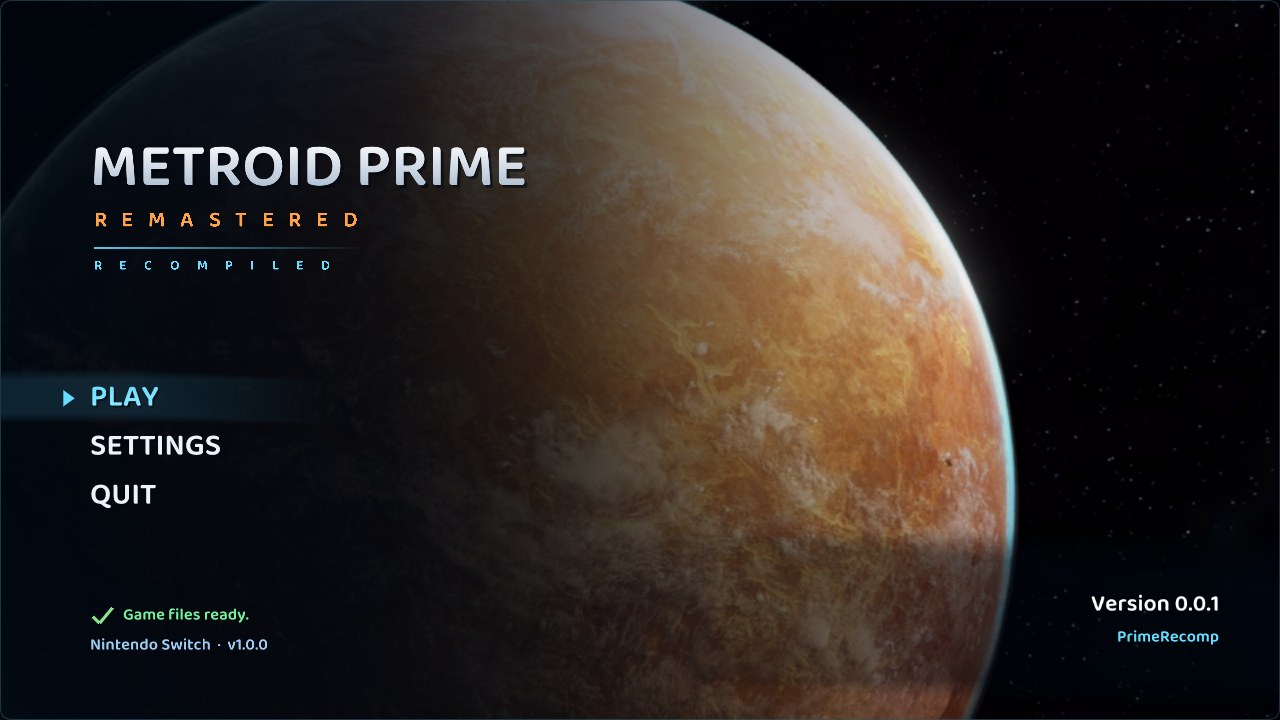
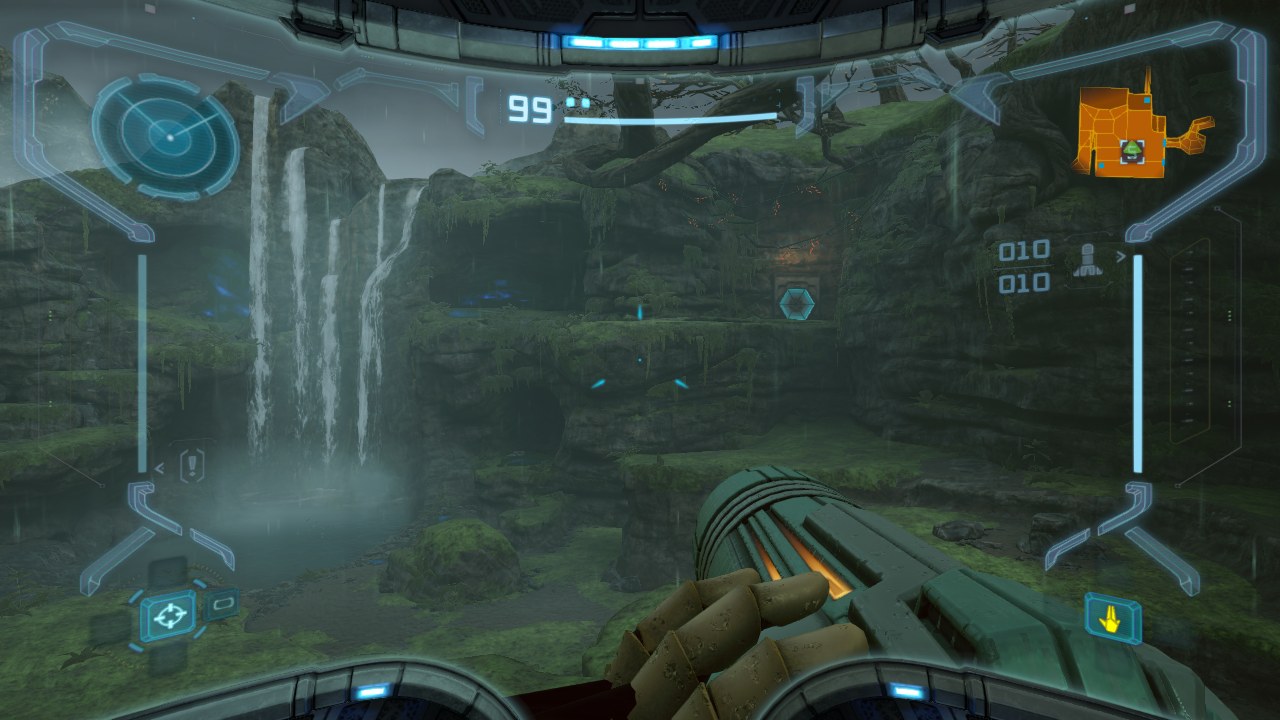
Status: v0.0.1 (early beta)
This is the first public build. The game boots, the Frigate Orpheon plays through, and Tallon IV is playable (the Landing Site, Chozo Ruins and Magmoor Caverns have been played so far), with saving and loading. Expect bugs: graphics glitches (some lighting, visor effects such as rain drops missing at times), and possibly crashes or freezes in areas nobody has reached yet. Windows only for now.
If something goes wrong, please open an issue and attach
primerecomp.log from the PrimeRecomp folder (it always holds the latest run; primerecomp.previous.log the run
before). For a graphics problem, press F9 at the spot: it saves a capture of that frame in build\f9_<frame>\
(zip it up), and F8 notes your position in positions.txt.
Requirements
- Windows 10 or 11, 64-bit
- A CPU with AVX2 (Intel Haswell / 2013 or newer, AMD Zen or newer)
- A GPU with a Vulkan 1.3 driver (any current NVIDIA, AMD or Intel driver)
- About 15 GB of free disk space (the game files are copied in, about 7 GB, plus the recompiled game)
- Your own Metroid Prime Remastered v1.0.0 game files, extracted: a folder holding
exefsandromfs(extract both from your own dump with your usual Switch tools)
Getting started
- Download
PrimeRecomp-v0.0.1-windows.zipfrom Releases and extract it somewhere you can write to (e.g. Documents or a games folder - not Program Files). - Run
primerecomp.exe. The start screen asks for your game files: choose the folder that holdsexefsandromfs, then Set up. It copies what it needs and recompiles the game on your PC. This happens once and takes several minutes. - Press Play.
Everything PrimeRecomp writes - game files, saves, settings (primerecomp.ini), logs - stays in its own folder.
Controls
A controller works out of the box (Xbox, PlayStation, Switch Pro, Steam Controller and others), using the game's own Dual Stick layout. With a controller that has a gyro you can use the game's Pointer / Hybrid motion aiming (pause, Options -> Controls -> Control Scheme).
Keyboard and mouse play like a PC shooter:
| Move | WASD |
| Aim / turn | Mouse (sensitivity and invert in PrimeRecomp's menu, Controls tab) |
| Shoot (hold: charge) | Left click |
| Lock on / scan (hold) | Right click |
| Jump | Space |
| Missile | F |
| Morph Ball | Left Ctrl |
| Visors: Combat / Scan / Thermal / X-Ray | Q / E / R / T |
| Beams: Power / Wave / Ice / Plasma | 1 / 2 / 3 / 4 |
| Map | Tab |
| Pause menu | Esc |
In the game's menus Enter / Space confirm, Esc goes back and Q / E switch pages. Everything can be rebound.
PrimeRecomp's own menu (graphics, controls, audio, quitting): F1, or on a controller both sticks pressed in (or Back + Start). Fullscreen: F11 or Alt+Enter.
Features
- Mouse aim that turns and aims directly, as in a PC shooter; full keyboard, mouse and controller rebinding
- Any resolution up to 8K, AMD FSR 1 upscaling, SMAA anti-aliasing, anisotropic texture filtering
- Ultrawide and any aspect ratio (the HUD stays in the 16:9 middle), adjustable field of view
- 60 or 120 frames per second
- Gyro aiming with controllers that have one, rumble
- Any cutscene skippable
Building from source
See docs/BUILD-windows.md. In short: tools\setup_windows.ps1 installs MSYS2 and the
tools; with your own extracted game files in extracted/, make gen recompiles the game and make builds
build/primerecomp.exe. make dist packages a release.
Developer notes: PROGRESS.md (history) and HANDOFF.md (current state). Link's
Awakening's game code (its patches, its memory hooks, the randomizer, cheats and cosmetics) has been removed; LAS
Recomp's developer names (the LARECOMP_* test variables, some internal symbols) are kept on purpose, so fixes
still move between the two projects easily.
Credits
LAS Recomp
PrimeRecomp is a fork of LAS Recomp (MIT), starting from upstream commit
b846e72, and keeps its full history.
- Peiikai - created LAS Recomp and wrote the great majority of it: the static recompiler and its ARM64 lifter, the Horizon kernel and system services, the NVN graphics layer and its Vulkan and Metal renderers, the Maxwell shader translator, audio, input and rumble, saves, the start screen and the in-game menu, and the on-PC setup that recompiles the game from the player's own files.
LAS Recomp contributors - code they sent to LAS Recomp lives on in PrimeRecomp. In LAS Recomp's own words (GitHub handles, in order of first contribution):
- @dvilelaf - the System language setting (#15), packaging fix for the game code generator helper (#10), and the task forwarder fix for the level-transition crash (#34, issue #19)
- @Tensorlong - Metal half-precision fix for the white Link on M1 Macs (#18)
- @mansarip - support for unrecognised controllers through a simple mapping file (#26)
- @we11adam - shared fonts served per language instead of one Japanese font (#27), and the zh-Hans / zh-Hant codes for Chinese (#25)
- @Maganra - Linux page write tracking (userfaultfd + PAGEMAP_SCAN) for the Vulkan vertex cache and texture checks (#42)
- @hjqcan - centralized game patch and runtime addresses (#57); CRLF settings parsing and Traditional Chinese locale detection (#53); Windows game thread stacks reserved instead of committed, about 9 GB less memory committed (#107); the Vulkan fence fix for reused submission slots (#108); x86 rounding without x87 state changes (#115); movie memory freed on close, source change and reboot (#112); Vulkan stopping cleanly on GPU timeouts (#127); a strict Vulkan validation mode for automated tests (#128); Windows session logs (#114); resumable game-code builds: a cancelled or interrupted setup picks up where it stopped (#56); randomizer check flags kept with committed saves (#170); save write fixes that keep a failed save from losing data (#169, merged in #182)
- @gitarre1234rr5 - controller rumble: the game's vibration on your controller (#104), and a regression test for the kernel's timed condition-variable wait (#88)
- @rkammoun - diagnosed and patched the Metal 16-sampler limit behind the black walls in the Ukuku Prairie cave (#215, fixed in #216)
Thanks also to everyone who reported issues and tested LAS Recomp builds, and to Dusklight by the TwilitRealm team, which inspired LAS Recomp's start screen.
Other projects
- Ryujinx (MIT) - PrimeRecomp's audio effects (reverb, I3DL2 reverb, delay, aux, splitters) are ported from Ryujinx's audio renderer, and some shader instruction decoding follows its decoders
- envytools - NVIDIA GPU documentation used for the shader translator
- Switchbrew and the Switch homebrew and emulation communities' documentation
Libraries and tools
- SDL 3 - windowing, input, audio (zlib license)
- FFmpeg - movie playback (LGPL)
- Dear ImGui - the in-game menu and start screen (MIT)
- Baloo 2 by Ek Type - the start screen's font (SIL Open Font License 1.1,
third_party/fonts/Baloo2/OFL.txt) - Vulkan Memory Allocator - the renderer (MIT)
- SMAA by Jorge Jimenez, Jose I. Echevarria, Belen Masia, Fernando Navarro and
Diego Gutierrez - the anti-aliasing option (MIT,
third_party/smaa/LICENSE.txt) - AMD FidelityFX Super Resolution 1 - the upscaler option, ported to GLSL (MIT)
- shaderc - GLSL to SPIR-V (Apache 2.0)
- Zig - its C compiler (
zig cc: Clang and LLD) builds the game code on your PC during setup (MIT; LLVM, Clang, LLD: Apache 2.0 with LLVM exceptions) - The game code generator (
tools/gen.py) is packed by PyInstaller (GPL 2.0+ with the bootloader exception) into a standalone helper. It bundles CPython (PSF License), Capstone (BSD 3-clause; disassembly), Unicorn (GPL 2.0; Python bindings BSD; resolves jump tables) and python-lz4 (BSD 3-clause, with LZ4: BSD 2-clause)
Legal
PrimeRecomp is a fan project. It is not affiliated with, endorsed by or sponsored by Nintendo or Retro Studios. Metroid and Metroid Prime are trademarks of Nintendo. No game files, game code, assets or fonts are included - not in this repository and not in release builds. You must provide your own legally obtained copy of the game.
License
PrimeRecomp's code - LAS Recomp's code and the changes made for Metroid Prime Remastered - is open source under the MIT License (copyright Peiikai, and the PrimeRecomp contributors for their changes). Third-party components keep their own licenses: Dear ImGui (MIT), Vulkan Memory Allocator (MIT), SMAA (MIT), AMD FSR 1 (MIT), code ported from Ryujinx (MIT), the Baloo 2 font (SIL OFL 1.1), SDL 3 (zlib), FFmpeg (LGPL 2.1+, linked dynamically), shaderc (Apache 2.0), the Zig compiler (MIT; its LLVM / Clang / LLD: Apache 2.0 with LLVM exceptions; its C library headers keep their own licenses) and the game code generator helper's bundled libraries listed above (Unicorn is under the GPL: the helper is a separate program the setup runs, and its sources are this repository plus Unicorn's published sources). The license covers PrimeRecomp's code only - it grants nothing for Nintendo's game, which you must supply yourself.
Source code of bundled third-party components
The Windows release includes these components; their source code for the exact versions shipped is available here:
| Component | Version | License | Source |
|---|---|---|---|
| FFmpeg (LGPL configuration: only the codecs the game's movies use) | 9.0.2 | LGPL 2.1+ | https://ffmpeg.org/releases/ |
| SDL 3 | 3.4.18 | zlib | https://github.com/libsdl-org/SDL/releases/tag/release-3.4.18 |
| shaderc (GLSL to SPIR-V) | 2026.4 | Apache 2.0 | https://github.com/google/shaderc |
| libiconv (used by SDL 3) | 1.19 | LGPL 2.1+ | https://ftp.gnu.org/pub/gnu/libiconv/libiconv-1.19.tar.gz |
| GCC runtime: libgcc, libstdc++ | 16.2.0 | GPL 3.0 with the GCC Runtime Library Exception | https://gcc.gnu.org/ |
| winpthreads (mingw-w64) | 14.0.0 | MIT / BSD | https://www.mingw-w64.org/ |
| Zig (builds the game code during setup; includes LLVM, Clang, LLD) | 0.17.0 | MIT; LLVM: Apache 2.0 with LLVM exceptions | https://ziglang.org/download/0.17.0/zig-0.17.0.tar.xz |
| PyInstaller (packs the game code generator) | 6.22.3 | GPL 2.0+ with bootloader exception | https://github.com/pyinstaller/pyinstaller/releases/tag/v6.22.3 |
| CPython (game code generator) | 3.12.10 | PSF | https://github.com/python/cpython/releases/tag/v3.12.10 |
| Capstone (game code generator) | 5.0.9 | BSD 3-clause | https://pypi.org/project/capstone/5.0.9/ |
| Unicorn (game code generator) | 2.1.4 | GPL 2.0 (Python bindings: BSD) | https://pypi.org/project/unicorn/2.1.4/, https://github.com/unicorn-engine/unicorn |
| python-lz4 (game code generator; includes LZ4) | 4.4.5 | BSD 3-clause; LZ4: BSD 2-clause | https://pypi.org/project/lz4/4.4.5/ |
| Baloo 2 font (SemiBold) | 1.640 | SIL OFL 1.1 | https://github.com/EkType/Baloo2 |
| SMAA (shader and lookup textures, built in) | 2013 (repository master) | MIT | https://github.com/iryoku/smaa |
The build scripts that fetch and build these (with checksums) are in this repository: tools/build_deps_windows.sh
and tools/primegen.spec. The Windows build takes SDL 3, shaderc, libiconv and the compiler runtime from MSYS2's
UCRT64 packages (https://packages.msys2.org, which links each package's source).