Trouble Makers
Trouble Makers brings Mischief Makers to PC.
- Type: PC port
- Game: Mischief Makers
- By ThiagoLira
- Source: https://github.com/ThiagoLira/trouble-makers-pc-recomp
README
Trouble Makers
Trouble Makers is a native PC port of the Nintendo 64 game Mischief Makers (Treasure, 1997), produced by static recompilation — playable with up to 240fps (with interpolation), high-resolution, with correct sound and widescreen support!
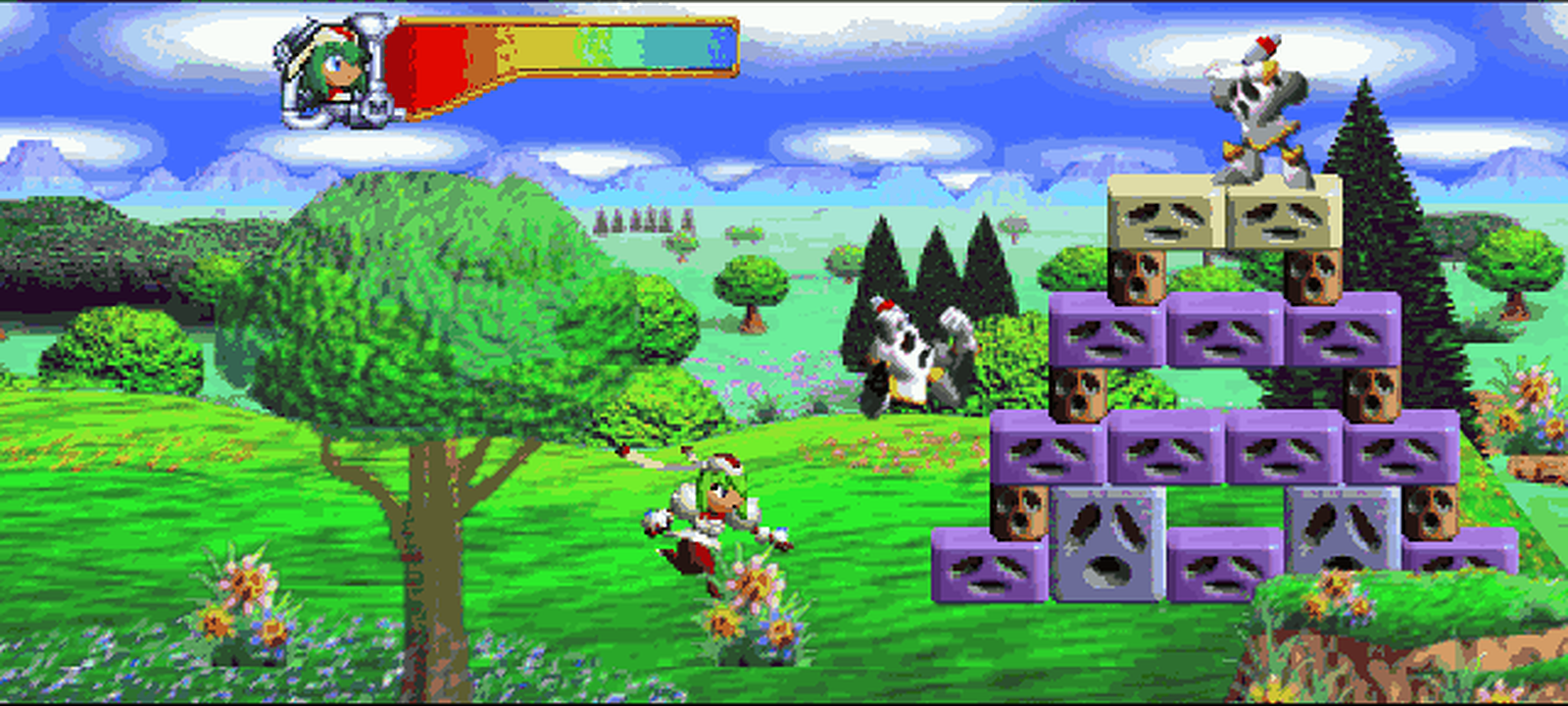
Opening forest in opt-in widescreen — the whole 16:9 field is real rendered scene, not stretched or letterboxed.
What this is
Trouble Makers is a recompilation of Mischief Makers: the game's own MIPS machine code is translated to C once, ahead of time, by N64Recomp, compiled natively for your PC, and linked against N64ModernRuntime (a libultra re-implementation) with RT64 rendering the display lists on Vulkan. It is not an emulator — there is no N64 CPU being simulated at runtime; the game is the native binary. Same approach as Zelda64Recomp, applied to a very different, very Treasure-shaped game.
No game assets, ROM contents, or recompiler output are in this repository. Everything runs locally from your own legally dumped ROM.
Download & play
Grab the latest build from the Releases page:
- Steam Deck —
TroubleMakers-SteamDeck-x86_64.AppImage. Add it to Steam as a Non-Steam Game, then launch it from Gaming Mode. It starts with the Deck-native fullscreen/controller defaults. - Linux —
TroubleMakers-x86_64.AppImage.chmod +xit and run; needs a Vulkan-capable GPU and glibc ≥ 2.35 (Ubuntu 22.04+). - Windows —
TroubleMakers-Windows-X64.zip. Extract and runtroublemakers.exe.
Then pick your own legally dumped Mischief Makers (US 1.1) ROM in the
launcher — it validates the ROM and remembers it for next time. Drop a
portable.txt next to the binary to keep saves and config beside it instead
of in your user config directory.
Prefer to build it yourself? See Building and running.
Status
- ✅ Boots, plays the full intro with correct music, title screen, menus
- ✅ Gameplay: many levels verified playable (controller + keyboard)
- ✅ Natively 60 fps (the game's own rate), correct audio pacing
- ✅ High-resolution rendering (window-integer-scale via RT64), fullscreen, MSAA/SSAA
- ✅ EEPROM saves persist to disk
- ✅ Remappable keyboard/controller inputs with two bindings per N64 control
- ✅ Persistent current/previous session logs and copyable support reports
- 🧪 Experimental widescreen (opt-in), high-FPS frame interpolation
(
--fps 240/ match display, opt-in via RT64), F11 fullscreen, Tab fast-forward, persistent display config - 🧰 Launcher-gated, save-safe debug menu with campaign level warps
- 🗺️ Next: full-playthrough verification, mod hooks, upstreaming runtime patches
Experimental widescreen
--widescreen expands playable scenes beyond the N64's original 4:3 frame.
This is real scene rendering: actors, 3D geometry, and the game's scrolling
background, environment, and midground tile maps can draw into both side
wings. It is still experimental while level-specific masks, framebuffer
effects, and off-map boundaries are tested across the full game.
Original 4:3 (--no-widescreen) | Experimental 16:9 (--widescreen) |
|---|---|
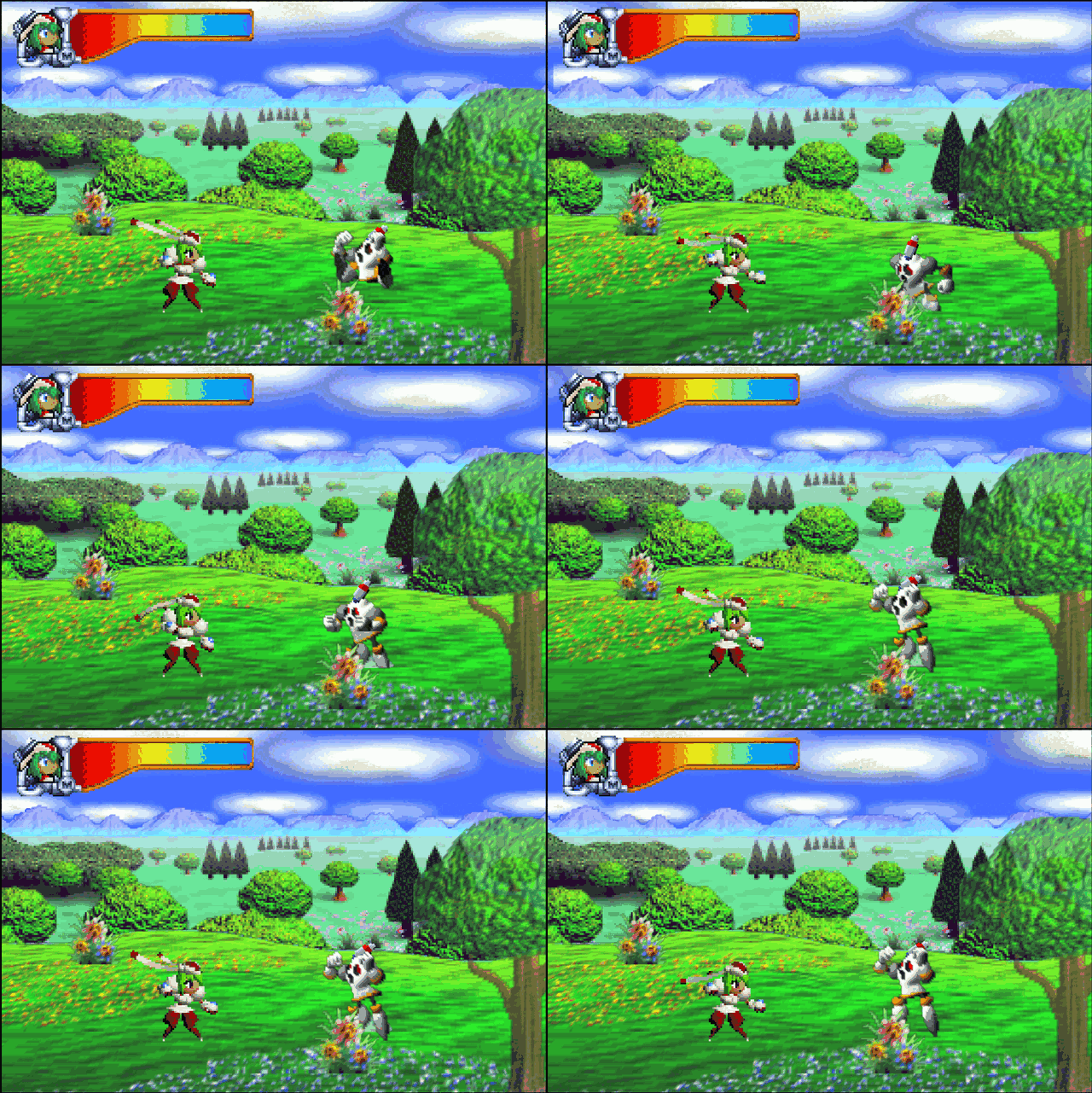 | 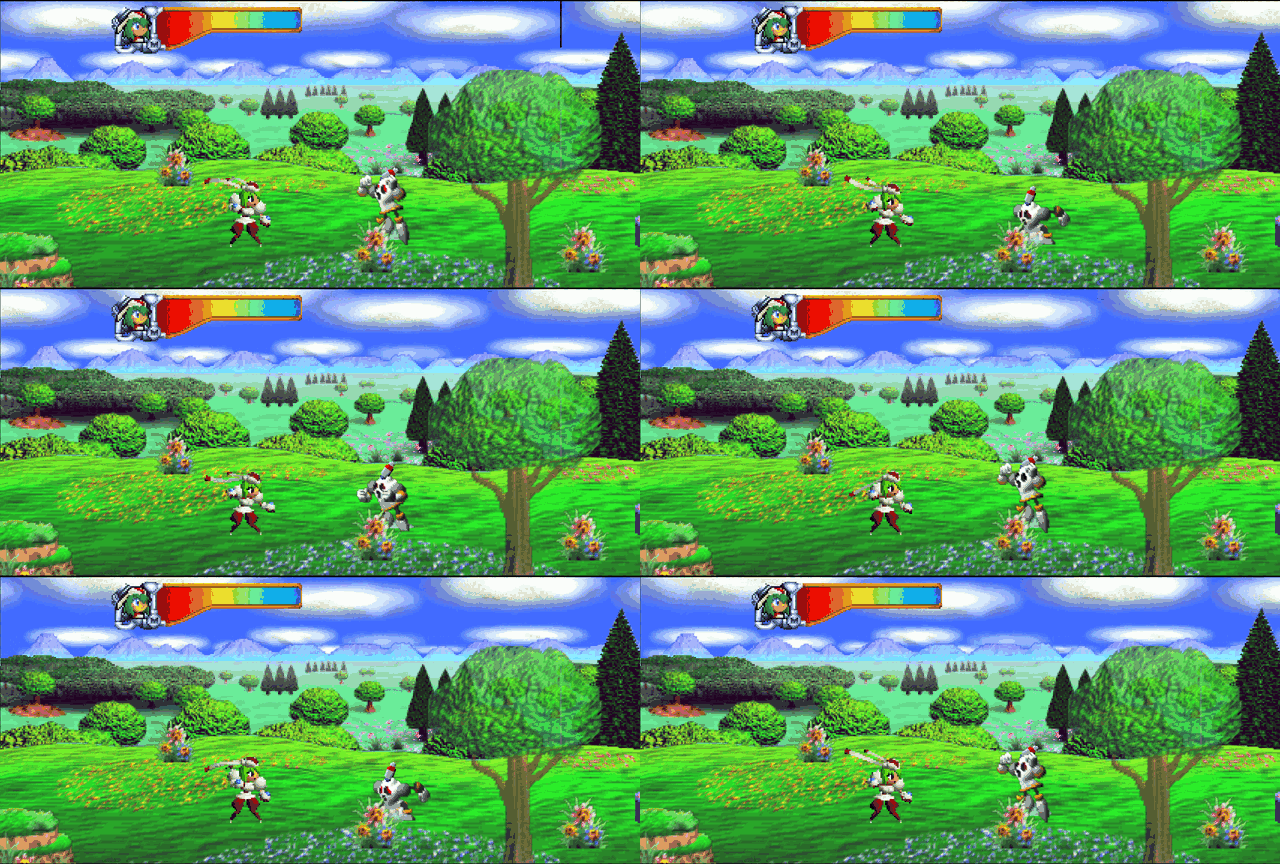 |
Both GIFs were captured from this build in the first playable level at the same idle sequence. Cinematics automatically use the original presentation; the renderer reopens the wings only after stable player control is detected.
Widescreen gallery
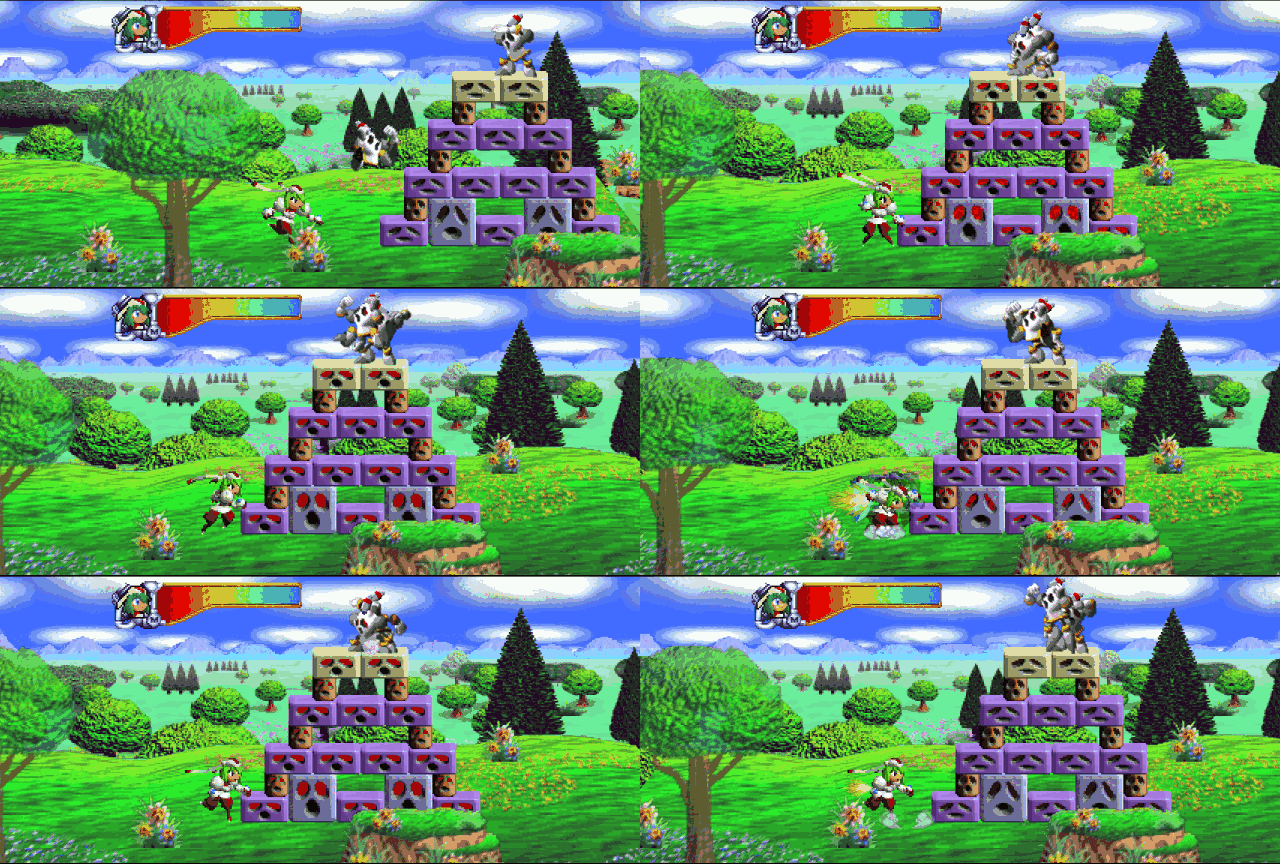
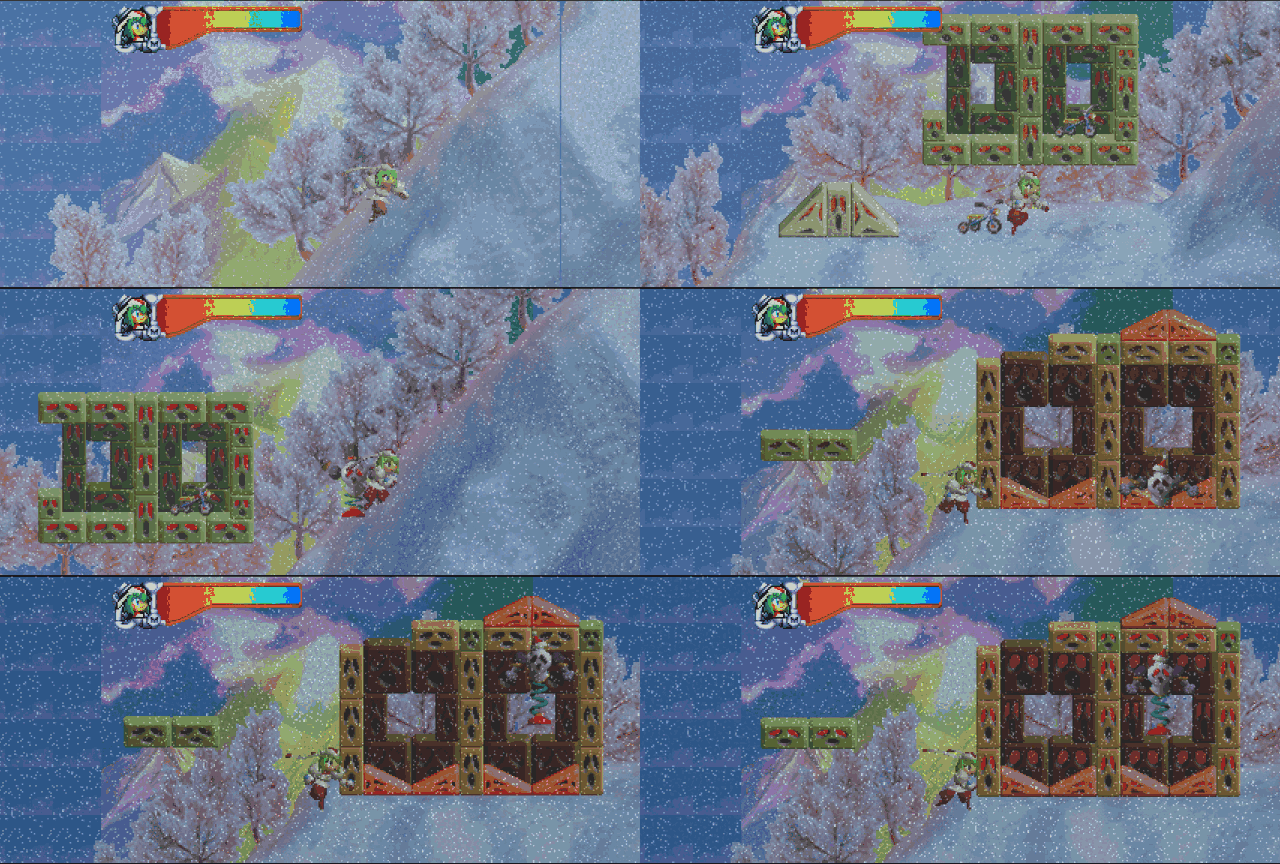
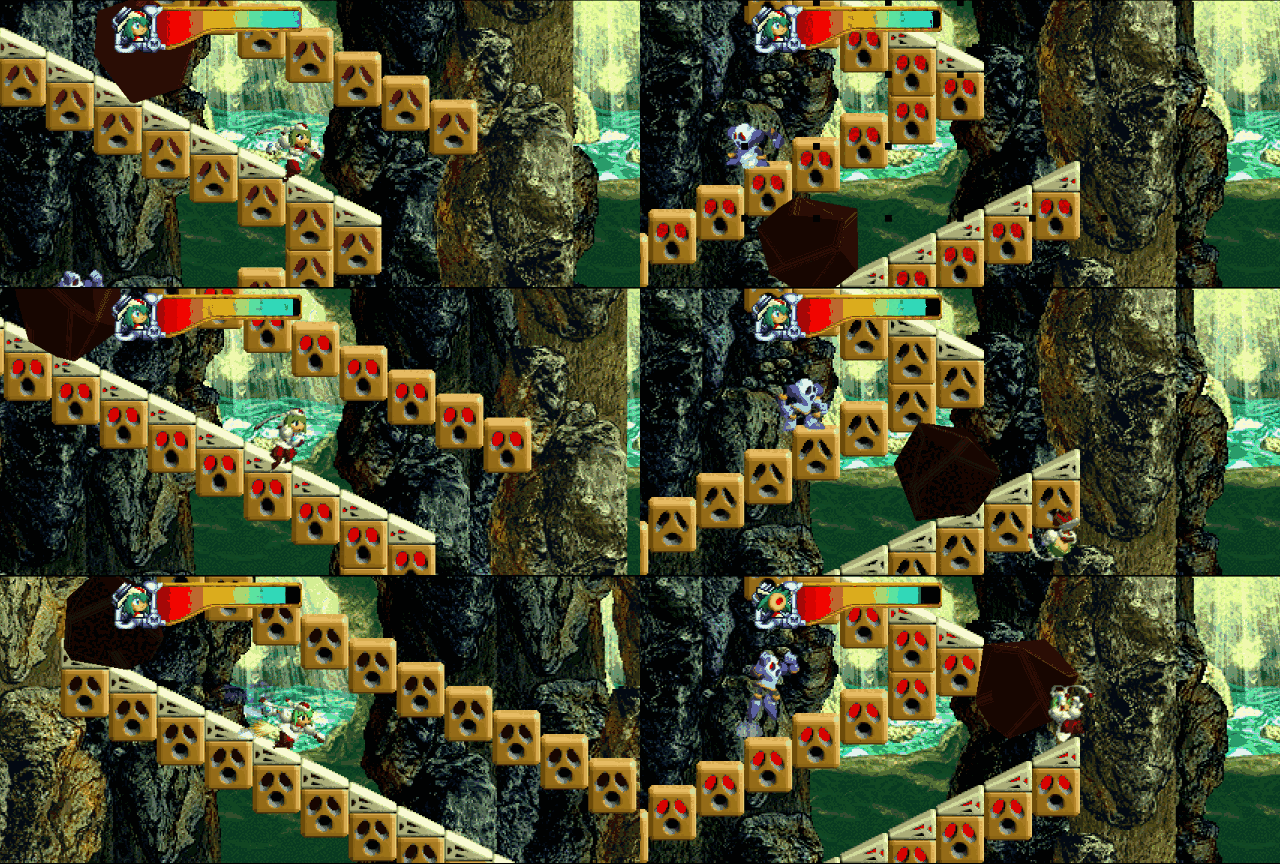
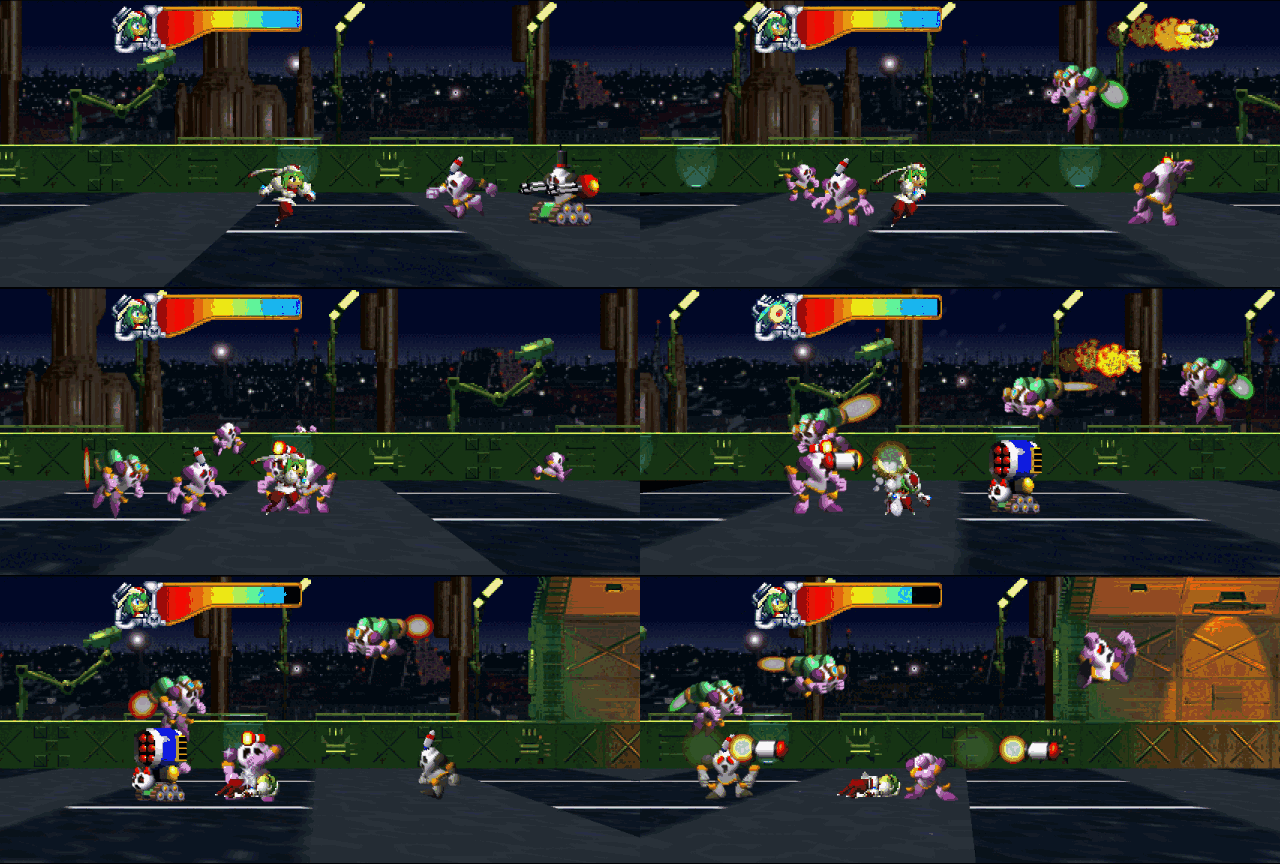
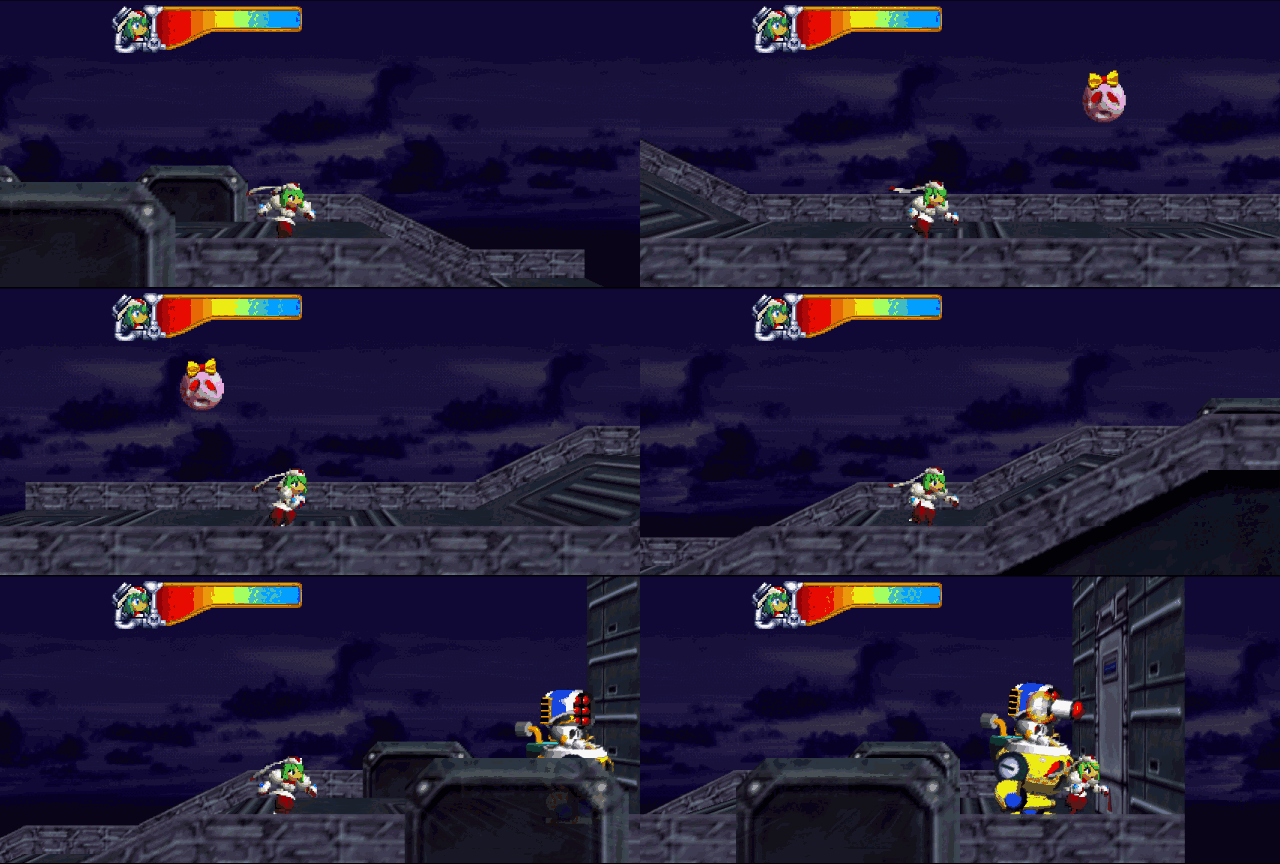
These live captures use the automated controller driver, so the camera, actors, geometry, and tile layers are moving throughout each shot.
| Meet Marina | Snowstorm Maze |
|---|---|
 |  |
| Rolling Rock | ClanCe War 2 |
 |  |
| Trapped | More captures |
 | Five more animated scenes are preserved in the full widescreen gallery. |
Building and running
Prerequisites
- A legally dumped Mischief Makers (US 1.1) ROM (
.z64, big-endian) - Linux: GCC/G++ 12 or newer (C++20), CMake ≥ 3.24, SDL2, a Vulkan-capable GPU + loader (no Vulkan SDK needed — RT64 bundles headers and its shader compiler)
- Windows: Visual Studio 2022 with the "Desktop development with C++", "C++
Clang Compiler" and "C++ CMake tools" components — build with clang-cl
(
cmake -G Ninja -DCMAKE_C_COMPILER=clang-cl -DCMAKE_CXX_COMPILER=clang-cl); MSVC's cl is not supported for the generated C. SDL2 is fetched automatically and SDL2.dll + the DXC DLLs are copied next totroublemakers.exe. Saves/config go to%LOCALAPPDATA%\troublemakers-recomp(or next to the exe with aportable.txt).
One-time setup
git clone --recurse-submodules https://github.com/ThiagoLira/trouble-makers-pc-recomp
cd trouble-makers-pc-recomp

# Supply your own big-endian US 1.1 ROM. It is ignored by git and never copied
# into the resulting executable.
mkdir -p input
cp /path/to/your/mischief-makers-us-1.1.z64 input/troublemakers.us1.z64
echo "e00ab74c3dee79efaafe8e10f2a6b67784d7327ab588d8ef90ad8945427da627  input/troublemakers.us1.z64" | sha256sum -c -

# Runtime fixes not yet upstreamed (message delivery, overlay registration,
# EEPROM semantics):
git -C lib/N64ModernRuntime am "$(pwd)"/patches/N64ModernRuntime/*.patch

# RT64 (renderer), pinned to the fork/commit Zelda64Recomp uses, plus the
# local rendering fixes:
git clone https://github.com/rt64/rt64 lib/rt64
git -C lib/rt64 checkout 23cab603
git -C lib/rt64 submodule update --init --recursive
git -C lib/rt64 apply "$(pwd)"/patches/rt64/*.patch

# Translate the game and audio microcode directly from your ROM, using the
# symbol/section map checked into this repository:
cmake -B tools/N64Recomp/build tools/N64Recomp
cmake --build tools/N64Recomp/build --target N64RecompCLI RSPRecomp -j
tools/N64Recomp/build/N64Recomp troublemakers.us1.toml
tools/N64Recomp/build/RSPRecomp aspMain.us1.rsp.toml
Configuration and incremental builds verify that the RT64 patches are present.
lib/rt64 is an ignored checkout: pulling this project does not update its
applied patches. If verification reports a missing or modified patch, reconcile
that patch with the local RT64 source before rebuilding.
Build and play
cmake -B build -DCMAKE_BUILD_TYPE=Release
cmake --build build --target troublemakers -j8

./build/src/game/troublemakers                                 # no args: launcher
#   (launcher: pick your ROM, configure display and controls, copy support logs,
#   then Start Game; settings and the validated ROM are remembered)
./build/src/game/troublemakers path/to/your.z64                # windowed 1280x960
./build/src/game/troublemakers rom.z64 --fullscreen
./build/src/game/troublemakers rom.z64 --window 1920x1440 --msaa 4
./build/src/game/troublemakers rom.z64 --fps 240      # RT64 frame interpolation:
#   smoother-than-60 motion synthesized between the game's native 60Hz frames
#   (game logic still runs at 60Hz). Use --fps display to match your monitor.
./build/src/game/troublemakers rom.z64 --widescreen    # real 16:9 scene rendering:
#   entities, foreground, scrolling backdrops, environment and midground
#   tile maps are drawn beyond the original 4:3 frame. Plain launches retain
#   the original presentation.
./build/src/game/troublemakers rom.z64 --no-widescreen # force original 4:3
./build/src/game/troublemakers rom.z64 --debug-menu     # enable debug overlay
Widescreen uses the game's own wrapping maps and scene formulas—there is no mirroring, stretching, blur fill, or other cosmetic substitute. Every layer in ordinary scrolling scenes is eligible to extend; individual off-frame tiles whose art a scene never loads are validated against the loaded texture bank and left at a clean authored boundary instead of displaying uninitialized texture memory. Entity spawn/despawn windows are widened to match, so objects no longer pop in at the wing edges. Opening/in-stage cinematics automatically switch back to centered 4:3 and return to widescreen only after player control is stable. NPC conversations during gameplay remain widescreen. A small fallback set stays centered 4:3 because those scenes author a fixed 320x240 canvas (scenes 25, 27, 57, 71, 79, and 85). Vertigo and Seasick Climb now expand their rotating rooms cleanly; both retain the corrected wall and 3D-platform materials without framebuffer trails. See the live scene 22 capture, the forest artifact comparison, and the labeled coverage and regression sheets. The final playable-level sample and 4:3 cinematic sample show the automatic mode boundary.
Run the complete playable-level screenshot/crash suite with:
tools/test_widescreen_playable.sh ./build/src/game/troublemakers path/to/rom.z64 /tmp/mm-widescreen-suite
Run the dense rotation-stage regression matrix in 4:3 and with a widescreen preference, at native 60 and display-rate interpolation, with:
tools/test_rotation_regressions.sh ./build/src/game/troublemakers path/to/rom.z64 /tmp/mm-rotation-suite
On KDE Wayland, set MM_VIDEO_DRIVER=wayland; the suite uses Spectacle for
native active-window captures instead of X11/XWayland window IDs.
The suite targets exact progression-table stage indices, advances dialogue,
waits for authoritative player-control state, moves Marina in short alternating
bursts, audits expanded tile layers for wing coverage, and writes a TSV manifest
plus a multi-frame contact sheet and log for every level. For transient 3D
problems, capture a sustained frame sequence with tools/test_render_burst.sh.
The rotation suite uses 64 dense frames per case and rejects the neutral gray
slab produced by a missing platform material; its contact sheets still require
visual review for trails and texture correctness.
Display options persist to display.cfg and input mappings to controls.json
in the app config folder (CLI display options override the file). In game:
F11 or controller Back/View toggles fullscreen, and hold Tab
fast-forwards 3x.
The launcher's Enable debug menu option enables an in-game overlay. Press F1 or controller L+R+Start to open it; use Up/Down and Enter (or the D-pad and A) to select one of the 52 campaign stages. Left/Right switches pages and Esc/B closes it. Gameplay input is held while the overlay is open. The first debug warp disables all save-buffer mutations until the process exits, while reads continue to use the save loaded at startup, so debug progression cannot overwrite the player's save file.
The recommended baseline is native 60 FPS with antialiasing off. At the recomp's high internal resolution, MSAA/SSAA often make only a subtle visual difference while still consuming GPU time. If the machine has spare headroom, raising the interpolated frame-rate target is usually a more noticeable upgrade than enabling AA; the launcher's Higher FPS preset uses 120 FPS with AA off. MSAA remains available for an A/B comparison. SSAA 2x renders at twice each dimension (roughly four times the pixels) and is the most expensive option. MSAA and SSAA are mutually exclusive, SSAA is capped at 2x, and MSAA is capped at 4x. The launcher estimates the active internal target and warns when SSAA is combined with high-rate interpolation. See Known Issues for the current sprite-interpolation and terrain-strip limitations.
In fullscreen, the game now creates RT64 at the selected monitor's current desktop size. The saved resolution applies to windowed mode and is restored when fullscreen is disabled; this avoids allocating an oversized transient render target during startup.
Vertical sync is on by default and can be disabled from the launcher's
Advanced tab or with --no-vsync, so there is no need to force it off in the
GPU driver's control panel. Disabling it presents without waiting for the
display and can tear.
The ROM is hash-validated (US 1.1 only), stored under
~/.config/troublemakers-recomp/ along with saves, and the game auto-starts.
The scene renders at window-integer-scale: a bigger window IS higher internal
resolution. Keep the window visible — a fully occluded window pauses the
present and the game with it.
AppImage
./.github/linux/appimage.sh          # after building troublemakers; NO_STRIP=1 on Arch-likes
./.github/linux/appimage.sh --steam-deck
Produces TroubleMakers-x86_64.AppImage and, with --steam-deck,
TroubleMakers-SteamDeck-x86_64.AppImage (launcher included — no
CLI needed; the ROM is picked in the splash screen). Build it on the oldest
distro you want to support: the AppImage requires the build machine's glibc
or newer. Put a portable.txt next to the AppImage to keep config/saves in
that folder instead of ~/.config/troublemakers-recomp.
For Steam Deck, copy the Deck AppImage to the device in Desktop Mode, make it executable, right-click it and choose Add to Steam, then launch it from Gaming Mode. This is the same flow used by Zelda64Recomp and other recomp projects. Do not play by opening it directly from the desktop: Steam's Desktop controller profile intentionally maps face buttons to keyboard/mouse actions (including the on-screen keyboard). The Deck build selects 1280x800, fullscreen, expanded aspect ratio, display-rate interpolation (90 FPS on the OLED Deck and 60 FPS on the LCD Deck), antialiasing off, VSync, and the shared recomp controller layout on first run. Back/View toggles fullscreen when it is not assigned to a gameplay control, so gameplay bindings take priority while the window remains recoverable without a keyboard on default layouts.
On Linux, GeForce RTX 50-series/Blackwell GPUs using NVIDIA 610-series and
newer drivers automatically use RT64's ubershader path to avoid a
driver-specific corruption of text and sprites. Older NVIDIA generations keep
the faster specialized-shader path. Set MM_RT64_UBERSHADERS_ONLY=1 to force
the workaround when diagnosing a similar problem, or
MM_RT64_UBERSHADERS_ONLY=0 to disable it.
CI (.github/workflows/build.yml) builds both the Linux AppImage and the
Windows package on every push and uploads them as artifacts. Release CI needs
a TM_ASSETS_REPO secret pointing at a private repo containing
troublemakers.us1.z64; public builders only need their own ROM and do not
need access to that private repo.
Cutting a release is one command — push a version tag and CI builds both platforms and publishes a prerelease with the artifacts attached and auto-generated notes:
git tag v0.3.0 && git push origin v0.3.0
Controls
Open the launcher's Controls tab to remap either keyboard or controller
inputs. Every logical N64 input has two simultaneous binding slots. Controller
buttons, triggers, and either direction of an analog axis can be assigned;
each row can be cleared or reset, and Reset all restores the recomp
defaults. Changes are saved immediately to the versioned, human-readable
controls.json file.
| N64 | Default keyboard | Default controller |
|---|---|---|
| Stick | W A S D | Left stick |
| D-pad | Arrow keys | D-pad |
| A / B | X / C | South / West face |
| Z / L / R | Left Shift / Q / E | LT / LB / RT |
| C-buttons | I J K L | Right stick |
| Start | Enter | Start |
The first SDL game controller is picked up automatically and hotplugged (rumble included). C-buttons also have convenient secondary face/shoulder bindings by default. When enabled in the launcher, the debug overlay uses F1 or controller L+R+Start.
Logs and bug reports
All stdout/stderr diagnostics from the recomp, SDL, runtime, and renderer are captured under the app config folder:
- Linux:
~/.config/troublemakers-recomp/ - Windows:
%LOCALAPPDATA%\troublemakers-recomp\ - Portable mode: beside the executable/AppImage
logs/latest.log is the active run and logs/previous.log is the run before
it. Logs are bounded to 512 KiB and retain the diagnostic header, early startup
details, and the newest output. Each captured line has an elapsed timestamp.
While the game is running, the log records a compact diagnostic snapshot every five seconds. These snapshots include native frame cadence and slow-frame counts, VI/screen/display-list rates, CPU submission time, renderer queue and texture/upload occupancy, process RSS/thread count, active display and render scale, audio conversion and queue health, and a progress watchdog. The same log also identifies the CPU, memory, GPU/driver, SDL backends, resolved display settings, lifecycle milestones, and scene transitions. The hot paths only update counters; formatting and file output happen on the background reporter interval.
For a crash or gameplay bug, reproduce it once, relaunch the game, open
Support, and choose Copy previous session. Paste that report into the
GitHub bug form; attach the full previous.log only when requested. The
copyable report is capped for GitHub, and its diagnostic header omits ROM and
home-directory paths. Skim it before posting because an operating-system or
third-party error may still quote a local path.
For frame drops, slowdowns, or audio glitches, stay in the affected scene for at least 15 seconds before closing the game. That captures three comparable five-second windows in the previous-session report.
How it works / hacking on it
Source layout: src/game/ (host entry, overlay registration, OS shims),
src/rsp/ (recompiled aspMain audio microcode + dispatch),
src/graphics/ (RT64 renderer glue), src/audio_input/ (SDL2 audio, input,
save config), patches/ (runtime patches pending upstream), tools/ (the
recompiler submodule + agent-workflow scripts).
The consolidated US 1.1 ROM and engine technical reference
covers the program image, overlays, RSP microcode, frame scheduler, audio,
EEPROM, stage state, camera and actor culling, tile-layer formulas, widescreen
compatibility work, profiling results, and regression harnesses. The headless
dev harness (MM_HEADLESS_GFX=1) runs the full game loop with no GPU.
Licensing
Copyright (C) 2026 Thiago Lira. This project is GPLv3 (see LICENSE).
It statically links N64ModernRuntime,
which is GPLv3, so the combined work — including the binaries on the Releases
page — is a derivative work under GPLv3. This matches
Zelda64Recomp, which is
GPLv3 for the same reason; the project cannot be distributed under a permissive
license like MIT.
- Some linked components carry their own permissive t