Muppet RaceMania Recompiled
Muppet RaceMania Recompiled is a native PC port of Muppet RaceMania for Windows and Linux that runs at 60 FPS and 16:9 widescreen.
- Type: PC port
- Game: Muppet RaceMania
- Runs on Windows and Linux
- By TekRantGaming
- Latest release v1.0.0, 2026-10-30
- Source: https://github.com/TekRantGaming/muppet-racemania-recompiled
README
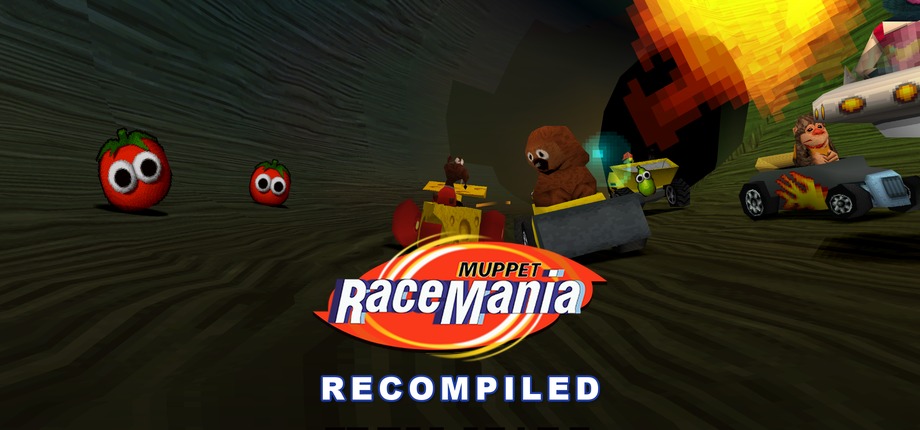
Muppet RaceMania on PC, running natively in 16:9 and at 60 FPS, in a launcher made for the couch.




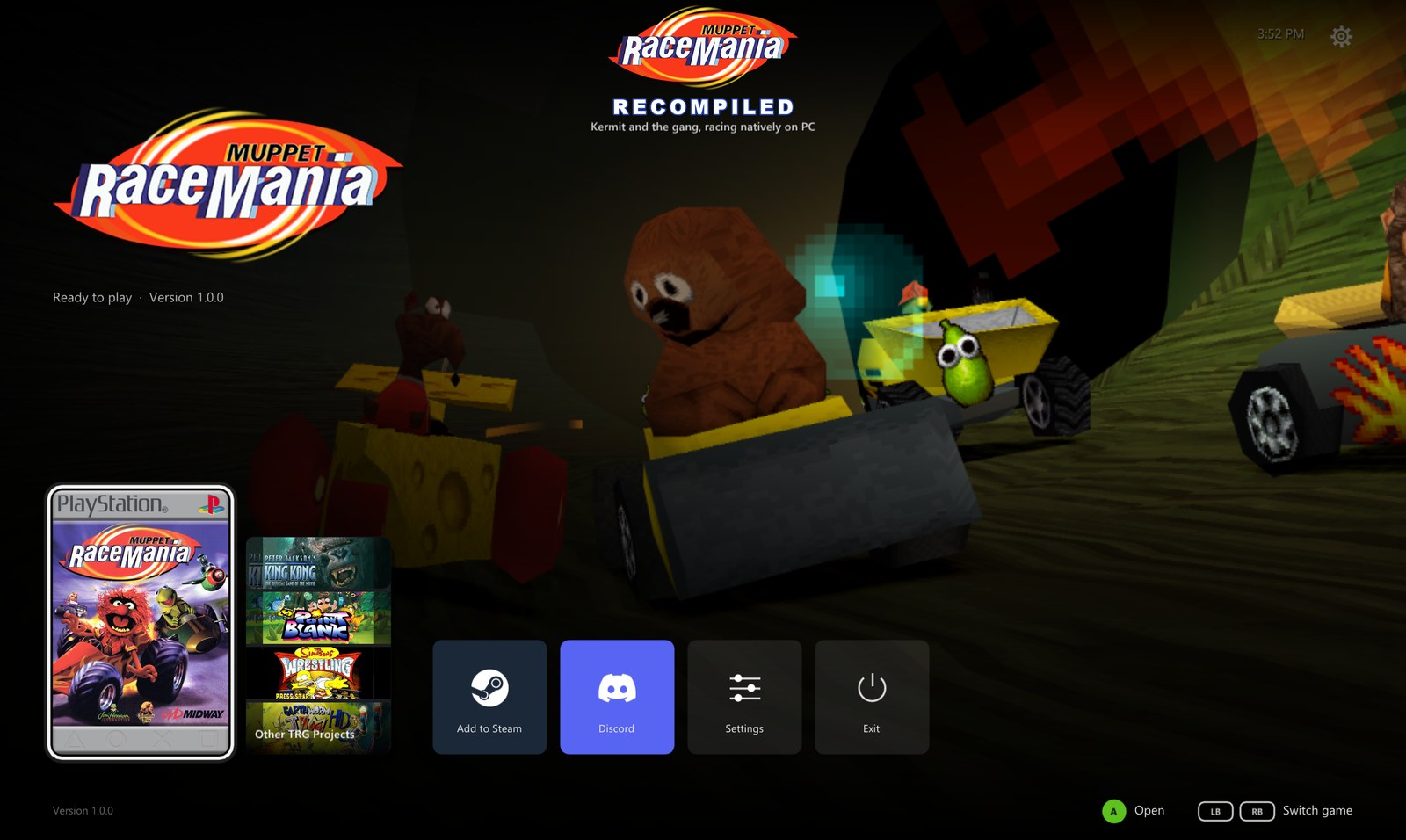
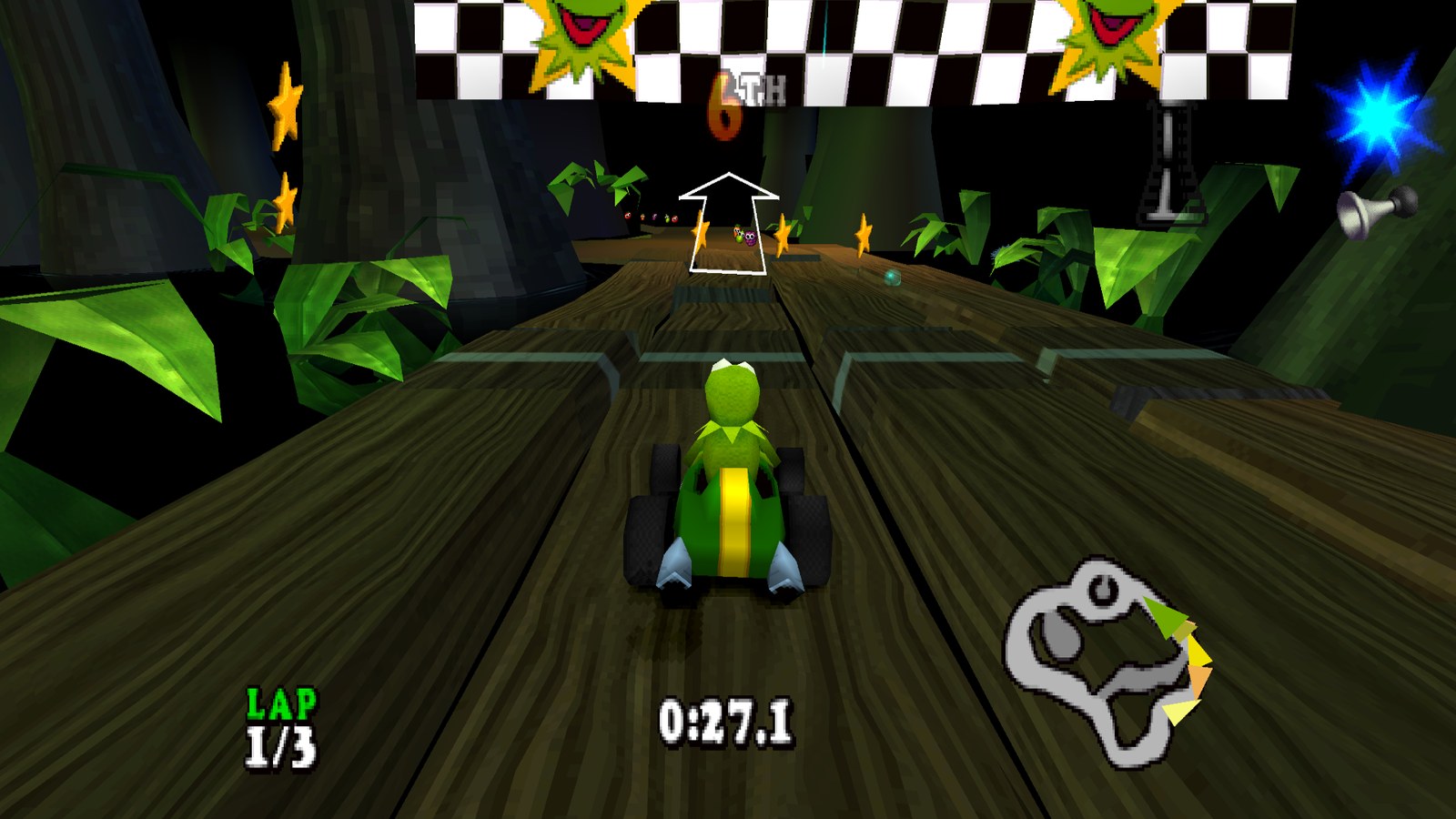
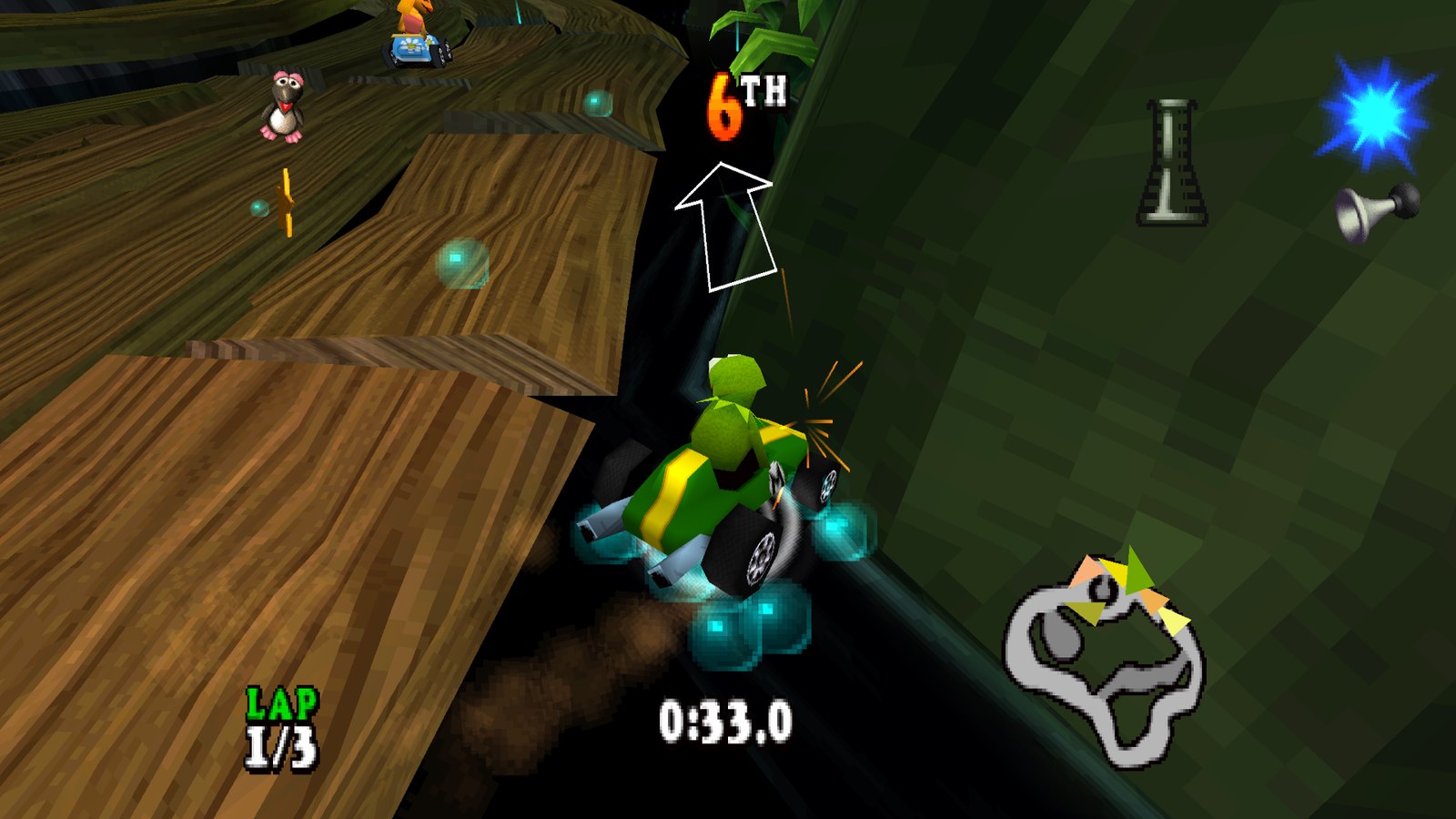
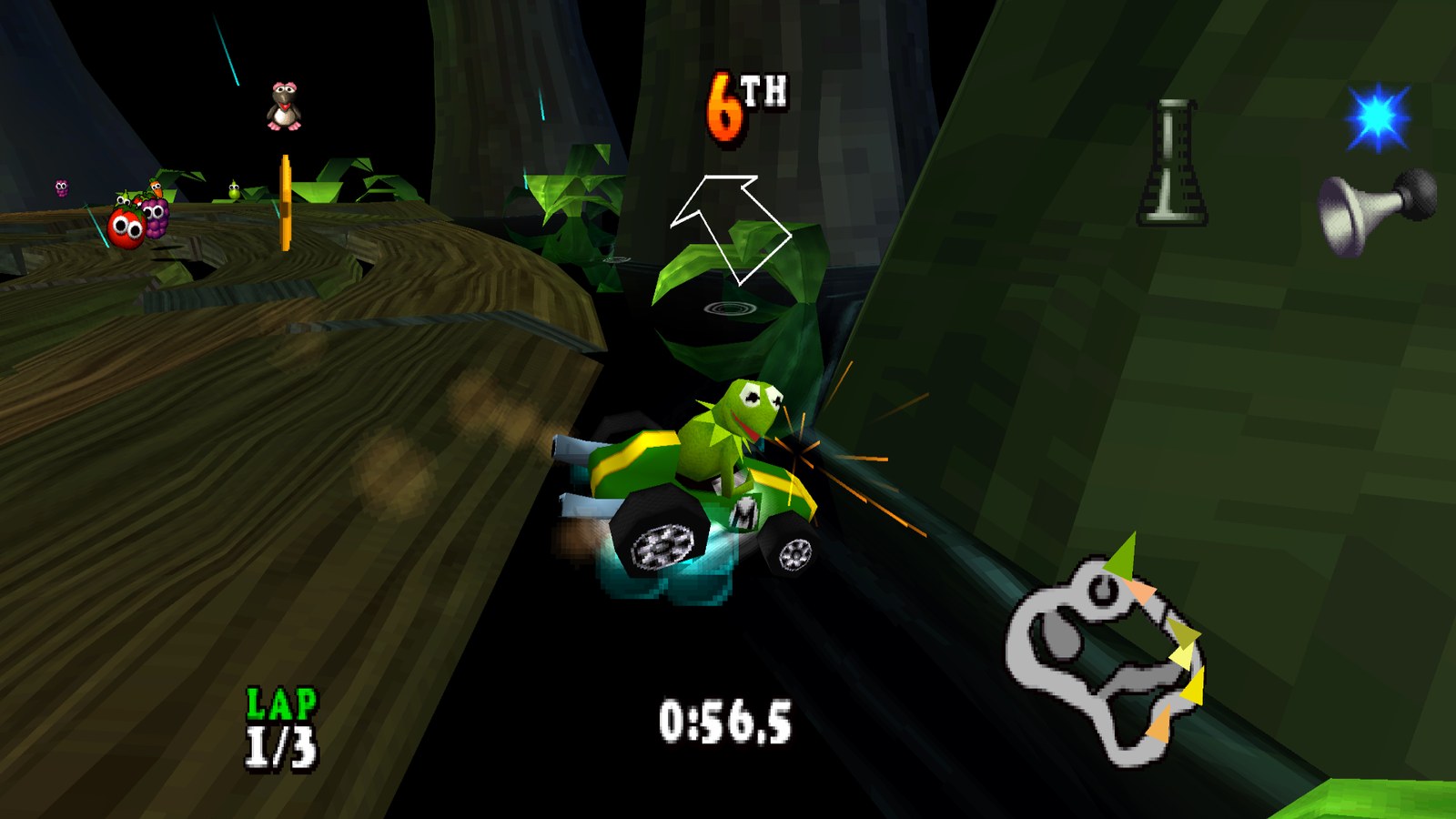
The original PlayStation game code, translated to native PC code with psxrecomp. No game files included: bring a disc image of your own USA or Europe disc. The launcher walks you through it.
At a glance
| 🏁 Native PC port of the 2000 kart racer, from your USA or Europe disc | 🖥️ Up to 4K, or whatever your screen is | 📺 16:9 widescreen with a wider view of the track |
| 🎞️ 60 FPS (50 on a Europe disc), still at the right speed | 🛣️ Draw distance up to double the original | ✨ AMD FSR 1, NVIDIA NIS and FXAA |
| 🎮 Any controller, or the keyboard | ↩️ Back to the launcher any time: hold Back + Start, or Esc | 💿 Install from your own disc image, with the disc checked for you |
| 🛋️ A console style dashboard with sounds, made for a controller | 🔄 Updates itself and the game | 💾 Save backups and restore in one click |
| 🪟 Borderless, exclusive or windowed, any monitor | 🚂 Add to Steam with its own artwork | 🐧 Linux too, as one AppImage |
| 🦍 Other TRG Projects, with King Kong Recompiled ready to install | 💬 Join the Discord right from Home |
Getting started
You need: Windows 10 or 11 (64 bit) or Linux, a graphics card with OpenGL 3.3 (4.3 for the upscalers), and a disc image you made from your own disc (see Which discs you need). The disc image is a .cue with its .bin.
- Download MuppetRaceManiaRecompiled-...-windows-x64.zip from the latest release and unzip it anywhere. It holds the launcher and the game, and everything stays in that folder, so it's portable.
- Run MuppetRaceMania.exe. It opens in fullscreen on Home. Windows may warn about an unknown publisher the first time: choose More info, then Run anyway.
- Press Play. The first time, the launcher asks for your disc image: it finds disc images on your PC by itself (or choose the
.cuefile), checks the disc and copies it next to the game. - Press Play again, and from then on it starts straight away.
While you play, hold Back and Start on the controller, or hold Esc, to come back to the launcher. No game files are included: they come from your own disc. Your memory cards are kept in saves\muppet_racemania beside the launcher.
Linux
- Download MuppetRaceManiaRecompiled-...-linux-x86_64.AppImage from the latest release.
- Make it executable (right click it, Properties, Permissions, Allow executing file as program, or
chmod +xin a terminal) and run it. The launcher and the game are inside. - Everything else works as on Windows: press Play, and choose your disc image the first time.
The game, your disc image, the settings and your memory cards go in ~/.local/share/muppet_racemania. It needs a recent distribution (glibc 2.38, such as Ubuntu 24.04 or newer). The AppImage updates itself like the Windows version, and Add to Steam on Home puts it in your Steam library with its artwork. It hasn't been tried on a Steam Deck yet, so please tell us how it goes.
Which discs you need
The two discs are different programs, so the port has a build for each and the launcher starts the right one. Only the serial is checked, so any good dump of these two discs works. Other releases of the game have other serials and aren't supported. These are the images the port was made and tested with:
| Region | Serial | Disc image | SHA1 | Installed |
|---|---|---|---|---|
| USA | SLUS-01237 | 518,202,048 bytes | 1B0FC0B6FA0958ECAC5F087AAB4B444B2067A387 | about 500 MB |
| Europe | SCES-02008 | 518,025,648 bytes | FE6AA396784527BE81B550DBFC03B51D83707912 | about 500 MB |
The launcher's install screen shows every detail for each disc, MD5 and CRC32 too. To check a disc image yourself, run this in PowerShell on the .bin and compare the result with the SHA1 above:
Get-FileHash "C:\Games\Muppet RaceMania (USA).bin" -Algorithm SHA1
The launcher
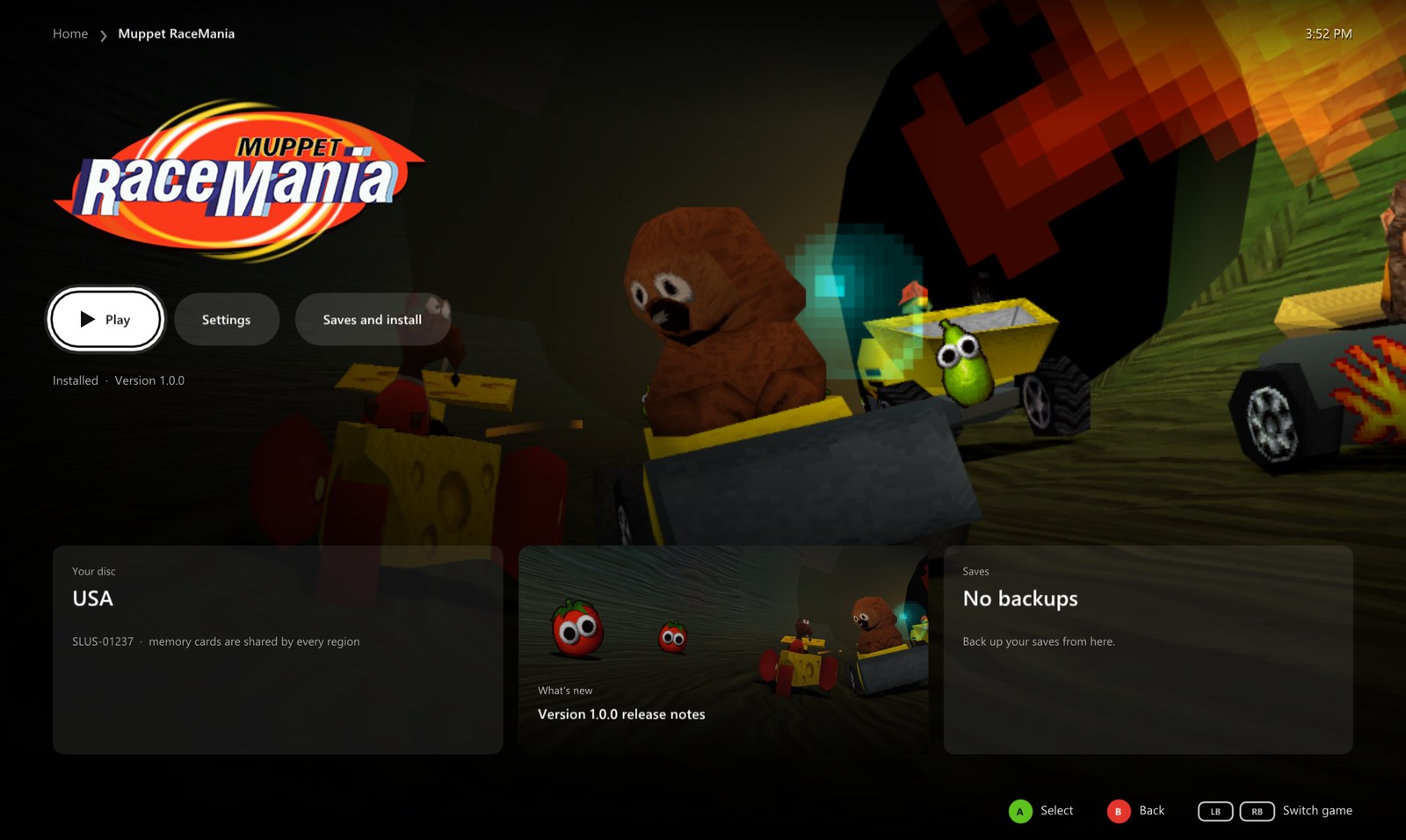
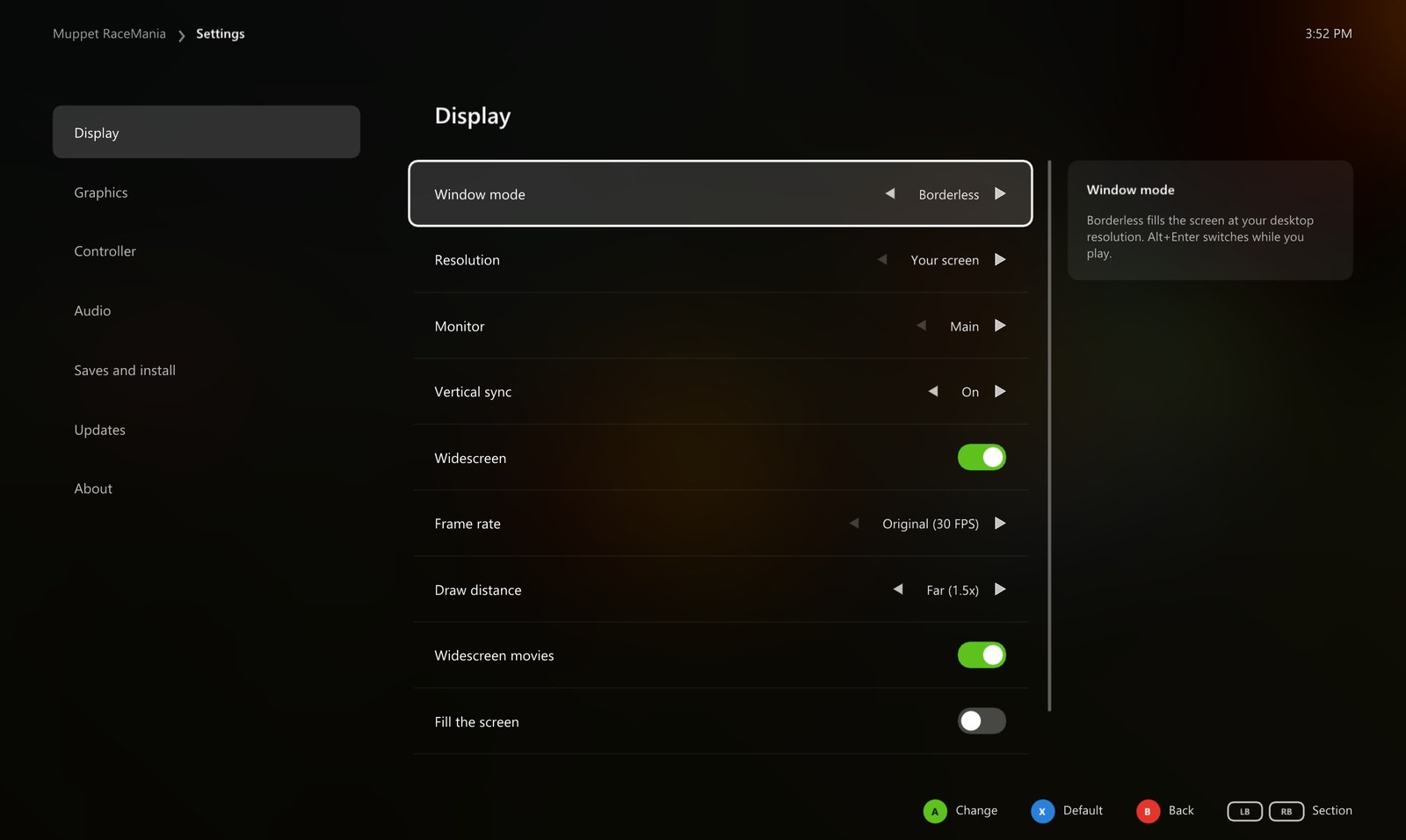
Everything is set up before the game starts, with a controller, the keyboard or the mouse.
|
Home
|
Game page
|  |
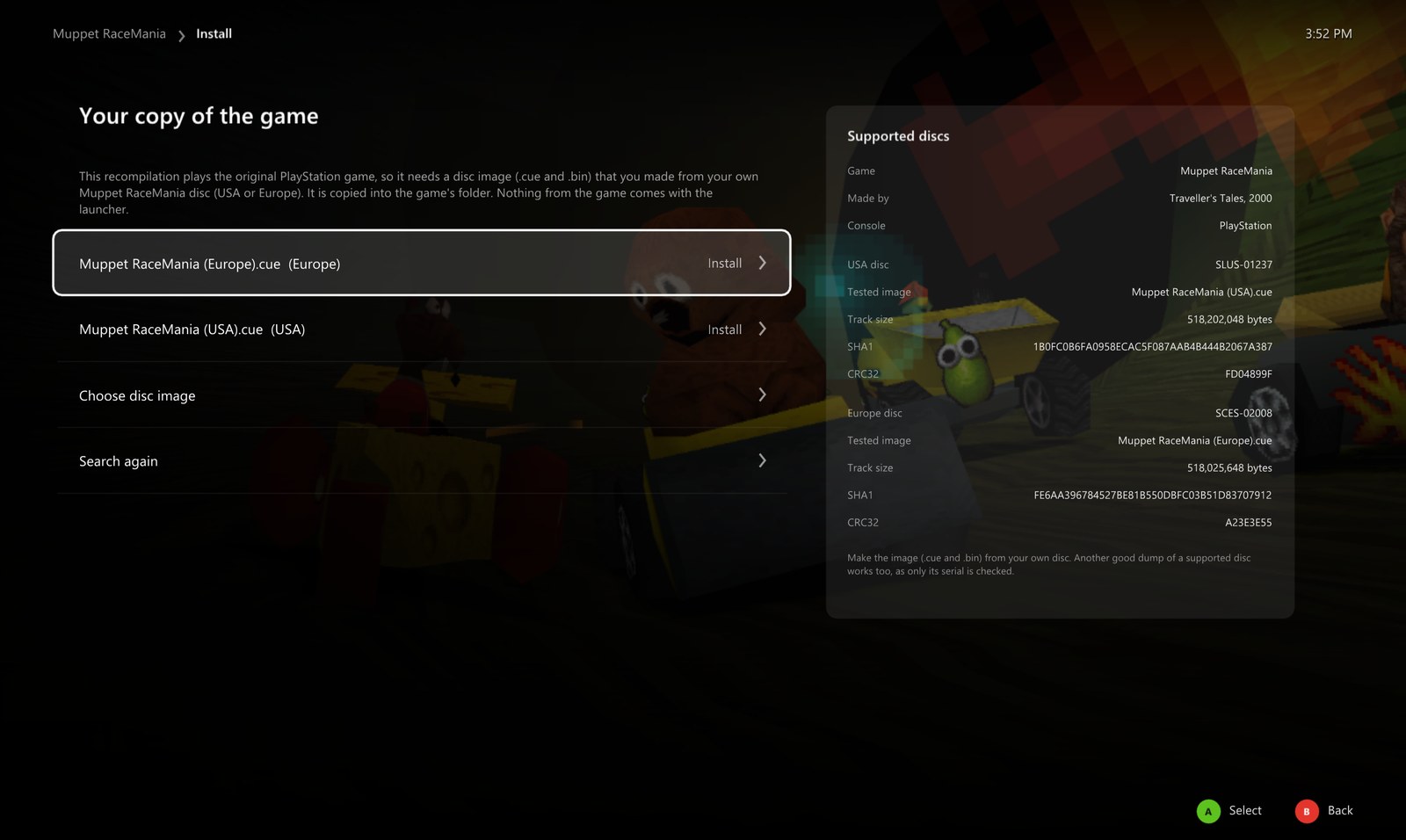 |
Install from your own disc
|
Display
|  |
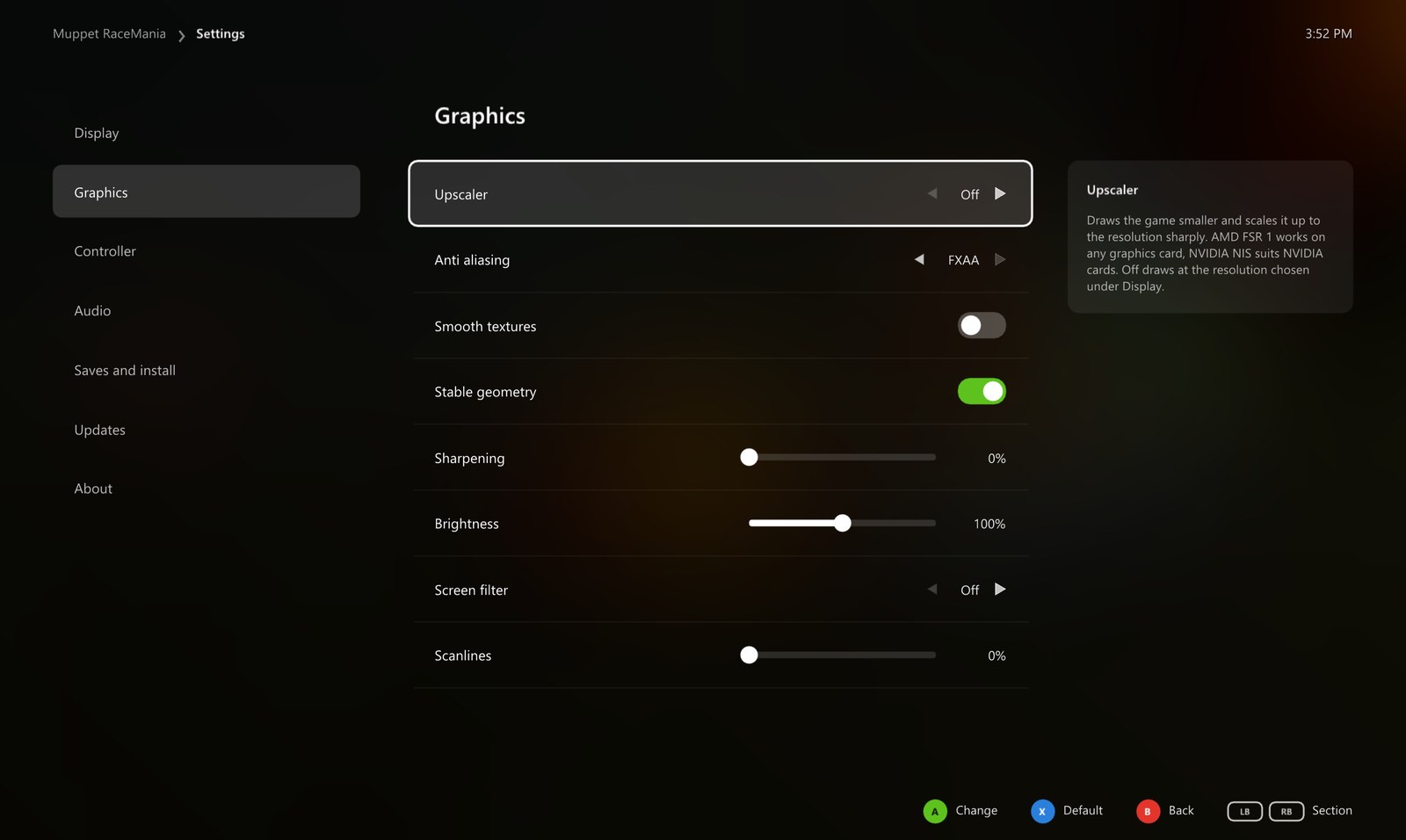 |
Graphics
|
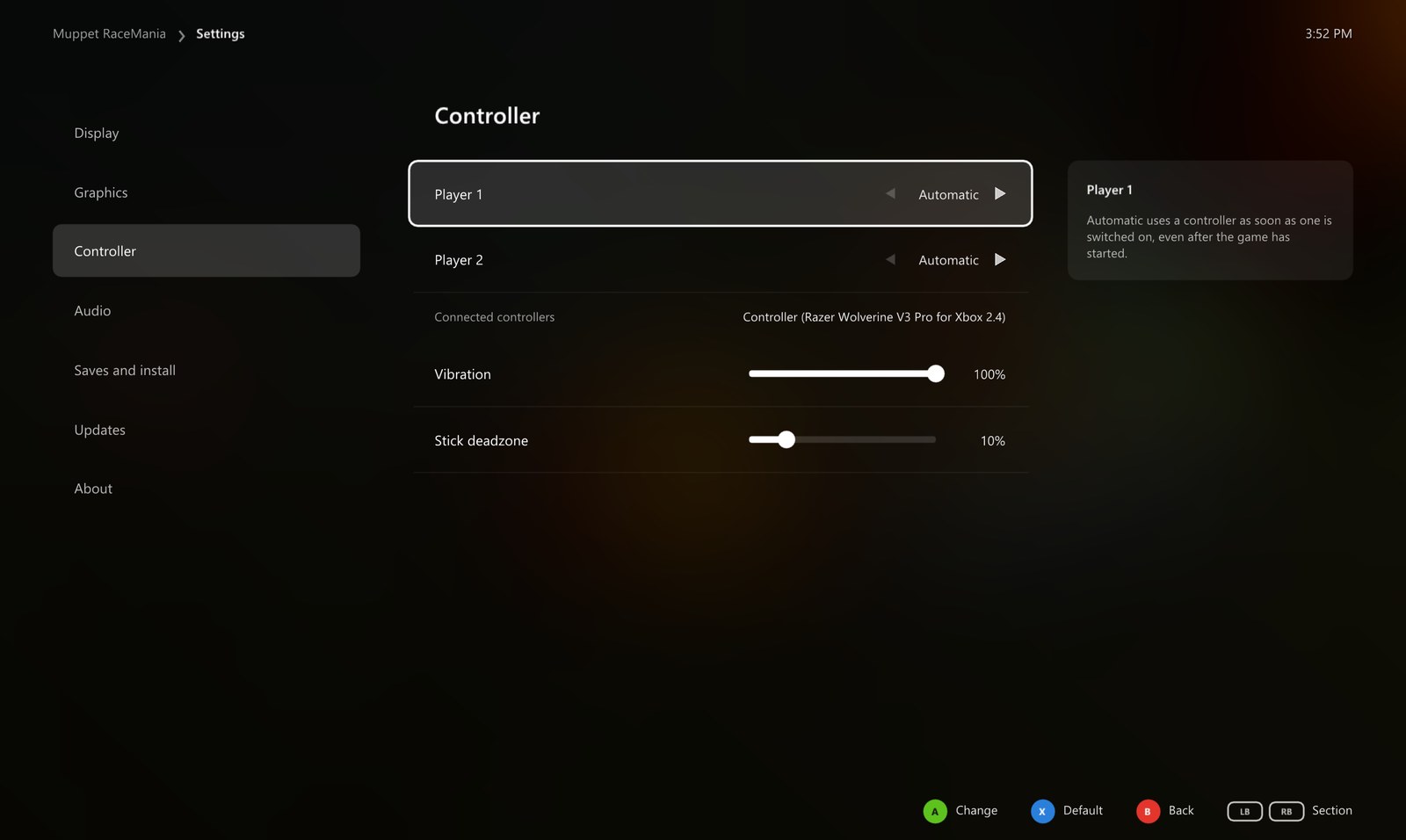
Controller and sound
|  |
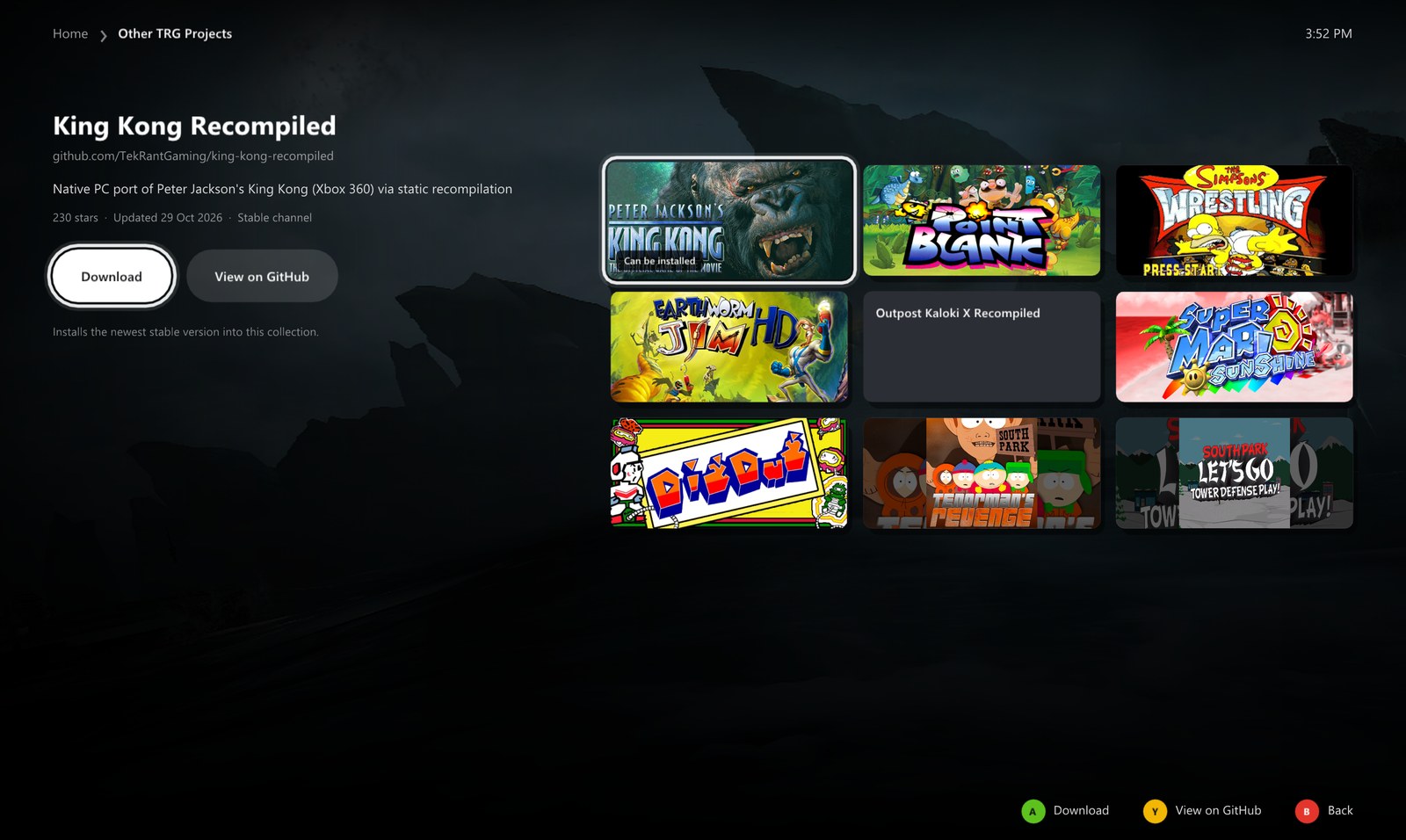 |
Other TRG Projects
|
Saves and updates
Saves and install backs up your memory cards and restores them, opens the save, backup and game folders, reinstalls from your disc or removes the game. When the launcher opens it checks GitHub for a new version and installs it by itself, restarting into the new launcher once nothing else is going on; your disc image, saves and settings stay as they are. Turn that off in the launcher's own Settings.
PlayStation vs PC
| PlayStation | PC | |
|---|---|---|
| Resolution | about 512 x 240 | your screen, up to 4K |
| Picture | 4:3 | 16:9 with a wider view, or 4:3 |
| Frame rate | 30 fps (25 in Europe), often lower | 30 or 60 (25 or 50 in Europe) |
| Draw distance | short | up to 2x |
| Upscaling | none | AMD FSR 1 or NVIDIA NIS, three modes each |
| Anti aliasing | none | FXAA |
| Polygons | wobble | steady, with stable geometry |
| Display | TV | borderless, exclusive or windowed, any monitor |
| Controls | DualShock | any controller, or the keyboard |
Good to know
What changes in widescreen
The race itself fills 16:9: the track and karts at the sides of the screen are drawn by the game, not stretched. Menus and loading screens keep their 4:3 picture. The game's movies are made in 4:3, so Widescreen movies zooms them to fill the screen, trimming a little from the top and bottom. Turn it off to see them in 4:3 with black bars.
60 FPS
The game moves everything by the time each frame took, so races run at the same speed at 30 and 60. 60 FPS needs a faster CPU, because the emulated PlayStation processor runs at three times its speed to fit a race frame in. A Europe disc runs at 50 FPS, like its TV standard.
Keyboard
| Key | PlayStation button |
|---|---|
| Arrow keys | D-pad and left stick |
| X | Cross (accelerate) |
| S | Circle |
| Z | Square |
| A | Triangle |
| Q W E R | L1, R1, L2, R2 |
| Return | Start |
| Right Shift | Select |
To change them, edit keybinds.ini in the game's folder (games\muppet_racemania\usa or eur).
Hotkeys
| Key | Action |
|---|---|
| Hold Back + Start, or hold Esc | back to the launcher while playing |
| Alt + Enter | fullscreen or windowed while playing |
| F11 | the launcher fullscreen or windowed |
Reporting a problem
Please open an issue with which disc you use, what happened, your CPU, graphics card and the resolution and frame rate you play at, or ask on the Discord.
About the game
Muppet RaceMania is a kart racer developed by Traveller's Tales with Jim Henson Interactive, released on the PlayStation in 2000. Midway published it in North America and Sony Computer Entertainment in Europe. Kermit, Miss Piggy, Gonzo, Animal and the rest of the gang race through tracks set in the Muppet movies.
Until now the only way to play it was on a PlayStation or an emulator. This port runs it natively on PC and adds the options you would expect from a PC release.
Building from source (for developers)
See BUILDING.md. The game code is generated from each disc's own program, so building needs your own disc too. It is never committed.
Credits
- Muppet RaceMania by Traveller's Tales with Jim Henson Interactive, published by Midway and Sony Computer Entertainment in 2000.
- psxrecomp by Matthew Stanley and its contributors, which translates the PlayStation code and runs it, under the PolyForm Noncommercial License 1.0.0.
- OpenBIOS from PCSX-Redux, the free PlayStation BIOS the game boots on, MIT licensed.
- Dear ImGui, SDL and stb for the launcher.
- The TRG Launcher, shared by the TekRantGaming ports.
- Game artwork in the launcher from SteamGridDB, downloaded when the launcher runs.
- The Discord and Steam marks from Simple Icons (CC0). Discord and Steam are trademarks of their owners.
- Upscaling: AMD FidelityFX Super Resolution 1 and the NVIDIA Image Scaling SDK, both MIT licensed.
The licences of everything above that ships with the game are in the release's licenses folder.
Note
AI disclosure: this port was made almost entirely with Claude Code (Anthropic). The repository owner directed and tested the work; the AI did the analysis, code, tools and documentation.
Important
This project is not affiliated with or endorsed by The Jim Henson Company, The Muppets Studio, Disney, Traveller's Tales, Midway, Sony, Valve or Discord. All trademarks belong to their owners. The repository and the releases contain no game code, disc data or Sony BIOS. Do not open issues asking for game files.