Speedbreaker
Speedbreaker is a native PC port of Need for Speed: Most Wanted (2005) for Xbox 360 that supports up to 4K resolution and ultrawide screens.
- Type: PC port
- Game: Need for Speed: Most Wanted
- Runs on Windows, macOS and iOS
- By project(u)
- Latest release v0.1.9-windows-beta.1, 2026-10-24
- Source: https://github.com/SpeedBreakerProject/speedbreaker
- Website: https://projectugarte.com/speedbreaker/
README
An unofficial static recompilation of the Xbox 360 version of Need for Speed: Most Wanted (2005):
a native port, not an emulator.
Play your own copy on Steam Deck, Steam Machine and Steam Frame (SteamOS), Linux and Mac,
and for iPhone and iPad, sideload the experimental IPA or build it yourself.
Download · Quick start · Website · Report a bug
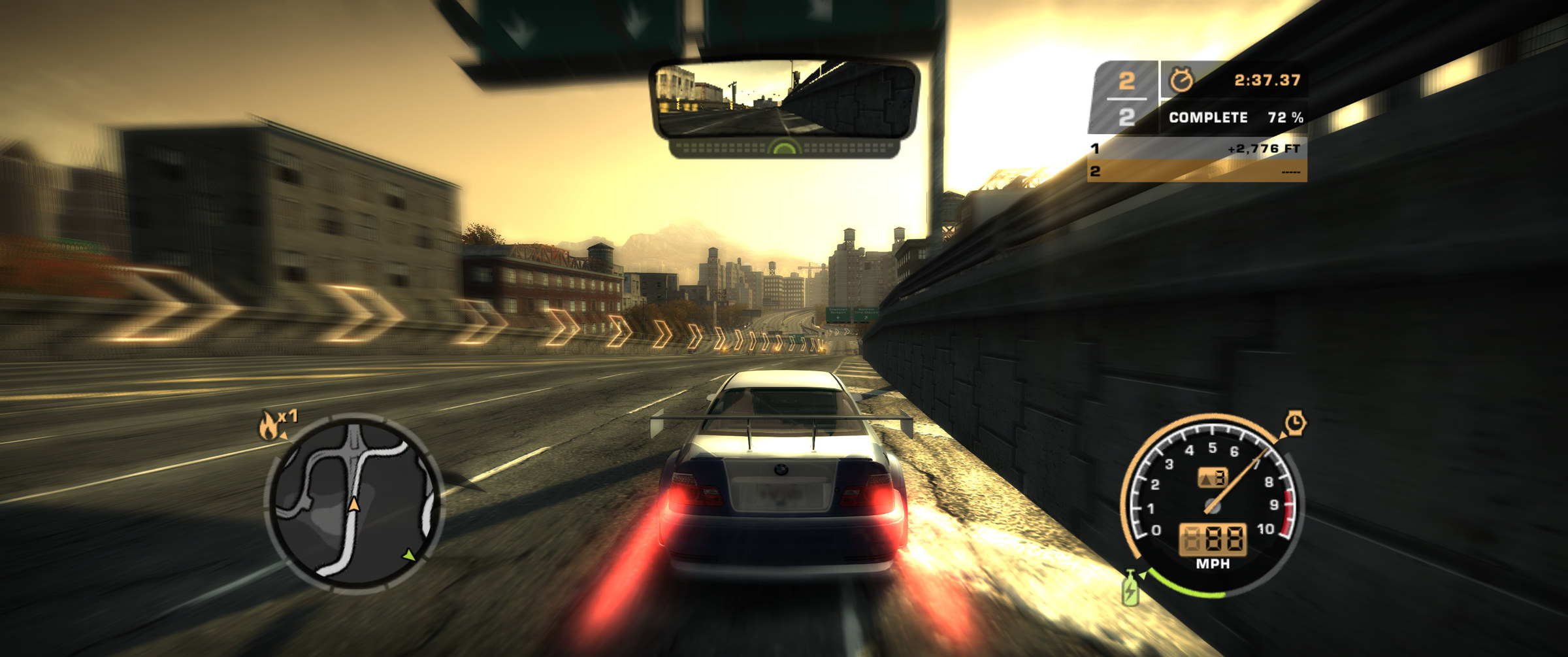
What you see in a race, on a 21:9 ultrawide: a wider view, not a stretched one, with the HUD and the mirror where they belong.
Important
SpeedBreaker is an unofficial fan project by project(u). It is not affiliated with, endorsed by or sponsored by Electronic Arts Inc., the Need for Speed brand or Valve Corporation.
No game files are included or distributed. To play, you need your own legally obtained backup (a disc image) of your own Xbox 360 disc of Need for Speed: Most Wanted (2005). The in-app installer verifies it and installs it. Please don't ask for, or share, game files or disc images. See the full legal notice.
Contents: What it is · Highlights · Download · Quick start · How to update · Setup by platform · Controls · Settings · Tips · FAQ · Known issues · What's next · For developers · Credits · License · Legal notice
What is SpeedBreaker?
SpeedBreaker is an unofficial static recompilation of the Xbox 360 version of Need for Speed: Most Wanted (2005): a native port, not an emulator. It runs as an ordinary app on your device (see how it works).
It is built from the Xbox 360 version of the game, not the PC version: it runs the Xbox 360 release's own code, translated ahead of time, and it installs only from the Xbox 360 disc.
You bring the game: SpeedBreaker installs it from a backup of your own disc and checks every file. Then you race, with things the Xbox 360 couldn't do: up to 4K, ultrawide and tall screens, and a settings menu you can open mid-race.
Highlights
- Up to 4K. The 3D scene renders at 1x, 1.5x, 2x or 3x the console's 720p (1.5x is 1080p, 3x is 3840x2160). Auto picks a scale for your screen and device.
- Ultrawide done right. On 21:9 screens the view gets wider instead of stretched, and the HUD and the rear-view mirror stay in place. A 4:3 iPad, a 3:2 screen or the 16:10 screens of the Steam Deck and many Macs show more above and below instead, and fill the screen at their own resolution: a Steam Deck renders 1280x800 at 1x, pixel for pixel.
- Up to 60 fps, locked to your 60 Hz display. You can also pick a steady 30 at full game speed, or Auto, which drops to 30 only while a device is hot or can't hold 60. On a Mac with a 120 Hz screen, Smooth Motion draws up to 120 fps (off by default).
- Two-player split screen (Quick Race > Split Screen), with two controllers.
- USB steering wheels (experimental). Tested with a Logitech G29 on a Mac, force feedback included; the steering feel is still being tuned.
- Ten languages. English, French, German, Italian, Spanish, Dutch, Swedish, Danish, Polish and Finnish, from the USA disc's own text (Settings > Game > Language). The movies and the speech stay in English, as on the USA disc.
- The sun glare is back. The low sun glows in open sky and fades behind buildings, as it did on the console.
- The original look: sunlit roads and shadows as on the console, the picture a real Xbox 360 sends to a TV (the game's own display gamma), correct colours on Apple devices, proper car paint and mirror reflections, and distant textures that don't shimmer. Anti-aliasing, sharpening, FSR 1 upscaling, a Brightness setting and up to 16x anisotropic filtering are also available.
- A guided installer. It finds your disc image, checks that it is the right game, and verifies all 49 files as it copies them. An interrupted install never leaves a broken game.
- Your controller, or the keyboard. Controllers work as an Xbox 360 pad, with hot-plugging and rumble support. Every keyboard control can be reassigned in the settings.
- A settings menu that pauses the game. Open it with F1, Back + Start, or a three-finger tap. Every change applies at once, and Quit Game leaves the game from a controller too.
- Suspend and resume on iPhone and iPad. Switch away and the game freezes; come back and it carries on where it stopped.
- One-button bug reports. Logs, settings and a screenshot go into one zip file. Nothing is uploaded, and you decide what to send.
- Check for Updates. One press in the settings asks GitHub whether a newer release is out, shows what changed and opens the download page (or shows it as a QR code for your phone). Nothing is checked online unless you press Check for Updates.
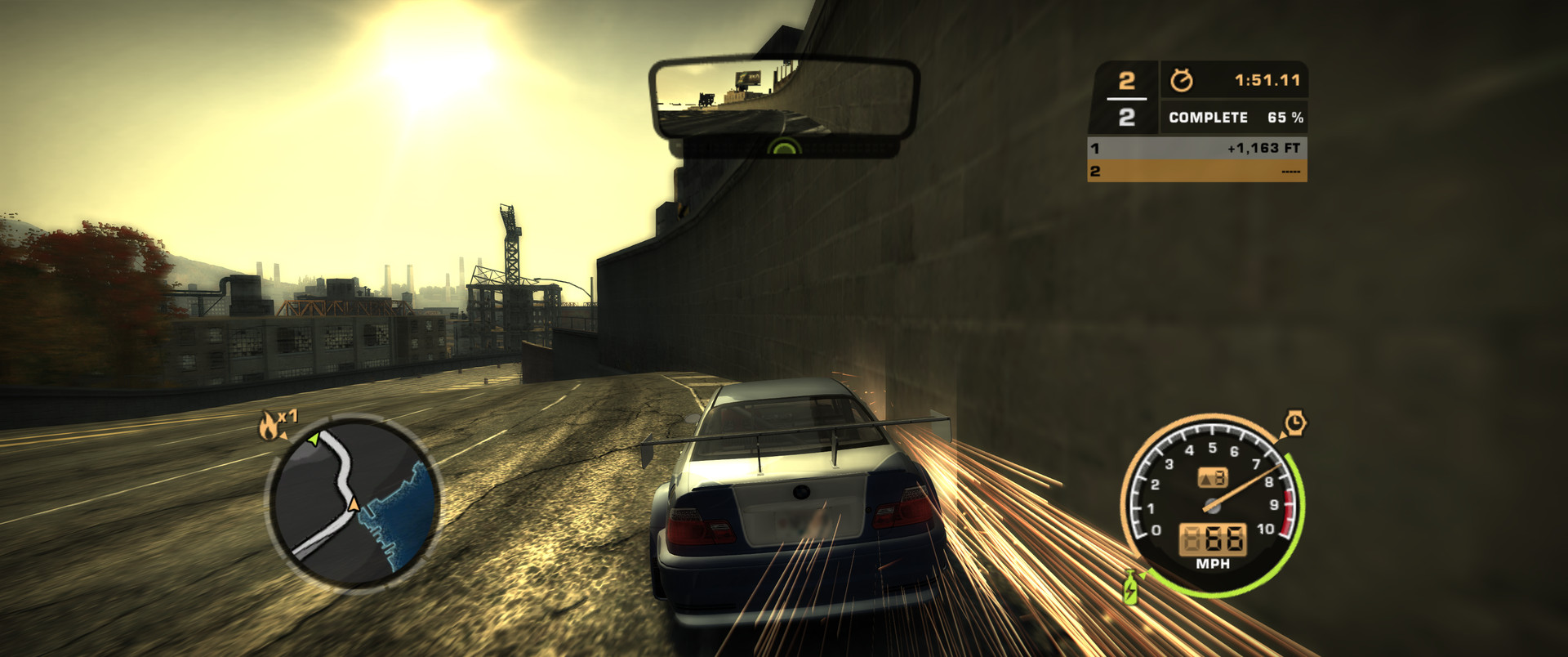 21:9 in a race: the wider view and the low sun's glare. | 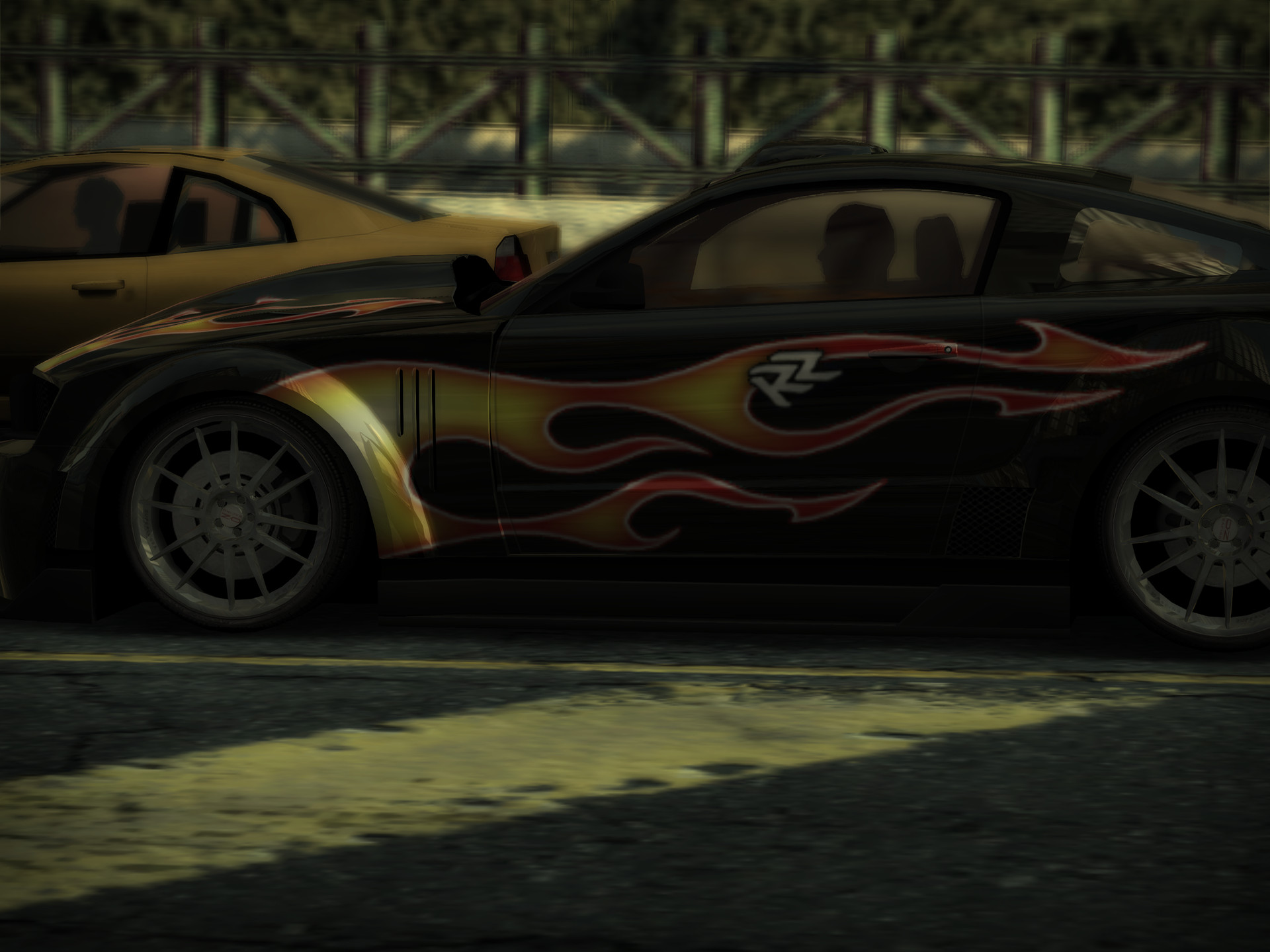 4:3, the shape of an iPad screen, with more picture above and below. |
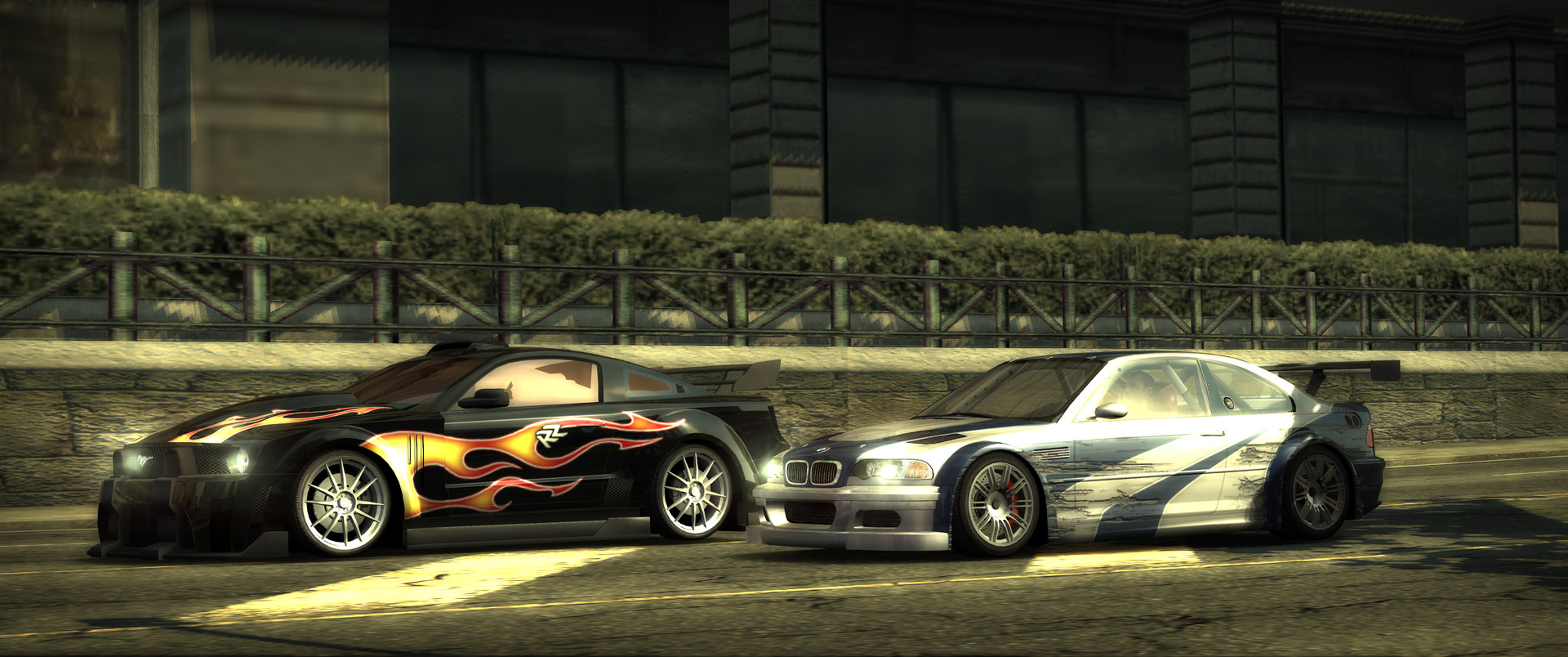 The intro cinematic at 3440x1440. | 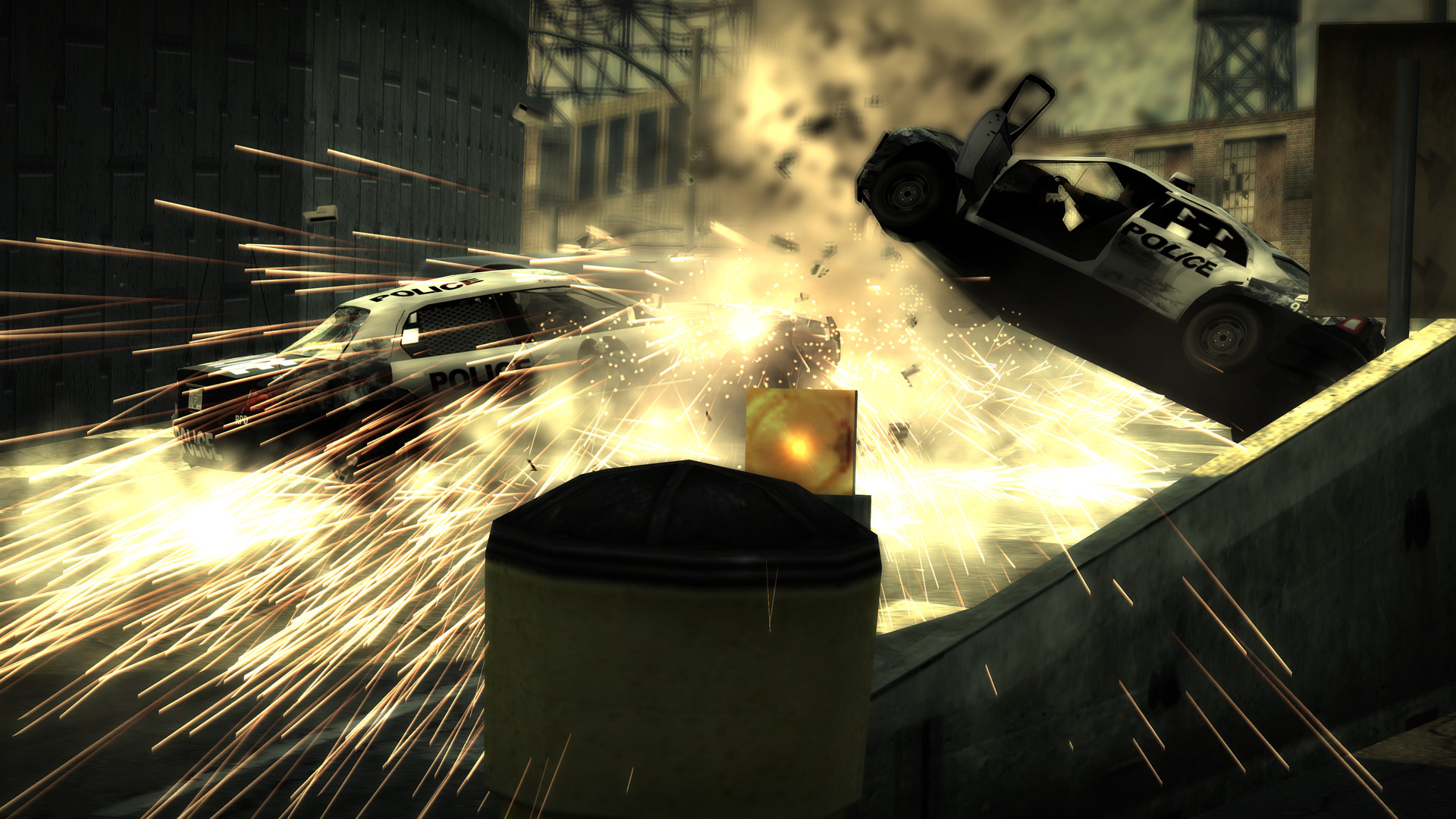 A pursuit cinematic at 3840x2160. |
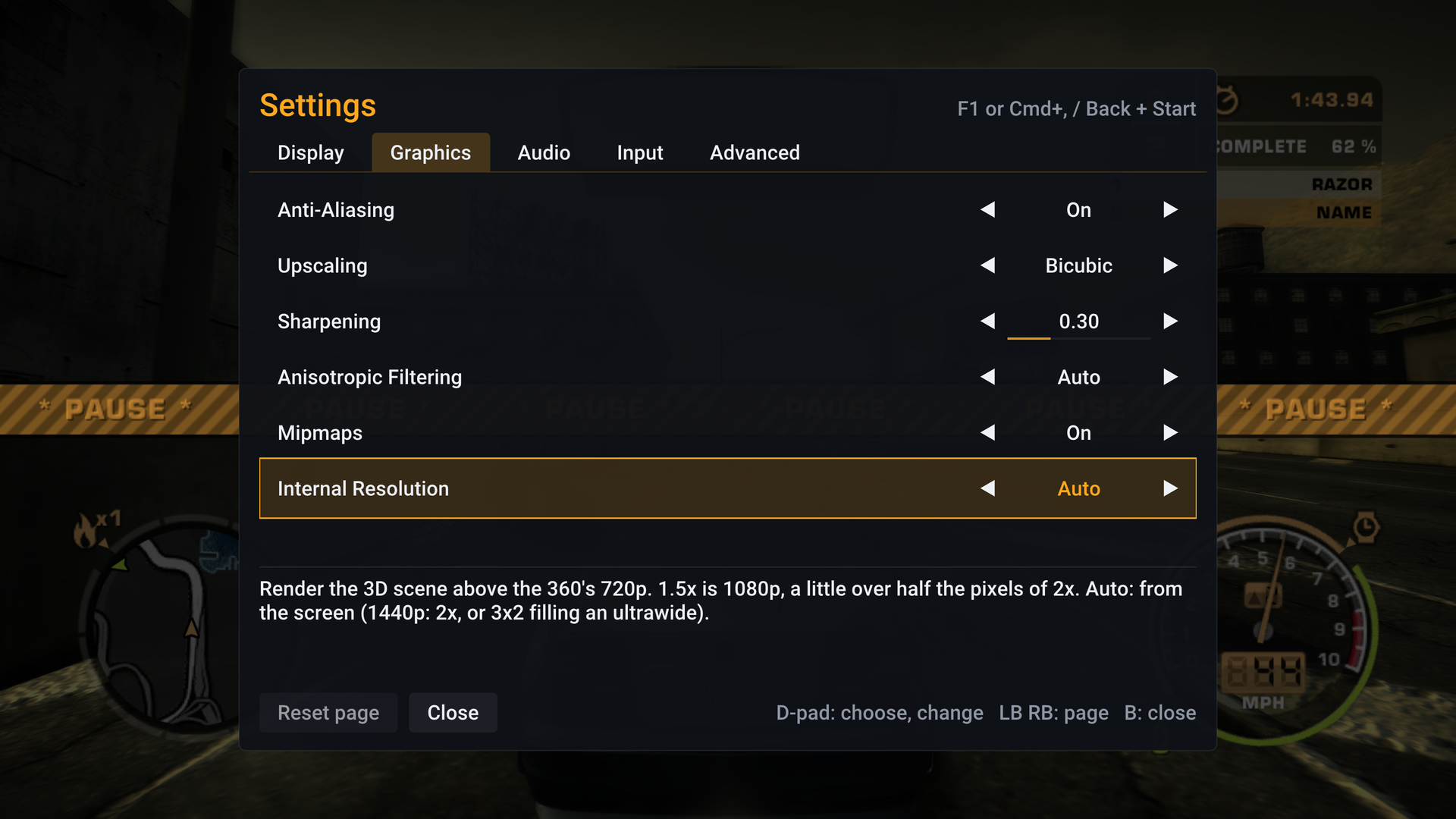 The settings menu over a paused race. | 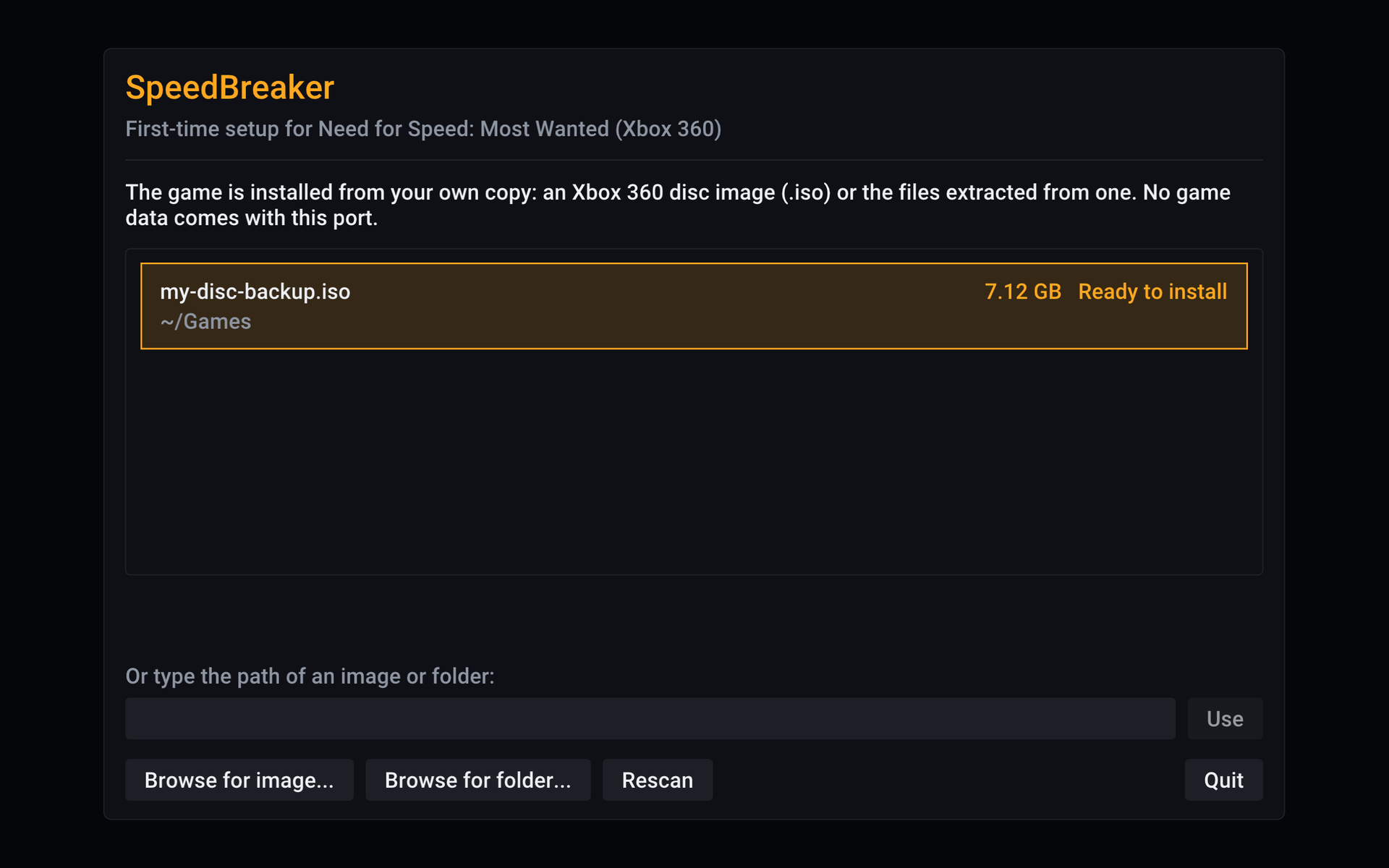 First run: the installer has found the player's disc image. |
Screenshots: SpeedBreaker v0.1.2 on a Mac Studio (M4 Max). They are unedited frames from the game's own output, except that the licence plates in the top image and the first race image are blurred. The game content in them belongs to its owners.
Download
| Platform | How to get it | Tested on |
|---|---|---|
| Steam Deck and Steam Machine (SteamOS) | [Download][dl-steamos-x86_64]SpeedBreaker-steamos-x86_64.tar.xz | Steam Deck OLED (SteamOS 3.9.2). Steam Machine (SteamOS 3.8) on a 3440x1440 ultrawide. The Steam Deck LCD hasn't been tested yet. |
| Steam Frame (SteamOS, arm64) | [Download][dl-steamos-arm64]SpeedBreaker-steamos-arm64.tar.xz | Steam Frame (SteamOS 0.3.0). It plays as a big flat screen in the headset; it is not a VR mode. |
| Linux (x86-64) | [Download][dl-steamos-x86_64] the x86-64 SteamOS build, SpeedBreaker-steamos-x86_64.tar.xz, or build from source | Tested here on SteamOS. Players reported v0.1.1 working on Fedora 44 (GeForce GTX 1080 Ti) and Ubuntu 24.04 (Intel Arc 140T). Other setups: reports welcome. |
| Mac (Apple silicon) | [Download][dl-macos]SpeedBreaker-macos.dmg | MacBook Pro (M1 Pro) on macOS 27 and Mac Studio (M4 Max) on macOS 26; macOS 15.6 (Sequoia) in a virtual machine. There is no Intel Mac build. |
| iPhone and iPad | Sideload the IPA (experimental), SpeedBreaker-<version>-ios.ipa on the [release page][releases], or build it yourself with Xcode | iPhone 15 Pro Max and iPhone 18 Pro Max (iOS 27). iPad Pro 12.9-inch (M2, iPadOS 27) with a Backbone Pro. Not on the App Store. Those were Xcode-signed builds: the IPA itself hasn't been installed on a device yet. |
| Windows (beta) | [Download][all-releases] SpeedBreaker-0.1.9-windows-x64-beta.zip from the Releases page; see Windows (beta) | A laptop with Intel UHD Graphics (60 Hz). NVIDIA, AMD and recent Intel Arc graphics and 120/144 Hz monitors haven't been tested yet: reports welcome. |
| Android | Coming soon |
Each link downloads the newest release. Every file and its .sha256 checksum file are on the
[latest release page][releases]. To check a download, put its .sha256 file next to it and run
shasum -a 256 -c SpeedBreaker-macos.dmg.sha256 on a Mac, or
sha256sum -c SpeedBreaker-steamos-x86_64.tar.xz.sha256 on SteamOS (with your file's name): it
should say OK. What changed in each release is in CHANGELOG.md.
System requirements
- Everyone: a disc image of your own USA (NTSC-U) Xbox 360 disc (see Quick start), about 7.2 GB of free space, and a display running at about 60 Hz (or 120 Hz, 180 Hz or 240 Hz on SteamOS and Linux).
- Split screen: two controllers.
- Smooth Motion (up to 120 fps): a Mac with a 120 Hz screen (a ProMotion MacBook Pro or a 120 Hz monitor). Not yet on SteamOS, Linux, iPhone or iPad.
- Steering wheels (experimental): a USB wheel on a Mac, SteamOS or Linux. The Logitech G29 is the one tested (on a Mac). Force feedback works on a Mac with the G29 in its PS3 position, the G27, G25, Driving Force GT and Pro; not yet a G29 in its PS4 position, a G920 or a G923, and it isn't tested on SteamOS or Linux.
- Steam Deck, Steam Machine and Linux PCs (the x86-64 SteamOS download): a 64-bit x86 CPU with AVX2 (x86-64-v3): Intel Haswell (2013) or newer, or AMD Excavator, Zen or newer. A Vulkan 1.2 graphics card.
- Steam Frame (the arm64 SteamOS download): SteamOS on the Steam Frame, kept up to date (v0.1.2 needs the September 2026 release or later). The arm64 download is for the Frame only; it hasn't been tested on any other arm64 Linux device.
- Windows (beta): Windows 10 or 11, 64-bit; a CPU with AVX2 (Intel Haswell from 2013 or newer, or any AMD Ryzen); a Vulkan 1.2 graphics card with a current driver.
- Mac: Apple silicon and macOS 15 (Sequoia) or later. The app won't open on older versions of macOS, and there is no Intel Mac build.
- iPhone and iPad: iOS or iPadOS 17 or later, on an A15-class chip or newer (iPhone 13 and later, M-series iPads), and a controller or keyboard. Devices with less memory than the tested ones are untested.
Quick start
-
Back up your own disc. SpeedBreaker supports one version of the game: the USA (NTSC-U, English) Xbox 360 disc. The installer takes a full
.iso, a trimmed XISO, or a folder with the extracted disc files. No title update is needed. SpeedBreaker doesn't provide game files or disc images, or link to them. -
Get SpeedBreaker. Download it for Steam Deck, Steam Machine and Steam Frame (SteamOS), Linux, Mac or Windows (beta). On iPhone and iPad you sideload the experimental IPA or build it yourself. Then follow the setup for your platform.
-
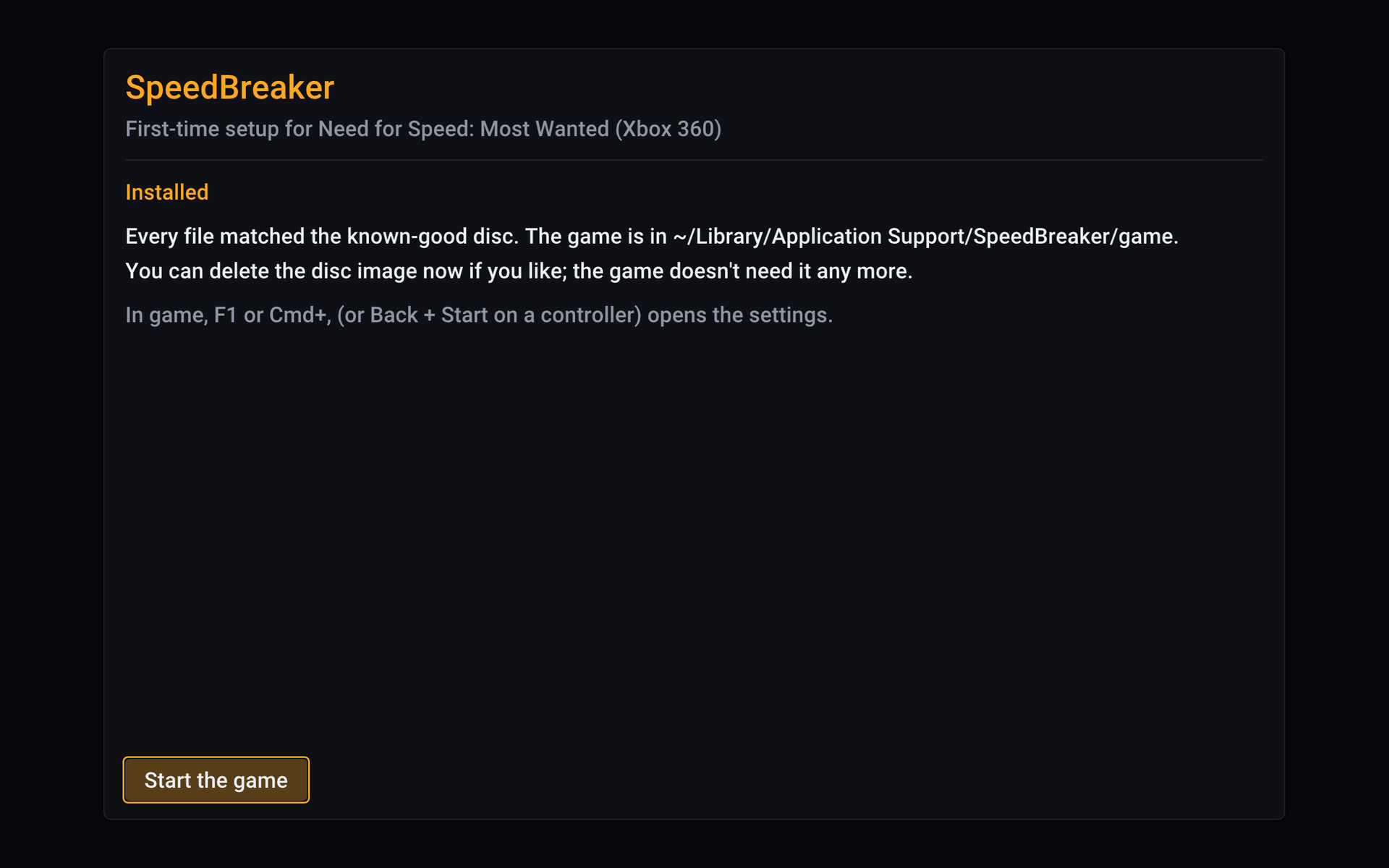
Start it and install. On first run, SpeedBreaker looks for your disc image, checks that it is the right game and version, then copies and verifies every file. This takes a few minutes at most. Afterwards you can delete the disc image.
-
Race. Your saves and settings are kept apart from the game, so they stay when you update SpeedBreaker or reinstall the game. The settings open with F1, Back + Start on a controller, or a three-finger tap on iPhone and iPad.
How to update
- Mac: drag the new SpeedBreaker into Applications, choose Replace, then allow it once more with Open Anyway (see Mac setup).
- Steam Deck, Steam Machine, Steam Frame and Linux: unpack the new download over the old folder (
~/Games/SpeedBreaker); your Steam shortcut keeps working. - Windows (beta): extract the new zip into a new folder, run it from there, then delete the old folder.
- Everywhere: your saves, settings and the installed game are kept, and no disc image is needed. Settings > Advanced > Check for Updates says when there's a new release, and so does GitHub's Watch > Custom > Releases.
Setup by platform
Steam Deck and Steam Machine
-
Download and unpack (in Desktop Mode). Download the SteamOS build, [
SpeedBreaker-steamos-x86_64.tar.xz][dl-steamos-x86_64]. Make aGamesfolder in your home folder, move the file there, and choose Extract archive here. Or, in Konsole:mkdir -p ~/Games && tar -xf ~/Downloads/SpeedBreaker-steamos-x86_64.tar.xz -C ~/GamesKeep it on internal storage or on an SD card formatted by SteamOS, and don't use
:,;or$in the folder names. To update later, unpack the new download over the same folder (How to update). -
Add it to Steam. Steam > Games > Add a Non-Steam Game to My Library > Browse. Set the file type to All Files and pick
~/Games/SpeedBreaker/speedbreaker.sh, the launcher (the program itself is inlib/). Leave Compatibility (Proton) off: this is a native Linux game. -
Put your disc image in Downloads, or in the top folder of an SD card. SpeedBreaker also looks in your home folder, Desktop, Documents, Games, USB drives and EmuDeck's
Emulation/roms/xbox360. Game Mode only sees SD cards and USB drives formatted by SteamOS; for a card formatted on a PC, copy the image into Downloads first. -
Install (back in Game Mode). Start SpeedBreaker from your library. It highlights the image it found (Ready to install; with several, pick yours with Up and Down): press A, then A again on Install. Use the images it finds rather than Browse for image..., which may not open in Game Mode. The game goes to the internal storage; to put it on the SD card or in another folder, press Up and pick with Left and Right before Install. Choose a folder... opens a folder picker in Desktop Mode only. From Game Mode, switch to Desktop Mode and choose the folder there, or run
~/Games/SpeedBreaker/speedbreaker.sh --install <image> --dest <folder>from Konsole in Desktop Mode (or over SSH). Use a folder on the internal storage or on a card formatted by SteamOS, or Game Mode won't find the game. -
Check the screen settings.
- Steam Deck OLED: set the refresh rate to 60 Hz (Quick Access > Performance). At 90 Hz the game stutters, and since v0.1.7 a note says so, once, the first time it runs at 90 Hz. Turn on Steam's per-game profile there and it keeps 60 Hz for this game. On any Deck, leave the Framerate Limit off.
- Docked, or on a Steam Machine: in the shortcut's Properties > General > Game Resolution, choose Native.
- The picture fills the Deck's 16:10 screen, with a slightly taller view and the HUD kept at
16:9. For the console's 16:9 picture with thin bars above and below, set Settings > Display
Aspect Ratio to 16:9.
Controls: the Deck's controls work through Steam Input (default Gamepad layout). Settings: hold View (two squares, left of the screen) and press Menu (three lines, right of the screen).
Uninstall: delete ~/Games/SpeedBreaker/, ~/.local/share/speedbreaker/ (this deletes your
saves too) and ~/.cache/speedbreaker/, and remove the shortcut from Steam.
Portable mode: to keep everything in the SpeedBreaker folder (saves, settings, logs, shader
caches and the installed game), so the whole folder can be moved or copied to another Steam Deck,
Steam Machine or Linux PC, make an empty file named portable.txt next to speedbreaker.sh. That
starts fresh; to bring your current settings, saves and game along, run
~/Games/SpeedBreaker/speedbreaker.sh --portable on in Konsole instead, and --portable off to
go back. Both copy and never delete. The folder's README says more.
Steam Frame
The Steam Frame has its own download. You set it up on the Frame's desktop: open the Desktop app in your Steam library.
-
Download and unpack. Download the Steam Frame build, [
SpeedBreaker-steamos-arm64.tar.xz][dl-steamos-arm64], into Downloads (notSpeedBreaker-steamos-x86_64.tar.xz: that one is for the Steam Deck, Steam Machine and Linux PCs). The Frame's file manager can't unpack it, so open Konsole and run:mkdir -p ~/Games && tar -xf ~/Downloads/SpeedBreaker-steamos-arm64.tar.xz -C ~/GamesThis makes
~/Games/SpeedBreaker. Keep it on the Frame's internal storage, and don't use:,;or$in the folder names. To update later, unpack the new download over the same folder (How to update). -
Add it to Steam. In the file manager, open
~/Games/SpeedBreaker, right-clickspeedbreaker.shand choose Add to Steam. Or, in Konsole:steamos-add-to-steam ~/Games/SpeedBreaker/speedbreaker.sh. Leave Compatibility (Proton) off: this is a native Linux game. -
Put your disc image in Downloads. SpeedBreaker also looks in your home folder, Desktop, Documents and Games.
-
Install. Start SpeedBreaker from your Steam library. It highlights the image it found (Ready to install): press A, then A again on Install. Or install from Konsole:
~/Games/SpeedBreaker/speedbreaker.sh --install ~/Downloads/your-image.iso(with your image's name; add--dest <folder>to put the game in a folder of your choice).
SpeedBreaker plays as a big flat screen in the headset. It is not a VR mode.
- Settings: press Menu + View together.
- Frame rate: set Display > Frame Rate to 30 fps for smooth play. In the headset, the VR compositor shares the graphics chip. The game keeps its full speed at 30.
- Uninstall: as on the Steam Deck.
Linux
There's no separate desktop-Linux package yet. Try the x86-64 SteamOS download,
[SpeedBreaker-steamos-x86_64.tar.xz][dl-steamos-x86_64], which brings its own runtime libraries
and is tested here on SteamOS (players reported v0.1.1 working on Fedora 44 and Ubuntu 24.04), or
build from source. Unpack it,
put your .iso in your home folder, Downloads, Desktop, Documents or Games (or on a USB drive),
and run speedbreaker.sh: always start the game with it, since it picks the libraries the
program in lib/ needs (started on its own, the program fails on most systems with a message
such as GLIBC_2.44 not found). The game s