nier-reincarnation-pc
Nier Reincarnation PC is an unofficial Windows port of the mobile game NieR Reincarnation that runs natively and supports up to 4K resolution and 120 fps.
- Type: PC port
- Game: Nier Re[in]carnation
- Runs on Windows
- By AllenWalkerED
- Latest release v1.3.1, 2026-11-24
- Source: https://github.com/AllenWalkerED/nier-reincarnation-pc
README
NieR Re[in]carnation — PC port (unofficial)
NieR Re[in]carnation died on April 29, 2024. This brings it back, running natively on Windows: your own copy, no emulator, no internet, no phone.
Runs up to 4K and 120 fps (or unlimited if your PC can take it), way past anything a phone ever pushed.
Fan project, not affiliated with SQUARE ENIX or Applibot, and the game isn't in here. You bring your own files and the launcher turns them into a PC install. (Legal stuff: NOTICE.md.)
So what kind of port is this?
Not an emulator. There's no virtual phone, no Android running in the background. And not a source port either, since nobody has the game's source.
It's the actual Android game, running natively as a Windows program. Its arm64 code gets translated to native x86-64 code (on the fly at first, then ahead of time in the background, so it gets faster as you play), the bits of Android it expects are faked by the runtime, kinda like Wine does for Windows apps on Linux, and the graphics go through ANGLE to Direct3D 11 or Vulkan. The game itself is basically untouched, just a few small patches like the server address and the 30 fps cap.
The official servers are gone, so the port runs Lunar Tear locally, the fan-made server that brought the game back. Nothing leaves your PC.
Download
Grab NieR-Reincarnation-PC-v1.3.1.zip from Releases. Already playing an older version?
Unzip it over your game folder, your saves and settings stay.
Got a save on your phone (Bunker)? Export it there, then Settings › Saves › Import from phone.
What you need
- Windows 10 or 11 (64-bit)
- A GPU that does Direct3D 11 or Vulkan
- ~25 GB free, 8 GB RAM recommended
- WebView2 (Windows 11 already has it)
Plus three game files:
- the arm64 APK, version 3.7.1-152 (
com.square_enix.android_googleplay.nierspww) resource_dump_android.7z(the asset dump)20240404193219.bin.e(the master data)
The asset dump and master data are on the Lunar Tear Discord: https://discord.gg/MZAf5aVkJG. The APK? Google it, it's out there.
Important
That Discord is Lunar Tear's, not this port's
It's the Lunar Tear project's server, linked here to give them credit: without their server the game wouldn't run at all, and neither would this port.
Please don't ask anything about this port over there. Their support is for the server only and has nothing to do with this project, so don't bug them. Got a problem with the port? Open an issue here.
Wanna support the project? Go support Lunar Tear directly. They're the ones who deserve it: every fan port of this game, on every platform, only exists because of their work and their server.
Don't post any of these files in issues, please.
Setup
Unzip it anywhere, run NieR.exe, feed it the three files. First run unpacks ~21 GB and patches
everything, so go grab a coffee. You only do this once, and your original files aren't touched.
Hit START.
Warning
Your first session or two WILL lag
For roughly the first 15 minutes the game stutters and feels slow. That's normal: its code is getting translated to native PC code in the background. Just keep playing, it smooths out by itself and stays that way.
The launcher
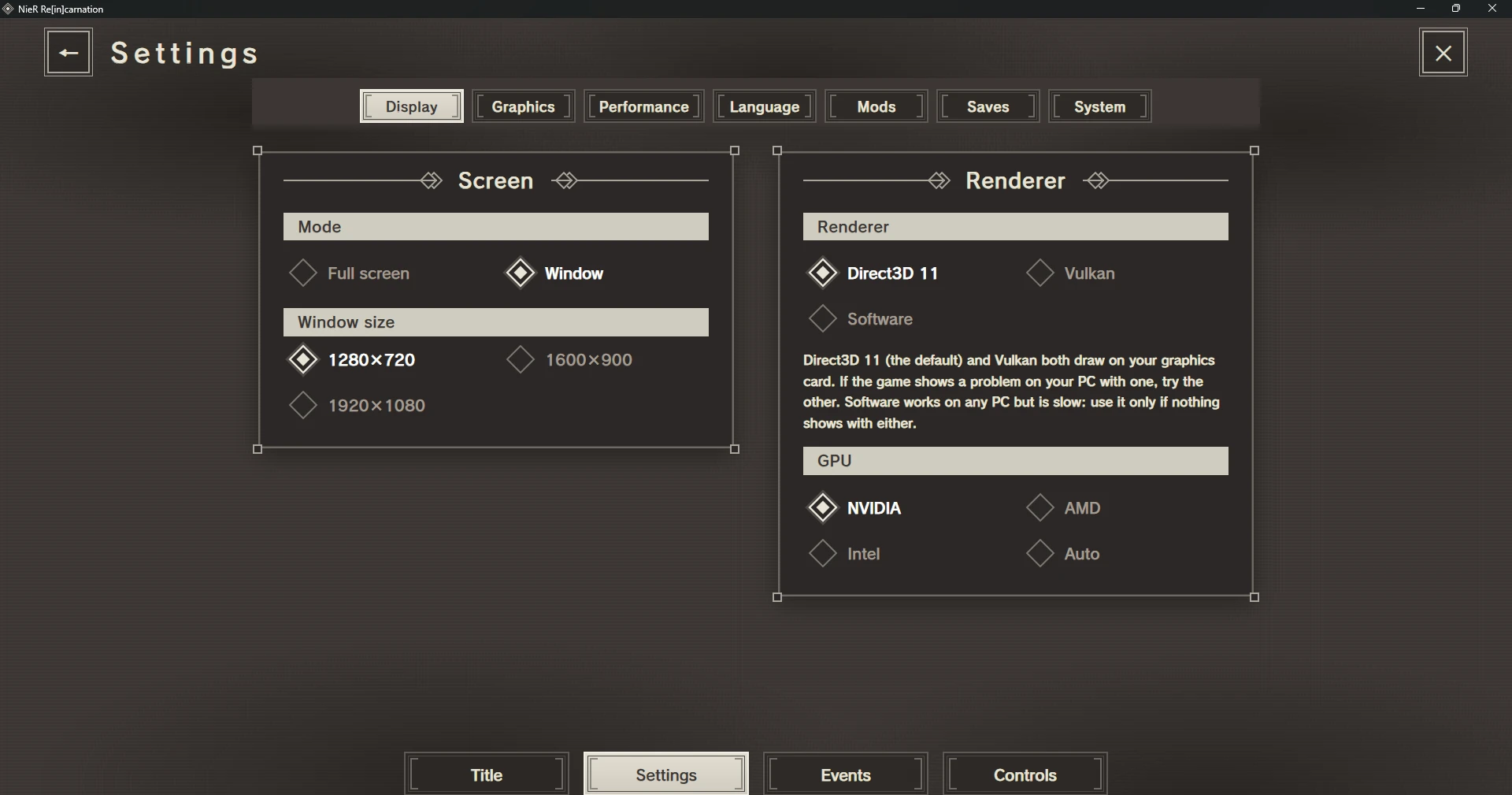
Made to look like the game's own menus. You get the game's quality presets plus a bunch of extras (upscaling, FXAA, frame rates up to unlimited), language and voice, some optional mods for the local server, and keyboard/controller bindings.
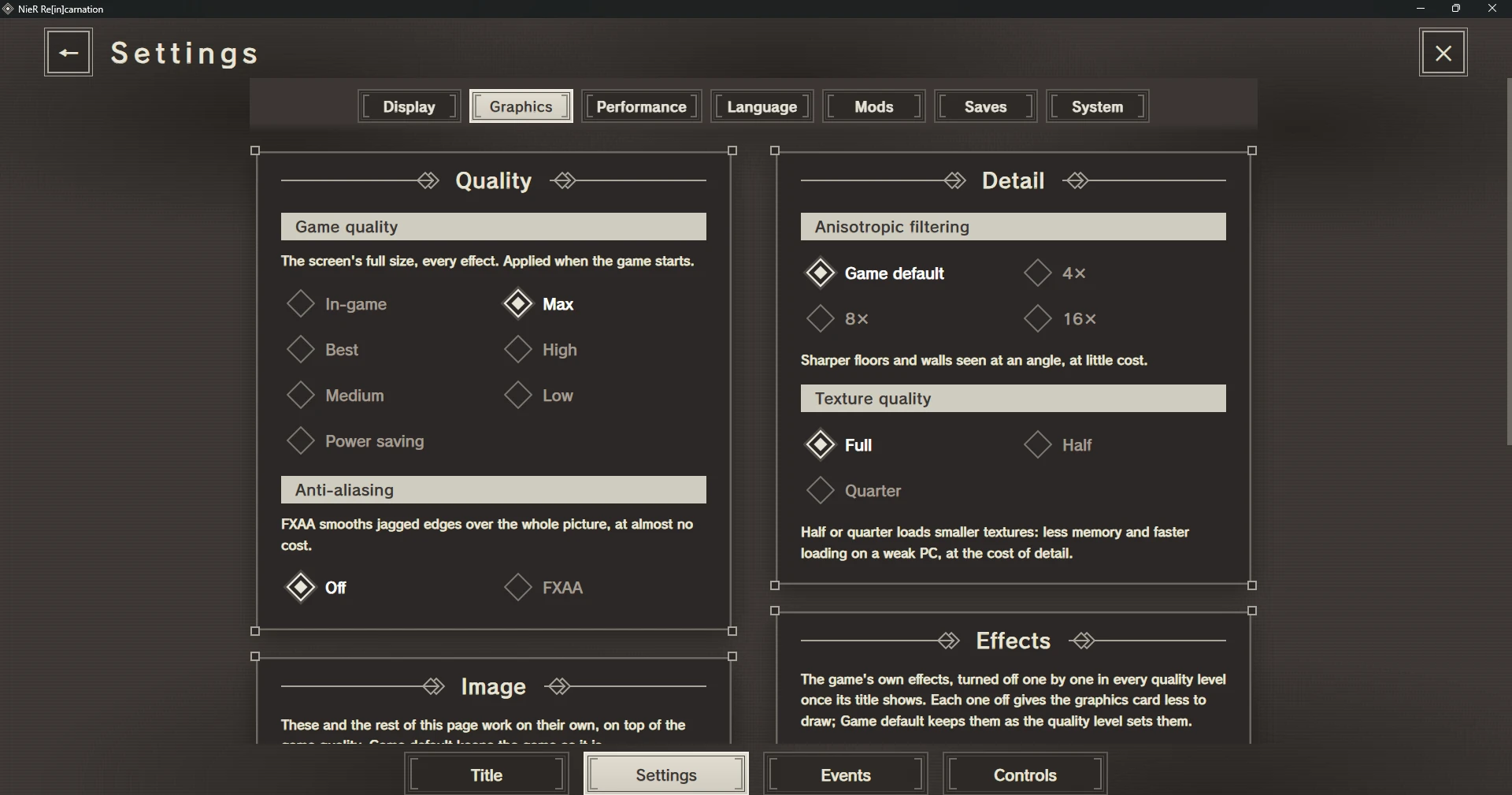
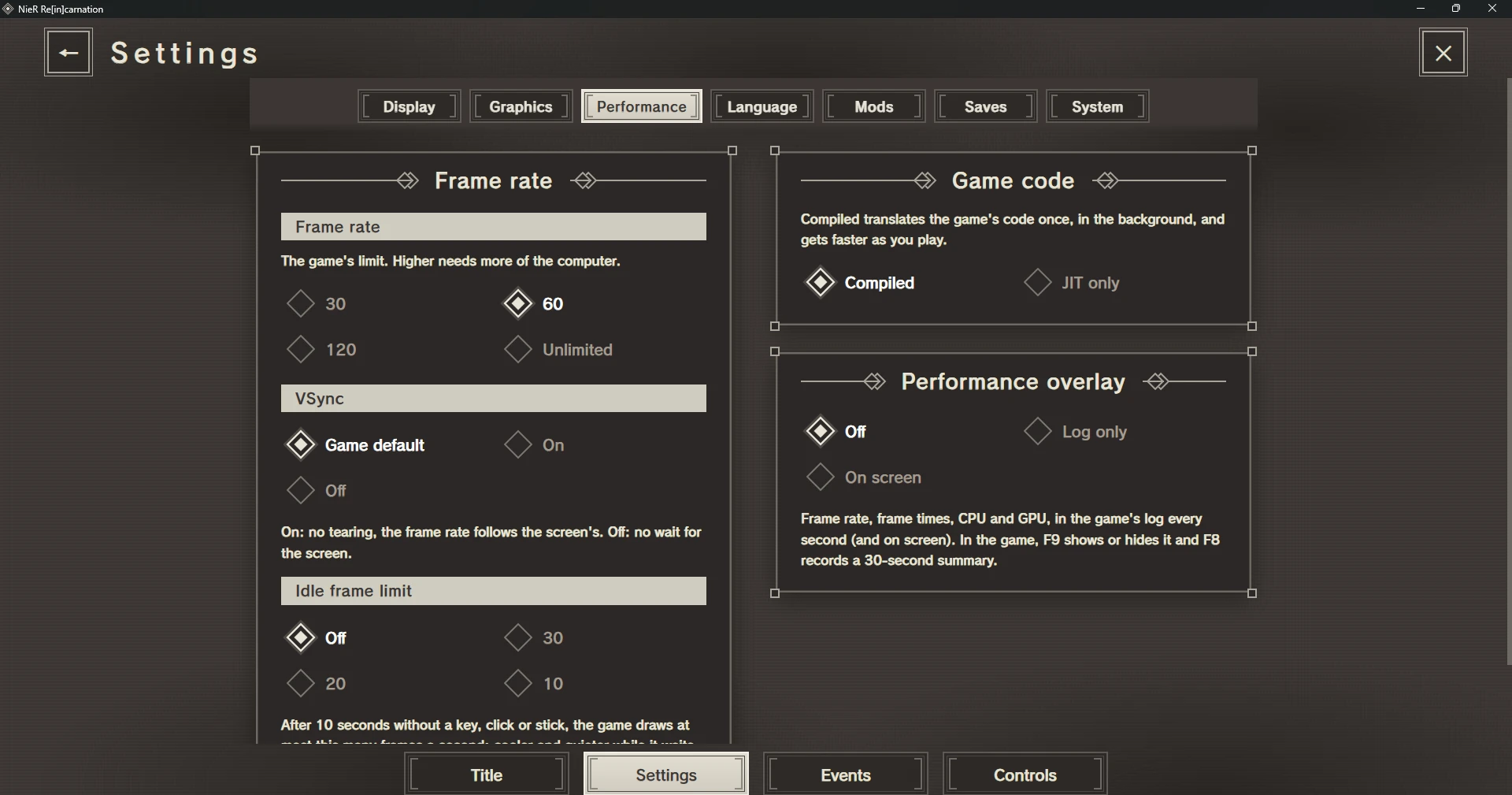
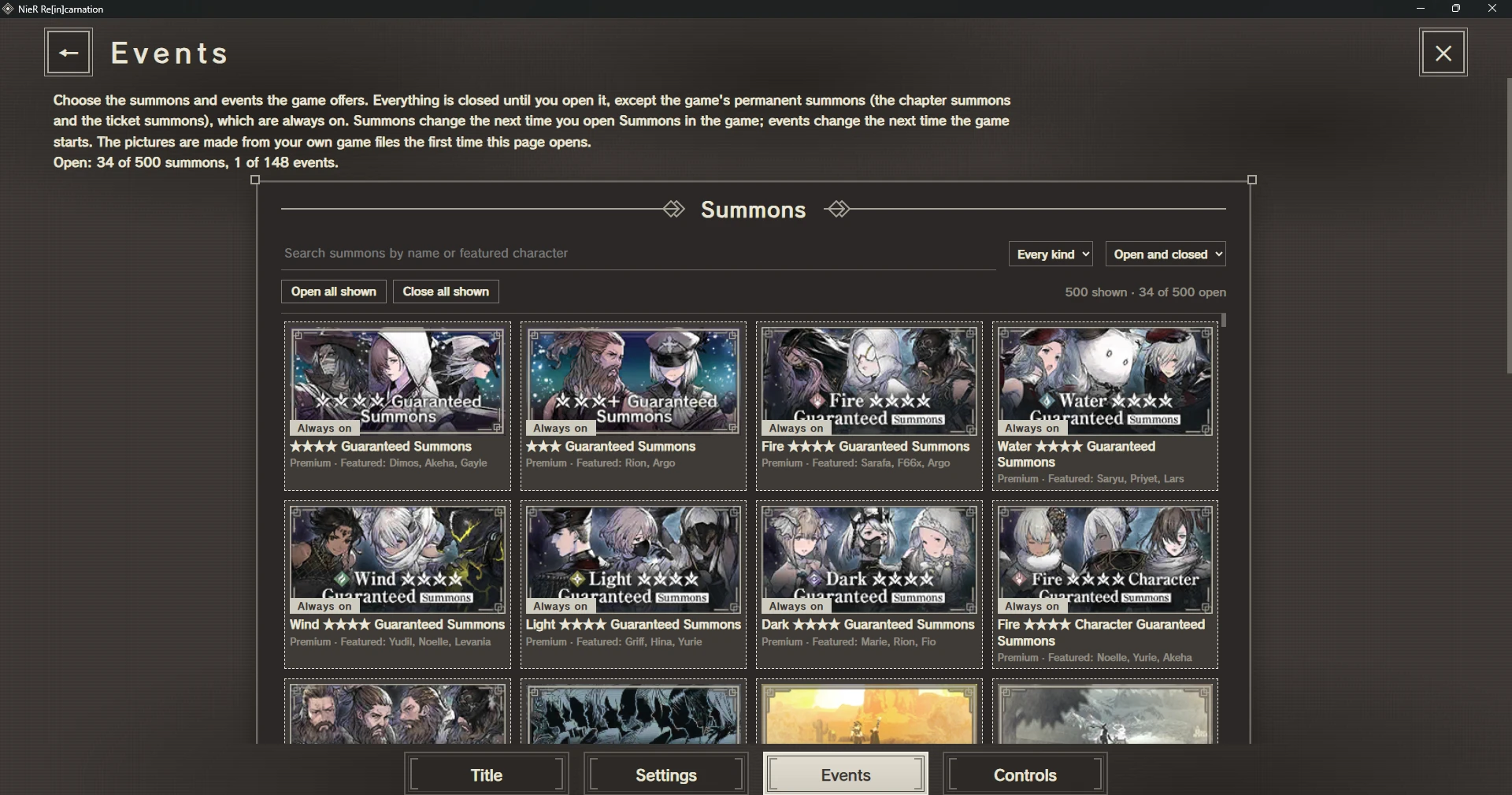
The Events tab lets you pick which banners and events are live. Everything's closed until you open it, except the permanent summons.
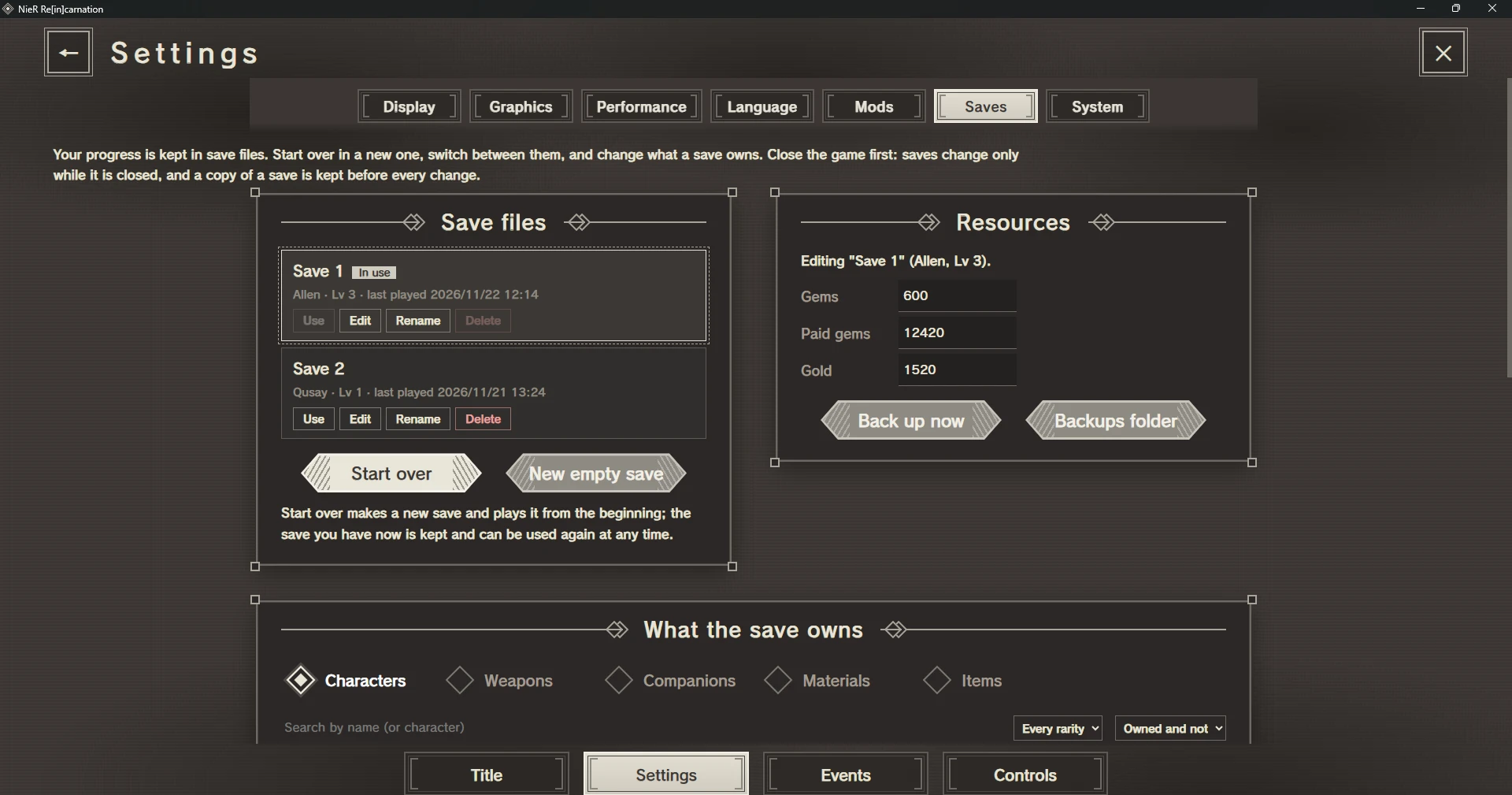
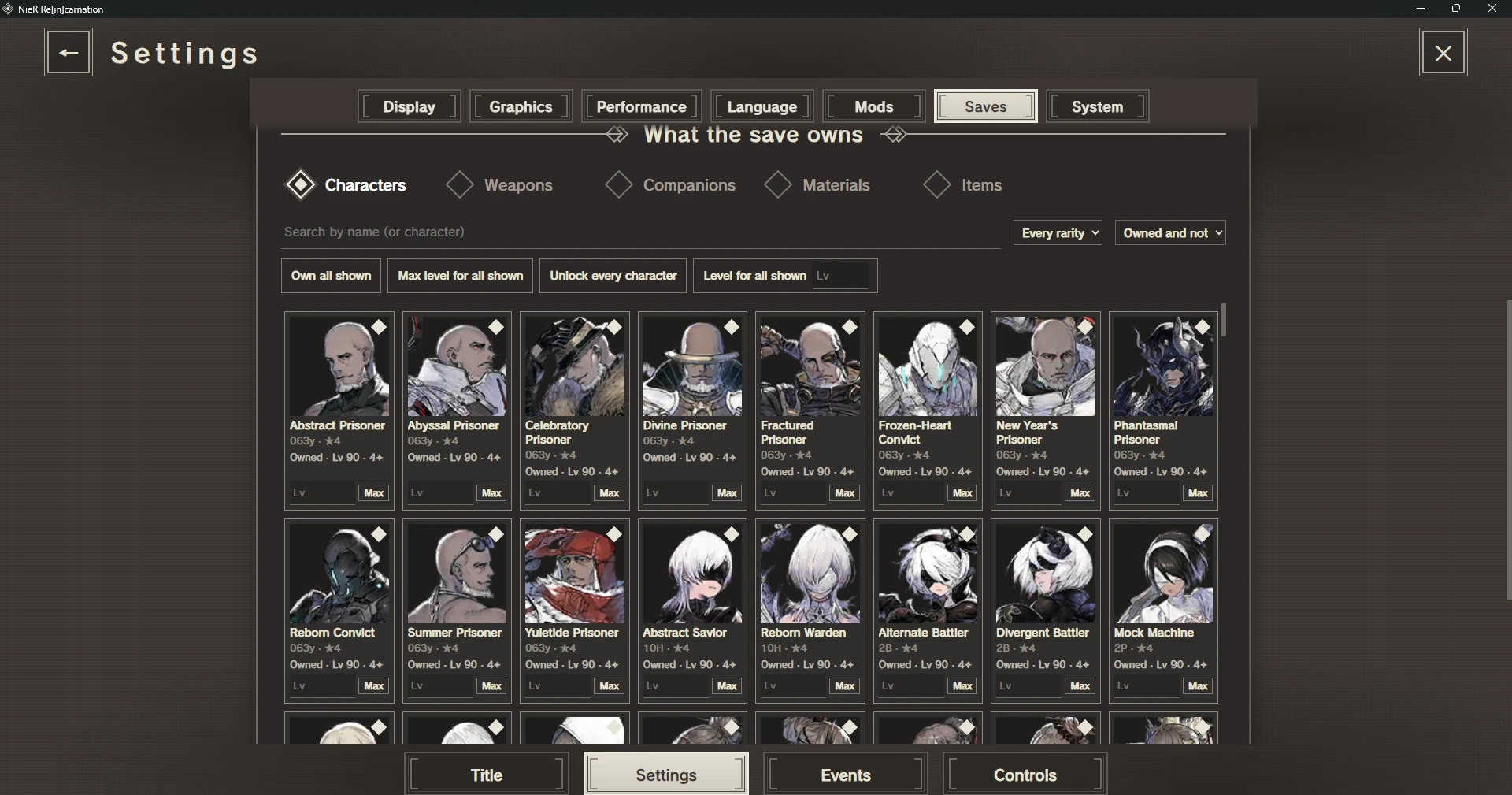
And there's a save manager: multiple saves, plus an editor for what your save owns, with backups before every change.
Tested on
RTX 3060, 3080, 4060 and 5060, an RX 580, and Intel integrated graphics (Iris Xe and others). Several people have put long sessions into it.
Something broke?
- Black 3D or weird graphics: switch the renderer in Settings › Display (Direct3D 11 is the default, try Vulkan).
- "Port 8080 is in use by ...": some other app grabbed a port the game needs (Razer Synapse loves 8080). Close that app or stop its service, then hit START again.
- Slow at first: that's the background translation, give it a session or two.
- SmartScreen / antivirus yelling at you: the exes aren't signed. Everything's built from the source right here.
- Bug report: Settings › System › Export logs, then open an issue and attach the zip. It leaves out your Windows username and PC name.
Known quirks: a few controller buttons do double duty on different screens, and it's Windows only for now. A Mac version is in the works.
Building
- Runtime: win.apk at
640f38f06c4934664767abc365a43b3c6bd7dea3+git apply winapk/winapk-nier.patch, then build per its README (MSYS2 CLANG64, CMake) - Server:
cd server && go build ./cmd/...(Go 1.22+) - Launcher:
cd launcher && OUT=<folder> bash build.sh(MSYS2 CLANG64, WebView2 SDK) - Release folder:
python scripts/build_dist.py --out <folder> ...
Credits
The PC port is my work.
Huge thanks to Lunar Tear for bringing the game back, win.apk for the runtime underneath, and Bunker, whose APK patch modules and server changes are included here under its MIT license. Also Lunar Base, the Lunar Tear Comfort Mod, lunar-tear-masterdata-patcher, ANGLE, Eclipse Temurin, LLVM, texture2ddecoder, UnityPy and 7-Zip. And everyone who tested it.
License
AGPL-3.0 (LICENSE). Bundled stuff keeps its own license, see NOTICE.md and
licenses/.