CannonBall DX
CannonBall DX brings OutRun to PC.
- Type: PC port
- Game: OutRun
- By Endprodukt
- Source: https://github.com/Endprodukt/cannonball-dx
- Website: https://github.com/J1mbo/cannonball-se/releases/tag/v1.3
README
CannonBall DX (WIP)
An arcade- and racing-wheel-focused fork of CannonBall-SE, based on Chris White's CannonBall OutRun engine.
CannonBall DX builds on CannonBall-SE by James Pearce (J1mbo), which itself is based on CannonBall by Chris White. The aim of this fork is to make CannonBall especially well suited to modern racing wheels, multi-device PC setups and dedicated arcade cabinets while keeping the original OutRun feel intact.
The additional work in this fork was developed with assistance from ChatGPT by OpenAI and Claude by Anthropic.
Platform status: CannonBall DX is currently developed and tested only on Windows 10/11 (64-bit). Linux, Raspberry Pi and other platforms have not been tested with the DX changes. The upstream CannonBall and CannonBall-SE projects support additional platforms, but no compatibility with CannonBall DX or its added features is claimed or guaranteed outside Windows.
Official CannonBall-SE releases are available from the upstream project: https://github.com/J1mbo/cannonball-se/releases
CannonBall DX Features
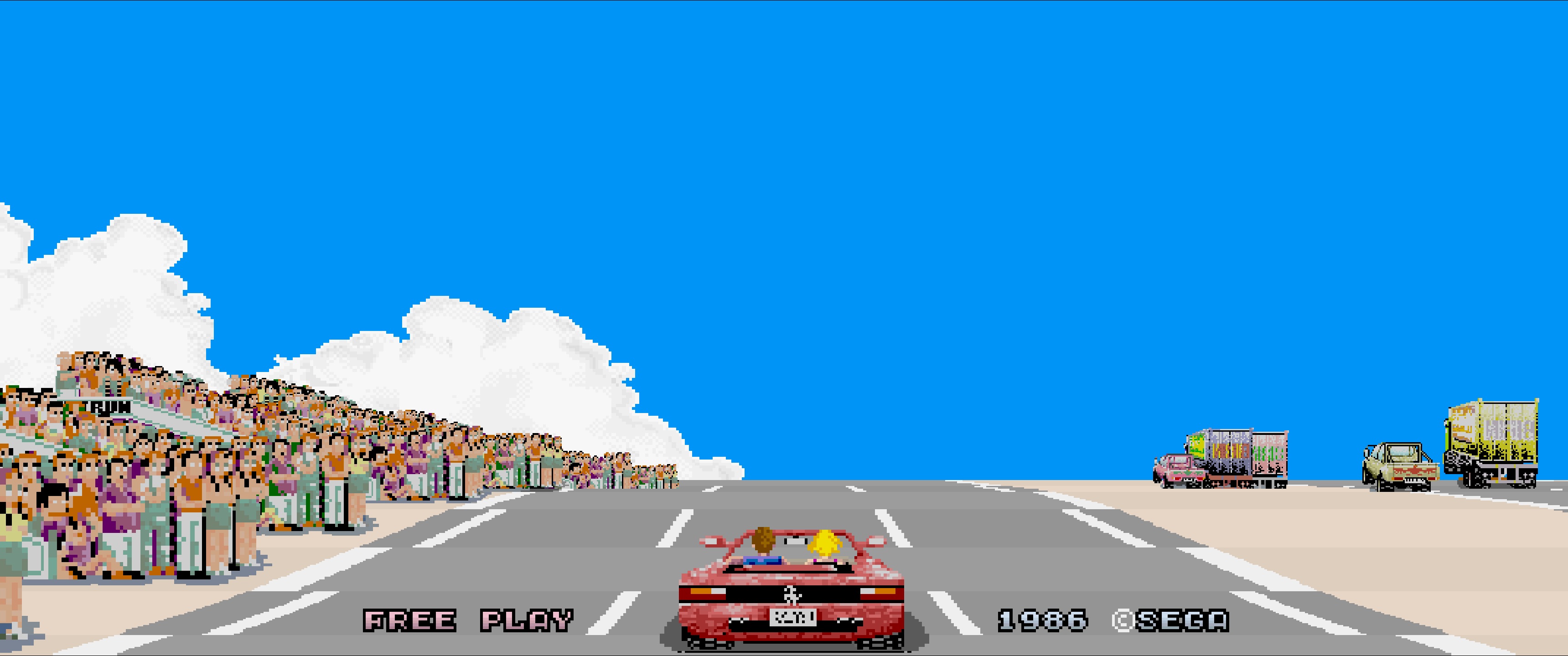
🐎 Ferrari Badge Orientation Fix
A small fix for a very visible detail: the Ferrari badge was always there, but it could appear flipped when the car sprite changed direction.
The optional fix keeps the badge facing the right way. Small problem. Horse now faces the right way too.
Game Modes
All game modes are selected directly in-game from the Music Select Screen with the VIEW controls - no mode switching through settings menus.
- Original OutRun - classic branching five-stage game
- Original Japanese - alternate early/Japanese program ROMs and course layout
- Continuous Mode - play all stages in one run with normal traffic and difficulty scaling
- Endless Mode - survival driving with rising difficulty, automatic music rotation and dedicated high scores
- Time Trial - three-lap course runs with Traffic ON/OFF, per-course records, fastest lap and total time
Controls & Driving
- True multi-device input - wheel, pedals, shifter and buttons can come from different USB devices
- Unified binding matrix - separate Keyboard, Gamepad and Wheel assignments
- Selectable Gamepad / Wheel input mode - only the selected device family controls the car and receives its matching feedback, while both remain usable in the frontend menus
- Direct VIEW1 / VIEW2 / VIEW3 controls plus the original view-cycle button
- Improved keyboard and D-Pad navigation throughout the frontend
- Direct high-score entry navigation with Left / Right in Original, Time Trial and Endless modes
- Two-dimensional Time Trial course navigation with keyboard or D-Pad while preserving analog wheel selection
- Assignable in-game Radio control - cycle through available tracks and Music Off while driving, with the selected title shown briefly on screen
- Expanded force feedback - cornering, tyre slip, road texture, off-road, gears, crashes, spins and start/rev effects
- RPM-linked engine vibration with configurable strength
- Gamepad rumble with separate enable and strength settings
Display & Presentation
- Ferrari badge orientation fix - optional correction that prevents the emblem from flipping with the car sprite during direction changes
- 4:3, 16:9, 16:10, 21:9 and Stretched aspect ratios
- Windowed, Borderless Fullscreen and experimental Exclusive Fullscreen modes
- 30 FPS, Original timing, 60 FPS and experimental 120 FPS modes
- Improved CannonBall-SE 2x Game Engine Resolution plus experimental 3x and 4x modes
- Native 21:9 Music Select Screen - full ultrawide presentation with correctly centred background and sprite alignment
- xBRZ 3x/4x/5x/6x and HQX 3x/4x pixel scalers
- CRT / analogue video and NTSC filtering inherited from CannonBall-SE
- Enhanced Attract Mode with automatic camera changes and cabinet-lamp choreography
- Eight Ferrari colours - Red, Blue, Yellow, Green, Cyan, Black, White and Silver
- Configurable selection timers - 15 sec, 30 sec or OFF
- Dedicated Time Trial and Endless results / high-score presentation
- Individually configurable gameplay bug-fix options
Arcade Cabinet Features
- START, BRAKE, VIEW, VIEW1, VIEW2, VIEW3 and RADIO lamp outputs
- MAME network output support
- Windows MAMEOutput / MAMEHooker support
- SmartyPi output support
- Automatic VIEW lamp effects tied to Attract Mode camera changes
ROM Features
- Direct MAME ROM ZIP loading - current merged
outrun.zipcan be used without extraction - Full backwards compatibility with traditional loose CannonBall ROM files
- Early/Japanese program-ROM data detected by CRC when present
- Corrected Sega/M2 PCM ROM preferred automatically, with historical CannonBall patch and original ROM fallbacks
Upstream Features
CannonBall
Chris White's CannonBall provides the core C++ recreation and enhancement of Sega OutRun, including the game engine, ROM loading, enhanced modes, controls, widescreen support and steering-wheel force feedback.
CannonBall-SE
James Pearce's CannonBall-SE adds a large range of cabinet, performance, audio and display improvements, including:
- CRT / analogue video processing and NTSC filtering
- High-resolution rendering improvements
- Gameplay fixes and enhancements
- Automatic 30/60 fps operation
- Multi-threaded rendering for low-power hardware
- WAV, MP3, YM and native 3DS/Switch BIN custom music support
- Machine play-count and runtime statistics
- Raspberry Pi watchdog support
- Numerous performance and stability improvements
- RISC-V RVV SIMD support and x86 SSE2 fallback contributed by rtissera
CannonBall already included steering-wheel force feedback. CannonBall DX extends that existing system rather than replacing a rumble-only implementation.
Platform Support
Tested
- Windows 10/11 (64-bit)
Not tested with CannonBall DX
- Linux
- Raspberry Pi / Raspberry Pi OS
- Other platforms supported by upstream CannonBall or CannonBall-SE
The upstream projects contain support for additional operating systems and hardware, and some of that code remains present in CannonBall DX. However, the DX fork and its added features are only tested on Windows. Linux, Raspberry Pi and other builds may work fully, partially or not at all. No compatibility outside Windows should be assumed.
The expanded force-feedback implementation and modern wheel work in CannonBall DX are likewise tested only on Windows.
ROMs
CannonBall DX requires the original OutRun Revision B ROM data. There are two supported ways to provide it:
- Copy the traditional extracted CannonBall ROM files into
roms/, exactly as before. - Place a suitable MAME ZIP archive such as a current merged
outrun.zipintoroms/without extracting it.
ZIP entries are identified by CRC32 and uncompressed size, not by archive filename alone. This allows CannonBall DX to locate the Revision B data, the optional alternate early/Japanese program ROMs and corrected PCM data inside modern merged archives even when MAME uses different filenames or subdirectories.
Backwards compatibility is intentional: extracted ROMs remain fully supported and take priority when identical data exists both loose and inside a ZIP.
When sound.fix_samples is enabled, CannonBall DX prefers Sega/M2's official corrected PCM ROM (C2DE09B2), then accepts CannonBall's historical patched opr-10188.71f (37598616), and finally falls back to the original arcade opr-10188.71 (BAD30AD9). No manual PCM patching is required when the official corrected ROM is present.
See roms/roms.txt for the legacy filenames and accepted PCM variants.
You are expected to legally own the original ROMs; usage may be restricted by local law.
Controls and Multiple Devices
Controls are configured through:
Menu -> Settings -> Controls
The binding editor provides separate Keyboard, Gamepad and Wheel columns. Steering, accelerator, brake, shifter and buttons can be assigned independently, including devices such as separate USB pedals or shifters.
Device bindings store a persistent device signature so assignments survive changes in SDL device order.
Input Mode: Gamepad / Wheel
The Controls menu includes an INPUT MODE setting that can be switched with Left/Right between GAMEPAD and WHEEL. This selects which physical input family is allowed to control the car during gameplay; changing the mode does not erase or replace any saved bindings.
- GAMEPAD: Gamepad bindings control the car. Gamepad rumble remains active, while wheel force feedback and centering are disabled. Wheel-specific FFB settings are hidden from the normal Controls menu.
- WHEEL: Wheel bindings control the car. Wheel force feedback and centering are active according to the saved FFB settings, while gamepad rumble is disabled. Gamepad-rumble settings are hidden from the normal Controls menu.
- Frontend menus: Keyboard, Gamepad and Wheel controls remain available regardless of the selected Input Mode, so a gamepad can still navigate the menus while WHEEL is selected and wheel buttons can still navigate while GAMEPAD is selected.
- Binding editor: Keyboard, Gamepad and Wheel columns are always available, allowing both setups to be configured before switching modes.
For existing configuration files that do not yet contain an Input Mode setting, CannonBall DX selects WHEEL when existing Wheel bindings are present; otherwise it defaults to GAMEPAD.
Default Keyboard Controls
- Steer: Left / Right arrows
- Accelerate:
Left Ctrl - Brake:
Left Alt - Low / High Gear:
Space/Left Shift - Start:
1 - Coin:
5 - Change View:
Z - Radio:
X - Menu Access:
Tab - Pause:
P - Menu Accept:
Enter - Menu Back:
Esc - Direct View 1 / 2 / 3: Unassigned
Default Gamepad Controls
- Steer: Left Stick
- Accelerate: Right Trigger / R2
- Brake: Left Trigger / L2
- Low Gear: A / Cross
- High Gear: X / Square
- Start: Start / Options
- Coin: Back / Select / Create
- Change View: Y / Triangle
- Radio: L3
- Menu Access: Guide / Xbox / PS button
- Pause: R3
- Menu Accept: A / Cross
- Menu Back: B / Circle
- Menu Navigation: D-Pad
Fixed Keyboard Controls
- Arrow Keys Menu navigation
- Enter Menu Accept
- Esc Menu Back / Quit during gameplay
- F2 Frame step
- F3 Freeze timer
- F5 Menu Access
- F6 Pixel-scaler quick cycle
- F7 Hi-res sprites
- F8 Video-processing toggle
- F9 Shadow-mask toggle
- F10 Default Ferrari color
- F11 Windowed / Fullscreen
- Alt+Enter Windowed / Fullscreen
Menu and Digital-Control Improvements
- Keyboard and D-Pad navigation has been improved throughout the frontend.
- High-score initials can be selected directly with Left / Right in Original, Time Trial and Endless modes.
- Start or Menu Accept can be used to confirm high-score entries.
- Time Trial course selection can be navigated in two dimensions with the keyboard or D-Pad, following the course map.
- Analog steering / wheel-based Time Trial selection remains supported.
In-Game Radio Control
- The Radio action can be assigned independently for Keyboard, Gamepad and Wheel.
- While driving, Radio cycles through the available music tracks and Music Off.
- The selected track is briefly shown on screen.
- A dedicated RADIO /
Radio_lampoutput is available for cabinet setups.
Force Feedback settings
| XML option | Values | Description |
|---|---|---|
controls.input_mode | 0 / 1 | Active gameplay input family: 0 = Gamepad, 1 = Wheel |
controls.analog.haptic enabled | 0 / 1 | Enables steering-wheel force feedback when WHEEL input mode is active |
controls.analog.haptic.strength | 10-100 | Overall FFB strength in percent |
controls.analog.haptic.centering_strength | 0-100 | Spring reference strength used by the configurable spring curve |
controls.rumble | 0.0-1.0 | Gamepad rumble level when GAMEPAD input mode is active |
The normal in-game Controls menu intentionally stays simple: FFB Strength is the overall master and Spring sets the centering reference level. Users who want more control can edit the individual values inside controls.analog.haptic.effects and controls.analog.haptic.spring in config.xml. There is no separate Advanced mode: the values are always available. The default configuration intentionally leaves headroom so individual effects can be increased without starting at the 100 ceiling. Effect strengths and spring percentages use a clear 0-100 range.
The first-run FFB defaults are enabled, FFB Strength 50 and Spring 80. The driving engine vibration defaults to strength 3 and uses an RPM-linked cadence rather than a fixed-rate rumble.
Per-effect tuning in config.xml
The effect names describe the physical cue they control. Changing one value does not enable a different FFB mode or replace the normal master setting.
XML value under haptic.effects | DX default | Controls |
|---|---|---|
sand | 3 | Fine sand / rough-surface grit taps |
tyre_slip | 11 | Sine vibration while the tyres slide on-road |
offroad_rumble_one_wheel | 20 | Off-road vibration with one side of the car off the road |
offroad_rumble_full | 30 | Off-road vibration with the whole car off the road |
offroad_pull_one_wheel | 35 | Outward steering pull with one side off-road |
offroad_pull_full | 21 | Outward steering pull when fully off-road |
gear_shift | 49 | Gear-change kick and rebound |
music_selector | 7 | Short step impulse between songs on the Music Select Screen |
traffic_skid | 70 | Steering yank after a traffic collision |
crash_bump | 70 | Low-speed scenery impact |
crash_spin_impact | 70 | Initial medium-speed spin impact |
crash_spin | 70 | Repeated side loads during a scenery spin |
crash_flip_impact | 70 | Initial high-speed flip impact |
crash_flip | 70 | Repeated / sustained side loads during the flip |
crash_flip_landing | 70 | Landing impact after a flip |
start_steering | 30 | Automatic steering load as the Ferrari drives onto the start line |
start_rev_shake | 20 | Throttle-dependent engine/rev shake before the start |
The supplied numbers are the actual CannonBall DX defaults, not a second preset layer. For example, sand=3 is the restrained default grit setting; changing it to 80 deliberately makes that effect dramatically stronger. Values are limited to 0-100 so every strength entry has the same meaning.
Speed-dependent centering spring
The normal Spring menu option remains the reference value. The percentage entries below use 0-100. The two speed thresholds use the game's vehicle-speed values, with a valid range of 0-294. The standard car's maximum is 294.
XML value under haptic.spring | DX default | Valid range | Controls |
|---|---|---|---|
low_speed | 40 | 0-100 | Spring percentage in menus, Attract Mode, stationary driving and low speed |
high_speed | 70 | 0-100 | Spring percentage at high speed |
sliding | 60 | 0-100 | Percentage of the currently active spring retained during on-road tyre slip |
speed_start | 100 | 0-294 | Vehicle-speed point where the spring begins increasing |
speed_full | 240 | 0-294 | Vehicle-speed point where the high-speed spring is reached |
traffic_skid | 35 | 0-100 | Spring level during a traffic-collision skid |
crash_bump | 46 | 0-100 | Spring level during a low-speed scenery bump |
crash_spin | 25 | 0-100 | Spring level during the active scenery spin |
crash_recovery | 49 | 0-100 | Spring level during spin recovery |
crash_flip_start | 32 | 0-100 | Spring level at the start of a flip |
crash_flip_airborne | 7 | 0-100 | Spring level while airborne |
crash_flip_transition | 18 | 0-100 | Spring level through the flip transition |
crash_flip_landing | 32 | 0-100 | Spring level at landing |
crash_flip_recovery | 49 | 0-100 | Spring level during post-flip recovery |
With the default values, normal on-road steering behaves as follows:
- Menu, Attract Mode, Music Select Screen, stationary driving and vehicle speeds up to 100: 40% of the configured Spring reference value
- 100-240: spring strength rises continuously from 40% to 70% of the configured value
- 240-294: spring remains at 70% of the configured value
- Tyre slip / on-road sliding: the currently active spring is reduced to 60%, then restored when grip returns
Examples with the default spring curve:
| Spring setting | Low speed / Menu / Attract | High speed | During tyre slip at high speed |
|---|---|---|---|
| 100% | 40% | 70% | 42% |
| 80% | 32% | 56% | ~34% |
| 60% | 24% | 42% | ~25% |
| 50% | 20% | 35% | 21% |
The Music Select Screen keeps the configured low-speed spring and adds only short step impulses when moving between songs.
If multiple FFB devices are connected on Windows, a specific device can optionally be selected with the FF_TARGET_VIDPID environment variable.
Example:
FF_TARGET_VIDPID=0x046d:0xc24f
Music Select Screen
Game mode selection is integrated directly into the Music Select Screen:
- VIEW cycles through the available game modes
- VIEW1 selects Original / Original Japanese
- VIEW2 selects Continuous / Endless
- VIEW3 selects Time Trial
- LOW / HIGH gear changes Ferrari colour
- START confirms the selection
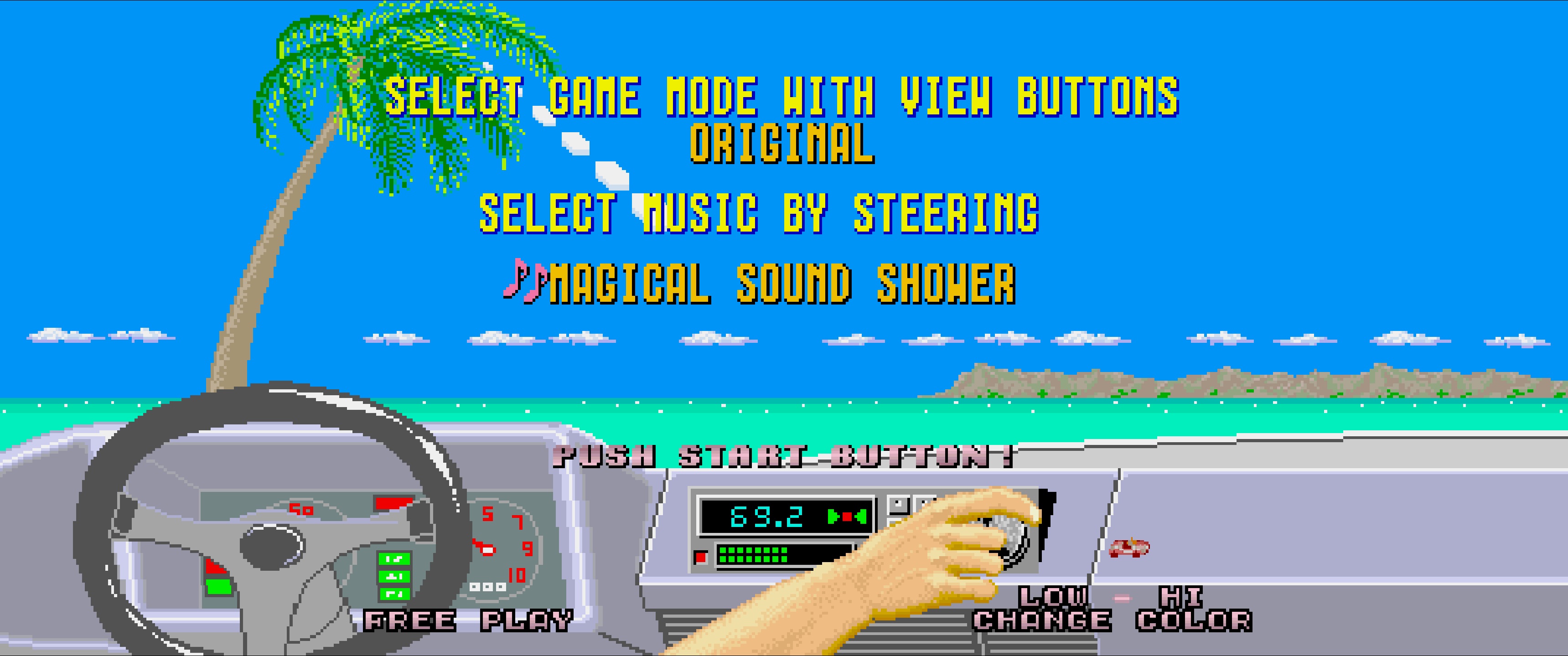
Ferrari colours are Red, Blue, Yellow, Green, Cyan, Black, White and Silver. The Music Select Screen colour applies only to the next race and does not replace the saved default. After the run, Attract Mode returns to the default colour selected with F10.
Custom music files can still be placed in ./res/ using:
[01-99]_Track_Display_Name.[wav|mp3|ym|bin]
Tracks 01-03 replace the original songs. Tracks 04+ add additional entries to the radio selector. Native .bin music ripped from the 3DS/Switch ports uses CannonBall's original Z80 custom-music format and is limited to 32K per file. During gameplay, the assignable Radio action cycles through the available tracks and Music Off, and the selected title is briefly shown on screen. On supported Windows wheels, the Music Select selector uses the normal low-speed centering spring plus short FFB steps between songs.
BIN music support status: Native 3DS/Switch
.bincustom music support has been reintegrated into CannonBall DX. This path is currently untested by the DX maintainer, because I do not currently have a legal way to obtain the required source data for personal verification. Feedback from users who can legally test this feature is welcome.
Arcade Outputs
CannonBall DX exposes its lamp outputs through:
- MAME network output
- Windows MAMEOutput messages / MAMEHooker
- SmartyPi
Currently exposed lamps include START, BRAKE, VIEW, VIEW1, VIEW2, VIEW3 and RADIO (Radio_lamp).
See EXTERNAL_OUTPUTS.md for configuration details.
Experimental Features & Known Limitations
The following features should currently be considered experimental:
- 3x and 4x Game Engine Resolution
- 120 FPS mode
- Exclusive Fullscreen
CannonBall-SE already provided a 2x high-resolution rendering mode. CannonBall DX builds on that work with additional rendering