ZA Recomp
ZA Recomp is a native PC port of Pokémon Legends: Z-A built by static recompilation, offering features like 60 fps and adjustable resolutions.
- Type: PC port
- Game: Pokémon Legends: Z-A
- Runs on Windows
- By Hexveil404
- Latest release test-nvidia-compiler-2, 2026-11-01
- Source: https://github.com/Hexveil404/PokeZ-ARecomp
README
ZA Recomp
A native PC port of Pokémon Legends: Z-A, built by static recompilation.
English · Português (Brasil)
ZA Recomp turns the game's Nintendo Switch code into a native Windows program. The ARM64 code is translated ahead of time into C and compiled for x86-64 on your PC, and the Switch's operating system and GPU (NVN) are reimplemented on top of Vulkan. No emulator runs while you play.
It is built on LAS Recomp by Peiikai, the static recompiler made for The Legend of Zelda: Link's Awakening.
Important
You need your own copy of the game. ZA Recomp does not include any game files, code, assets or fonts.
Contents
- Screenshots
- Features
- Requirements
- Installation (Mega Dimension DLC, Linux (experimental))
- Controls
- Saves
- Mods
- Troubleshooting
- Building from source
- Developer tools
- Credits
- Legal
Screenshots
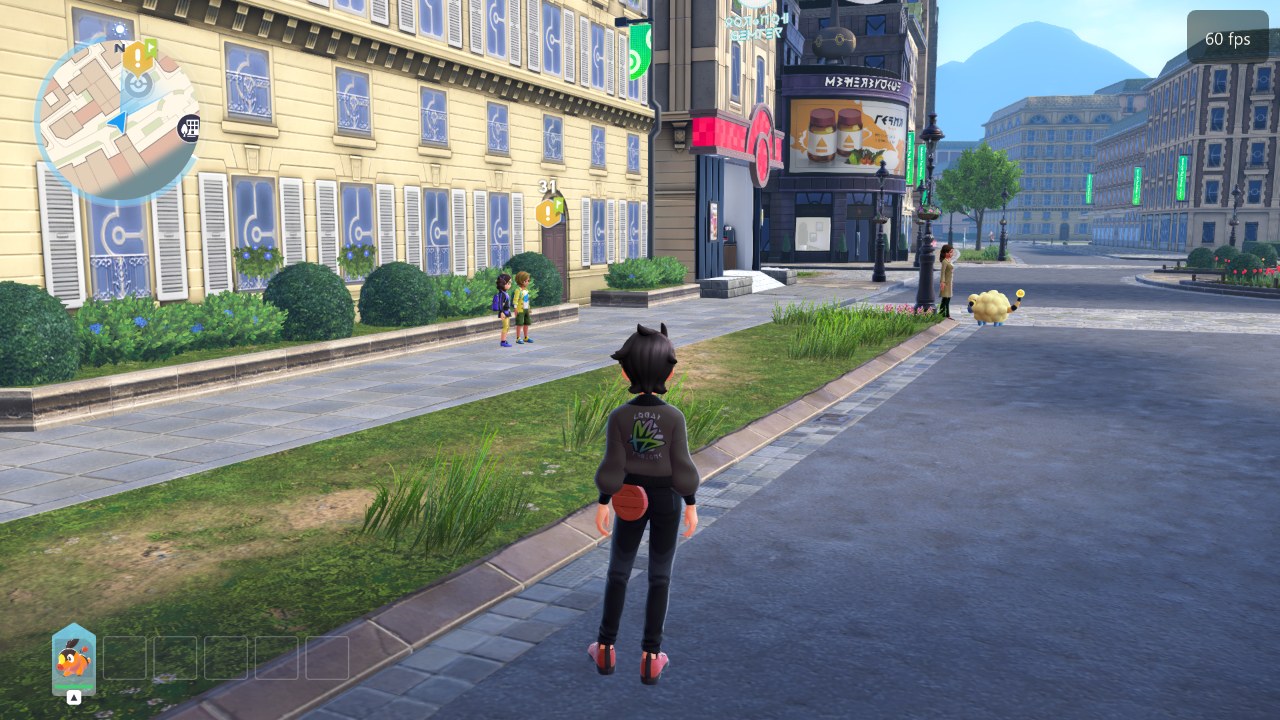 | 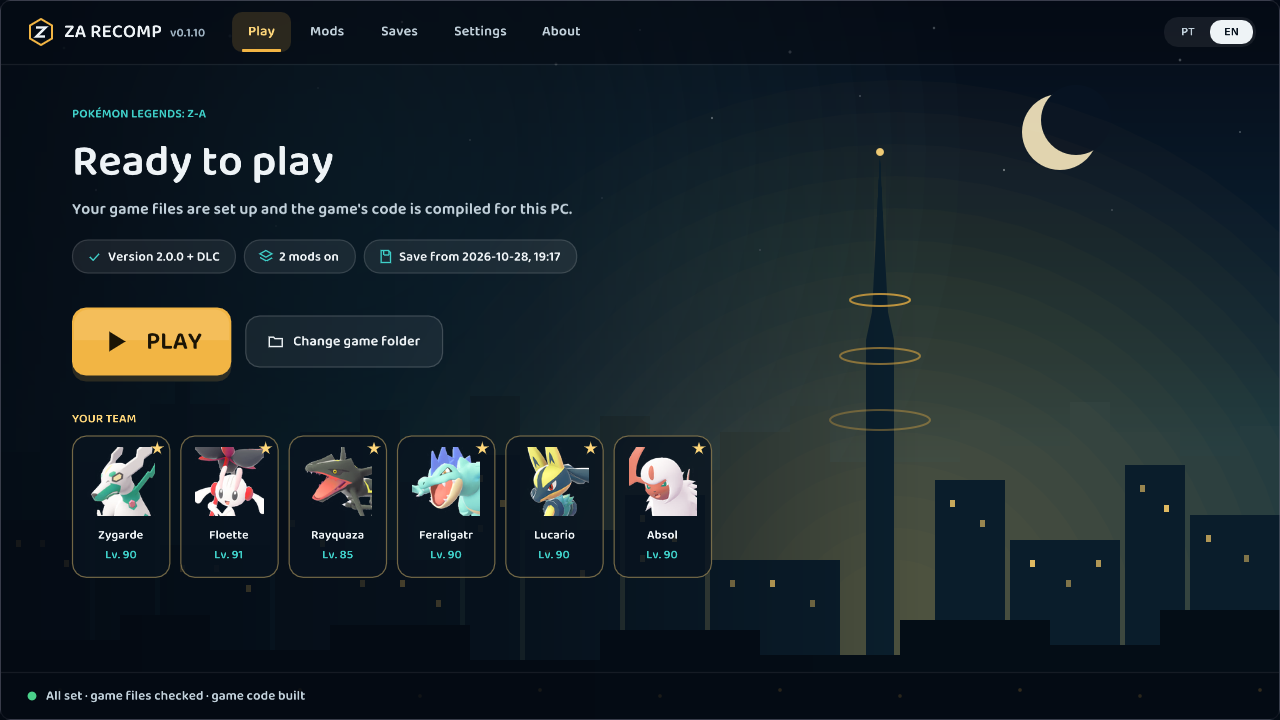 |
| Lumiose City at 60 fps | The start screen, with your team |
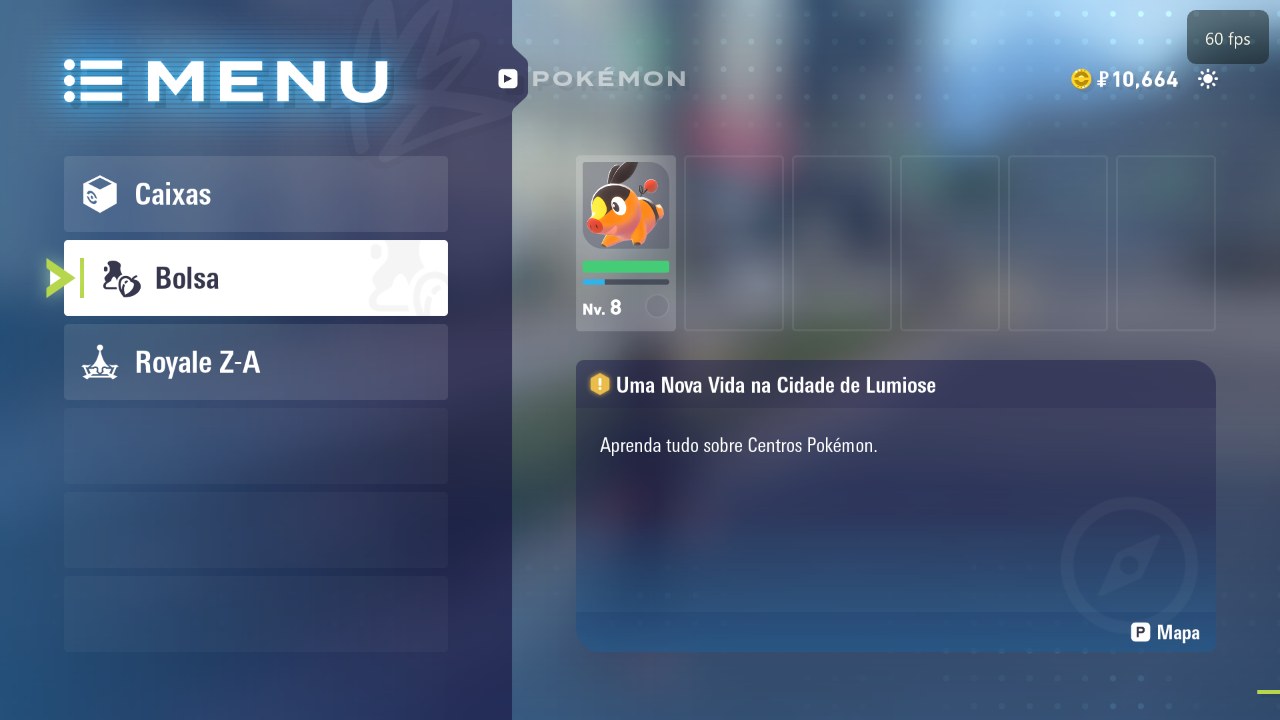 | 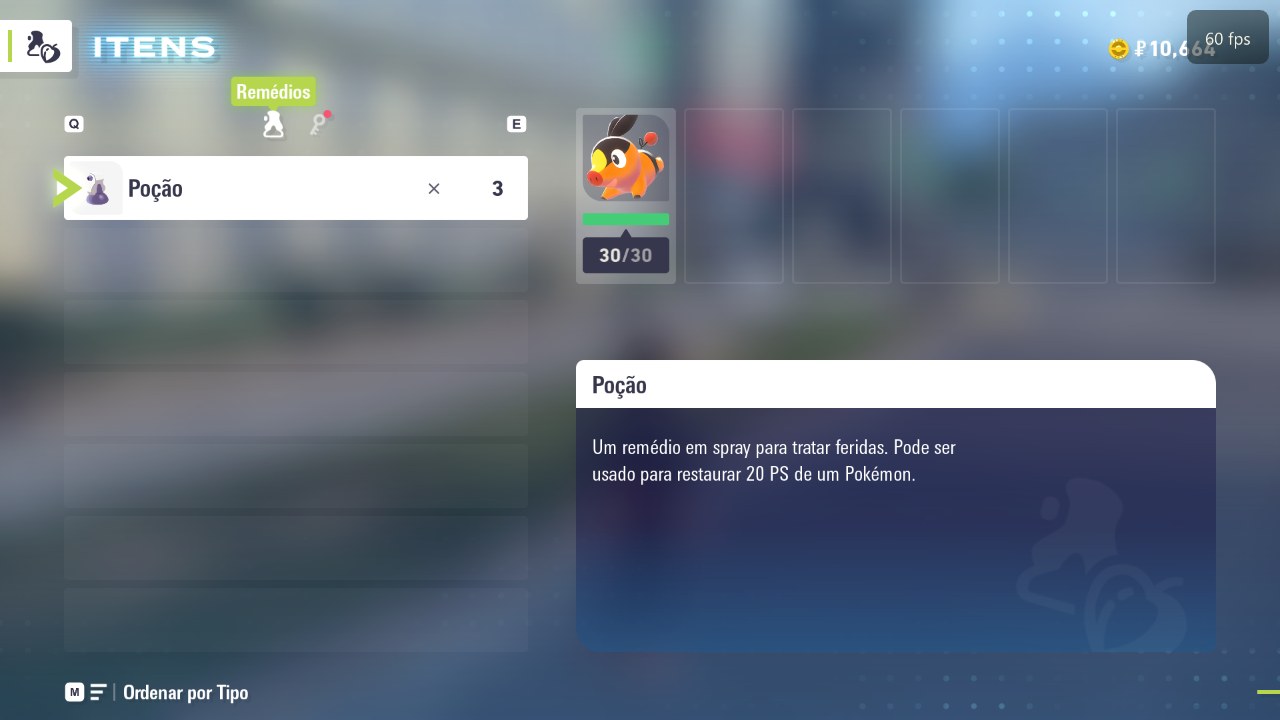 |
| The game's menu (with a translation mod) | The bag |
Features
Performance
- 60 fps at the game's normal speed, or 30 fps as on the Switch
- Internal resolution from 25% up to 4x (1x = 1080p), plus Dynamic and Match display
- Frame pacing option (Smooth / Standard) for displays where the frame rate looks uneven
Graphics (all optional, off by default)
- Upscaling with AMD FSR 1, anti-aliasing with SMAA or AMD FSR 2 (temporal), sharpening
- HDR output (HDR10 / scRGB)
- Ambient occlusion (GTAO), indirect light (screen-space GI) and water reflections
- Sharper shadows (higher shadow map resolution) and high-quality texture filtering
- HD texture packs (
textures/hd/)
Controls
- Any SDL3 controller: Xbox, PlayStation (DualShock 4 / DualSense), Switch Pro, Steam Deck and more
- Keyboard and mouse, with a mouse-driven camera
- Every button and key can be rebound; button icons match your controller (Xbox, PlayStation, Nintendo, Steam Deck, keyboard)
- Battle moves by position, right stick snap to axis
Start screen
- Sets the game up from your own files and compiles it once on your PC
- Mods manager (romfs mods), save import / export and backups
- English and Portuguese (Brazil)
Requirements
| OS | Windows 10 (1903 or newer) or Windows 11, 64-bit. Linux x86-64: experimental, see Linux |
| CPU | x86-64 with AVX2 (2013 or newer). Older CPUs with SSE4.2 also work, but compile and run slower |
| GPU | Vulkan 1.2 or newer (1.3 recommended) with an up-to-date driver |
| RAM | 8 GB (16 GB recommended) |
| Disk | About 12 GB free |
| Game | Pokémon Legends: Z-A 1.0.0, 2.0.0 or 2.0.2, optionally with the Mega Dimension DLC |
Linux runs natively (x86-64, no Wine or Proton) as an experimental build: see Linux (experimental). On a Mac, use MonZaMac by @lucabravi, a native macOS port based on this project.
Installation
- Download the latest
ZA-Recomp-windows.zipfrom Releases and extract it to a folder of your choice (for exampleC:\Games\ZA Recomp). - Prepare your own copy of the game in a folder, in one of two ways:
- Extracted game: the
exefsandromfsfolders, as an emulator or your Switch extracts them. No keys needed. - Dump: the base game (
.xcior.nsp), optionally the update and the Mega Dimension DLC (.nsp), together with theprod.keysfrom your own Switch.
- Extracted game: the
- Run
lasrecomp.exe. On the start screen, choose that folder (or drag it onto the window) and click Set up the game. - The game's files are read and its code is compiled for your PC. This takes 10 to 30 minutes depending on your CPU and happens only once. After an update of ZA Recomp, only what changed is compiled again.
- Click Play.
Your own files are never changed. Optionally, import your console's fonts on the start screen (Settings > Files) for the original text and button icons; without them a substitute font is used.
Mega Dimension DLC
The DLC is supported through the dump route (the extracted exefs / romfs folders don't include it):
- Put these files together in one folder: the base game (
.xcior.nsp), the update (.nsp, version 2.0.0 or newer - the DLC's content comes with it), the DLC (.nsp) and theprod.keysfrom your Switch (plustitle.keysif the start screen asks for it). - Choose that folder on the start screen and click Set up the game.
- The start screen shows + DLC next to the game version when it was found.
Already set up without the DLC? Click Change game folder, choose the folder again with the DLC added and set it up again. Your saves and settings are kept.
Linux (experimental)
ZA Recomp runs natively on Linux x86-64, without Wine or Proton. When a release has Linux files, pick one:
zarecomp_<version>_amd64.deb (Ubuntu / Linux Mint / Debian: sudo apt install ./zarecomp_<version>_amd64.deb, then
ZA Recomp in the menu or zarecomp in a terminal), the .AppImage (chmod +x it and start it), or the .zip
(unpack it anywhere and start ./zarecomp), then set up your game as in step 3 below. Otherwise you build it once on your
machine (the scripts do everything).
Tested so far: Linux Mint 22.3 with an Intel UHD integrated GPU and 8 GB of RAM, Pokémon Legends: Z-A 2.0.2. Cutscenes, audio and walking around work; on that integrated GPU 3D scenes run at about 15-26 fps (menus at 60). Controllers, saves, mods, other GPUs and long sessions have not been tested yet - reports are welcome.
Needs: a 64-bit distribution with glibc 2.35 or newer (Ubuntu 22.04+, Linux Mint 21+, Debian 12, Fedora, Arch...),
a Vulkan 1.3 driver (Mesa or NVIDIA's), a CPU with AVX2, 8 GB of RAM and about 12 GB free. The commands below are for
Ubuntu / Linux Mint / Debian; other distributions have the same packages under their own names (on Debian,
dotnet-sdk-8.0 comes from Microsoft's package repository).
-
Install the build tools and libraries (once):
sudo apt install git clang lld cmake ninja-build nasm pkg-config python3-venv curl patchelf dotnet-sdk-8.0 \ libx11-dev libxext-dev libxrandr-dev libxcursor-dev libxi-dev libxss-dev libxfixes-dev libxtst-dev \ libxkbcommon-dev libwayland-dev wayland-protocols libdecor-0-dev libegl-dev libdrm-dev libgbm-dev \ libpulse-dev libasound2-dev libpipewire-0.3-dev libdbus-1-dev libudev-dev libibus-1.0-dev libvulkan-dev -
Get the source and build the AppImage (downloads and builds its libraries the first time, which takes a while):
git clone https://github.com/Hexveil404/PokeZ-ARecomp.git
cd PokeZ-ARecomp
tools/za/dist-linux.sh
The result is
build/dist/ZA Recomp-<version>-linux-x86_64.AppImage(plus the same files as a.zipand a.deb). Copy it wherever you like. -
Start it (
chmod +xit first if needed). On the start screen, choose your game folder (extractedexefs+romfs, or your.xci/.nspfiles with yourprod.keys) and click Set up the game, then Play, as on Windows. Your settings, saves and game files are kept in~/.local/share/zarecomp.
If the setup from the start screen fails, there is a manual route, which is the one tested end to end so far. Replace the paths with your own files:
tools/za/build-linux.sh                       # the app
build/linux/x86_64/zaimport/zaimport ~/path/to/prod.keys extracted ~/path/to/base.nsp ~/path/to/update.nsp
GAME=1 JOBS=3 tools/za/build-linux.sh         # compiles the game code: about 20 minutes, once
build/linux/x86_64/za/lasrecomp extracted --play
On an integrated GPU, lower Resolution in the F1 menu for a smoother frame rate. More details, other options and known problems: docs/linux.md.
Controls
Press F1 in game (or open Settings on the start screen) for the settings menu: frame rate, resolution,
graphics options, controls, button icons and more. Settings are saved immediately to larecomp.ini.
On its first start, ZA Recomp picks the resolution and frame rate for your PC (from your GPU, CPU and RAM); an install from an earlier version is asked once on the start screen whether to use them. With 60 fps, Drop to 30 fps when needed (off by default) goes back to 30 fps when your PC can't keep 60, instead of slow motion.
| Keyboard (default) | Switch |
|---|---|
| W A S D | Left stick |
| Arrow keys | D-pad |
| K / J / L / I | A / B / X / Y |
| Q / E | L / R |
| 1 / 3 | ZL / ZR |
| Enter / Backspace | + / − |
| F / Numpad 0 | Left / right stick click |
| Numpad 8 / 4 / 5 / 6 | Right stick |
| Mouse | Camera; left button ZR (throw), right button ZL (aim) |
| Key | Action |
|---|---|
| F1 / Esc | Settings menu |
| F11 / Alt+Enter | Fullscreen |
| F10 | Screenshot (screenshots/) |
All bindings can be changed in Settings > Controls > Configure inputs.
Xbox attack layout (off by default) places the four battle moves at their configured physical face buttons, without changing controls. Setup prepares the private UI resource automatically from your own game files. Leave Battle moves by position off, enable the Xbox option, then restart. See Xbox attack layout for compatibility and troubleshooting.
Saves
Saves are the game's own files, kept in save/save_0/ next to lasrecomp.exe. They are the same as on the Switch, so
they move between the two without conversion. The Saves page on the start screen imports, exports and restores
backups; every import keeps your previous save as a backup.
- Switch → PC: back up the save with JKSV on your Switch, copy the backup folder (it holds a file named
main) to your PC and import it on the Saves page. - PC → Switch: export the save, copy its files into a JKSV backup folder on the SD card and restore it with JKSV.
- Game versions: a 2.0.x save needs the game set up with the 2.0.x update. Version 2.0.0 converts a 1.0.0 save the first time it saves, and the converted save no longer loads on 1.0.0. Keep a backup.
Mods
Mods that replace game files (a romfs folder): translations, textures, models. Install them from the Mods page
(or drop the mod onto the window); they are kept in mods/. When two mods replace the same file, the one higher in the
list wins.
Mods that change the game's code (exefs, IPS patches, cheat plugins) do not work with a recompiled game.
Troubleshooting
- Logs: each session writes
logs/play.lognext to the exe (the previous one is kept aslogs/play-anterior.log). Please attach it to any bug report. - Graphics driver errors ("Your graphics driver crashed", a GPU page fault): open Settings > Video > Compatibility and turn the options off one at a time. They apply from the next start.
- Low frame rate: lower the internal resolution or turn on Dynamic resolution, and turn off the optional graphics features.
- Report a bug: open an issue with your GPU, driver version,
game version and
logs/play.log.
Building from source
ZA Recomp builds on Windows with MSYS2 (UCRT64: clang, SDL3, FFmpeg, shaderc, Vulkan headers) and Python 3. See
docs/BUILD-windows.md for the setup. bash tools/za/dist.sh builds the release folder
(build/dist-za/ZA Recomp/; ZIP=1 for the zip), which ships without any game code: the start screen compiles it on
the player's PC.
Where things are: the recompiler is in tools/, the runtime in runtime/ (HLE services, the NVN implementation in
runtime/nvn/, the Vulkan backend in runtime/nvn/vulkan/ and the Maxwell shader translator in
runtime/nvn/maxwell/), and the Pokémon Z-A tools in tools/za/.
Contributions are welcome. Never commit or attach Nintendo files (game files, extracted data, generated code, fonts, saves).
Developer tools
For anyone working on the port itself. Players don't need these, and they stay off in a normal run.
- ZA DevTools: a separate program with the live log, performance graphs and a frame inspector. You can mark a bug while playing, then replay up to that moment.
- Record and replay:
tools/za/replay-record.shandtools/za/replay-play.sh. - Frame captures: every pass and draw of a frame, with analysis scripts in
tools/devtools/analysis/.
The developer tools guide covers setup and how to use each one. To build ZA DevTools on Windows:
bash tools/devtools/build.sh.
Credits
- Peiikai: creator of LAS Recomp, the static recompiler, runtime, renderers and shader translator this port is built on.
- Hexveil404: the Pokémon Legends: Z-A port.
- ZA Recomp contributors: @Primus92, @Atterax, @wimw85, @lucabravi, @gabrielsem16-bot, @gdsistemas-web and everyone who reported issues and tested builds.
- LAS Recomp contributors: see docs/LASRecomp-README.md.
- Ryujinx, used as a behavioural reference (no code taken), envytools and Switchbrew for GPU and system documentation.
- Libraries: SDL 3, FFmpeg, Dear ImGui, Vulkan Memory Allocator, shaderc, SMAA, AMD FidelityFX FSR 1 and FSR 2, XeGTAO, LibHac, Zig and the others listed in docs/LASRecomp-README.md.
Legal
ZA Recomp is a fan project. It is not affiliated with, endorsed or sponsored by Nintendo, Game Freak, Creatures or The Pokémon Company. Pokémon and Pokémon Legends: Z-A are trademarks of their respective owners. No game files, code, assets or fonts are included; you must provide your own legally obtained copy of the game.
The code is released under the MIT License (LAS Recomp © Peiikai). Third-party components keep their own licenses; see docs/LASRecomp-README.md.