PokeWilds
PokeWilds is a Gen 2 game engine with procedural generation and unique monsters, featuring building and new HMs for world interaction.
- Type: standalone game
- Runs on Windows and Linux
- By SheerSt
- Latest release v0.8.11, 2024-01-17
- Source: https://github.com/SheerSt/pokewilds
README
PokeWilds
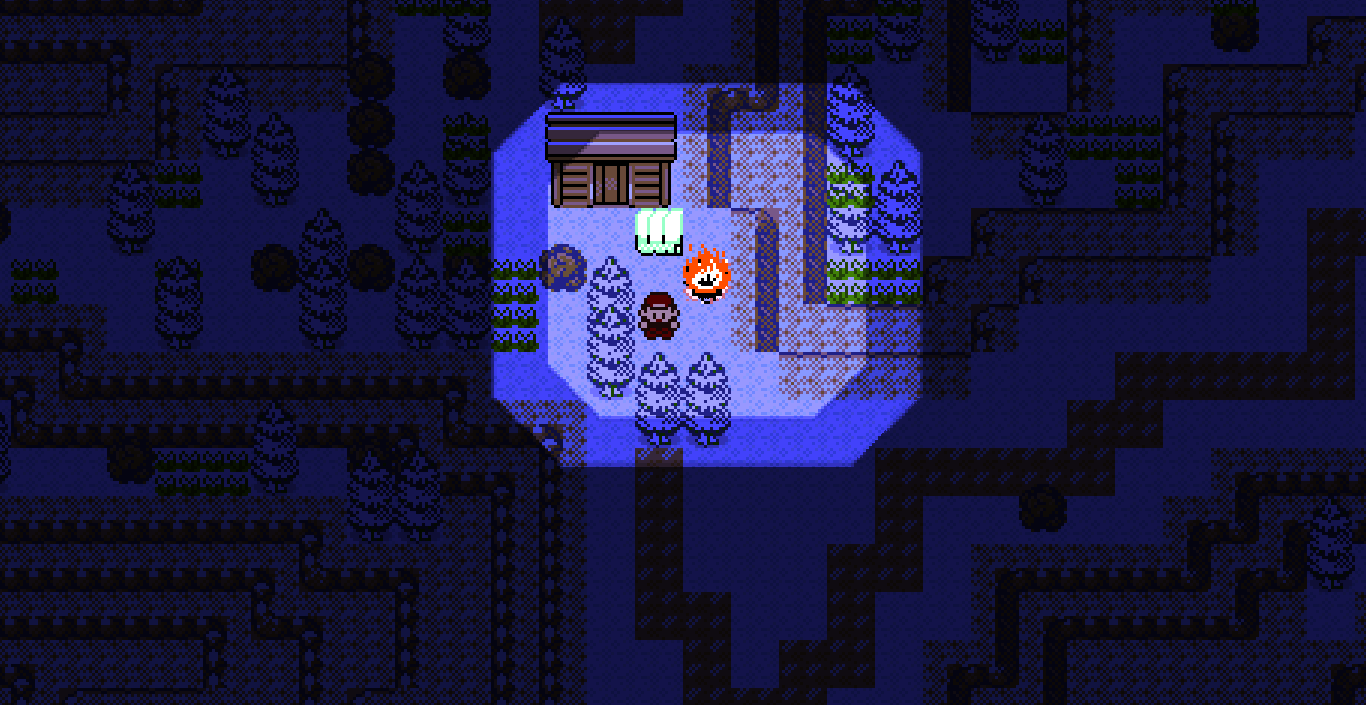
DISCLAIMER: this is currently in Alpha. Things are getting there, but still not fully complete. I am working hard to find and fix bugs; however, expect to find bugs. If you find a bug, please consider creating an issue here on github describing it (that would help me out a ton).
Download
Windows 64-bit: https://github.com/SheerSt/pokewilds/releases/latest/download/pokewilds-windows64.zip
Linux 64-bit: https://github.com/SheerSt/pokewilds/releases/latest/download/pokewilds-linux64.zip
Mac, Linux 32-bit, Windows 32-bit: https://github.com/SheerSt/pokewilds/releases/latest/download/pokewilds-otherplatforms.zip
How to Run
Follow the instructions inside the README.txt file in the game folder.
Common issues
- Running the game through the Windows search results leads to save lost, double click the
pokewilds.exefile instead. - Black screen at night: use
pokewilds-compat.exeinstead of the normal Pokewilds. - Double clicking
pokewilds.jarto start the game on MacOS leads to save data loss, follow theREADME.txtinstructions to create a launcher you can safely double click. - In the game folder there is a backup of your last save, in zip format, so if your save name is
default.sav, the file will bedefault.sav.zip. This can be used in case your save is corrupted, to recover the save before the last. - Running the game in a Windows OneDrive folder prevents it from running sometimes, put Pokewilds outside of that to ensure it works.
About
PokeWilds is a Gen 2 game/engine built using libGDX. It uses procedural generation to create large worlds with different biomes, each with their own unique monsters. The levels of wild monsters increase the further you explore, meaning that some biomes with rare mons are difficult to get to. Your monsters can help you explore the world by usual means (cut, fly, surf etc), but there are also new HMs that allow you to interact with the world in new ways, like building structures/houses, jumping up ledges, starting fires, and more.
I have been using a set of techniques to 'rip' sprites and animations from the console game very accurately - as such, the game is intended to look and feel just like the console games, with some extra capabilities (see core/assets/attacks/). The benefit from using libGDX is that the engine can support cross-platform play, multiplayer, huge maps, and fullscreen mode.
Information and FAQ
Dex document: https://bit.ly/3Owvdai
All v0.8 learnsets: https://bit.ly/3vOxMyb
Evo methods and stone locations: https://bit.ly/3PWcVAu
Controls:
- Arrow keys to move
- Keyboard Z = A button
- Keyboard X = B button
- Keyboard Enter = Start button
- Hold keyboard X to run.
What's the current version? PokeWilds is currently in version 0.8. There's no ETA on the next update, but the game IS being actively worked on.
Is there multiplayer? Not currently, but 0.9, the next version of the game, will bring online multiplayer to PokeWilds, alongside a plethora of other features.
Do I need an emulator to play? Nope! The game runs natively on Windows, Mac, and Linux. It's coded with Java and the libGDX framework.
Can I play PokeWilds on mobile? Not currently, sorry. There's plans for it.
What are the shiny odds? 1 in 256. This will be adjustable by the user in the next update.
How many legendaries are in the game? There are currently seven legendaries in the game. More get added every update!
How do I gather resources? Harvest resources from the environment using CUT, DIG, or SMASH (known by different types of pokemon). Other materials can be gained by capturing pokemon and dropping them in an area they are happy in, and talking to them.
How can I build a base? Fighting types know the field move BUILD. After you've gathered resources, you can build walls and a roof to create a house. Inside, you can place furniture by using BUILD as well. A bed is an essential piece of furniture as it allows you to restore your party to full health, including curing status conditions. Building a door between two house tiles will allow you to create side and back doors, too. Show us your builds in wilds-creations!
How do I make a bed? Collect Silky Thread, from bug types, and Soft Feathers, from flying types, to build a bed.
How do I build gates to my pens? Building a door between fence tiles will produce a gate instead.
How do I destroy something I built? Use the CUT field move.
How do I use TELEPORT? You can't just teleport anywhere! You must first build teleport beacons in the map, and, when using TELEPORT, you can select one of the beacons to be teleported to it.
How do I make my monster stop using its field move? Stop moving and hold X.
Why are my monsters uncomfortable? Monsters require their preferred habitat tile(s) to be happy. Dual-type Monsters require the tiles corresponding to both their types. For instance, Chikorita merely needs tall grass to be happy, due to its pure grass type, while Jumpluff requires both tall grass and trees, as it is a grass/flying type. Monsters will only produce materials when they're happy.
I read a sign and my text is now glitchy! Whoa, that's not a question. :eyes: Walk into tall grass to get an encounter. It's not a bug!
World generation is taking over 10 minutes. There is a rare issue where world generation gets stuck - close the game and retry (the game will prompt you to save when you exit).
Is there a dex? The Pokédex will be added on the next update. We do have a document with all the information regarding Monster habitats, field moves, harvestable items, and more info. The link to this document is at the bottom of this channel.
How do trade evolutions work? In single player mode, trade evolutions are now stone-based evolutions. Here's a document with these new evolutions, as well as where to find the stone evolutions: https://bit.ly/3PWcVAu
How to configure settings.txt:
- Do not include spaces around the '='.
- Change key mappings using the 'keyboard-' lines. Keys must be capitalized.
- muteMusic - set to true to mute all in-game music.
- specPhysSplitEnabled - set to true or false to toggle special physical split.
How to restore a save file from backup:
- If the game stops loading your save file (ie it's corrupted), you can try using the save file's backup with contains your second-to-last save.
- The backup save is named .sav.backup
- Rename .sav.backup to .sav.zip and extract contents
- The extracted contents need to be a directory called .sav/ with game, map0,0 etc files inside
- Load the new save file ( in the game's menu)
How to start the game in dev mode (windows 10):
- Open the folder containing pokewilds.exe
- Shift + right-click in the folder and select 'Open powershell window here'
- Type cmd in the window and press enter.
- Type
pokewilds.exe devinto the window and press enter.
Adding angle_gles20 to the command can also fix the following issues:
- OpenGL version-related error messages.
- Issue where the game doesn't pick up keyboard input.
Troubleshooting
- If world generation takes longer than 5 min, try closing the game and retrying.
- If your system language isn't English, the game will sometimes fail to generate maps. Please see the following article on installing and switching to an English language pack: https://support.microsoft.com/en-us/windows/install-a-language-for-windows-ccd853d3-9ecd-7da7-9ef0-72b4a055410a
- There is an issue where the game won't open if an '!' is included in the path to the game's directory. Move the game outside of the directory containing '!' in the name and reopen the game.
- The games cli output can help narrow down issues. How to run the game in cli mode (windows 10):
- Open the folder containing pokewilds.exe
- Shift + right-click in the folder and select 'Open powershell window here'
- Type 'cmd' in the window and press enter.
- type pokewilds.exe into the window and press enter.
- The game will open. Various info will be periodically written to the powershell window, like which song is playing. Error messages will also display here.
- Cli output like
Opengl not supported:- Try updating your graphics drivers.
- Try switching from your dedicated graphics to integrated graphics.
Dev mode instructions and capabilities:
- Starting the game in dev mode (windows 10):
- Open the folder containing pokewilds.exe
- Shift + right-click in the folder and select 'Open powershell window here'
- Type
cmdin the window and press enter. - type
pokewilds.exe devinto the window and press enter.
- Paint tiles anywhere by clicking on the screen
- Press ctrl to reduce the brush size and alt to increase the brush size
- Press C and V to cycle through tiles
- Holding space bar will:
- Make you run really fast
- Prevent wild encounters
- Allow you to walk through walls
- L key - takes a full-map screenshot and puts it in the game directory (game will freeze for a bit)
- Use WASD to pan the camera around the map.
- Use Q and E to zoom the camera in/out.
Credits
Special thank-you to everyone who has contributed!
Battle sprites:
- Credits to Nuuk on discord (nuukiie on twitter) for many battle sprites.
- Credits to the Prism team for many battle sprites.
- Whimsicott battle sprites - IncuTyph on discord
- Cottonee battle and overworld sprites - Ayinai on discord
- Morelull front animation and overworld sprites - betsybugaboo on discord
- Morelull back sprite - IncuTyph on discord
- Stunfisk battle and overworld sprites - Skymaury on discord
- Carbink battle sprites - Skymaury on discord
- Gothitelle battle sprites - Roffles on discord
- Gothorita battle sprites - Roffles on discord
- Gothita battle sprites - Roffles on discord
- Minccino battle sprites - IncuTyph on discord
- Cinccino battle sprites - IncuTyph on discord
- Oranguru battle and overworld sprites - Ayinai on discord
- Diancie battle and overworld sprites - Iustinus Tempus on discord
- Komala battle sprites - Village on discord
- Pyukumuku battle sprites - Village on discord
- Durant battle and overworld sprites - GenDraconis on discord
- Indeedee Male and Indeedee Female battle and overworld sprites - Gyu on discord
- Liepard battle and overworld sprites - EeVeeEe on discord
- Rotom normal form back sprite - PotatoCheep on discord
- Rotom normal form front and overworld sprites - Shaqtothefuture on discord
- Lickilicky battle sprites - Shaqtothefuture on discord
- Drampa battle sprites - Lavios on discord
- Decidueye battle sprites - Ayinai on discord
- Munchlax battle sprites - Shaqtothefuture on discord
- Tyrunt battle sprites - SharkGuy on discord
- Tyrantrum battle sprites - SharkGuy on discord
- Bewear battle and overworld sprites - Potato Q on discord
- Stufful front sprites - Potato Q and Sadfish on discord
- Stufful back and overworld sprites - Potato Q on discord
- Minior battle and overworld sprites - MKNZ on discord
- Grimmsnarl battle sprites - IncuTyph on discord
- Greninja battle and overworld sprites - EnzoDaiki on discord
- Zoroark battle and overworld sprites - Sorrel on discord
- Gourgeist back sprite - EeVeeEe on discord
- Gourgeist front sprites - nik11dy6 on discord
- Dedenne battle sprites - Skymaury on discord
- Hawlucha battle and overworld sprites - Shaqtothefuture on discord
- Meltan battle and overworld sprites - Scoobleblablebly on discord
- Toxel battle and overworld sprites - Shaqtothefuture on discord
- Frogadier and overworld battle sprites - EnzoDaiki on discord
- Froakie battle and overworld sprites - EnzoDaiki on discord
- Popplio battle and overworld sprites - Kishibird on discord
- Rotom Mow form battle and overworld sprites - Shaqtothefuture on discord
- Rotom Fan form battle and overworld sprites - Shaqtothefuture on discord
- Rotom Frost form battle and overworld sprites - Shaqtothefuture on discord
- Rotom Wash form battle and overworld sprites - Shaqtothefuture on discord
- Rotom Heat form battle and overworld sprites - Shaqtothefuture on discord
- Scorbunny battle sprites - Internet_Goblin on discord
- Dartrix battle sprites - Ayinai on discord
- Oshawott battle sprites - SkwovetSquire on discord
- Starly battle sprites - Molk on discord
- Staravia battle sprites - Molk on discord
- Deino, Zweilous, Hydreigon front sprites - PotatoCheep on discord
- Deino, Zweilous, Hydreigon back sprites - bugcut on discord
- Alolan Grimer battle and overworld sprites - Shaqtothefuture on discord
- Alolan Muk battle and overworld sprites - Shaqtothefuture on discord
- Cramorant battle and overworld sprites - EeVeeEe on discord
- Happiny battle sprites - Hibiwiki on discord
- Impidimp battle sprites - IncuTyph on discord
- Falinks battle and overworld sprites - CynderQuill on discord
- Mime Jr. battle sprites - Shaqtothefuture on discord
- Slurpuff battle and overworld sprites - Shaqtothefuture on discord
- Flabebe, Floette, Florges battle and overworld sprites - SharkGuy on discord
- Kubfu battle sprites - Shaqtothefuture on discord
- Honedge battle sprites - peach-n-key on discord
- Raboot battle sprites - Internet_Goblin on discord
- Sinistea battle and overworld sprites - Shaqtothefuture on discord
- Heatmor battle and overworld sprites - Hibiwiki on discord
- Galarian Farfetch'd battle and overworld sprites - Shaqtothefuture on discord
- Sirfetch'd battle and overworld sprites - Shaqtothefuture on discord
- Yamask battle and overworld sprites - Hibiwiki on discord
- Galarian Mr. Mime front animation - Scarlax, BloodlessNS and ShadowOne333 on discord
- Mr. Rime front animation - Menu and Scarlax on discord
- Gossifleur and Eldegoss battle and overworld sprites - peach-n-key on discord
- Copperajah front sprites - Exet on discord
- Copperajah back sprite - SheerSt on discord
- Aegislash Shield/Sword Forme battle and overworld sprites - peach-n-key on discord
- Doublade battle and overworlds sprites - peach-n-key on discord
- Wooloo battle sprites - peach-n-key on discord
- Dubwool battle and overworld sprites - peach-n-key on discord
- Lunala battle and overworld sprites - Sage on discord
- Woobat, Swoobat battle sprites - GML on discord
- Vanillite battle sprites - Toastknight on discord
- Toxtricity (lowkey and regular) battle and overworld sprites - sun_dew on discord
- Lillipup, Herdier, and Stoutland battle and overworld sprites - GML on discord
- Bounsweet front sprites - Quilchess on discord
- Bounsweet back sprites - EeVeeEe on discord
- Steenee battle sprites - CuervoTerras on discord
- Fomantis battle sprites - Toastknight on discord
- Axew battle sprites - GenDraconis on discord
- Karrablast and Escavalier battle sprites - GML on discord
- Shelmet and Accelgor battle sprites - GML on discord
- Polteageist battle and overworld sprites - EeVeeEe on discord
- Galarian Mr. Mime and Mr. Rime back sprites - Scarlax on discord
- Incineroar battle sprites - Toastknight on discord
- Foongus battle sprites - GML on discord
- Mimikyu battle sprites - TerraTerraCotta on discord
- Turtwig battle and overworld sprites - CuervoTerras on discord
- Inkay battle sprites - Vandom on discord
- Torterra overworld and battle sprites - CuervoTerras on discord
- Sliggoo and Goodra battle sprites - Molk on discord
- Cofagrigus battle and overworld sprites - Hibiwiki on discord
- Shiinotic battle sprites - Molk on discord
- Grotle battle sprites - CuervoTerras on discord
- Timburr battle sprites - Molk on discord
- Goomy front animation - SkwovetSquire on discord
- Goomy back sprite and shiny colors - Molk on discord
- Burmy and Wormadam battle sprites (all forms) - sun_dew on discord
- Clobbopus battle and overworld sprites - SharkGuy on discord
- Kleavor battle sprites - Internet_Goblin on discord
- Galarian Corsola back sprite - ICantBelieveItsNotBowser on discord
- Galarian Corsola front sprites - ICantBelieveItsNotBowser and SkwovetSquire on discord
- Galarian Yamask front sprites - EeVeeEe and Goose on discord
- Galarian Yamask back sprite - EeVeeEe on discord
- Stonjourner front animation - PotatoCheep and SkwovetSquire on discord
- Snom, Frosmoth front sprites - betsybugaboo on discord
- Snom back sprite - ash on discord
- Frosmoth back sprite - Molk and EeVeeEe on discord
- Cosmog, Cosmoem front sprites - betsybugaboo on discord
- Phione front and back sprites - SkwovetSquire on discord
- Pumpkaboo front and back sprites - betsybugaboo on discord
- Runegris front animation - Scarlax and EeVeeEe on discord
- Runegris back sprite - EeVeeEe on discord
- Applin front sprites - ICantBelieveItsNotBowser on discord
- Applin back sprites - ICantBelieveItsNotBowser and betsybugaboo on discord
- Probopass, Mantyke battle sprites - SkwovetSquire on discord
- Luvdisc, Sandygast, Palossand battle sprites - betsybugaboo on discord
- Ambipom battle sprites - Internet_Goblin on discord
- Duraludon front sprites - betsybugaboo on discord
- Duraludon back sprite - PotatoCheep on discord
- Bronzor and Bronzong battle sprites - SkwovetSquire on discord.
- Sandile line front sprites - Goose and Sadfish on discord.
- Sandile line back and overworld sprites - Sadfish on discord.
- Sigilyph battle sprites - Sadfish on discord.
- Darumaka and Galarian Darumaka battle sprites - Goose on discord.
- Galarian Darmanitan battle sprites - Mr Dustman on discord.
- Galarian Zen Darmanitan back sprite - Sir Feralipogchamp on discord.
- Zen Darmanitan front sprite - Sir Feralipogchamp on discord.
- Zen Darmanitan back sprite - Mr Dustman on discord.
- Darmanitan front sprite - Poisonous Gas on discord.
- Darmanitan back sprite - Mr Dustman on discord.
- Elgyem and Beheeyem battle sprites - Goose on discord.
- Hippopotas and Hippowdon battle and overworld sprites - Sadfish on discord.
- Camerupt front sprites - Poisonous Gas and Goose on discord.
- Alolan Exeggutor battle sprites - Gmerc.
- Regirock, Registeel, Regice, and Regigigas battle sprites - Mr Dustman, Sadfish and Poisonous Gas on discord.
- Regieleki and Regidrago battle sprites - Mr Dustman on discord.
- Corphish battle and overworld sprites - sir feralipogchamp on discord.
- Crawdaunt battle sprites - sir feralipogchamp, Mr Dustman, Goose on discord.
Overworld sprites:
- Credits to Megaman-Omega on Deviantart for many overworld sprites.
- Phantump overworld sprites - Goose on discord
- Alolan Raichu, Galar Yamask, Cacturne, Mantyke, Mantine, and Remoraid overworld sprites - Sadfish on discord
- Trevenant, Sandslash, Ekans, Arbok, Sharpedo, Dratini, Dragonair, Dragonite, Ledyba, Hoothoot, Sandshrew, Aipom, Ambipom, Miltank, Sudowoodo, Horsea, Seadra, Kingdra, Smoochum, Noctowl, Nidoking and Jinx overworld sprites - Internet_Goblin on discord
- Golduck, Hatenna, Kabuto, Mightyena, Noivern, Omanyte, Omastar, Pelipper, Psyduck, Wailmer, and Wailord overworld sprites - Gargoyle on discord
- Pumpkaboo, Snom, Frosmoth, Sandygast, Palossand, Goomy, Hoppip, Azurill, Dodrio, Doduo, Entei, Gloom, Gourgeist, Vileplume, Starmie, Quagsire, Oddish, Staryu, Skiploom, Jumpluff, Poliwag, Sunflora, Politoed, Poliwhirl, Poliwrath, Raikou, Suicune, Sunkern, Applin, Alolan Marowak, Bellosom, Heracross, Primeape, Marowak, Bellossom and Delibird overworld sprites - betsybugaboo on discord
- Bidoof overworld sprites - LuxBeacon and betsybugaboo on discord
- Bibarel, Buizel, Floatzel, Hatterene, Minun, Noibat, Pikipek, Plusle, Trumbeak, Appletun, Happiny, Drowzee, Luvdisc, Manaphy, Phione, Flapple, Octillery, Stonjourner, Corphish, Crawdaunt, Duraludon, Dedenne, Carbink, Electrike, Diancie, Munchlax and Volbeat overworld sprites -