prince-of-persia-2-macintosh-native
prince-of-persia-2-macintosh-native is a Windows port of Prince of Persia 2: The Shadow and the Flame using original game assets and featuring a game menu, save and load system, and customizable controls.
- Type: PC port
- Game: Prince of Persia 2: The Shadow and the Flame
- Runs on Windows
- By Pessegos
- Latest release v0.4, 2026-11-09
- Source: https://github.com/Pessegos/prince-of-persia-2-macintosh-native
README
I'm working on a native Windows reimplementation of the Macintosh version of Prince of Persia 2: The Shadow & the Flame. It uses the original game's graphics, animations, levels and sounds.
The gameplay is being rebuilt in Python for now, with the help of Codex. To understand how the original game works, Codex is reverse-engineering the Macintosh executable and I'm doing a ton of side-by-side playtesting, comparing both versions and fixing differences as I find them.
I'm trying to stay as close to the original as possible, while still making some changes and improvements where they make sense.
Contents
- Gameplay Status
- Features & Improvements
- Other Quality of Life Improvements
- Download & Play
- Controls
- Development
- License
Gameplay Status
Levels 1-9 are playable from start to finish, including the horse cutscene leading into Level 10.
Levels 10-13 are now in the game too. They can already be explored, with some of their mechanics working, but there's still quite a bit left to do before they're fully playable.
Features & Improvements
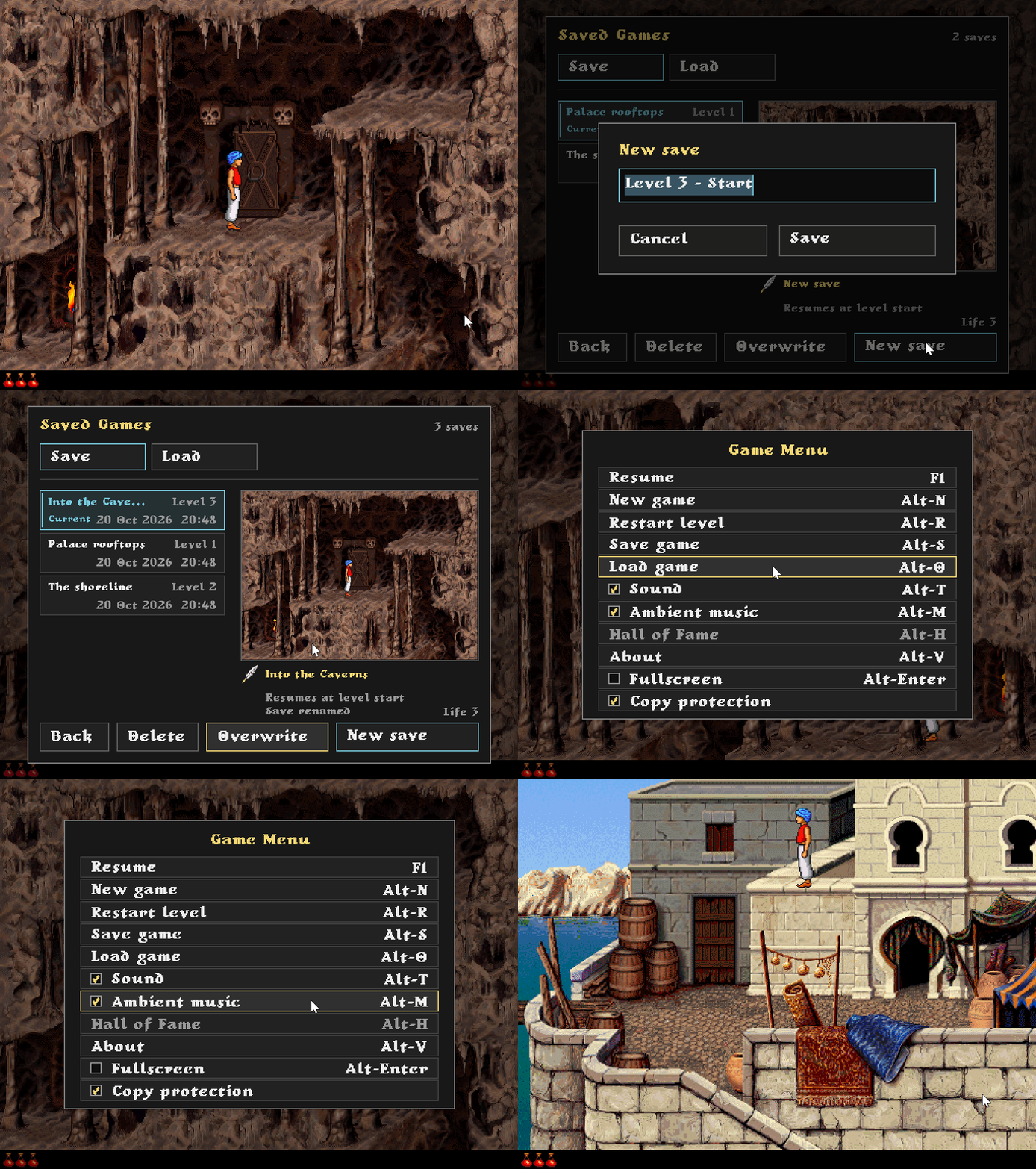
Game Menu (F1)
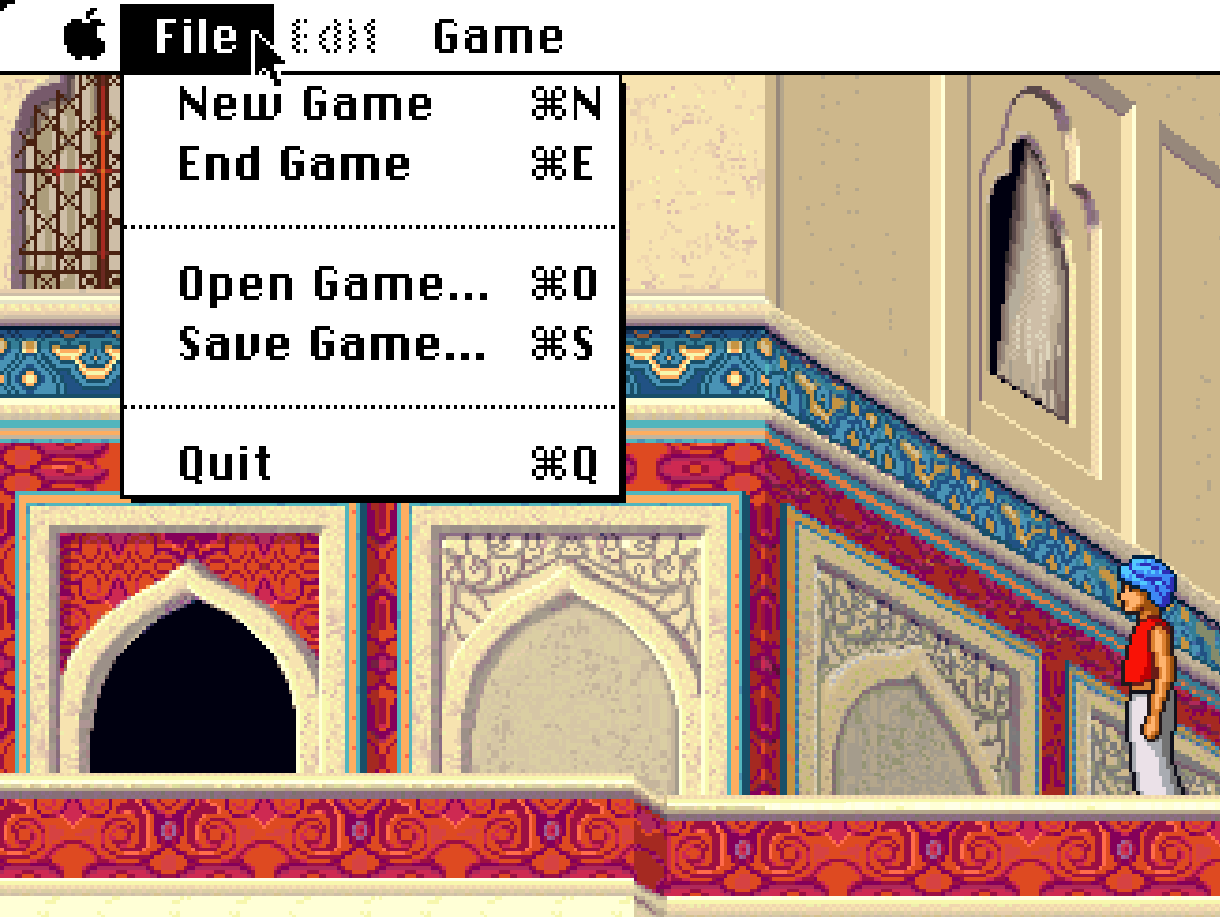
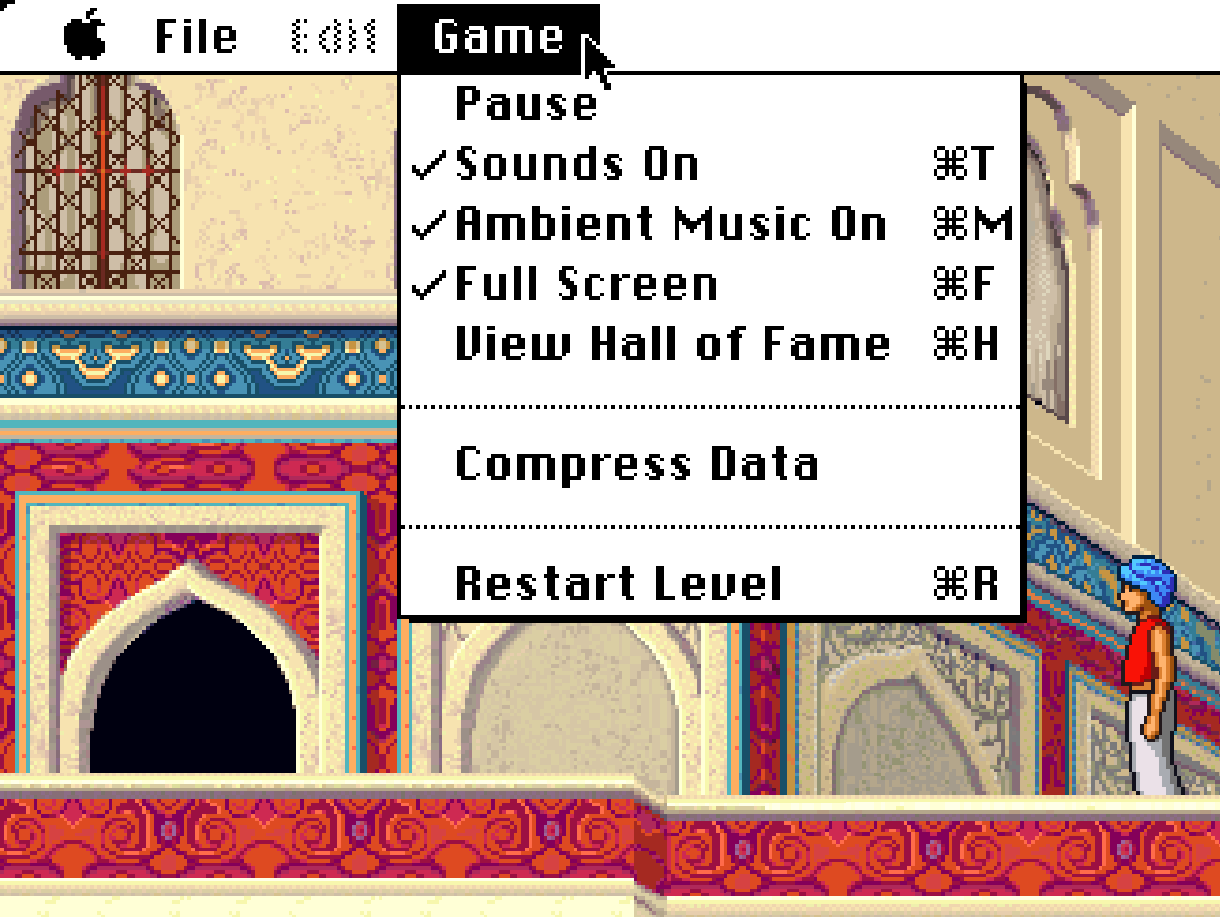
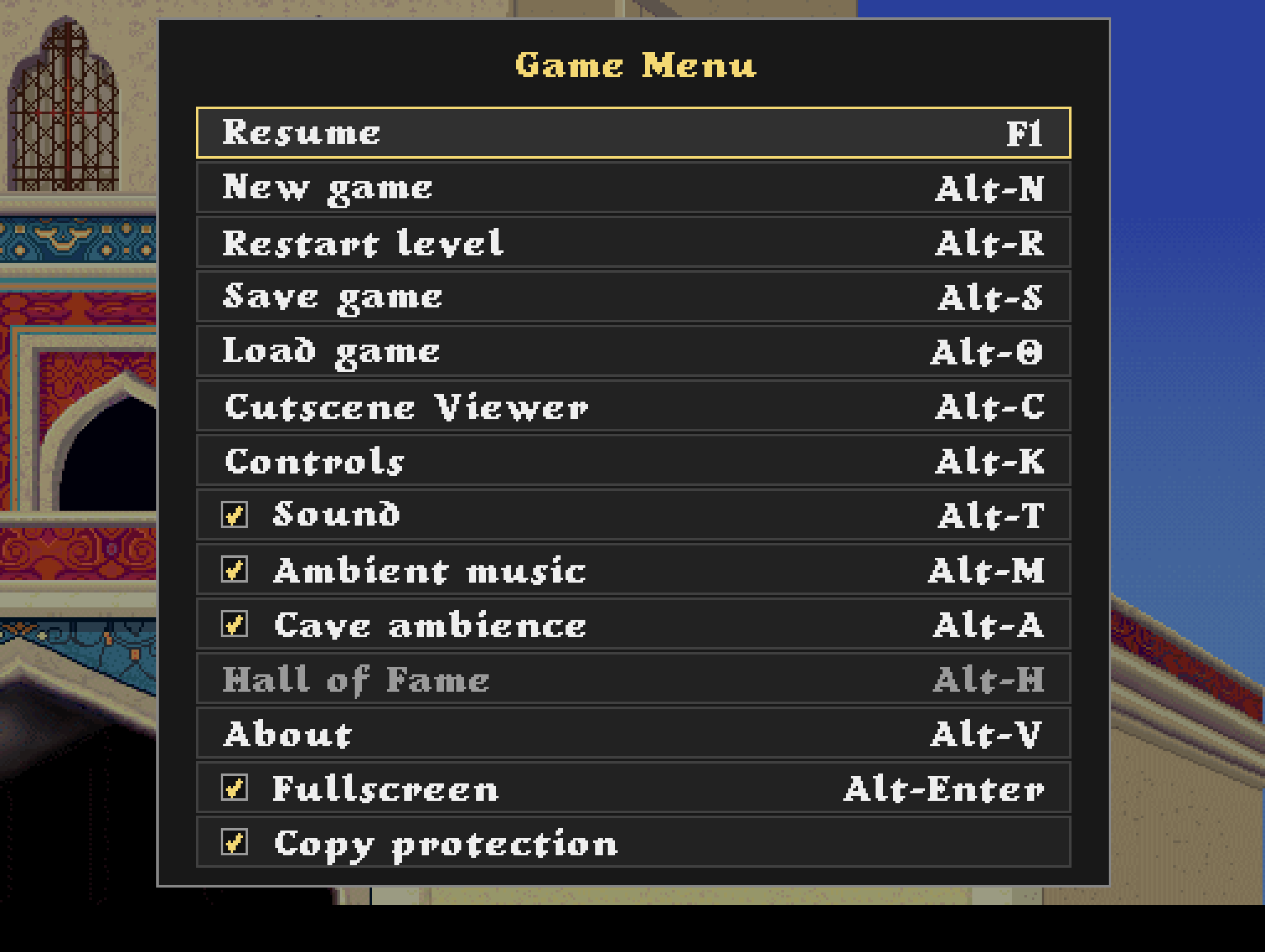
The original Macintosh version uses the system menu bar for its File and Game options. Since that isn't available in the Windows port, I added a small F1 menu to provide similar functionality.
The idea isn't to turn it into a full settings menu, but simply to keep things close to how they worked on the original Macintosh.
Original Macintosh
Windows Port (F1)
Save & Load
The F1 menu includes a Save & Load system with named saves, previews, and options to rename, overwrite or delete them.
Saving follows the original game's checkpoint system. Loading a save takes you back to the beginning of the level or the last activated checkpoint, and the preview shows exactly where you'll resume.
Controls & Controllers
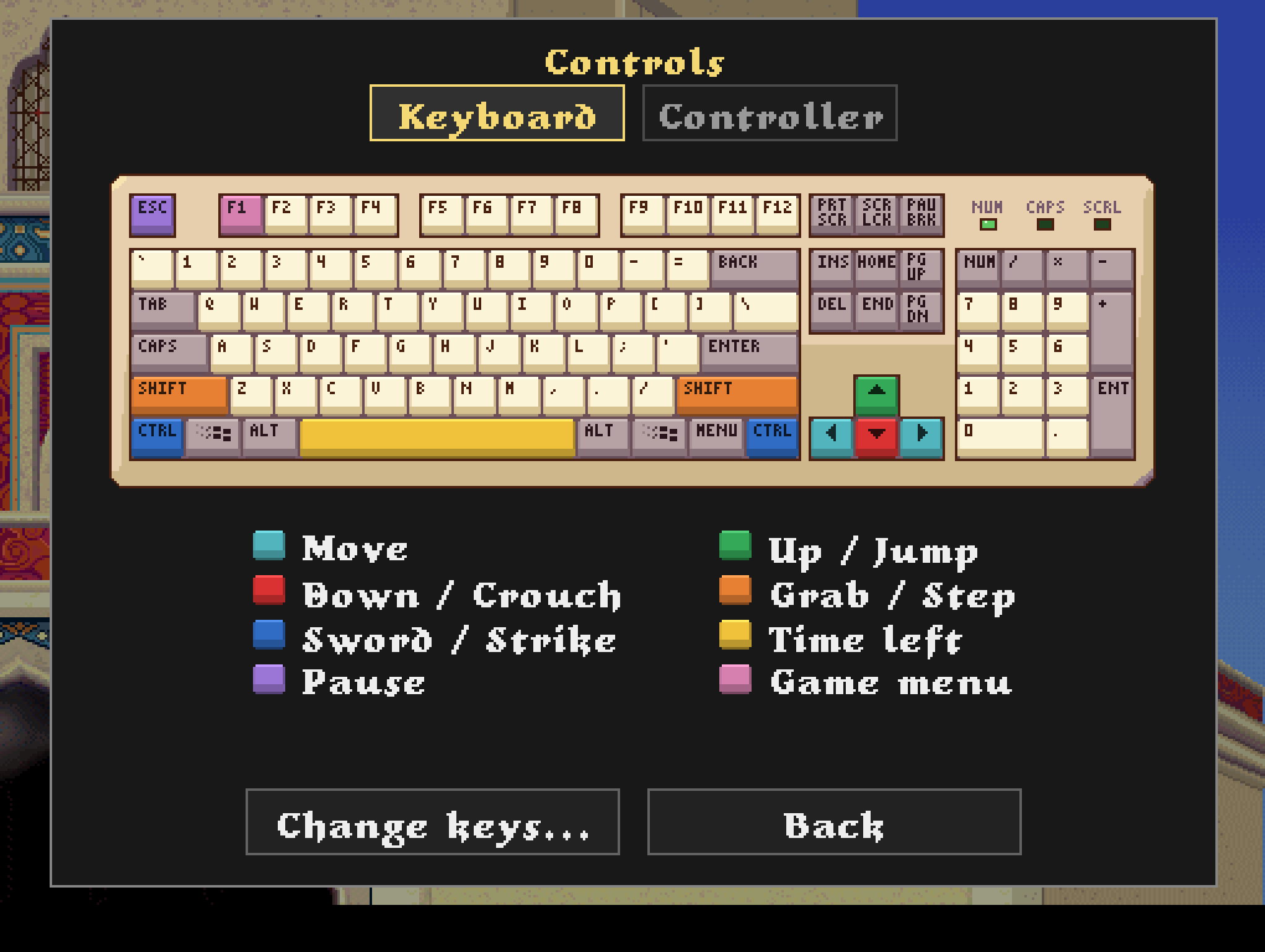
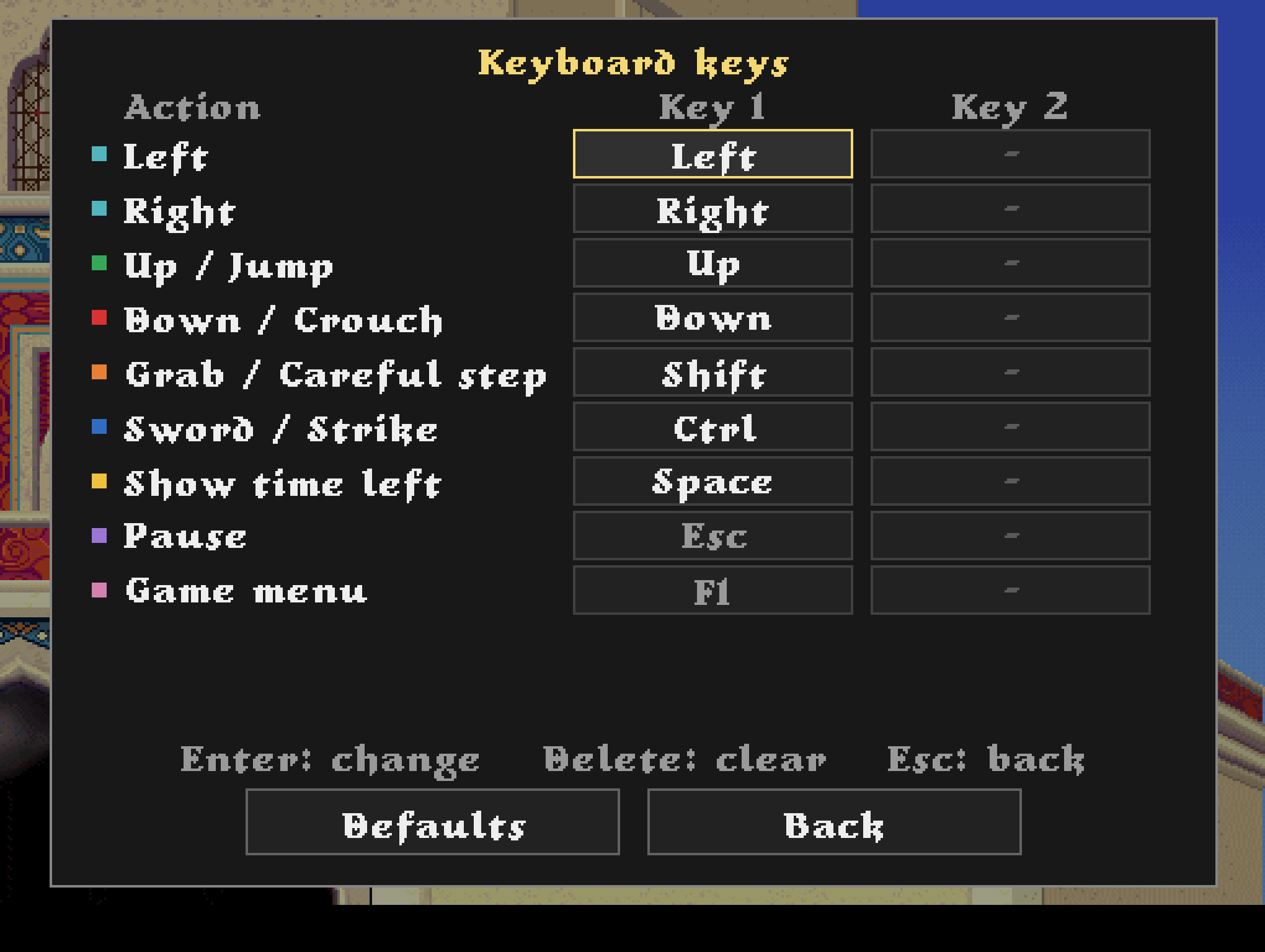
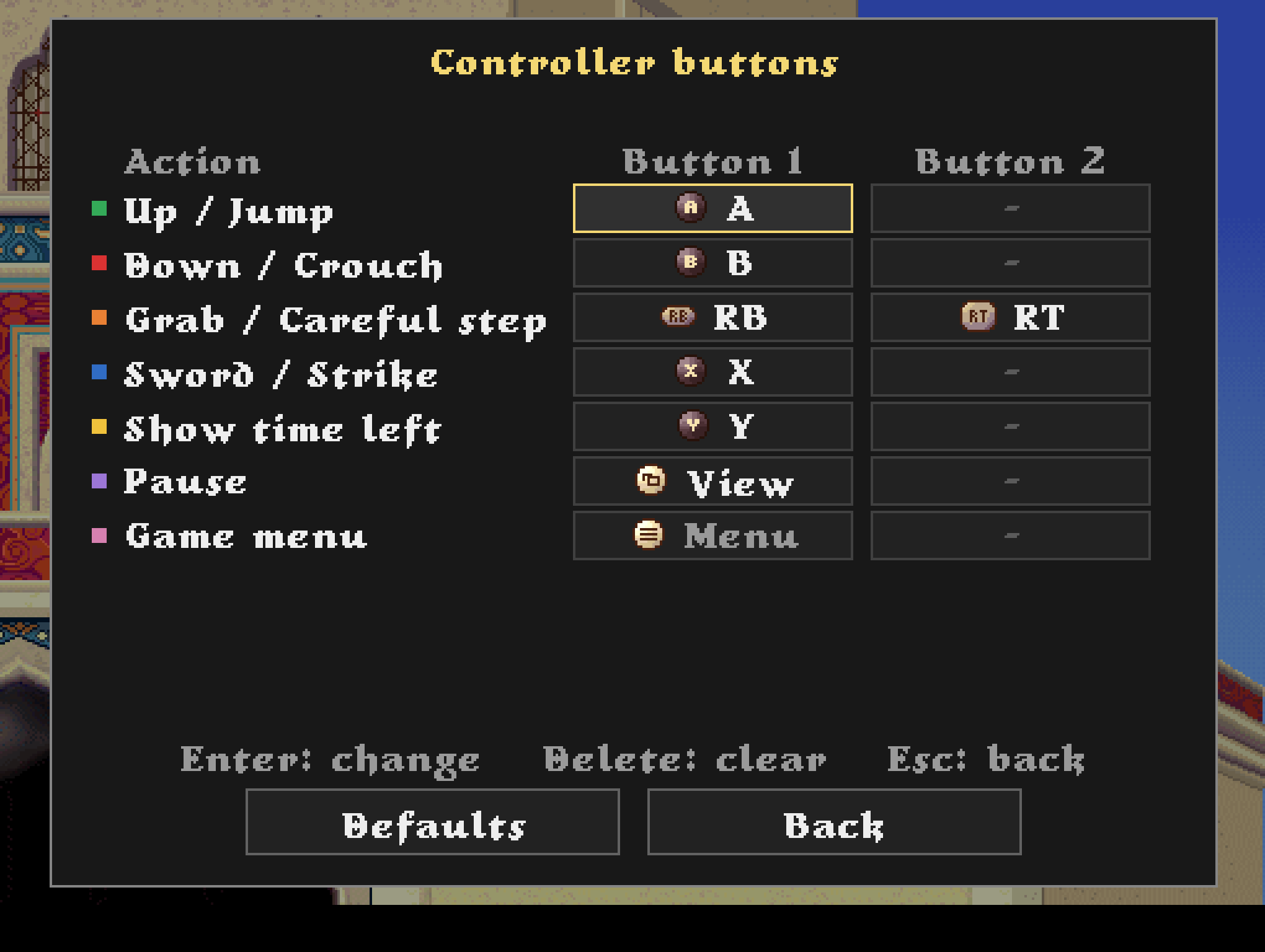
It now supports customizable keybindings and controllers through the F1 menu (or Alt+K).
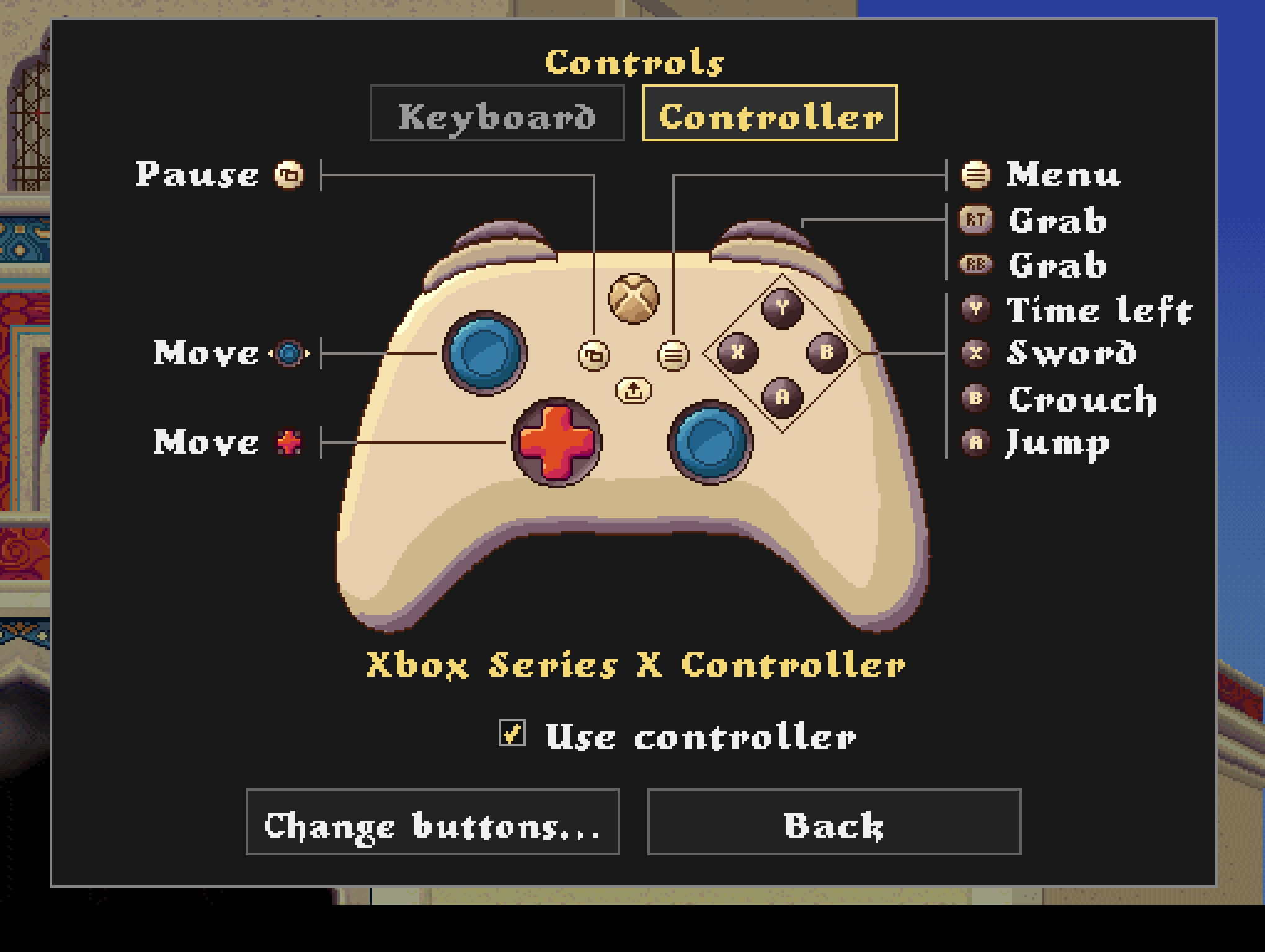
Each action can have up to two keys assigned, and controllers can be used both in-game and throughout the menus. I've tested it with an Xbox controller, but PlayStation controllers should work too, although I haven't tested them myself.
I tried to make the controller designs fit the game's pixel art style, taking inspiration from the palace in Level 1, with different designs depending on which controller is connected. For the keyboard, I went with a classic 90s look.
I'm pretty happy with how they turned out!
Keyboard
Controller
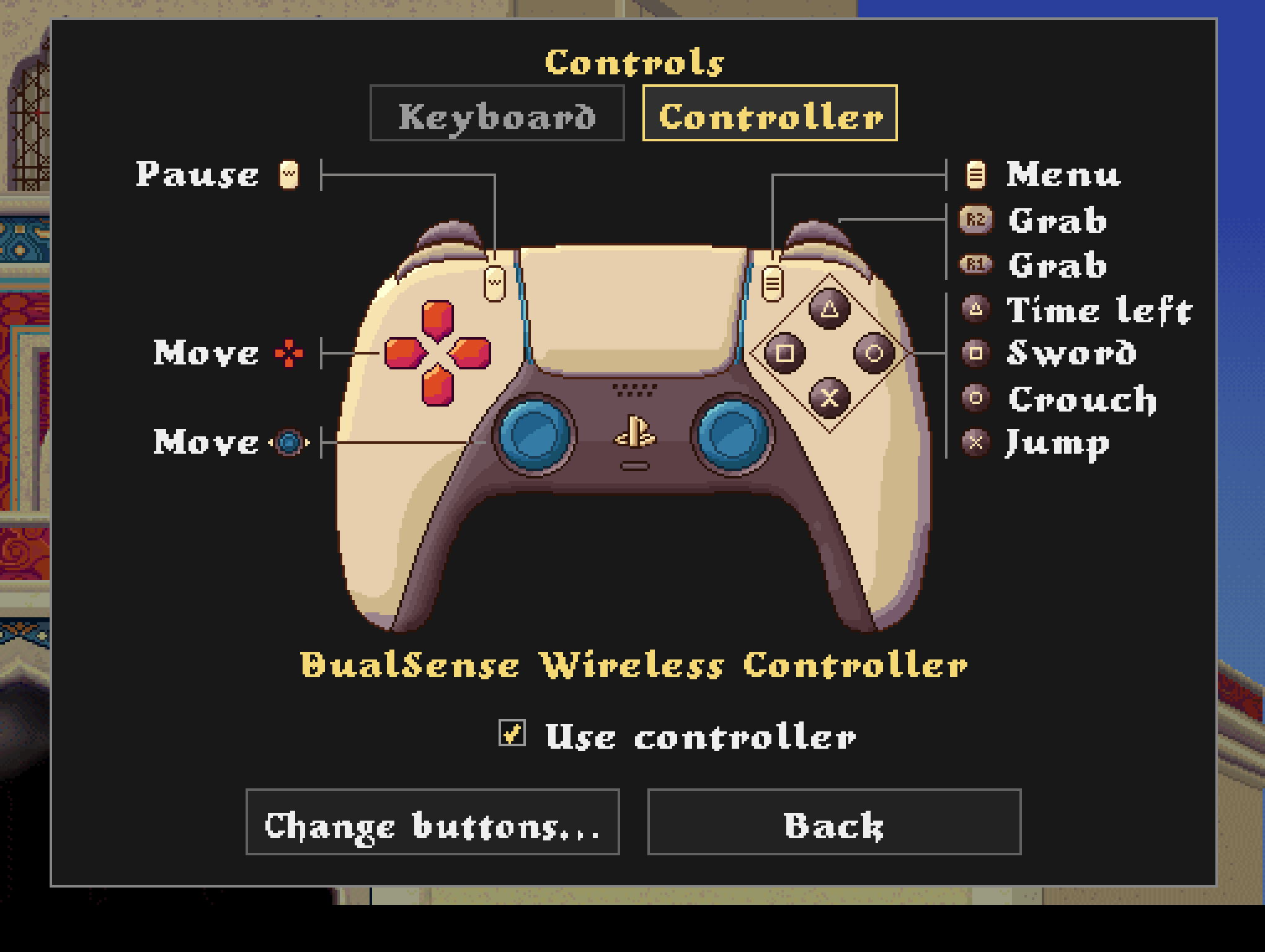
Changing Keys and Buttons
Screenshot Gallery (F2)
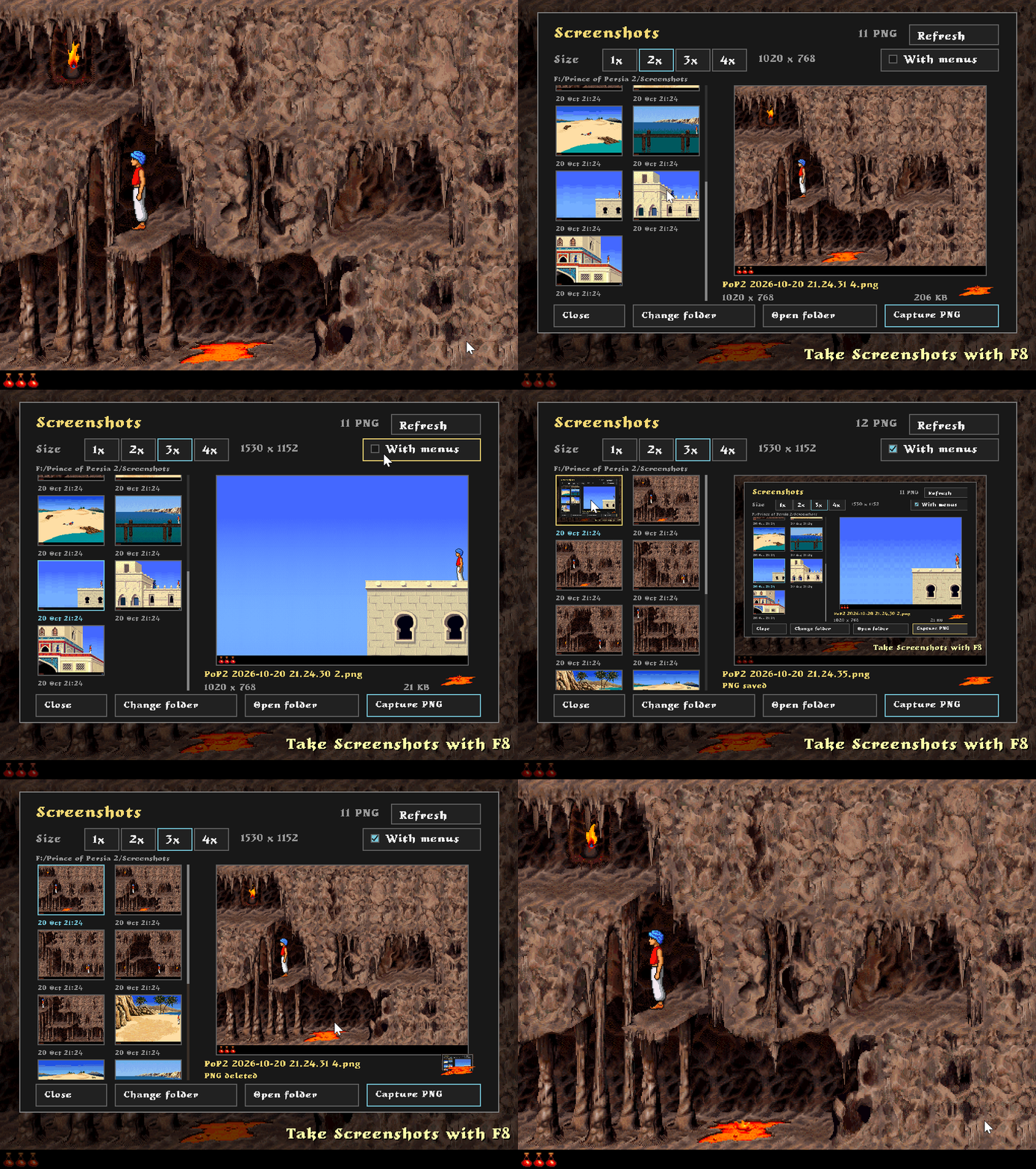
The F2 menu lets you browse and manage your screenshots directly in-game, with previews, resolution and folder options. You can even delete screenshots by tossing them into the lava.
Pressing F8 takes a clean PNG screenshot without menus or overlays, while Shift+F8 captures the screen as it appears, including menus and paused scenes. A small notification also appears whenever a screenshot is saved.
Developer Tools (F3)
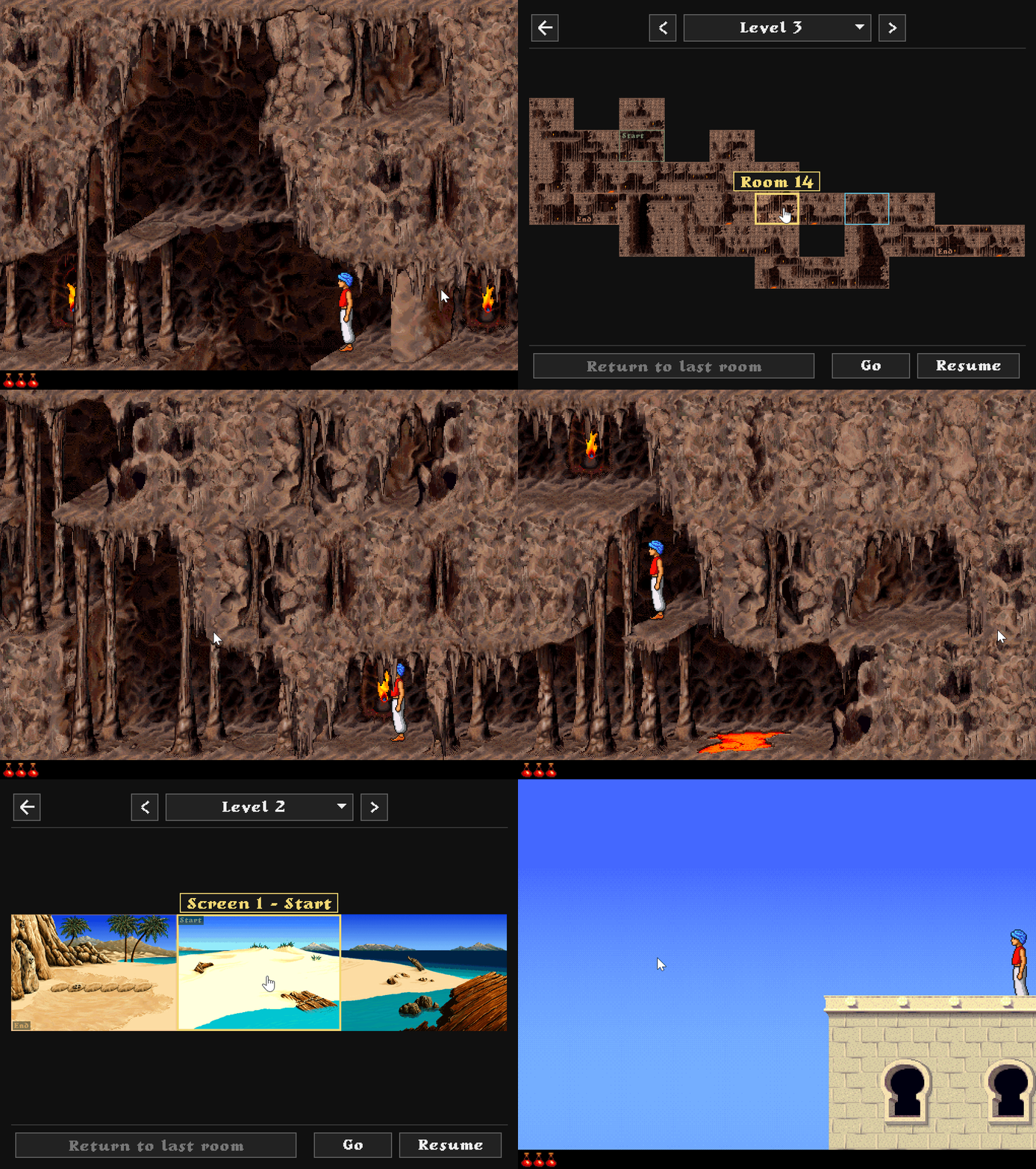
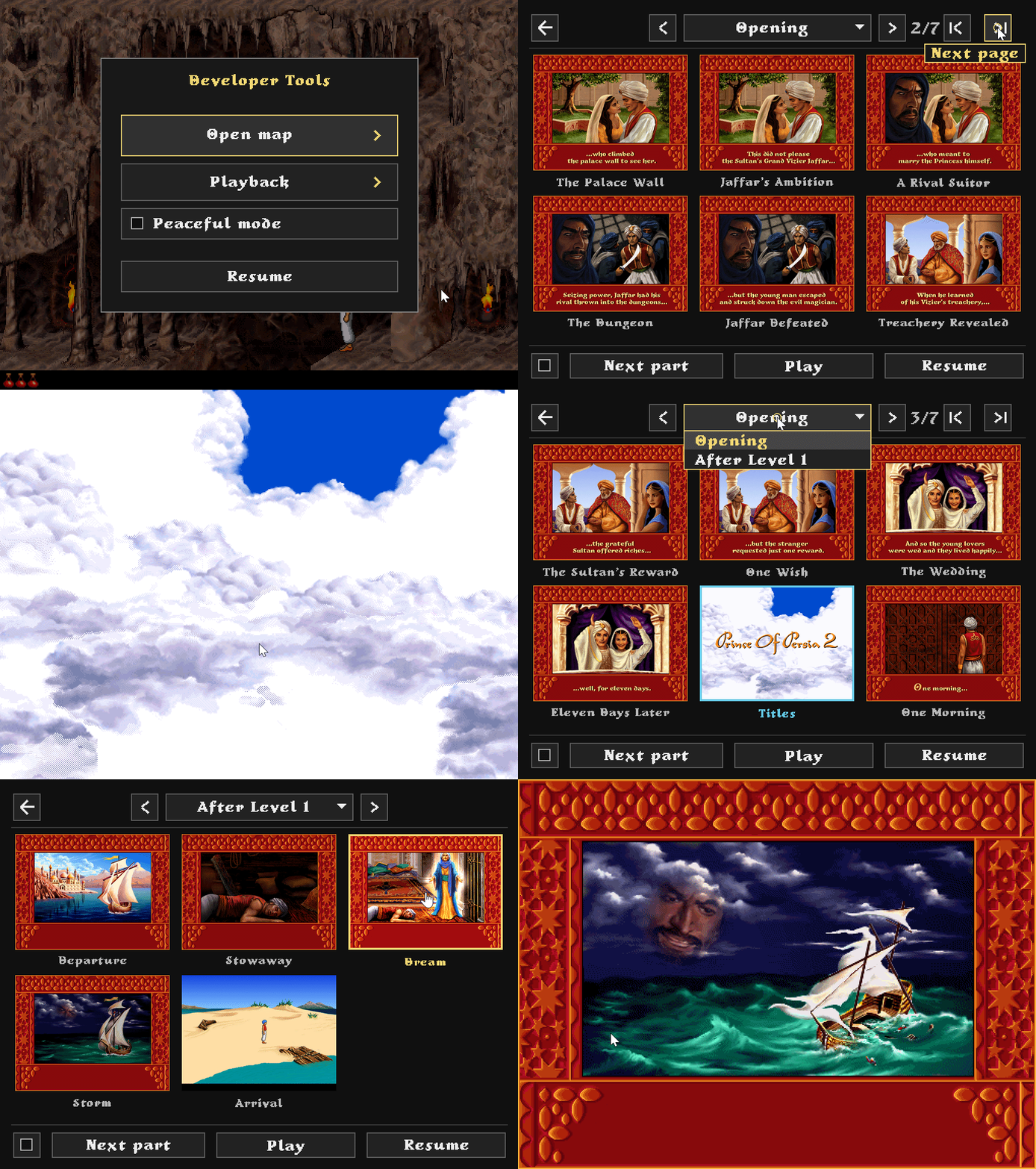
The F3 Developer Tools menu was originally made to help me with playtesting during development, rather than as a feature for players.
But I think it turned out so well that I might just include it in the final release as an optional feature. The idea would be to add it to the cheat mode, like the original Macintosh has. Where you hold down the 1, 2 and 3 keys at the same time when starting the game and get the message "You are worthy of the powers of Jaffar!".
Game Map
An interactive map that allows browsing through levels and teleporting directly to individual rooms, without having to play through the entire level.
Playback
The Playback tab provides quick access to cutscenes, making it easier to test individual sequences.
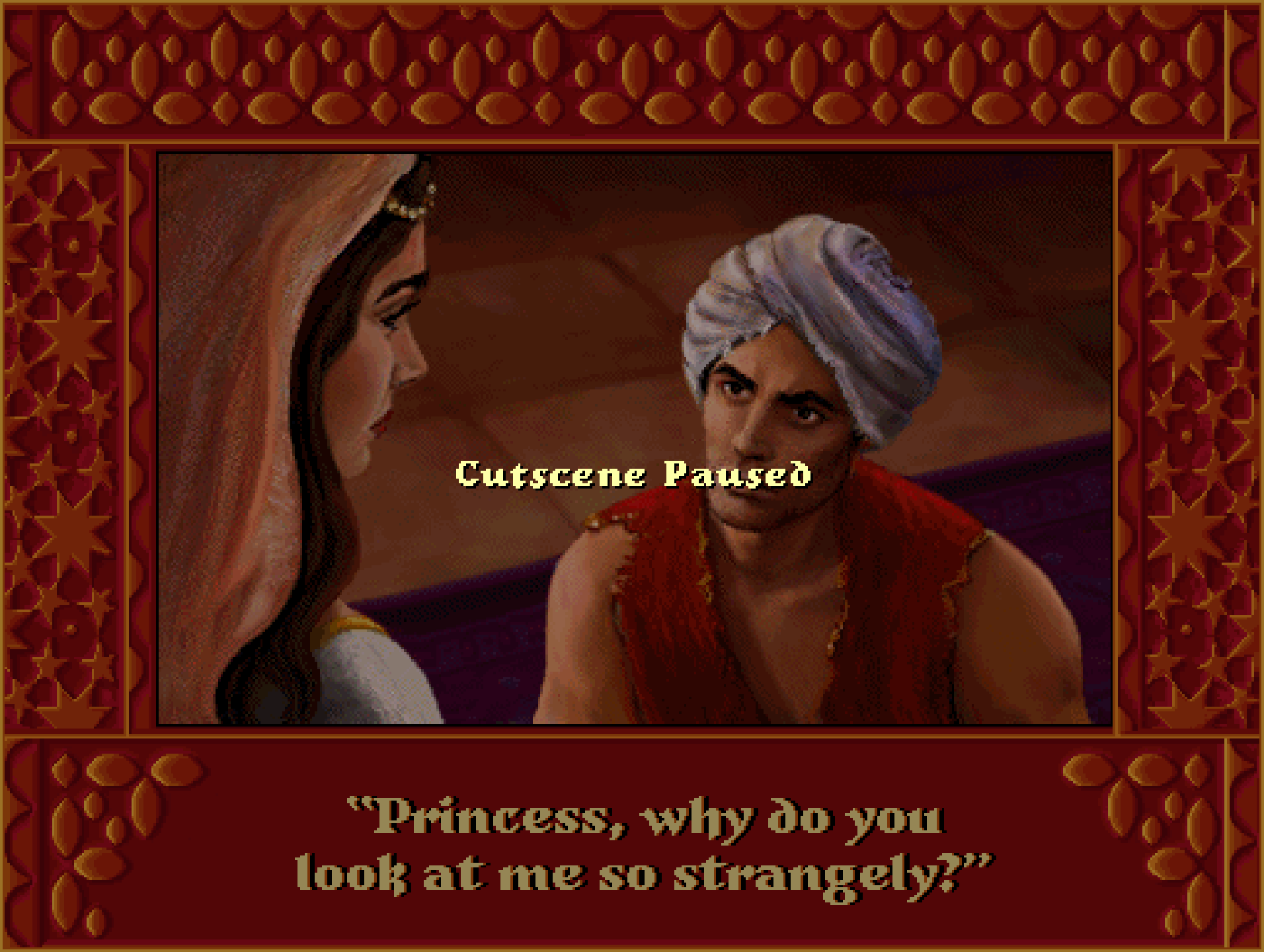
Cutscene Pausing
Cutscenes can now be paused and resumed at any time.
Overlapping Sound Effects
Different sound effects can now play at the same time.
In this example, the pressure plates finish their sound while gates move, and the skeletons can rattle over the gate sound.
| Macintosh | Port |
|---|---|
Lava Overhaul
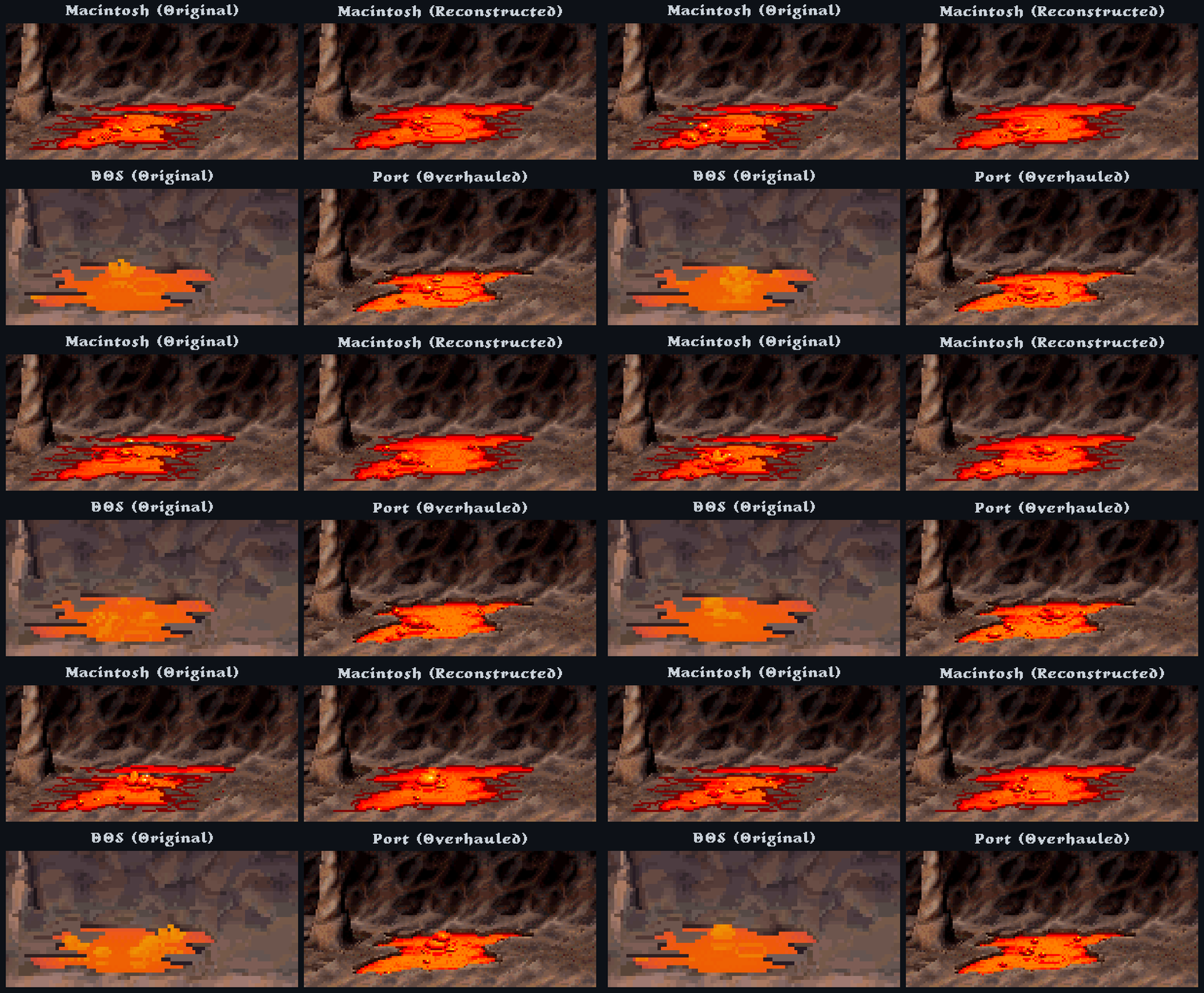
The lava in the original Macintosh release looks pretty botched, especially around the upper edges. I've checked several playthroughs, including one reportedly recorded on real hardware, and they all have the same issue.
I honestly think something went wrong with the rendering and somehow made it into the final release. Reconstructing the lava from the original Macintosh assets produces something that looks much closer to what I believe was intended, but even then, it still looks a bit plain and out of place compared to the rest of the game.
So I decided to take it a step further and give the lava a proper overhaul, with more detailed edges and depth, taking some inspiration from the DOS version.
The animation also required some careful masking to prevent overlapping, and I fixed a brief pause in the original animation loop.
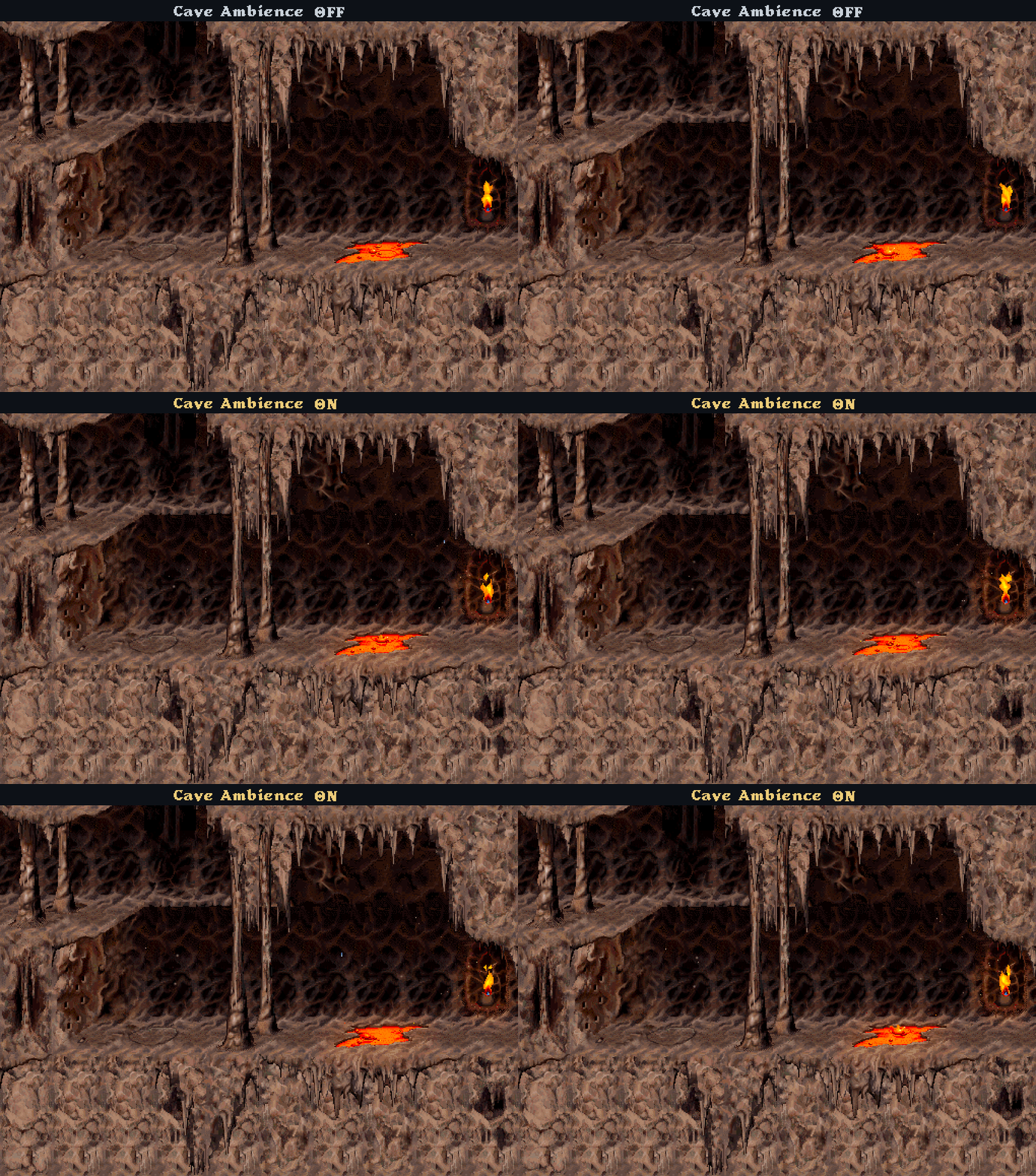
Cave Ambience
I wanted the caverns to feel a little more alive, so I added optional visual ambience throughout levels 3-5. Torches and lava cast a subtle, shifting glow with a little heat haze, while water drips from stalactites and ash and dust float through the air.
The Prince also kicks up dust when running or landing, along with gates, doors and falling floors. I tried to keep everything subtle and close to the game's original palette.
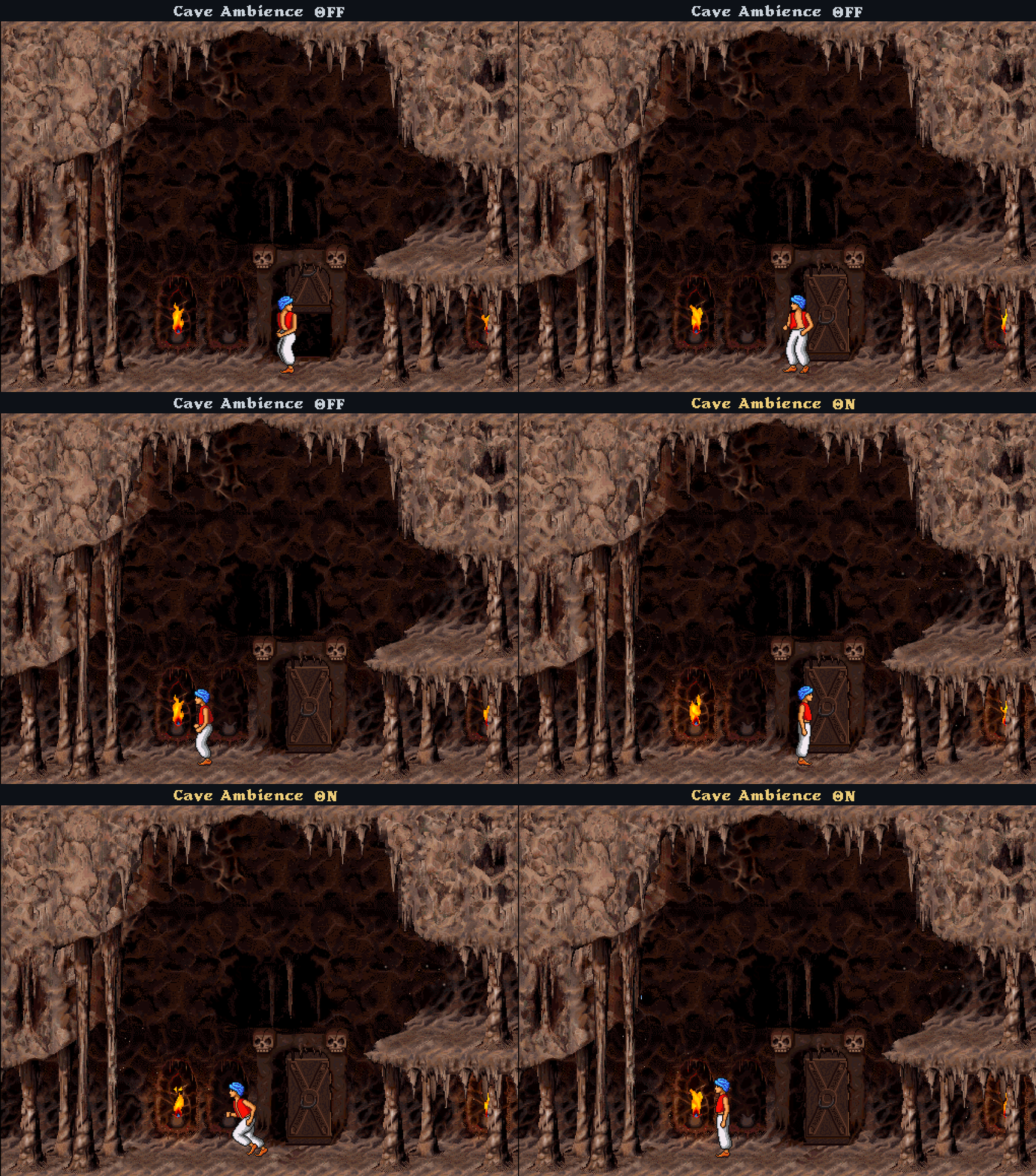
The effects are off by default, but can be enabled through the F1 menu or with Alt+A. The setting is saved between sessions.
Cavern Artwork
Cavern artwork has been touched up across levels 3-5 to soften harsh column shadows and blend abrupt joins between walls and floors. This also includes the floor edges around column bases and dart traps, and the rectangular outlines around cavern doorways.
Here are a few examples:
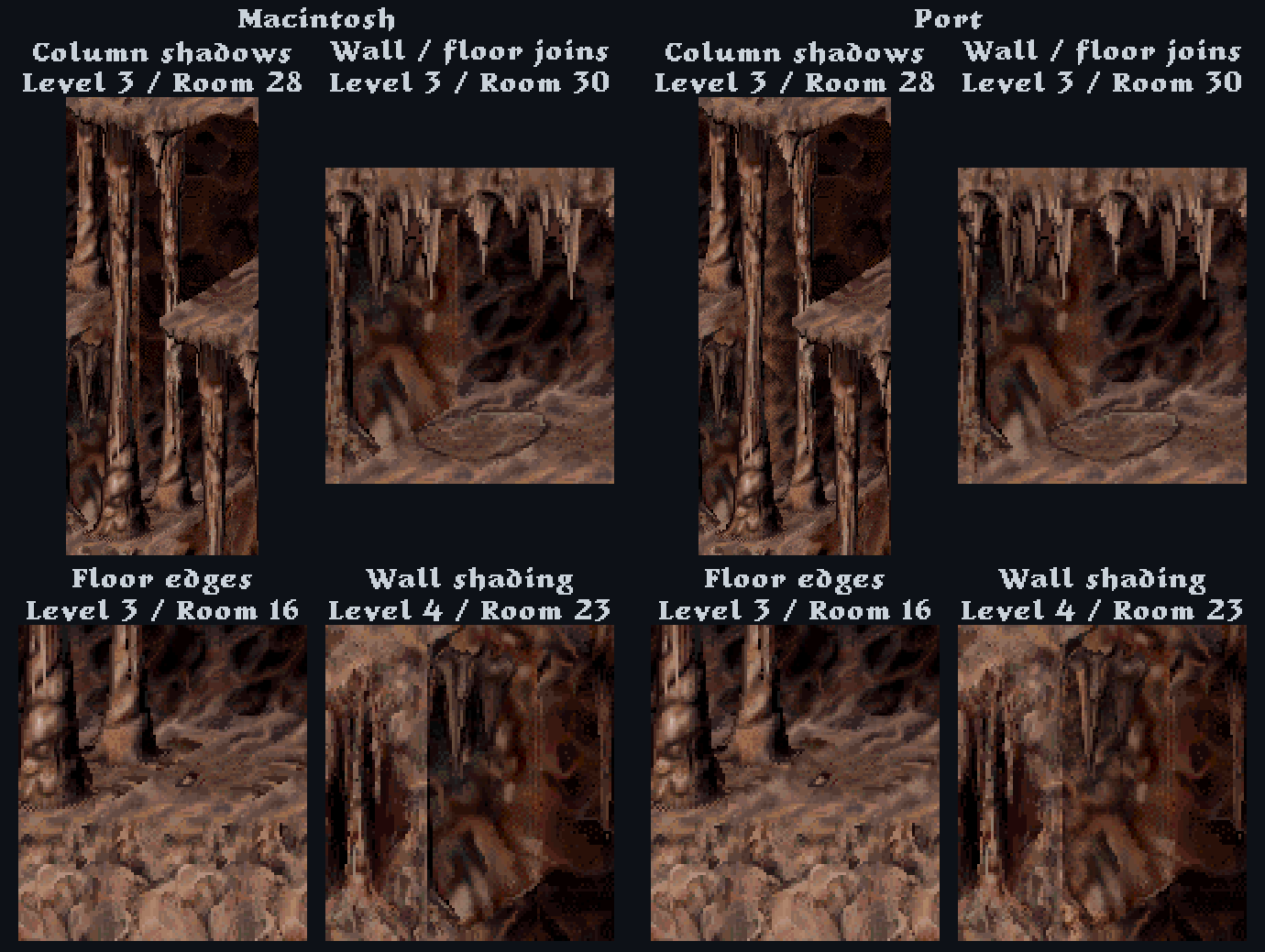
View artwork comparisons →
Stone Gates
The stone gate closing animation in the Macintosh version looks pretty rough, especially when crushing the Prince. The DOS version handles this much better, with a nice bouncing effect when the gate slams shut, so I recreated its closing animation frame by frame for the port and adjusted the timing of the original slam sound to match.
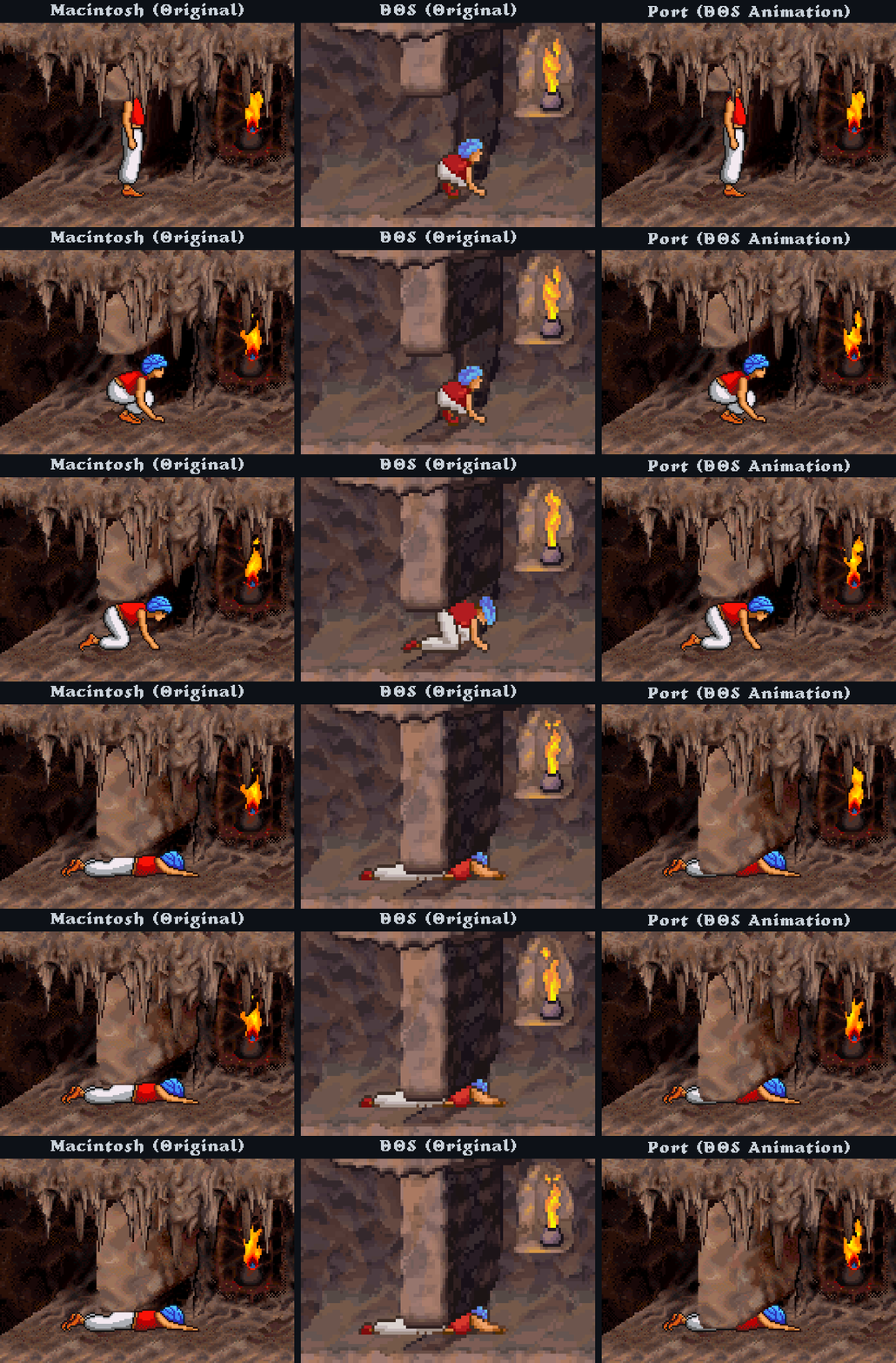
Gate Sounds
I smoothed out the gate opening sound for every type. It now plays continuously and fades out gently when the gate stops.
| Original | Corrected |
|---|---|
Other Quality of Life Improvements
- The original Macintosh copy protection can be disabled.
- Window resizing and fullscreen scaling preserve the original aspect ratio without stretching the image.
- The game automatically pauses when switching to another window and stays paused until manually resumed.
- Confirmation before starting a new game, to prevent accidental progress loss.
- Clouds keep moving during cutscene fades, like the DOS version does.
- The level 1 screen 7-8 drop landing animation is no longer interrupted, matching the DOS version.
- Really small but the dock guards stay in standby once the Prince catches the boat, instead of switching back and forth into combat mode. More cinematic.
- The transition from the horse cutscene into the temple now has a fade-in, with the cutscene music flowing smoothly into the temple music. In the original, the music just cuts abruptly from one track to the other.
Download & Play
Download the latest Windows build from the Releases page.
Extract the ZIP to a folder and run PoP2Mac.exe. No Python installation is required.
On the first launch, you'll be asked to select your original Macintosh Prince of Persia 2 disk image. If you don't have one, PoPOT's Macintosh release page lists an English version: download pop2.hfs (17 MB).
The game will then extract and prepare the necessary files. This currently takes a minute and may take longer as more content is added. I plan to optimize this process eventually to make the initial setup faster.
The original game files are not included or downloaded automatically. PoPOT is an independent archive, and the availability of the disk image there does not grant redistribution rights.
Running from Source
If you'd rather run the game directly from the source code, you'll need Python 3.10 or newer with Tcl/Tk support.
Download or clone the repository, then run Launch.cmd. It will create a local Python environment and install the required dependencies automatically.
Once everything is set up, the game can also be started with:
.\.venv\Scripts\python.exe run_game.py
The original Macintosh disk image is still required for the first launch.
Controls
| Key | Controller | Action |
|---|---|---|
| Left / Right | D-pad, left stick | Run, turn or move in sword mode |
| Up | A, up | Jump, climb or block with the sword |
| Down | B, down | Crouch, descend or sheath the sword |
| Shift + Direction | RB/RT + direction | Careful step or manual turn with the sword drawn |
| Shift | RB, RT | Hold onto ledges |
| Ctrl | X | Draw the sword or attack |
| Space | Y | Show the time left / skip supported cutscenes |
| Esc | View | Pause the game |
| F1 | Menu | Game Menu |
| Alt + K | Controls | |
| Alt + Enter | Toggle fullscreen | |
| F2 | Screenshot Gallery | |
| F3 | Developer Tools | |
| F8 | Take a clean screenshot | |
| Shift + F8 | Take a screenshot including menus and overlays |
These are the defaults. Keys and controller buttons can be changed in F1 > Controls. PlayStation and Nintendo controllers use the same positions (for example, A is Cross on PlayStation).
The F1 menu also includes the rest of the shortcuts for starting or restarting a game, saving and loading, audio controls, the Hall of Fame, version info, and fullscreen.
Development
Most of the game code is in pop2/, while tools/ contains the asset extraction and reverse-engineering utilities. I've also kept a lot of the research and technical notes in docs/.
To run the tests after setting up the project:
.\.venv\Scripts\python.exe -m pip install -r requirements-dev.txt
.\.venv\Scripts\python.exe -m unittest discover -s tests -t . -q
Some tests require the original Macintosh game files to have been imported first.
For more details, there's the reverse-engineering index, enemy AI research, and Windows build instructions.
License
Newly written port code is licensed under MIT. Original game content is not covered by that license. See third-party notices for the scope and dependency licenses.