Rad Mobile launcher (rea-rad-mobile)
Rad Mobile launcher is a tool for playing Rad Mobile on Windows and Linux with steering wheel support and force feedback.
- Type: tool
- Game: Rad Mobile
- Runs on Windows and Linux
- By AkitaOnRails
- Latest release v0.6.0, 2026-11-13
- Source: https://github.com/akitaonrails/rea-rad-mobile
README
Rad Mobile
Play Sega's Rad Mobile (1990, System 32) on Windows and Linux with a steering wheel or a gamepad. One download: a menu you drive with your wheel or pad, a bundled and patched MAME, true widescreen, CRT filters, and force feedback. Built in the spirit of Wanszai's arcade ports.
No ROMs are included. You need your own Rad Mobile ROM zip.
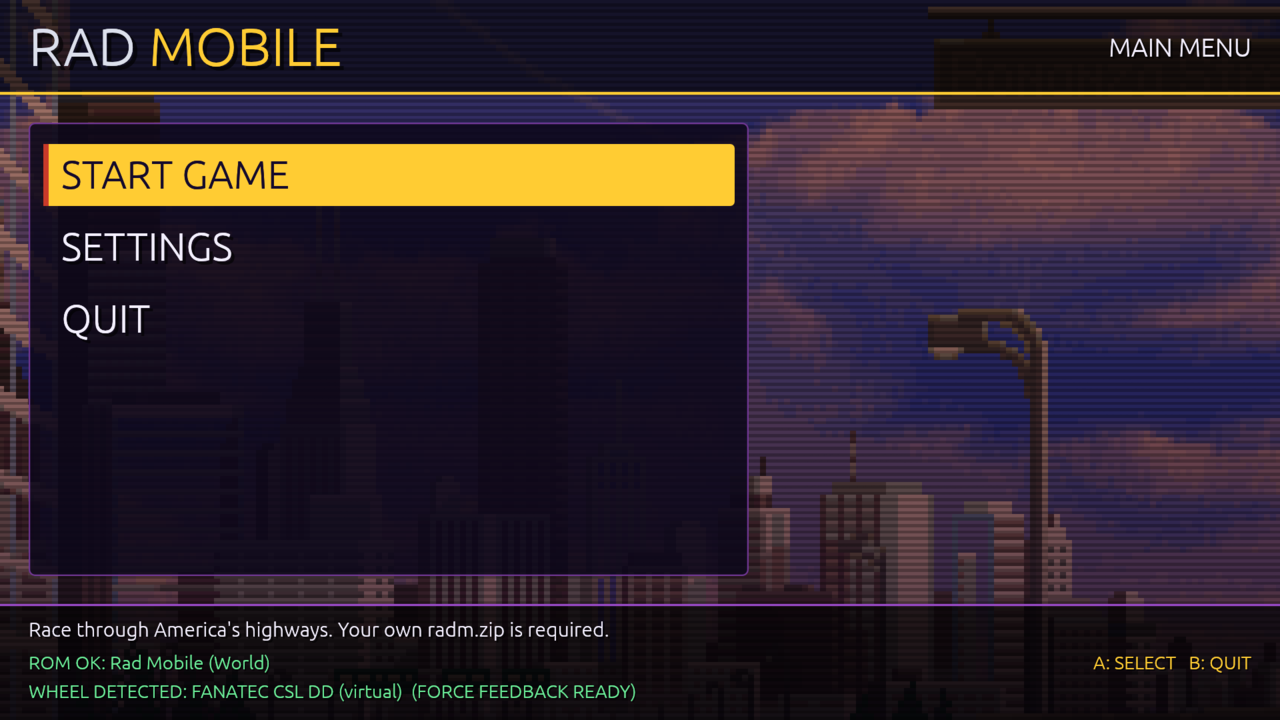 | 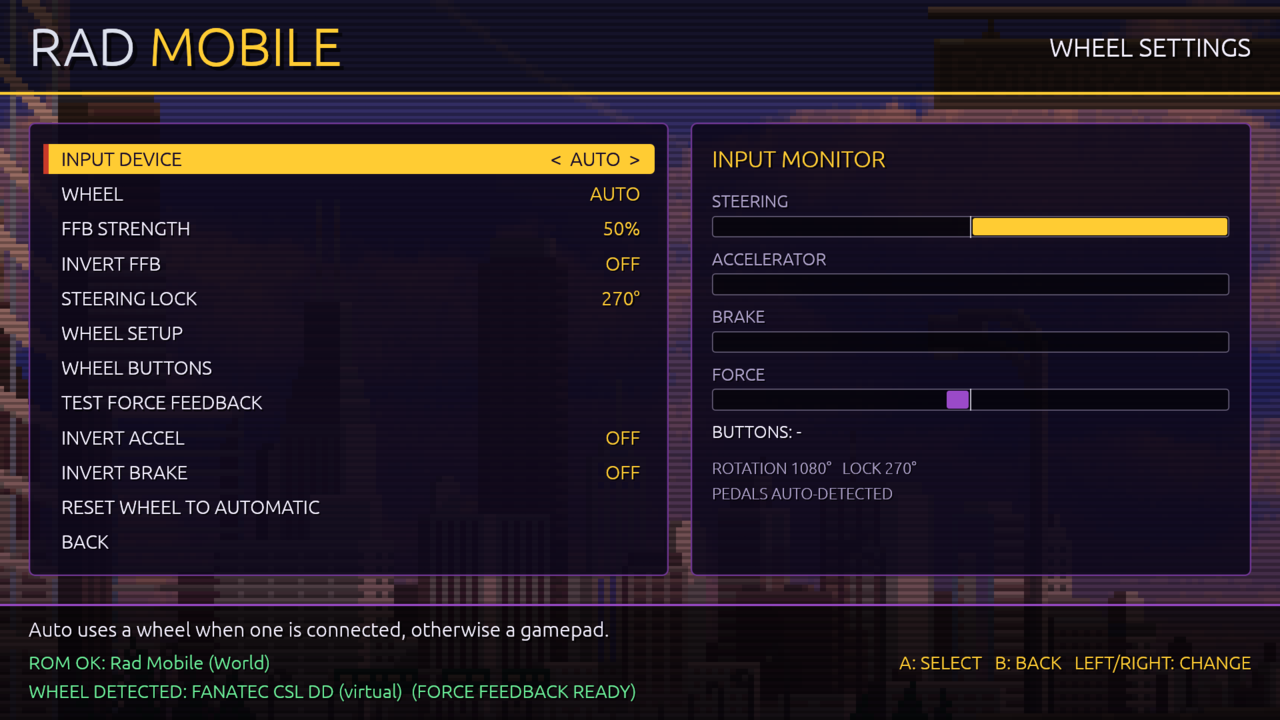 |
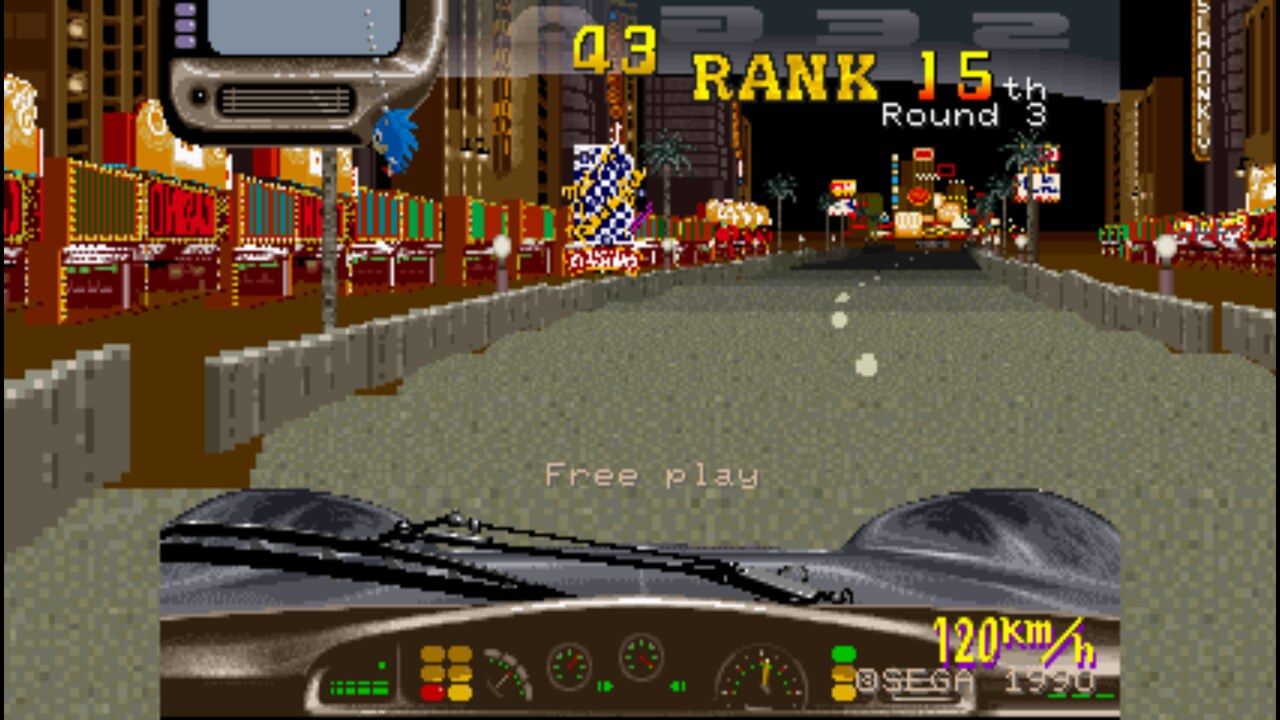 | 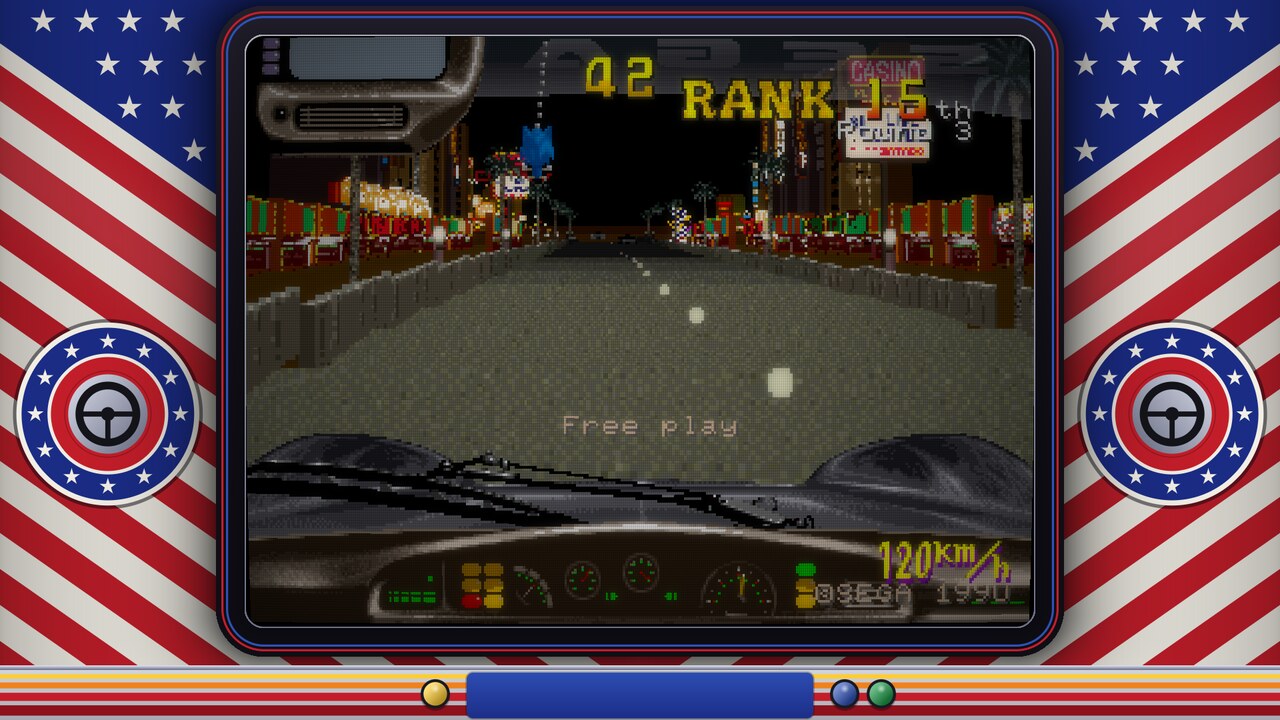 |
Isn't this just MAME?
MAME runs Rad Mobile, but playing it well takes more than running it. The arcade had a 270° steering wheel, two pedals and no steering motor, and plain MAME passes your controller straight through to that hardware. In practice:
- Wheels steer badly. A 900° or 1080° wheel has to turn to full lock before the car does, pedals on a separate USB device are hard to set up, and device numbers move between runs. The launcher reads the wheel itself, scales it to a real steering lock (270° by default, like the cabinet), and finds the pedals by where they rest.
- There is no force feedback. The cabinet had no motor, so MAME has nothing to send. The launcher reads the car's speed, position and crashes from the running game and makes the forces: centring that stiffens with speed, barrier scrapes, crash jolts.
- Gamepads barely work. The game ignores a steering reading that jumps further than a real wheel can turn. A stick snapping back to centre is such a jump, so the car kept turning after you let go. The patched MAME smooths it out, and the optional assisted steering lets the stick move the car across the road and holds its line through bends. No counter-steering a virtual cabinet wheel.
- Lights and wiper buttons were keyboard-only. MAME's driver fixed them to Space and Left Shift, so on a pad or wheel you could not answer the game's "Turn on the light" in Round 3. They are ordinary buttons here, and every control can be remapped.
- It's 4:3 only. The patched MAME draws more of the world at the sides at 16:9, 16:10 or 21:9 (true widescreen, not stretched).
- Settings hide in the service menu. Difficulty, timer, rival and police speed, free play and coins live in the game's EEPROM. The menu writes them for you, with ARCADE and EASY presets and a longer race clock.
- The ROM has to be named right. The launcher finds your zip under any name and rebuilds it the way MAME wants, including old sets without the factory EEPROM.
What you get
| Wheels | Logitech, Thrustmaster, Fanatec, MOZA and generic wheels; steering lock (180°–900° or Full); separate pedal devices; a setup wizard; remap any button or pedal; invert pedals |
| Force feedback | Speed-dependent centring and damping, barrier scrape, crash jolts; strength and invert; TEST FORCE FEEDBACK; gamepad rumble |
| Gamepads | Assisted or arcade stick steering; deadzones and response curves for sticks and triggers; every button remappable |
| Video | Desktop, 1080p, 1440p or 4K; fullscreen or window; 4:3, stretch or true widescreen; Sharp, Smooth, Arcade and Trinitron CRTs after Wanszai's (curved or flat), CRT and CRT Deluxe; a cabinet bezel after the upright cabinet's stars-and-stripes art |
| Game | Difficulty, timer, race clock, rival and police speed, free play, credits, attract sound, region (World or US) |
Install and play
- Download the zip (Windows) or tar.gz (Linux) from Releases and unpack it anywhere. Linux needs glibc 2.36 or newer (Debian 12, Ubuntu 22.10, Fedora 37, Arch and newer).
- Put your Rad Mobile ROM zip in the
romsfolder. Any file name works. - Plug in your wheel or gamepad, then run
RadMobile.exe(Windows) or./RadMobile(Linux). - Pick START GAME. The game is on free play: press Start to race.
Back to the menu from a race: Back + Start on a pad, your wheel's BACK TO MENU button, or Esc.
First time with a wheel: steering works at once. Open SETTINGS > WHEEL SETTINGS > WHEEL BUTTONS to give Start, Coin and Back to menu a button each, since they differ from wheel to wheel. If the wheel pushes the wrong way, turn on INVERT FFB.
The player guide, with every setting, ships in the package as
README.txt (packaging/README-player.txt).
For frontends (Steam, ES-DE, LaunchBox), RadMobile --play starts the
race straight away and exits with the game. RadMobile --help lists the
other options.
What has been tested
| Windows | Linux | |
|---|---|---|
| Fanatec CSL DD | Steering, pedals, force feedback (0.4.0) | Not yet |
| Other wheels | Not yet | Not yet |
| Xbox-style gamepads | Not yet | Yes |
| Virtual force-feedback wheel | — | Every release |
| Widescreen, 4:3, CRT filters | Yes (0.4.0) | Yes |
Most of this was built without the hardware at hand, so reports from real wheels and real Windows PCs are the most useful help there is.
Reporting a problem or a test result
Open an issue: New issue. The Test report form asks for what helps, so a report that "it works on my wheel" is welcome too. Please include:
- the launcher version (top line of
launcher.log), your OS, and your wheel, pedals or pad model; - the output of
RadMobile --list-devices(run it with everything plugged in); launcher.logandmame.logfrom the data folder:databesideRadMobile.exeor./RadMobile, or%LOCALAPPDATA%\RadMobile(Windows) /~/.local/share/rad-mobile(Linux) when that folder is not writable;- what you did, what you expected, and what happened.
Never attach ROMs, EEPROM files or anything from the roms folder.
Contributing code
Pull requests are welcome. Read AGENTS.md first. It holds the project's rules, the main one being that nothing from the ROM is ever committed. Before sending a change, run the checks:
cargo fmt --all --check
cargo clippy --workspace --all-targets -- -D warnings
cargo test --workspace
The launcher is built on rea-launcher-sdk, the shared code of the rea launchers: settings files, the log, wheels, pads, force feedback and SDL devices come from there. A fix to that shared code belongs in the SDK's repository (its issues and pull requests), and reaches this launcher when it moves to the new SDK tag. AGENTS.md also shows the Windows checks (clippy for the Windows target, the tests under Wine) that CI runs.
No wheel? scripts/dev/fake-wheel.py makes a virtual force-feedback
wheel on Linux (/dev/uinput) and logs every force the launcher sends;
scripts/dev/fake-pad.py makes a virtual gamepad. Changes to MAME
go in vendor/mame, then regenerate
patches/mame-0289-rea-rad-mobile.patch (see docs/MAME.md).
How it works
 wheel / pedals / pad ──SDL2──▶ launcher ──shared memory──▶ MAME (patched)
        ▲                       │  steering lock, curves,      │ "REA Bridge" joystick
        └── force feedback ◀────┘  pedal calibration, FFB  ◀───┘ rea_speed / rea_lateral /
             (DirectInput / evdev)                                rea_playing … outputs
- The launcher owns every input device, as Wanszai's wrappers do. MAME
sees one virtual joystick fed through a memory-mapped bridge file
(
-joystickprovider reabridge), so device numbering, deadzones and platform differences never reach the game. - MAME publishes the car's speed, lateral position, heading, the
section's barriers and game state (
-output reabridge). The launcher turns them into forces and, for gamepads, into the steering assist, which learns each bend from how the car moves. - Before each run the launcher rebuilds the romset under MAME's names, writes the operator settings into the EEPROM (always the Upright cabinet: the Deluxe cabinet needs a motor board MAME lacks), and writes the controller file and the widescreen or bezel layout.
Details: docs/RESEARCH.md (Wanszai study, EEPROM map, widescreen), docs/WANSZAI_WHEELS.md, docs/RAM_MAP.md, docs/MAME.md, docs/RUNTIME_NOTES.md, docs/STEERING_ASSIST.md (how stick steering works and what went wrong on the way).
Building
Needs Rust (1.95+), a C++20 compiler and SDL2 development files for
MAME; for Windows, MinGW-w64, LLD and Rust's x86_64-pc-windows-gnu
target (the scripts use the gaming distrobox from
distrobox-gaming
when the host lacks them); Docker for the portable Linux build.
git submodule update --init --depth 1 vendor/mame
scripts/build-mame.sh linux          # and/or: windows
scripts/build-launcher.sh linux      # and/or: windows
scripts/build-linux-portable.sh      # Linux release binaries for older distros
scripts/package.sh linux             # and/or: windows  → dist/pkg/
During development cargo run -p radmobile-launcher finds MAME in
dist/mame-<os>/. With the ROM at hand,
RADMOBILE_ROM_DIR=/path/to/roms cargo test -p radmobile-core -- --ignored
runs the ROM tests.
GitHub Actions builds the same packages: CI runs the checks on every
push, and pushing a vX.Y.Z tag that matches the workspace version
publishes a release with both packages and SHA256SUMS.txt.
Licence
The launcher is MIT OR Apache-2.0. The bundled MAME is GPL-2.0-or-later (see THIRD_PARTY.md). Rad Mobile is © Sega; this project is not affiliated with Sega. Screenshots show the game running from the author's own ROM.