Red Dead Revolver Recomp
Red Dead Revolver Recomp is a Windows port of the Xbox game Red Dead Revolver made by static recompilation, featuring improved textures and remastered videos.
- Type: PC port
- Game: Red Dead Revolver
- Runs on Windows
- By dennisabalo18-bot
- Latest release v.0.1.1, 2026-11-04
- Source: https://github.com/dennisabalo18-bot/red-dead-revolver-pc
README
Red Dead Revolver — PC port (Xbox static recompilation)
English · Español (Xbox, PAL/Europe version)
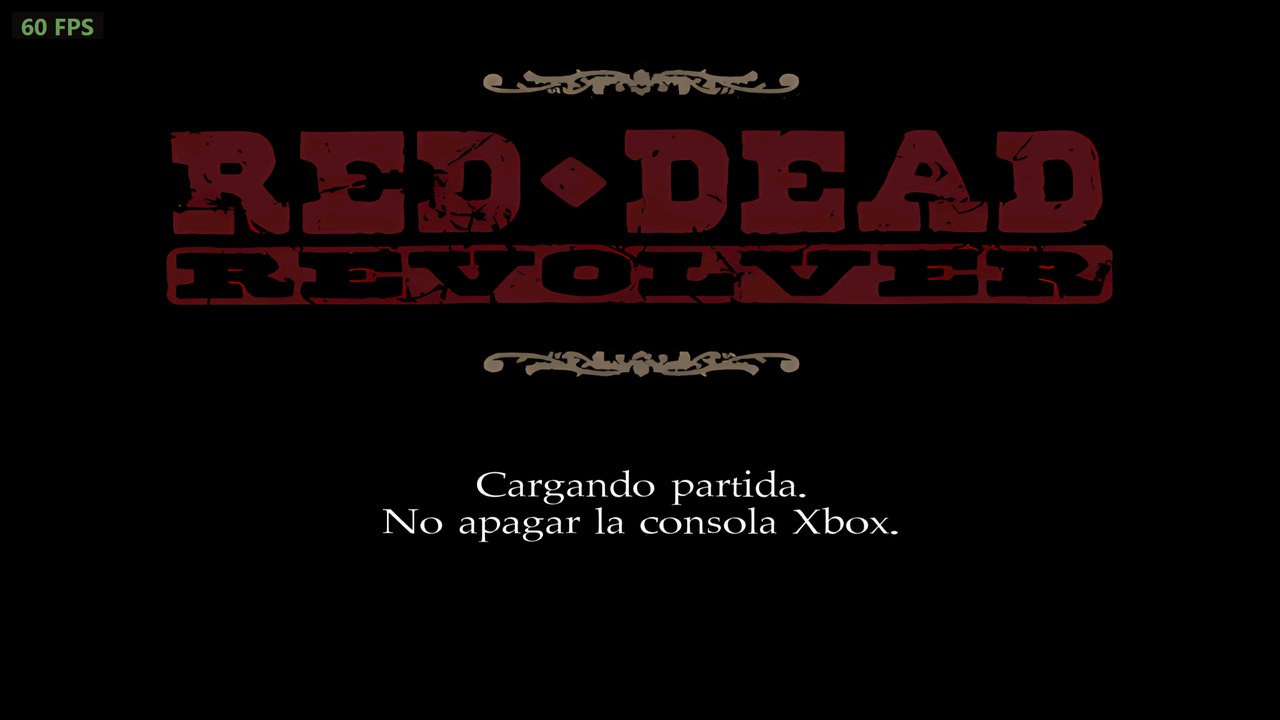 | 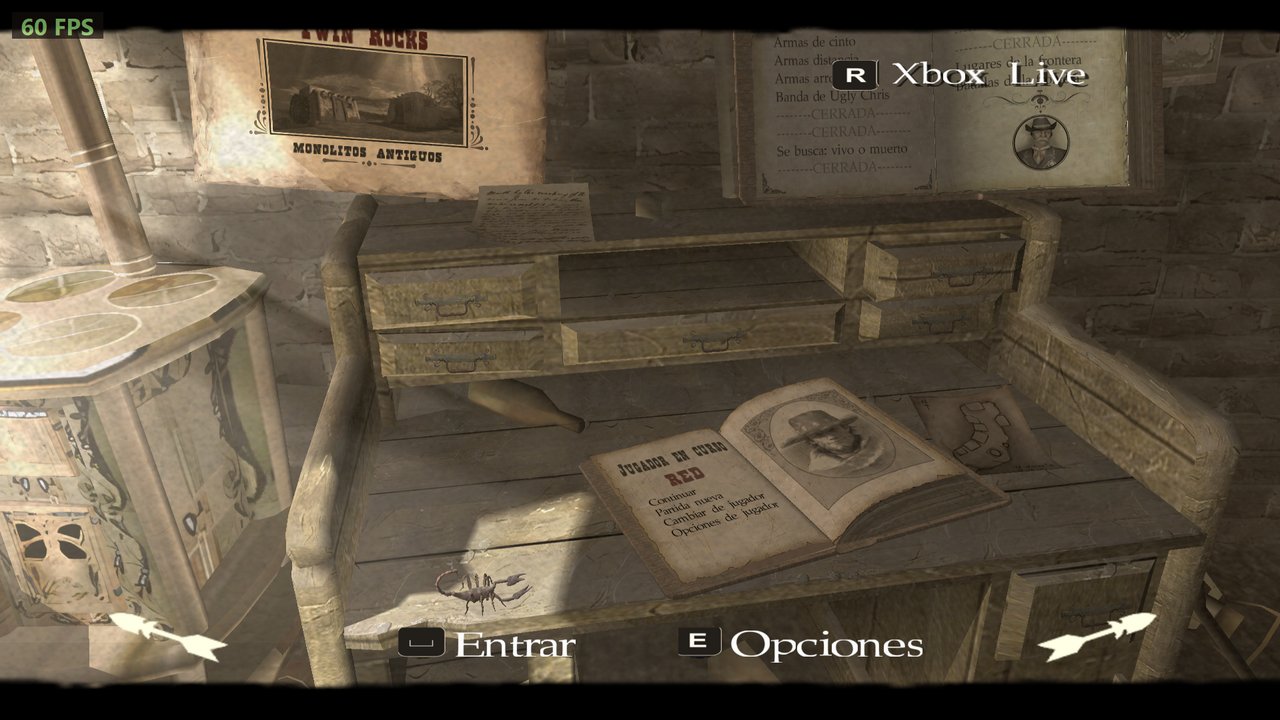 |
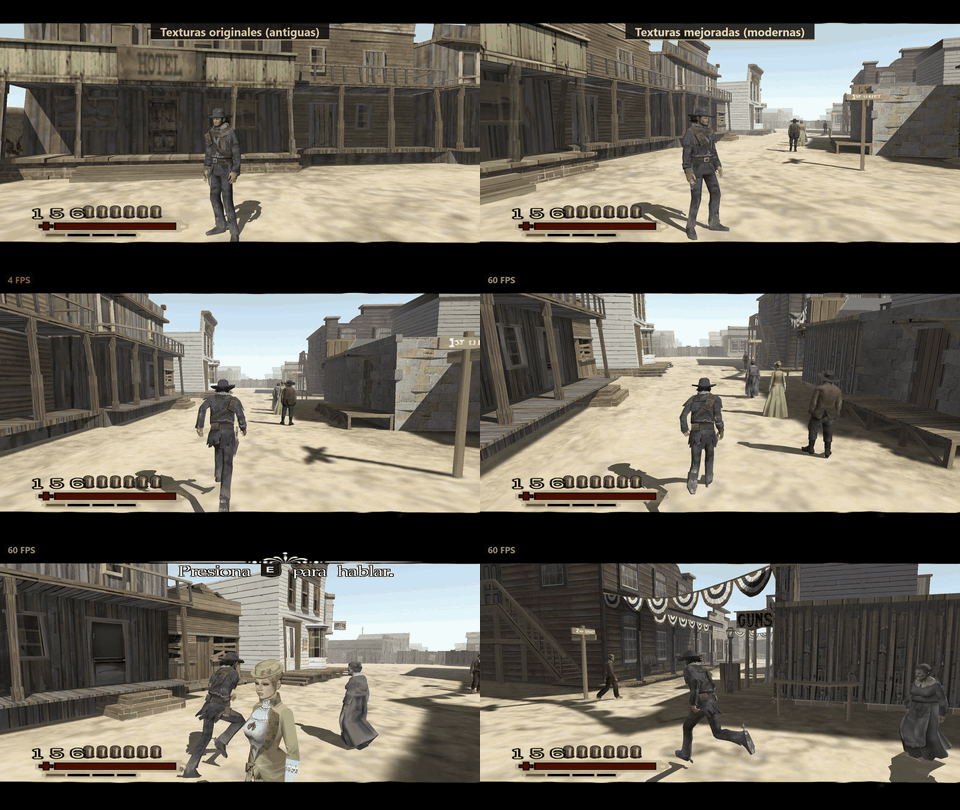
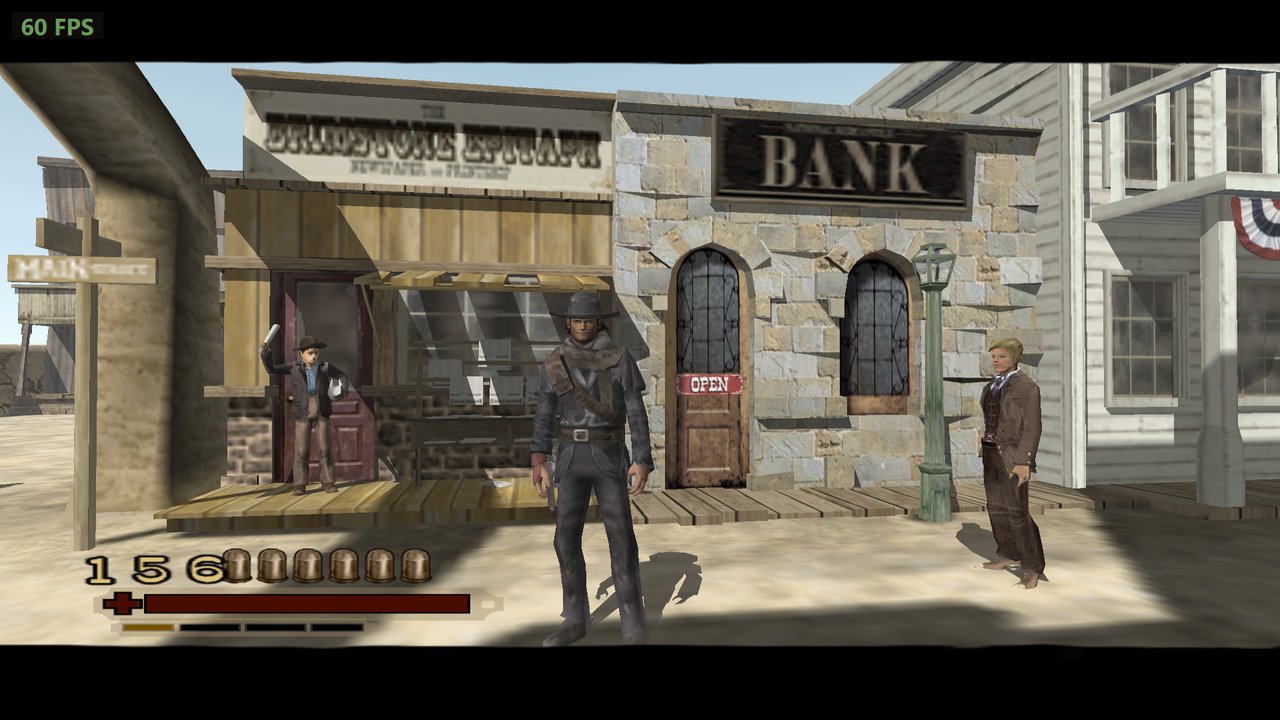
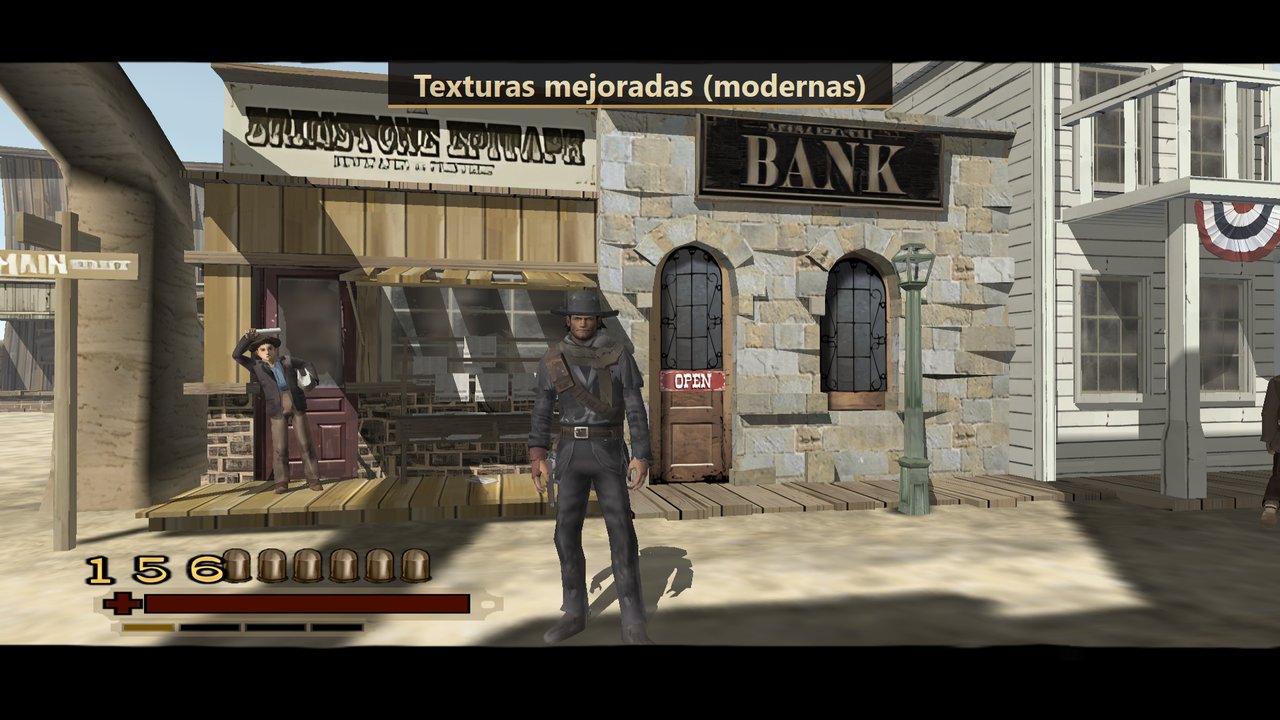
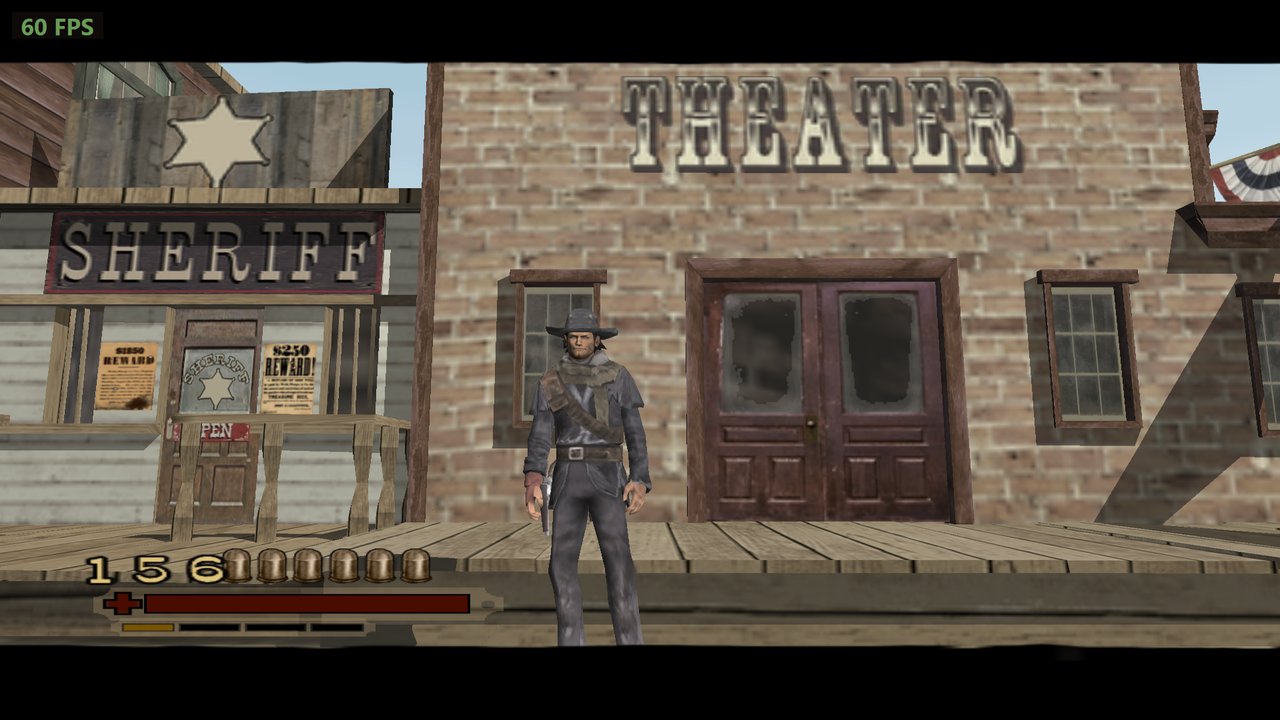
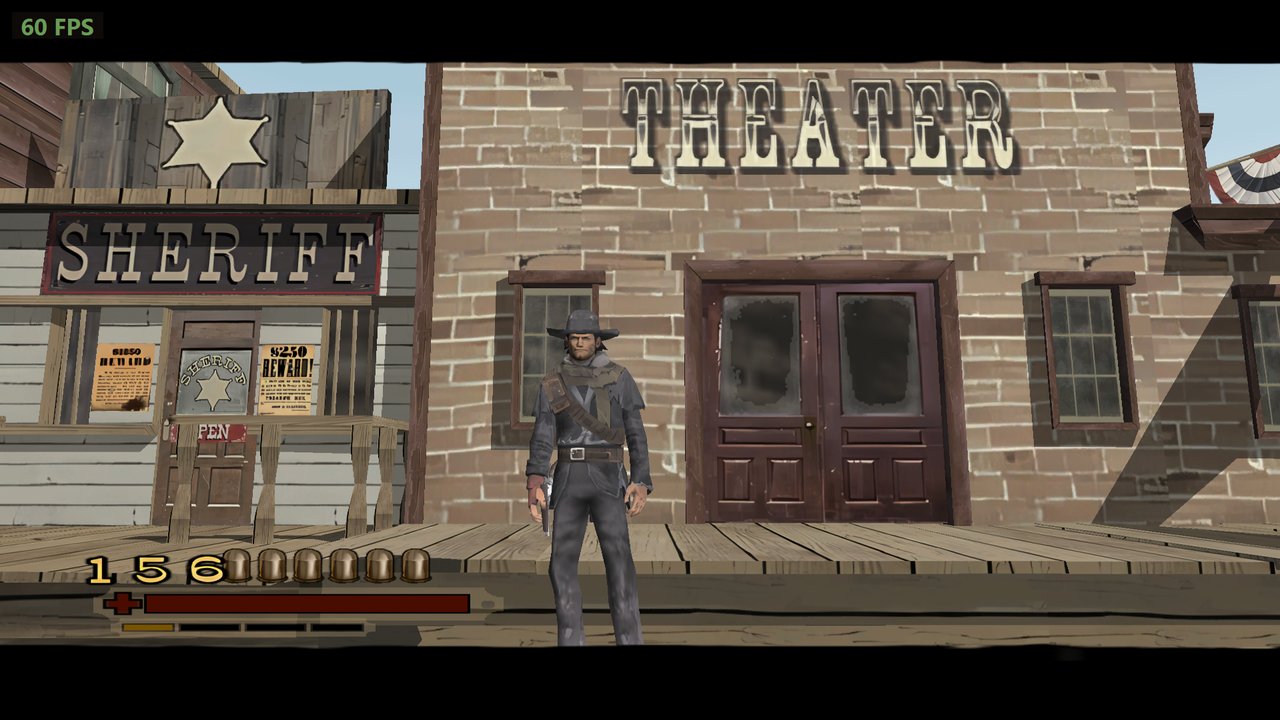
Original textures → improved textures (F6)
| Original | Improved / Mejoradas |
|---|---|
 |  |
 |  |
Downloads / Descargas
| Game port / Port del juego (required / obligatorio) | RedDeadRevolverPC.zip — Releases |
| Improved textures / Texturas mejoradas (optional, 2.7 GB) | RDR-PC-Texturas.zip — Google Drive |
| Remastered videos / Videos mejorados (optional, 1 GB) | RDR-PC-Videos.zip — Google Drive |
English
A native Windows port of the original Xbox release of Red Dead Revolver (Rockstar San Diego, 2004), made by static recompilation: the game's x86 code is translated to C and compiled for PC, and an Xbox runtime (xboxrecomp, fork by apexJCL) stands in for the console's kernel, GPU (drawn with Direct3D 11), audio and controllers. It is not an emulator.
No game files are included. You need your own legitimate copy of the Xbox game. Rockstar Games and Take-Two own Red Dead Revolver; this project is not affiliated with or endorsed by them.
Only the PAL (Europe) Xbox release works. The port is recompiled from that exact executable: its
default.xbeis 4,452,352 bytes. Other versions (for example the NTSC/USA one, 4,403,200 bytes) are not supported; the game tells you so at startup instead of running.
Features
- Runs at the game's 60 Hz with GPU rendering, internal resolution up to 4x (2560x1920), anisotropic filtering, widescreen 16:9 (the game's own mode), borderless fullscreen (F11).
- Keyboard and mouse: direct mouse camera, free aiming, all keys mapped.
- Controllers: Xbox (XInput) and PlayStation / generic pads (SDL3). On-screen buttons follow the device you use (keyboard, Xbox or PlayStation icons), or a style you pick.
- In-game settings menu (F2) and an external Configuración.exe launcher.
- Optional mods, loaded from
Mods-Extras\when present: improved textures (AI-upscaled, BC3-compressed pack, F6 toggles them), sharp redrawn menu fonts, and remastered 60 fps cutscenes (MP4).
Playing
Red Dead Revolver PC\
  RedDeadRevolver.exe     the game
  Configuración.exe       settings launcher
  Instalar juego desde ISO.bat   extracts your game ISO into Game\
  Game\                   ← your Xbox game goes here (default.xbe, *.dat, bik\ ...)
  Mods-Extras\            ← optional: textures.pack and videos\*.mp4 (any subfolder works)
  Herramientas\           extract-xiso
- Download
RedDeadRevolverPC.zipfrom Releases and unzip it. - Put your game in
Game\: drag your Xbox ISO ontoInstalar juego desde ISO.bat, or copy the already extracted files there (a folder inside it is fine). - Optional: download the improved textures and videos (see Downloads
above) and unzip both inside
Mods-Extras\: they already bring theirtexturas\andvideos\folders. - Open
Configuración.exe, choose your settings and press JUGAR.
In game: F2 settings · F6 improved textures on/off · F11 fullscreen ·
F9 free the mouse. A log is written to
registro.txt next to the exe.
Building from source
Requirements: Windows 10/11 x64, Visual Studio 2022/2026 with clang-cl, CMake, Python 3 (Pillow, NumPy), your own copy of the game.
- Put your extracted game in
juego\at the project root (or set theRDR_JUEGOenvironment variable to its folder), and copy itsdefault.xbetogame_files\. - Generate the C code from the XBE with the xboxrecomp tools into
rdr-apex\src\recomp\gen\(not in the repository: it is derived from the game), then runpython tools\rename_pads.py. - Build:
cmake -S rdr-apex -B rdr-apex\build -A x64 -T ClangCL -DXBOXRECOMP_SDL3_DIR=<SDL3 folder>andcmake --build rdr-apex\build --config Release. rdr-apex\run.batruns it from the build;tools\armar_paquete.ps1lays out the player's folder indist\(-Releasealso makesdist\RedDeadRevolverPC.zip, without game, textures or videos).
Mod tools live in tools\ (texture dump/upscale/pack, BC3 encoder, font
redraw, button styles, video upscale and 60 fps). ESTADO.md is the working
log (in Spanish).
Credits and licenses
- xboxrecomp — MIT, © sp00nz; fork by apexJCL.
- SDL3 — zlib license.
- extract-xiso — BSD-style license, © in@fishtank.com (
tools\extract-xiso\LICENSE.TXT). - Icons: made locally from the game's cover by
tools\iconos.py; not distributed.
Español
Un port nativo para Windows de la versión original de Xbox de Red Dead Revolver (Rockstar San Diego, 2004), hecho por recompilación estática: el código x86 del juego se traduce a C y se compila para PC, y un runtime de Xbox (xboxrecomp, fork de apexJCL) reemplaza el kernel, la GPU (dibujada con Direct3D 11), el audio y los mandos de la consola. No es un emulador.
No incluye archivos del juego. Necesitás tu propia copia legítima del juego de Xbox. Red Dead Revolver es de Rockstar Games y Take-Two; este proyecto no está afiliado ni avalado por ellos.
Solo funciona la versión PAL (Europa) de Xbox. El port está recompilado desde ese ejecutable exacto: su
default.xbepesa 4.452.352 bytes. Otras versiones (por ejemplo la NTSC/EE. UU., de 4.403.200 bytes) no son compatibles; el juego lo avisa al arrancar en vez de abrirse.
Qué tiene
- Corre a los 60 Hz del juego con dibujo por GPU, resolución interna hasta 4x (2560x1920), filtrado anisotrópico, panorámico 16:9 (el modo propio del juego) y pantalla completa sin bordes (F11).
- Teclado y ratón: cámara directa con el ratón, mira libre, todas las teclas.
- Mandos: Xbox (XInput) y PlayStation / genéricos (SDL3). Los botones en pantalla siguen al dispositivo que usás (teclado, Xbox o PlayStation), o el estilo que elijas.
- Menú de ajustes en el juego (F2) y un lanzador aparte, Configuración.exe.
- Mods opcionales, desde
Mods-Extras\si están: texturas mejoradas (escaladas con IA, paquete comprimido en BC3, F6 las prende y apaga), letras de los menús redibujadas nítidas y videos remasterizados a 60 fps (MP4).
Cómo jugar
Red Dead Revolver PC\
  RedDeadRevolver.exe     el juego
  Configuración.exe       los ajustes
  Instalar juego desde ISO.bat   saca el juego de tu ISO a Game\
  Game\                   ← acá va tu juego de Xbox (default.xbe, *.dat, bik\ ...)
  Mods-Extras\            ← opcional: textures.pack y videos\*.mp4 (sirve cualquier subcarpeta)
  Herramientas\           extract-xiso
- Bajá
RedDeadRevolverPC.zipde Releases y descomprimilo. - Poné tu juego en
Game\: arrastrá tu ISO de Xbox sobreInstalar juego desde ISO.bat, o copiá ahí los archivos ya descomprimidos (puede ir dentro de otra carpeta). - Opcional: bajá las texturas y los videos mejorados (ver Descargas, arriba)
y descomprimí los dos dentro de
Mods-Extras\: ya traen sus carpetastexturas\yvideos\. - Abrí
Configuración.exe, elegí los ajustes y tocá JUGAR.
En el juego: F2 ajustes · F6 texturas mejoradas sí/no · F11
pantalla completa · F9 libera el ratón. El
registro queda en registro.txt, junto al exe.
Compilar desde el código
Requisitos: Windows 10/11 x64, Visual Studio 2022/2026 con clang-cl, CMake, Python 3 (Pillow, NumPy) y tu copia del juego.
- Poné el juego descomprimido en
juego\, en la raíz del proyecto (o definí la variable de entornoRDR_JUEGOcon su carpeta), y copiá sudefault.xbeagame_files\. - Generá el código C desde el XBE con las herramientas de xboxrecomp en
rdr-apex\src\recomp\gen\(no está en el repositorio: sale del juego) y corrépython tools\rename_pads.py. - Compilá:
cmake -S rdr-apex -B rdr-apex\build -A x64 -T ClangCL -DXBOXRECOMP_SDL3_DIR=<carpeta de SDL3>ycmake --build rdr-apex\build --config Release. rdr-apex\run.batlo abre desde la compilación;tools\armar_paquete.ps1arma la carpeta del jugador endist\(-Releaseademás armadist\RedDeadRevolverPC.zip, sin juego, texturas ni videos).
Las herramientas de mods están en tools\ (volcado, escalado y paquete de
texturas, compresor BC3, redibujo de letras, estilos de botones, escalado de
videos y 60 fps). ESTADO.md es la bitácora del trabajo.
Créditos y licencias
- xboxrecomp — MIT, © sp00nz; fork de apexJCL.
- SDL3 — licencia zlib.
- extract-xiso — licencia tipo BSD, © in@fishtank.com (
tools\extract-xiso\LICENSE.TXT). - Íconos: se generan localmente desde la portada del juego con
tools\iconos.py; no se distribuyen.