road-sdl2-rash
road-sdl2-rash is a native PC port and web edition of Road Rash (1996) that runs at 60 FPS with gamepad support.
- Type: PC port
- Game: Road Rash
- Runs on Windows and Linux
- By speedydevil007
- Latest release v1.0.2, 2026-11-09
- Source: https://github.com/speedydevil007/road-sdl2-rash
- Website: https://speedydevil007.github.io/road-sdl2-rash/
README
road-sdl2-rash: Road Rash (1996 PC) Native Port & Web Edition





road-sdl2-rash is a modern, native 64-bit port and WebAssembly release of the classic 1996 PC title Road Rash, translated directly from original x86 machine code into portable C over an SDL2 platform layer.
Runs natively at full speed on Windows 10/11, Linux, Steam Deck, and in Modern Web Browsers (WebAssembly + WebGL).
A 1.5-Year Milestone: I've been working on reverse engineering, lifting, and rebuilding this project for the last 1.5 years, and it is now finally ready for release! Thanks to LLMs.
Note
Source Code Release: The complete decompiled C source code (~97,000 lines of structured, typed, human-readable C with modding hooks and tools) is undergoing final code cleanup and will be open-sourced soon!
Screenshots
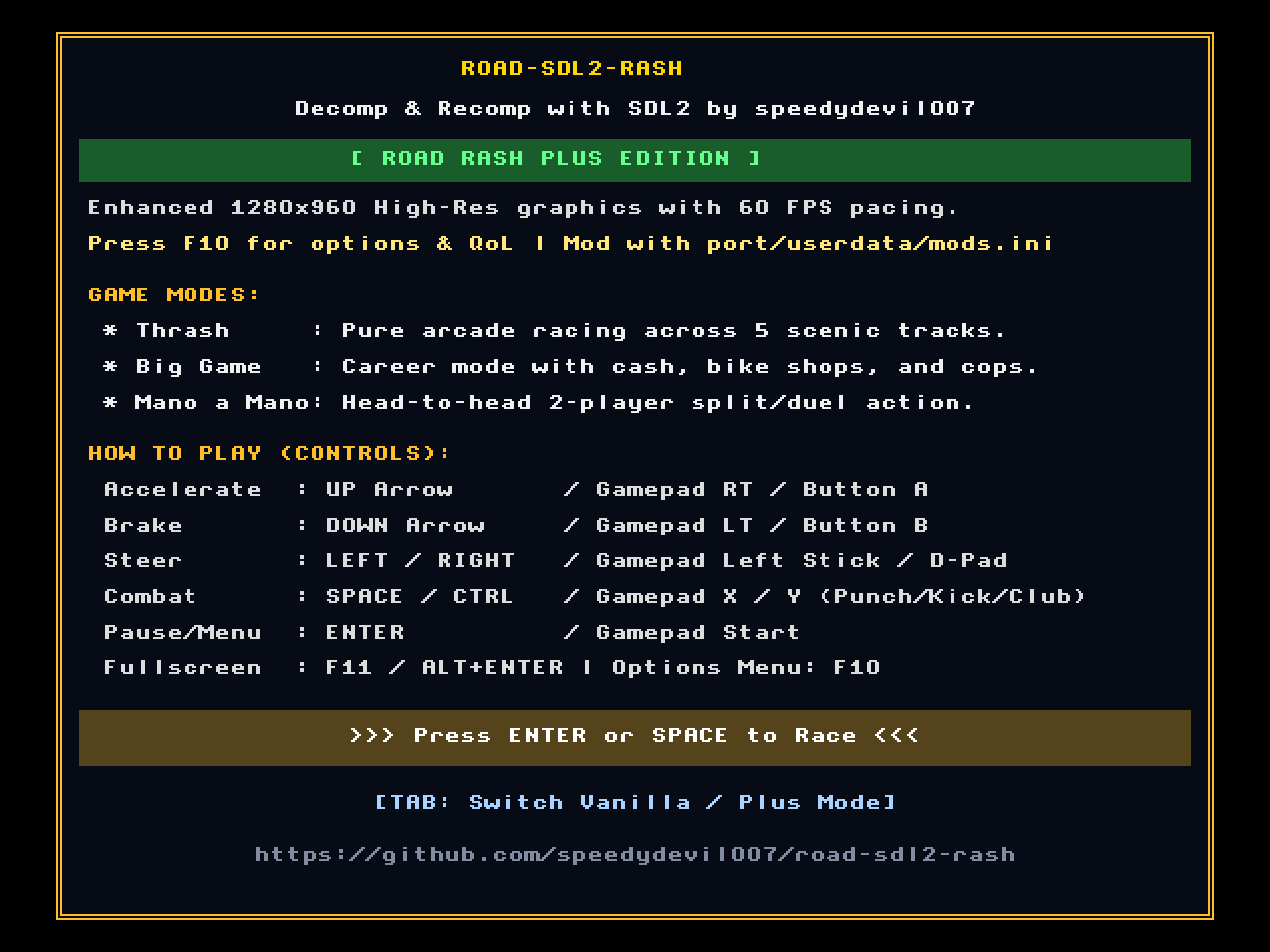
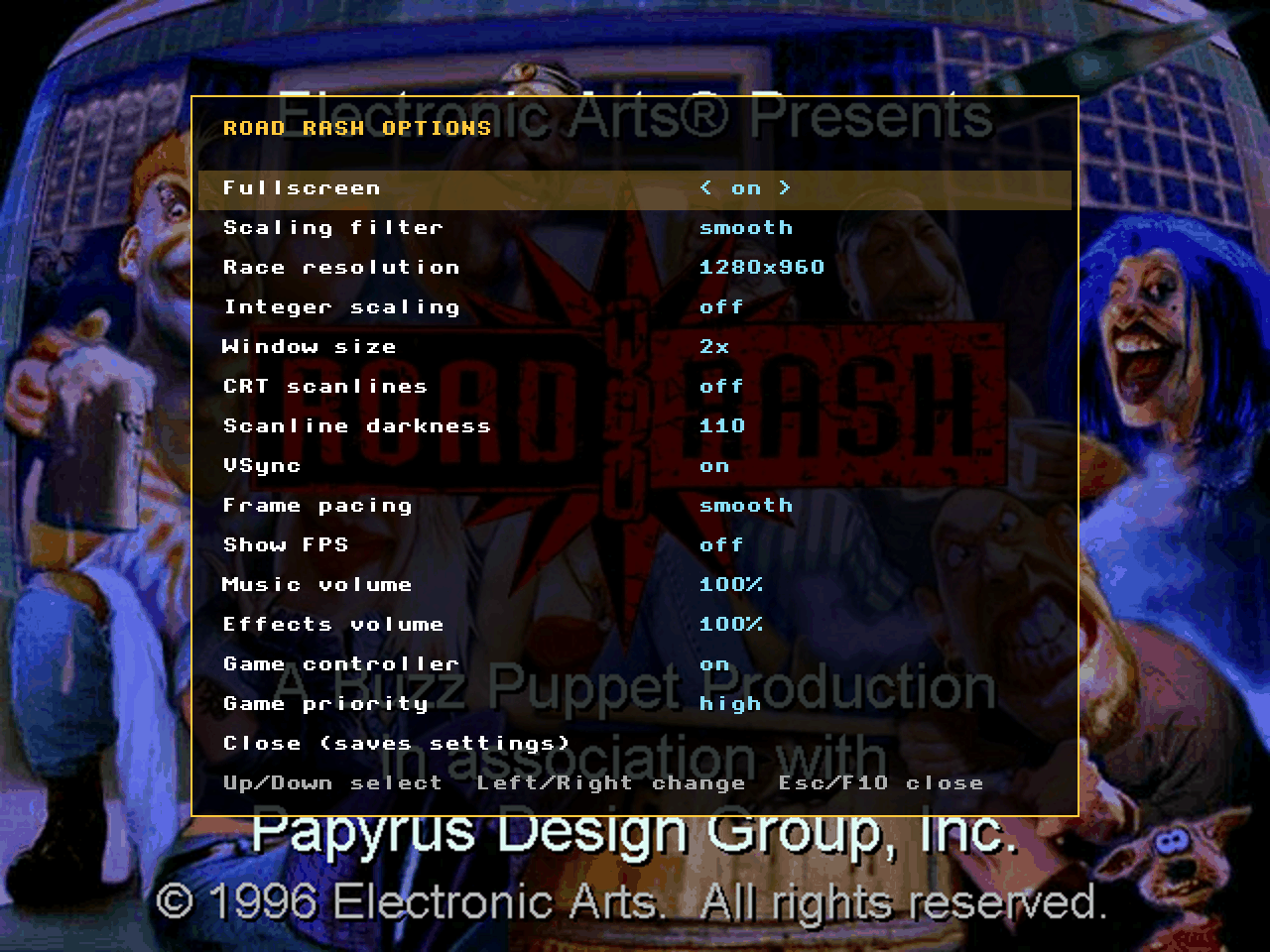
Startup Welcome Screen (Plus Edition) • Newly Added F1 Settings & QoL Menu Overlay
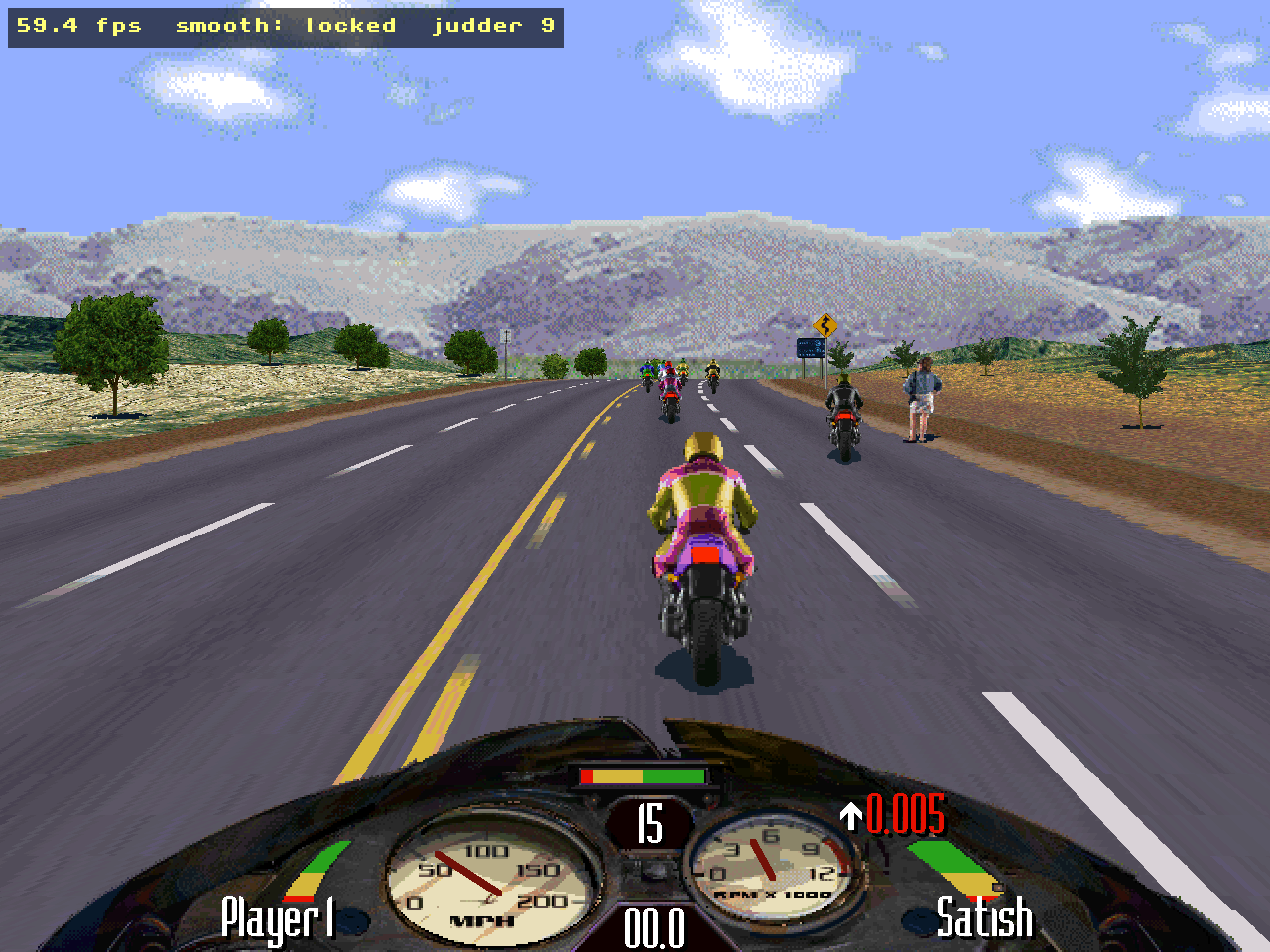
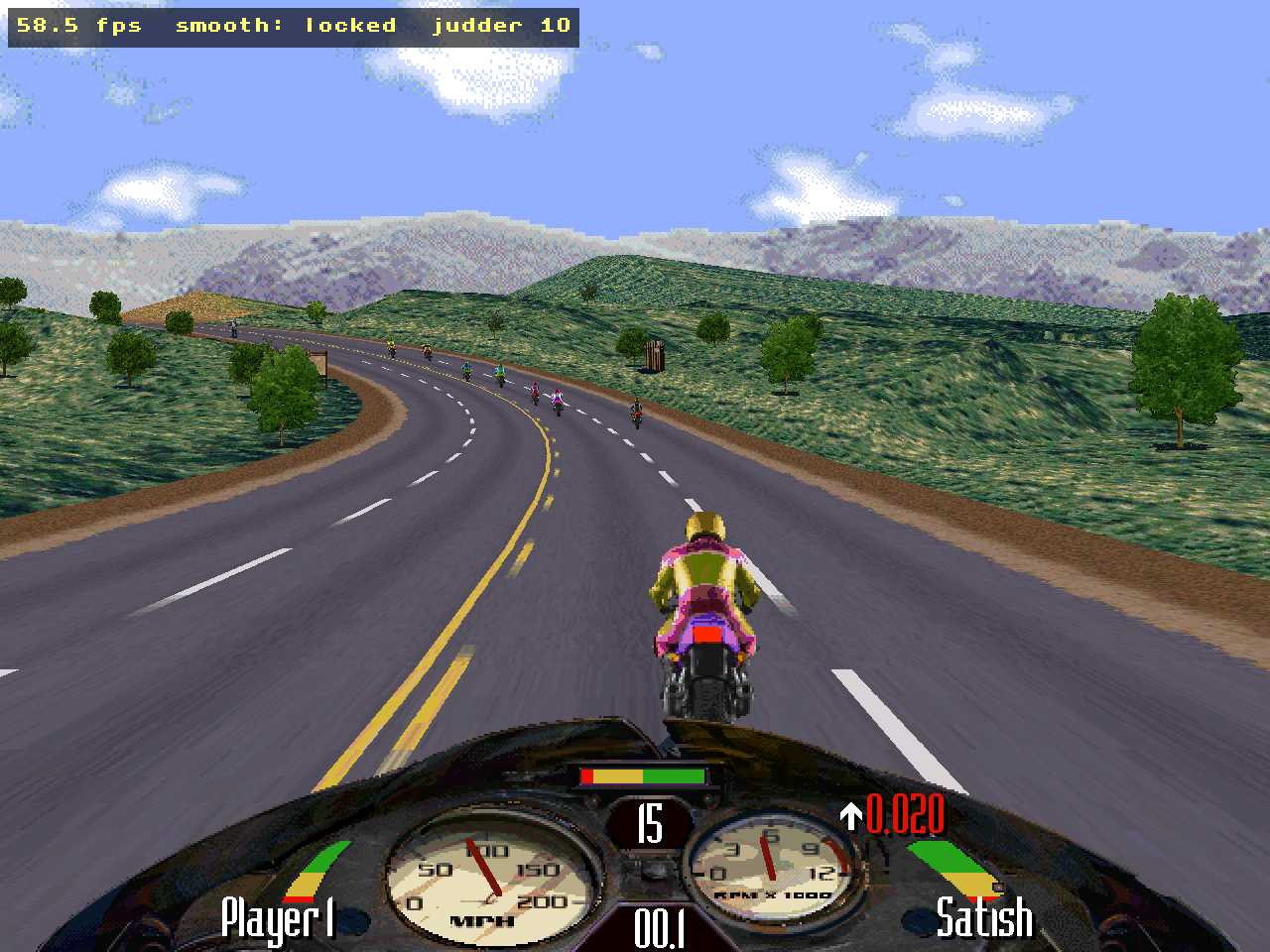
High-Res 1280×960 In-Race Gameplay • Live Pack Racing & Rival Jostling Action
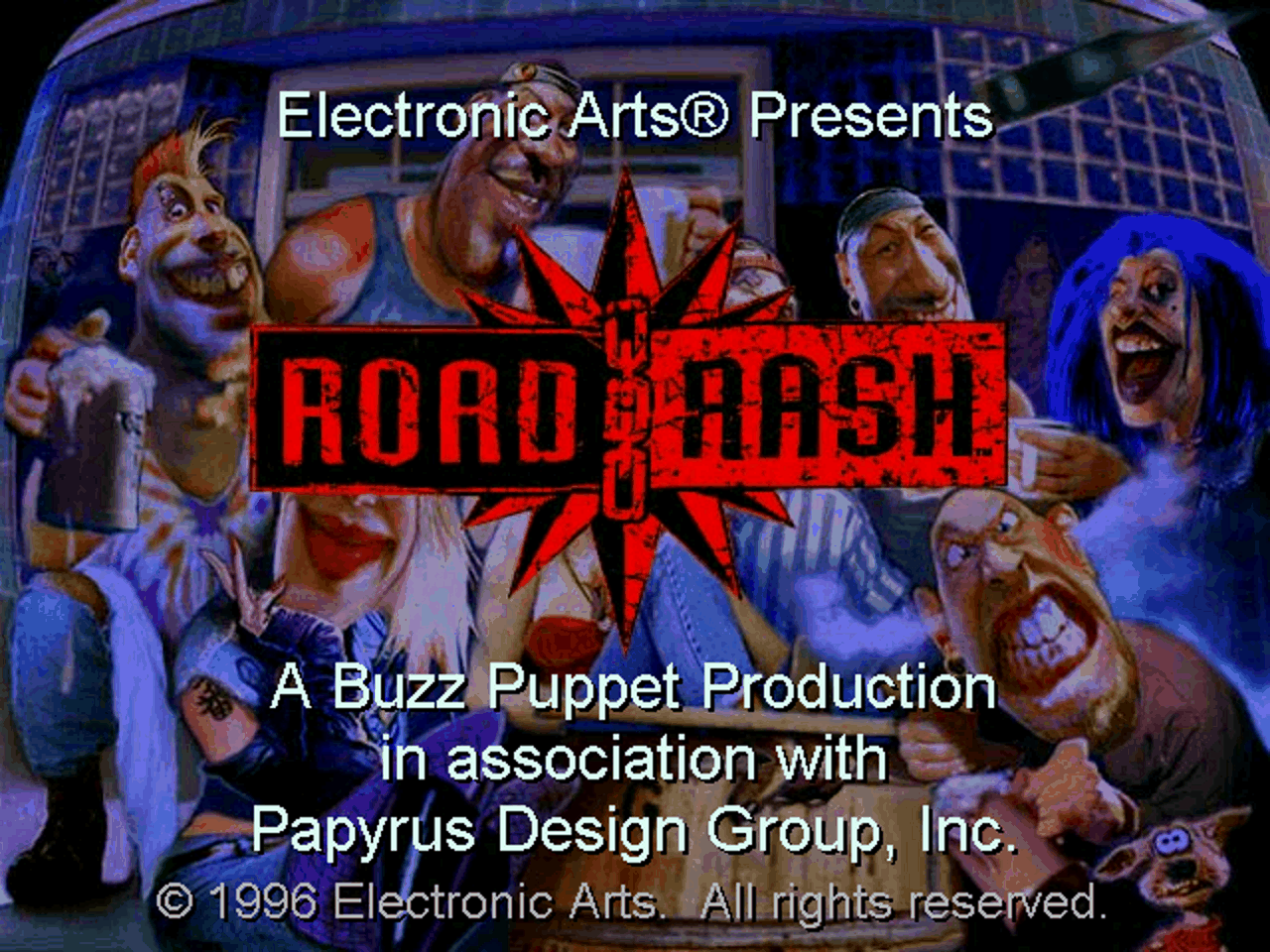
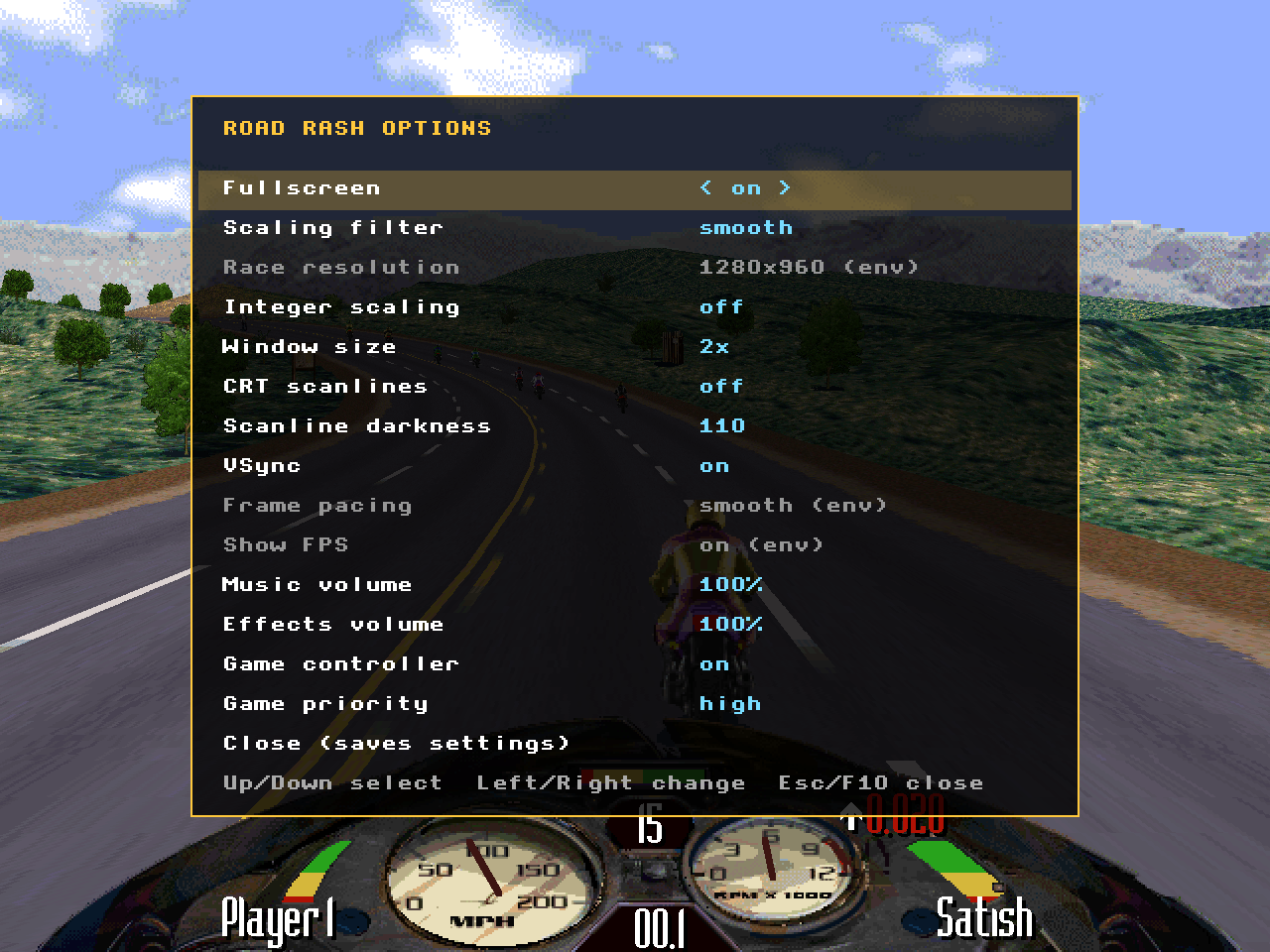
Classic 1996 Main Menu Screen • Mid-Race Real-Time Settings Adjustment
Key Features
- 100% Native 64-bit Execution: No DOSBox, emulators, or Wine needed. Compiles and executes directly on modern operating systems.
- Modernized Platform Layer: Replaces DirectDraw, DirectSound, WinMM MIDI, and the Windows 95 registry with SDL2 and TinySoundFont.
- Deterministic & Frame-Accurate: Verified against the original 1996 game across 14 deterministic race replay scenarios (verifying exact physics, sound, and palette behavior).
- Full Gamepad Support: Native analog steering, trigger throttle/brake, and attacks for Xbox, PlayStation, and Steam Deck controllers.
- Built-in Options Menu (F1): Toggle fullscreen, CRT filters, resolution, audio volumes, and controller bindings on the fly (press F1 or Shift+F10).
- In-Race Music (optional): Turn on In-race music in the F1 options and the soundtrack plays on through the races, in place of their MIDI music. Off by default, so the races sound as they did in 1996.
- Classic In-Race HUD Toggle (F10): Authentic 1996 F10 cycling between full dashboard speedometer, minimal overlay, and clean view.
- High-Fidelity Audio: Replaces legacy MIDI with TinySoundFont, playing both authentic Sound Blaster AWE32 instrument banks and GeneralUser GS SoundFonts.
- Play in Your Browser: Drop your game data into the web page to play directly inside Chrome, Firefox, Safari, or Edge with local browser caching.
Original vs Road Rash Plus
| Feature | Vanilla Edition (1996 Authentic) | Road Rash Plus Edition (Enhanced) |
|---|---|---|
| Internal Resolution | 640×480 software rasterizer | 1280×960 High-Resolution software rasterizer |
| Screen Shape | 4:3, pillarboxed on wide screens | 4:3, or the optional 16:9 wide race view (F1 options): more road on each side |
| Frame Pacing & VSync | Original unpaced timing (original) | Rock-solid 60 FPS presentation (smooth locked, 0 judder) |
| Typography & HUD | Classic Prince of Persia retro arcade font | Classic Prince of Persia retro arcade font |
| In-Game Options (F1) | Original fixed settings | Dynamic CRT shaders, audio mixing, controller rebinds |
| Modding Support | Standard data files | Hot-reloadable port/userdata/mods.ini configuration |
| Audio Engine | Legacy DirectSound emulation | TinySoundFont high-definition SoundFont playback |
Startup Welcome Screen
On startup across all platforms (Windows, Linux, Steam Deck, Web), road-sdl2-rash greets the player with an interactive welcome screen styled with the classic retro font:
+--------------------------------------------------------------------+
|                           ROAD-SDL2-RASH                           |
|            Decomp & Recomp with SDL2 by speedydevil007             |
|                                                                    |
|                    [ ROAD RASH PLUS EDITION ]                      |
|                                                                    |
|  Enhanced 1280x960 High-Res graphics with 60 FPS pacing.           |
|  Press F1 for options & QoL | Mod with port/userdata/mods.ini     |
|                                                                    |
|  GAME MODES:                                                       |
|  * Thrash     : Pure arcade racing across 5 scenic tracks.         |
|  * Big Game   : Career mode with cash, bike shops, and cops.       |
|  * Mano a Mano: Head-to-head 2-player split/duel action.           |
|                                                                    |
|  HOW TO PLAY (CONTROLS):                                           |
|  Accelerate  : UP Arrow       / Gamepad RT / Button A              |
|  Brake       : DOWN Arrow     / Gamepad LT / Button B              |
|  Steer       : LEFT / RIGHT   / Gamepad Left Stick / D-Pad         |
|  Combat      : SPACE / CTRL   / Gamepad X / Y (Punch/Kick/Club)    |
|  Pause/Menu  : ENTER          / Gamepad Start                      |
|  Fullscreen  : F11 / ALT+ENTER | Options: F1 | HUD: F10            |
|                                                                    |
|                >>> Press ENTER or SPACE to Race <<<                |
|                  [TAB: Switch Vanilla / Plus Mode]                 |
+--------------------------------------------------------------------+
- Press TAB on the welcome screen at any time to switch between Vanilla and Plus mode.
- Press ENTER or SPACE (or Gamepad Start / A) to dismiss and start racing!
Editions & Platforms
1. Standard (Vanilla 1996) Mode
- 100% bit-exact physics and mechanics identical to the 1996 Windows 95 CD release.
- Original 640×480 software rendering.
- Original rival AI pacing, grudge counters, and aggression tables.
2. Road Rash "Plus" (Enhanced Mode)
- 1280×960 High-Resolution Mode: Native double-resolution software rasterizer (
hires.c). - 16:9 Wide Race View (optional): Added to Road Rash Plus upon popular demand. Turn on Wide race view in the F1 options and the race fills a 16:9 screen: the road, terrain and scenery continue on both sides of the classic view, the dashboard stays in the middle. The game draws the wider view itself (terrain, buildings, trees, traffic), and the race plays exactly the same. Off by default; not available in Vanilla mode.
- Rock-Solid 60 FPS Presentation: Integrated frame scheduler eliminates background OS thread stutters (
frame_profile.c). - Road Rash Plus Preset (
mods-plus.ini):- Aerodynamic Tuning: 30% reduction in air drag for higher, more thrilling top speed on straightaways.
- Dynamic Rival Feuds: Increased rival aggression and lasting grudges for intense mid-race brawls.
- Sharper Starter Bike: Improved brake responsiveness on the Corsair Swallow.
- Better Offroad Recovery: Enhanced shoulder traction when forced off the asphalt.
Platform Downloads
| Platform | Location | Executable / Target | Details |
|---|---|---|---|
| Windows | windows/ | RoadRashPort.exe | Native 64-bit executable for Windows 10 & 11. |
| Linux & Steam Deck | linux/ | roadrash.sh | Portable glibc 2.17+ 64-bit binary with embedded SDL2. |
| Web Browser | web/ | index.html | Client-side WebAssembly port with drag-and-drop file loader. |
Compatibility & System Requirements
| Platform | Runs on | Needs | Tested so far |
|---|---|---|---|
| Windows | Windows 10 or 11, 64-bit | Nothing to install (SDL2.dll ships next to the exe) | Scripted races without a window match the reference result on Windows 11 |
| Windows 7 / 8.1 | Likely, 64-bit only | Microsoft's Universal C Runtime update (KB2999226) | Not tested |
| Linux | Any 64-bit (x86-64) distribution from 2012 on: glibc 2.17 or newer (Ubuntu 14.04+, Debian 8+, CentOS 7+, Fedora, Arch, Mint, SteamOS, …) | Nothing to install: SDL2 is built into the program. Uses X11 or Wayland, and PulseAudio (PipeWire included) or ALSA, whichever the system has | Scripted races without a window match the reference result on Ubuntu 22.04; a race started through roadrash.sh on Ubuntu 14.04, also without a window |
| Steam Deck | SteamOS 3 (Desktop or Gaming Mode) | Nothing to install | Not yet run on a Deck |
| Web | A current desktop browser with WebAssembly | A web server (serve.py or any static host) and index.data (about 77 MB, downloaded before the game starts) | A scripted race in Chrome without a window |
Not supported: macOS, ARM computers (Raspberry Pi, ARM Chromebooks, Apple Silicon) and 32-bit systems have no native program. The web version is the way to play on those, but it has not been tested there.
Not tested yet: playing with a window and sound on Windows or a Linux desktop, the Steam Deck, and Edge, Firefox and Safari. Reports are welcome.
Disk space: the program folder (38 MB on Windows, 54 MB on Linux, 7 MB for the web) plus the original game's files (about 43 MB; for the web, index.data is about 77 MB). No minimum CPU or GPU has been measured; the game runs at its original 640×480 (1280×960 in high resolution) through SDL2.
Requirements and test status as of 2026-10-28.
Getting Started ("Bring Your Own Game")
To respect copyright laws and preservation standards, no proprietary game assets are hosted in this repository. You provide the assets from your original 1996 PC copy of Road Rash (CD-ROM or ISO).
Required Game Files
From your original game disc or installation, copy the following items:
ROADRASH.EXE
AUDIO/
DATA/
IMAGES/
TEXT/
Installation & Launch
1. Windows (10 / 11)
- Download or clone this repository, and open the
windows/folder. - Copy the required game files (
ROADRASH.EXE,AUDIO,DATA,IMAGES,TEXT) directly intowindows/alongsideRoadRashPort.exe. - Double-click
RoadRashPort.exe. (If Windows Defender SmartScreen appears, click "More info" → "Run anyway".)
2. Linux & Steam Deck
- Open the
linux/folder. - Copy the required game files into
linux/alongsideroadrash.sh. - Make the launcher executable and run:
chmod +x roadrash.sh roadrash-port ./roadrash.sh- Steam Deck Users: Add
roadrash.shas a "Non-Steam Game" in Desktop Mode. Return to Gaming Mode — controller input works out of the box!
- Steam Deck Users: Add
3. Web Browser
- If testing locally:
Then openpython3 web/serve.py 8765http://localhost:8765/in your browser. - If playing on a hosted web deployment (e.g. GitHub Pages):
- Open the web page link.
- Drag & Drop your
index.datafile onto the browser window (or click to browse). - The page will read the file, optionally cache it in your browser's IndexedDB for instant zero-download loading on future visits, and start the race immediately!
- (To generate
index.datafrom your original files, runpython3 web/pack_game_files.py <folder-with-gamefiles>).
Controls
Keyboard
| Key | Action |
|---|---|
| Up Arrow | Accelerate |
| Down Arrow | Brake |
| Left / Right Arrow | Steer Left / Right |
| Space / Ctrl / Alt | Attack (Punch, Kick, Club swing) |
| N | Nitro (nitro bikes) |
| Enter | Confirm / Menu Select / Pause |
| Esc | Back / Cancel. In a race: holds the race and asks; Esc again quits, any other key continues |
| Pause | Pause a race |
| F1 / Shift+F10 / ` | Open In-Game Options & QoL Menu |
| F10 | Toggle HUD Mode (Classic Dashboard / Minimal) |
| F11 / Alt + Enter | Toggle Fullscreen / Windowed |
| F12 | Instant Quit |
Gamepad (Xbox / Steam Deck / PlayStation)
| Control | In-Race Action | Menu / UI Action |
|---|---|---|
| Left Analog Stick / D-Pad | Analog Steering | Menu Navigation |
| Right Trigger / Button A | Accelerate (A also fires the nitro on nitro bikes) | Confirm / Select |
| Left Trigger | Brake | — |
| Button B / Right Shoulder | Attack Right (Kick / Club) | Back / Cancel |
| Button X / Button Y / Left Shoulder | Attack Left (Punch / Club) | — |
| Start | Pause | Confirm / Select |
| Back / Select | Next music track | Back / Cancel |
Modding & Customization (mods.ini)
Both the desktop and web builds include an integrated real-time modding engine.
- Default State: A pre-configured
port/userdata/mods.iniis provided with all options commented out with#so first-time players experience the authentic 1996 gameplay balance. - How to Customize: Open
port/userdata/mods.iniin any text editor, remove the#before the line you want, and save:
# --- Example Tweaks ---
# Make rival AI fight each other frequently
rival_feud_percent = 200

# Increase top speed by lowering air resistance
physics_air_drag_percent = 70

# Make starter bike brakes sharper
bike.swallow.brakes = -150
- To Enable Road Rash Plus: Copy or rename
port/userdata/mods-plus.ini.exampletoport/userdata/mods.ini. - See MODS.md for full documentation of every bike ID, traffic multiplier, and AI combat variable.
Coming Soon: Readable C Decompiled Source
The complete source code that powers this native port will be released in an upcoming repository update:
- ~97,000 Lines of Structured C: 59 modular subsystem files covering bike physics, rival AI algorithms, course generation, software projection rasterizer, and audio synthesis.
- Readable & Modder-Friendly: Structured loops (
for,while), folded conditional expressions (&&,||), 1,748 named functions, and 194 named record types. - Custom Hooking System: Write your own C hooks around any game function without modifying original disassembly.
Support the Project
If you enjoy playing this modern port or appreciate the 1.5 years of reverse engineering and binary lifting work that went into reviving Road Rash (1996 PC), consider buying me a coffee!

Your support directly funds ongoing retro game preservation, source code cleanup, additional platform testing, and future feature developments.
Cryptographic Release Verification
Official release assets, git commits, and tags are cryptographically signed by speedydevil007 using GPG to guarantee authenticity and integrity.
- Signer:
speedydevil007 <349187409+speedydevil007@users.noreply.github.com> - GPG Key ID:
7FA03C6926F817D3 - Key Fingerprint:
CBE3 BDA4 A213 BFD1 56B9 2042 7FA0 3C69 26F8 17D3 - Public Key: Included in repository as RELEASE_KEY.pub
Verifying Release Assets
# 1. Import speedydevil007's public key
gpg --import RELEASE_KEY.pub

# 2. Verify the cryptographic signature on the checksum manifest
gpg --verify SHA256SUMS.asc SHA256SUMS

# 3. Verify file hashes
sha256sum --check SHA256SUMS
Special Thanks & Community Credits
A big thank you to the awesome community members helping test, debug, and refine road-sdl2-rash:
- @sergiofrias — For diagnosing the initial scrambled gamepad mappings, sharing disassembly and hex analysis, and testing virtual key codes (Issue #1).
- @adrianflk — For flagging the classic
F10HUD toggle conflict, identifying the "Configure Input" joystick-left locking bug, and reporting display pillarbox margin artifacts (Issue #2).
Licenses & Legal
- Road Rash is a registered trademark of Electronic Arts Inc.
- This project is a non-commercial reverse engineering and recompilation project created strictly for preservation, education, and platform interoperability.
- No proprietary art, sound, video, courses, or executable binaries belonging to Electronic Arts are hosted or distributed in this repository.
- Open-source components:
- SDL2: zlib license (licenses/SDL2-LICENSE.txt)
- TinySoundFont: MIT license (licenses/TinySoundFont-LICENSE.txt)
- GeneralUser GS SoundFont: S. Christian Collins license (windows/port/assets/GeneralUser-GS-LICENSE.txt)