Roll Away PSX PC Port
Roll Away PSX PC Port is a native Windows port of the PlayStation game Roll Away, also known as Kula World or KulaQuest, with sharper graphics and a pause menu.
- Type: PC port
- Game: Roll Away
- Runs on Windows
- By Bits and Breakpoints
- Latest release v2.3.0, 2026-10-24
- Source: https://github.com/Bitsandbreakpoints/roll-away-psx-pc-recomp
README
Classic games, recompiled for today. Easy to play, with optional enhancements, for everyone.
Roll Away PC port
A native Windows version of the PlayStation game Roll Away (Psygnosis, 1998), known in Europe as Kula World and in Japan as KulaQuest (Sony Computer Entertainment; developed by Game Design Sweden AB). All three releases are supported. The game's own code is recompiled to run natively on Windows, with no emulator and no BIOS, and the port adds sharper graphics, a pause menu and a number of quality-of-life improvements.
You need your own copy of the game. The port reads the graphics, sound, music, movies, text and data from a disc image that you make from your own original disc.
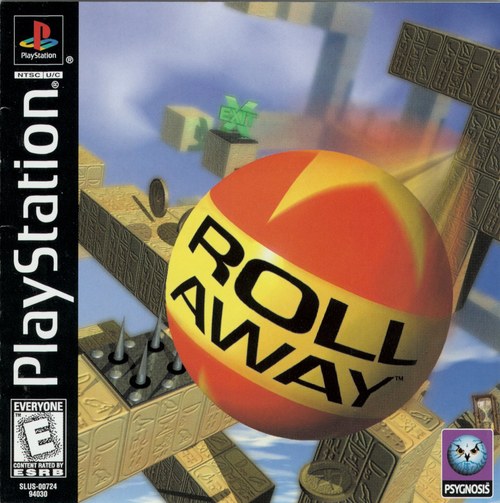 | 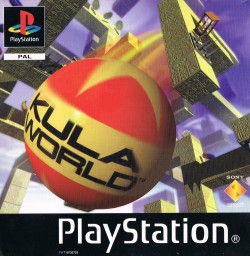 | 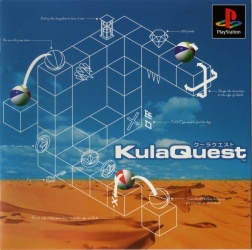 |
| Roll Away USA, SLUS-00724 | Kula World Europe, SCES-01000 | KulaQuest Japan, SCPS-10064 |
The releases this port plays: any one of them is enough. Covers © their respective owners.
Download
⬇ Download the latest release (roll-away-pc.zip)
All releases are on the Releases page.
- Download
roll-away-pc.zipand unzip it anywhere. - Start
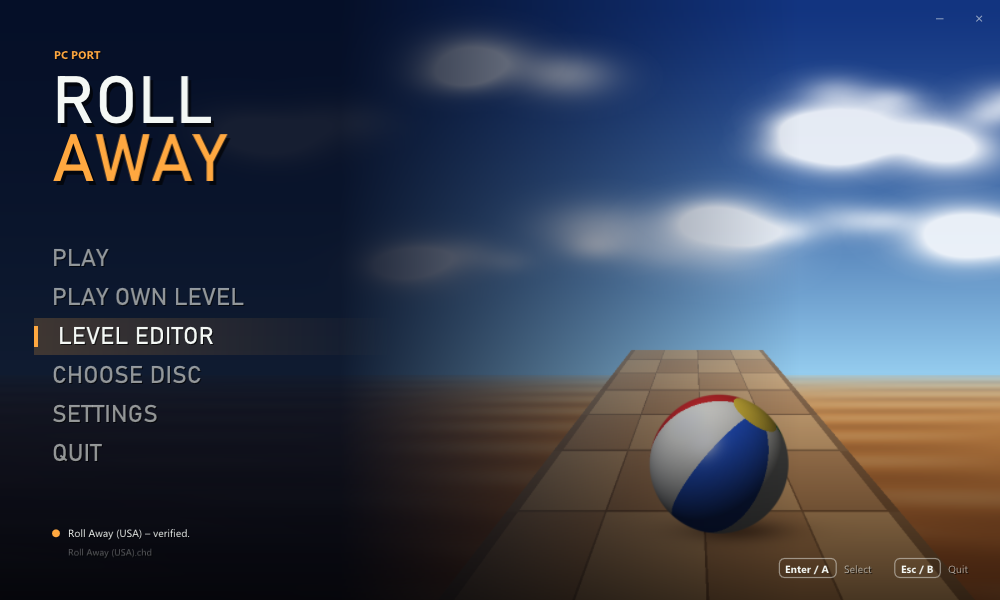
roll_away.exe(Windows 10 or later; no installation). - Click CHOOSE DISC and pick your disc image, or drop it on the window.
.bin/.cueand.chdwork (an.isoworks too, but without music and movies: it holds no XA sectors). The launcher checks that the image is Roll Away (USA), Kula World (Europe) or KulaQuest (Japan), and which of them. - Click PLAY, or LEVEL EDITOR to make levels of your own.
Pictures
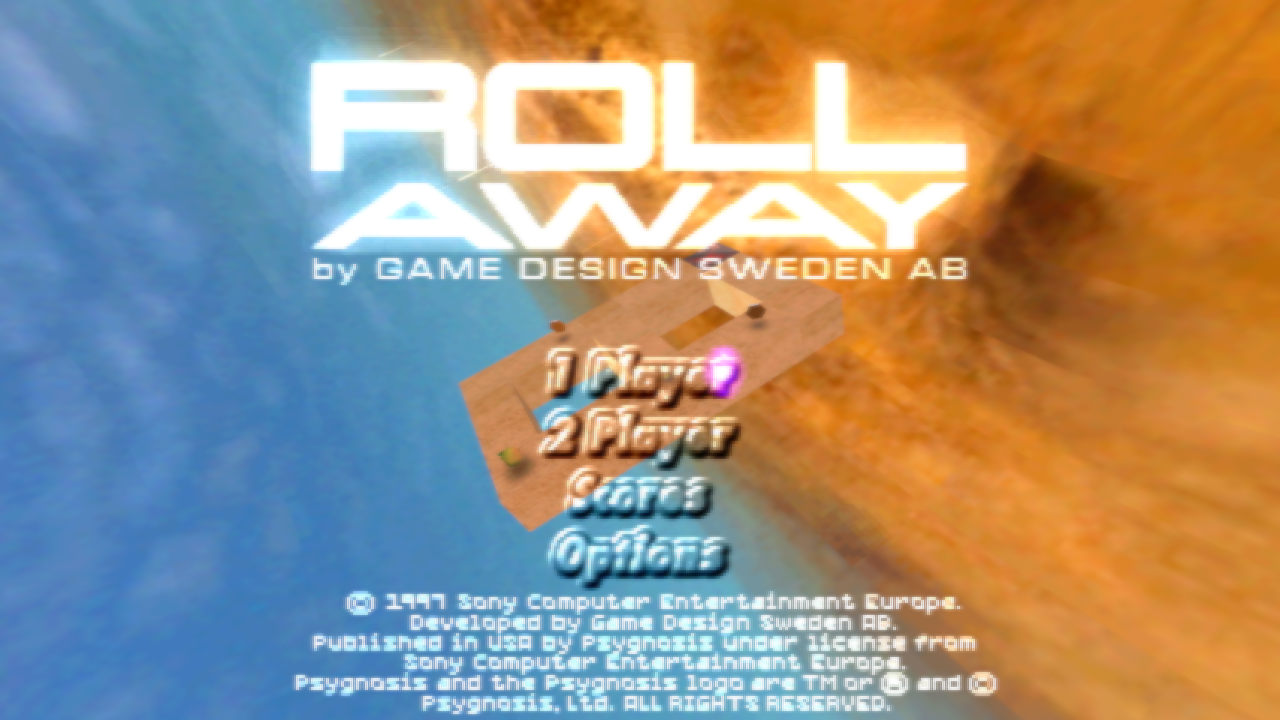
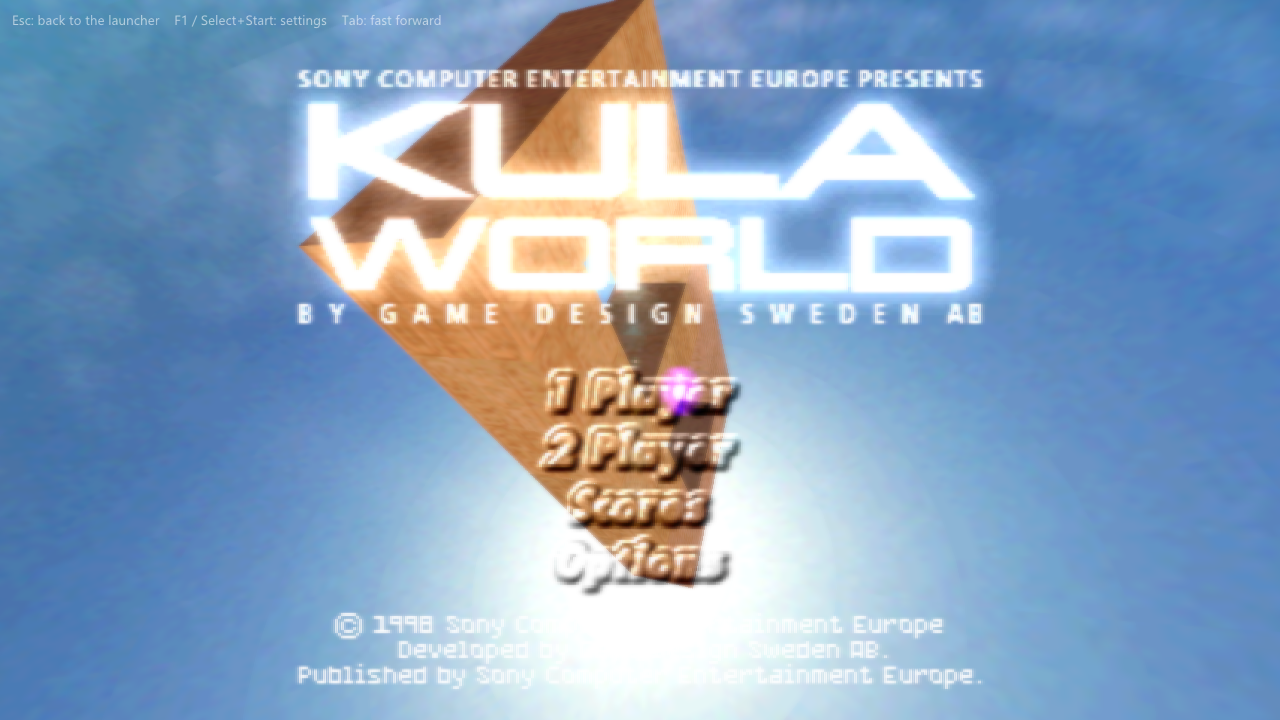
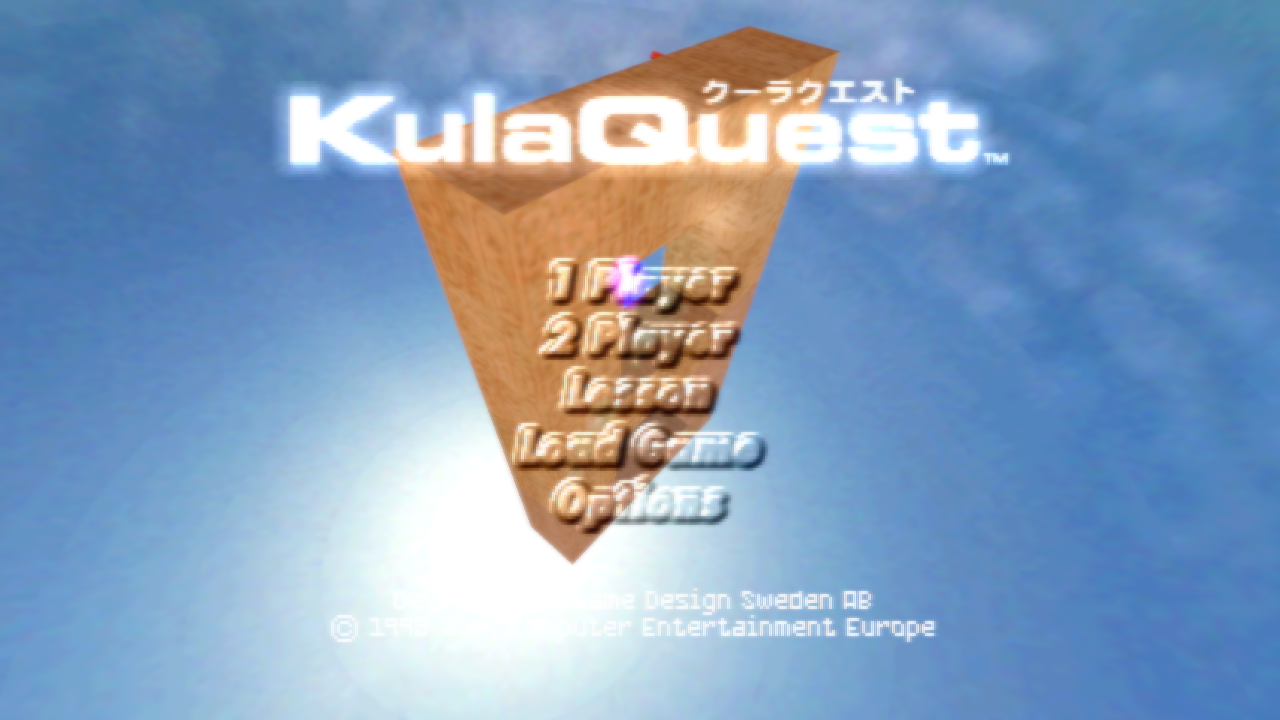
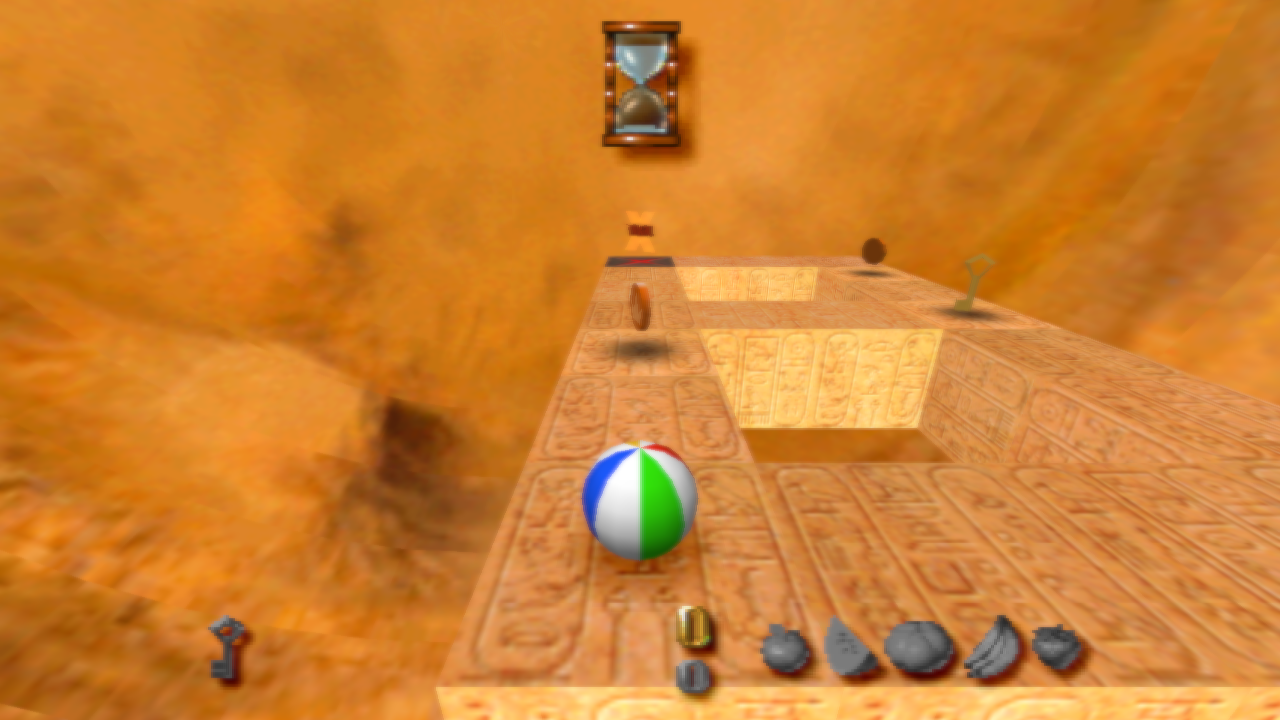
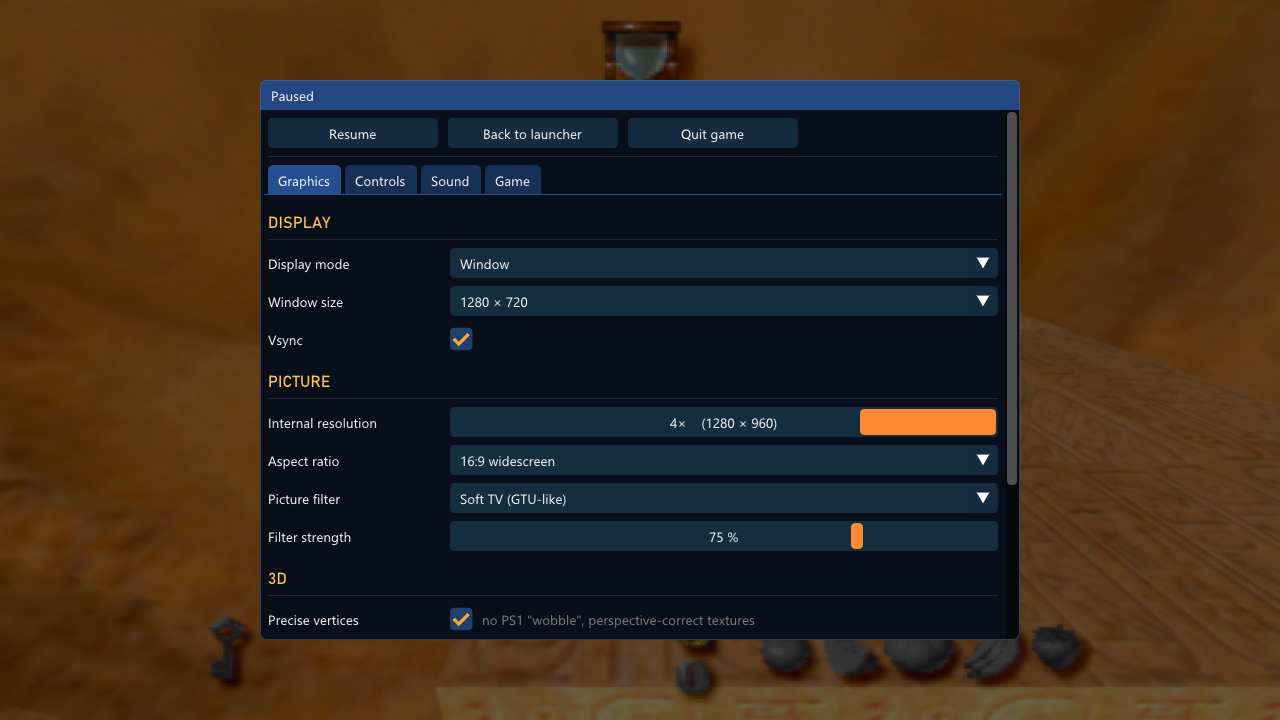
In-game pictures: Roll Away, Kula World and KulaQuest running in this port (4× internal resolution, 16:9 widescreen, the soft-TV filter; the movies keep their 4:3). The game's pictures shown here are © their respective owners.
Disclaimer
- You must own the game. To play, you need a dump (disc image) of your own original Roll Away (USA), Kula World (Europe) or KulaQuest (Japan) disc. This project does not provide, and will not help you find, game files.
- This repository contains no game files: no code, graphics, sound, music, movies, text or data files from the game, and no BIOS. It holds this README, the third-party licence list, the source code of the port (see Source code) and pictures: our banner, the launcher (our own, with a background drawn by a script), plus the box covers and in-game pictures, which are © their respective owners and shown only to identify the game.
- No game assets are distributed. The release contains the port's own program and the licences of the open-source libraries it uses. Every graphic, sound, music track, movie and text is read at run time from your own disc image. The program is the game's logic recompiled for Windows; it holds none of the game's files or data (before every release, the program is searched for every part of the disc's files, and none may be found).
- Roll Away, Kula World and KulaQuest are trademarks of their owners. This is a non-commercial fan project and is not affiliated with or endorsed by Psygnosis, Game Design Sweden or Sony.
Improvements over the original
All of these can be changed under SETTINGS (and in the game from the pause menu).
Pictures
- A steady 60 frames a second, also at 4× with every enhancement on.
- Higher internal resolution, up to 4×.
- Precise vertices: no PS1 "wobble", perspective-correct textures.
- True colour: smooth shading and transparency in 8 bits per colour, without the console's dithering pattern.
- Detailed distant textures (on by default): sharp track blocks all the way to the horizon. To save video memory the PS1 game draws every block beyond a short distance with a small copy of its texture, a quarter of the size and only 16 colours, so at a higher resolution the track ahead turns into blurred, washed-out squares a few metres from the ball. The port recognises each small copy by its content, finds the full-size texture it was made from, and draws that instead, so the hieroglyphs, patterns and the shadows of the fruit, coins and keys under them stay as detailed far away as up close. The game's own darkening with distance is kept. Nothing is added to the game: only its own full-size textures are used. See the comparison below.
- Picture filters: sharp pixels, bilinear, a soft-TV filter (GTU-like) and four CRT looks: CRT (scanlines, mask, curvature), Soft CRT (a TV: the whole picture softened, HUD and text too, with soft scanlines and a glow), Composite CRT (colour bleed as on a composite cable) and PVM (a studio monitor: sharp scanlines). A filter strength slider tunes how much of the TV and CRT filters shows, from the full look down to the plain picture.
- Widescreen (16:9), optional: the 3D world is seen wider and keeps its proportions, the menus and the HUD keep theirs too (screens of only 2D, and the movies, are shown 4:3).
- Window or borderless full screen, any window size, 4:3, 16:9 or stretched, vsync.
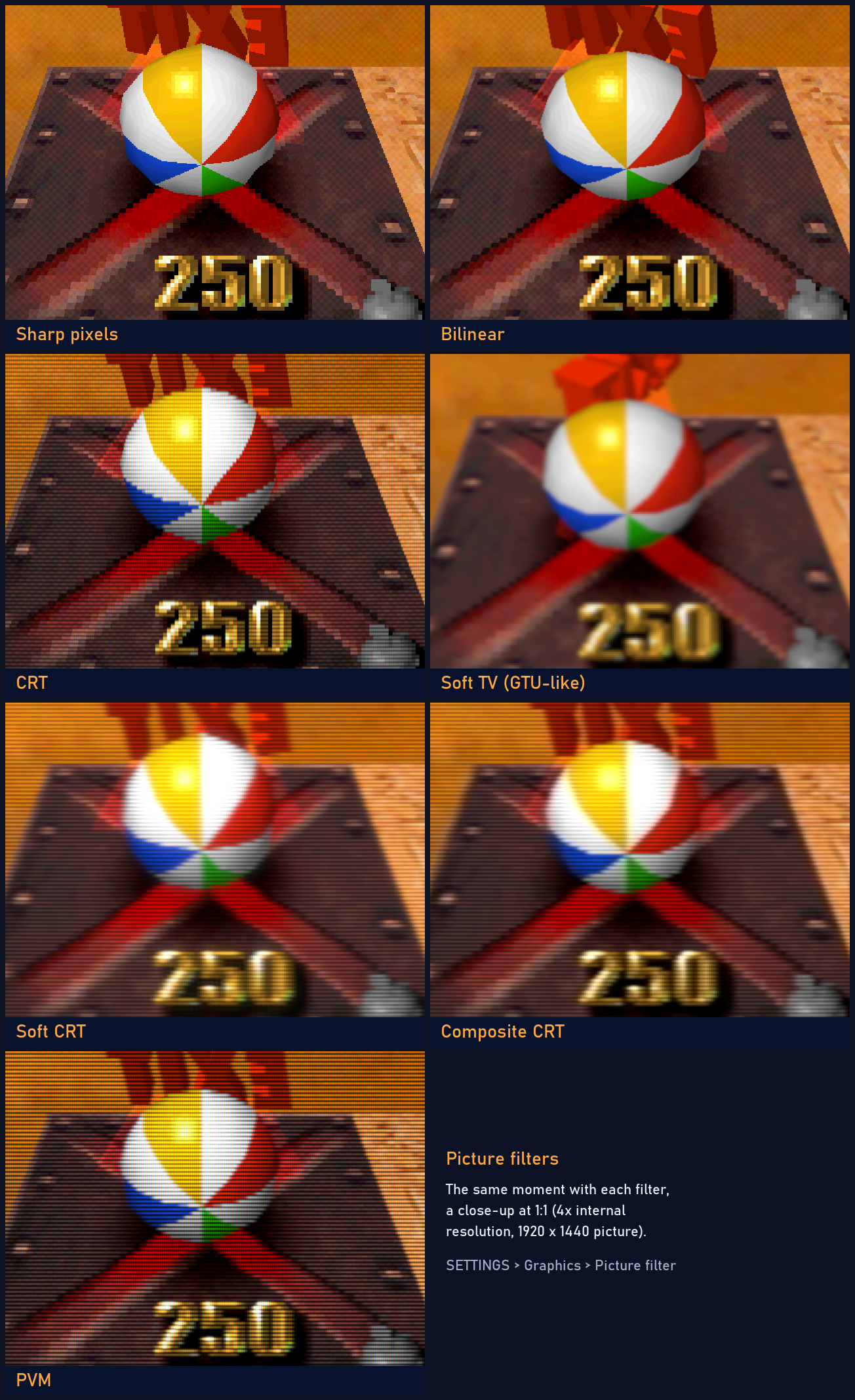
The same moment with each picture filter, a close-up at 1:1 (4× internal resolution, a 1920 × 1440 picture). The game's picture is © its respective owners.
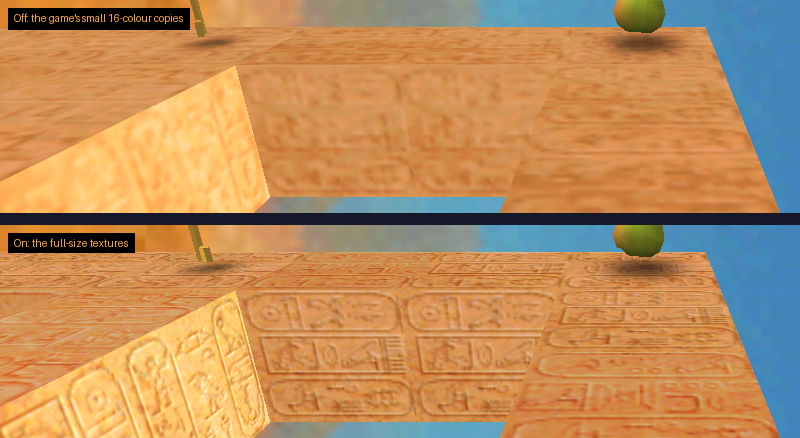
Detailed distant textures, off (above) and on (below): the same moment, a 1:1 close-up at 4× internal resolution. The game's picture is © its respective owners.
Sound
- Separate volumes for the music (the disc's XA tracks) and the sound effects.
Comfort
- Save after every level (optional, under GAME): the game offers its save point after each level, not only every fifth.
- Kula World at 60 Hz (on by default, under GAME): the European version at the speed of the others instead of the PAL 50 Hz.
- Timeless Arcade (optional, under GAME): Arcade games without the time limit. The time stands still, the hourglass leaves the screen, and the hourglasses and clocks are taken away from the levels. Time Trial keeps its time. Works with all three versions of the game.
- Pause menu with Select + Start (or F1): resume, back to the launcher, quit the game, and every setting.
- Fast forward: hold Tab.
- No loading pauses: files are read at once (music and movies still stream in real time, as on the console).
- Launcher: a resizable splash window that remembers its size; choose the disc and have it checked (the title then shows the release: Roll Away, Kula World or KulaQuest), change every setting, with mouse, keyboard or controller.
- Controls: keyboard or XInput controllers (Xbox and compatible), two players, every button remappable, automatic mapping.
- Disc images:
.bin/.cue,.chd(compressed) and.iso. - Memory card in a file:
roll_away_card1.mcdnext to the program, in the raw format emulators use. No BIOS needed. - Your own levels: a 3D level editor, and the game plays the levels you make (PLAY OWN LEVEL in the launcher).
Level editor
Make your own levels, and play them in the game. The port comes with a
3D level editor, roll_away_editor.exe: start it from the launcher
(LEVEL EDITOR) or on its own. It reads your disc too, so the blocks
look as they do in the game.
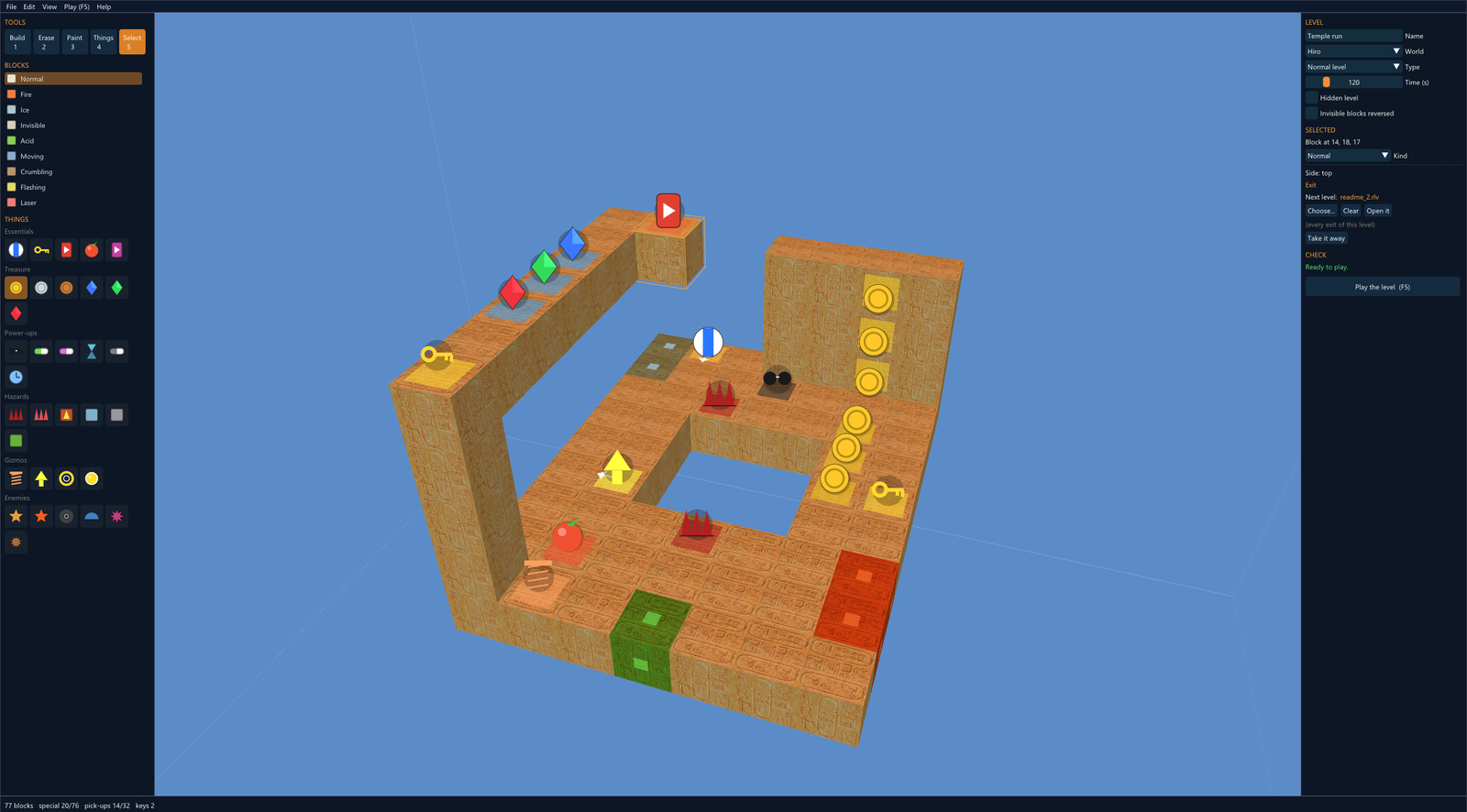
The level editor: the tools and the palette of blocks and things on the left, the level and the selection on the right. The exit is selected; it leads to the next level of the series, readme_2.rlv.
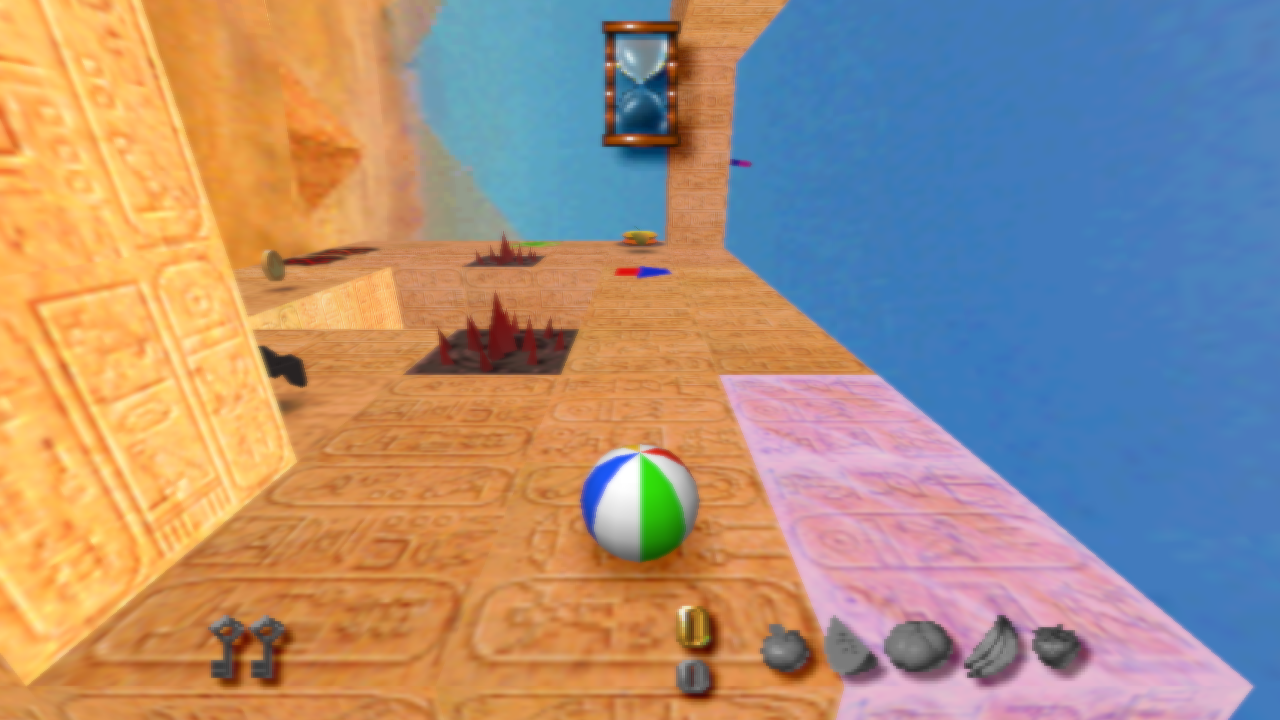
The same level in the game (F5 in the editor).
What it does
- Blocks snap together: click the side of a block and the new block sits right there, one block per click. For blocks in the air, the build plane (G) gives you a floor to start from.
- Everything the game has: normal, fire, ice, invisible and acid blocks, moving, crumbling and flashing blocks and lasers; and on the blocks the start, keys, the exit and the hidden exit, coins, gems, fruit, power-ups, spikes and patches, bounce pads, arrows, transporters, buttons and enemies. Things that face a way show an arrow; transporters, buttons and lasers are linked by clicking their target, and the links are drawn.
- The game's rules, checked as you build: one start; things only on the open sides of normal, fire, ice, invisible and acid blocks (a new block takes away what was on a side it covers); the exit opens when all keys are taken; no more special blocks and things to pick up than the game can hold. CHECK on the right says what is missing or odd.
- Normal or bonus level: a normal level keeps its world's look (with no keys, its exit is open at once); a bonus level gets the game's bonus look and the BONUS letters.
- Any world: choose the world (Hiro, Hills, Inca, Arctic, Cowboy, Field, Atlantis, Haze, Mars, Hell) and the level is played with its textures, sky and music. The time is yours to set.
- A series of levels: select an exit and choose the level that comes next (Next level). The hidden exit can lead somewhere else, and the next level can be in another world: finish one and the game moves on to the next, as with its own levels.
- Play at once: Play (F5) starts the game straight into the level, past the intro and the menus. Esc in the game brings you back.
- Learn from the masters: File > Open a level of the game opens any of the game's own levels from your disc, to look at or to build on.
- Undo and redo (Ctrl+Z, Ctrl+Y).
Making a level
- Start the editor. A new level is one block with the start on it.
- Build (1): click the sides of blocks to add blocks; pick the kind on the left (fire, ice, moving, laser ...).
- Things (4): pick a thing on the left and click the side of a block to put it there: keys, the exit, coins, the fruit, enemies ...
- Select (5): click a block or a thing to change it on the right: the way it faces, its colour or kind, what a transporter leads to, where a moving block goes, the next level of an exit.
- Set the name, the world, the type and the time under LEVEL, save (Ctrl+S) and press F5 to play.
| Editor | Keys and mouse |
|---|---|
| Turn around the level | Right mouse button |
| Move | Middle mouse button, Shift + right button, or W A S D / Q E |
| Closer / farther | Mouse wheel |
| Tools: Build, Erase, Paint, Things, Select | 1, 2, 3, 4, 5 |
| Turn the selected thing / take it away | R / Delete |
| Build plane on/off, its height | G, Page Up / Page Down |
| Look at the selection | F |
| Undo / redo / save / play | Ctrl+Z / Ctrl+Y / Ctrl+S / F5 |
Playing and sharing levels
Levels are saved as small .rlv files. Play one with PLAY OWN LEVEL
in the launcher, or drop it on the launcher's window. A series of levels
is a folder of .rlv files: the exits refer to the next ones by name, so
the folder can be moved or shared as it is. A .rlv holds only the level
you made, nothing from the game: whoever plays it needs their own disc.
The game itself is not changed: when you play your own level, the port serves it in place of the game's levels as they are read from the disc, and points the game to the level's world.
Controls
Plug-and-play with modern controllers!
| PS1 | Keyboard | Controller |
|---|---|---|
| D-pad | Arrow keys | D-pad or left stick |
| Cross | X | A |
| Circle | C | B |
| Square | Z | X |
| Triangle | S | Y |
| L1 / R1 | Q / E | LB / RB |
| L2 / R2 | 1 / 3 | LT / RT |
| Start | Enter | Start |
| Select | Backspace | Back |
Everything can be changed under SETTINGS → CONTROLS, also for player 2.
In the game: Select + Start (or F1) pauses and opens the menu, Tab fast-forwards, Esc goes back to the launcher.
Files
Everything stays in the program's folder:
settings.ini: the settings.roll_away_card1.mcd: the memory card in slot 1.roll_away.log: a log for troubleshooting.roll_away_editor.exe: the level editor;level_editor.ini: its disc, if not the launcher's. Your levels (.rlv) are wherever you save them.
FAQ
Do I need a BIOS? No. Everything the BIOS and Sony's libraries do on a PlayStation is written anew in the port.
Where are my saves? On the memory card file roll_away_card1.mcd. It
is the format DuckStation and other emulators use, so a card from an
emulator can be copied in (rename it).
Which version of the game? Any of the three: Roll Away (USA), SLUS-00724; Kula World (Europe), SCES-01000; KulaQuest (Japan), SCPS-10064. Each release's code is recompiled on its own and the program holds all three; the launcher sees which disc you chose and runs its code. Other releases or modified discs are not supported.
Does Kula World run at 60 Hz? Yes, by default. The European release is a PAL game made for 50 Hz TVs: it takes the same step each frame as the others, so on a European PlayStation it ran a sixth slower. At 60 Hz it plays exactly as Roll Away and KulaQuest do. For the original PAL speed, turn off Kula World (Europe): 60 Hz under GAME. KulaQuest is Japanese throughout, and confirms with Circle, as on a Japanese console.
Can the versions share a memory card? Yes. Like a real card,
roll_away_card1.mcd holds the saves of each release side by side; each
release sees only its own.
Why is there no music with my .iso? The music and the movies are XA
sectors, which an .iso image does not keep. Use a .bin/.cue or
.chd image.
Is the source code available? Yes, in source/, and it can
be built: see Source code.
Source code
The source/ folder holds the whole port: the recompiler that
turns the game's MIPS code into C, the run-time that runs it (memory,
interrupts, and Sony's libraries for graphics, the CD-ROM with its XA music
and movie streaming, the movie decoder, controllers, the memory card and
the BIOS written anew), the PlayStation's graphics, geometry, sound and
movie chips in software, the launcher and the window, picture and sound
output, the level editor and the support for your own levels, plus the
build scripts, the tests and the open-source libraries it
uses.
The game's code is not in the repository. It is recompiled when you build, from the program on your own disc (one or more of the three releases; the build holds the code of those it was given):
source\build.bat --disc "D:\Games\Roll Away (USA).chd" --disc "D:\Games\Kula World (Europe).chd"
The first build downloads the compiler (llvm-mingw) and ninja; Python 3 is needed. See source/README.md.
License
The port's own source code and tools are released under the MIT License. This covers only the code written for this project. It does not cover the game itself (which you must own), the box covers and in-game pictures (© their respective owners) or the third-party libraries, which keep their own licences (see THIRD_PARTY.md).
Credits
- Built with Dear ImGui and
libchdr (with zstd, LZMA SDK,
miniz and dr_flac), and stb_image.
Their licences are in THIRD_PARTY.md and in the
licensesfolder of the release.