SaintSeiyaRecomp
SaintSeiyaRecomp is a native PC port and decompilation of Saint Seiya: The Hades for PlayStation 2 with 16:9 widescreen
- Type: PC port
- Game: Saint Seiya: The Hades
- Runs on Windows and Linux
- By matpdev
- Latest release v0.2.3, 2026-11-09
- Source: https://github.com/matpdev/SaintSeiyaRecomp
- Website: https://sidequest-lab.dev/projetos/saint-seiya-port
README
Saint Seiya: The Hades — native port and decompilation
English · Português


A native PC (Linux and Windows) and Mac (Apple Silicon) port of Saint Seiya: The Hades (PS2, Europe, SLES-54162, and the Japanese release, Meiou Hades Juunikyuu-hen, SLPS-25744), made by static recompilation, with a matching decompilation moving forward alongside it. Modelled on Tenkaichi3Decomp.
This repository contains no game data (disc image, models, textures, sounds): generated/ holds the game's code
translated to C, which reads everything else from your own disc. You need your own copy of the disc.
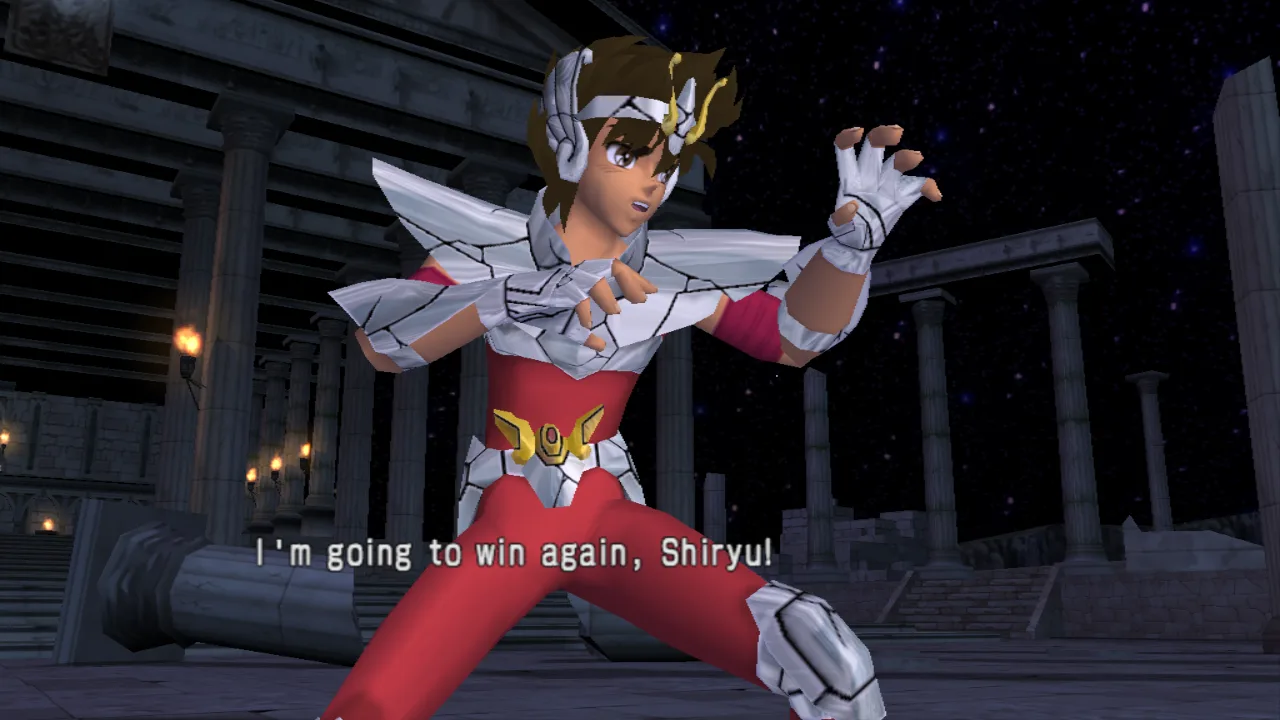
How it was made: widescreen without symbols and a week of performance work and debugging.
Status
The game runs natively: title screen, menus, story mode and fights, with music, voices, sound effects, controller and memory card.
| Part | Status |
|---|---|
| Matching build | SLES_541.62 rebuilt byte for byte from the assembly splat generates |
| Recompiler | all 13,855 functions of the executable translated from MIPS R5900 to C (tools/recomp/) |
| CPU / kernel | 128-bit registers, the PS2's FPU, VU0 macro mode; threads, semaphores, interrupts, timers |
| IOP | SIF/RPC, disc reads from the ISO, controller (PADMAN), CRI ADXI (sound); the game's sound driver (SSD/RSSD) runs as it is, on an IOP MIPS interpreter with an emulated SPU2; memory card (libmc2) on a folder |
| Graphics | DMAC → VIF → GIF → GS on its own thread; Vulkan renderer (SDL3 GPU) and a software GS; VU1 programs translated to native code |
| Image | 16:9 widescreen (wider 3D view, HUD and menus kept in their 4:3 shapes; F2 for the original 4:3), internal resolution that follows the window, supersampling, anisotropic filtering, texture packs |
| Frame rate | 60 Hz (the game's own NTSC mode, keeping the European region); frames interpolated between the game's, unlimited (or vsync, F4) |
| Sound | music and voices (CRI ADX) and sound effects (hits, footsteps, menus: the disc's SSD/RSSD driver, interpreted, playing on an emulated SPU2), with the SPU2's reverb |
| Video | the opening video (Sofdec), decoded with FFmpeg |
| Text | the game's texts drawn with a font file at 4x (M PLUS Rounded 1c, downloaded into fonts/ by build.sh / tools/fetch_font.sh), in the game's own layout and colours |
| Extras | a training mode the original doesn't have (F5: idle opponent, infinite life, damage and inputs on screen); a second gamepad plays as player 2 |
| Decompilation | compiler identified (Metrowerks CodeWarrior PS2 3.0.1, -O3, C++), 327 library functions named; no game function decompiled yet |
| Memory card | slot 1 is a folder (~/.local/share/sstheh/memcard1): the game saves and loads normally |
| Missing | full playthrough testing; the Windows build is tested with Wine only so far; macOS has no prebuilt release yet (build it, below) |
Details in docs/roadmap.md and docs/recon.md. The roadmap's
Goals section lists what the project aims to have: widescreen and HD image work, game
options, mods (installable without recompiling, and unable to reach your computer), online play with rollback,
and the Windows and Android releases.
Playing (the port only)
You need your own copy of the game: Saint Seiya: The Hades, European release (SLES-54162) or Japanese release (SLPS-25744, Meiou Hades Juunikyuu-hen, 2007): one executable plays both, the disc picks. None of the game's data is in this repository. The Brazilian fan translation is a different build (SjCRUNCH-compressed) and does not work.
Ready to play: the releases have a Windows zip and a Linux
AppImage. Open the setup (SaintSeiyaDecomp-setup.exe, or the AppImage), choose your ISO, and play: nothing to
build. To build it yourself instead:
1. Requirements (Linux x86-64)
- GCC, Python 3,
glslc(theshadercpackage), SDL3 (3.2 or newer), a Vulkan driver, FFmpeg's libraries (for the opening video; without them it is skipped) and FreeType (for the texts in HD; without it they keep the disc's font)- Arch:
sudo pacman -S gcc python shaderc sdl3 vulkan-icd-loader ffmpeg freetype2(plus your GPU's driver) - Debian/Ubuntu:
sudo apt install gcc python3-venv glslc libsdl3-dev libvulkan1 libavformat-dev libavcodec-dev libswscale-dev libswresample-dev libfreetype-dev
- Arch:
- the game's code is translated to C from its executable (
tools/recomp/recomp.pyintogenerated/recomp/, the VU1 programs by a first executable,build/sstheh-stage1, intogenerated/vu/) and built intobuild/sstheh: playing needs no compiler. Withoutdisc/SLES_541.62the port is built fromgenerated/as it is. The build targets any x86-64 PC of the last ~12 years (x86-64-v2);python3 configure.py --march=nativebuilds for this one only (about 4% faster VU1)
2. Build and play
Make an ISO image of your disc (for instance with dd if=/dev/sr0 of=game.iso, or any tool you like), then:
git clone https://github.com/matpdev/SaintSeiyaRecomp.git && cd SaintSeiyaRecomp
./build.sh /path/to/game.iso      # build; with no argument, a window opens to pick the ISO
./play.sh                         # play (rebuilds by itself when the code changed)
./play.sh --shortcut              # optional: an icon in the applications menu
build.sh checks the dependencies (and prints the command to install what is missing), verifies
the ISO by the executable's SHA-1, prepares disc/, creates the Python environment in .venv and builds
build/sstheh. The first build takes a few minutes. ./build.sh --clean rebuilds from scratch.
play.sh runs the game. (compilar.sh and jogar.sh, the old names, still work.)
Manual steps (what the scripts do)
cp /path/to/game.iso disc/game.iso               # or: ln -s /path/to/game.iso disc/game.iso
7z e disc/game.iso SLES_541.62 -odisc/           # or: bsdtar -xf disc/game.iso -C disc SLES_541.62
sha1sum disc/SLES_541.62                         # must be 7ba6b0a1c05a94f28452840fcb73c204e46e79e6
python3 -m venv .venv
.venv/bin/pip install 'splat64[mips]' spimdisasm rabbitizer ninja-syntax pyyaml pyelftools ninja
.venv/bin/python configure.py                    # runs splat and writes build.ninja
PATH=$PWD/.venv/bin:$PATH ninja port             # builds build/sstheh
./build/sstheh                                   # run it from the repository folder
On the first run the game asks for the language and warns that there is no save on the memory card. To save:
Options → Save/Load (answer "Yes" to create the save). The memory card in slot 1 is the folder
~/.local/share/sstheh/memcard1: the save goes to BESLES-54162GX/ and is loaded by itself when the game starts.
Windows
The port also builds for Windows (64-bit, Vulkan), cross-compiled from Linux with MinGW-w64: tools/win_deps.sh
fetches SDL3, FFmpeg and builds FreeType into tools/win/; after the Linux build, python3 configure.py --no-split --windows && ninja -f build-win.ninja makes build-win/sstheh.exe, and tools/release.sh windows the release
zip (dist/SaintSeiyaDecomp-windows-x64.zip: the game, the setup with Qt 6's llvm-mingw build from tools/win/qt,
the libraries' licenses). On Windows the settings and the memory card are in %APPDATA%\sstheh. Tested with Wine.
macOS (Apple Silicon)
The port builds natively on Macs with Apple Silicon (M1 and later), with clang and the libraries from
Homebrew; the picture goes through Metal (the shaders are also made as MSL with spirv-cross)
and the 128-bit SIMD through sse2neon. Intel Macs are not supported.
xcode-select --install                     # clang, if it is not there yet
brew install python shaderc spirv-cross pkg-config sdl3 ffmpeg freetype
./build.sh /path/to/game.iso               # with no argument, the system's file picker opens
./play.sh                                  # ./play.sh --shortcut: an app in ~/Applications
The settings and the memory card are in ~/Library/Application Support/sstheh (instead of ~/.local/share/sstheh
in the paths below), the VU1 programs compiled at run time in ~/Library/Caches/sstheh.
Linux release (AppImage)
tools/release.sh linux makes dist/SaintSeiyaDecomp-x86_64.AppImage (about 90 MB) in a Debian 13 container
(Docker; glibc 2.41: it runs on the distributions of 2025 on), from the C the Linux build generated, with the
setup and the libraries the two need. The first time it opens the setup (--setup opens it again); the disc
image, the font and the settings go to ~/.local/share/sstheh, where the game looks for them. Built with Debian's
SDL 3.2, the AppImage has no texture packs (PNG needs SDL 3.4).
Checks and releases
Every push runs CI on GitHub: the port's own code compiled for Linux, Windows and
macOS (warnings are errors), the setup, the Python tools (tools/ci_check.sh linux|windows|macos|python does the same
locally). A push to master that passes gets the next version (v0.1.0, v0.1.1...; #minor or #major in a
commit message bumps that number instead) and a release with the Windows zip and the AppImage, built on GitHub
from the repository alone (tools/release.sh windows|linux, the same here). The game's code is in generated/;
when the translator changes, build with your disc and commit what changed there. No game data goes through
GitHub.
The release's setup
tools/setup/ is the setup of the prebuilt release (Qt 6): it checks the player's disc image (the executable must be
the one the port was translated from; the whole image is compared with the Redump dump only to tell), copies it
into disc/ next to the game, downloads the font, keeps the widescreen choice, can make a shortcut, and starts
the game. SaintSeiyaDecomp-setup --install <image.iso> [--no-font] [--no-shortcut] [--4-3] does it without a
window. Build: cmake -S tools/setup -B build/setup && cmake --build build/setup. The game finds disc/ in the
folder it is run from, else next to its executable (or one folder up).
Controls
| Key | PS2 button |
|---|---|
| Arrows | D-pad |
| Z / X / A / S | ✕ / ○ / □ / △ |
| Q / W / E / R | L1 / R1 / L2 / R2 |
| Enter / Backspace | Start / Select |
| F1 | window size: 1280×720, 1600×900, 1920×1080, … (the ones that fit the screen), then full screen; remembered |
| F2 | widescreen 16:9 (default) or the original 4:3; remembered |
| F3 | performance panel (logic and display fps, CPU use) |
| F4 | toggles vsync |
| F5 | training menu (also Select + Start on a gamepad): see below |
Gamepads are picked up when they are connected: the first plays with the keyboard as player 1, the second as player 2 (two-player modes, e.g. 1P vs 2P in 1,000 Days War).
Training
In 1,000 Days War, ○ on the character select opens the game's mode menu, which now has Training: a 1P VS COM fight with training mode on (choosing another mode there goes back to the F5 menu's choice).
F5 (or Select + Start) opens a menu over the game; it drives with the pad (↑/↓, ✕ changes, ○ closes) and its choices are remembered. With Training mode on, in every fight:
- Opponent (computer): idle — a computer-played fighter stands still (moves already started finish); or plays as usual;
- Infinite life: life comes back to full a second after the last hit, and a hit never knocks out;
- Show damage: each fighter's life, the last hit's damage and the combo's (damage and hits);
- Show inputs: player 1's inputs, newest first (direction in numpad notation, 5 = neutral, 6 = right), with the frames each was held.
Against a second player (second gamepad) the opponent is played by that pad.
The same menu has Auto-mash (Big Bang), for every fight (training or not, story included): in a Big Bang Counter's clash and when a fighter's life runs out (Athena calling them to stand up), the port presses ✕ ○ □ △ for the players, about 20 times a second; the counter's timing press (the button shown on the screen) stays yours. Revival (Athena) off: a fighter whose life runs out is knocked out, without Athena's scene calling them to stand up again (any fighter, story included). Big Bang Counter off: a Big Bang Attack can't be countered (the computer never presses the button shown, nor do you), so it never turns into a clash.
Options
--iso <file> (default disc/game.iso), -q / -v / -vv (log), --shot N,M (saves screenshots at those
vertical blanks, no window). Environment variables:
| Variable | Effect |
|---|---|
SSTHEH_VSYNC=1 | start with vsync (default: no fps limit) |
SSTHEH_WINDOW=WxH | window size at start, e.g. 2560x1440, or full (default: 1920x1080, or the last one chosen with F1) |
SSTHEH_WIDESCREEN=0 | original 4:3 picture (default: 16:9, a wider 3D view with menus and HUD kept in their 4:3 shapes; full-screen 4:3 art gets blurred sides; in fights the life bars reach the screen's edges) |
SSTHEH_WIDE_2D=0 | in widescreen, story scenes whose 2D layers are larger than the screen cut at the 4:3 edges with blurred sides, as before (default: the layers' real art at the sides) |
SSTHEH_WIDE_SELECT=0 | in widescreen, the character select's portrait strips as on the disc (default: longer, reaching the screen's edges) |
SSTHEH_WIDE_HUD=0 | in widescreen, the fight HUD (life bars, portraits, cosmo gauges) in the middle 4:3 instead of at the edges |
SSTHEH_SHOT_PRESENT=WxH | --shot saves the picture as a window that size shows it (widescreen, sides) instead of the PS2 frame |
SSTHEH_FONT=file / =0 | the font the texts are drawn with (default: the first .ttf/.otf in ~/.local/share/sstheh/fonts/, else fonts/) / the disc's font |
SSTHEH_TEX_DUMP=1 | save every texture the game uses as PNG in ~/.local/share/sstheh/textures/dump/ (or dump/ in the SSTHEH_TEXTURES folder) |
SSTHEH_RAM_DUMP=1 | --shot also saves the EE's 32 MB as build/ram_N.bin (for finding the game's variables) |
SSTHEH_TEXTURES=0 | don't use replacement textures (~/.local/share/sstheh/textures/<name>.png, any size; tools/upscale_textures.sh makes an HD pack with Real-ESRGAN) |
SSTHEH_SCALE=n | fixed render scale (1 to 8; default: follows the window size — 4 at 1080p, 5 at 4K) |
SSTHEH_INTERP=0 | no interpolated frames (only the game's own) |
SSTHEH_50HZ=1 | original PAL mode (50 Hz) |
SSTHEH_30FPS_SCENES=1 | menus and 2D screens at 30 fps, as on the disc |
SSTHEH_PAD2=1 | a controller in port 2 even without a second gamepad (two-player modes) |
SSTHEH_AUTOMASH=1 / =0 | auto-mash in Big Bang events on / off, for this run (default: the F5 menu's choice) |
SSTHEH_REVIVAL=0 / =1 | revivals (Athena) off / on, for this run (default: the F5 menu's choice, on) |
SSTHEH_BBCOUNTER=0 / =1 | Big Bang Counters off / on, for this run (default: the F5 menu's choice, on) |
SSTHEH_TRAINING=1 / =0 | training mode with every option on / off, for this run (default: the choices made in the F5 menu) |
SSTHEH_UNLOCK_ALL=1 | cheat: unlocks everything (modes, characters, stages, extras); kept in the save once saved |
SSTHEH_MEMCARD=folder | where the memory card lives (default ~/.local/share/sstheh/memcard1) |
SSTHEH_AUDIO=0 | no sound |
SSTHEH_RSSD_HLE=1 | don't run the sound effects driver (music and voices only, as before) |
SSTHEH_AUDIO_DUMP=a.wav, SSTHEH_SPU_DUMP=b.raw | record the sound (the mix as WAV; the SPU2 alone as 16-bit stereo 48 kHz PCM) |
SSTHEH_GS=sw | software GS instead of Vulkan (slow) |
SSTHEH_VUJIT=0, SSTHEH_GSTHREAD=0, SSTHEH_UPLOAD_DEDUP=0 | turn optimizations off (to compare when something looks wrong) |
SSTHEH_PERF_LOG=1 | print what the F3 panel shows to the terminal |
SSTHEH_VUREC=file | record 20 vertical blanks of VU1 programs (from SSTHEH_VUREC_FROM, default 8000) for tools/vubench.c, which checks and times their translation |
SSTHEH_GSREC=file | record the GS thread's work: its state, then everything it is given for SSTHEH_GSREC_FRAMES pictures shown (150) from vertical blank SSTHEH_GSREC_FROM (9000). build/sstheh --gs-replay file [warm] replays it without the game: time per frame and a hash of what is drawn (run it from build/, where the VU1 programs are found) |
Known issues
- if something breaks, run with
-vand attach the log to the report, with what you were doing at the time
Decompilation (matching build)
To work on the decompilation, install the full toolchain (Metrowerks compilers, ee-gcc 2.96 and R5900 binutils):
tools/setup.sh                       # wibo, compilers, R5900 binutils, Python venv
.venv/bin/python configure.py
PATH=$PWD/.venv/bin:$PATH ninja      # matching build: "OK: build matches the original"
ee-gcc 2.96 is an i386 binary: 32-bit program support is needed.
Layout
How the parts fit together: docs/architecture.md; debugging options and tools: docs/debugging.md.
| Path | |
|---|---|
config/sles_541.62.yaml | splat configuration (segments, $gp) |
config/symbol_addrs.txt | known names (name = 0xADDRESS; // type:func) |
asm/, assets/ | generated by splat (ignored by git) |
generated/ | the game's code translated to C: recomp/ (the MIPS code, tools/recomp/recomp.py), vu/ (the VU1 programs); rebuilt from disc/SLES_541.62 when there is one |
config/jp/, generated-jp/ | the Japanese release: its splat configuration, hle.txt and translated code (rebuilt from disc/SLPS_257.44); its addresses are the second column of port/hle/game.h, found with tools/version_map.py |
src/, include/ | decompiled code (C++) |
tools/recomp/ | static MIPS → C recompiler |
port/runtime/, port/kernel/ | CPU, memory, timers, kernel syscalls |
port/iop/, port/hle/ | IOP services and SDK functions replaced by native ones (listed in port/hle.txt); port/hle/game.h names every game address the port uses |
port/iop/lle/ | IOP modules running as they are: MIPS I interpreter, IRX loader, native system modules, SPU2 |
port/gs/ | DMA, VIF, VU, GS and the Vulkan renderer |
build.sh, play.sh, tools/disc.py | build from your ISO, play; disc check |
tools/fdiff.py | compiles a .cpp and compares each function with the original |
tools/recon/ | reconnaissance scripts (compiler classification, cross references) |
tools/icon/ | the game's icon as SVG; make.sh makes the Windows .ico and the PNGs of the AppImage and the setup from it |
Contributing
See CONTRIBUTING.md. You can help by decompiling functions, improving the port, or just
playing and reporting what breaks.
Licenses
The code in this repository is under the MIT license (LICENSE). It does not cover the game, which is
not included and belongs to its owners. Parts of the renderer come from Tenkaichi3Decomp (MIT, in licenses/); port/runtime/third_party/sse2neon.h is sse2neon (MIT, in licenses/). The Metrowerks compilers are
proprietary software archived by decomp.me; use them only if you are entitled to.