Sin & Punishment: Star Successor Recompiled
Sin & Punishment: Star Successor Recompiled is a native PC port of the Wii rail shooter with modern aiming, remappable controls, and high-resolution rendering.
- Type: PC port
- Game: Sin & Punishment: Star Successor
- Runs on Windows
- By meathax
- Latest release v1.0, 2026-11-23
- Source: https://github.com/meathax/sinandpun
README
Sin & Punishment: Star Successor Recompiled
A native PC port of Treasure's Wii rail shooter. Run the original campaign with mouse, dual-stick, or gyro aiming, and choose how the game renders on your display.
Windows x64 · Native PowerPC recompilation · In testing · GPL-3.0
Getting started · Features · Enhanced local co-op · Controls · Project status · Building from source
Important
Bring your own North American Wii copy of Sin & Punishment: Star Successor (R2VE01). The project does not supply the game disc, extracted game files, or disc keys.
Features
- Modern aiming. Use a mouse or right stick to aim while moving with the left stick or WASD. Controllers with a supported motion sensor can use calibrated gyro aiming.
- Remappable controls. Configure gamepad and keyboard/mouse bindings in-game. The port supports Wii Remote + Nunchuk and Classic Controller input schemes.
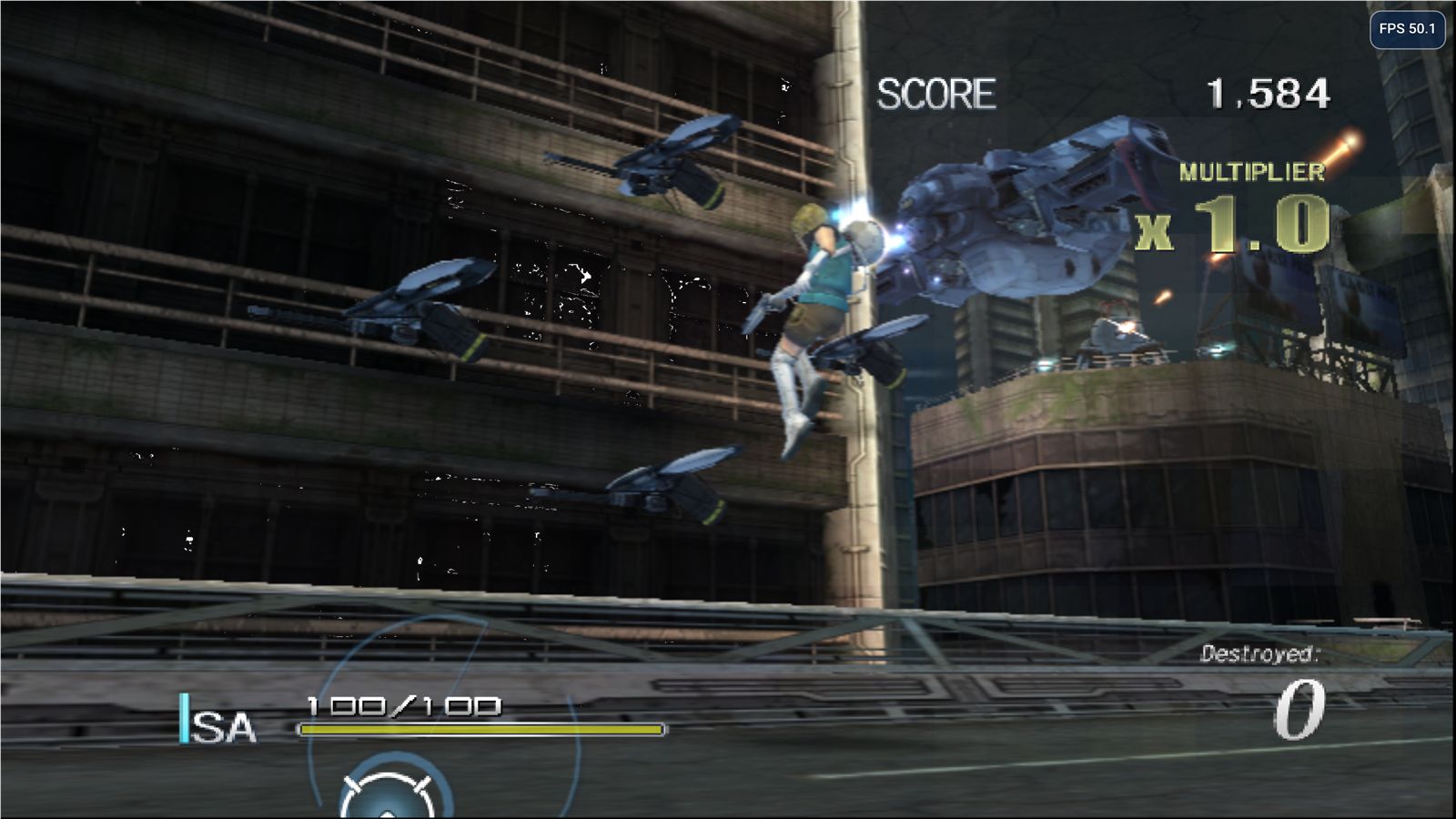
- High-resolution rendering. Render at window size or choose an internal resolution multiplier. The Windows release includes AMD temporal FSR, FSR 1 spatial upscaling, NVIDIA DLSS and DLAA on RTX systems, and 4× MSAA. See the FSR notes and DLSS notes.
- Readable HUD. Eligible Wii HUD and text draws are rendered over the upscaled scene at output resolution using the original textures and blending. Integer presentation can keep display pixels evenly sized when the source fits the selected aspect ratio.
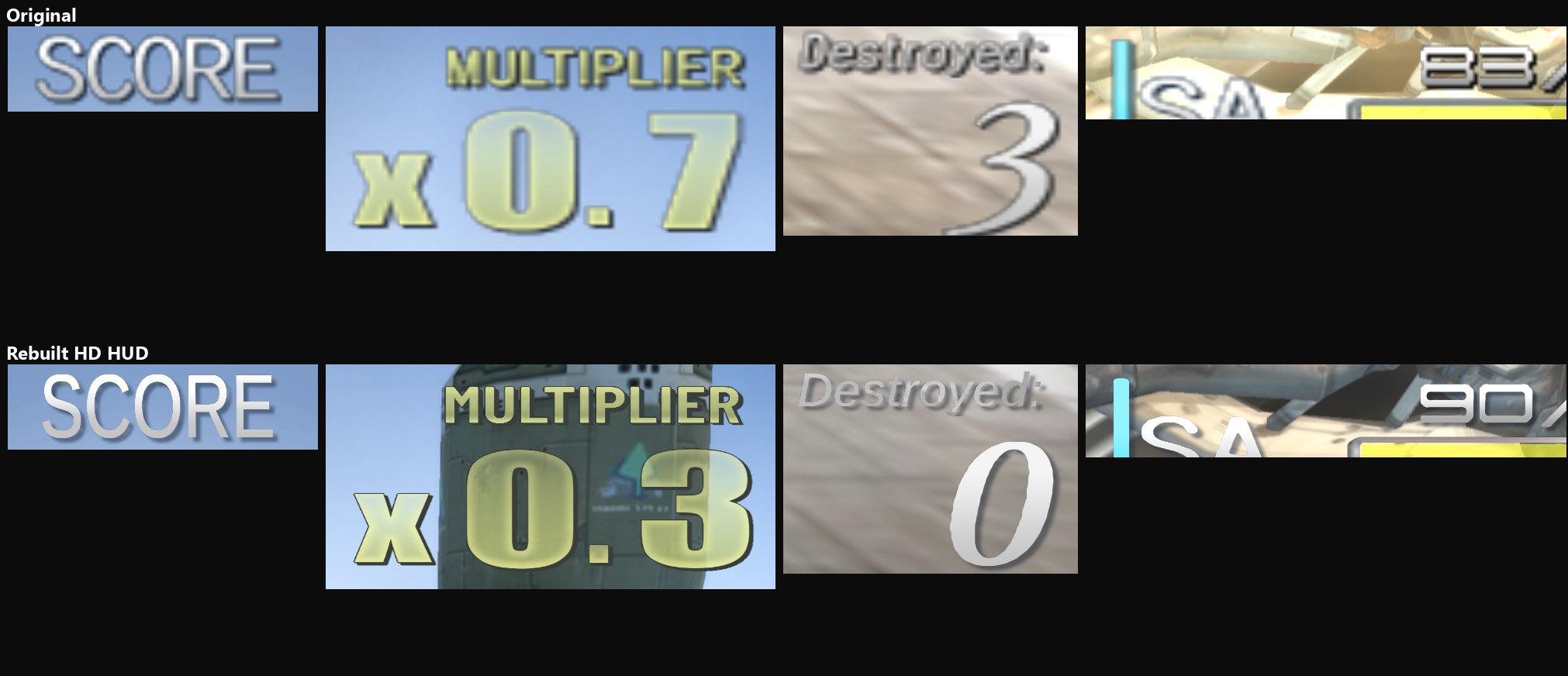
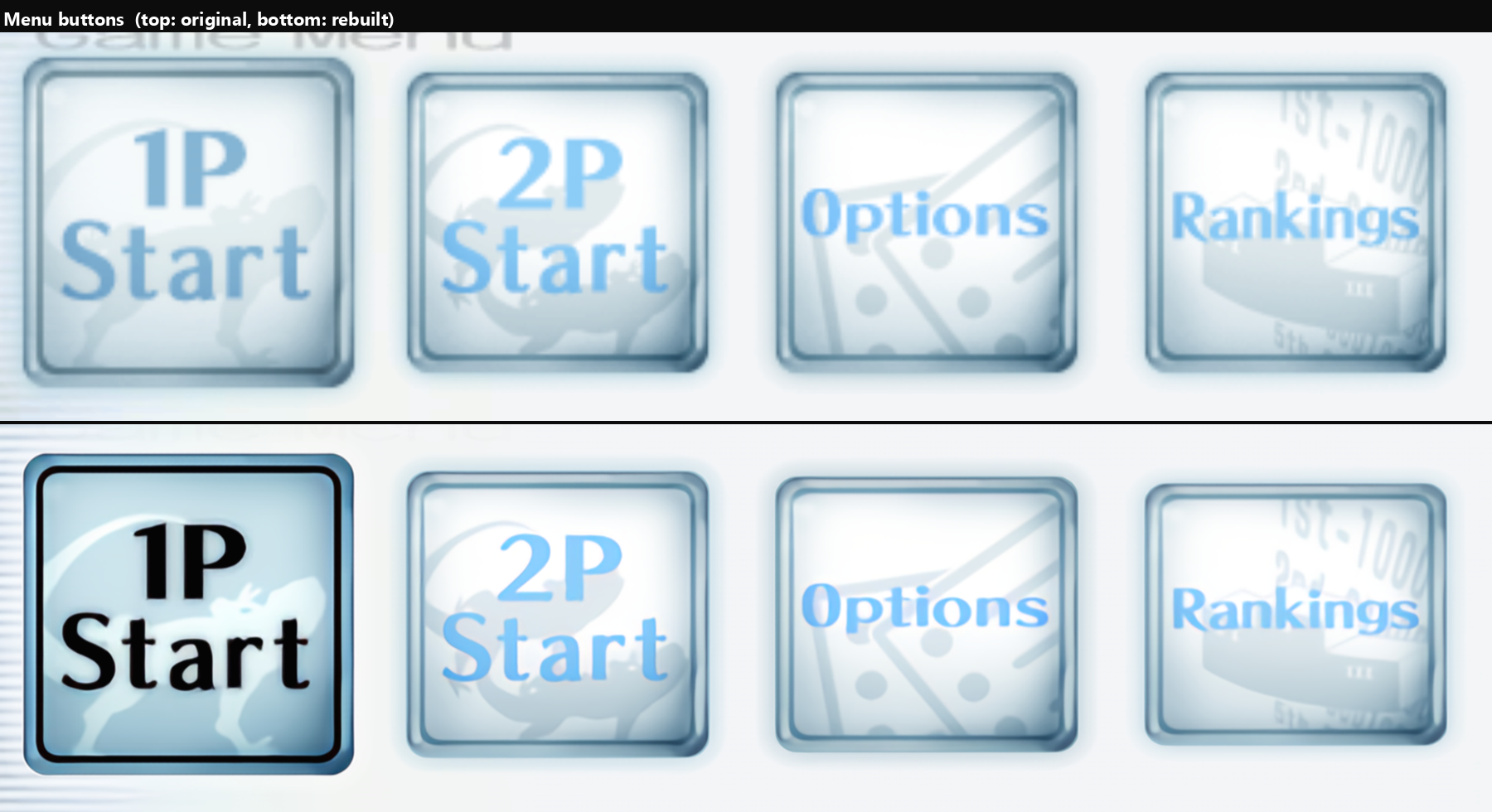
- 4K HUD and text. A rebuilt high-resolution HUD pack ships with the game: reticles, score and health digits, labels, subtitles, menus, the title logo and 4× button prompts. Toggle it in Options → Graphics → HD HUD and text (on by default).
- Flexible frame pacing. Choose original 60 Hz, match-display, or interpolated presentation. Variable refresh rate is available on compatible displays.
- In-game settings. Open the game's Options from the title or pause menu. Display changes offer a Keep/Revert prompt.
Enhancements
Open Options → Enhancements to choose the effects you want.
- Bounce lighting. Screen-space or ray-traced global illumination lets nearby surfaces pick up each other's color. Ray tracing can retain scenery that has moved out of view, so it can still contribute light.
- Materials and combat lighting. Glossy armor catches reflections, shot impacts and explosions briefly light nearby surfaces, and contact shadows ground characters in the scene.
- Stage atmosphere. Moving patterns of light play across underwater surfaces in Stage 2. Distance haze gives the scenery in Stage 5 more depth.
- High-refresh presentation. On supported NVIDIA hardware, D3D12 frame generation adds intermediate frames for smoother motion, with Reflex to manage latency.
4K HUD
Every 2D HUD and menu texture the game draws has been rebuilt at high resolution, so text and reticles stay sharp at 4K instead of being stretched from 480p. Text is retypeset with a fitted font and the original colours and shadows; thin digits and reticles are redrawn as clean vector shapes; menu art is AI-upscaled. Turning the option off restores the original art instantly, and a user texture_replacements/ pack takes priority.
| Original (top) vs rebuilt (bottom), in-game at 4K |
|---|
 |
 |
Getting started
Windows 10 or 11 (64-bit) and a Direct3D 12 or Vulkan-capable GPU are required for the Windows build. See the separate Linux and macOS notes for build and validation status.
- See GitHub Releases for published builds, or build it from source.
- Extract the entire Windows ZIP and run
sinandpun.exe. - Setup finds the game automatically when it sits next to the executable or in a
rom/romsfolder. Otherwise choose Select disc image for an R2VE01 ISO, WBFS, RVZ, WIA, CHD, CISO, GCZ or CUE/BIN. Setup asks for a key only when the game partition needs one and none nearby unlocks it. For an extracted game, choose Select extracted folder and select the parent folder containing bothsys/andfiles/. Keep that folder in place after setup. It needs no key.
Keys are found by content and verified against the disc: a 16-byte key, BootMii keys.bin, otp.bin, any text containing the key, small dumps, 7z/zip/rar archives of those, or an RVZ of the same disc. Labels and file names do not matter. When nothing matches, setup explains what each file was and why it did not help. WAD channel packages do not supply this game's disc contents.
The importer prepares the stage modules on first setup and leaves the key out of the game data folder. See Wii setup for supported inputs and command-line examples.
RecompLauncher
The repository includes a RecompLauncher manifest. For launcher-managed disc-image import, set SIN_WII_KEY_FILE to your key file path before opening RecompLauncher. The launcher integration notes explain packaging and validation.
Enhanced local co-op
In Enhanced mode, Player 1 picks Isa or Kachi as usual. Player 2 gets the other character and can move, aim, shoot, slash, and evade independently. The partner flies in when control becomes available and flies out for scripted sequences. Original mode keeps the Wii's assist-fire controls for Player 2.
Both characters draw from one health bar with 50% more base HP. Standard characters share 150 HP. A hit on either player draws from that pool, and retrying a checkpoint does not stack the bonus.
- From the title or pause menu, open Options → Local Co-op and set Co-op mode to Enhanced.
- Choose Player 2 input. For two gamepads, select Gamepad and assign one controller to each player. For a mixed setup, select Keyboard & Mouse to give it to Player 2, or select Gamepad to leave keyboard and mouse with Player 1. Selecting the other player's controller swaps the assignments.
- Restart the game after changing the mode or Player 2 input source.
Controls
| Action | Xbox-style controller | Keyboard and mouse |
|---|---|---|
| Move | Left stick | WASD |
| Aim | Right stick | Mouse or arrow keys |
| Shoot (hold) / slash (tap) | RT | Left mouse button or J |
| Lock on (tap) / charge (hold) | LT | Right mouse button or K |
| Jump | LB | Space |
| Evade | RB | Left Shift |
| Pause | Menu | Escape or P |
See Modern controls for the full layout, precision aim, recentering, and rebinding.
Screenshots
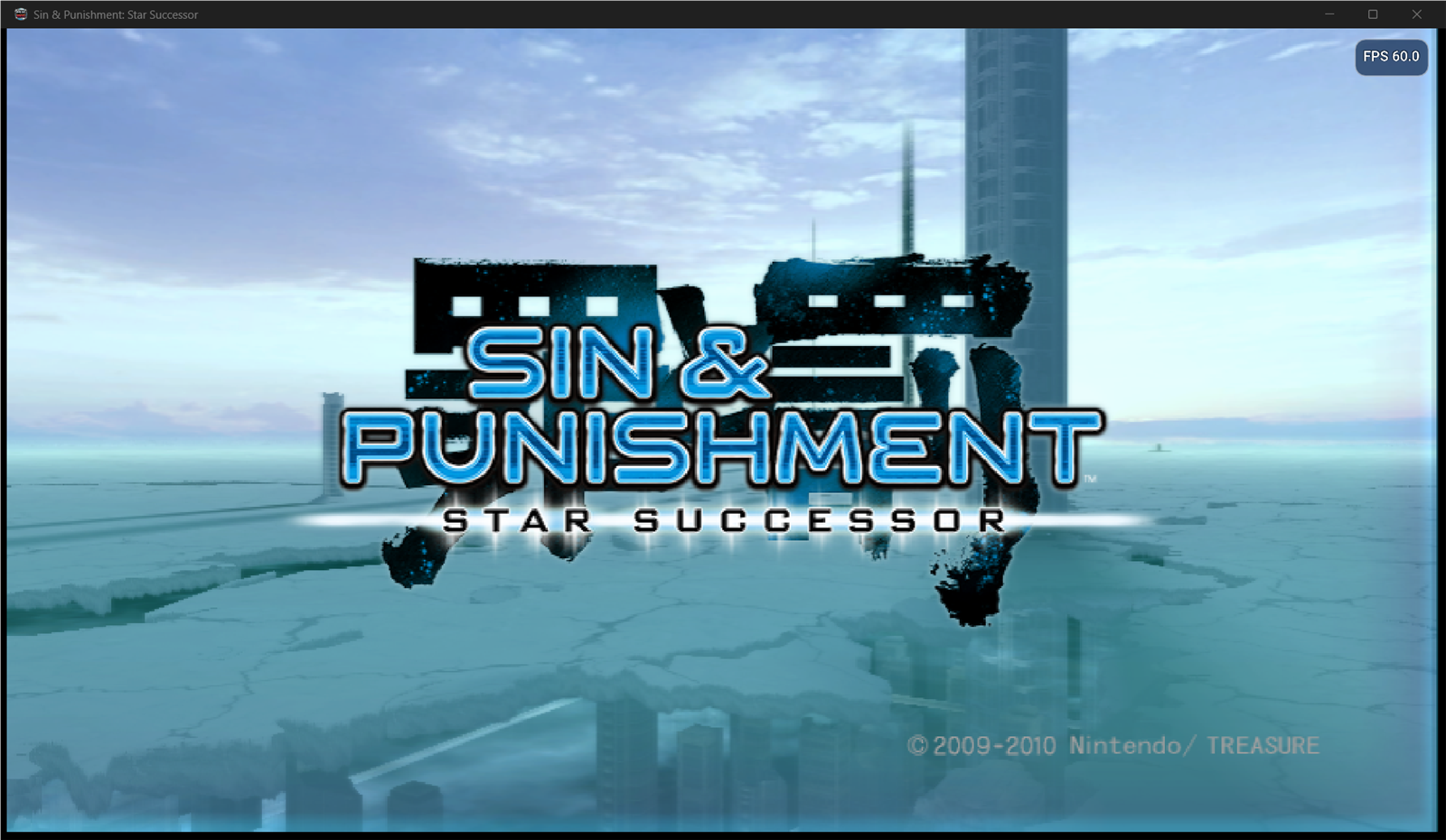
| Title screen | In-game graphics settings |
|---|---|
 | 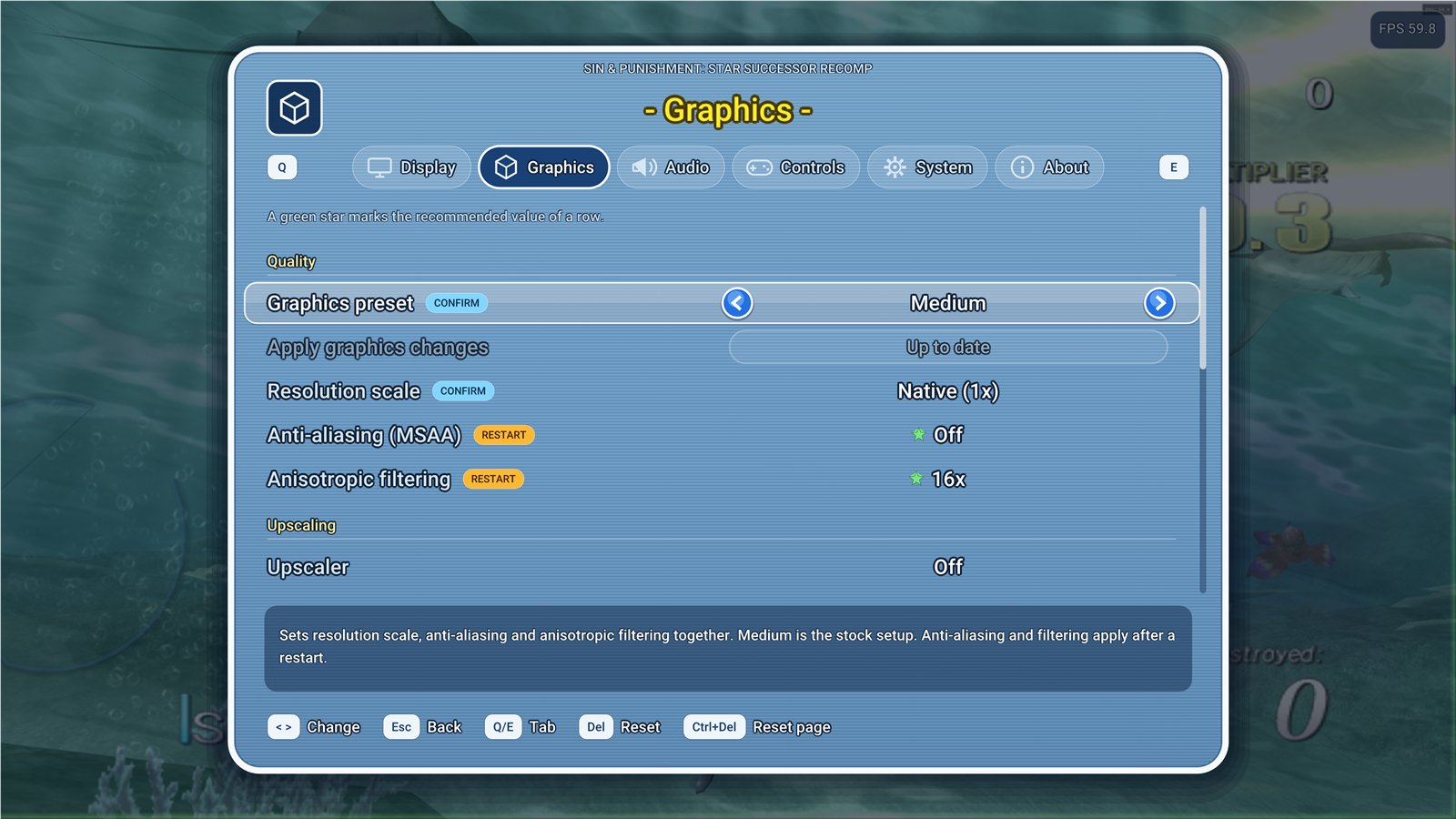 |
Project status
All eight stages have rendered in Windows testing at 1080p, 1440p, and 4K with FSR and DLSS. This coverage includes sampled gameplay and stage transitions. A complete human playthrough, additional physical controller and audio checks, and cross-monitor DPI changes remain open.
See the status notes, remaining work, and completion plan. When reporting an issue, include your build or commit, GPU and graphics backend, stage, resolution, and upscaler settings.
Building from source
The original Wii PowerPC code is translated to C++ ahead of time. The host runtime provides GX graphics, audio, input, DVD access, and NAND storage. You need your own extracted R2VE01 copy, .NET 8 SDK, CMake, Ninja, and a supported 64-bit Clang/LLVM toolchain.
dotnet build translator/Translator.sln -c Release
dotnet test translator

$t = 'translator/src/Translator.Cli/bin/Release/net8.0/Translator.Cli.dll'
dotnet $t emit-native-index --project projects/r2ve01/recomp.yml --out runtime/native-index.json
dotnet $t translate-recursive 0x80006310 --project projects/r2ve01/recomp.yml --threads 12 --output-metadata generated/base_translation_output.json
dotnet $t generate-data-init --project projects/r2ve01/recomp.yml
dotnet $t emit-build-shards --project projects/r2ve01/recomp.yml
powershell -File tools\clean_build.ps1 -Keep
For stage-module generation, validation, and packaging, see Build status and the RecompLauncher audit. Generated translations and local game data stay out of Git.
Credits and license
The runtime and translator originated from WiiCompiled. The port uses Aurora for GX rendering and Dawn for WebGPU. Dolphin serves as a reference for Wii hardware behavior. Thanks to the upstream contributors and the static recompilation community.
AI-assisted coding tools were used during development. The project uses automated tests, guest traces, and gameplay captures to check behavior.
Project source is licensed under the GNU General Public License, version 3. Third-party components retain their own licenses. This is an unofficial fan project and is unaffiliated with Nintendo or Treasure.