Gearhead Garage for Apple Silicon Macs
Gearhead Garage for Apple Silicon Macs is a native port of Snap-on Gearhead Garage for Apple Silicon Macs, translating the game's Windows code to native ARM64 code.
- Type: PC port
- Game: Snap-on Presents Gearhead Garage
- Runs on macOS
- By 007hacky007
- Latest release v0.2.0, 2026-11-13
- Source: https://github.com/007hacky007/gearhead-garage-macos-arm64
README
Gearhead Garage for Apple Silicon Macs
Play Snap-on Gearhead Garage (1999), the virtual car mechanic game, as a native Mac app on any Apple Silicon Mac (M1 or later). No Wine, no Windows, no emulator.
This repository contains no game files. It holds only the Gearhead Garage Builder and its source code. The Builder takes your own copy of the game (a CD image, the CD or an installed game folder) and turns it into a native
Gearhead Garage.appon your Mac. The game's Windows code is translated to native ARM64 code on your computer, and the game's data is copied from your copy into the app.
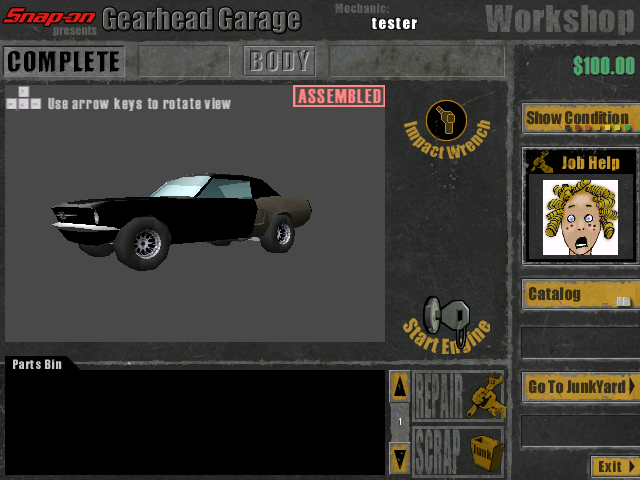 | 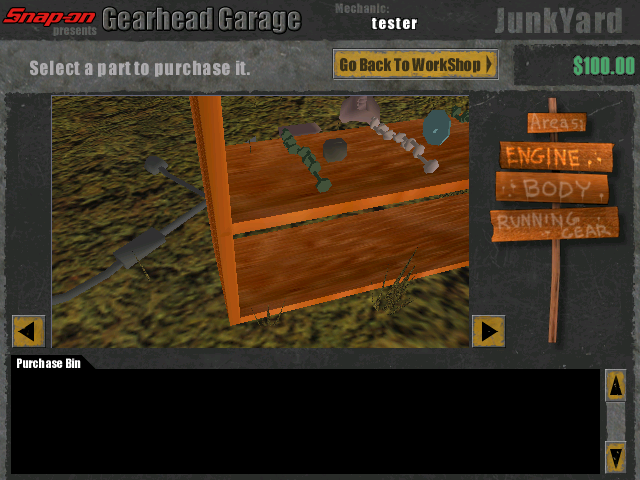 | 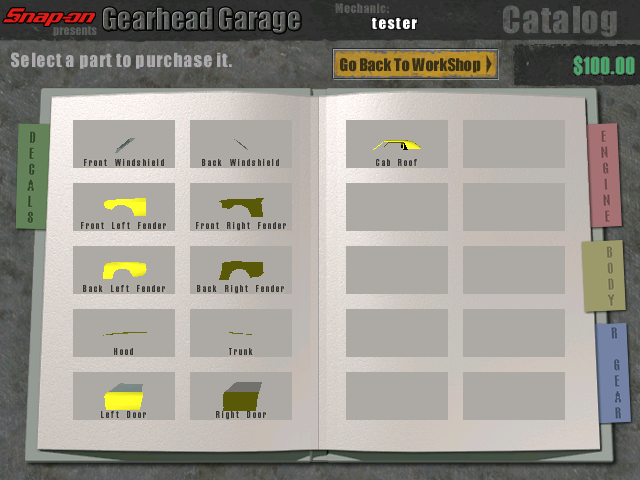 |
| The Workshop, full-color Direct3D drawn with Metal | The JunkYard | The parts Catalog |
How to get it
- Download
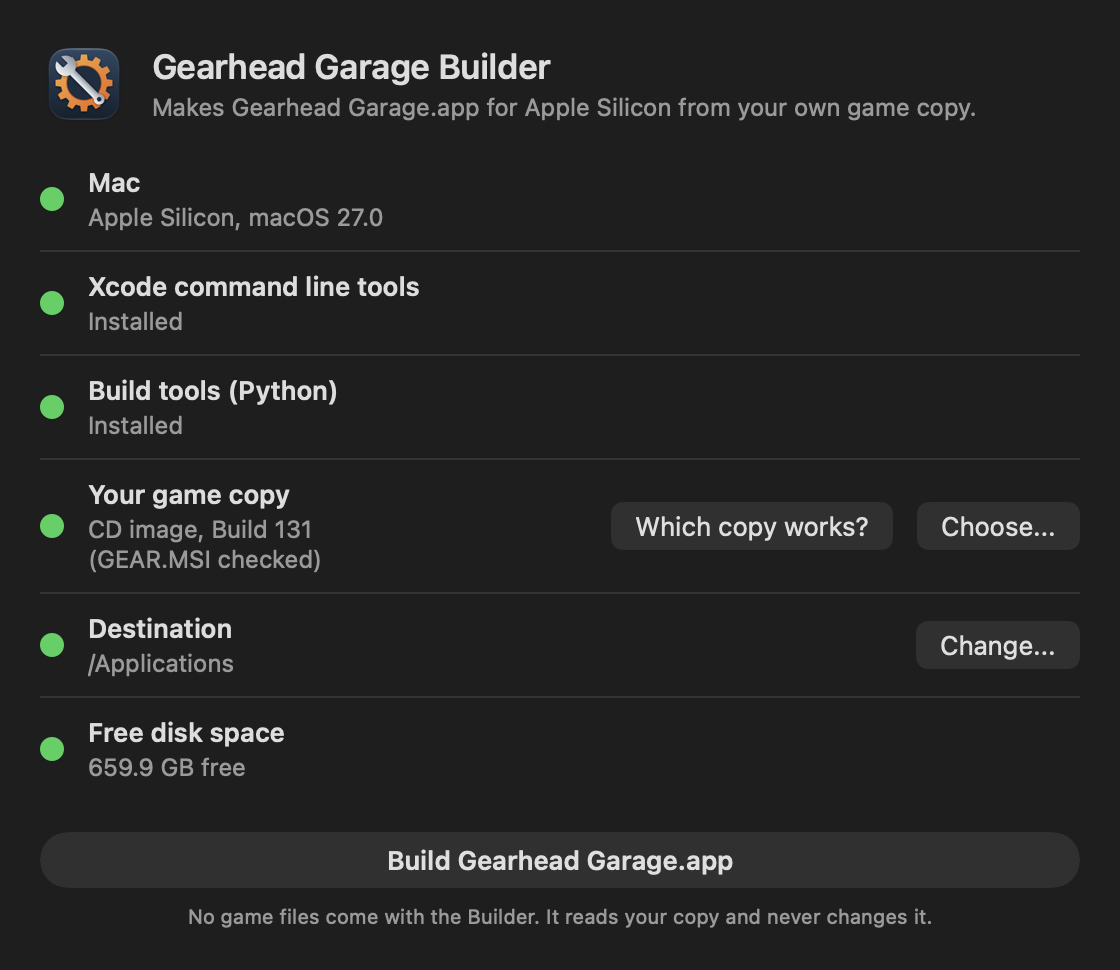
Gearhead-Garage-Builder.dmgfrom the Releases page and open it. - Double-click Gearhead Garage Builder. The first time, macOS blocks it because it is not signed by Apple: click Done, open System Settings > Privacy & Security, scroll down and click Open Anyway. (On macOS 14 or older: right-click the app and choose Open.)
- Fix any red row with its button: Install... for Apple's command line tools, Install for the build tools, Choose... for your game copy (or drop it on the window).
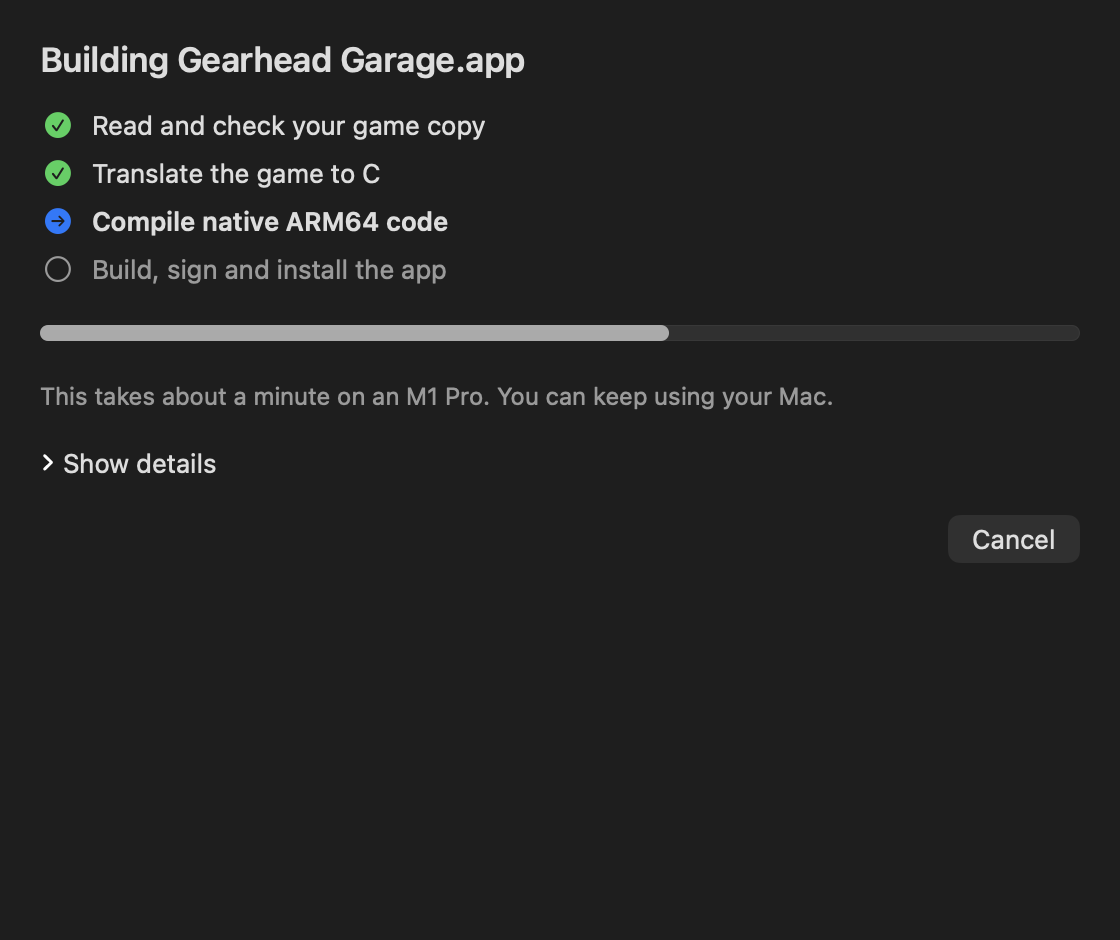
- Click Build Gearhead Garage.app. About a minute later it is in your Applications folder. Click Play.
 |  |
What you need
- A Mac with Apple Silicon (M1 or later) and macOS 11 or newer.
- About 1 GB of free disk space while building. The finished app is about 110 MB.
- An internet connection the first time, for Apple's command line tools and a small private Python (about 30 MB). The Builder never downloads the game.
- Your own copy of the game (see below).
Which copy works
Snap-on Gearhead Garage, Build 131: the Activision Value release, also on the Activision Twin Pack: Snap-On Gear Head Garage & Sprint Car Racing CD. Any of these works:
- a CD image (
.cuewith its.bin,.bin,.imgor.iso) - the CD itself, or a copy of its files
GEAR.MSI, the installer on the CD- the game folder installed on a Windows PC (with
ghg.exe)
The Builder checks your copy as soon as you choose it, by the SHA-256 checksum of the installer (GEAR.MSI, 8df931e8...) or of the game program (ghg.exe, f9d797d5...), and checks all 122 game files again before building. Your copy is only read, never changed. Other releases, such as the original 1999 retail CD, are not supported yet.
Playing
The app opens a small launcher first: choose Direct3D (full color) or Software (256 colors), fullscreen and sound, then click Play. The Mac pointer moves the game's glove pointer, the arrow keys turn the car in the Workshop, and Control-Command-F switches fullscreen.
Your mechanics and snapshots are saved in ~/Library/Application Support/Gearhead Garage, outside the app, so building a new app keeps them. The app carries the whole game, so you can move it anywhere. Keep it to yourself: it contains the game from your copy.
To update, click Update in the launcher when it says a new version is available (it checks GitHub's latest release when it opens, or use Check for Updates... in its menu). It downloads the new Builder, which builds the new app from the game inside your current one and opens it. You can also open a newer Builder yourself: it finds your Gearhead Garage.app the same way.
Status
Tested so far: creating a mechanic, taking a job, the 3D Workshop, tools and parts, the Catalog, the JunkYard, sound and music, windowed and fullscreen play. A full job from start to finish, the Car Lot and the Auction have not been played through yet. The game's e-mail and online update features are not supported. Please report problems in the Issues, with the log from the launcher's Open Logs button.
For developers
You can also build from Terminal with ./build.sh /path/to/your/disc.cue. How the translation works, the full list of checked files, the development tools and the release process are in docs/TECHNICAL.md.
Legal
This project is not affiliated with Snap-on, Activision or the game's developers; their names and trademarks belong to their owners. The repository holds no game code, data or assets. The screenshots above were taken from the port running on a Mac. Third-party source licenses are in third_party/.