Soulcalibur II Recomp
Soulcalibur II Recomp is an unofficial native port of Soulcalibur II for Windows, Linux, and macOS that includes all three console exclusives and adds online play, a training mode, and a free camera.
- Type: PC port
- Game: Soulcalibur II
- Runs on Windows, Linux and macOS
- By tmcleroy
- Latest release v0.1.0-beta.2, 2026-11-02
- Source: https://github.com/tmcleroy/soulcalibur2-recomp
README
Soulcalibur II Recomp

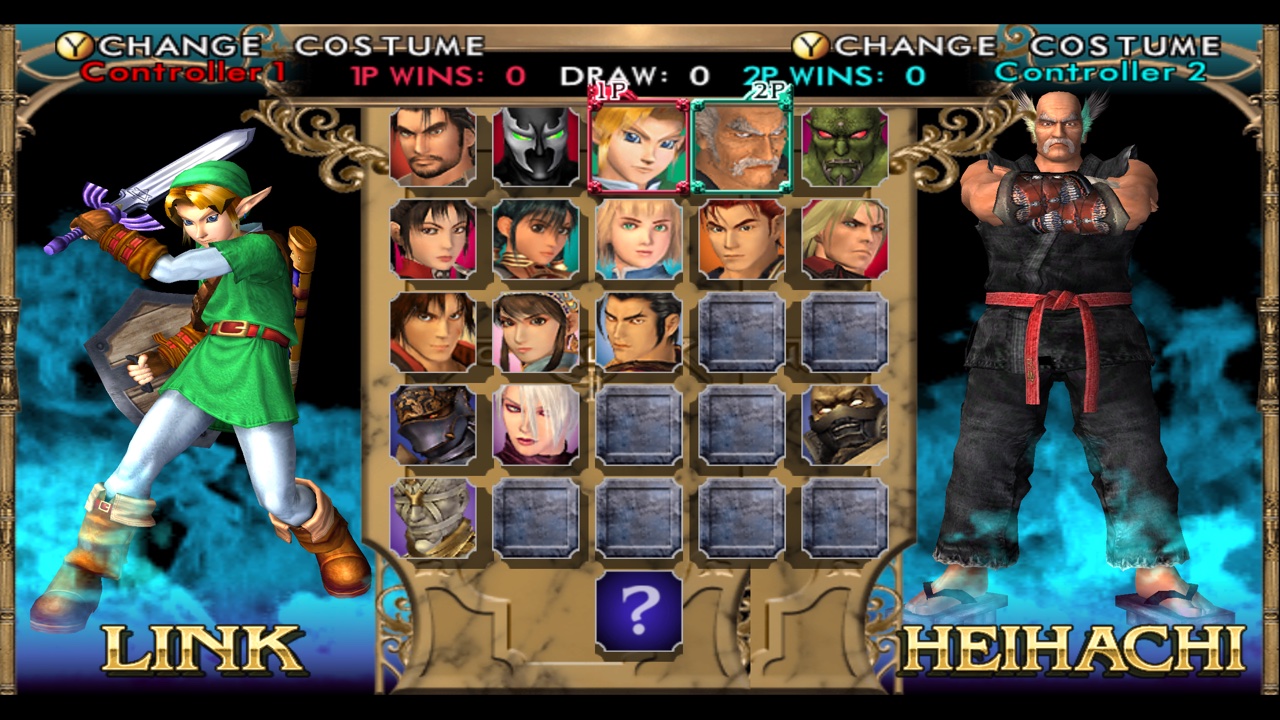
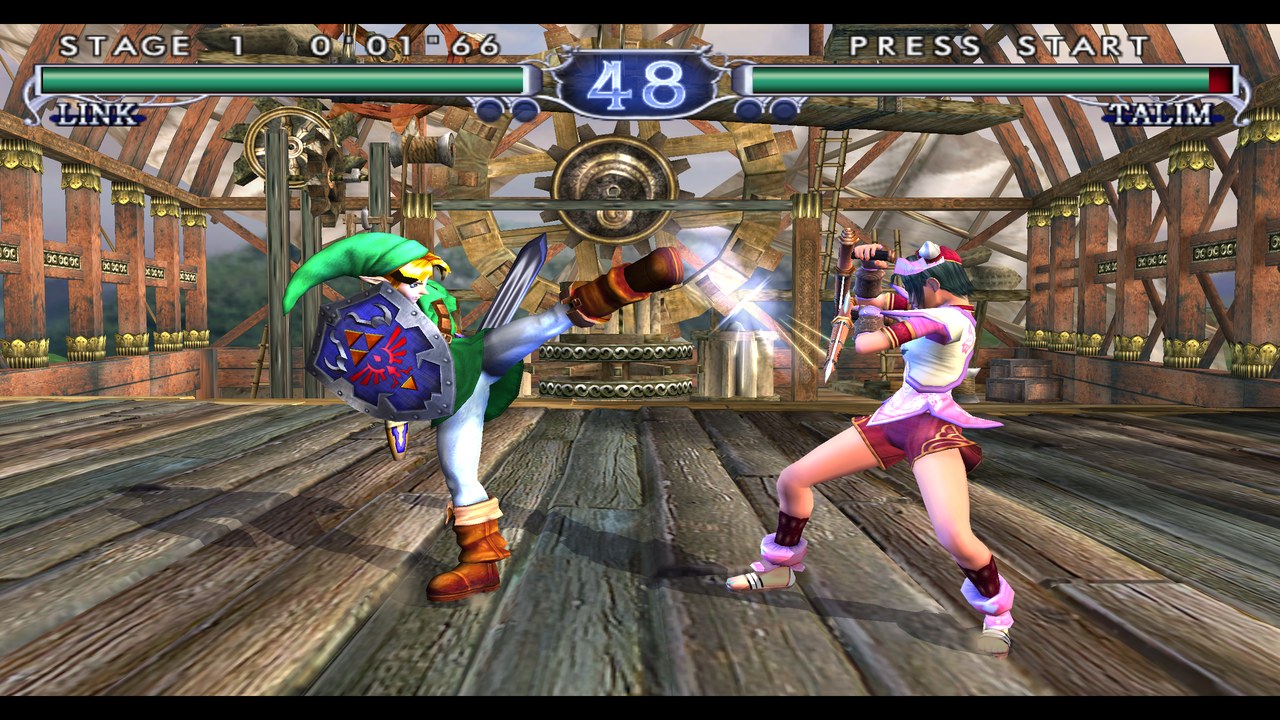
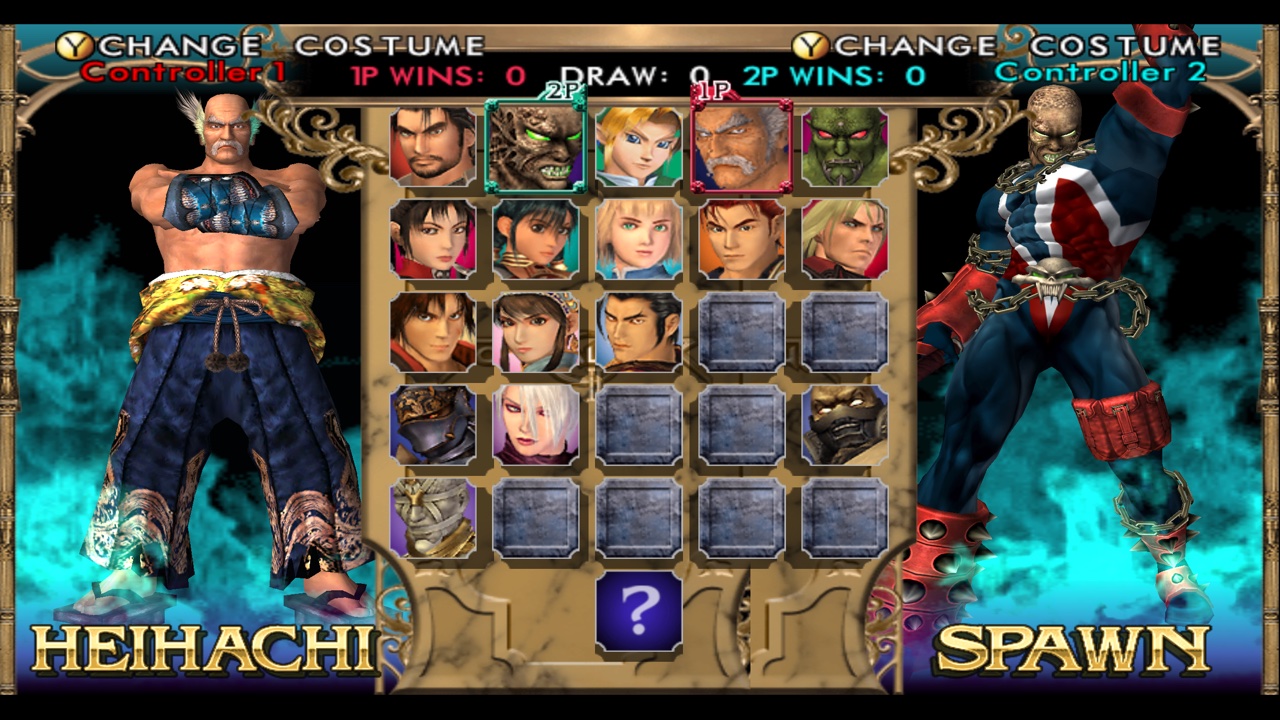
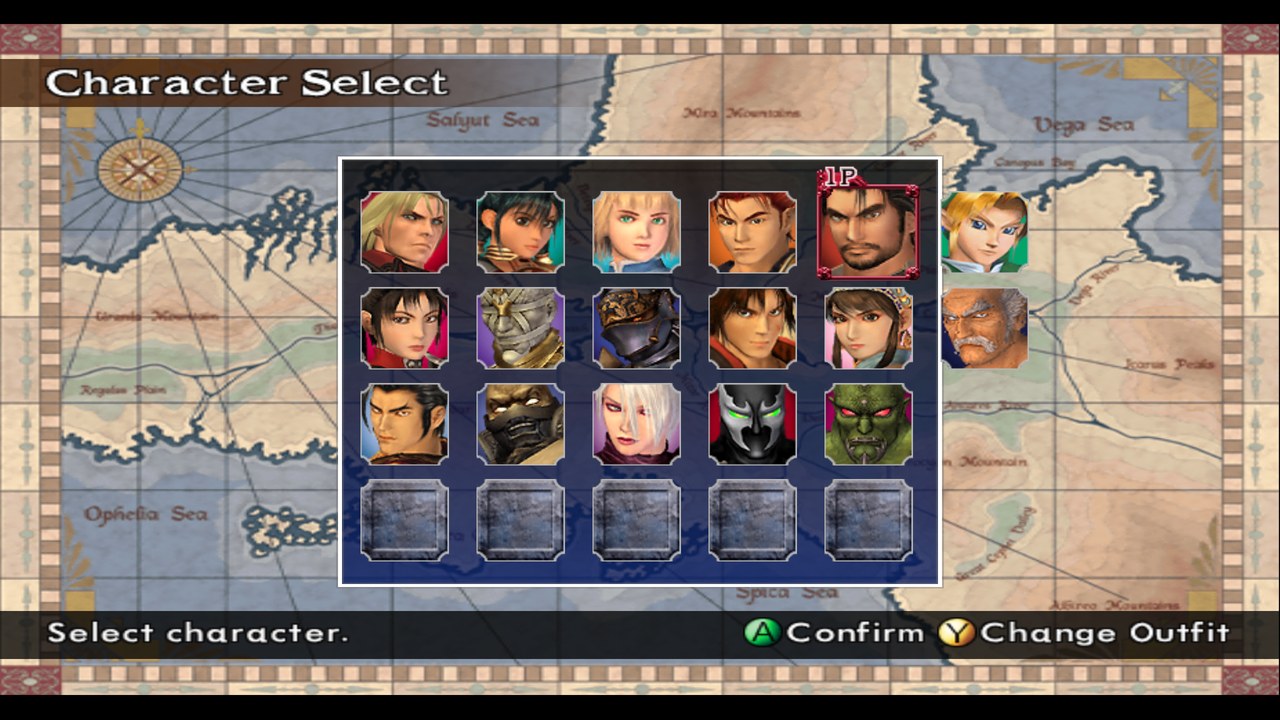
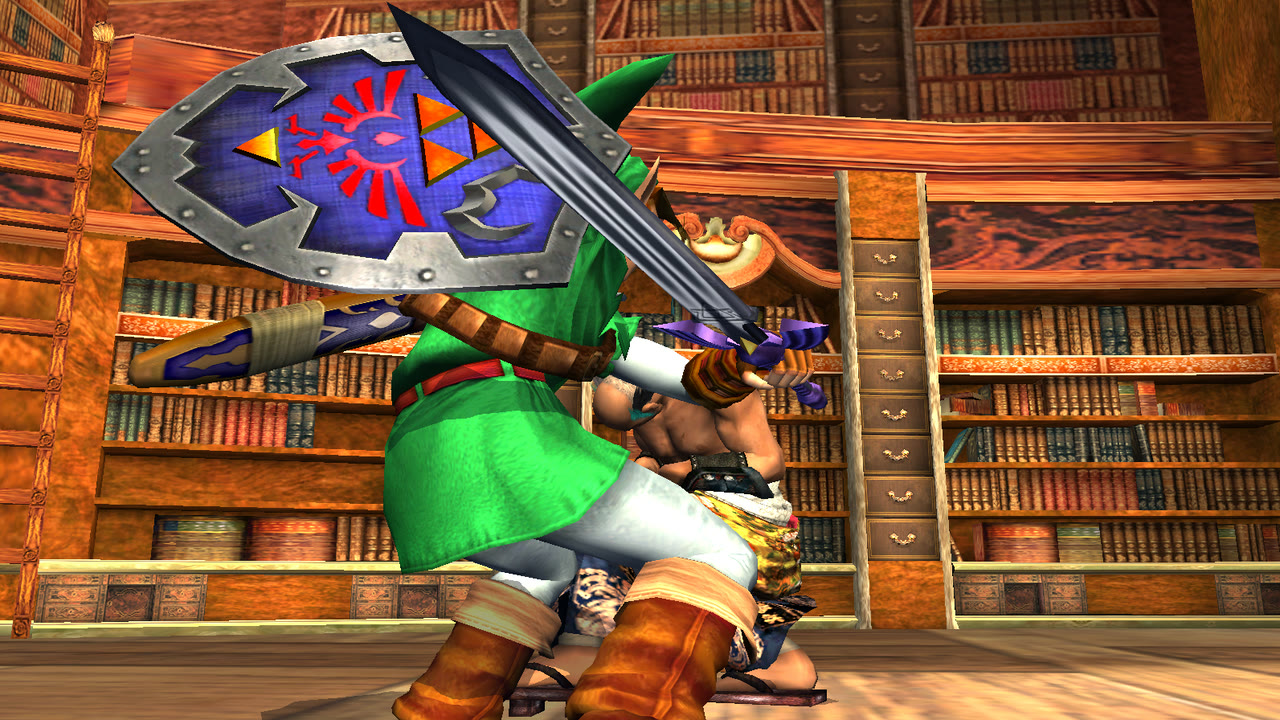
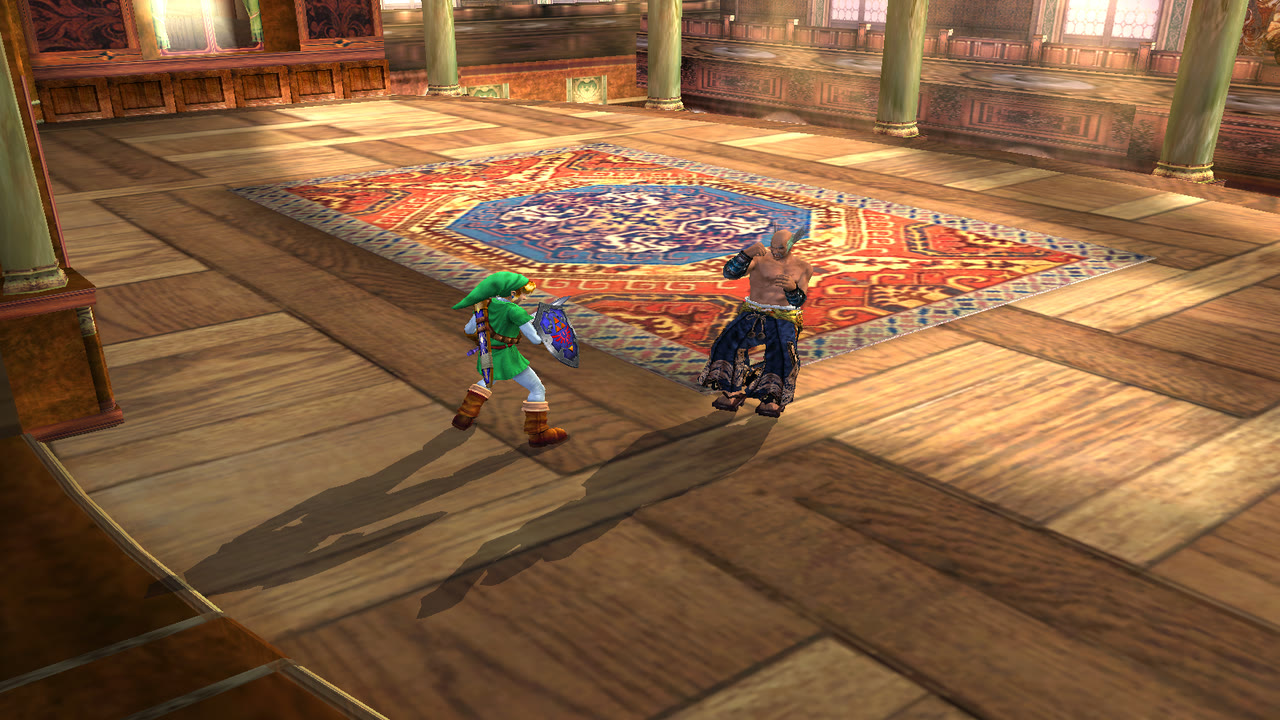
All three console exclusives in one game: Spawn, Link and Heihachi. Soulcalibur II came out on the Xbox with Spawn, on the GameCube with Link and on the PlayStation 2 with Heihachi, and none of those releases had more than one of them. This port has all three on the same select screen, in every mode, against each other.
An unofficial native port of Soulcalibur II (Xbox) for macOS, Linux (Steam Deck and Steam Machine included), Windows and Android. It is a static recompilation of the Xbox game: its program is translated ahead of time into C and runs on a native runtime, with no emulator. It adds a training mode, online play with rollback, a free camera with a pause, widescreen, higher resolutions and shaders.
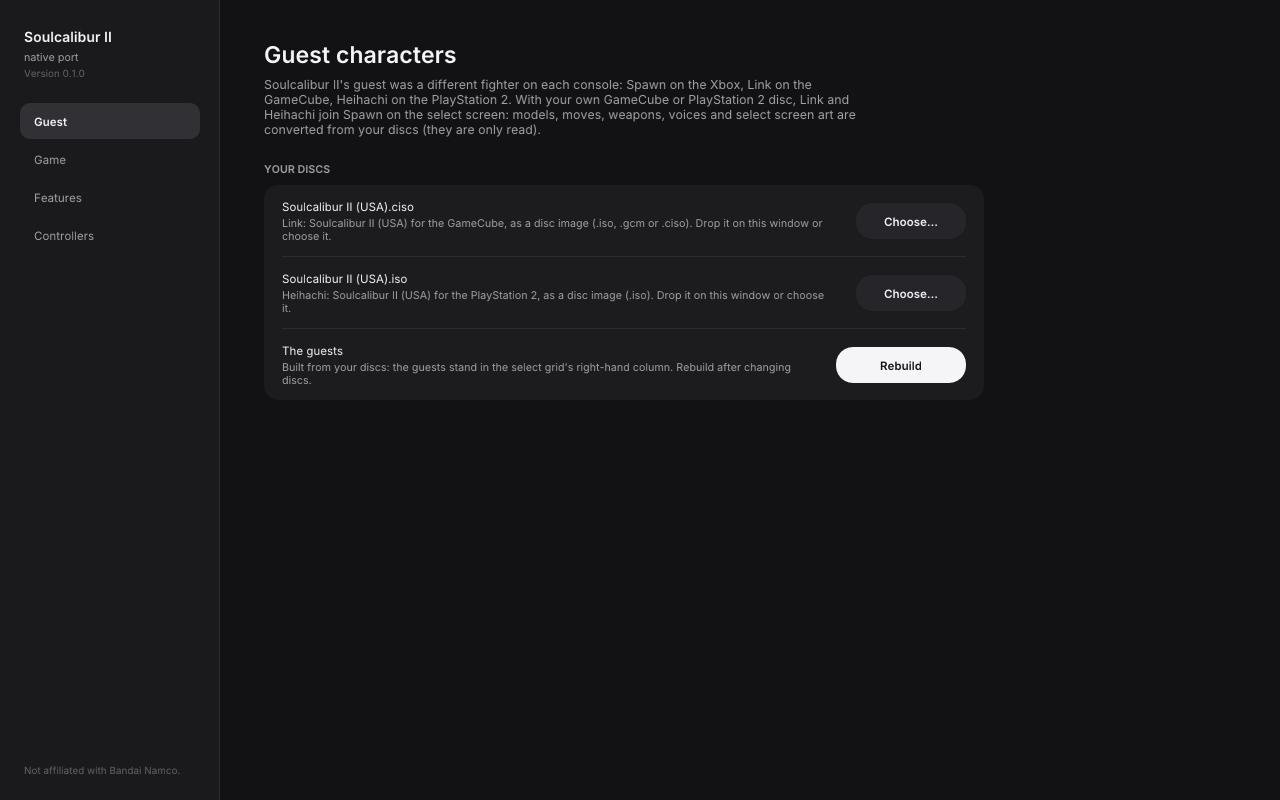
No game files are included. Your own Soulcalibur II (USA) Xbox disc image is the only one you need to play. Link and Heihachi are optional: give the launcher your own GameCube disc, PlayStation 2 disc, or both, to add them. This project cannot help you get any of them.
 |  |
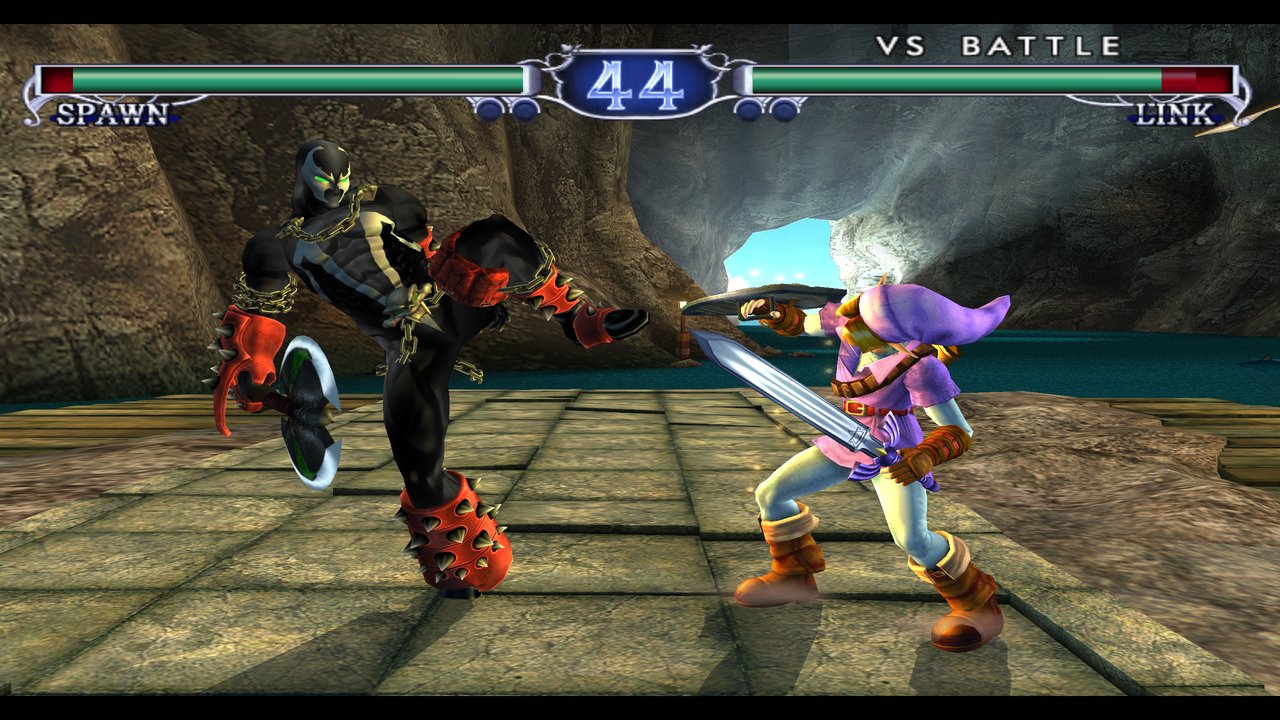 |  |
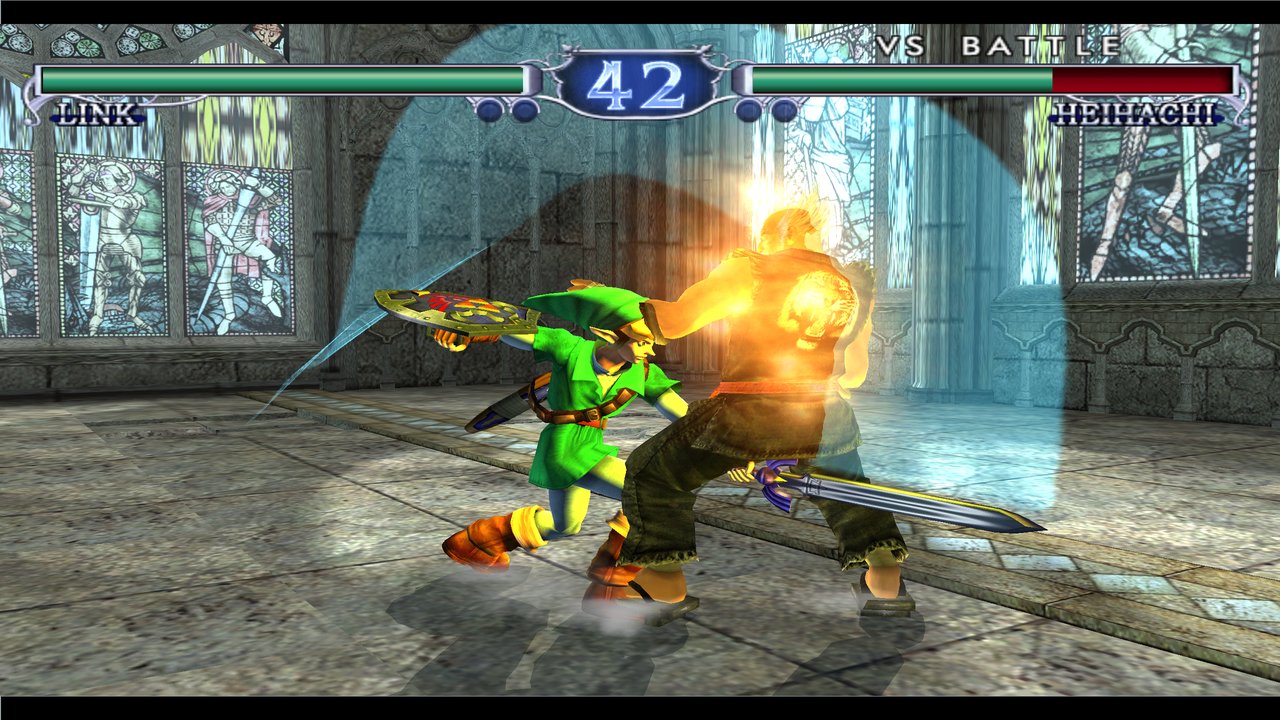
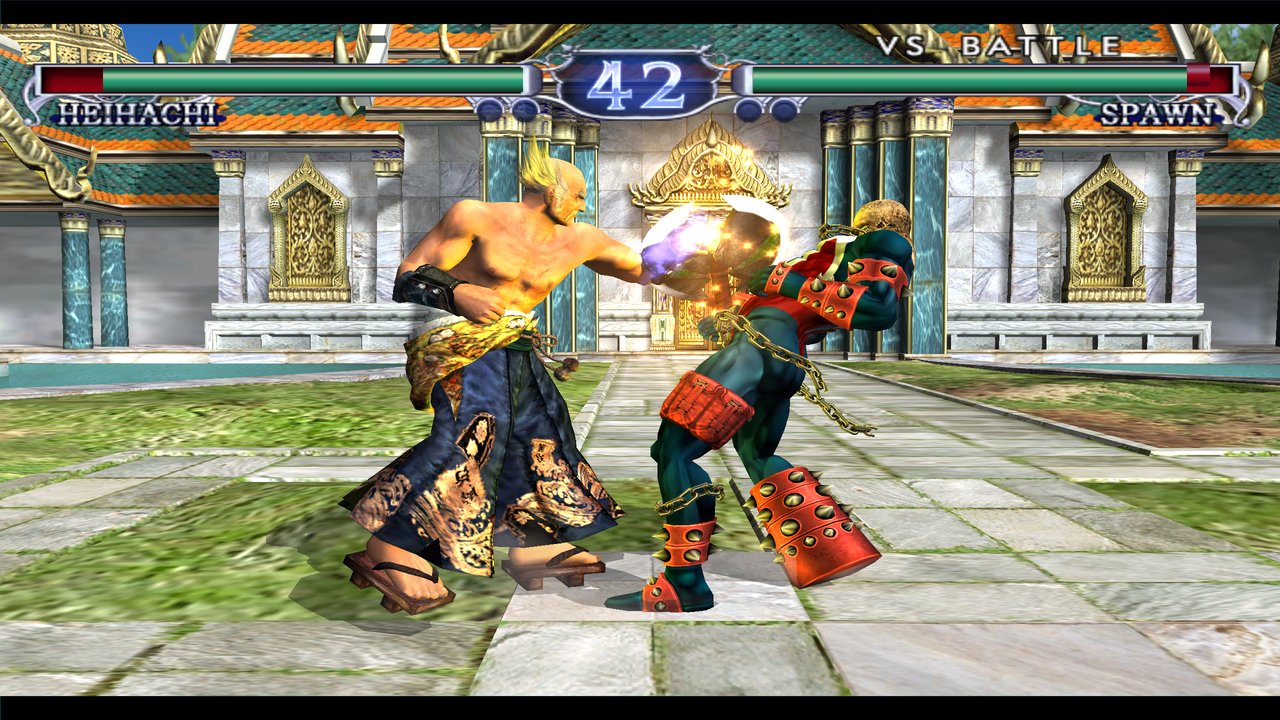
Spawn, Link and Heihachi together
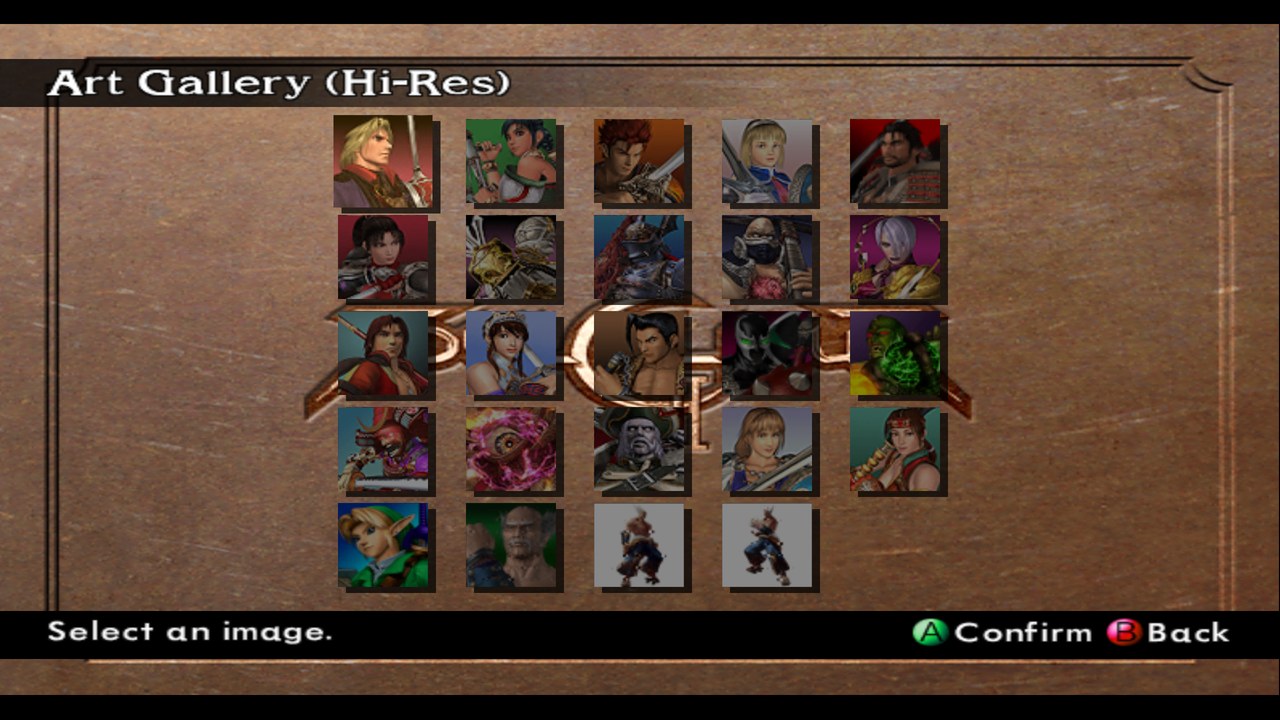
The Xbox game has Spawn. Link and Heihachi are converted on your machine from your GameCube and PlayStation 2 discs (models, moves, weapons, voices, select-screen art and endings) and stand beside him: in Arcade, VS, the Extra modes, Weapon Master, and the Museum's profiles, theaters and Art Gallery.
|  |
 |  |
Training
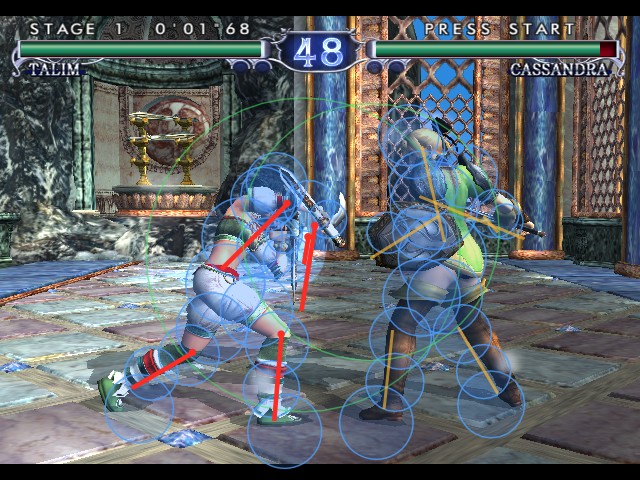
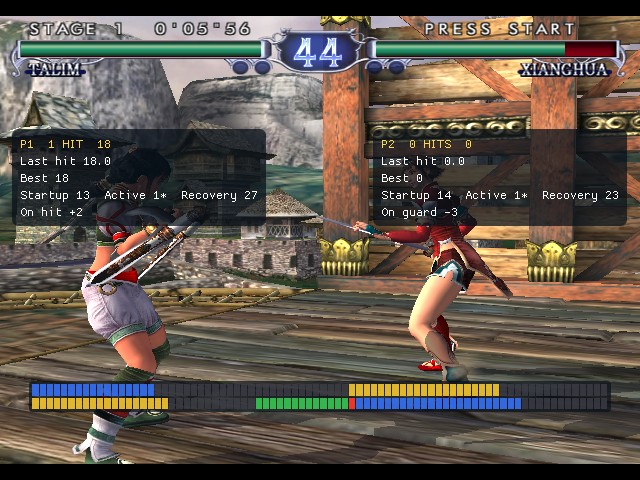
Hit boxes (the game's own collision shapes: where each fighter can be hit, and its weapon and limbs, red while an attack is live), frame data (startup, active, recovery, advantage on hit or guard) with a frame meter, an input display and a combo readout down each fighter's side, start over (the round as it began, one key), a dummy that records and replays what you show it (in Practice or VS Battle), health refill and infinite time; with save states, pause and frame advance, and slow motion from the in-game menu. See docs/PLAYING.md.
 |  |
Online play
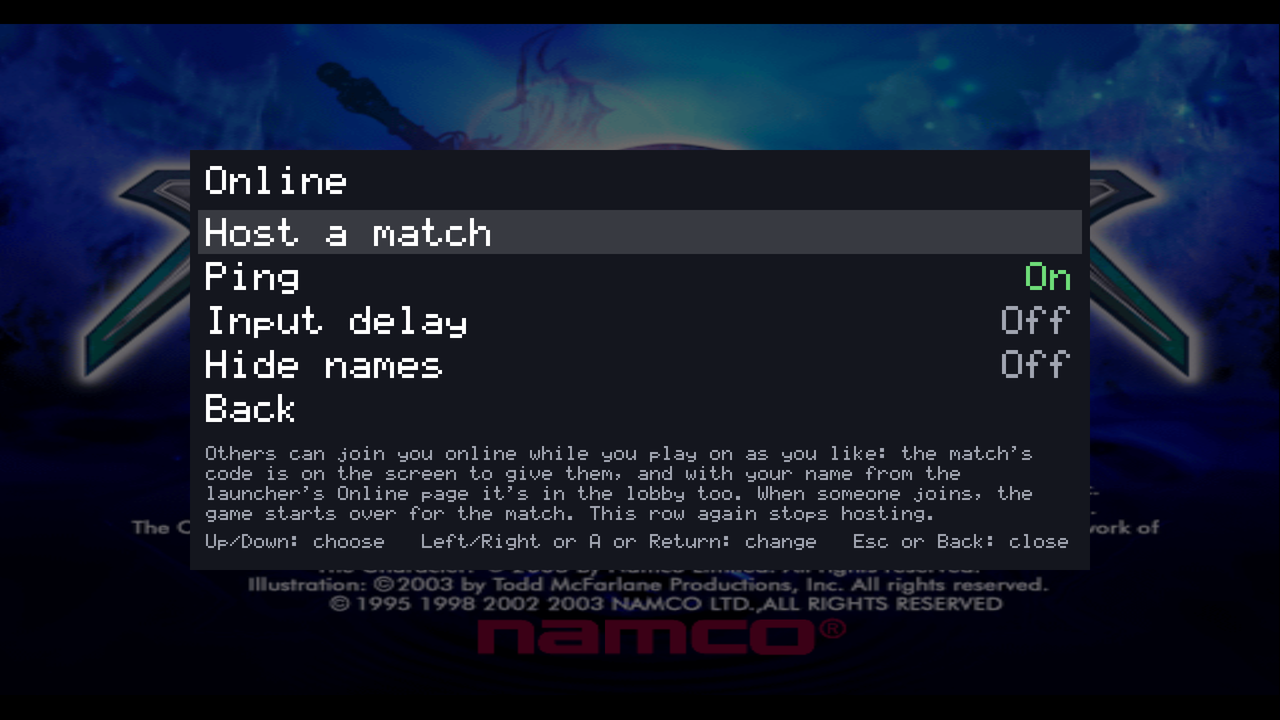
Two players, each on their own machine. Host from the launcher or from the in-game menu while you play, and give the other player the match's code (or find each other in the lobby, or invite them from the launcher's waiting room); join with the code. Fights use rollback; the menus wait for both players. During a match: both players' names, the ping, and a chat (T). A dropped connection waits for the other player to come back with the same code. See docs/online.md.
Free camera and photo mode
Switched on in the launcher: ` (backquote) or a click of the right stick takes the game's camera and flies it, in fights and menus. P (or Start while flying) pauses the fight while the camera goes on flying; . (or White) steps a frame; H (or Black) hides the life bars and timer; F12 saves a screenshot.
 |  |
And
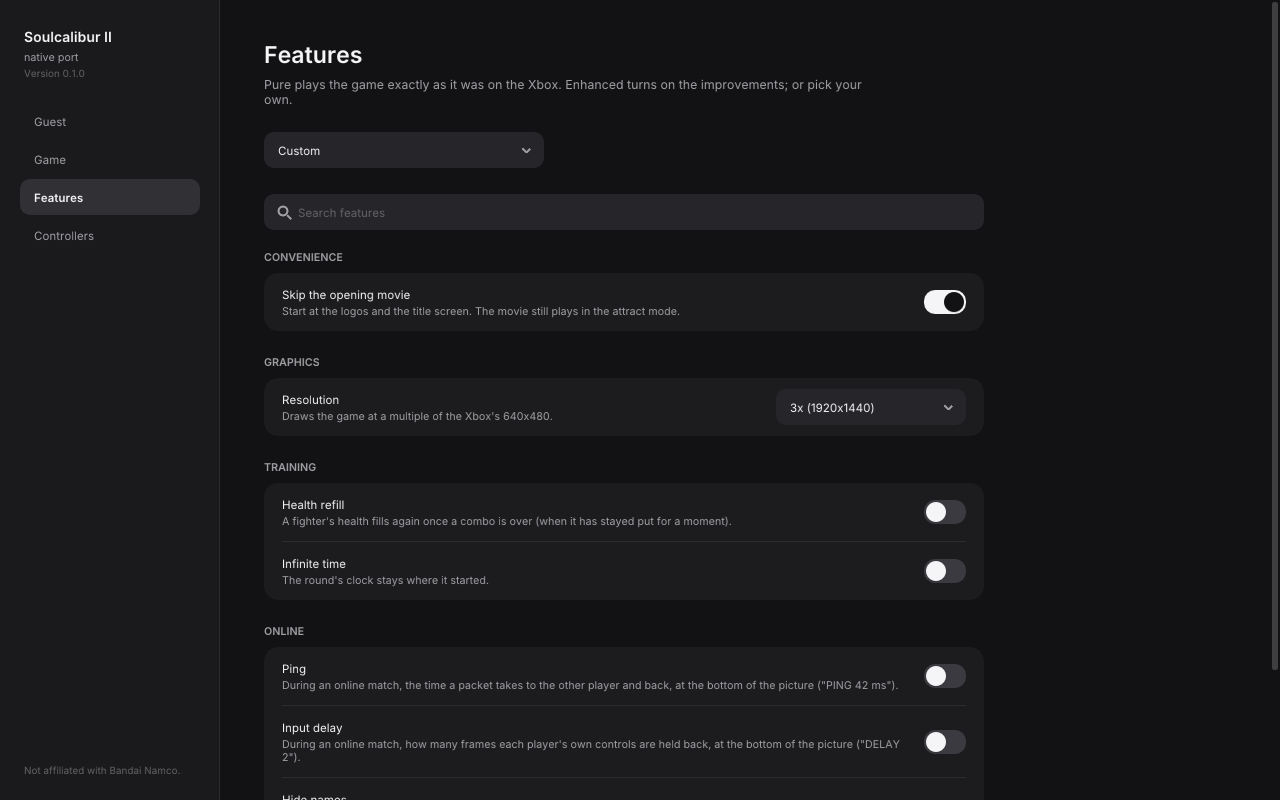
- Widescreen (the game's own 16:9 mode) and resolutions up to 4x (2560x1920).
- Shaders: RetroArch's CRT and scanline shaders (CRT Royale, CRT Guest, CRT Lottes and more) at the Xbox's 480 lines, or your own preset.
- An endless battle: in any fight, the game plays both fighters for as long as you like (touch the controls to take one over).
- An in-game menu (Esc, F1 or a gamepad's Back): save states, speed, training, cheats (no damage, one-hit knockouts, everything unlocked), online, sound, quit.
- Android: the launcher and the game in one app for 64-bit phones and tablets (Android 10 or later, Vulkan), with touch controls (a stick, the four attack buttons, Start and the menu) beside any gamepad.
- A launcher that checks your disc, builds the guests, sets features and both players' keys and buttons, hosts and joins online matches, and keeps itself up to date.
 |  |
Getting started
- Run the launcher (
Soulcalibur II Recomp.app,soulcalibur2-launcheron Linux,soulcalibur2-launcher.exeon Windows, the app on Android: installSoulcalibur2Recomp-android.apk). - On its Game page choose your Soulcalibur II (USA) Xbox disc image (
.iso), or theDefault.xbeamong the disc's files. It is checked, and only ever read (on Android it is copied into the app's folder first). The check is of the disc'sDefault.xbe(image hashes differ with the dumping tool): SHA-256d7c2e1fc993350821e3f7e13cfd1c9d4ba6a7bf91011005bdd1f843899efb730as on the disc, or7ce12851850ab46766f77c612b251afe7c8bd81f879e11b4836bdf766be542c6with extract-xiso's media patch. - For the guests, choose your GameCube and/or PlayStation 2 disc on the Guest page; the launcher builds them once (a few minutes).
- Press Play.
How to play, the controls and every page and menu are in docs/PLAYING.md. Settings and saves stay
in your user folder (~/Library/Application Support/Soulcalibur II on macOS, ~/.local/share/Soulcalibur II on
Linux), not beside the game's files.
Status: Arcade, VS, Weapon Master, the Extra modes, the Museum and online play work, tested mostly on macOS; the Linux build runs on a Steam Machine. Windows builds but is untested. Android runs in the emulator, not yet tried on a phone.
Building (macOS)
git submodule update --init --recursive
brew install sdl3 shaderc spirv-cross ninja cmake
python3 -m venv private/venv && private/venv/bin/pip install capstone==5.0.7
# put your disc's files in private/disc/ (Default.xbe, root.olk, movie.afs, bgm.afs)
private/venv/bin/python tools/build_game.py all
private/venv/bin/python tools/build_game.py app   # build/Soulcalibur II Recomp.app
Linux and Windows builds: tools/release/linux.sh and tools/release/windows.sh (in Docker); Android:
tools/release/android.sh (the Android SDK and NDK; see the script). Generated code and
everything taken from the disc stay in private/, which git ignores. How the port works is in docs.
Credits
The runtime is NoRain211's DOA runtime (doa3-re, doaxvb-re, doa2u-re); the lifter is sp00nznet's xboxrecomp, in NoRain211's fork. XDK library functions are found with Cxbx-Reloaded's XbSymbolDatabase signatures. The x87 math the game's code uses (sin, cos, atan2, log2, expm1) is musl's (MIT, runtime/x87_math/COPYRIGHT), so it is the same on every system.
Not affiliated with Bandai Namco, Nintendo or Todd McFarlane Productions. Everything else this project uses or ships, with its license, is in THIRD_PARTY_NOTICES.md.
Contributing
Bug reports and pull requests are welcome: see CONTRIBUTING.md first (above all: nothing from the games goes in the repository or in issues).
License
GPL-3.0-or-later.