Star Wars Renegade Squadron Recomp
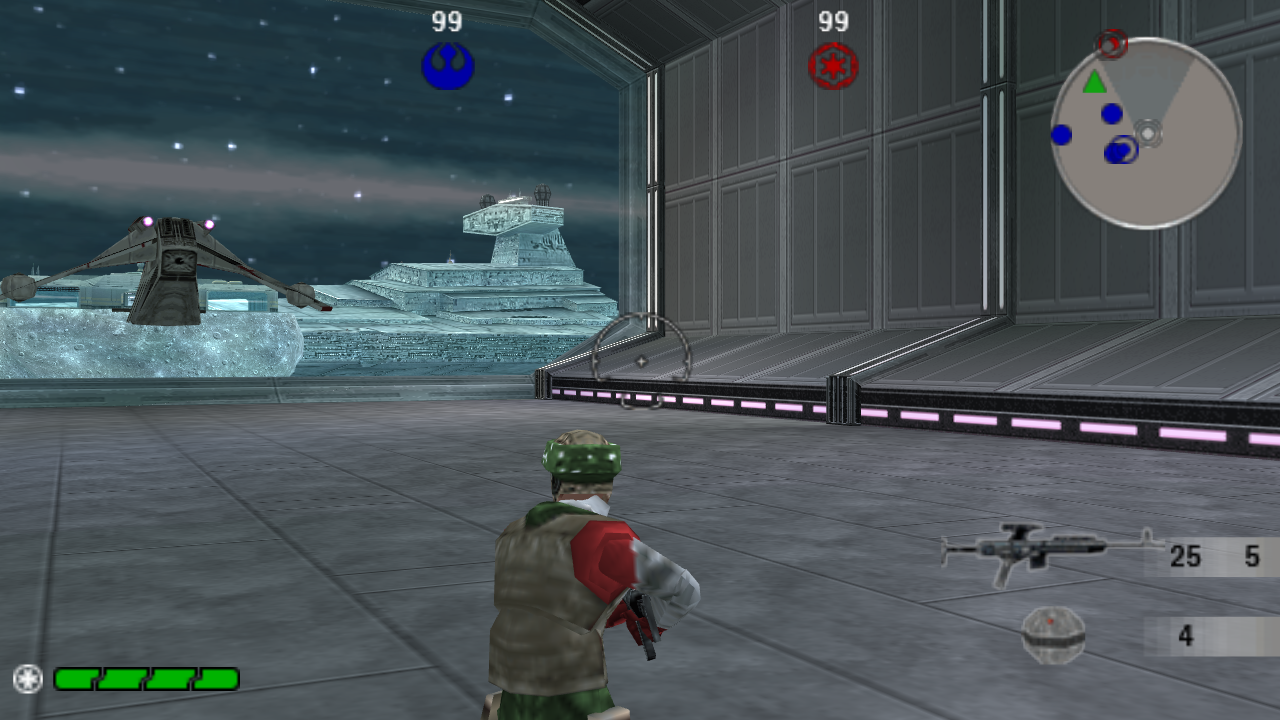
Star Wars Renegade Squadron - PC is a native Windows port of the PSP game Star Wars Battlefront: Renegade Squadron, featuring Vulkan or DirectX 12 rendering and raised frame rates.
- Type: PC port
- Game: Star Wars Battlefront: Renegade Squadron
- Runs on Windows and Linux
- By GTTeancum
- Latest release v0.9.1, 2026-10-28
- Source: https://github.com/GTTeancum/StarWars-RenegadeSquadron-PC
README
Star Wars Battlefront: Renegade Squadron — PC
A native Windows port of the PSP game Star Wars Battlefront: Renegade Squadron (ULUS10292), made by static recompilation: the game's PSP program is translated into C++ and compiled into a regular Windows executable. There is no emulator. A native host layer replaces the PSP system services, and the game uses a native Vulkan renderer by default. DirectX 12 remains selectable.
The game's disc data is not included. You need your own copy of the game.
Download
Windows builds are on the Releases page.
Extract the zip and put your US disc ISO (ULUS10292) beside RenegadeSquadron.exe.
The first launch extracts it automatically. Alternatively, put an already extracted PSP_GAME
folder in data. Run RenegadeSquadron.exe. The optional HD texture pack remains on the 0.9b release;
extract it into mods\textures.
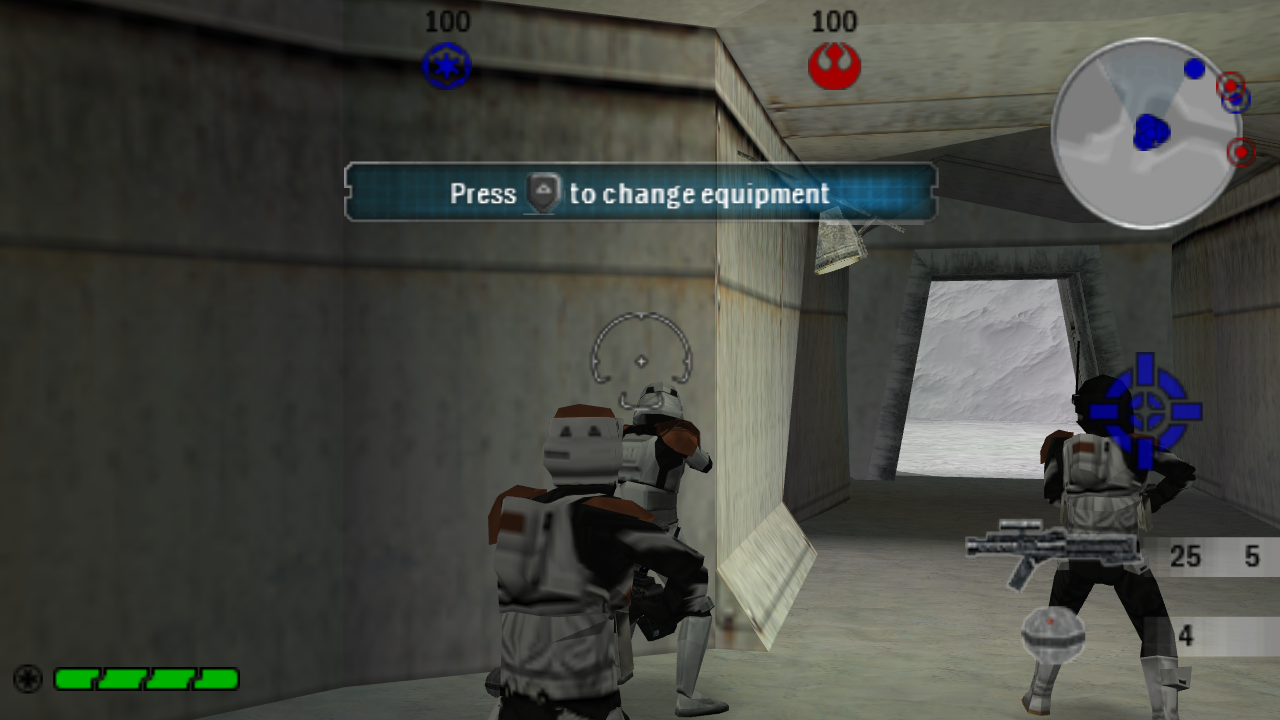
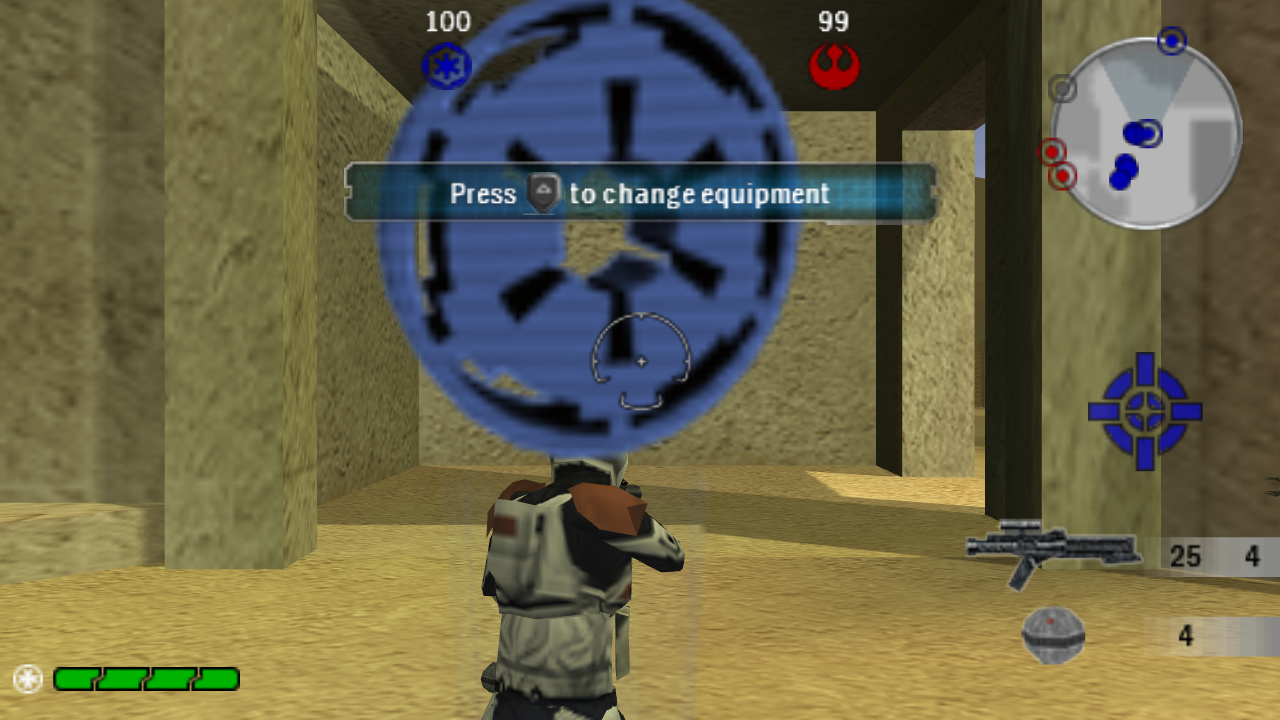 | 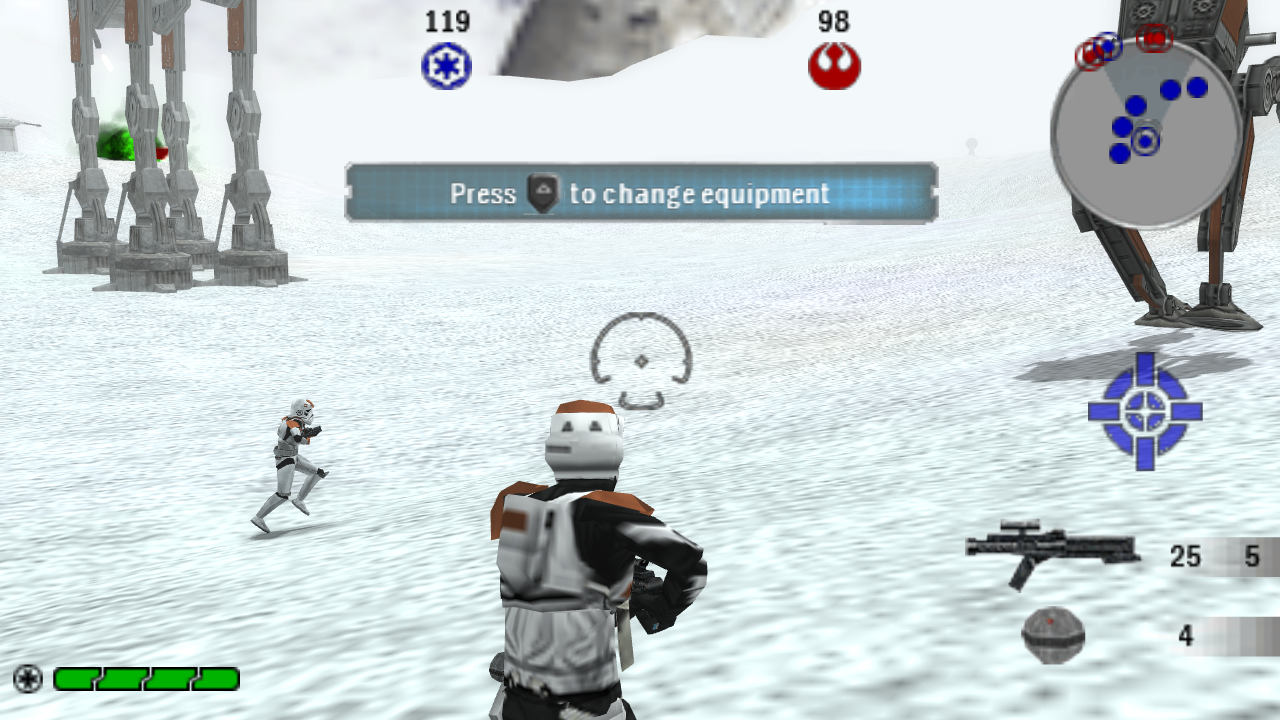 |
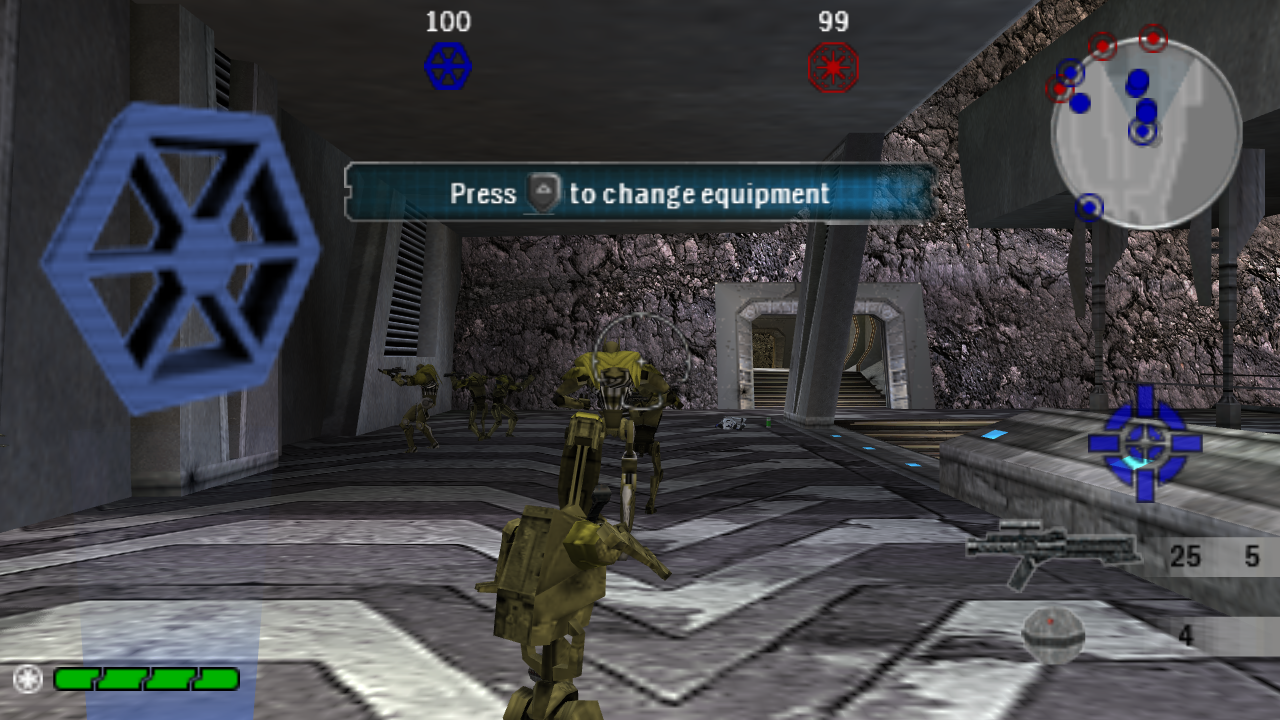 |  |
Status
Playable, with known issues.
- Boots through the menus into ground and space battles. Captures from recorded play cover 11 maps, including space battles.
- Historical DirectX 12 measurement: runs at about 58 frames per second at 1280×720 on a Ryzen 7 8745HS with Radeon 780M graphics.
- Native Vulkan rendering by default, with 4× MSAA where supported; DirectX 12 remains selectable.
- Game frame rate raised from the PSP's 20 fps to 60 fps.
- The original DirectX 12 path supports per-pixel lighting, sun shadows and bloom. The initial Vulkan path uses original GE vertex lighting; enhanced normal maps, sun shadows and bloom are not yet implemented.
- Texture replacement packs, including normal maps (see OVERRIDES.md and PC-MODE.md).
- Modern twin-stick controls with Xbox/XInput controllers (see MODERN-CONTROLS.md).
- Text entry (profile names) uses the PC keyboard in place of the PSP on-screen keyboard.
Known issues:
- Frame-to-frame timing is slightly uneven around 60 fps.
- The PC message and text-entry overlays are drawn by the host in the game's menu fonts; they approximate the front end's look rather than being real menu pages.
Requirements
- Windows 10 or 11, 64-bit, with a Vulkan 1.1-capable graphics driver (or DirectX 12 when explicitly selected).
- Your own copy of the game: the US release, ULUS10292. The build checks
BOOT.BINagainst SHA-256f4c7a9ef93475fc8017f649346ef79b599649dc47462ec419e9fd373146f8c68. - Visual Studio 2022 Community with the C++ workload (MSVC 14.44), installed at the default location.
- CMake 3.20 or newer, Ninja, and Python 3.10 or newer, on
PATH. - PowerShell 7 (
pwsh) for the dependency script.
Building
All commands run from the repository root.
-
Extract the game. Extract the ISO with 7-Zip or similar so that
work\game\disc\PSP_GAME\exists (work\game\disc\PSP_GAME\SYSDIR\BOOT.BINandwork\game\disc\PSP_GAME\USRDIR\). -
Fetch SDL2 and FFmpeg. The script downloads pinned releases, checks their SHA-256 hashes and lays them out in
work\windows-sdk:pwsh work\restore-windows-dependencies.ps1
pwsh work\restore-vulkan-dependencies.ps1
3. **Generate the translated game code** from your own `BOOT.BIN`. This builds the recompiler and writes
the C++ translation to `work\project\source\profiles\renegade\generated` (it is not distributed):
work\generate-perf.cmd
4. **Configure and build** the game. The first build compiles about 400 large translated files and can
take an hour or more; later builds are incremental.
work\configure-perf.cmd work\build-perf.cmd 8 RenegadeNative
The number is how many files compile in parallel. Each one can use more than a gigabyte of memory;
lower it on machines with less than 32 GB.

For a first test build with less compiler memory/time spent on automatic inlining:

```bat
work\configure-perf.cmd "-DRENEGADE_AOT_MSVC_OPT=/O2;/Ob0"
work\build-perf.cmd 2 RenegadeSquadron RenegadeNative
This retains optimization but disables automatic inlining in translated game code; performance is not equivalent to the original full-inlining build. Renderer sources remain optimized.
Native renderer tests require no game files: work\test-vulkan.cmd. See Vulkan implementation and validation.
Running
Play-RenegadeSquadronPC.cmd
The launcher checks the game files, sets up controller handling and starts the game in PC mode.
The build also produces work\build-perf\bin\RenegadeSquadron.exe (build target RenegadeSquadron), the
same game without a console window. Started with no arguments, it uses an installed layout: the runtime
DLLs and RenegadeSquadron.ini beside it, the extracted disc in data\ (data\PSP_GAME\...), optional
replacement textures in mods\textures\, menu/text overrides in mods\files\, and saves in SAVEDATA\.
The settings file holds the PC-mode options (window size, fullscreen, frame rate cap, lighting, shadows,
bloom, fog, textures, volume, controller); the same options are in the game's Options menu (Video Options,
Controls > Gamepad & Mouse) and the main menu has Quit Game. Keyboard and mouse play works alongside the
controller (WASD, mouse look, Esc pauses; keys in the settings file's [Keyboard] section), and the menus
take the mouse (hover, click, right-click back, wheel, slider drag, list rows, number arrows), including the
Instant Action playlist. View centering (the PSP camera re-levelling the view) is off by default and can be turned
on in the Gamepad & Mouse page; button prompts show Xbox controller buttons.
Options are documented in PC-MODE.md, for example:
powershell -File Play-RenegadeSquadronPC.ps1 -NoShadows -NoBloom
powershell -File Play-RenegadeSquadronPC.ps1 -Renderer Software
Repository layout
Play-RenegadeSquadronPC.*   Launcher
work\project\source\        Recompiler framework, host layer and game profile (profiles\renegade)
work\project\tools\         Replay runner and helper scripts
work\*.cmd, work\*.ps1      Build and dependency scripts
docs\screenshots\           README images
Credits
- Star Wars Battlefront: Renegade Squadron was developed by Rebellion and published by LucasArts. Star Wars and all related names are trademarks of Lucasfilm Ltd. This project is not affiliated with or endorsed by Lucasfilm, LucasArts, Disney or Rebellion.
- The game runs on Rebellion's Asura engine. Rebellion's Asura source was used as a reference for the PC rendering features; none of it is included here.
- Built on PSPRecomp, an MIT-licensed static recompilation framework for PSP software
(© PSPRecomp contributors; see
work/project/source/LICENSE). - Recompilation and port: GTTeancum, with OpenAI Codex (initial recompilation) and Anthropic Claude (performance and rendering work).
- SDL2 (zlib license) for windowing, input and audio.
- FFmpeg (LGPL build) for video and image decoding.
License
The framework and port code are MIT licensed (work/project/source/LICENSE). Third-party components
keep their own licenses. Game data and executables are not part of this repository and remain the
property of their owners.