Racer Revenge PC
Racer Revenge PC is a Windows port of Star Wars: Racer Revenge that uses original game data and supports higher resolutions.
- Type: PC port
- Game: Star Wars: Racer Revenge
- Runs on Windows
- By GTTeancum
- Latest release v0.9.0, 2026-11-24
- Source: https://github.com/GTTeancum/RacerRevengePC
README
Racer Revenge PC
A native Windows PC port of Star Wars: Racer Revenge, reconstructed from the PlayStation 2 game. The project uses the original game data for its courses, pods, menus, and audio. You need your own USA PS2 copy (SLUS-202.68).
Install 0.9.0 on Windows x64
- Download RacerRevengePC-0.9.0-Windows-x64.zip from the 0.9.0 release. Extract the ZIP and open RacerRevengeLauncher.exe.
- Select your USA Racer Revenge PS2 DVD as an uncompressed ISO, or browse to the extracted root folder containing
SLUS_202.68. - Choose stock by leaving Include Arcade + Nintendo 64 content unchecked. For the full installation, check it and supply both your Racer Arcade chip-set ZIP (
swracer.zip) and your USA Episode I Racer ROM (.z64,.v64, or.n64). The full installation adds two Arcade courses, six Arcade pilots, and eight N64 courses. Setup verifies both dumps and converts them locally with the bundled offline tools. - Choose a new installation folder outside the extracted disc folder and click Install. ROM conversion can take several minutes. After setup, choose your video and control settings and click Play.
Pugwis is ready to select on the rider screen after either installation. Setup also keeps an editable copy in Templates/demolition-pugwis.
You can launch RacerRevengePC.exe directly after setup. Open the installed launcher to change settings. Saved changes take effect the next time the game starts. To change which ROMs you import, run a freshly extracted launcher and choose a new destination.
Watch the 32-second release trailer
The Mos Espa Open
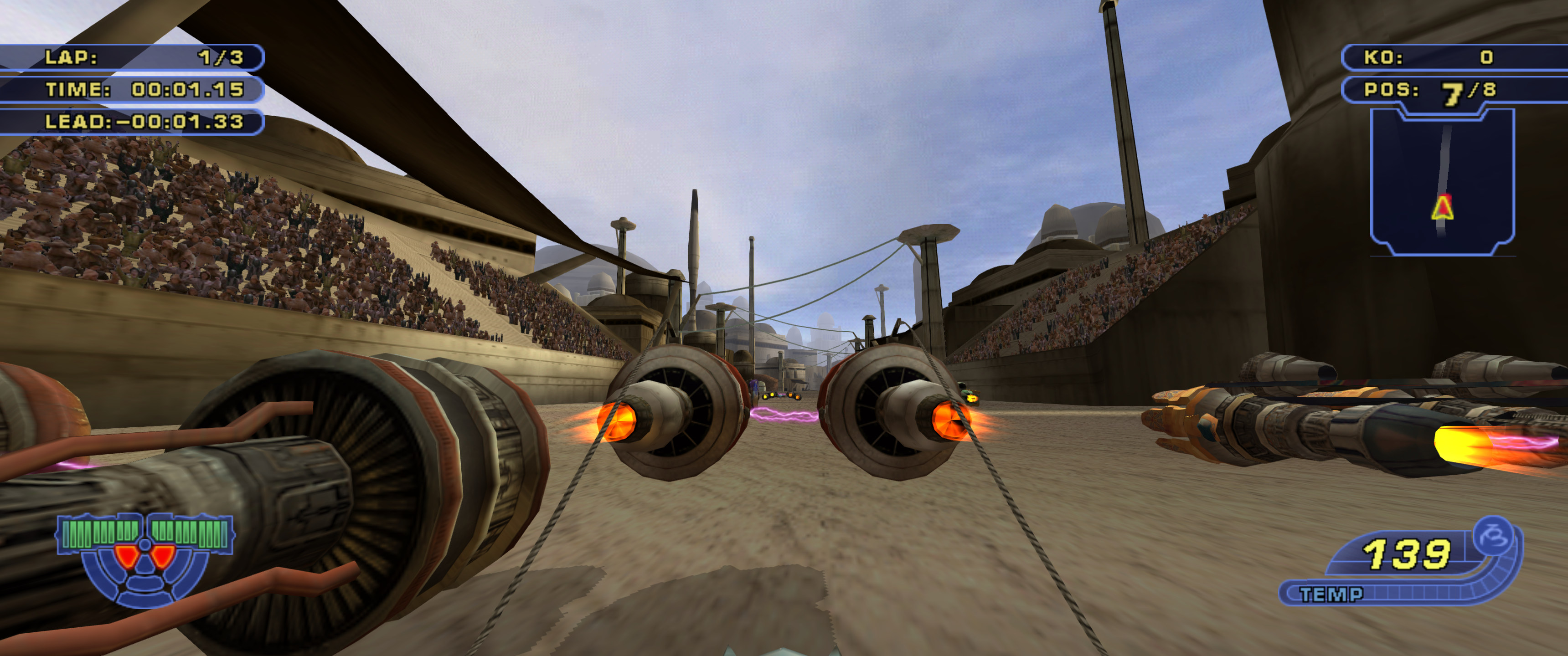
At 3440×1440, the race camera shows more track to either side while keeping the same vertical field of view. The lap display, minimap, and engine gauges follow the edges of the window.
| 16:9 gameplay at 3840×2160 | Course selection at 2560×1080 |
|---|---|
 |  |
Windows development build
The Mos Espa screenshots above were captured on November 24, 2026, from development build cr-179. The launcher started the game, which went through the original rider and course menus into a race. The game captured native frames at 3840×2160, 2560×1080, and 3440×1440. The original menus retain their proportions on ultrawide displays.
Launcher controls and video
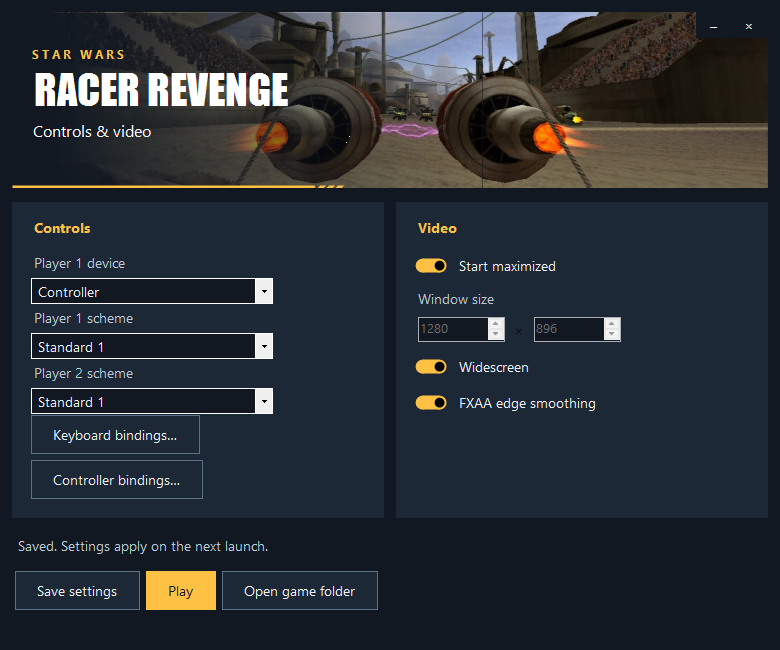
In development build cr-181, choose a player and a preset under Controller bindings to change which physical button, trigger, or stick axis performs a race action. For example, Player 1 can use the left trigger for throttle while Player 2 uses the right bumper. The original in-game prompts still show the PS2 layout. Keyboard bindings has separate layouts for Standard driving and Twin engine driving.
| Keyboard bindings | Controller bindings |
|---|---|
 |  |
Building from source
The Windows port and offline converter sources are included here. Supply original game data locally when building.