Star Wars Episode I: Jedi Power Battles Recompiled
Star Wars Episode I: Jedi Power Battles Recompiled brings Star Wars Episode I: Jedi Power Battles to PC.
- Type: PC port
- Game: Star Wars Episode I: Jedi Power Battles
- Runs on Linux, macOS and Windows
- By TechnicallyComputers
- Latest release v0.1.2, 2026-08-26
- Source: https://github.com/TechnicallyComputers/Star-wars---Episode-I---Jedi-Power-Battles-Recomp
README
Star wars - Episode I - Jedi Power Battles Recompiled



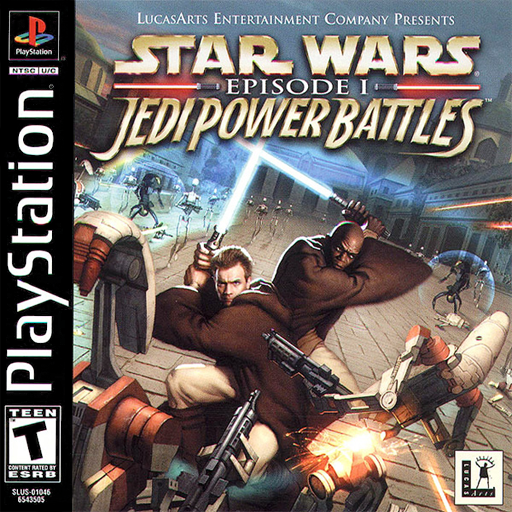
Static recompilation of Star wars - Episode I - Jedi Power Battles built on psxrecomp and recomp-ui.
The game follows the plot of Star Wars Episode I: The Phantom Menace. Players can choose from one of five prequel-era Jedi and run, jump, slash, and use the Force through the game's ten levels, starting on the Trade Federation Battleship and ending with the battle against Darth Maul on Naboo. The player's primary weapon is a lightsaber used to fight through waves of enemies and deflect blaster shots. The lightsaber combat is rather simplified with a system that lets the player lock on to the nearest enemy using the R1 button. Items and the force can also be used for special attacks. On most levels jumping puzzles make up a large portion of the challenge. There are a few segments in which the player can pilot various craft. The single player campaign can also be played in cooperative mode with a second player.
| Players | 2 |
| Region | USA |
| Publisher | LucasArts |
| Year | 2000 |
Scaffolded with the New Project Layout. See
psxrecomp/docs/GAME_PROJECT_SETUP.md for the full flow.
Retro Launcher
You can run this title standalone (release zip + the built-in recomp-ui Generate & Build flow), or manage installs, updates, ROM/BIOS wiring, and queued builds more intuitively with Retro Launcher — the Retro Compilation Manager hub for self-compiling recomps.
Downloads · Full README & features
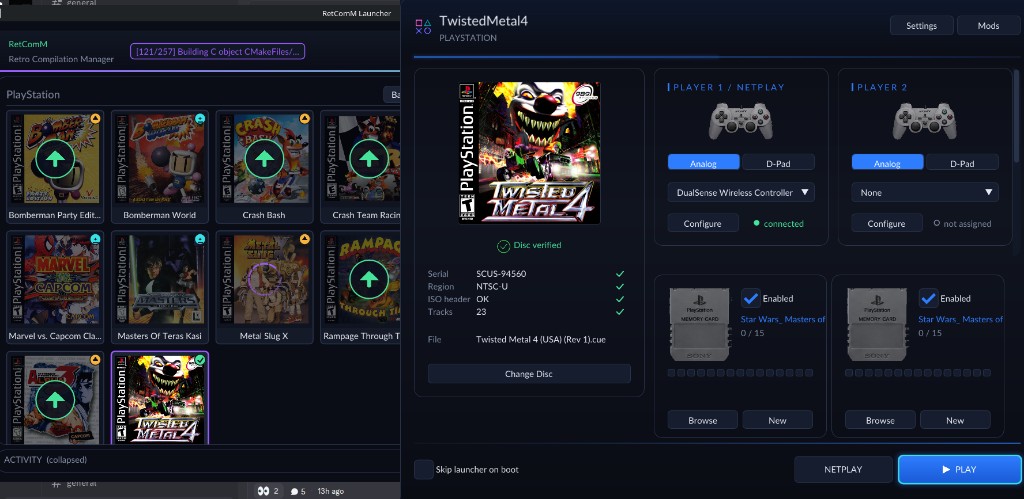
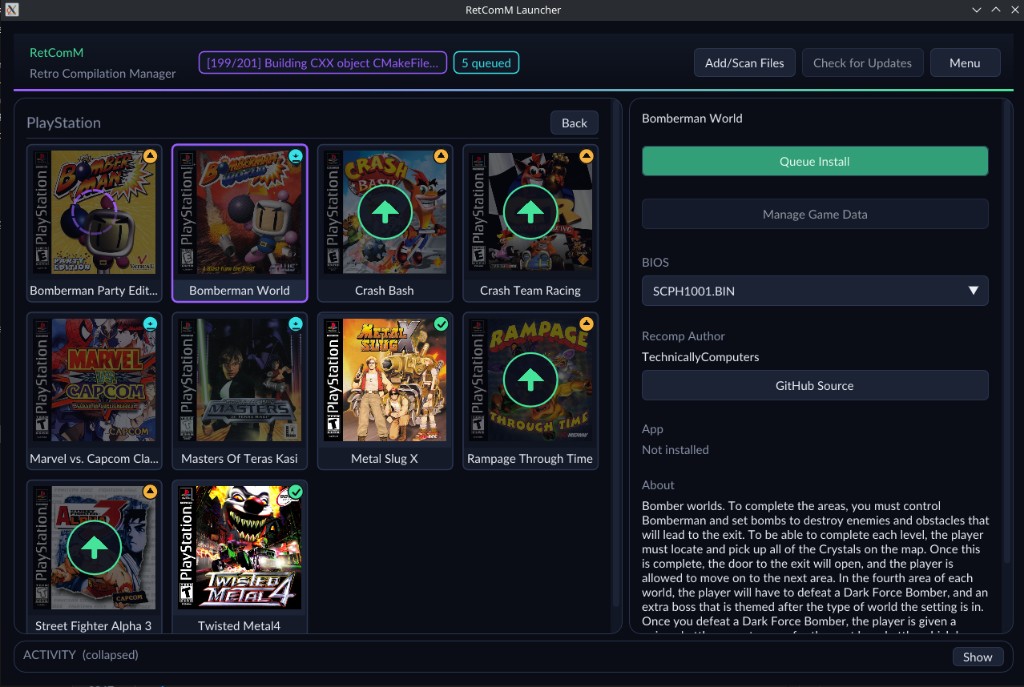
Retro checks for updates, rebuilds with existing build data when possible, shares the portable toolchain used by per-title launchers, and automates BIOS/ROM/save plumbing so you are not stuck repeating each game’s wizard by hand.
Legal
You must own the original game. Disc images under disc/ are gitignored and
must never be committed. Retail BIOS dumps are not redistributed; OpenBIOS is
used for Generate unless you supply your own SCPH locally.
Optional box art under launcher_assets/img/ may come from
libretro-thumbnails
(Named_Boxarts); see BOXART_SOURCE.txt when present.
Quick start (dev)
git submodule update --init --recursive
./psxrecomp/tools/ci/build_emitters.sh
python3 psxrecomp/psxrecomp_cli.py generate \
  --config game.toml --project-root . --disc disc/<your>.cue
cmake -S . -B build-release -G Ninja -DCMAKE_BUILD_TYPE=Release
cmake --build build-release --target psx-runtime
Zip prefix for CI artifacts: seijpb.
Symbols
Progressive map: symbols.toml → python3 tools/sync_symbols.py →
psx_symbols.h (PSX_FN_*). See psxrecomp/docs/SYMBOLS.md.
Framework pins
Submodule gitlinks (psxrecomp, optional recomp-ui, nested recomp-net)
are authoritative. framework_pins.txt is an optional scaffold snapshot;
release CI logs SHAs with record_pins.sh but builds whatever the gitlinks
resolve to. Bump submodules deliberately — do not float on main/master
in release CI.
R.A.I.D. — Retro AI Development · a Discord for AI-assisted retro reverse-engineering, decomp & recomp