tail-concerto-recomp
Tail Concerto is a PC port of Tail Concerto built on psxrecomp and recomp-ui.
- Type: PC port
- Game: Tail Concerto
- Runs on Windows, Linux and macOS
- By alexbeavs-ps1-ports
- Latest release v0.1.3, 2026-11-15
- Source: https://github.com/alexbeavs-ps1-ports/tail-concerto-recomp
README
Tail Concerto



Static recompilation of Tail Concerto built on psxrecomp and recomp-ui.
This is an owned-input setup kit. You supply your own SLUS-00660 disc image and your own SCPH-1001 (USA) BIOS dump; first-run setup generates and compiles the game on your machine. The kit and its release archives contain no game disc, retail BIOS, generated game code, or saved game.
| Region | USA |
| Disc serial | SLUS-00660 |
| Discs | 1 |
| Supported dump | Redump Tail Concerto (USA).cue as CUE/BIN or CHD |
| BIOS | SCPH-1001 (USA), 524288 bytes, SHA-256 71af94d1e47a68c11e8fdb9f8368040601514a42a5a399cda48c7d3bff1e99d3 |
BIOS: SCPH-1001 (USA) retail BIOS, 524288 bytes, SHA-256 71af94d1e47a68c11e8fdb9f8368040601514a42a5a399cda48c7d3bff1e99d3. Supply your own dump; releases do not use OpenBIOS.
Setup
- Download the setup ZIP for your platform from Releases and extract it into a writable folder.
- Start
Tail_Concerto(.exeon Windows). - In the setup wizard select your disc image (the Redump CUE, or a CHD of the same dump) and your BIOS file.
- Run Generate & rebuild and wait for the game to start. The first run compiles the game and takes several minutes.
On Windows the wizard downloads the portable build tools (cmake-clang-v1) or uses cmake/ninja already on PATH. On Linux and macOS install CMake, Ninja, Python 3, and a C/C++ compiler first. Keep a CUE and every file it references together. Setup produces both a normal and a diagnostic build; see Diagnostic mode below.
Retro Launcher
You can run this title standalone (release zip + the built-in recomp-ui Generate & Build flow), or manage installs, updates, ROM/BIOS wiring, and queued builds more intuitively with Retro Launcher — the Retro Compilation Manager hub for self-compiling recomps.
Downloads · Full README & features
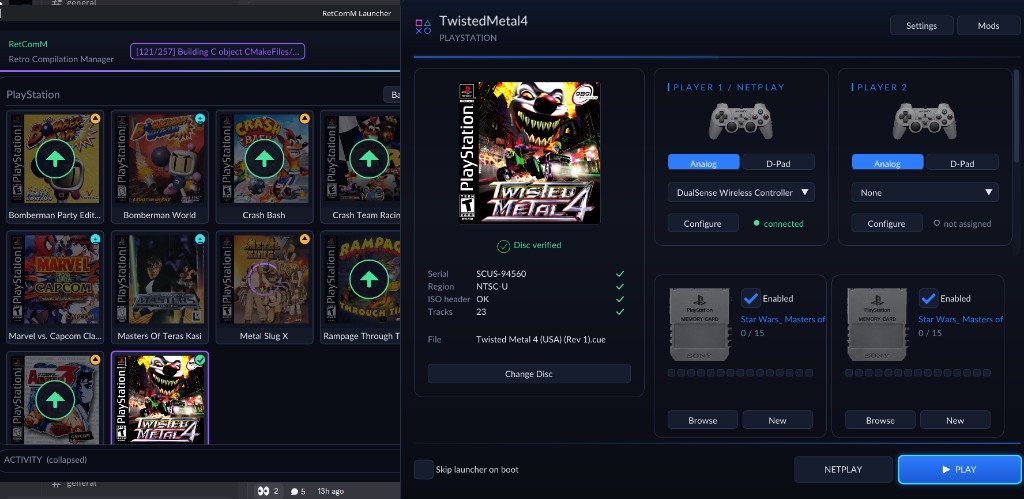
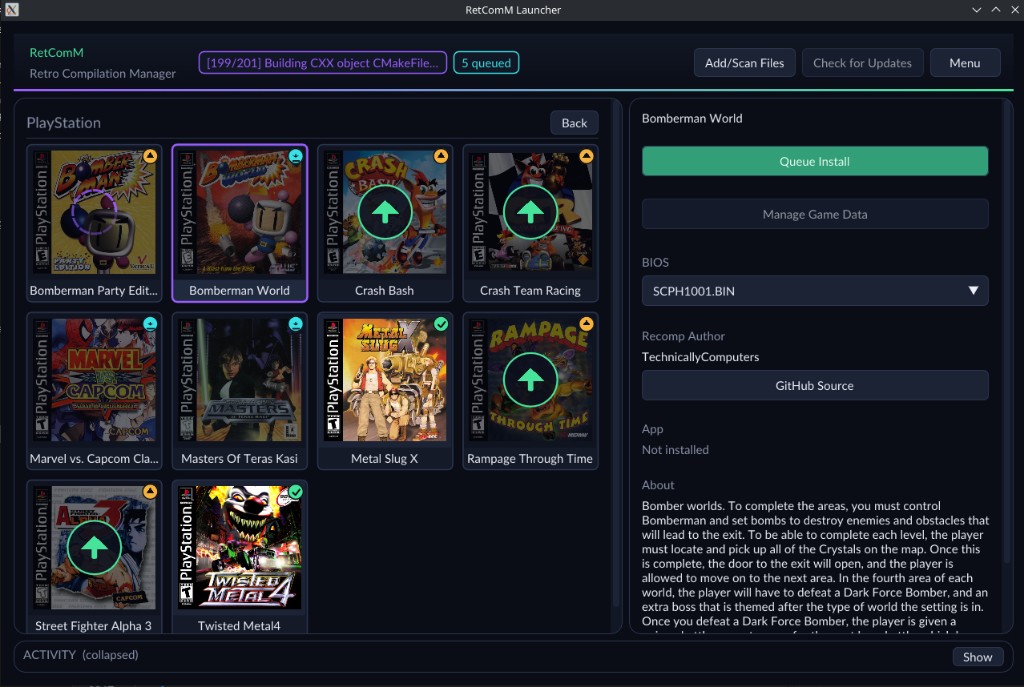
Retro checks for updates, rebuilds with existing build data when possible, shares the portable toolchain used by per-title launchers, and automates BIOS/ROM/save plumbing so you are not stuck repeating each game’s wizard by hand.
Status
Latest release: v0.1.3, built on psxrecomp pin I 0.1.23.
- Packages for Windows x64, Linux x64, macOS Apple Silicon and macOS Intel passed the CI build and package checks.
- Replay check: on Windows, a build on pin I 0.1.23 played 1 of 1 recorded route to the end without a crash. That check compares memory, not the picture, and is not a play test.
- Not claimed: full-game completion, audio fidelity or multiplayer. Setup and gameplay reports from Linux, macOS and Steam Deck are welcome.
Known issues for the current version are in its release notes.
Known issues
- This disc has audio tracks. Select the CUE (or a CHD made from the full dump) so every track is mounted; a Track 01-only BIN fails verification.
Diagnostic mode
If the game crashes, freezes, or misbehaves, switch to the diagnostic build
that first-run setup already produced (no recompiling): create an empty file
named diagnostic-mode.txt next to Tail_Concerto.exe and start the game as
usual, or run Tail_Concerto.exe --diagnostic. Reproduce the problem, quit, then
run Tail_Concerto.exe --collect-diagnostics: it writes diagnostics-<date>.zip
next to the exe. Attach that zip to a GitHub issue on this repository with a
short description of what you did. The zip holds only the runtime's report
files, never saves, BIOS, or disc images. Delete diagnostic-mode.txt to go
back to normal mode. Details: psxrecomp/docs/DIAGNOSTIC_MODE.md.
Legal
You must own the original game. Disc images under disc/ are gitignored and
must never be committed. Retail BIOS dumps are not redistributed and OpenBIOS is
not shipped: this title is retail-BIOS-only, so first-run Generate needs your own
legally dumped SCPH-1001 image.
Default app icon: assets/psxrecomp.ico (and .png / .svg) — Retro-themed controller mark from psxrecomp/assets/. Windows builds embed it via APP_ICON.
Box art is not shipped in this kit or its repository. Redistribution permission for third-party cover images is unresolved, so the launcher runs without one.
About this project
This project was developed with AI assistance. AI assists with code, documentation, and investigation; Alex tests the game and makes release decisions. Validation claims describe only the tests actually performed.
Credits and licenses
Framework: psxrecomp, built from the
pinned fork commit named by the psxrecomp submodule. Launcher:
recomp-ui, pinned by the
recomp-ui submodule. This kit's own files are under LICENSE; third-party
notices are in THIRD_PARTY_NOTICES.md, and the framework
and launcher licenses remain in their source directories. The original game and its
trademarks belong to their respective owners.
R.A.I.D. — Retro AI Development · a Discord for AI-assisted retro reverse-engineering, decomp & recomp
