The Incredible Crash Dummies Recompiled
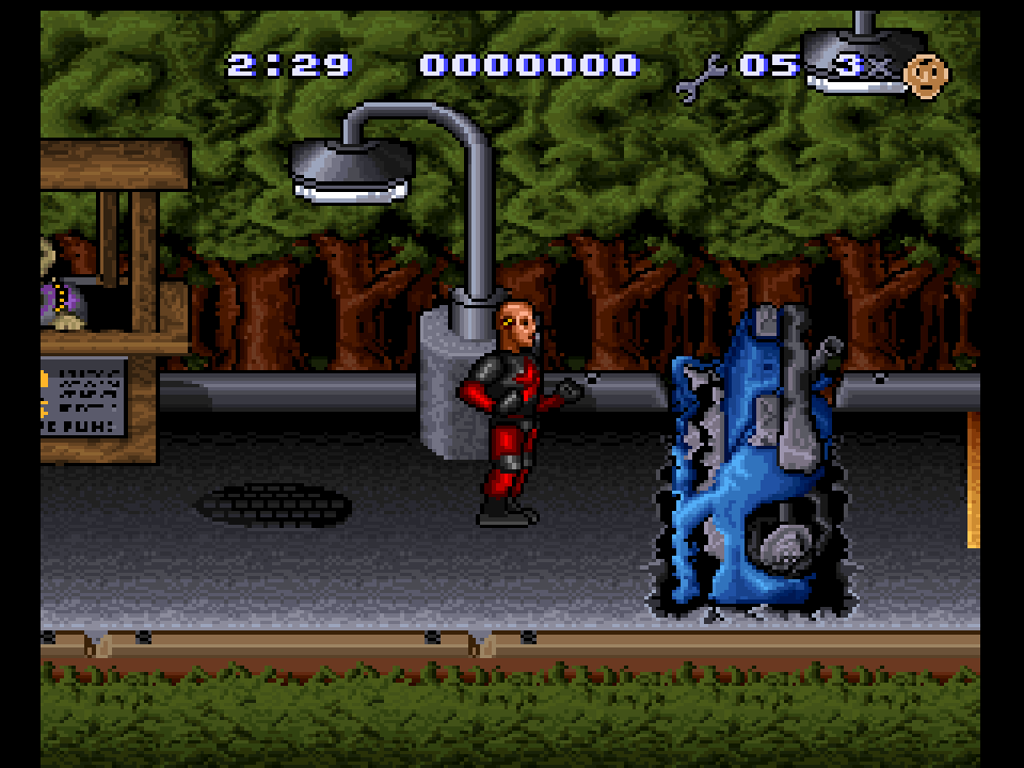
The Incredible Crash Dummies Recompiled is a Windows PC port of The Incredible Crash Dummies for SNES that supports shaders and save states.
- Type: PC port
- Game: The Incredible Crash Dummies
- Runs on Windows
- By rac08241988
- Latest release v0.1.1, 2026-11-01
- Source: https://github.com/rac08241988/IncredibleCrashDummies-Recomp
README
The Incredible Crash Dummies Recompiled (SNES)
Shaders only work on the Vulkan and OpenGL renderers.
This project ships no game code or ROM data. You supply your own cartridge dump.
An unofficial Windows PC port of The Incredible Crash Dummies (SNES, USA), built on the snesrecomp framework from the Demon's Crest SNESRecomp v1.1.0 template. Early release (v0.1.1): it boots, plays, and has the full Options menu, but see Known limitations.
Features
- Native Windows x64 exe, built on your own PC from your own ROM.
- One-click builder: pick your ROM, it builds the game and launches it.
- In-game Options side panel (Esc / F12 / pad Guide): Video, Display, Audio, Controls, Shaders and System tabs, with a live preview and an Apply button. Keyboard, Xbox and PlayStation hint bar.
- Full shader set: the complete libretro slang preset pack (258 entries) run through librashader, plus the libretro GLSL presets. CRT, scanline, LCD, smoothing and xBR/xBRZ scalers. Shaders only work on Vulkan and OpenGL.
- 120 Hz motion option, save states (10 quick slots plus a browser), rewind, turbo, recording, fullscreen and window scaling.
- Xbox / XInput controller support with a positional SNES layout.
Play on Windows (no coding needed)
- Download
IncredibleCrashDummies-SNESRecomp-windows-x64-v0.1.1.zipfrom the Releases page and unzip it anywhere. - Open
IncredibleCrashDummiesSNESRecomp.exe. - Click Browse For ROM and pick your own dump:
Incredible Crash Dummies, The (U) [!].smc. Headered (512-byte copier header) and headerless.smc/.sfcfiles both work; the header is stripped before the check. - Let it build. The first time it downloads a portable compiler and builds the game on your PC, which takes a few minutes.
- Click Play. Next time, just open the exe.
The zip has no game code and no ROM. It holds the setup exe, its DLLs, the
shaders, the prebuilt snesrecomp-analyze.exe (so no Rust install is needed)
and the build tools/configs. The first run downloads a portable toolchain
(about 800 MB) into toolchain\ beside the exe and builds the game into
build\; after that, opening the setup exe hands off to the built game. The
zip root is flat with a single exe, so launchers such as Quiver Launcher pick
it up automatically.
Shaders work on Vulkan and OpenGL renderers only. New configs default to OpenGL. On another renderer (Direct3D, software) the Shader row says so instead of applying one; switch Video > Renderer to OpenGL or Vulkan.
Controls & Shortcuts
Xbox layout. In menus, A confirms and B goes back. Esc, F12 or the pad Guide button opens the Options menu. "View" is the Xbox View/Back button, which is SNES Select.
| Action | Xbox controller | Keyboard |
|---|---|---|
| D-pad | D-pad | Arrow keys |
| SNES A / B / X / Y | B / A / Y / X | X / Z / S / A |
| SNES L / R | LB / RB | C / V |
| Start / Select | Menu (Start) / View (Select) | Enter / Right Shift |
| Options menu (pauses the game) | Guide | F12 or Esc |
| Menu: move / change / confirm / back | D-pad / Left-Right / A / B | Arrows / Left-Right / Enter or Space / Backspace or Esc |
| Menu: previous / next tab | LB / RB | Q / E (or Tab, PgUp / PgDn) |
| Menu: Apply | X or Start | F5 (or the Apply button) |
| Save-state browser | hold View (Select) + press RB | F11 |
| Quick load / quick save slot 1-10 | - | F1-F10 / Shift+F1-F10 |
| Rewind | hold View (Select) + press R3 | Shift+F12 |
| Open the launcher | hold View (Select) + press L3 | Ctrl+L |
| Fullscreen | - | Alt+Enter |
| Reset | - | Ctrl+R |
| Pause / pause dimmed | - | Shift+P / P |
| Turbo (fast-forward) | - | Tab |
| Window bigger / smaller | - | Ctrl+Up / Ctrl+Down |
| Volume up / down | - | Keypad + / Keypad - |
| Show performance / toggle renderer | - | F / R |
| Start/stop a recording | - | Alt+R |
The gameplay pad map is positional: SNES B = Xbox A, SNES Y = Xbox X, SNES A = Xbox B, SNES X = Xbox Y. The Options menu reads the pad only while it is open; gameplay input is never re-routed.
Shaders
In game: Esc / F12 / Guide, then Shaders. Left/Right picks a preset (it previews live behind the panel) and Apply keeps it. The choice is saved and defaults to Off.
- The full libretro
slang-shaderspreset set (258 entries: 12 audited presets first, then every preset inpresets/), compiled at runtime by librashader on the Vulkan and OpenGL renderers. - The libretro
glsl-shaders.glslppresets for the OpenGL renderer.
Shaders only work on Vulkan and OpenGL. See SHADERS.md for
the pinned commits and the license audit.
Tested On
The project owner's PC:
- CPU: AMD Ryzen 7 5800X3D
- GPU: NVIDIA GeForce RTX 3070 Ti (8 GB)
- RAM: 32 GB dual-channel
- Storage: NVMe SSD
- OS: Windows and AtlasOS
- Renderers: Vulkan and OpenGL
Known limitations
- Runs on the interpreter for now. No native (ahead-of-time) code is generated yet: every routine runs on the framework's interpreter tier. It plays, but it is not the fast path yet.
- No widescreen yet. It is planned.
- No battery save. The cartridge has no SRAM (the game uses passwords), so there is no in-game save to keep; use the passwords or save states. Save states come from the template and have not been fully re-tested here.
- Not played through to the end yet.
Build from source (Linux host, Windows exe)
git clone --recursive https://github.com/rac08241988/IncredibleCrashDummies-Recomp
cd IncredibleCrashDummies-Recomp
scripts/setup.sh --rom "/path/to/Incredible Crash Dummies, The (U) [!].smc"
cmake -S . -B build-win -G Ninja -DCMAKE_BUILD_TYPE=Release \
      -DCMAKE_TOOLCHAIN_FILE=$PWD/cmake/mingw-w64.cmake
cmake --build build-win -j
src/gen/ and recomp/funcs.h are generated from your ROM and are never
committed.
ROM identity
| File | Incredible Crash Dummies, The (U) [!].smc (headered or headerless) |
| Header title | INCRED. CRASH DUMMIES |
| Mapping | LoROM (FastROM), 1 MB, no SRAM |
| CRC32 | 0b6209ba |
| SHA-1 | 8fb4dc371c0e44fe362b23b5fec464288e3cc5ec |
| SHA-256 | 0415adfe80977485f84cdffaaa79f18c91c004c7dba202b4cf9a94eb11adeada |
The hashes are of the headerless ROM; a 512-byte copier header is stripped before the check.
Credits
- snesrecomp (upstream: RetroPortingToolKit/snesrecomp) by Matthew Stanley and contributors: the SNES static-recompilation framework.
- recomp-ui: the launcher.
- Demon's Crest SNESRecomp by Magno Paz, and this account's fork: the template this port started from.
- libretro slang/GLSL shaders and librashader.
License
Same terms as the Demon's Crest fork. This project's own source is under the
MIT license in LICENSE; the options menu and shader parts ported
from the Super Ryu World 1 port and the snesrecomp patch are PolyForm
Noncommercial 1.0.0 (see NOTICE.md). The framework and launcher
carry their own terms: see snesrecomp/LICENSE,
snesrecomp/THIRD_PARTY_ATTRIBUTION.md and recomp-ui/LICENSE. Because
snesrecomp is PolyForm Noncommercial, binaries are for non-commercial use
only. None of this covers the game, which is not distributed here. The
Incredible Crash Dummies is a trademark of its respective owners; this project
is not affiliated with them.