LAS Recomp for Android
LASRecompAndroid is a native ARM64 port of The Legend of Zelda: Link's Awakening for Android that translates Switch graphics to Vulkan.
- Type: PC port
- Game: The Legend of Zelda: Link's Awakening
- Runs on Android
- By mamcjr
- Latest release v0.5.4, 2026-10-25
- Source: https://github.com/mamcjr/LASRecompAndroid
README
LAS Recomp for Android
English | Português
An Android port of LAS Recomp by peiikai: a static recompilation of The Legend of Zelda: Link's Awakening (Nintendo Switch, 2019). As in the original project, this is not emulation: the Switch code becomes native ARM64 code, and the game's graphics (NVN) are translated to Vulkan. For the PC versions (Windows, macOS, Linux), features and the randomizer, see the original repository.
Important
Like the original, this port was made almost entirely with AI: the porting work was written by Claude (Opus 5.5, by Anthropic, through Claude Code), with subsequent development assisted by GPT Astra and GPT Sol 6.1 (OpenAI, through Codex), directed, tested and reviewed by a human. You run the code at your own discretion.
Warning
Experimental. Get the APK from the Releases page: everything else (your game files, the game code, the driver) is set up from the app, on the phone. The full plan, the state of each phase and the measurements are in docs/ANDROID-PORT.md (in Portuguese).
Note
No game files are included, and the app contains nothing from the game. You need your own legally obtained copy of the extracted game files of Link's Awakening v1.0.0, v1.0.1 or v1.1.0. Instructions on how to obtain them will not be provided.
New in 0.5.4
More of LASRecomp-Android-Plus by Nycolazs, merged in with its author's agreement, and a fix for a black screen at start.
- Black screen at start (0.5.3, reported on X): a window that failed to open made the app wait up to 10 minutes without saying why; the error now shows after 5 s.
- Driver errors: if the Vulkan driver fails at start, a dialog offers to install another driver or go back to the phone's own.
- Touch controls: buttons with the game's own item icons, as an option (Settings > Controls > Buttons with the item icons); a fixed stick; only the buttons the game uses right now (on by default).
- Controllers: the one in use is the one the game reads; face buttons by their letters, for Xbox-style pads and handhelds.
- Video: 1.25x and 1.5x internal resolution; the bars beside a narrower picture show its edges blurred (or plain black: Video > Side bars).
- Performance: render targets compressed on Turnip (UBWC), fewer colour copies, the small glow levels at their own size, and the game code built on the phone about 6% faster.
- Menus in Spanish, French, German, Italian and Dutch on a phone set to one of them.
- The game stays open while you're at the home screen, and settings are no longer lost when Android ends the app.
Validation: on the POCO F7 Ultra, the village at 60 fps with Turnip and 30 fps with the Qualcomm driver, the game code of 1.0.1 built on the phone, the item icons on the buttons and the driver dialog. Controllers, the new languages and other GPUs not tested here.
New in 0.5.3
More drivers below Vulkan 1.3, such as the stock Mali drivers on many Samsung phones.
- Five more extensions are optional (issue #2, Galaxy A15 / Mali-G57): without
synchronization2the app uses Vulkan 1.0's barriers; without extended dynamic state, the draws' states are baked into their pipelines (more pipelines: more first-time stutter there); demote / terminate aren't needed below Vulkan 1.3.
Validation: on the POCO F7 Ultra with each fallback forced on, the village draws right with Turnip (60 fps) and with the Qualcomm driver as Vulkan 1.1 (30 fps). Not tested yet on a real Mali.
New in 0.5.2
Drivers without dynamic rendering, such as the stock Mali drivers on many Samsung phones.
- Drivers without
VK_KHR_dynamic_rendering(issue #2, Galaxy A15 / Mali-G57): the app no longer stops at start; it draws with classic render passes instead (from BOTWRecompAndroid, which shares this renderer). - The startup message names every missing extension, not only the first.
Validation: on the POCO F7 Ultra with the render passes forced on, the village, frame generation, SMAA and the menus draw right with Turnip (60 fps) and with the Qualcomm driver as Vulkan 1.1 (30 fps). Not tested yet on a real Mali.
New in 0.5.1
Turnip on the Adreno 610 and other GPUs without 16-bit storage.
- GPUs without 16-bit storage (issue #4, Adreno 610 with Turnip): the app no longer stops at start asking for
storageBuffer16BitAccess, which no shader uses. - Confirmed on an Adreno 750 (issue #3): with Turnip and "Game memory on the GPU (Turnip)" on, text and colors draw right.
Validation: on the POCO F7 Ultra with 16-bit storage forced off, the village draws right with Turnip (60 fps) and the Qualcomm driver (30 fps). Not tested yet on a real Adreno 610.
New in 0.5.0
Game versions 1.0.1 and 1.1.0, several versions installed side by side, shader preparation and the fixes from upstream LAS Recomp's next beta.
- Game versions 1.0.1 and 1.1.0, recognized from the game's own files.
- Several versions installed: Settings > Saves & files > Add another version; PLAY ‹ version › on the start screen switches between them. Saves are shared; each version builds its own game code once. The base version 1.0.0 stays while others are installed.
- Shader preparation (from upstream beta 5) on the start screen: fewer stutters the first time an area shows up.
- Fixes from upstream beta 5: all-or-nothing saves, Dampe's amiibo option, a physics crash and hangs, the interior lighting seam with a widened view, wider aspect ratios, the fishing game's pond.
- Turnip on Adreno 7xx (128 MB shader memory range, issue #3): with "Game memory on the GPU (Turnip)" on, shaders reach the game's memory above that range by pointer, so text and colors draw right. Automatic still uses the copies there; set the option to On to try it.
- Auto's 30 fps is a steady 30; Vulkan 1.1 / 1.2 drivers read the extensions' features correctly; driver packages load their library from
meta.json; opening with the screen locked waits instead of stopping.
After updating, the game code is built again once.
Validation: on the POCO F7 Ultra (Adreno 830, Turnip), 1.0.0, 1.0.1 and 1.1.0 installed together, switched with the arrows, all three to the village; saves unchanged. Not tested yet on a real Vulkan 1.1 phone or an Adreno that isn't 8xx.
New in 0.4.1
Driver compatibility options for GPUs where the game draws wrong with Turnip, and a log file to send with a bug report.
- Driver compatibility (start screen: Settings > Saves & files), two options on Automatic by default: the fastest paths on Adreno 8xx GPUs, where they were made and tested, the safer ones on the others. Each can also be forced on or off.
- Game memory on the GPU (Turnip): the game's memory mapped straight into the GPU's, or copied each frame (CPU time, but it draws right where the fast way doesn't).
- Turnip low-resolution Z (LRZ): off sets
TU_DEBUG=nolrzbefore the driver loads, as LASRecomp-Android-Plus does. Applies after a restart.
- Save a log file:
lasrecomp-log.txtin a folder you pick with the Android folder picker (file managers can't reach the app's own folder); after a crash, the run before stays aslasrecomp-log-previous.txt. The log now also lists the GPU's storage buffer range and memory types.
Validation: on the POCO F7 Ultra (Adreno 830, Turnip), Automatic keeps both fast paths (60 fps in the village, as in 0.4.0); with both off, the village draws right through the copies (30 fps steady; 48–60 at 60 fps). Log folder picked, written and rotated on the phone. Not tested yet on an Adreno that isn't 8xx, the case Automatic is for (issue #3, an Adreno 750).
New in 0.4.0
Frame generation (30 → 60 and 60 → 120), game mods, menus in Portuguese and a new upscaler.
- Frame generation (Video > Frame generation, off by default): in-between frames made from the picture, the scene's depth and the camera's movement, adapted from LASRecomp-Android-Plus. The game's 30 fps become 60 and, with the 120 Hz option, its 60 become 120 (the game keeps its own 60 Hz clock). The HUD stays put and Link doesn't shake; when the GPU can't keep up it pauses by itself and tries again later. On the POCO F7 Ultra with Turnip, at 60 → 120 in the village, it cost ~0.4 ms of GPU per real frame and stayed on the whole time. With Qualcomm's stock driver, use 30 fps.
- 120 Hz option (under frame generation, off by default): on, it asks for the display's fastest mode and the game's 60 fps become 120; off, it asks for 60 Hz. Where the phone's own settings fix the display at 120 Hz, the in-between frames follow the display.
- Objects' own movement (experimental): characters that move on their own move in the in-between frames too.
- Mods (Settings > Mods): folders with a
romfsfolder inside, as for Eden and Ryujinx, each turned on or off; a mod's folder can be imported with the Android folder picker. No mods come with the app. - Menus in Portuguese on a phone set to Portuguese: settings, the start screen, the save editor and messages.
- Snapdragon Game Super Resolution 1 upscaler (Qualcomm): a single pass, lighter than FSR 1.
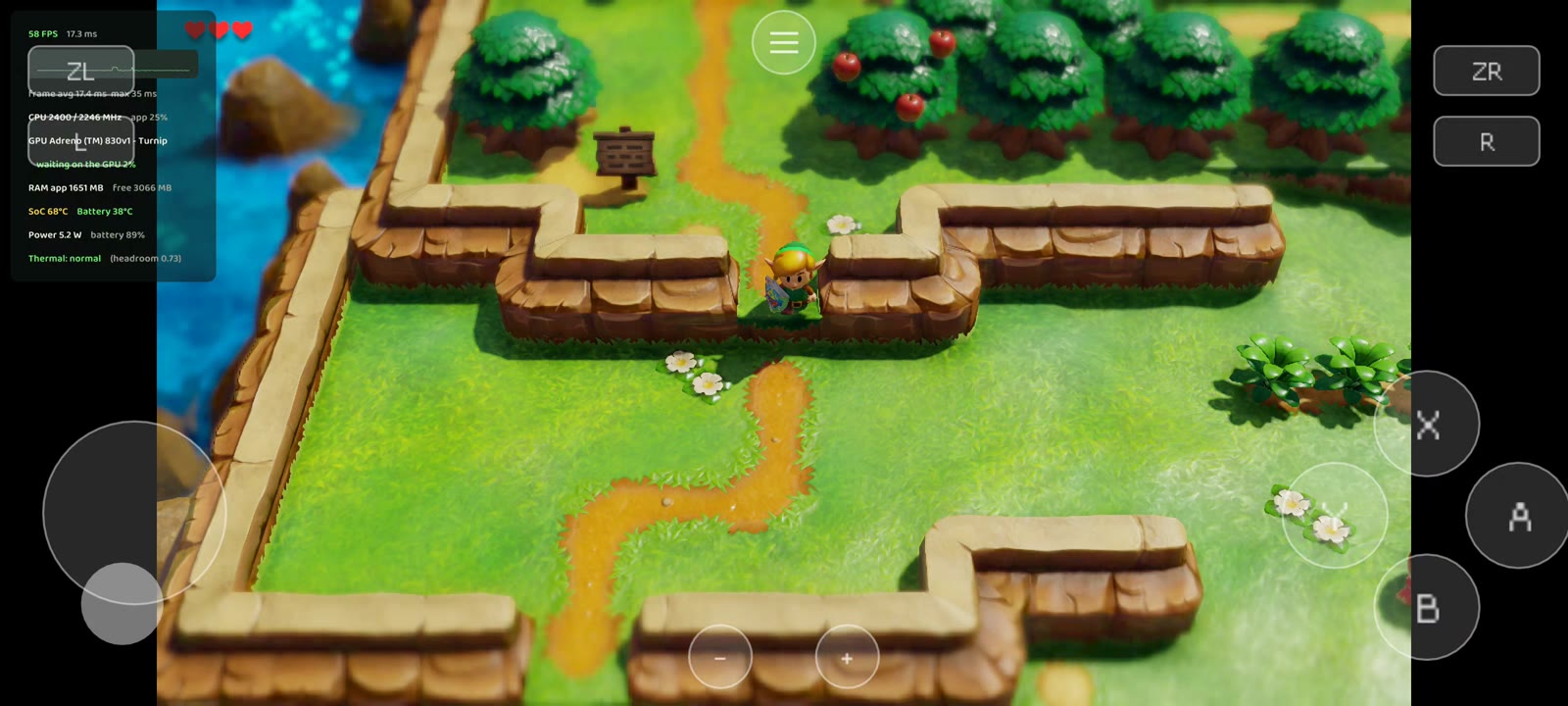
- Performance overlay: the frame rate with frame generation (FPS+FG), a compact one-line style (FPS, FPS+FG, RAM, battery temperature), and it can be dragged anywhere on the screen.
- Menu with a controller: the first press is no longer lost, left / right change values, A or L / R go into the page and B closes.
- Vulkan 1.1 / 1.2 drivers with the extensions matching 1.3 are accepted now (such as stock Mali drivers); when one is missing, the message names it.
- 32-bit shader math (Video): for drivers that draw lighting, grass or text wrong.
- Setup takes less space:
romfs.binis built straight from the picked folder. The free space it asks for went from ~14 GiB to ~8 GiB, and existing installs get ~5.7 GiB back by themselves. - Setup's compile step: the game's functions outside the play profiles (LASRecomp-Android-Plus's list) are compiled without optimization.
- Dynamic resolution at a fixed 30 fps aims at 30's budget, not 60's.
- Menu and on-screen controls themed after Link's Awakening. No randomizer on Android.
Validation: on the POCO F7 Ultra, frame generation 30 → 60, 60 → 120 and 30 → 120 with Turnip and with the stock driver; mods (applied, turned off, imported with the picker); translated menus; the menu with simulated controller presses; the overlay dragged; SGSR 1; setting the game up from scratch from the picked folder (about 7 min 40 s: romfs.bin in about 45 s, then the compile), after which the game ran with a mod on into the village. Not tested on a phone yet: Vulkan 1.1 drivers (Mali) and the Adreno 750.
New in 0.3.9
Focused on compatibility with more phones and drivers.
- Stock drivers without
shaderInt64(e.g. Galaxy S23, Adreno 740): shader address and carry math now uses 32-bit words when the driver has no 64-bit integers. On the S23 with Qualcomm's driver, lighting, grass tufts and inventory text are back. Drivers that have the feature, such as Turnip, keep the native path. Diagnosis. - Sturdier Vulkan startup: the swapchain only requests usages and composition the surface supports; the pipeline cache is validated before use; optional features are queried before they are enabled. When something fails, the error dialog shows the reason on screen, no adb needed.
- Importing: checks free space before copying, detects incomplete copies and refuses the app's own imported folder.
- Fixed 30 fps now holds 30 on Turnip. The game picks its mode from how many vsyncs each frame really takes, and with the render thread Turnip's frames fit in one, so it went back to 60. The option now turns on the game's own 30 fps mode and the presentation waits for both vsyncs, as the Switch does. On the POCO F7 Ultra: a steady 30.0 fps with Turnip and with the stock driver, back to normal when switched to Auto. Auto mode is unchanged.
- New installs start at a fixed 30 fps and 50% internal resolution. Existing saved settings still apply.
- Bug report form asks at which stage the failure happens; a screenshot of the error dialog already helps.
- Measurement tools (village benchmark route, settings matrix, GPU timing and texture traces), all off by default.
Validation: on the Galaxy S23 with the stock driver, lighting, grass and text were checked visually in two loads, with the previous APK as a control. On PC, tests for the 32-bit shader translation, shader cache, constant tables and Vulkan startup. Mali GPUs still need testing on real hardware. Compatibility.
New in 0.3.8
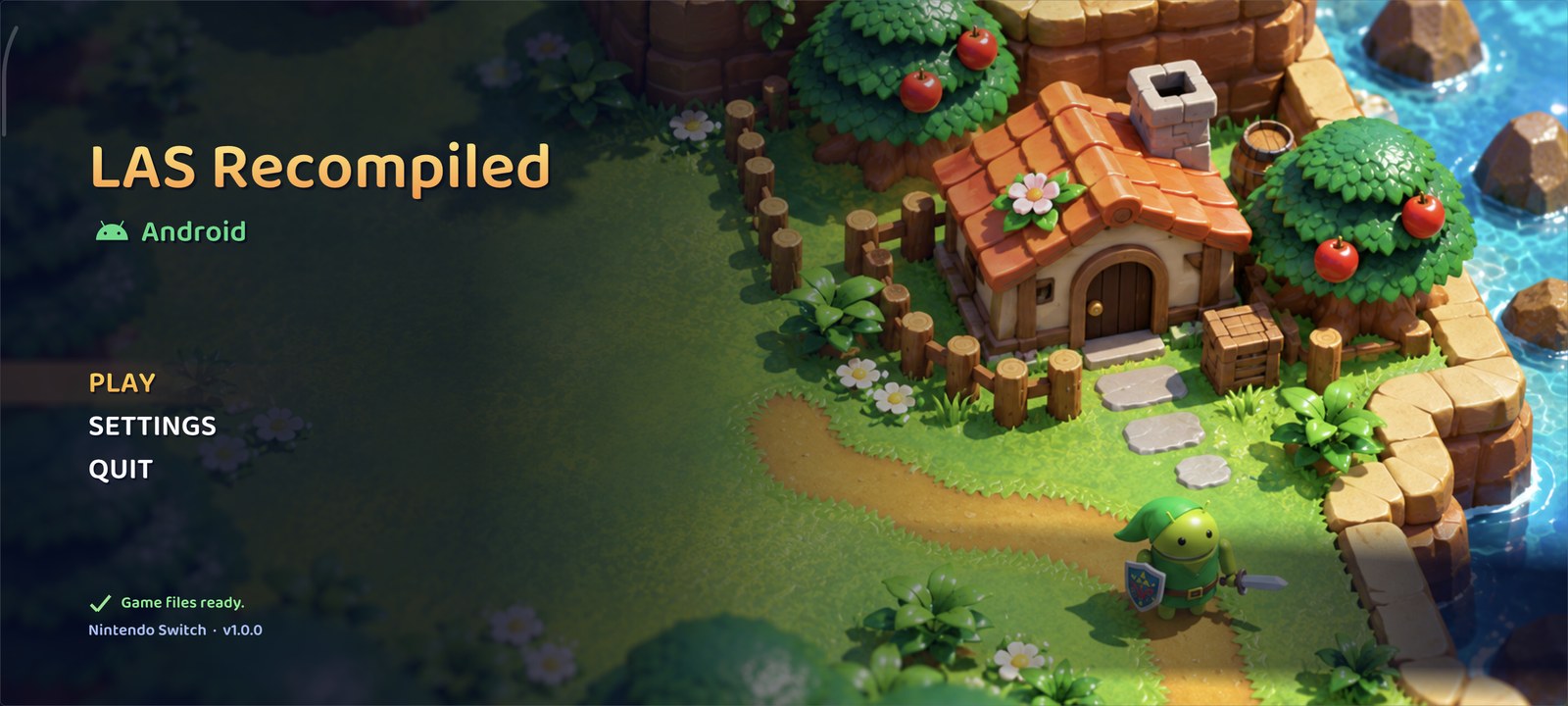
Updated 0.3.8 APK: the start screen shows only PLAY, without the Vanilla/seed selector. The new background follows the game's toy-like miniature village style, with a small Android adventurer.
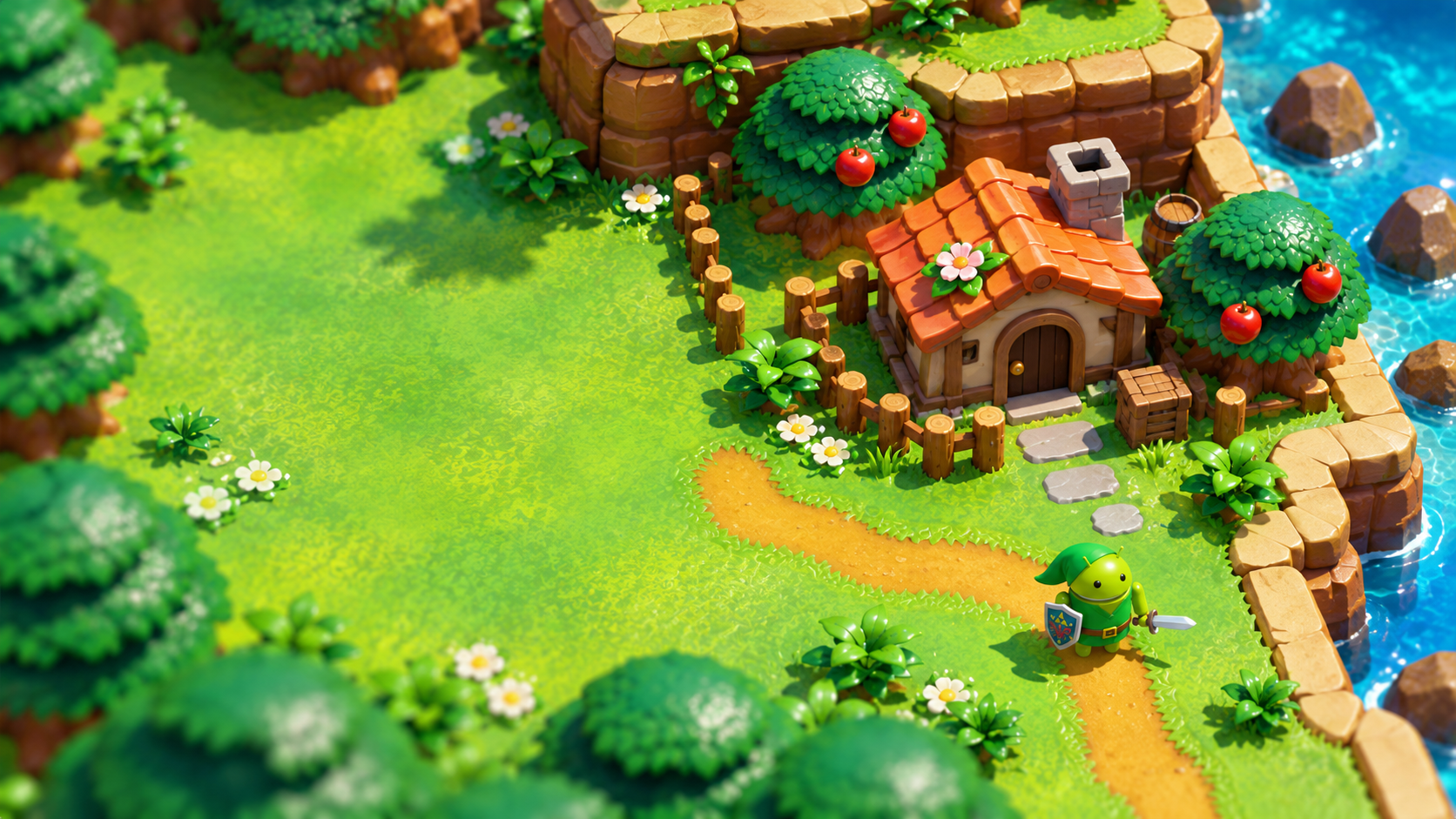
- Touch settings: large sidebar categories, inline descriptions, larger controls and dropdown choices, swipe scrolling and a persistent Back button. Video, Audio and Controls are directly accessible; Saves & files is available before launch, and More options contains the remaining pages.
- Rendering work: pipeline configuration reuse, reusable texture-conversion buffers, exact comparisons for stable dynamic textures, load-only arena-copy reuse, and queued compute-shader translation. Shader compiler worker count is configurable.
- Stable ADPF default: retains the established wall-time performance signal, with synchronized session management. In the user's 50% resolution comparison on Turnip, the captured intervals improved from roughly 52–58 FPS to 58.9–59.9 FPS after restoring this signal. Occasional long frames remain; this is not a controlled benchmark or a guarantee for other devices.
- Faster updates: the bundled game builder is unpacked only when its content fingerprint changes.
- New artwork: an Android adventurer icon and an original island-themed launcher background generated with OpenAI image generation. These are fan illustrations, not extracted game assets.
Validation: release build on PC, 22 upload-cache checks , 12 simulated touch-gesture checks and 28 save-transfer checks; the user tested frametime on the connected Turnip device. Qualcomm/Mali copy-path behavior and all menu flows still require broader device testing. Details: optimizations, touch settings.
Measured performance — Galaxy S23
2026-10-21 · SM-S911B, Adreno 740, Android 16 · Auto FPS. Stationary Mabe Village scene, same position/save, one Turnip game run with all 40 combinations. Each profile had 10 s settling and 30 s collection. Values are average presentation FPS measured by Android. Auto lets the game choose 30/60 FPS; it does not unlock 120 FPS.
Test condition: local diagnostic APK, Turnip v26.0.0 R8, unchanged ADPF and LARECOMP_VK_NO_PLACED=1 with Turnip. Without that temporary memory workaround, Android killed Turnip for low memory on this S23, including after closing other apps. These results do not represent a fix already shipped in release 0.3.8.
Turnip FPS — 40 samples
| Resolution | Aspect | Filter | AA | Turnip R8 |
|---|---|---|---|---|
| 50% | 16:9 | Bilinear | Off | 31.28 |
| 50% | 16:9 | Bilinear | SMAA | 30.37 |
| 50% | 16:9 | FSR1 | Off | 31.14 |
| 50% | 16:9 | FSR1 | SMAA | 32.28 |
| 50% | Unlocked | Bilinear | Off | 29.92 |
| 50% | Unlocked | Bilinear | SMAA | 29.81 |
| 50% | Unlocked | FSR1 | Off | 29.30 |
| 50% | Unlocked | FSR1 | SMAA | 27.24 |
| 75% | 16:9 | Bilinear | Off | 29.97 |
| 75% | 16:9 | Bilinear | SMAA | 30.00 |
| 75% | 16:9 | FSR1 | Off | 29.91 |
| 75% | 16:9 | FSR1 | SMAA | 29.68 |
| 75% | Unlocked | Bilinear | Off | 26.32 |
| 75% | Unlocked | Bilinear | SMAA | 24.26 |
| 75% | Unlocked | FSR1 | Off | 23.27 |
| 75% | Unlocked | FSR1 | SMAA | 22.61 |
| 1x | 16:9 | Bilinear | Off | 25.21 |
| 1x | 16:9 | Bilinear | SMAA | 23.75 |
| 1x | 16:9 | FSR1 | Off | 25.31 |
| 1x | 16:9 | FSR1 | SMAA | 23.33 |
| 1x | Unlocked | Bilinear | Off | 20.59 |
| 1x | Unlocked | Bilinear | SMAA | 20.05 |
| 1x | Unlocked | FSR1 | Off | 20.16 |
| 1x | Unlocked | FSR1 | SMAA | 21.50 |
| Dynamic | 16:9 | Bilinear | Off | 29.93 |
| Dynamic | 16:9 | Bilinear | SMAA | 29.97 |
| Dynamic | 16:9 | FSR1 | Off | 30.00 |
| Dynamic | 16:9 | FSR1 | SMAA | 29.97 |
| Dynamic | Unlocked | Bilinear | Off | 29.96 |
| Dynamic | Unlocked | Bilinear | SMAA | 29.96 |
| Dynamic | Unlocked | FSR1 | Off | 29.55 |
| Dynamic | Unlocked | FSR1 | SMAA | 28.30 |
| Match Display | 16:9 | Bilinear | Off | 24.96 |
| Match Display | 16:9 | Bilinear | SMAA | 23.74 |
| Match Display | 16:9 | FSR1 | Off | 26.95 |
| Match Display | 16:9 | FSR1 | SMAA | 24.77 |
| Match Display | Unlocked | Bilinear | Off | 21.05 |
| Match Display | Unlocked | Bilinear | SMAA | 20.68 |
| Match Display | Unlocked | FSR1 | Off | 20.46 |
| Match Display | Unlocked | FSR1 | SMAA | 20.25 |
Without FSR1 = bilinear; enabled AA = SMAA. Dynamic changes resolution during the sample. This is a configuration sweep with one sample per combination; it does not establish moving-scene stability or a causal improvement from an individual setting. Order, temperature and caches can affect results. Protocol and telemetry · FPS data.
Stock driver: comparison stopped because of incomplete rendering (reported lighting, grass and text issues). Its partial FPS results are excluded from this table. The cause (no shaderInt64) is fixed in 0.3.9; the stock-driver measurement has not been redone yet. POCO F7 Ultra testing is deferred while compatibility is investigated.
Importing and exporting saves
On the start screen, open Settings → Saves & files → Saves - Eden / Yuzu / Ryujinx:
- Import save folder: select the Link's Awakening save folder containing
savedata0.bin(or anothersavedataN.bin) and the game's other.binfiles. - Import save ZIP: select a ZIP of that folder. An enclosing folder is accepted; archives with multiple save profiles are rejected to avoid mixing progress.
- Export saves: choose where to save the ZIP. With the game closed in the emulator, extract its contents into the Link's Awakening save folder opened by Eden, Yuzu or Ryujinx.
- Export previous saves: export the backup from before the last import. Import that ZIP to restore it.
Import replaces all slots in the selected save set and keeps a copy of the previous saves. Transfers are available
before starting the game. If Android does not allow selecting another app's folder, export the saves from the
emulator to an accessible folder such as Documents, then select that copy or ZIP here.
The original .bin files are transferred without conversion; randomizer sidecars are not included in the ZIP.
Screenshots
|  | ![Toronbo Shores