Wind Waker HD Recompiled [Android] - Plus
WindWakerHD-Android-Plus is a native Android port of The Legend of Zelda: The Wind Waker HD with a HUD layout editor and Brazilian Portuguese translation.
- Type: PC port
- Game: The Legend of Zelda: The Wind Waker HD
- Runs on Android
- By Nycolazs
- Latest release v1.6, 2026-10-10
- Source: https://github.com/Nycolazs/WindWakerHD-Android-Plus
README
Wind Waker HD Recompiled for Android — Plus
The Legend of Zelda: The Wind Waker HD, running natively on Android phones and tablets. This is a static recompilation of the Wii U game: its PowerPC code is turned into native ARM64 code on your device, and its graphics run directly on Vulkan. It is not an emulator.
Plus builds on the Enhanced
fork of the Android port. It adds a
built-in Brazilian Portuguese translation, an app fully translated into Portuguese, a HUD layout
editor, .wua archive support, better controller support, menus that fit any screen, and fixes
for crashes on Adreno 650 and on 6 GB phones.
You need your own copy of the game. The app contains no game code, no game files and no keys. You provide a dump of your own Wii U disc (
.wud/.wuxwith its keys) or a Cemu archive of it (.wua).
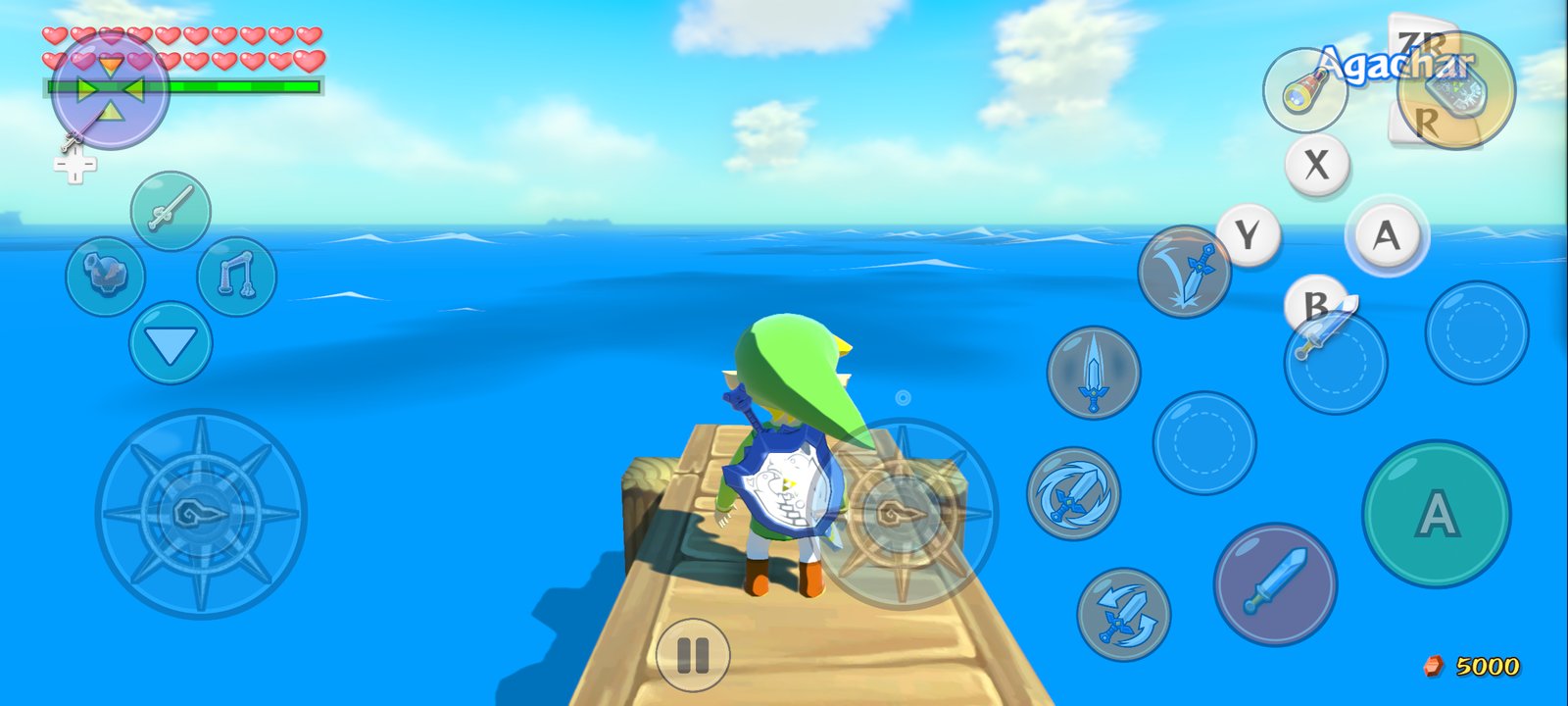
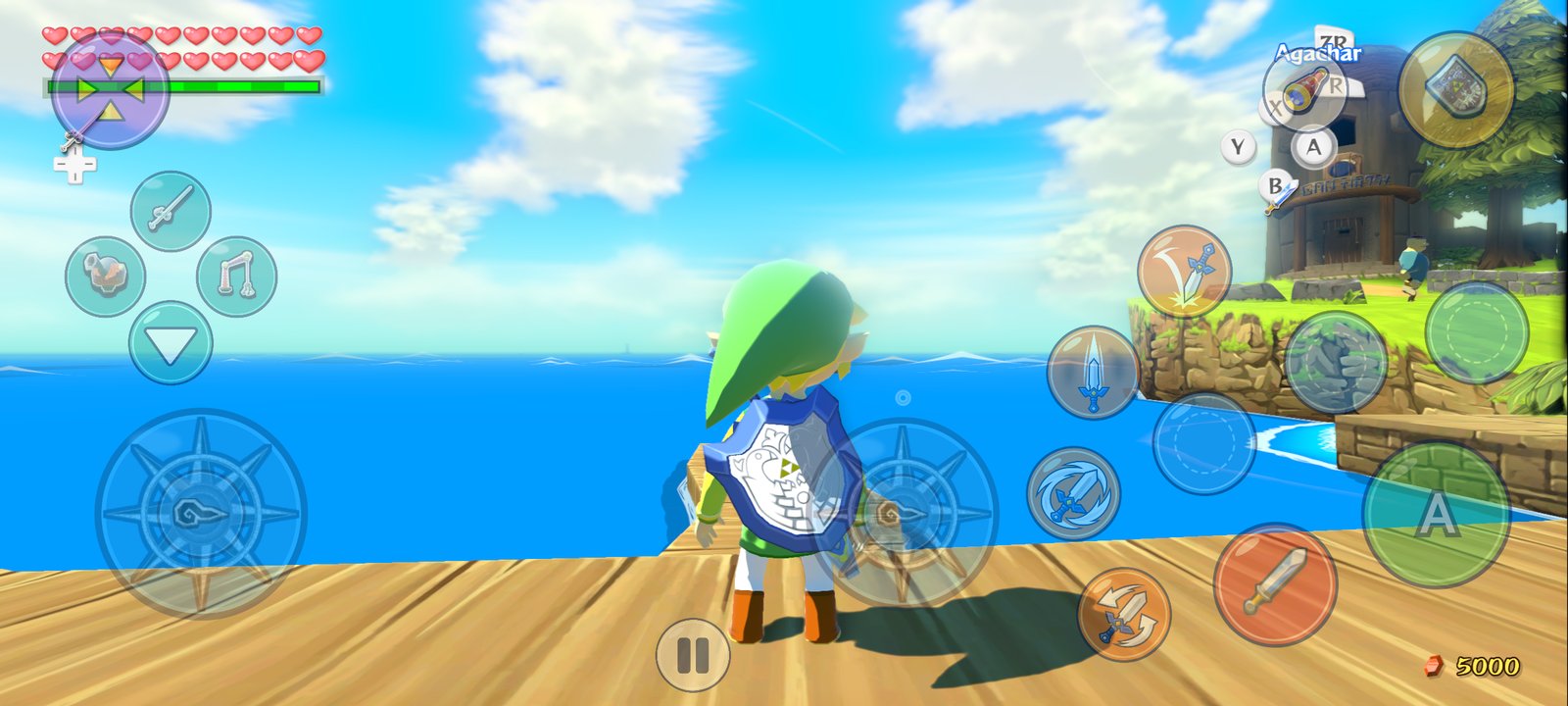
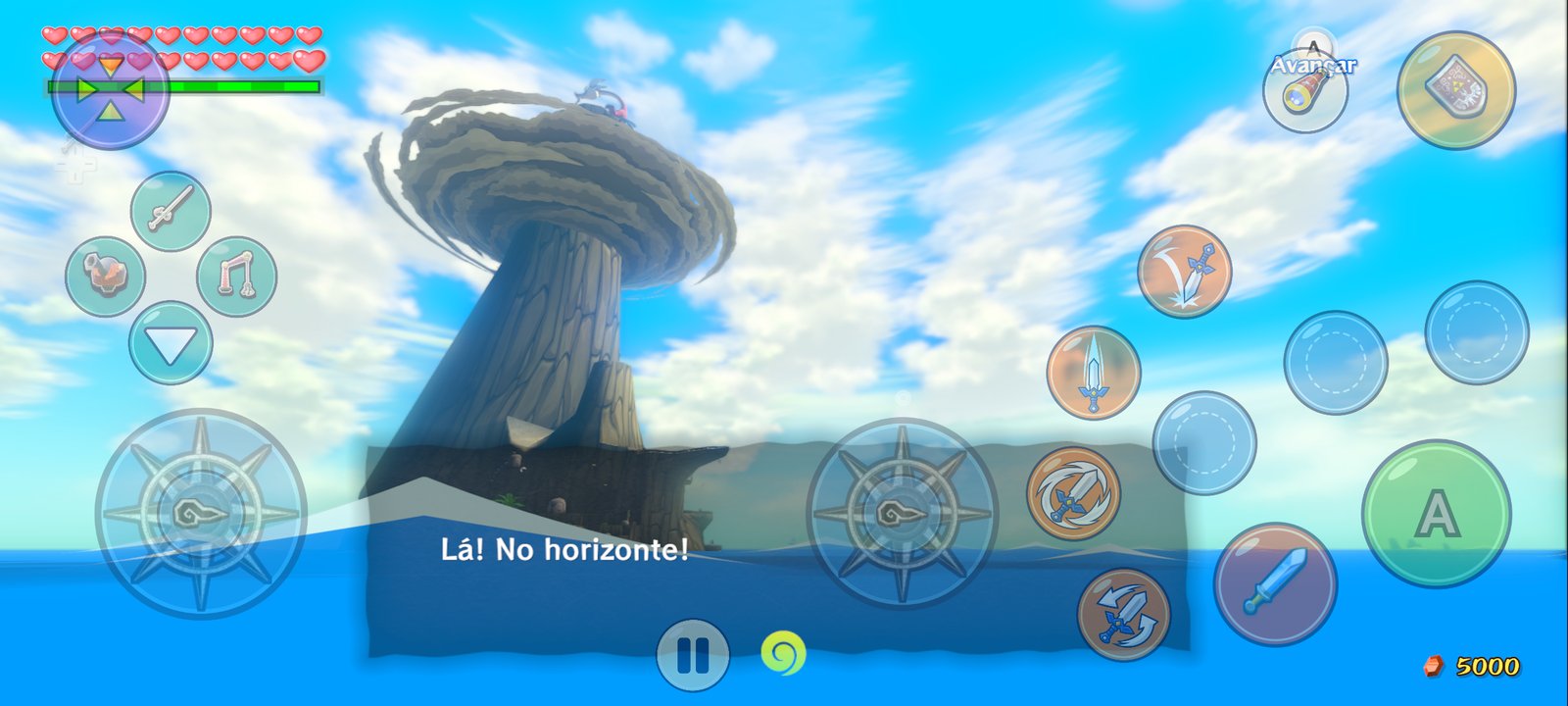
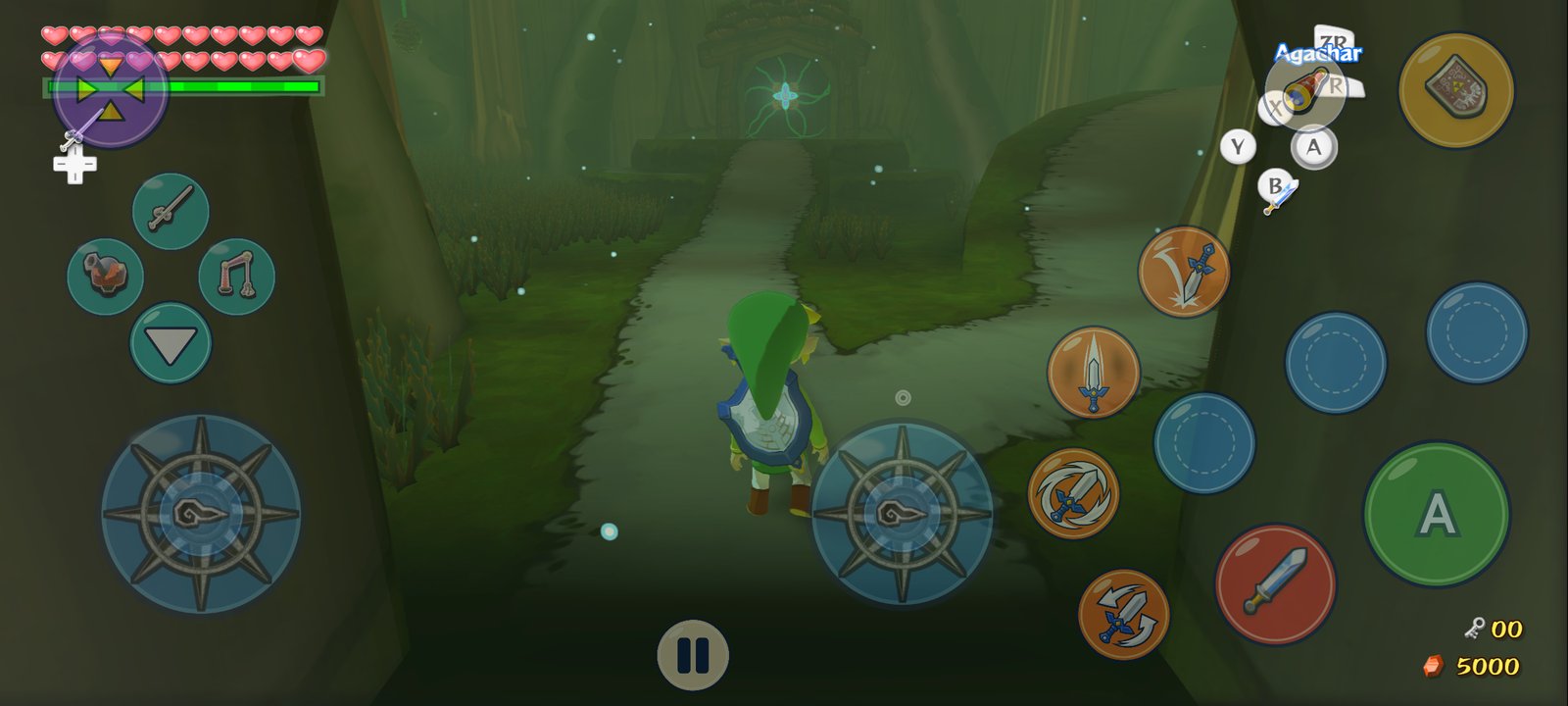
Screenshots taken on a Samsung Galaxy S20 FE 5G (Snapdragon 865), full screen at 2400 × 1080.
Contents
- Download
- What's new in Plus
- Getting started
- How to play
- Settings guide
- Performance
- Troubleshooting
- Building from source
- Credits
- Legal notice
Download
Get the latest APK from the Releases page.
Requirements
- Android 11 or newer, 64-bit ARM (arm64-v8a)
- A GPU with Vulkan 1.1 (Adreno, Mali, Xclipse, PowerVR)
- About 2 GB of free storage (the extracted game) and 2 GB of free RAM for the one-time setup
- Your own copy of The Wind Waker HD for Wii U: USA, Europe or Japan
What's new in Plus
⚡ New in v1.6: performance and safer saves
- 60 fps (generated), the new default frame rate. The game runs at its own 30 fps and every other frame is made on the GPU from the last one. It uses the scene's depth and the camera's movement, plus a motion search for things that move by themselves, like Link and enemies. The HUD is kept exactly as the game drew it. On a Galaxy S20 FE it holds ~60 fps while moving even in the heaviest places (Gohma's room, Forest Haven, Hyrule), where the 60 fps mode, which draws every frame, drops to 53–55. The game's speed is unchanged: it never speeds up or slows down.
- Steadier 60 fps mode: one frame of buffering in the game's vsync wait, so a single slow frame no longer drops the game into a run of 30 fps frames (Outset Island, standing: 51 → 60 fps).
- Less GPU work per frame (−8 to −14%, Gohma's room 24.4 → 22.4 ms):
- Half-size bloom.
- Post-processing buffers stay at native size when you raise the resolution.
- The hidden GamePad picture is no longer drawn.
- Fewer render passes.
- A new Graphics → Distant shadows option skips the far shadow cascade on weak GPUs.
- Fewer stutters from the CPU side: game files are decompressed natively with a cache, and the game's busy-wait loops yield the CPU.
- Saves you don't lose:
- Automatic backup of your game save to
Download/WindWakerHD Saveson your phone. It survives uninstalling the app and is updated whenever the game saved; you can turn it off in Saves. - On a fresh install with no save, the app offers to restore it from there.
- Export and import still work for any folder (and for saves from Cemu).
- Automatic backup of your game save to
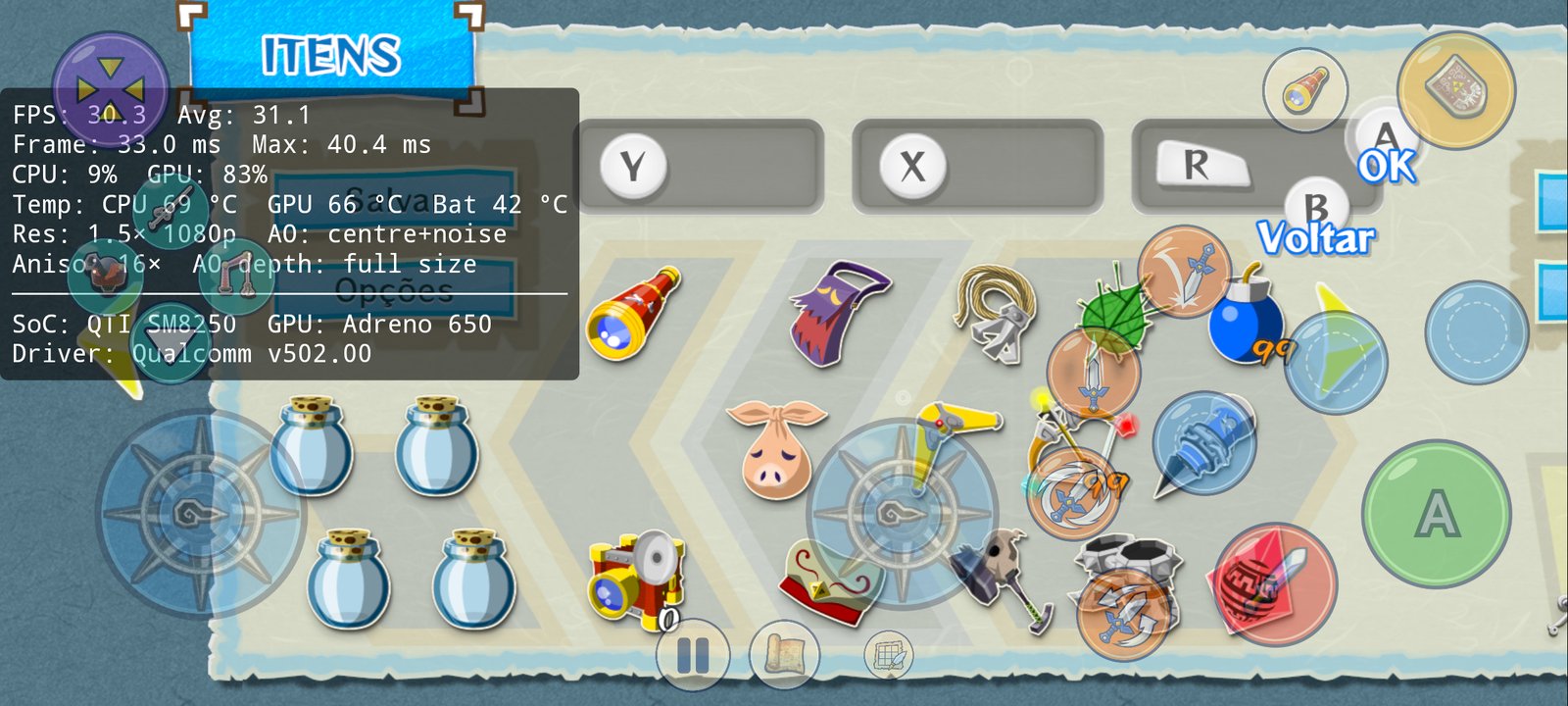
- Item menu arrows fixed in widescreen: the first page no longer shows a left arrow and the last page no longer shows a right arrow.
- Permanent release key: from v1.6 on, every update installs over the previous version and keeps your saves and settings.
🇧🇷 Brazilian Portuguese
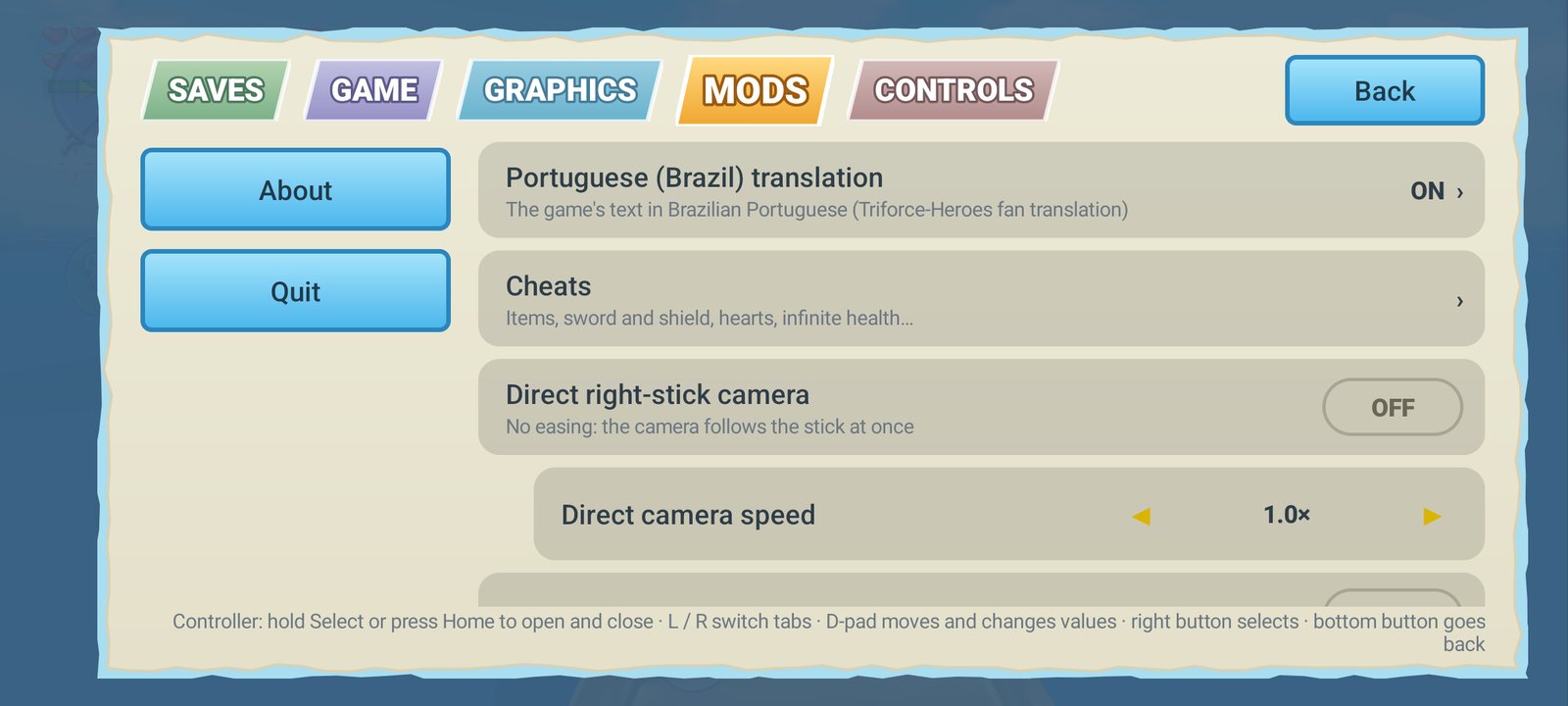
- Built-in translation of the game by Triforce-Heroes (v2025.08.05, 100%). The APK carries only the translated texts and the changed font glyphs, as a 470 KB patch. On the first start the app builds the translated message pack from your own game files and checks it against the original. Turn it on or off in Mods → Portuguese (Brazil) translation. It is on by default when your phone is set to Portuguese.
- The whole app in Portuguese: every menu, dialog and setup screen. It follows your phone's language, or choose it in Game → App language.
🎮 Controls
- Camera stick: a fixed right analog stick for the camera. You can still swipe on the right side of the screen.
- Skip button in cutscenes: during story scenes the touch controls disappear and a single Skip ▶▶ button appears. It presses + twice, as the game asks, in both GamePad and Pro Controller modes.
- External controllers: Xbox, PlayStation (DualSense, DualShock 4), 8BitDo, Switch Pro and generic gamepads. The right stick and the triggers are detected per controller, so generic layouts no longer swap them. The touch controls hide as soon as a controller connects.
- Motion controls from the controller: gyro aiming with the controller's own sensors (DualSense, DualShock 4, Switch Pro, 8BitDo in Switch mode). If the controller has none (Xbox), the phone's sensors are used. Controls → Motion controls shows which sensors are in use.
🖥️ Display and HUD
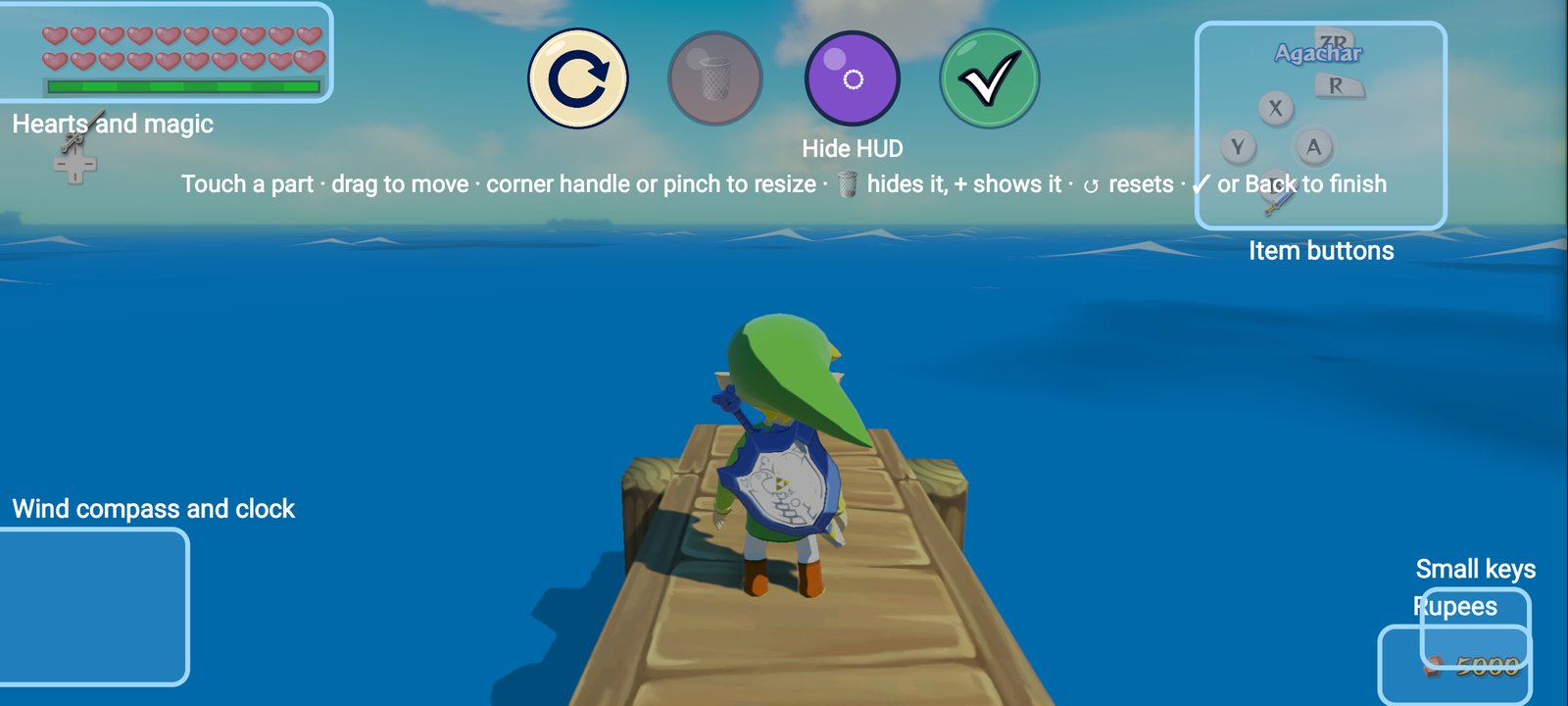
- HUD layout editor (Graphics → HUD layout): drag, resize and hide the hearts, rupees, item buttons, small keys and wind compass over the running game. You can also hide the whole HUD for a clean screen.
- Full screen beside the camera cutout: the game fills the whole display (2400 × 1080 on a Galaxy S20 FE, instead of 2312).
- Widescreen item menu fixed: with Screen shape, the pause and item menu and every page of it now render correctly.
- Menus that fit any phone, with a Menu size setting.
📦 Game setup
.wuaarchives (Cemu's compressed format) as a game source. They need no keys; an update or DLC in the archive is skipped.
🛡️ Stability
- GPU safe mode: if the game closes because of the GPU driver, the next start turns on a safe level by itself, tells you, and can be changed in Graphics → GPU safe mode.
- Fixed a GPU hang at the title screen on Adreno 650 with Qualcomm's driver (Galaxy S20 / Snapdragon 865).
- Fixed save states closing the app on phones with 6 GB of RAM.
- Faster game thread: the game's main thread runs on the prime core by default, and wake-ups that nobody waits for are skipped.
And everything from Enhanced and the Android port
Floating movement stick, context buttons that follow your items, one-touch combat moves, a touch layout editor, native widescreen, 60 fps by frame interpolation, fixed shadows, pinch-to-zoom camera, save states, cheats, gameplay mods (quick doors, fast scenes, climb any wall, faster running…), custom GPU drivers on Adreno, frame generation and more. See docs/enhanced-readme.md and docs/android-port-readme.md.
Getting started
1. Prepare your game files
Put one of these in a folder on your phone (for example Download/WindWakerHD):
| Option | Files |
|---|---|
| A. Cemu archive (easiest) | your .wua file, made in Cemu with File → Convert to compressed Wii U archive. No keys needed. |
| B. Disc image | your .wud or .wux image, its disc key (same name as the image, ending in .key), and the console's common.key |
2. Install and set up
- Install the APK from the Releases page. Allow installing from your browser or file manager if Android asks.
- Open the app and tap Extract from your disc image or .wua…, then select the folder.
- The app extracts the game (about 1.7 GB), then prepares the game code for your phone. This happens once and takes about 5–15 minutes depending on the processor. You can leave the app meanwhile; a notification shows the progress.
- The game starts. Have fun!
Updating from v1.5 or older? Those builds were signed with a different key, so Android won't install v1.6 over them. This happens one last time:
- In the old app, open ≡ → Saves → Export saves and pick a folder (for example
Download).- Uninstall the old app, then install v1.6.
- Set up the game again. When it starts without a save, the app offers to restore one: pick the folder you exported to (or Saves → Import saves at any time).
From v1.6 on, updates install over the app directly and keep everything. The automatic backup in
Download/WindWakerHD Savesis a second copy of your save.
How to play
Touch controls
| Control | What it does |
|---|---|
| Left side of the screen | Floating movement stick: it appears where your thumb lands |
| Camera stick (right) | Turns the camera; turn it on or off in Controls → Camera stick |
| Swipe on the right side | Also turns the camera; double tap to center it behind Link |
| Pinch on the right side | Zooms the camera in and out |
| A / B / X / Y / R / ZR / ZL | The Wii U buttons; their icons follow your items and equipment |
| Orange combat buttons | Jump attack, spin attack, vertical slash, dodge — one touch each |
| ❚❚ | The game's pause / item menu |
| Skip ▶▶ | Appears during story scenes: skips them |
| ≡ | The app's settings menu |
| ✎ | Touch layout editor: move, resize and remove controls |
If ≡ and ✎ are hidden, tap the bottom center of the screen to show them.
With a controller
Connect any Bluetooth or USB gamepad. The touch controls disappear automatically; touch the screen to bring them back. Hold Select or press Home to open the settings menu. Remap the buttons in Controls → Controller buttons.
Editing the HUD
Open ≡ → Graphics → HUD layout. Each part of the HUD gets a frame:
- Drag a frame to move that part.
- Drag the corner handle or pinch to resize it (25% to 300%).
- 🗑 hides the selected part, + shows it again.
- Hide HUD hides everything for a clean screen.
- ↺ resets everything, ✓ or Back closes the editor.
Settings guide
Open the settings with ≡ (or hold Select / press Home on a controller).
| Tab | Highlights |
|---|---|
| Saves | 5 save-state slots with pictures; import and export of your game saves; automatic save backup |
| Game | Game language, App language, Menu size |
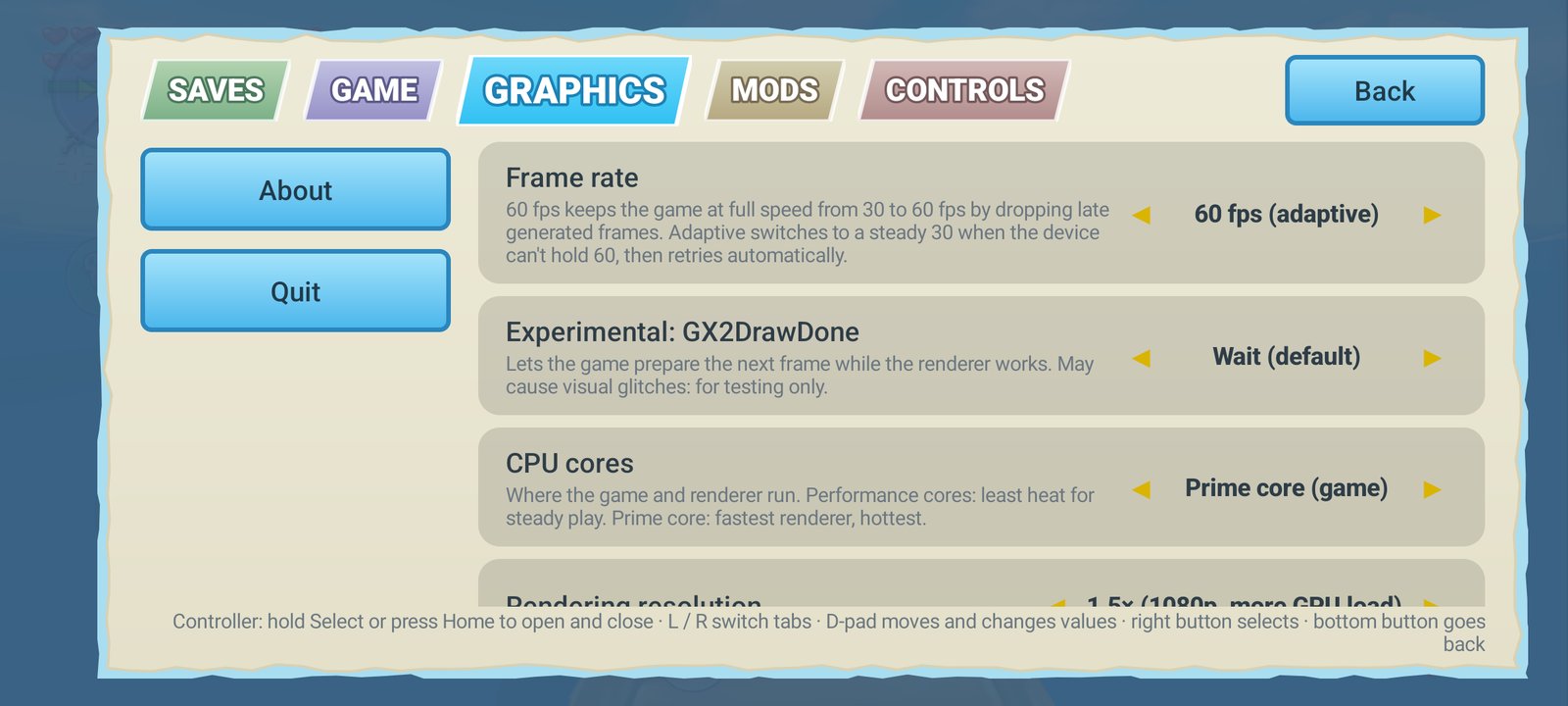
| Graphics | Frame rate (30 / 60 generated / 60 / 60 adaptive), CPU cores, rendering resolution, widescreen, screen layout, HUD layout, ambient occlusion, bloom, distant shadows, performance overlay, GPU driver, GPU safe mode |
| Mods | Portuguese translation, cheats, direct camera, first person on R3, climb any wall, quick doors, fast scene changes, fast-forward cutscenes and dialogue, faster running and swimming |
| Controls | On-screen controls, camera stick, edit touch layout, camera speed, combat buttons, vibration, GamePad / Pro Controller mode, motion controls, rumble, controller buttons |
Recommended settings
- Frame rate: 60 fps (generated), the default. It is smooth everywhere and only needs the phone to run the game at 30. On a very fast phone you can try 60 fps, which draws every frame.
- CPU cores: Prime core (game) — the default.
- Rendering resolution: Original (720p) on mid-range or older phones; 1.5× (1080p) on recent flagship phones.
- Widescreen: Screen shape, to use your whole display.
Performance
Measured on a Galaxy S20 FE 5G (Snapdragon 865 / Adreno 650) at 720p, walking and turning the camera. These are the frame rates actually shown on screen (SurfaceFlinger):
| Area | 60 fps (generated) | 60 fps | v1.5, 60 fps (adaptive) |
|---|---|---|---|
| Outset Island | 60.0–60.3 | 53–55 | 53–57 |
| Gohma's room (Dragon Roost Cavern) | 60.4 | ~53 | 30 |
| Forest Haven | 60.3 | ~53 | 30 |
| Hyrule | 60.4 | — | — |
| Windfall | 59.7 | — | 55–60 |
| Tower of the Gods | 59.5 | — | — |
| Dragon Roost Cavern | 58.7 | — | 30 |
| Forbidden Woods | 55.3 (short hitches while areas load) | — | 30 |
GPU drivers (60 fps generated, moving): Qualcomm v676.53 gave 60.1 fps, v615 60.0, and the phone's own v502 59.8. Turnip (Mesa) drivers ran at 30–37 fps on this game, so keep a Qualcomm driver.
Recent flagships (Snapdragon 8 Gen 2 and newer) hold 60 fps in most of the game. Phones get hot after a while and lower their clocks: playing while charging makes that worse.
Troubleshooting
| Problem | What to do |
|---|---|
| The app closes at the title screen or while playing | It turns on GPU safe mode by itself on the next start. If it keeps closing, set Graphics → GPU safe mode → Maximum. |
| A custom GPU driver crashes | The app goes back to the system driver on the next start. |
| "The game closed unexpectedly" | The app saves a crash log. Tap Share crash log and attach it to an issue. |
| Stutter the first time you visit a place | Shaders are being compiled; it is smooth from then on. |
| Small artifacts at the screen edges or around moving things in 60 fps (generated) | Those are the generated frames. Choose 60 fps if your phone is fast enough, or 30 fps. |
| I lost my save after reinstalling | Open ≡ → Saves → Import saves and pick Download/WindWakerHD Saves: the newest save there is used. |
| The controller's gyro isn't used | Check Controls → Motion controls: it shows the sensors in use. Xbox controllers have no gyro, so the phone's sensors are used. |
| Text is in English with the translation on | The translation replaces the English text: set Game → Game language to English and restart. |
Building from source
You need the Android SDK (platform 36), NDK 27.2.12479018, JDK 17, CMake 3.20+, Ninja, git and Python 3.
# once: LLVM for the on-device recompiler (about 20 minutes, 2.5 GB in build/llvm)
ANDROID_NDK=$HOME/Android/Sdk/ndk/27.2.12479018 tools/android/build-llvm.sh

cd android
echo "sdk.dir=$HOME/Android/Sdk" > local.properties
./gradlew assembleRelease -PwwhdDeviceRecomp -PwwhdVersionCode=12 -PwwhdVersionName=1.6
The APK is in android/app/build/outputs/apk/release/. Sign APKs you share with your own key
(android/keystore.properties, never committed).
The Portuguese translation patch is in android/app/src/main/assets/ptbr/. To make it again from
a newer translation: tools/translation/make_pack_patch.py <original pack> <translated pack> <patch>.
Credits
- ZeldaWWHDRecomp: the recompilation, the Wii U system libraries, the 60 fps modes and many fixes.
- GreenNaugahyde/ZeldaWWHDRecompAndroid: the Android port (Vulkan renderer, on-device compilation, options menu).
- SSunnKing/ZeldaWWHDRecompAndroid---ENHANCED: the Enhanced fork (touch controls, widescreen, performance) this project is based on.
- Triforce-Heroes (Ricardo, Luana and David): the Brazilian Portuguese translation of the game.
- Cemu: the GPU address library and shader decompiler
(MPL-2.0), and the ZArchive (
.wua) format. - zeldaret/tww: the decompilation used for the save data and actor layouts.
- Zstandard, glslang, Vulkan Memory Allocator, volk, libadrenotools and LLVM (see the app's About screen for all licenses).
Legal notice
This is an unofficial fan project. It is not affiliated with, endorsed or sponsored by Nintendo. "The Legend of Zelda", "The Wind Waker", "Wii U" and related names are trademarks of their respective owners and are used only to describe what this software is compatible with.
This repository and the APK contain no game code, no game assets and no keys. You need your own, legally obtained copy of the game, dumped from your own Wii U disc and console. The game is read from your copy on your device and never leaves it. Anything game-specific created on your device must not be redistributed.
The Portuguese translation is the work of the Triforce-Heroes team, who distribute it for free. The app carries only the translated texts and changed glyphs, as a patch applied to your own game files.
License
Mozilla Public License 2.0, as the projects it is based on. Third-party code keeps its own license.