a-port-of-the-order-1886-thats-actually-alive
a-port-of-the-order-1886-thats-actually-alive is a PC port of The Order: 1886 for Windows and Linux that supports AMD FSR 4 and removes letterboxing.
- Type: PC port
- Game: The Order: 1886
- Runs on Windows and Linux
- By DivinusX
- Latest release v0.2.36, 2026-11-19
- Source: https://github.com/DivinusX/a-port-of-the-order-1886-thats-actually-alive
README
The Order: 1886 — Actually Alive
A PC port of The Order: 1886 that keeps moving: Linux first, Vulkan, FSR 4, 60 FPS, no letterbox.






⬇ Download the latest build · Changelog · Quick start · Report a problem
Why this exists
The Order: 1886 is one of the best-looking games of its generation, and it has been stuck on the PS4 since 2015. Community work has already got it booting on PC. I wanted it to be playable and pleasant on my own machine: a Linux desktop with an AMD card, a controller in hand, no black bars and a steady 60.
So this repo is where I keep pushing it forward. I ship small, frequent releases, each one fixing something you can actually see, and each one documented with how it was tested.
You need your own game. No game files, firmware or saves are included. Use your own extracted PS4 copy of The Order: 1886. This is an unofficial fan project and is not affiliated with Sony or Ready at Dawn.
Screenshots
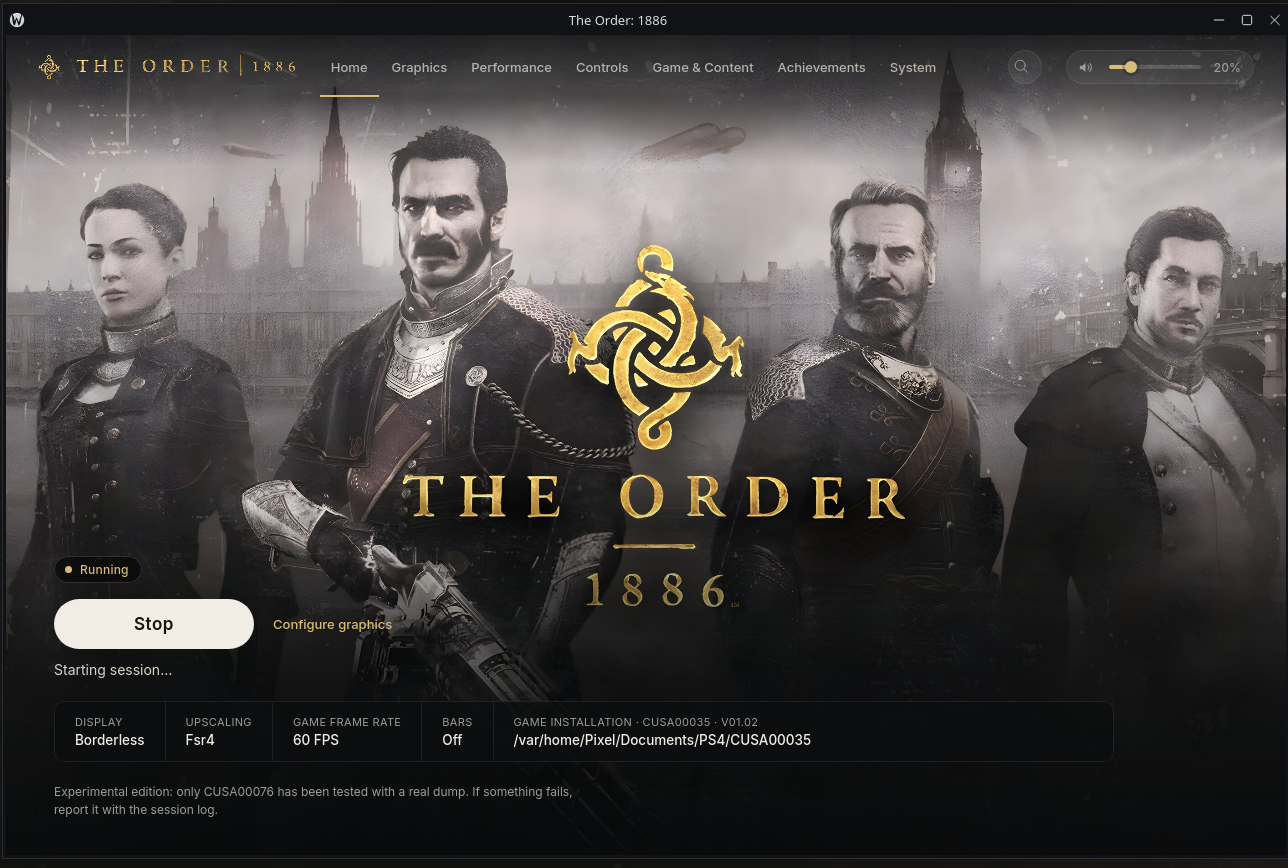 | |
| The launcher: Borderless · FSR 4 · 60 FPS · Bars off, running a CUSA00035 v1.02 dump | |
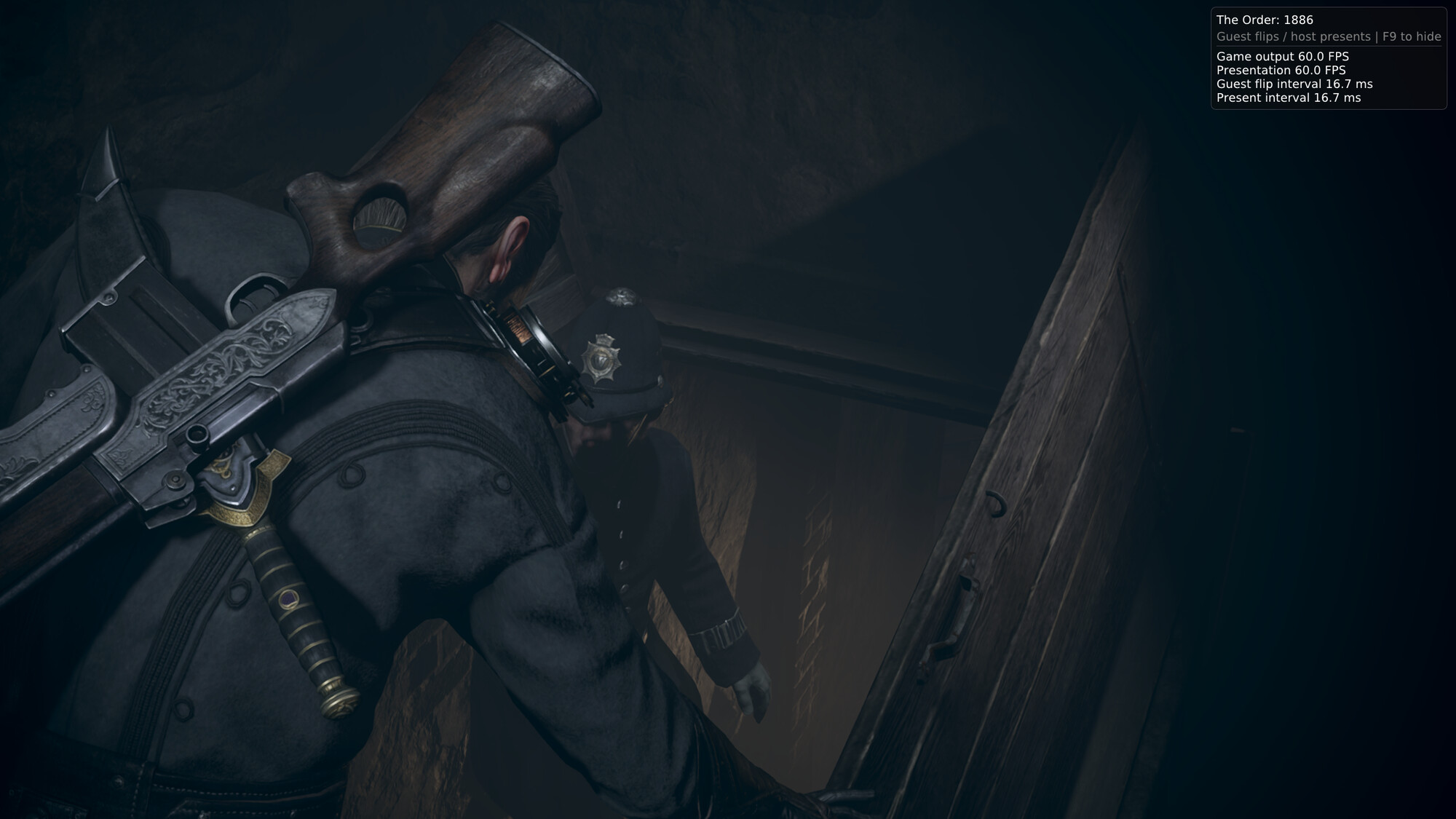 | 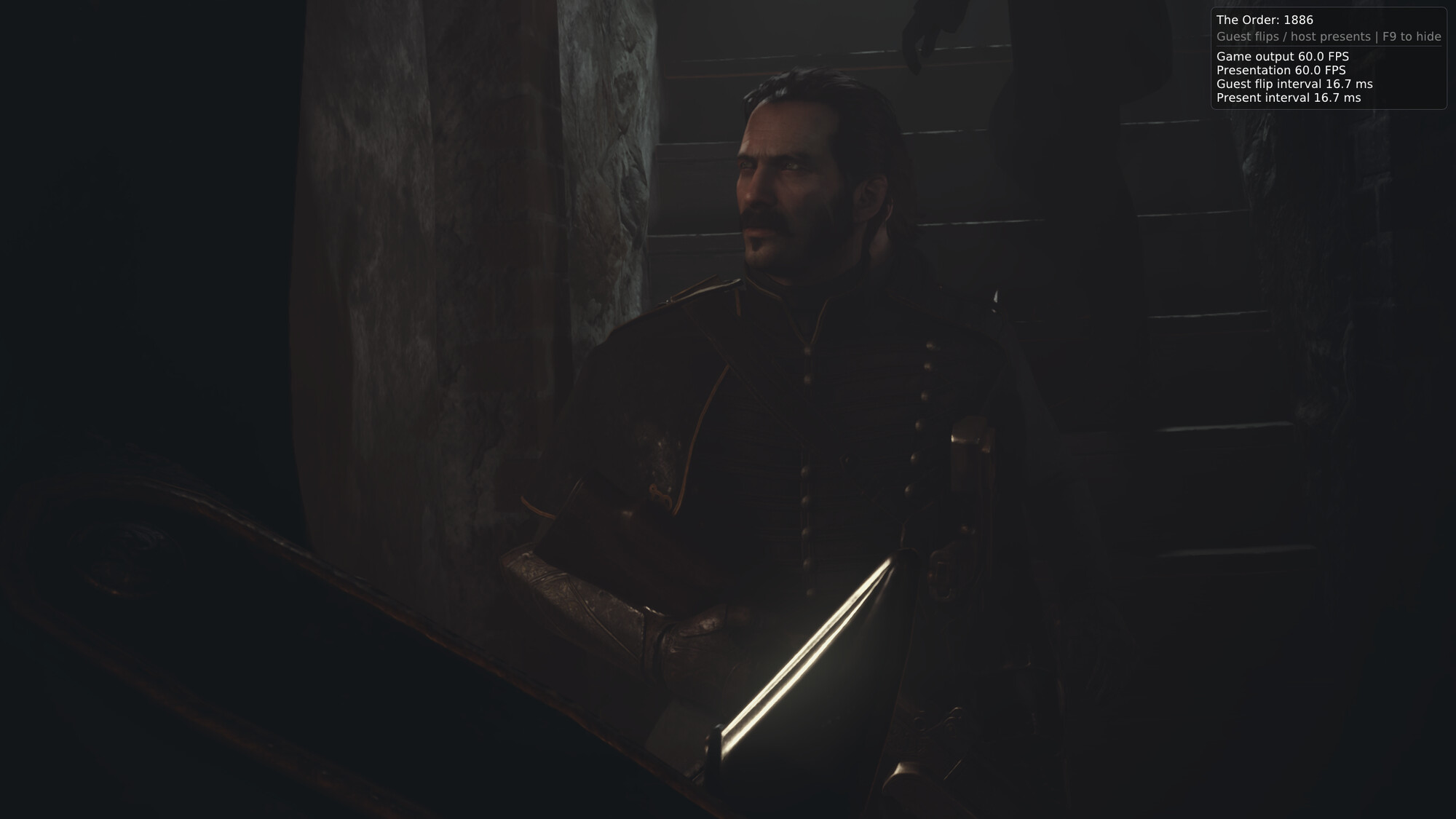 |
| Gameplay at a locked 60.0 FPS (16.7 ms) | Cutscene at 60.0 FPS, full 16:9 frame |
What this build does differently
| 🐧 Linux first | Built, tested and released on Linux (RX 9070 XT / Mesa RADV). The runtime and launcher ship as one self-contained package. |
| ✨ AMD FSR 4 | FSR 4 (v07 ML model) replaces the game's own temporal anti-aliasing, with FSR 3.1 as the automatic fallback when a GPU can't run it. |
| ☀️ Sun, steady | Draw-time HTILE expand brings back outdoor sun shadows and wet-stone reflections; staging sun-shadow readback sync (v0.2.17) ends the flicker in The Chase — 385 → 0 measured brightness flips. |
| 🎬 No letterbox by default | Graphics → Cinematic bars lets you choose. Bars are off by default, so the game renders the full 16:9 picture. Your game files are never touched. |
| 💬 Subtitles and prompts that show | With the bars off, the game's interface keeps its original 2.4:1 layout, centred on the 16:9 picture: subtitles, QTE and interaction prompts appear where they should, and subtitle letters are spelled right (v0.2.23). |
| 🎮 Controllers that work | Hot-plug detection, the original PlayStation button layout, keyboard prompts that follow your key bindings, and a built-in pad check that tells you why a pad isn't seen. |
| 🎵 A launcher with a soul | Background music with a volume bar, a clear Home strip showing your display, upscaler, frame rate and bars at a glance. |
| 📂 Any dump, any case | Dumps with mixed-case folder names (CUSA00035 and others) load correctly. |
| 🧊 Warm pipelines on a fresh install | The pipeline cache really lives in the package (v0.2.24), and a captured shader cache seed dropped in shader-cache/ is hash-verified and replayed during boot instead of compiled mid-game (#17). |
Release history
Every release has a full write-up in CHANGES.md, with evidence in
docs/verification/.
| Version | Date | Highlights |
|---|---|---|
| v0.2.42 | Nov 20, 2026 | 🪟 Windows + 🐧 Linux. Screenshots now save to a Screenshots folder in the game's own folder (#42), and the F1 menu's band fill adapts to any window shape — 20:9, 21:9, streaming resolutions (#45) (release notes) |
| v0.2.41 | Nov 20, 2026 | 🪟 Windows + 🐧 Linux. A stuck session can no longer write a multi-GB log (#40, partial): per-shader failure-line budget with one cap notice (release notes) |
| v0.2.40 | Nov 20, 2026 | 🪟 Windows + 🐧 Linux. Fixed the prologue lift cutscene above 30 FPS (#38, #33): the port holds 30 FPS for that scene only, then returns to your frame rate (release notes) |
| v0.2.39 | Nov 20, 2026 | 🪟 Windows + 🐧 Linux. DLC support (#39): The Knight's Arsenal and The Knight's Endurance — choose your extracted DLC folder in the launcher (Game > DLC folder); the uniforms appear in La Armería / The Armory (release notes) |
| v0.2.38 | Nov 19, 2026 | 🪟 Windows + 🐧 Linux. DLSS stays in the in-game Upscaling list after switching away (#33) (release notes) |
| v0.2.37 | Nov 19, 2026 | 🪟 Windows + 🐧 Linux. Fixed a crash at startup while preparing shaders (#35), caused by the FPS counter (release notes) |
| v0.2.36 | Nov 19, 2026 | 🪟 Windows + 🐧 Linux. Render resolution, upscaling (FSR 1 / FSR 3.1 / FSR 4 / DLAA) and sharpening in the in-game menu; upscaling now works at every render resolution (release notes) |
| v0.2.35 | Nov 19, 2026 | 🪟 Windows + 🐧 Linux. Temporal AA On/Off in the in-game menu (#29): turn off the game's frame blending for a sharp picture at native resolution; HUD and text fixed above 1920 wide (native 4K). Linux RX 9000: Mesa 26.3.1 crashes at 4K, use 26.2.x (release notes) |
| v0.2.34 | Nov 18, 2026 | 🪟 Windows + 🐧 Linux. Mods in the in-game menu (#24): infinite health, infinite ammunition, infinite throwables and enemy one-hit kill, applied automatically and kept between starts; redesigned F1 menu. Mods verified on CUSA00785 USA 1.02 (release notes) |
| v0.2.33 | Nov 18, 2026 | 🪟 Windows + 🐧 Linux. New performance overlay (FPS, frame-time graph, GPU/CPU load and temperature, RAM/VRAM), graphics presets in the in-game menu (Steam Deck / Low / Medium / High: shadows, filtering, frame rate) with the menu's Unlocked/90+ FPS now going past 60, and ultrawide 21:9 fill screen (#30). Known bug: prompt button symbols (release notes) |
| v0.2.32 | Nov 17, 2026 | 🪟 Windows + 🐧 Linux. GTX 10 (Pascal): fix for the colour flicker, glowing characters and black patches (#26), not yet confirmed on a real GTX 10. Other GPUs unchanged. Known bug: prompt button symbols (release notes) |
| v0.2.31 | Nov 17, 2026 | 🪟 Windows + 🐧 Linux. GTX 10 (Pascal) cards render correctly (#26), the launcher's file check passes (#14), crash reports show the cause (#18), asynchronous shaders on by default again. Known bug: prompt button symbols (release notes) |
| v0.2.30 | Nov 17, 2026 | 🪟 Windows + 🐧 Linux. No GPU hang, faster. The draw pipeline's constant ring bug behind the exit-23 hang is fixed, the ring is bigger (an interior went from ~63 to ~120 fps) and the draw pipeline is back on. Known bug: prompt button symbols can show as an empty circle (release notes) |
| v0.2.29 | Nov 17, 2026 | 🪟 Windows + 🐧 Linux. Mouse look feels like a PC game: less input lag, small motion gets past the stick dead zone, diagonals keep their angle. Set the game's Look / Aim / Scope sensitivity to 8 of 10 for the closest PC-shooter feel. Lost the mouse after Esc? Press F6 (#15) (release notes) |
| v0.2.28 | Nov 17, 2026 | 🪟 Windows + 🐧 Linux hotfix. No more instant crash on launch (exit 139). Replaying the shader cache at boot could hand one pipeline's leftover shaders to the next and crash the AMD driver; the replay now starts clean for every pipeline, and the launcher sets a cache aside by itself if its replay ever crashes a boot. No more GPU hang mid-play (exit 23): the two-stage draw pipeline that triggered it is off by default. Also ships the v0.2.27 prompt fix and repairs in-app updates on Windows (release notes) |
| v0.2.27 | Nov 17, 2026 | 🪟 Windows + 🐧 Linux. Interaction prompts stop depending on luck. The constant ring silently skipped uploads when its tail was still in flight, so prompt sprites bound the previous draw's table — invisible or wrong glyph, per-session timing lottery. Allocation now resumes at the GPU-retired frontier; uploads are never skipped (release notes) |
| v0.2.26 | Nov 17, 2026 | 🪟 Windows + 🐧 Linux. World interaction prompts keep their button glyph. Shaders whose descriptor-table flattening falls back were cached without recording that fact, so replays rendered the prompt disc empty — forever. The fallback is now recorded, never replayed (those variants always compile fresh, the path that renders correctly), and the cache format bump heals every existing install on first launch (release notes) |
| v0.2.25 | Nov 17, 2026 | 🪟 Windows + 🐧 Linux hotfix. Subtitles and button prompts restored — v0.2.24 shipped a stale preparation script from the engine repository that dropped the v0.2.23 UI fix; the file is now correct in both packages and in the engine repo, with a release-time drift check so it cannot silently regress again (release notes) |
| v0.2.24 | Nov 17, 2026 | 🪟 Windows + 🐧 Linux. Shader cache seeds (#17): the pipeline cache now really lives in user/order1886 (on Linux it was quietly falling back to a per-user folder), any pre-fix cache is adopted once, and a captured seed bundle dropped in shader-cache/ is hash-verified and replayed at boot so a fresh install starts with warm pipelines. Same engine as v0.2.23 (release notes) |
| v0.2.23 | Nov 16, 2026 | 🪟 Windows + 🐧 Linux. Subtitles and button prompts now show with the bars off (the interface is drawn in its original 2.4:1 band, centred on the full 16:9 picture), and subtitle letters come out right (no more "Eigan." for "Sigan."). Same binaries as v0.2.22, one preparation script changed (release notes) |
| v0.2.22 | Nov 15, 2026 | 🪟 Windows + 🐧 Linux, one source revision built by CI. Windows gets everything Linux had since v0.2.19: the black stripes on RX 6600-class GPUs fixed (#4), in-game menu on F1, game language selector (21 languages incl. Español (Latinoamérica)), pre-patched copies accepted (#3). Linux: same as v0.2.21, built on Ubuntu 24.04 so it needs glibc 2.39+ again (release notes) |
| v0.2.21 | Nov 14, 2026 | 🐧 Linux. In-game menu on F1: change the frame rate (30/60/90/120/144/165/240/Unlocked), window mode, V-Sync and output resolution while you play. First engine built from this repository (packaging/linux/build-engine.sh) |
| v0.2.20 | Nov 14, 2026 | 🐧 Linux. Choose the game's language: Game & Content → Game language, 21 languages including Español (Latinoamérica) (before, every language came out in English). Search magnifier centred |
| v0.2.19 | Nov 14, 2026 | 🐧 Linux. The game starts on Bazzite, Fedora and other distros: every library now ships inside the package (the libZydis.so.5 error, #5). Copies with the 60 FPS or 16:9 patch already applied are accepted, and 30 FPS really runs at 30 (#3). Needs glibc 2.44+ |
| v0.2.18 | Nov 8, 2026 | 🪟 Windows x86-64 package with the same fixes as v0.2.17 (release notes) |
| v0.2.17 | Nov 8, 2026 | The Chase sun flicker fixed — staging sun-shadow readback sync; 20-frame bursts at the video's framing: 385 → 0 brightness flips |
| v0.2.16 | Nov 8, 2026 | Sun shadows and wet-surface specular restored (draw-time HTILE expand); brightness flicker measured at 3 → 0 flips |
| v0.2.15 | Nov 8, 2026 | AMD FSR 4 replaces the game's TAA on Linux; FSR 3.1 selectable on Linux as fallback |
| v0.2.14 | Nov 7, 2026 | Cinematic bars option, bars removed by default |
| v0.2.13 | Nov 7, 2026 | Launcher adjustments; real pad-check diagnostics and CONTROLLERS docs |
| v0.2.12 | Nov 7, 2026 | Controller fixes: Steam grab and HID access guidance |
| v0.2.11 | Nov 7, 2026 | Hot-plug gamepad detection; Xbox controller verified |
| v0.2.10 | Nov 7, 2026 | Chapter I shadow flicker fixed |
| v0.2.9 | Nov 7, 2026 | Original button layout restored; keyboard prompts follow your key mapping |
| v0.2.8 | Nov 7, 2026 | Launcher background music; Linux runtime fix |
| v0.2.7-hotfix.1 | Nov 6, 2026 | Mixed-case game dumps fixed |
Getting started
- Download the latest
order1886-linux-x86_64-*.tar.gzfrom Releases and check it against the.sha256file. - Extract the whole archive to a writable folder. Keep the entry points and
bin/together. - Run
The Order 1886and pick your game folder on Game & Content. Pick the folder that directly containseboot.bin,archivemap.bin,_data,sce_sysandsce_module. - Choose your settings (I play with Borderless + FSR 4 + 60 FPS + bars off) and press Play.
Requirements: x86-64 Linux, glibc 2.39+, a Vulkan GPU driver. The launcher window needs
WebKitGTK 4.1. Without it (for example on SteamOS), use
Play The Order 1886 --game-dir /path/to/game to play directly.
Supported editions: update 1.02 of CUSA00076, CUSA00035, CUSA00070, CUSA00100, CUSA00670 and CUSA00785. CUSA00035 is the one I play on.
Settings, caches, logs and saves live in user/order1886 next to the launcher. Keep that folder
when you upgrade.
Shader cache seeds (#17): the runtime records the pipelines it compiles and replays them at
boot. If someone gives you a captured cache, put it at shader-cache/CUSAxxxxx/ (a
bundle.json + blobs/ next to the launcher) and the next launch on a fresh install imports and
replays it; on a GPU/driver the capture wasn't made for, the runtime rebuilds as before.
python3 scripts/order1886_cache.py --export … makes a bundle from your own cache (QUICKSTART).
Full setup, SteamOS notes and troubleshooting are in QUICKSTART.txt.
Controllers
Plug the pad in before launching. The runtime logs Runtime: gamepad connected: <name>, and
bin/order1886-runtime --gamepad checks detection without starting the game. If something's
wrong, look for Order1886: pad check: warnings in the log. The usual causes are:
- No kernel driver loaded. Updating the kernel without rebooting is the classic cause.
- Your user can't read the device. Join the
inputgroup or install the shipped udev rule. - Steam is grabbing it. Quit Steam, or turn off Steam Input for that controller family.
Known limits
- 60 FPS is still experimental. Chapters 6 and 9 may softlock on QTEs; switch to 30 FPS for those.
- FSR 4 renders at the game's own size (keep Render resolution on Original). Sub-native quality modes aren't wired yet.
- With the bars off, a button prompt for an object at the very top or bottom of the picture stays at the edge of the 2.4:1 interface band.
- Full campaign progression and very long sessions aren't verified end to end.
Found a bug? Open an issue
with your last-run.json, the matching session log, your GPU/driver and steps to reproduce.
Check logs for personal paths before you share them, and never upload game files or saves.
How it works
The original PS4 x86-64 executable runs directly on your CPU. A compatibility runtime reimplements the PS4 system interfaces the game uses, and a Vulkan video core translates the PS4 GPU commands and shaders to SPIR-V. The launcher prepares a hash-checked copy of the game executable (your originals are only read), applies the options you chose and manages sessions, logs and save backups.
Credits and license
Licensed under GPL-2.0-or-later.
This project stands on a lot of community work, and I want to name it:
- JulioCacko/The-Order-1886_pc: the base runtime and launcher this project continues from
- shadPS4: the graphics and PS4 API core
- FelipePrado0/gow3_pc: loader and build infrastructure
- [IgorAugustoHH/The-Order-1886-PC-Port](https://github.com/IgorA