TriAevum
TriAevum brings The Legend of Zelda: Ocarina of Time 3D to PC.
- Type: PC port
- Game: The Legend of Zelda: Ocarina of Time 3D
- By coccofresco
- Source: https://github.com/coccofresco/TriAevum
README
TriAevum
A native PC AOT recompilation of The Legend of Zelda: Ocarina of Time 3D, with a modern NRI/Vulkan renderer, single-screen UI and customizable graphics.
Credit Where It Belongs
Before the shaders, settings and excessive grass: TriAevum would not exist in its current form without TopScreen, developed by rlgcarrot. Its single-screen experience is reimplemented here for our runtime, but the vision, care and tremendous work behind it deserve a special thank-you. Please consider buying rlgcarrot a coffee to support that fantastic work.
Just as essential are Azahar, Ship of Harkinian, libultraship, NVIDIA NRI, and the SDL controller-mapping community. And, of course, Nintendo and Grezzo, who created the original game. Full credits and licenses.
alpha.3 and alpha.3b are BROKEN and withdrawn. Do not use these builds. Downloads have been removed pending further verification. Back up existing saves/settings. Release status and earlier releases.
About
TriAevum is an AOT recomp in the same general spirit as the Xbox 360 recomp projects. I just ended up spending most of my time on the renderer instead of, you know, actually playing the game. The goal is to push the visuals further without completely losing the original look.
Development of this project is entirely AI-assisted, under human direction. That describes the TriAevum-specific work, not the mature donor projects and libraries it builds on: Azahar, Ship of Harkinian, NRI and others. Aside from those foundations, you could fairly call this concentrated AI slop. Apparently, even AI slop can still consume several months of your life.
Install
Requires Windows or Linux x64, a Vulkan-capable GPU with current drivers, and your own
supported decrypted ROM. Forge accepts .3ds and .cci and checks the contents,
not just the filename.
It should work with any personal EUR or USA ROM dump, provided it is decrypted
and in .cci or .3ds format.
See ROM compatibility details.
Windows
- Download the Windows-x64 ZIP, not GitHub's source-code archive, and extract it into a writable folder.
- Run
TriAevumForge.exeand select your decrypted ROM. - When setup finishes, choose Launch game. Afterwards, use
TriAevum.exe.
Linux and Steam Deck
The alpha.3/alpha.3b AppImages are withdrawn; the instructions below describe the intended packaging, not a currently recommended download.
- Download the Linux-x86_64.AppImage and make it executable in your file
manager, or with
chmod +x TriAevum-*.AppImage. - Open the AppImage and select your decrypted ROM in Forge.
- Choose Launch game when preparation finishes.
On Steam Deck, prepare in Desktop Mode, then add the same AppImage as a non-Steam
game. Use Steam Input's Gamepad layout without Proton. Physical Steam Deck and
Gaming Mode testing have not yet been performed. --forge reopens preparation;
--appimage-extract-and-run is available on systems without FUSE.
No compiler or SDK is needed. Forge downloads the official TopScreen texture
package during setup; an Internet connection is required unless that package
is provided locally. No ROM or original
game assets are included. Forge also prepares the bundled shaders for your GPU
automatically; shaders encountered later are cached while playing.
Back up your saves, settings and prepared data: data/ beside the Windows
application, or $XDG_DATA_HOME/TriAevum (normally ~/.local/share/TriAevum)
on Linux. Old Flatpak data remains in ~/.var/app/io.github.coccofresco.TriAevum/
and is not migrated automatically.
Graphics and controls
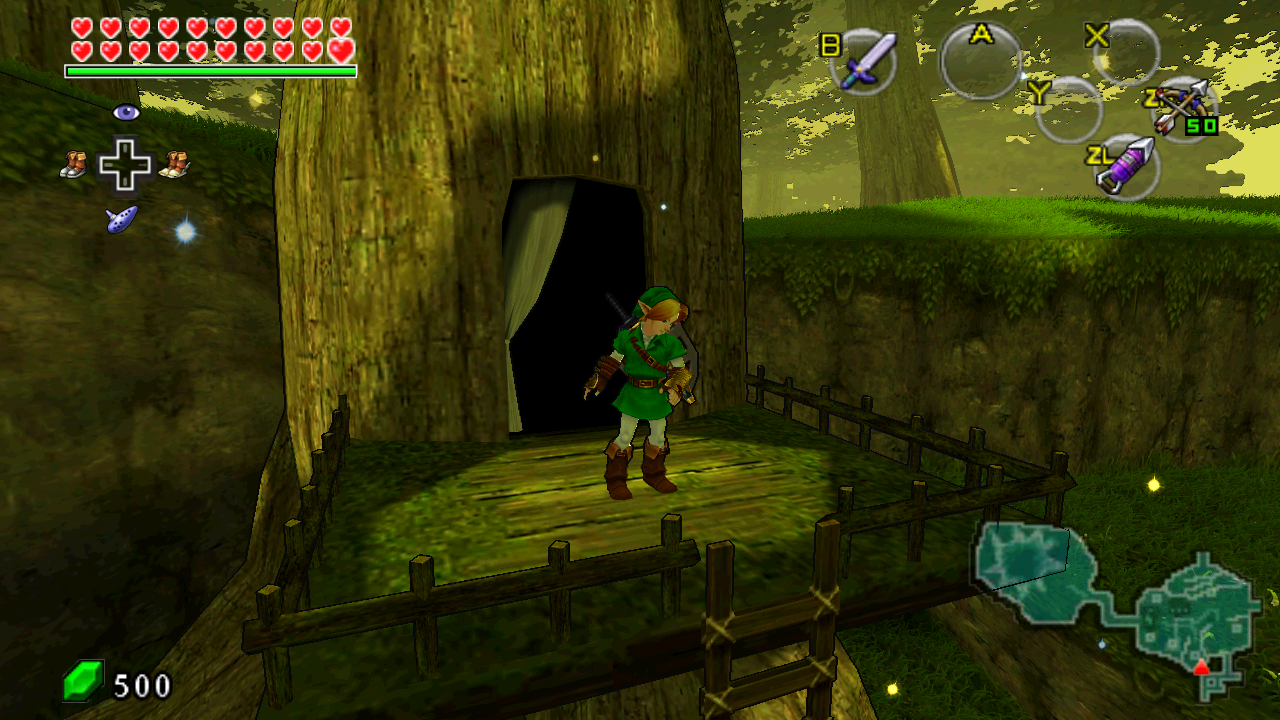
- Cel/toon shading and outlines.
- Ambient occlusion, plus optional reflections, shadows and anti-aliasing.
- Real widescreen framing and configurable field of view.
- 60/90 FPS visual interpolation of the original 30 Hz game state. Game logic and gameplay speed remain unchanged; this is not 60/90 Hz physics.
- Azahar-compatible custom textures and texture dumping.
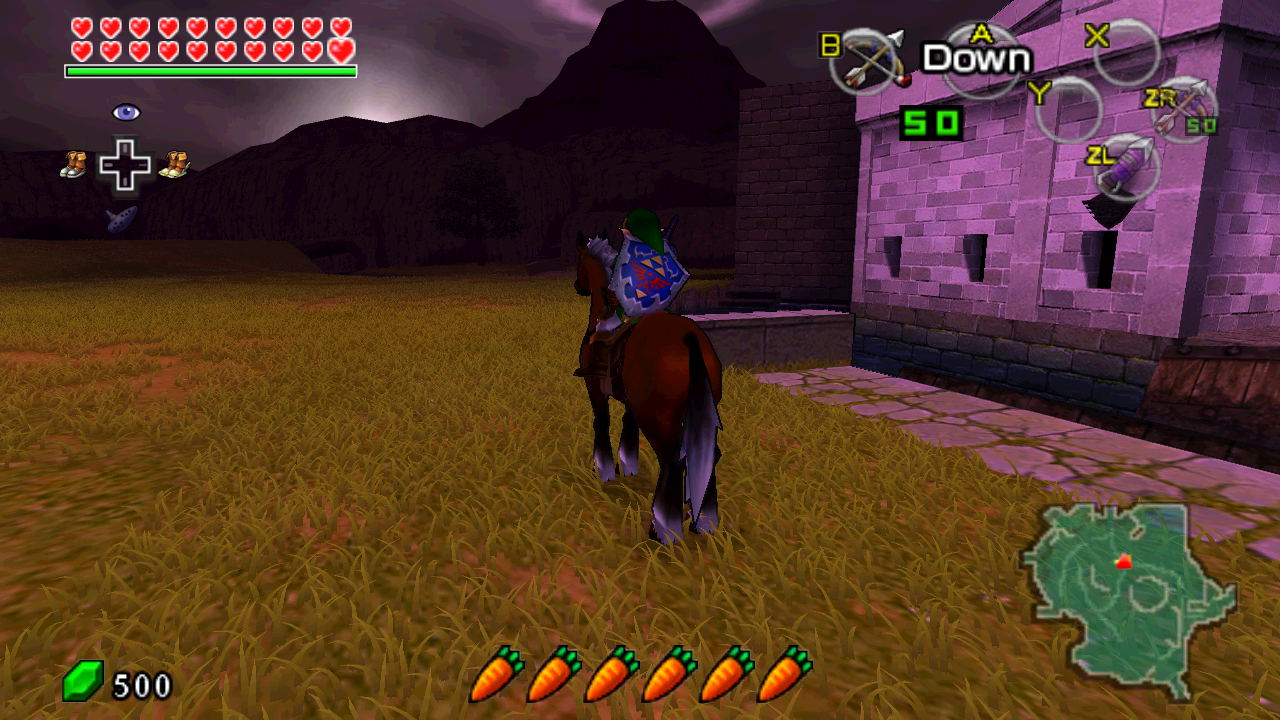
- Reimplemented TopScreen single-screen HUD and menus.
- Configurable gameplay free camera, keyboard/mouse and controller inputs.
- Named settings profiles, audio and save states.
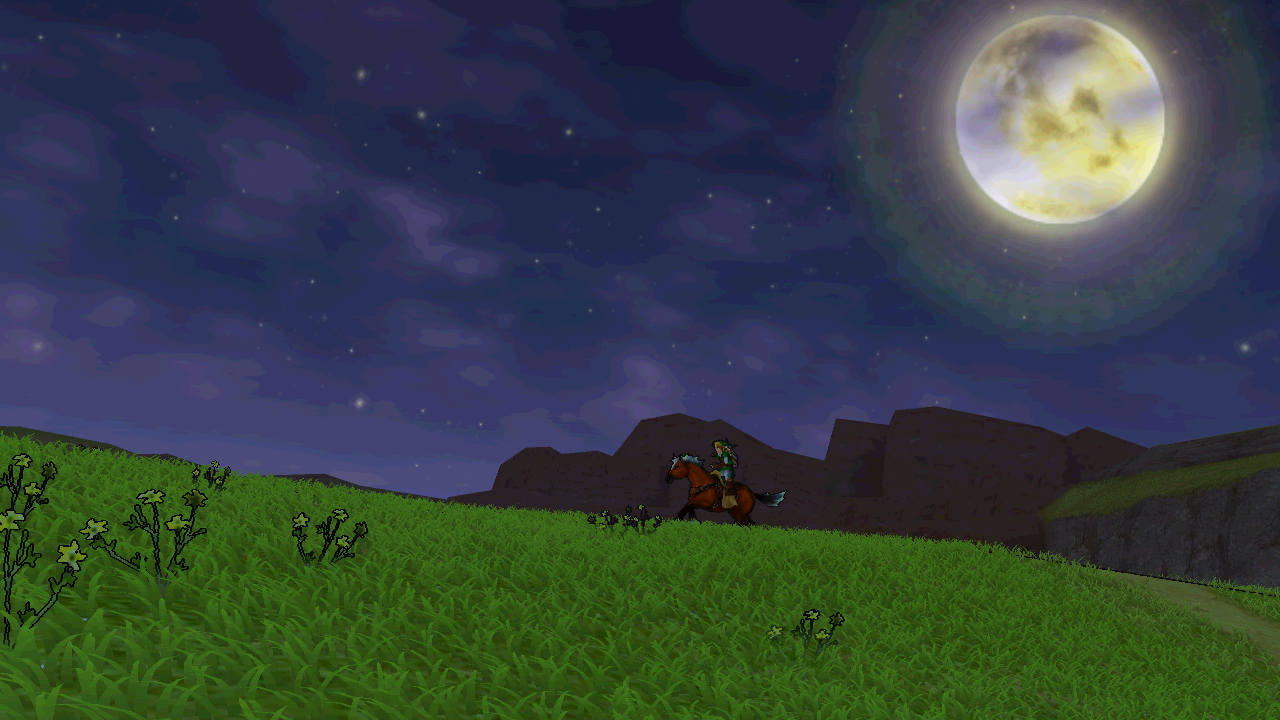
- Procedural grass. A lot of grass. Possibly too much grass.
Press F1 for settings. F2 temporarily disables the main added graphics effects, then restores them without losing your configuration. Most of the presentation is configurable, so if my artistic decisions offend you personally, you can probably undo them. Effects can be expensive; adjust them to suit your GPU.
Testing and contributing
This is an experimental alpha, not a fully tested port. Gameplay testing currently covers the early parts of the game. The USA adapter has been checked through installation, the title intro and file selection, not a full playthrough. I find tweaking shaders considerably more entertaining than finishing Zelda again, so people willing to actually play through it are especially welcome.
Please report issues with the version, ROM input/revision, GPU/driver, settings and steps to reproduce. Normal in-game save files are particularly useful for problems later in the game. Review logs for personal information before sharing; do not upload ROMs, extracted assets or memory savestates containing game code.
Contributions, experiments and forks taking the renderer in other directions are welcome. Community contributors and PR credits are recorded separately from the original AI-assisted development. Longer term, I would like to explore a proper ray-tracing path and finish features still in the traditional state known as "technically implemented". Ray tracing is a wishlist item, not a feature of this release.
Release notes and known limitations.
Screenshots
Captured directly from the alpha.2 framebuffer on Windows and Linux with the default profile: toon shading, outlines, grass, 1.10x FOV, x2 interpolation and TopScreen. No additional HD texture pack.
Source and license
Original contributions are licensed under GPL-3.0-or-later. Third-party components retain their own licenses and notices: license scope and third-party notices. See the release and build contract for source availability and developer packaging.
TriAevum is independent and is not affiliated with or endorsed by Nintendo.
Worst case scenario, at least we got more grass.