TimeSplitters 2 Recomp
TimeSplitters 2 Native PC Port is a native PC port of TimeSplitters 2 for Windows, Linux, and Steam Deck with 60 FPS and up to 4K resolution.
- Type: PC port
- By Destinity13
- Source: https://github.com/Destinity13/TimeSplitters-2-Native-Recomp-Windows-Linux-SteamDeck
README

TimeSplitters 2 — Native PC Port
The PS2 classic, recompiled into a real PC game — no emulator. Linux and Steam Deck now, Windows next.
60 FPS, true 16:9, up to 4K, mouse and keyboard, split-screen, and the online multiplayer the PS2 version never got.











Play it · Online · What makes it different · Gallery · Before / after · FAQ · Status · How it works · Docs
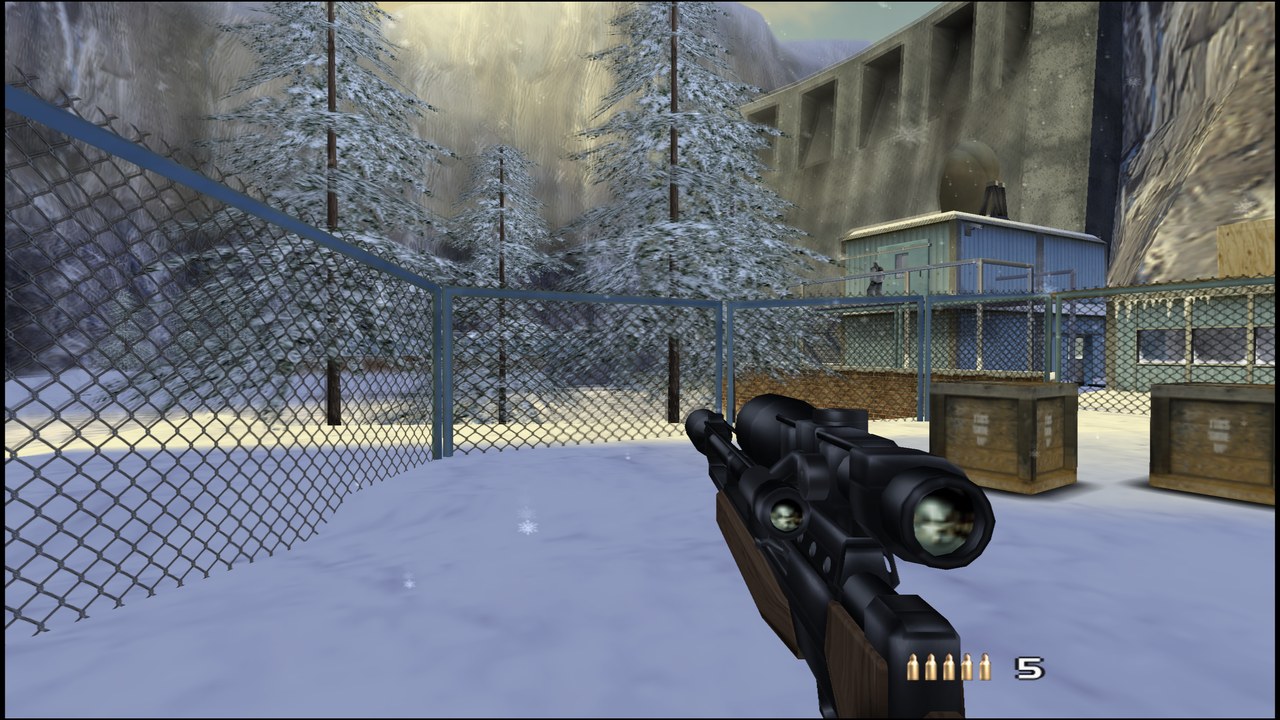
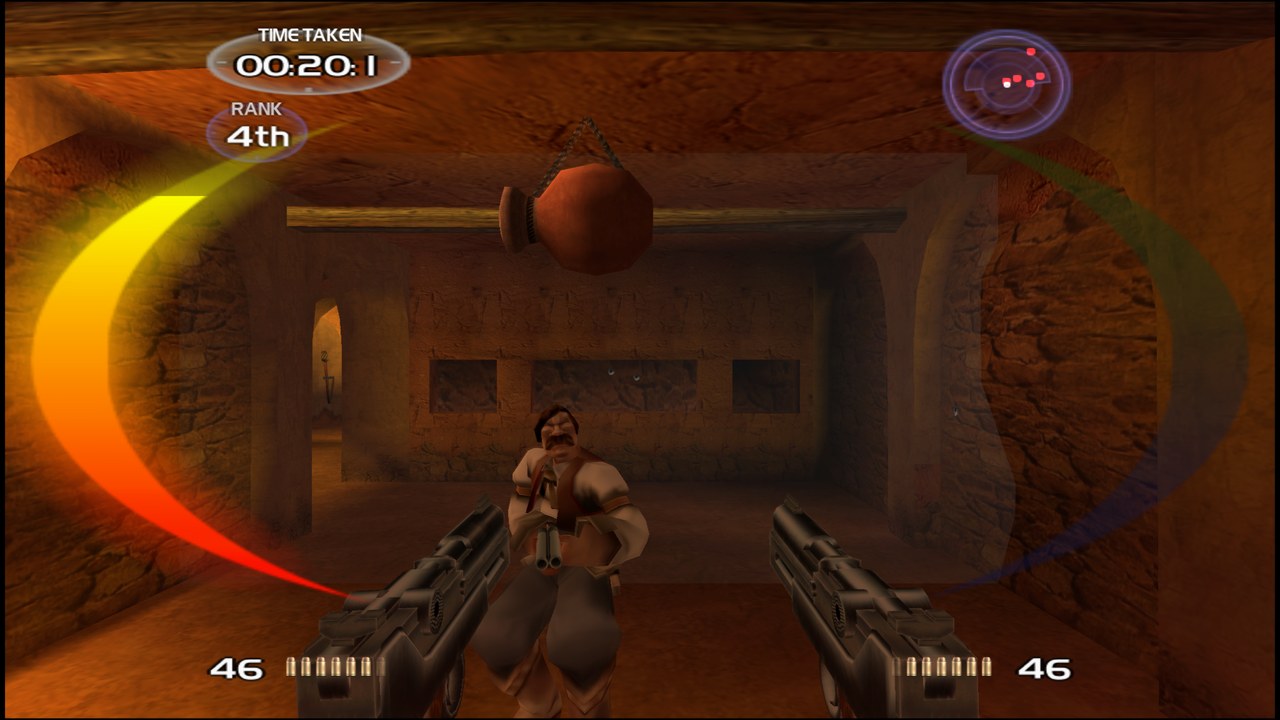
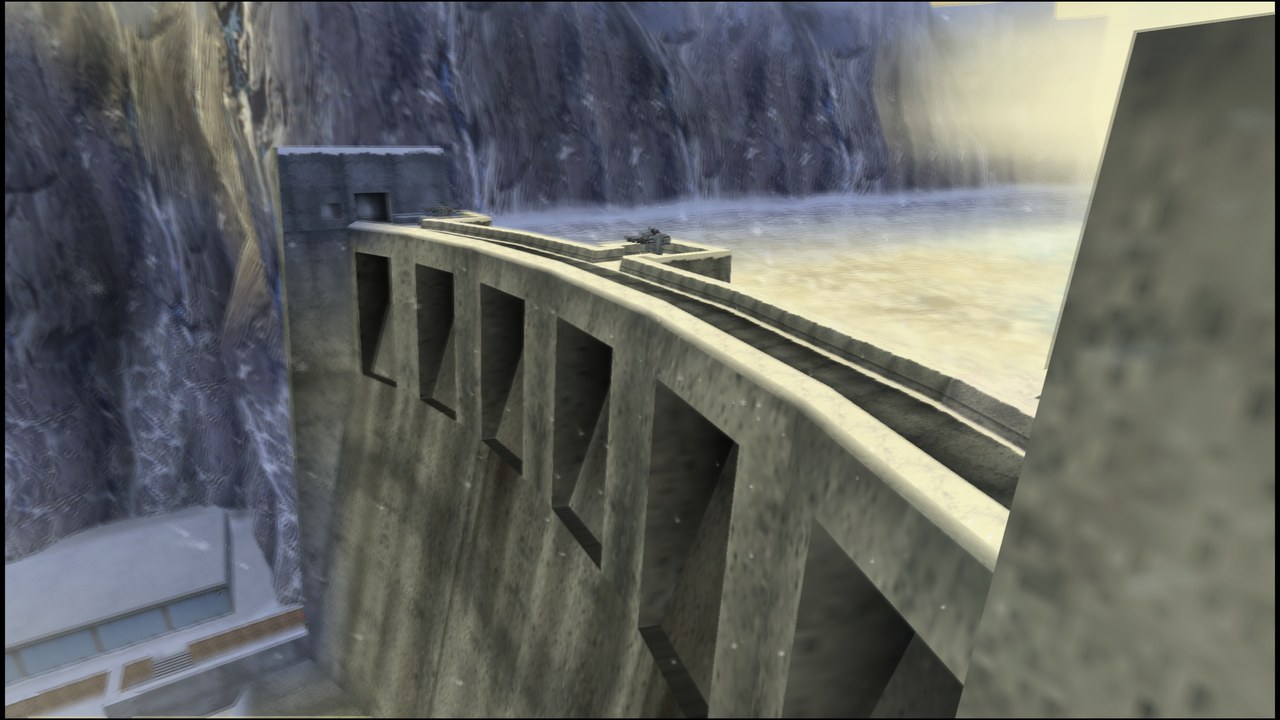
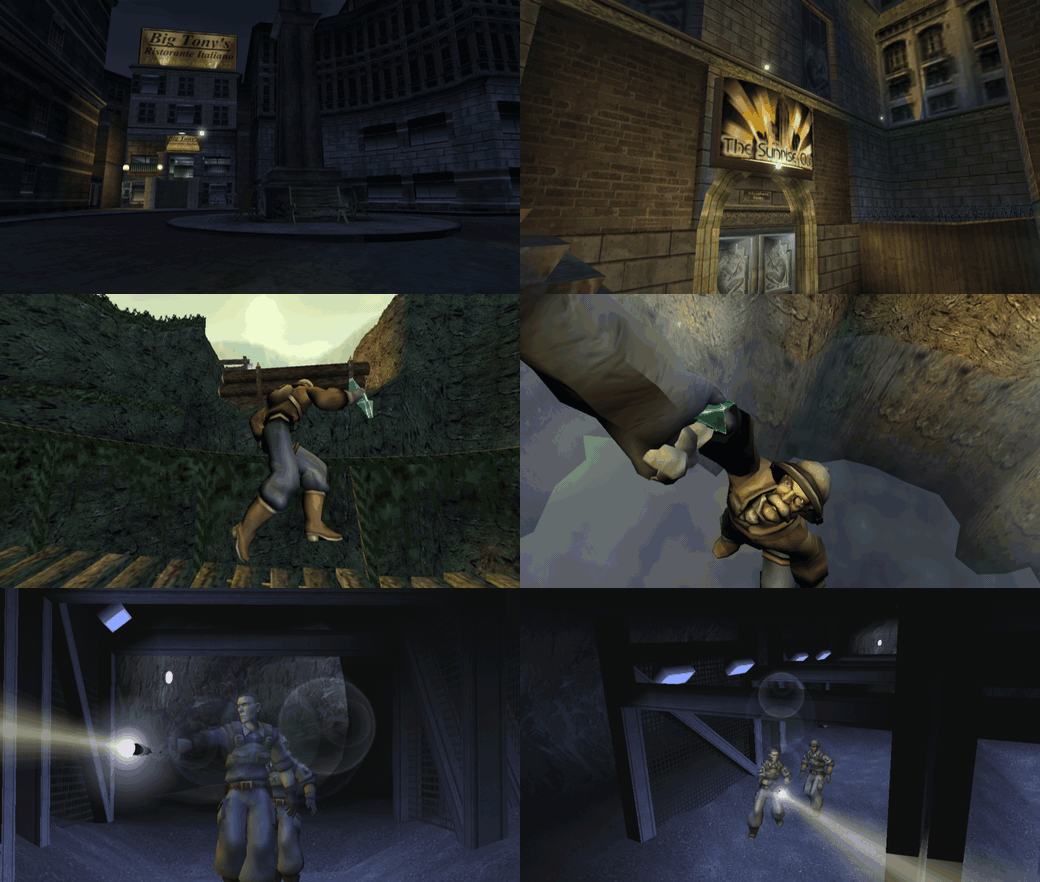 Level intros (Chicago, Aztec, the Siberia opening) straight from the port: 16:9, 2× internal resolution, no ghosting. Captured from an automated run, every 4th frame.
Tip
Version 1.0 is out for Linux and Steam Deck. New since 0.9: online multiplayer with an in-game server browser
and a ts2-server in the package (how it works), mouse and keyboard play (new, not finished),
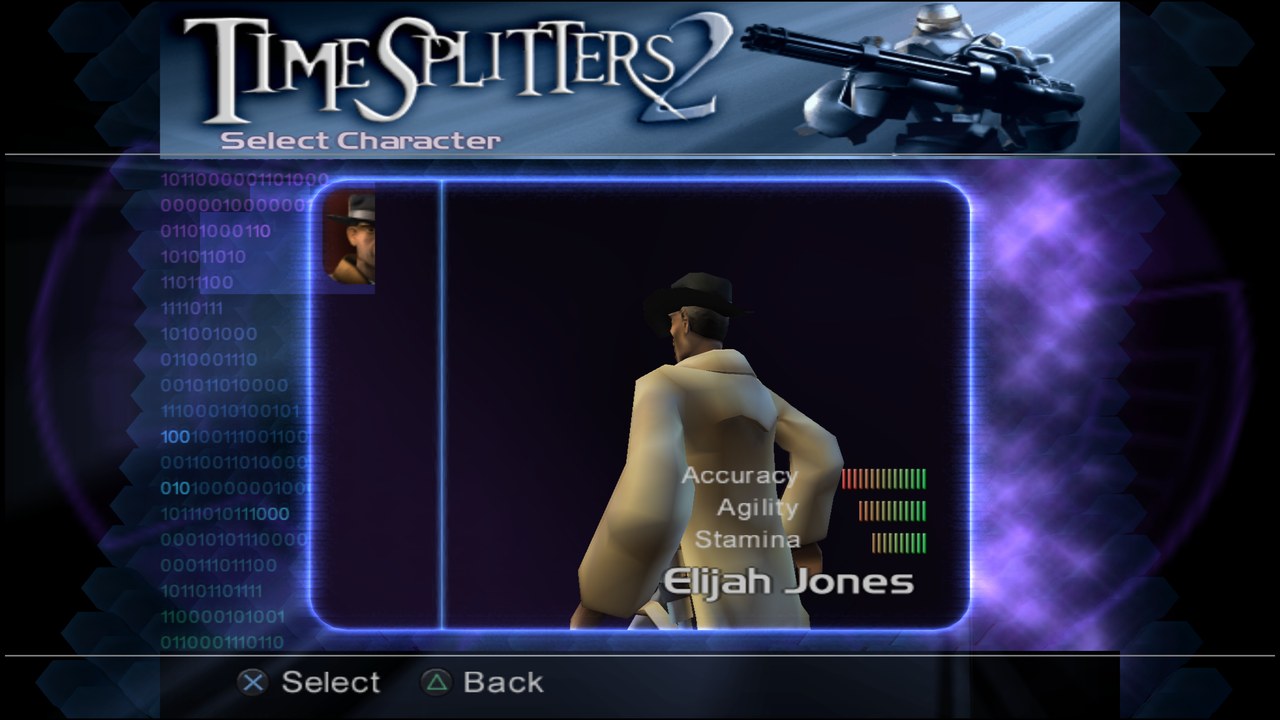
a settings menu in the game's own style (English / Deutsch), F8 video recording at the internal resolution and a
F7 free camera for screenshots. On the Steam Deck mouse aiming starts off, so taps on the screen or trackpad
never steal the controls.
Windows is in progress. The Windows build runs (60 FPS under Wine, release candidates played on a real PC), but the final package still crashes at start on real hardware, so it is not part of 1.0.0. It follows as soon as that is fixed (status).
Important
Bring your own game. You need your own copy of TimeSplitters 2 (USA, SLUS-203.14). This repository and the
releases contain no game code, no game assets and no BIOS. The launcher turns your disc image into your build on
your PC.
| 60 FPS every frame shown, 16.7 ms each | 16:9 real Hor+ widescreen, HUD in proportion | up to 8× internal resolution (4K and above) | 16 players online with server browser | Linux + Deck Windows build in progress | ~3 min from disc image to playing |
| Story 10/10 levels · Arcade League · Challenge · MapMaker · co-op split-screen · checked frame by frame against PCSX2 | |||||
Play it in 3 minutes
Download the package for your system from Releases, extract it, start the launcher and pick your disc image. The launcher checks the disc, extracts it and builds the game once with a progress bar (about 3 minutes on a desktop PC). Then press Play.
Nothing to install: each package brings its own compiler and prebuilt libraries, and only the code generated from your disc is compiled on your PC.
| 🪟 Windows 10 / 11 (in progress) | 🐧 Linux | 🎮 Steam Deck |
|---|---|---|
|
Not released yet. The Windows build works under Wine and release candidates ran on a real PC, but the final package crashes at start on real hardware. It will be added to the release once that is fixed. |
Needs only |
Deck detected automatically, tuned for a steady 60 FPS. Step by step |
In the game: ESC / F1 / Guide = settings menu and server browser · F7 = free camera · F8 = record video · F9 = FPS · F10 = turbo · F11 or Alt+Enter = fullscreen · F12 = screenshot
Mouse and keyboard: click into the game to capture the mouse (ESC releases it). Mouse look with the game's own aim-mode crosshair (pinned to the centre, shots land on it), left = fire, right = zoom (hold), middle/Q = secondary fire, E/Space = use, R = reload, C = crouch, wheel = weapon, WASD = move. Every key and mouse button can be rebound in the settings menu while playing; sensitivity, zoom sensitivity and invert are there too. On the Steam Deck mouse aiming is off by default, and on every system touching the gamepad hands control straight back to it. Mouse play is new and not finished yet (aim-mode walking speed, vehicles): what is done and what is open.
Online multiplayer
Note
New in 1.0. Tested on a LAN so far; the first matches over the internet are what the community list is for – add your server with a pull request to server/servers.txt.
The PS2 game had LAN play through the Network Adapter; online play was cut before release. This port brings it
online. Everyone on the same ts2-server meets in Arcade → Network as if on one LAN, with all modes, all maps
and up to 16 players.
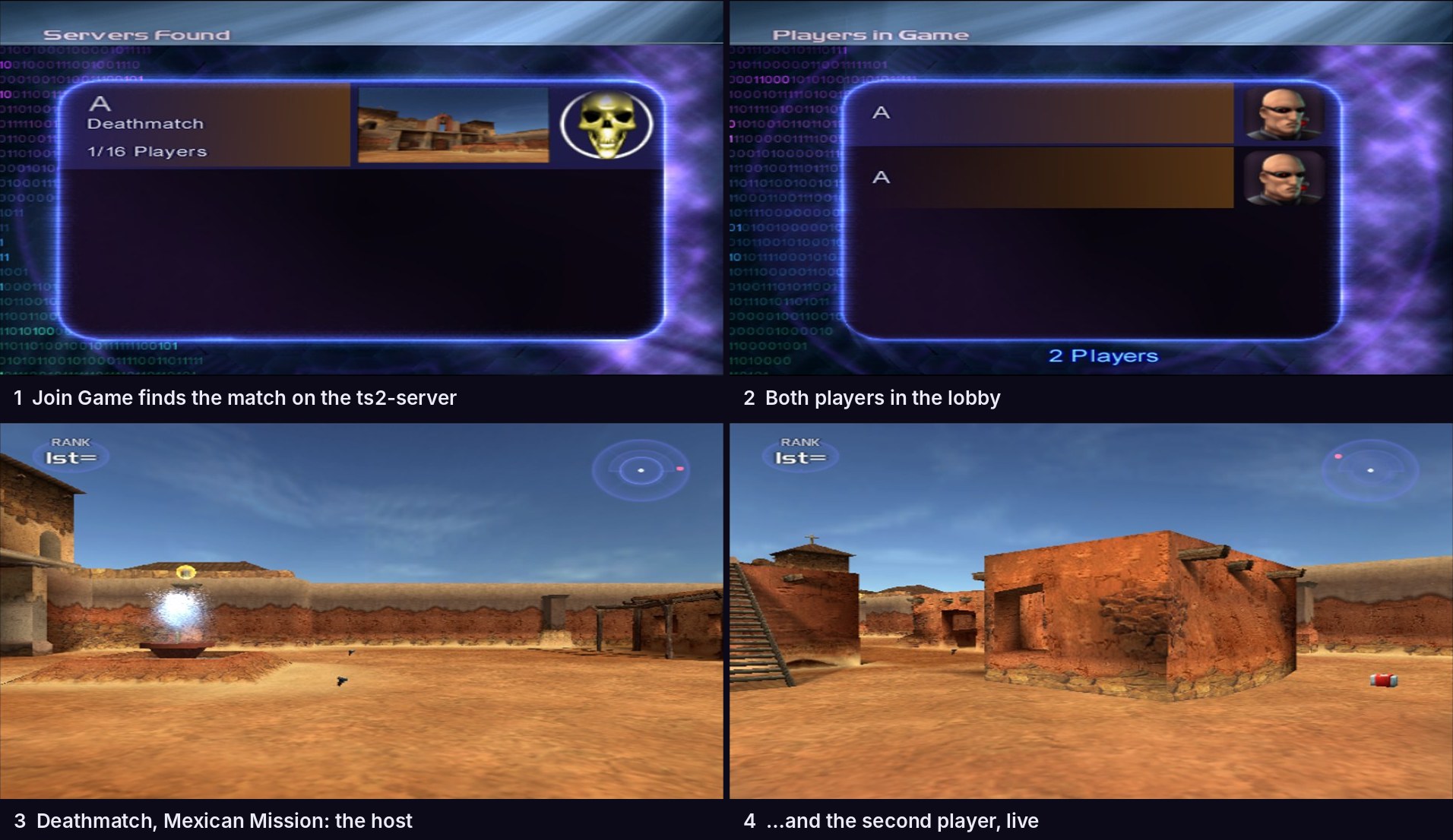
- In-game server browser in the style of the classic PC shooters: server list, players, ping, password, favourites, direct address. It opens by itself at Arcade → Network.
- Host your own server with one command:
./ts2-server --name "My server". It is included in the package and is a single C++ file without dependencies (it also builds on Windows with MSVC). How to host - One server for every platform: Linux and Steam Deck players meet on the same
ts2-server; the Windows version will join the same servers. - Nothing in the game is changed: you use the original menus, Start Game to host and Join Game to join.
- Your IP stays private: players only ever talk to the server, never to each other. The server is a dumb relay with rate limits and connection caps, and ships with a hardened systemd unit. Security model
Roadmap and technical details: ONLINE
What makes it different
| Native, not emulated | The game's MIPS code is recompiled into C++ and compiled for your CPU. No CPU emulation at runtime; only graphics and sound come from PCSX2's GS and SPU2. |
| Online the PS2 never had | The original LAN mode, carried over the internet by a small relay server, with a real server browser. |
| One click | Same game on Linux and Steam Deck (Windows in progress). The launcher does everything; you only bring the disc. |
| Better than the original, faithful where it counts | 60 FPS, real 16:9 instead of stretching, 1×–8× resolution, optional fixes (frame blending off, no letterbox). Everything else behaves like the PS2. |
| Checked against PCSX2 | Every fix is measured against the emulator (savestates, screenshots, register logs) before it lands. VERIFICATION |
| Open and legal | GPL-3.0, no game data in the repository, every bug and fix documented. FINDINGS |
Features
|
Picture
|
Play
|
Gallery
 |  |
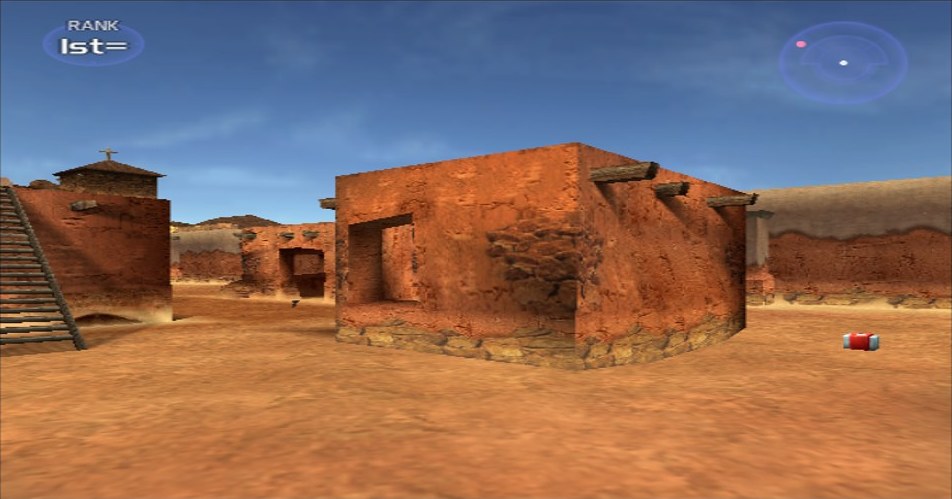 | 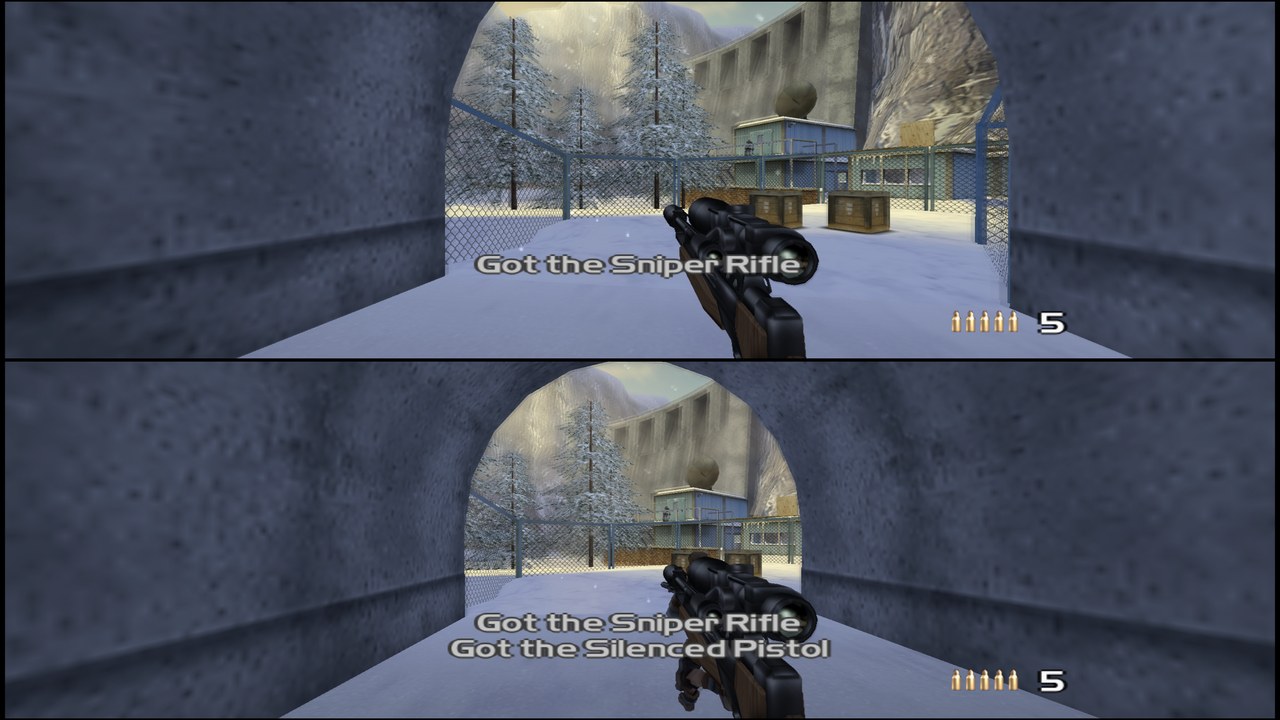 |
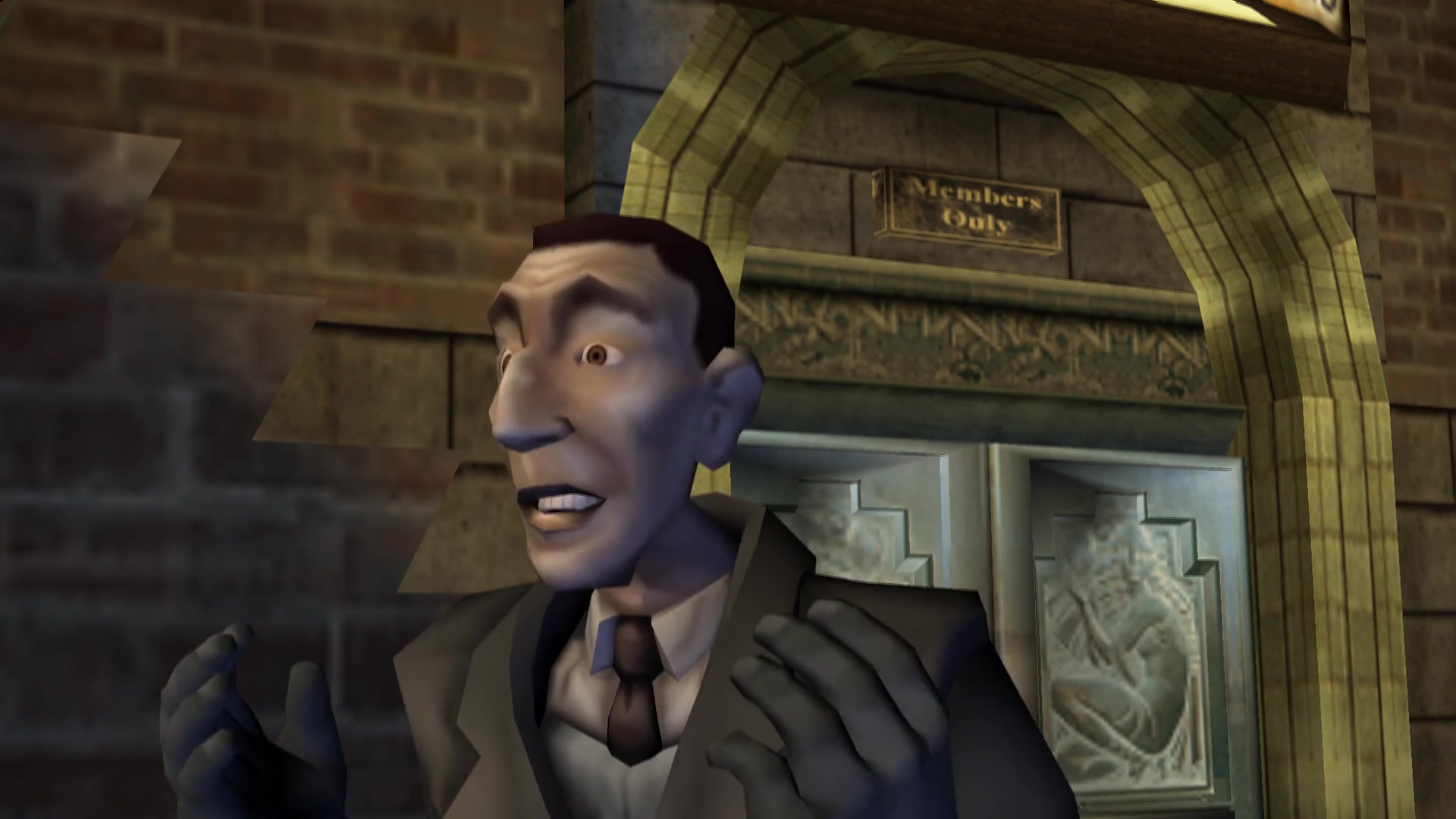 | 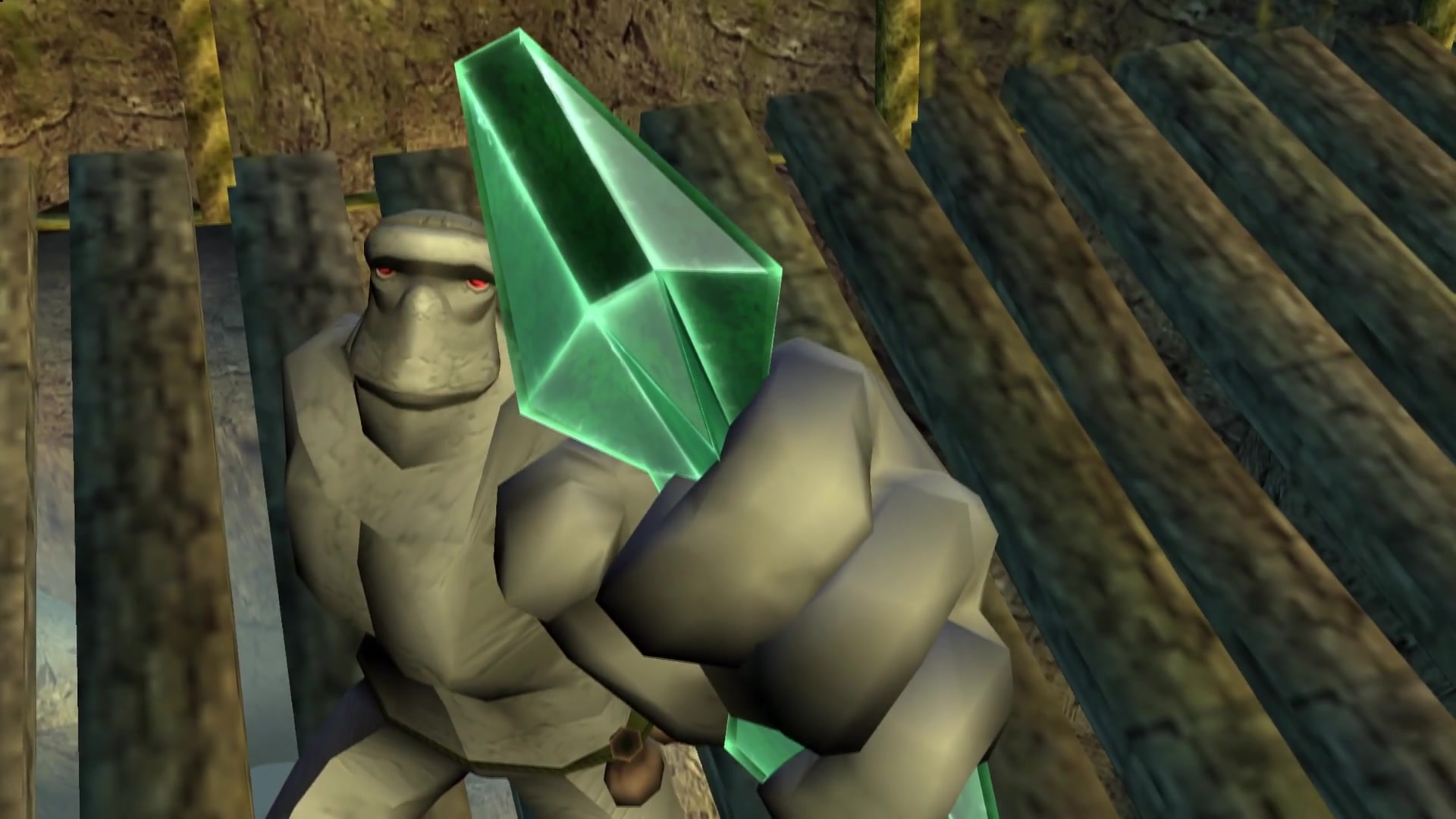 |
 |  |
 |  |
Before / after
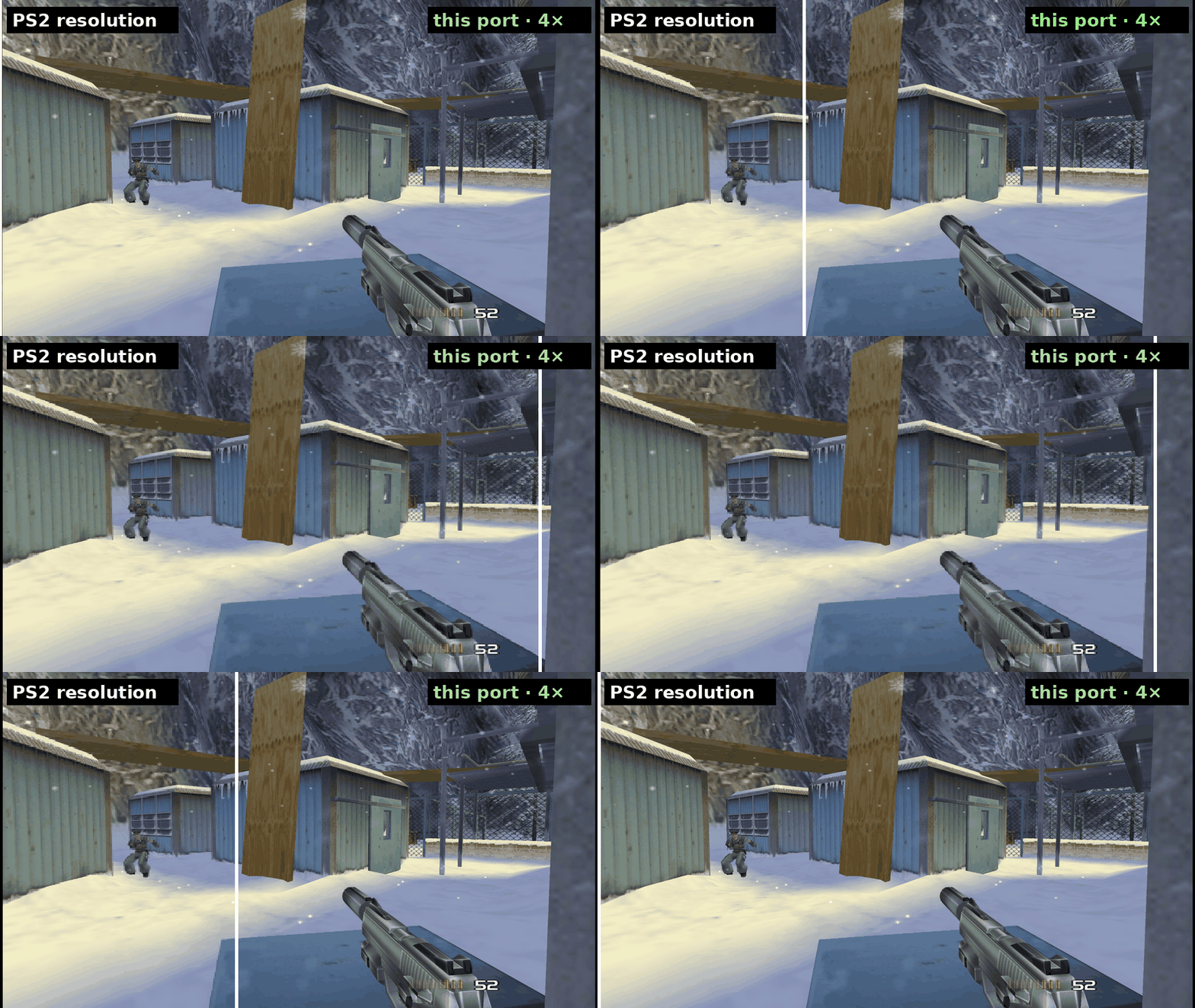
▶ Open the interactive slider – drag between the PS2 picture and the port, for resolution and for 4:3 vs 16:9.
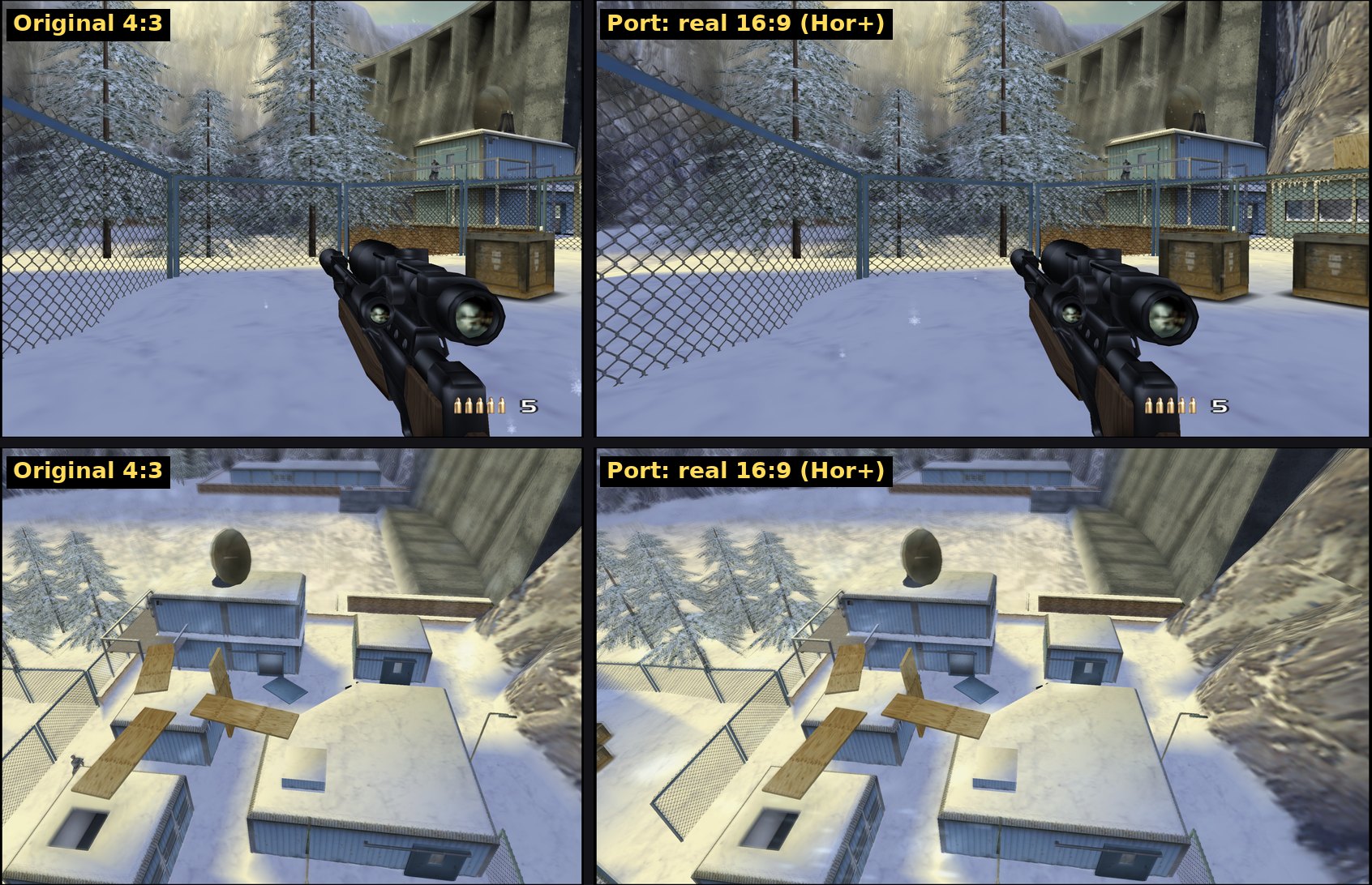
Same frame of the same input replay: original 4:3 (left), real 16:9 with more of the scene (right). All shots from the port's renderer on the author's own disc, no AI upscaling, no texture pack.
FAQ
| Do I need PCSX2 installed? | No. The package brings the small GS/SPU2 bridge it needs. Nothing else is installed on your system. |
| Which disc works? | The USA release, SLUS-203.14, as an .iso dump of your own disc. PAL and Japanese discs are different builds and will not work (yet). |
| Is it an emulator with extra steps? | No. The game's CPU code is translated to C++ once and compiled for your PC. At runtime there is no MIPS interpreter or JIT, only the GS/SPU2 (graphics and sound) from PCSX2. That is why it holds 60 FPS on a Steam Deck. |
| Why does it compile on my PC? | Because the translated game code is derived from your disc and must not be distributed. Your PC turns your disc into your build, once, with the compiler that ships in the package. |
| Controller, mouse or both? | Both, at the same time. Gamepads through SDL3 (any modern pad, rumble, pressure buttons), mouse look with the game's own crosshair, all keys and buttons rebindable in the menu. Mouse play is the newest part and not finished. |
| Can I play with friends? | With 1.0: online through a ts2-server (host your own in one command, up to 16 players), or split-screen on one PC today. |
| Does it change how the game plays? | No. The PS2 game logic runs unchanged; the visible differences (60 FPS, 16:9, no ghosting, no letterbox) are switchable, and the Easy/Normal/Hard quirks of the original are all still there. |
Status
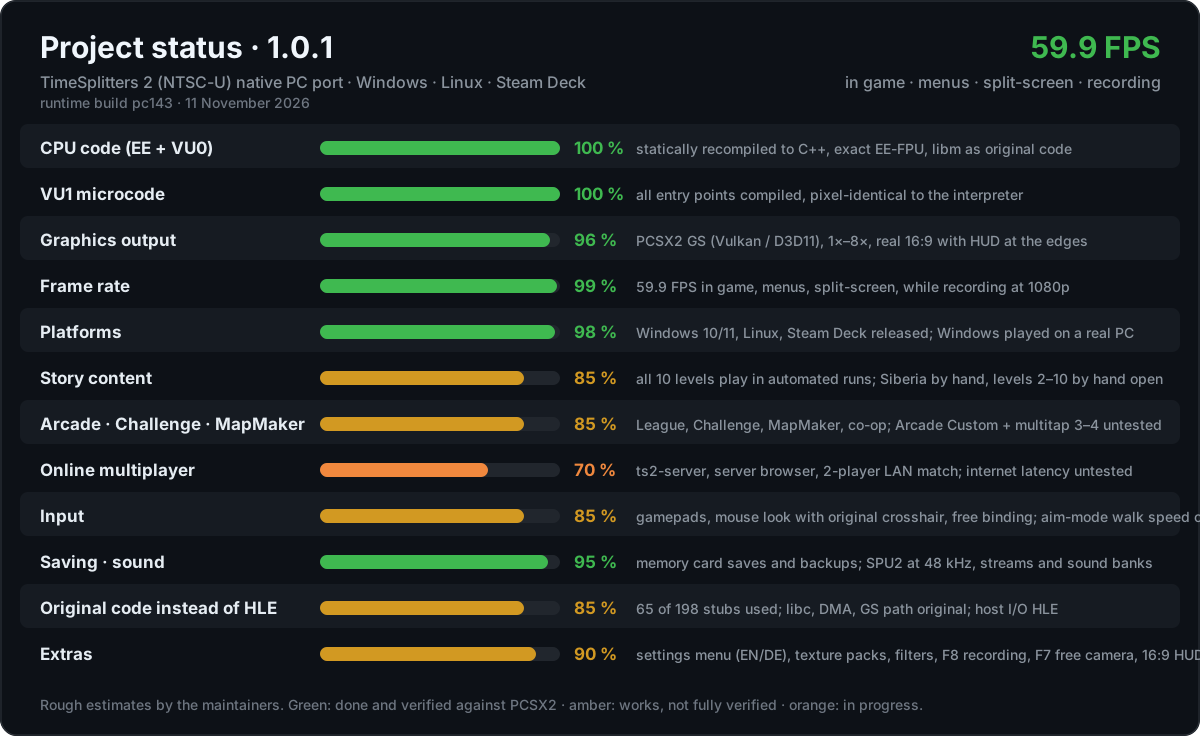
| ✅ Already there | title, profiles, Story (all 10 levels load and play, Siberia played through), Story co-op, Arcade League, Challenge, MapMaker, options, bonus trailer, memory card, sound |
| 🆕 New in 1.0 | online multiplayer with in-game server browser · ts2-server in the package · mouse and keyboard play · TS2-style settings menu (EN/DE) · F8 video recording · F7 free camera |
| 🟡 Being tested | mouse play beyond Siberia/Arcade (open points), Story levels 2–10 by hand (automated runs are clean), Arcade Custom, 3–4 players via multitap, online over the internet |
| 🛠 Coming in updates | Windows release (start crash on real hardware) · softer snow haze at high resolutions · mouse polish (aim-mode walking speed, vehicles) · HUD anchored to the 16:9 edges · dedicated server that runs matches without a hosting player |
Every build: CHANGELOG · open issues: KNOWN_ISSUES · found a bug?
Open an issue and attach build/spielen.log.
Which TimeSplitters 2 port is this? As far as we know the only active recompilation of the PS2 version, checked frame by frame against PCSX2. split2-recomp recompiles the Xbox version instead; both are worth a look.
How it was built
- PCSX2 is the reference, always. Every scene is first run in PCSX2 with a scripted virtual gamepad; savestates at fixed frames give the "truth" for RAM, GS registers and pictures.
- The port replays the same inputs headless and dumps the same things. A difference is a bug; the diff says where.
- Fixes go into the recompiler or the runtime, not into the game. The game's own code stays as it came off the disc; every finding is written down (FINDINGS), from FPU rounding to a frozen COP0 counter that kept the network code silent.
- Every build is numbered and tested (
pc001…pc118): 60 FPS check, all ten story levels, split-screen, package setup as a fresh user on Linux, the whole Windows chain under Wine, and CI jobs on real Windows. - Tools were built along the way: input record/replay, RAM-diff search (that is how the camera and player position for mouse look were found), write watches with native backtraces, a hang reporter, frame capture.
A human maintainer sets direction and play-tests on real hardware; an AI coding agent (Claude) does most of the reverse engineering, implementation and measurement. See AI disclosure and VERIFICATION.
How it works
flowchart LR
    ISO["your disc image"] --> E["SLUS_203.14"]
    E --> R["PS2Recomp fork<br/>R5900 → C++"]
    E --> V["VU1 microcode → C++/SSE"]
    R --> B["native executable"]
    V --> B
    RT["runtime: kernel · IOP · DMA/VIF/GIF · timing · network"] --> B
    B -->|GIF · SPU2| GS["PCSX2 GS (Vulkan) + SPU2"]
    B -->|virtual LAN| S["ts2-server"]
No CPU emulation at runtime: the game's MIPS code becomes C++ and is compiled for your PC. Only graphics (GS) and
sound (SPU2) come from PCSX2, through a small bridge library. The PS2 network adapter is emulated and connected to a
ts2-server, so the game's own LAN code plays online.
Documentation
| ONLINE | online multiplayer: how it works, roadmap · host a server |
| MOUSE | mouse and keyboard play: how it is done, what is still open |
| STEAM_DECK | setup and Game Mode on the Deck |
| WINDOWS_PORT | how the Windows build works and how it was tested |
| BUILDING | how the game is built on your PC, all settings |
| CHANGELOG | every build and release |
| FINDINGS | every bug found against the reference and how it was fixed |
| PERFORMANCE | frame-rate measurements and optimisations |
| VERIFICATION | how changes are checked |
| KNOWN_ISSUES | open issues |
Legal
- Tooling and runtime under GPL-3.0 (a fork of PS2Recomp), plus a patch and bridge for PCSX2 under PCSX2's license.
- No code, data, textures, text, audio or BIOS from the game or from Sony. Translations of the game's code are produced locally from your own disc and never committed.
- You must own the game and dump your own disc. Do not share dumps or generated code.
- TimeSplitters is a trademark of its respective owners. This project is not affiliated with or endorsed by them.
Credits
PS2Recomp (recompiler and runtime base) · PCSX2 (GS/SPU2 and the hardware reference) · ps2autotests · ps2sdk and the PS2 homebrew community · methods from the author's Shadow of the Colossus port.
AI disclosure
Built by a human maintainer together with Claude (Anthropic) working as a coding agent. The maintainer sets direction, owns the hardware and play-testing and makes the decisions; the agent did most of the reverse engineering, implementation, measurement and documentation. Every change is checked against the reference before it lands.
Support
The port is free and stays free. If you want to say thanks anyway: ☕ ko-fi.com/destinity13