Top Gear for Windows
Top Gear for Windows is a PC port of the SNES game Top Gear that runs races without slowdown and supports widescreen and 120 fps.
- Type: PC port
- Game: Top Gear
- Runs on Windows and Linux
- By Vibe Slop Studios
- Latest release v0.1.2, 2026-10-18
- Source: https://github.com/thebradshaw/topgear-pc
README
Top Gear PC
A faithful PC decomp of the 1992 SNES racer Top Gear, with optional widescreen, a full-screen 1-player view, high frame rate and more.
Made by Vibe Slop Studios.
-e8562a?style=for-the-badge&logo=windows&logoColor=white)
-555555?style=for-the-badge&logo=linux&logoColor=white)

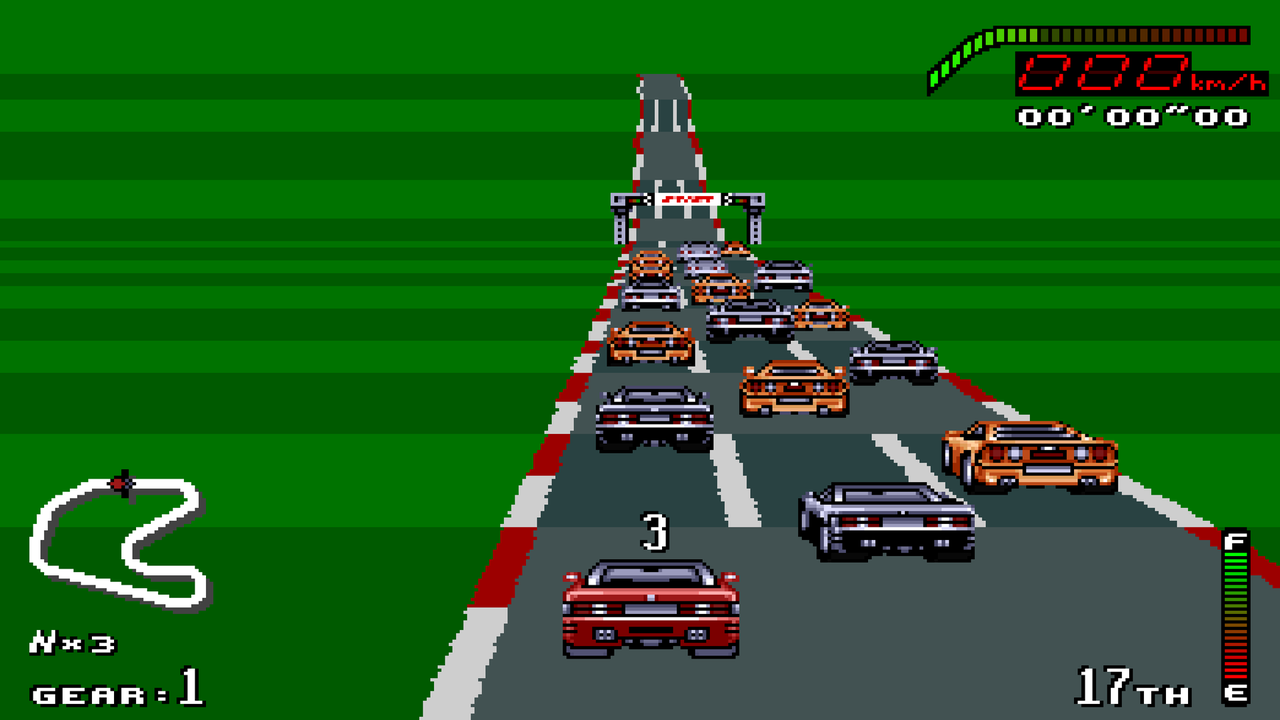
To play: download, unzip, run topgear-launcher, choose your Top Gear (USA) ROM, set the options and press Start.
You need your own ROM. The ROM isn't in this repository or its downloads: the game's graphics, sound and music come from your own copy. The game's code is rewritten in C here and runs only alongside an unmodified Top Gear (USA) ROM:
- 524,288 bytes (a 512-byte copier header is removed automatically)
- SHA-256
ca9889f17f184b3d99a2eaaa82af73e366f03ed00313fdd369e5e023b208e788
A fan project, not affiliated with or endorsed by Kemco, Gremlin Graphics or Nintendo. Top Gear is a trademark of its owners.
The downloads above are always the latest release; older ones are on the releases page. The Linux build is new and untested on real machines, so it may not be stable.
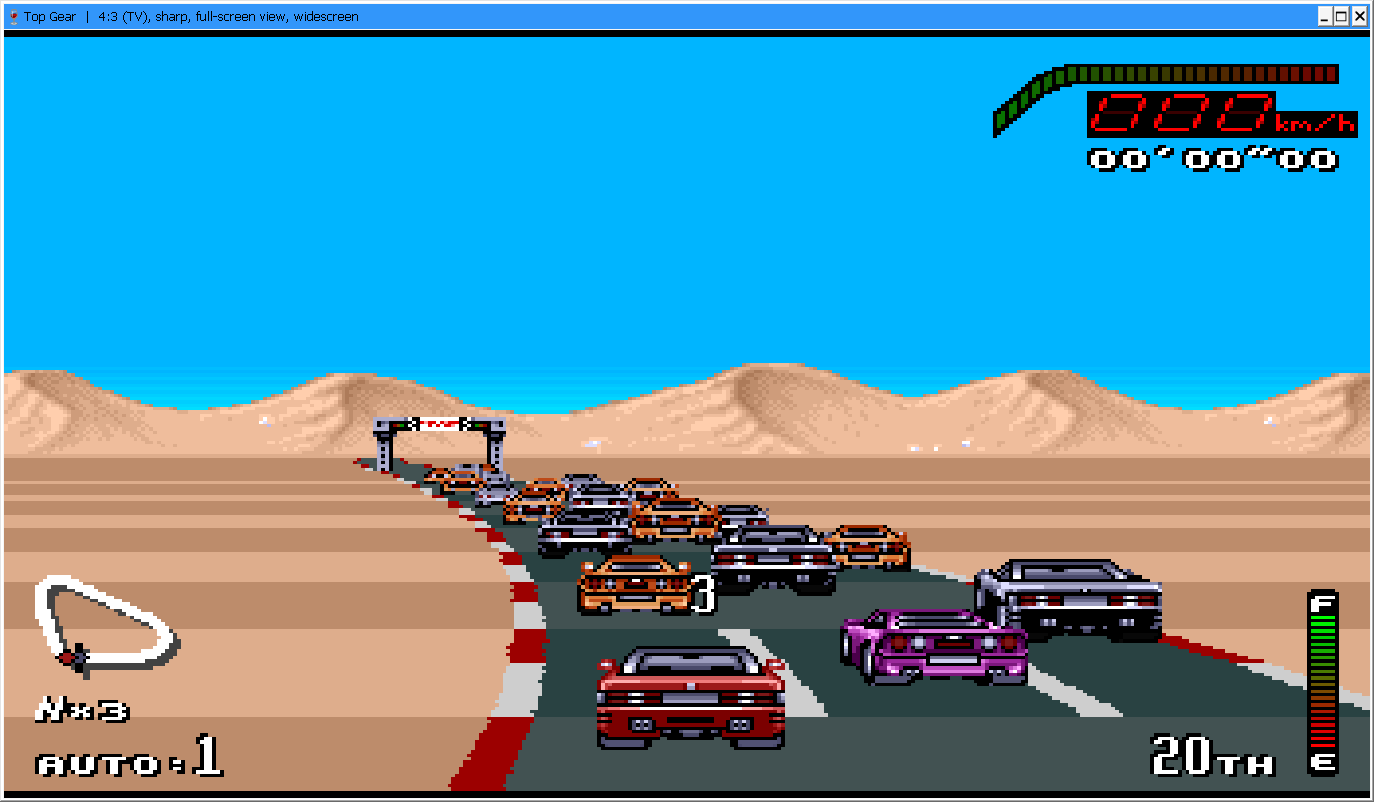 | 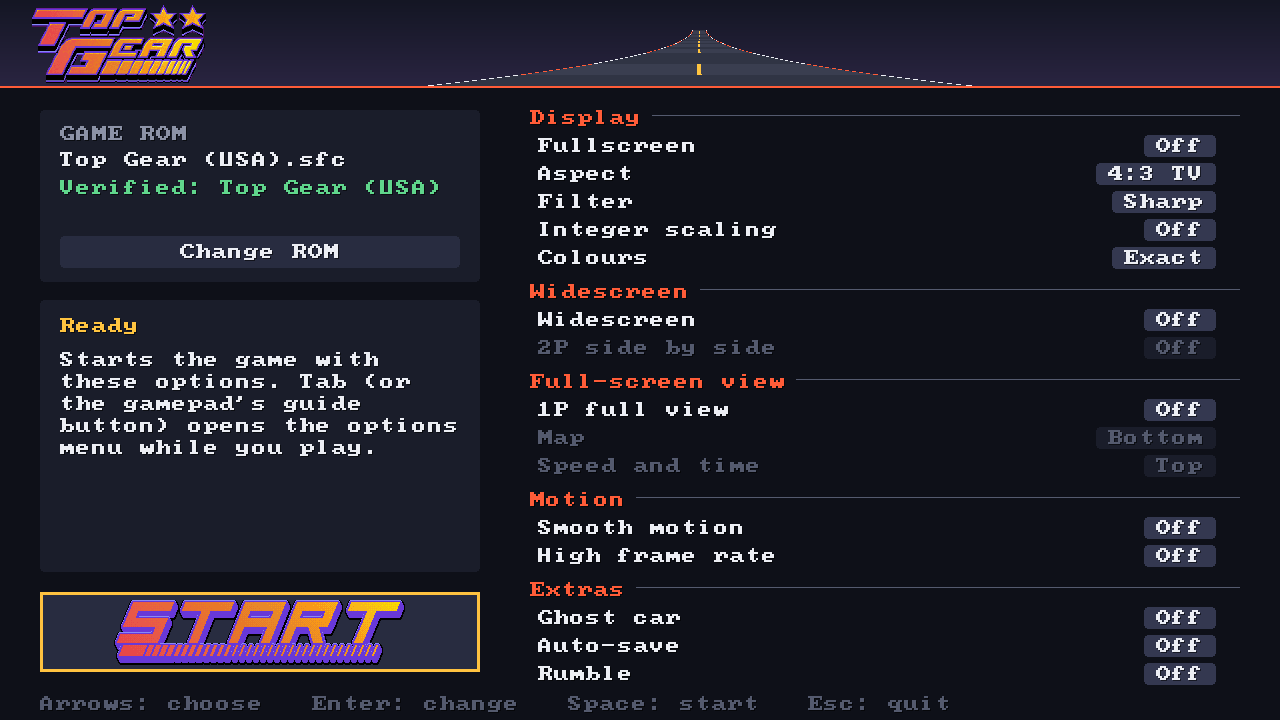 |
| Widescreen and full view, in a window | The launcher |
Status
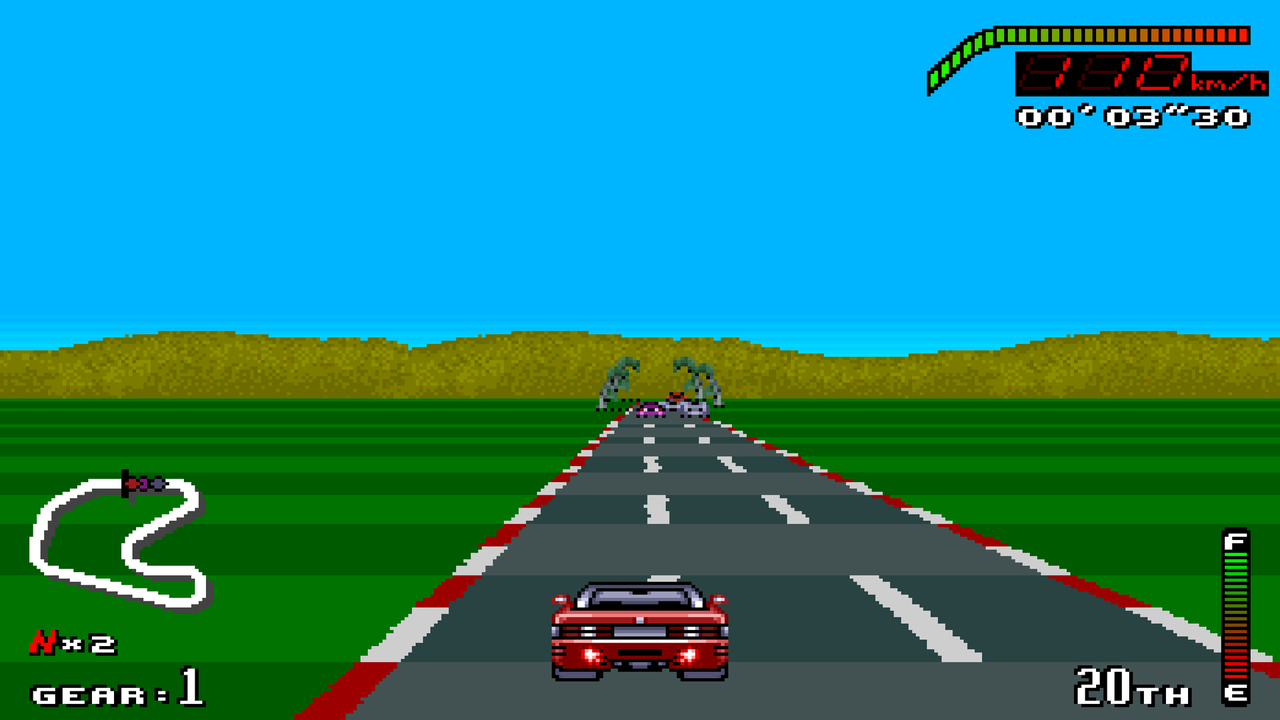
Phase 3. The races run in translated C: the race program, the per-frame update, the renderer, the cars, the sprites and the raster interrupts. The menus and a few routines still run as the original game on the embedded reference emulator (LakeSnes, MIT), which also checks the C code call by call against the original.
The C races drop the original's slowdown and loading pauses: a race updates every three frames, the original's normal pace, and loads at once. Run topgear.exe --original to play the game's own code throughout, slowdown included.
Playing
Open topgear-launcher.exe, choose your ROM, set the options and press Start. The launcher works with a mouse, the keyboard or a gamepad (D-pad to choose, A to change, Start to play), remembers the ROM, and keeps the options in the same settings.txt as the game, so the options menu (Tab) in the game still changes them.
You can also skip the launcher: put Top Gear (USA).sfc next to topgear.exe, or drag the ROM onto topgear.exe.
| Action | Keyboard | Gamepad |
|---|---|---|
| D-pad | Arrow keys | D-pad or left stick |
| B / A / Y / X | Z / X / A / S | South / East / West / North |
| L / R | Q / W | Shoulders or triggers |
| Start / Select | Enter / Right Shift | Start / Back |
The first gamepad is player 1 and the second is player 2 (the options menu can swap them). Player 2 can also use the keyboard once you give them keys in the options menu. Controls are kept in controls.txt next to topgear.exe (written with these defaults on first run).
| Key | Function |
|---|---|
| Tab (or a gamepad's guide button) | Options menu: every option below, controls for both players on the keyboard and for gamepads (press the new key or button), swapping which gamepad is player 1, colours as a TV showed them instead of exact (also --tv-colour), reset and quit. The game waits while it is open |
| F11 or Alt+Enter | Fullscreen |
| Esc | Leave fullscreen |
| F2 | Aspect: 4:3 TV or 8:7 square pixels |
| F3 | Integer scaling |
| F4 | Display filter: sharp pixels, sharp-bilinear (smooth edges without uneven pixels) or scanlines (also --filter sharp-bilinear or --filter scanlines) |
| F5 | Reset |
| F6 | Smooth motion: the race updates every frame instead of every third (off by default; also --smooth) |
| Shift+F6 | High frame rate: on a 120 Hz or faster display, extra pictures are drawn between the game's frames, so the road, cars and roadside objects move smoothly at the display's rate (the game itself still runs at 60 frames a second). Turns on smooth motion too, and waits for the display (vsync) (off by default; also --high-fps) |
| F8 | Controller rumble when your car hits something and when nitro fires (off by default; also --rumble) |
| F9 | Full-screen view: in 1-player races your view fills the whole screen instead of sharing it with the computer's. The horizon stays low and the road flat, as in the original. Press F9 again for a tall road that fills more of the screen, and again to turn it off (off by default; also --full-view, --tall-road). The same road height is used by side by side. In the options menu (Tab) you can put the map at the top or bottom left, and the speedometer and timer at the top or bottom right (--map-top, --speed-bottom) |
| F10 | Widescreen: races are drawn as wide as the window (up to 21:9), with the road, scenery and roadside objects carrying on past the original edges and the HUD moved out to the sides; menus get black borders. In a window it also switches the window between 16:9 and 4:3 (off by default; also --wide) |
| F12 | Side by side: in 2-player races with widescreen on, the two views sit next to each other, each the full height of the screen, instead of one above the other (off by default; also --side-by-side) |
| Shift+F1 | Auto-save: the countries you have reached at each skill level are remembered, so you don't need passwords after restarting (off by default; also --auto-save). Kept in progress.txt in the settings folder |
| F1 | Ghost car: in 1-player races, your best finished race on each course is replayed as a see-through car you can race against. Best races are saved as ghosts.bin in the settings folder (%APPDATA%\topgear-pc\Top Gear) as soon as you set one (off by default; also --ghost) |
Your choices for these keys are remembered between sessions in settings.txt in the settings folder (%APPDATA%\topgear-pc\Top Gear).
Recordings
Each session writes to recordings/ next to topgear.exe:
session-<date>.txt: every button change from power-on. Replaying one reproduces the session exactly (tg_headless --input <file>, ortopgear --replay <file>), so recordings become regression tests.coverage.tgcov: which parts of the ROM ran or were read, accumulated across sessions. It guides the disassembly.
Run with --no-record to turn this off. Sessions played with --original can be checked call by call (tg_headless --port verify), so they make the best test recordings.
Disassembly
tools/disasm.py turns your ROM into ca65 assembly, using the recorded coverage (disasm/coverage.tgcov) to tell code from data and to know the register widths each instruction ran with. Names and comments live in disasm/symbols.txt. The generated assembly comes from your ROM, so it stays local and is never committed. tools/check_disasm.py reassembles it and checks the ROM comes out byte-identical; with TG_TEST_ROM set this runs as the disasm_roundtrip test (needs Python 3 and cc65).
Building
Needs CMake 3.20+. SDL3 is downloaded and linked statically, so topgear.exe has no DLL dependencies.
Windows (Visual Studio 2022 or newer, run from a Developer Command Prompt):
cmake -S . -B build -A x64
cmake --build build --config Release
Cross-compiling for Windows from Linux (MinGW-w64):
cmake -S . -B build-win -G Ninja -DCMAKE_TOOLCHAIN_FILE=cmake/mingw-w64-x86_64.cmake
cmake --build build-win
Tests
ctest --test-dir build runs the ROM-free tests. Pass your ROM to enable the ROM tests, including a two-minute attract-mode run whose RAM and picture hashes are pinned:
cmake -S . -B build -DTG_TEST_ROM="C:/path/to/Top Gear (USA).sfc"
ctest --test-dir build -C Release --output-on-failure
tg_headless runs the game without a window, with optional scripted input (tools/tg_headless.c explains the format), screenshots and hash checks.
Layout
| Path | Contents |
|---|---|
src/game.c | The game as the frontend sees it; translated C will land behind this interface |
src/main.c | SDL3 frontend: window, fullscreen, scaling, input, audio |
src/rom.c | Loads and verifies your ROM |
third_party/lakesnes | Reference emulator (MIT, see its LICENSE.txt) |
src/coverage.c | Execution and data coverage of the original ROM |
tools/tg_headless.c | Headless runner for tests and investigation |
tools/covstat.py | Summarises a coverage file |
tools/disasm.py | Coverage-driven disassembler (ca65 output) |
tools/covmerge.py | Merges coverage files, e.g. from your play sessions |
tests/inputs/ | Input recordings replayed by the regression tests |
disasm/ | Symbols and accumulated coverage (no ROM content) |
tests/ | Tests |