OpenKingdoms
OpenKingdoms is a from-scratch engine port of Total Annihilation: Kingdoms for Windows, macOS, and Linux, playable in the browser with an experimental 3D view.
- Type: PC port
- Game: Total Annihilation: Kingdoms
- Runs on Windows, Linux and macOS
- By OpenKingdoms
- Latest release v0.6.2, 2026-11-22
- Source: https://github.com/OpenKingdoms/OpenKingdoms
- Website: https://openkingdoms.net
README
OpenKingdoms
A from-scratch, open-source engine for Total Annihilation: Kingdoms (Cavedog, 1999), written in C11. It runs natively on Windows, macOS and Linux, and in the browser via WebAssembly.
OpenKingdoms is a reimplementation rather than a mod or a patch. The original game's rules, meaning its economy, unit behaviour, combat maths, animation system, AI, mission scripts and map format, have been reconstructed and reimplemented so the game runs on modern machines without DirectDraw, DirectPlay or a 1999 CPU.
You need your own copy of the game. OpenKingdoms ships the engine only. It contains no units, models, textures, sounds, maps or music. Those are still owned by their rights holders and we don't distribute them. Point OpenKingdoms at a copy of the game you own and it does the rest. See docs/ASSETS.md.





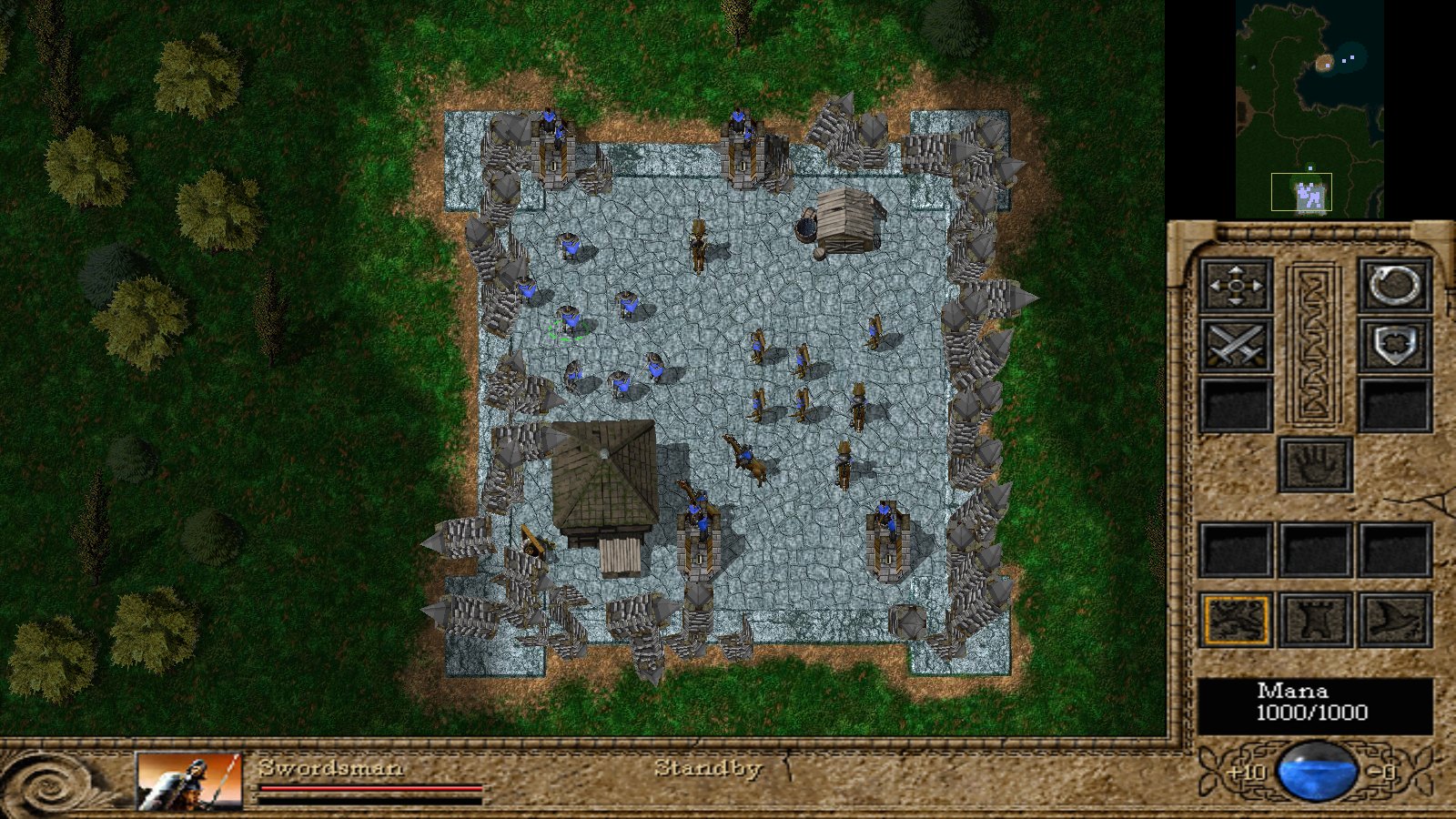 | 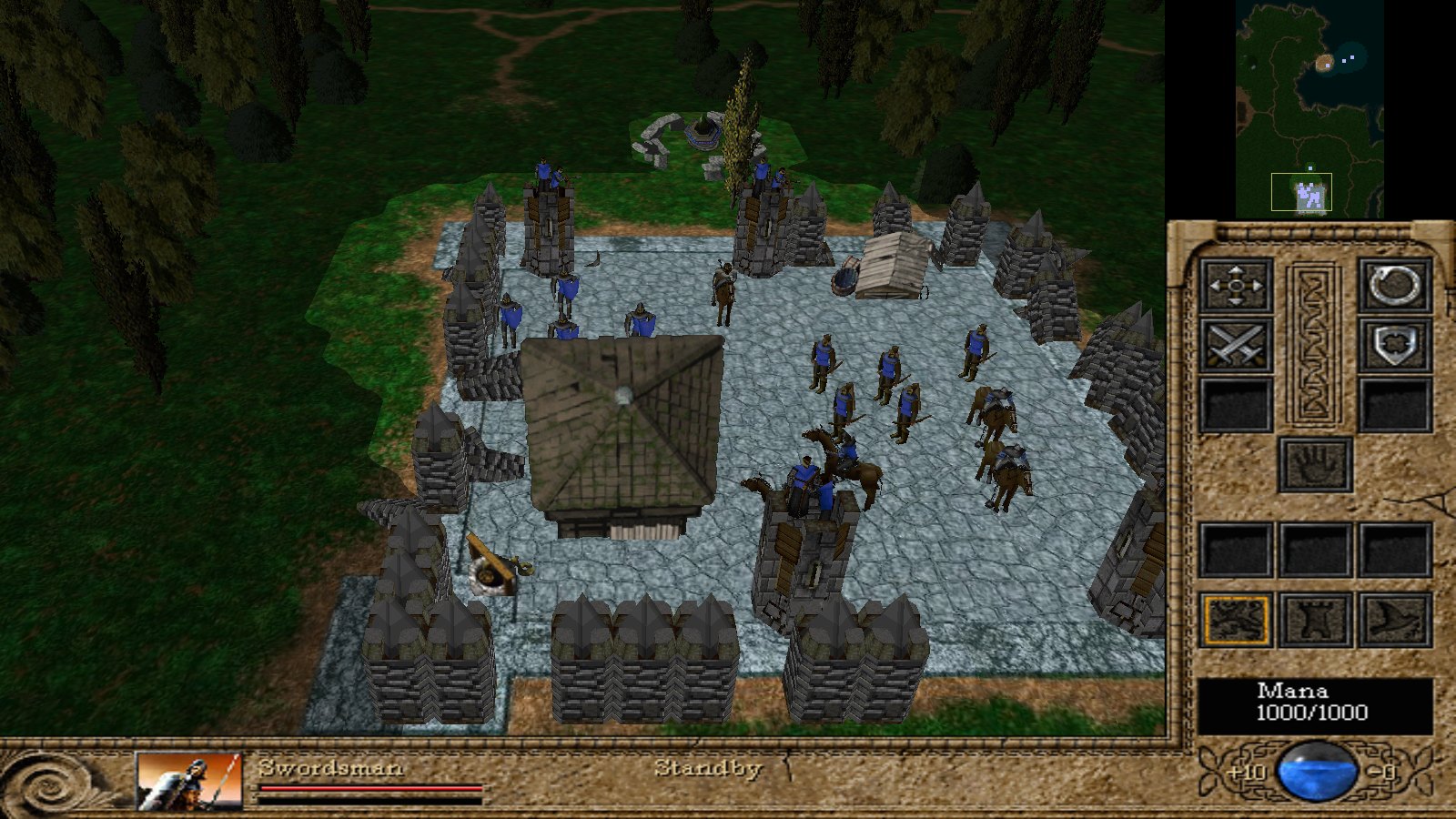 |
| The classic view, as the game has always looked | The same battle in the experimental 3D view, one key away |
Get it
Play in your browser with nothing to install, or download a desktop build:
| Browser | openkingdoms.net, Chrome, Edge, Firefox or Safari |
| Windows | Latest release, windows-x64.zip |
| macOS | Latest release, macos-arm64 for Apple silicon. Intel Macs build from source |
| Linux | Latest release, linux-x86_64.tar.gz |
| Source | Build it yourself, Windows, macOS and Linux |
Every download needs your own copy of the game. The desktop builds find it for you, and ask once if they cannot. See getting your game files in.
Status
| Area | State |
|---|---|
| Skirmish vs AI | Playable. Economy, building, combat, magic, victory conditions, all four kingdoms and Creon with The Iron Plague |
| Campaign | Playable. The Book of Darien and The Iron Plague, with mission scripts, briefings and cut scenes |
| Multiplayer | Playable. Deterministic lockstep over a relay, browser and desktop players in one game, invite links and a game data check |
| Rendering | 3DO models, GAF/TAF sprites, COB animation, team colours, fog of war, and an experimental 3D view |
| AI | Numbered attack and raid groups, goal planning, and squads that keep together on the march |
| Movement | Footprint-aware routes, crowds that give way, shared routes for large groups |
| Maps | TNT loading, heightmaps, features, map packs |
| Saves | Save and load anywhere, in the campaign and in skirmish |
| Mods | TAK Enhanced, folder mods of loose files, a mod set chooser, and a data check for modded multiplayer |
| Sound | Effects, music and cut scene soundtracks |
Expect rough edges. This is a preservation project under active development and it isn't a finished product.
Play in your browser
The fastest way in, with nothing to install:
- Open https://openkingdoms.net/
- Point it at your Total Annihilation: Kingdoms folder (that brings the
music and cut scenes along too), or drop the
.hpifiles from it onto the page. - Press Start and play.
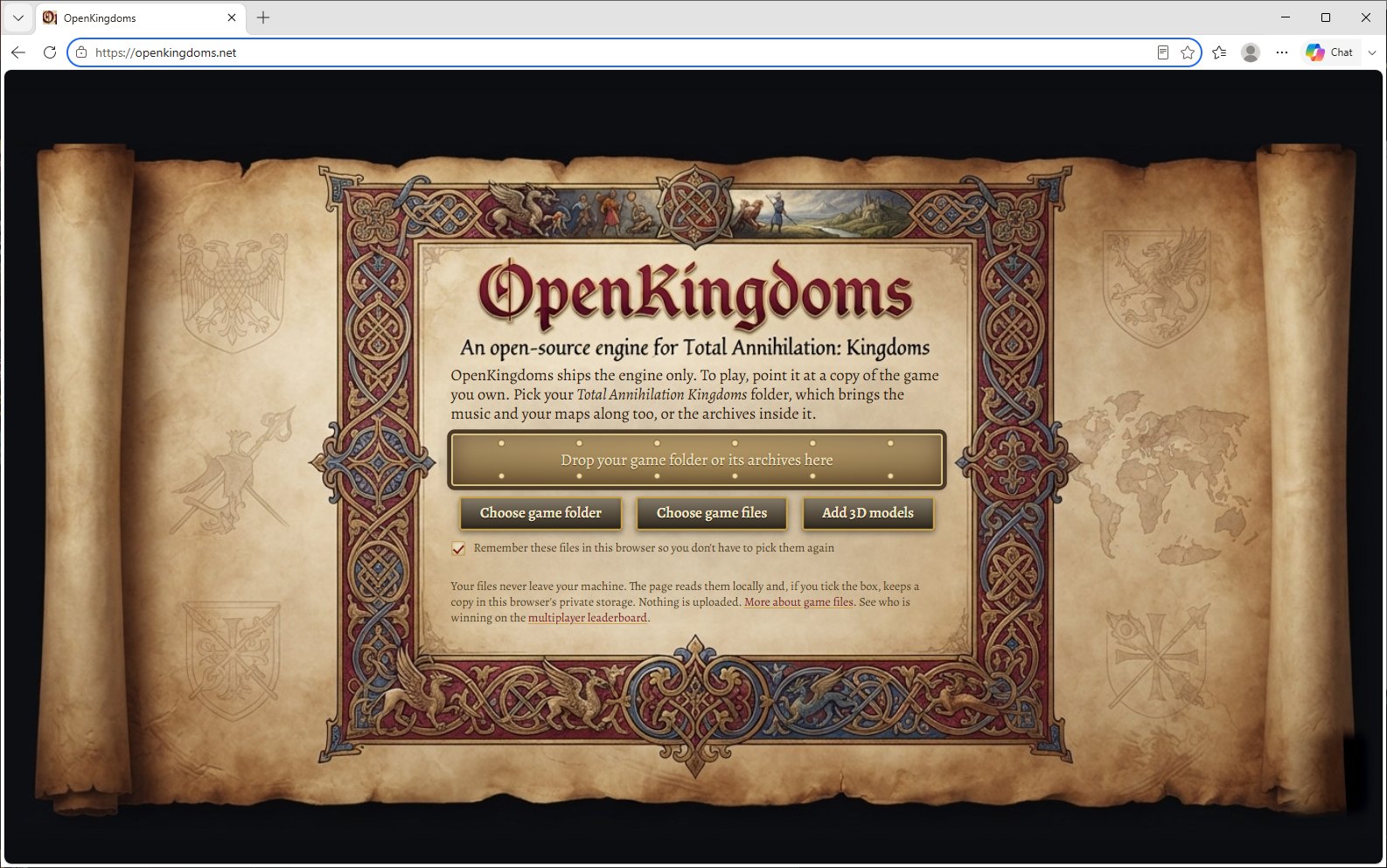 |  |
| Pick your game folder and press Start | The whole game in a browser tab, campaign included |
Your game files never leave your machine. The page reads them locally and, if you leave the box ticked, keeps a copy in the browser's own storage so the next visit boots straight in. A "Forget my game files" link at the bottom of the page clears that copy.
Chrome and Edge can pick the whole folder. Firefox and Safari take the
.hpi files themselves, either through the file button or by
drag-and-drop. The archives are around 300 MB, so the first load takes a
moment and the tab needs a machine with a few GB of memory. Cut scenes are
read from your folder a piece at a time, so they cost no extra memory.
The page is rebuilt from main on every push, so it always matches the
latest code, rough edges included.
The 3D view
Press V in any battle and the same battle is drawn in 3D under a free camera, in the browser as well as on the desktop. Press V again and the classic view is back with nothing lost. It is experimental: the world, your selection and every order carry on untouched while you switch.
 | 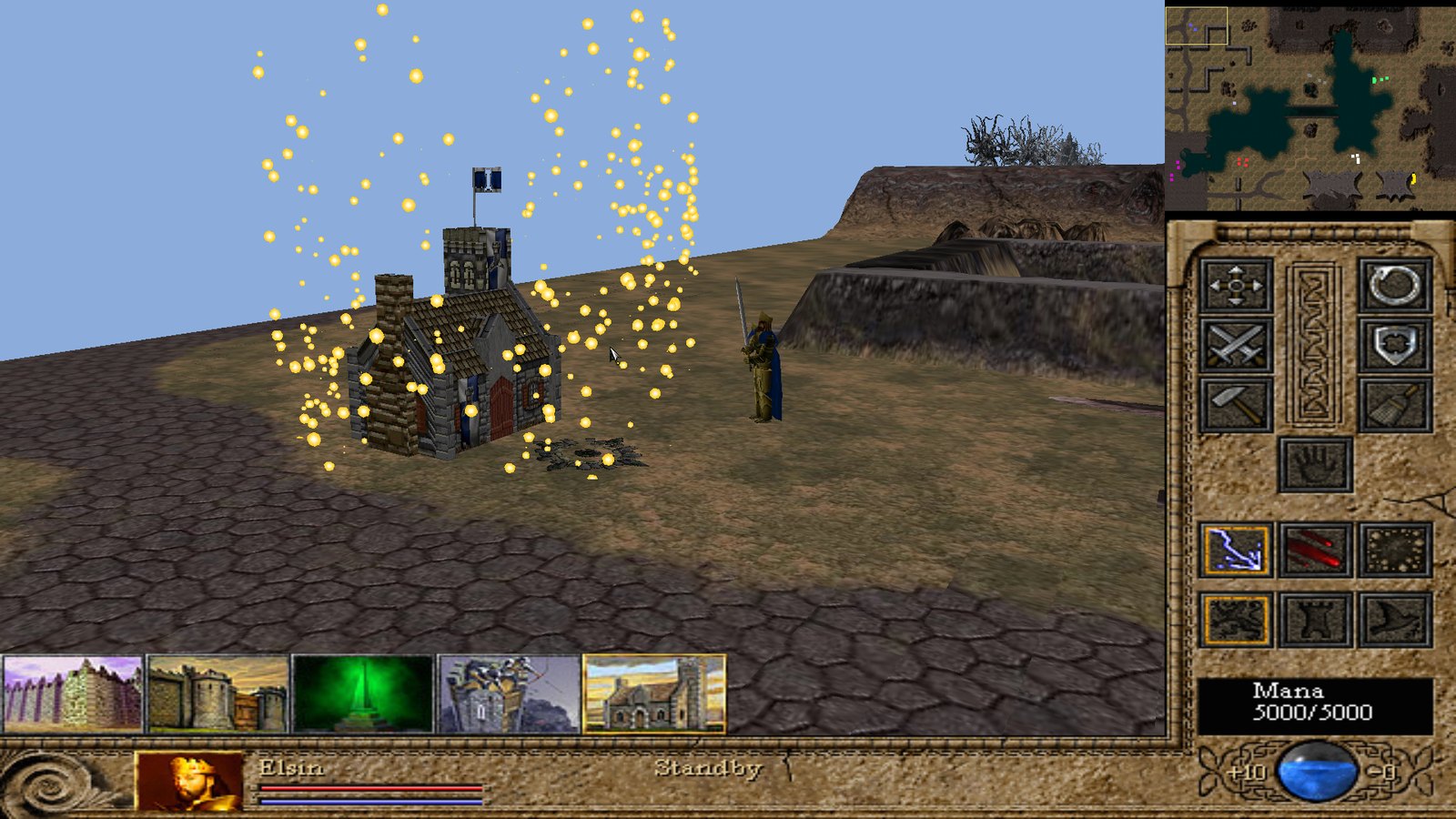 |
| A flyer attacks a monarch at the water's edge | A building going up, with its build sparkle |
| Key | Does |
|---|---|
| V | Switch between the classic view and the 3D view |
| Q and E | Orbit the camera left and right |
| R and F | Tilt the camera up and down |
| Z and X, mouse wheel | Zoom in and out |
| Middle button drag | Orbit and tilt |
| Home | Back to the classic angle over the same spot |
The 3D view draws the game's own 3DO models. It can also draw a model of
your own in place of any of them: drop a glTF file named after the unit
into a models3d folder beside your game files. See
docs/CUSTOM_MODELS.md.
Playing a battle
The controls are the original game's, as its manual describes them. These are the ones most worth knowing.
| Input | Does |
|---|---|
| Click a build button | Queue one unit |
| Shift and click a build button | Queue five |
| Ctrl and click a build button | Train that unit without end, shown as +++ on the button. On a builder that walks, the click on the map summons it there without end, each one stepping off the spot for the next |
| Place a summoned unit | It may go over your units, and the builder waits for them to leave the spot |
| Right click a build button | Take the last queued one off, or stop a Ctrl run and clear that unit from the queue |
| Shift with any order | Queue it behind the orders already given, up to sixteen |
| Shift with patrol points | Join the points into one patrol route |
| Ctrl with an order | Change the order in hand and keep the queue behind it |
| Move or Patrol with a factory selected | Set its rally point |
| Ctrl and a number | Make the selection that group. The number alone brings the group back, and Ctrl, Shift and the number add it to the selection |
| Ctrl+Z | Add every unit of yours of a type already selected, anywhere on the map |
| Ctrl+A | Select all your units |
| Ctrl+U | Select your units on the screen |
| M held while you drag a box | Select every unit of yours in the box but your monarch. With Shift the box adds to the selection |
| Ctrl+B, E, F, G, M, N, R, W or Y | Select your builders, melee units, factories, magic users, monarch, boats, catapults and other ballistic units, armed units or flyers. With Shift, all but N add to the selection instead. In a browser, Ctrl+W and Ctrl+N stay the browser's own keys |
Every unit a factory finishes walks to its rally point, even when a builder helping at the pad finished it. Stop, Guard or Patrol on a factory no longer halts its queue, and Stop clears only the rally. A queue that reaches the unit limit waits for room instead of losing a unit.
A building still going up cannot be selected, as in the original. A click on your own unfinished building is a click on the ground there. A click picks a unit only inside the unit's own outline seen from above, so a click beside a crowd of soldiers lands on the ground.
Shots stop on what they fly into. Arrows, bolts, fireballs, lightning and flame end on the first hill, wall, tall tree or rock, stretch of sea or enemy unit in their path. An ally's unit or wall stops a shot but takes no harm from it, and your own walls never stop your own shots. Some things still pass, as in the original. Catapults lob over walls, and the area spells such as Earthquake and Hail Shower, the wandering ones such as Tornado, Individual Mind Control and dropped bombs ignore the ground. A unit that picked a target for itself and keeps hitting something in the way lets that target go for a while. An attack you order yourself keeps firing. No shot harms the unit that fired it, and a flyer holds its fire while it climbs.
A unit only picks targets its side can see. A unit that is hit still fires back at a shooter within its reach, seen or not, as in the original.
Melee and archers fight by the original's rules. A swordsman closes all the way to its target, even one standing behind another, and an idle one takes on any enemy within its weapon's reach. Archers and crossbowmen pick their targets at random among the enemies in reach, and each arrow leaves at the point in the draw where the original released it. An arrow whose target dies during the draw is lost. The Use Crusades Units option now loads the Crusades balance set, so a swordsman there has 3000 hit points.
In the skirmish screen the map's picture shows its start positions. Click one to claim it, click it again to give it back, or drag a player from one start to another. In a multiplayer room the same picture is in the Map and View Map dialogs. The host can move any player there, swapping with whoever held the start, and each player can move only themselves. A new map frees every start. Players with no claim get the starts left over in seat order, or at random with Random Start Locations ticked.
The map list has a search box on its heading line, with choosers for the number of players, the map's size and the order. Every word you type has to appear in the map's name, and a right click on a chooser steps it back and clears the search. Each row shows the map's start count and size.
Faithful, with improvements
OpenKingdoms aims at behavioural parity with the original game, and that is the baseline rather than the ceiling. Where the original was limited by 1999 hardware, or by technology that no longer exists, we improve on it. Every improvement is written down in docs/MANUAL_DEVIATIONS.md so nobody mistakes it for an accident.
These improvements are in already:
- Runs natively on Windows, macOS and Linux, and compiles to WebAssembly for the browser. No DirectDraw, DirectPlay, Glide or 8-bit palette modes, no CD check, no installer, no registry.
- Play in the browser with your own game files and nothing to install.
- Any resolution, windowed or fullscreen, rendered on the GPU. The original
ran fixed 8-bit modes. A battle draws one game pixel to one screen pixel at
the window's size, with the sidebar and bottom strip at the original's size
and place, so a 1280x600 window shows what the original showed at 1280x600.
The Resolution slider on the Visual options page picks the size, or Fit,
which stretches the 640x480 battle screen over the window instead. In a
browser the page decides the size and the slider picks how many screen
pixels make one game pixel.
--width,--height,--scale,--fullscreenand--windoweddo the same from the command line. New installs start on the original's view, and players who kept options from before it stay on Fit until they change it. - An experimental 3D view of any battle, with custom glTF models.
- Mods side by side. TAK Enhanced works as it is, a mod can be a plain folder of loose files, and you choose the mod set to play from a list. Mods in the registry install in one click, and joining a game that plays one you lack fetches it. See docs/MODDING.md.
- The simulation runs at 60 Hz instead of 30. Unit rates from the data files are converted so speeds, reload times and build times come out the same, and movement and animation are twice as smooth.
- Up to 2000 units per player. The original's setup screen topped out at 500.
- Movement that respects unit footprints, so a large unit never plans through a gap only a small one fits, units that give way to each other, and a stuck unit that finds another way or gives up rather than grinding forever.
- An AI that fights in numbered groups, plans with goals and keeps its squads together on the march.
- Claim your start position by clicking it on the map's picture, and search, filter and sort the map list.
- A downloaded build finds your game folder, asks once if it can't, and
remembers it.
--game-dirnames one outright. - Developer tooling the original never had: asset validators, a COB script inspector and disassembler, a map inspector, render probes, and a test suite that runs the animation VM against every script in the game.
These are still to come:
- Replays recorded from the lockstep command stream.
- Smooth play with 1000 units on screen.
More pictures
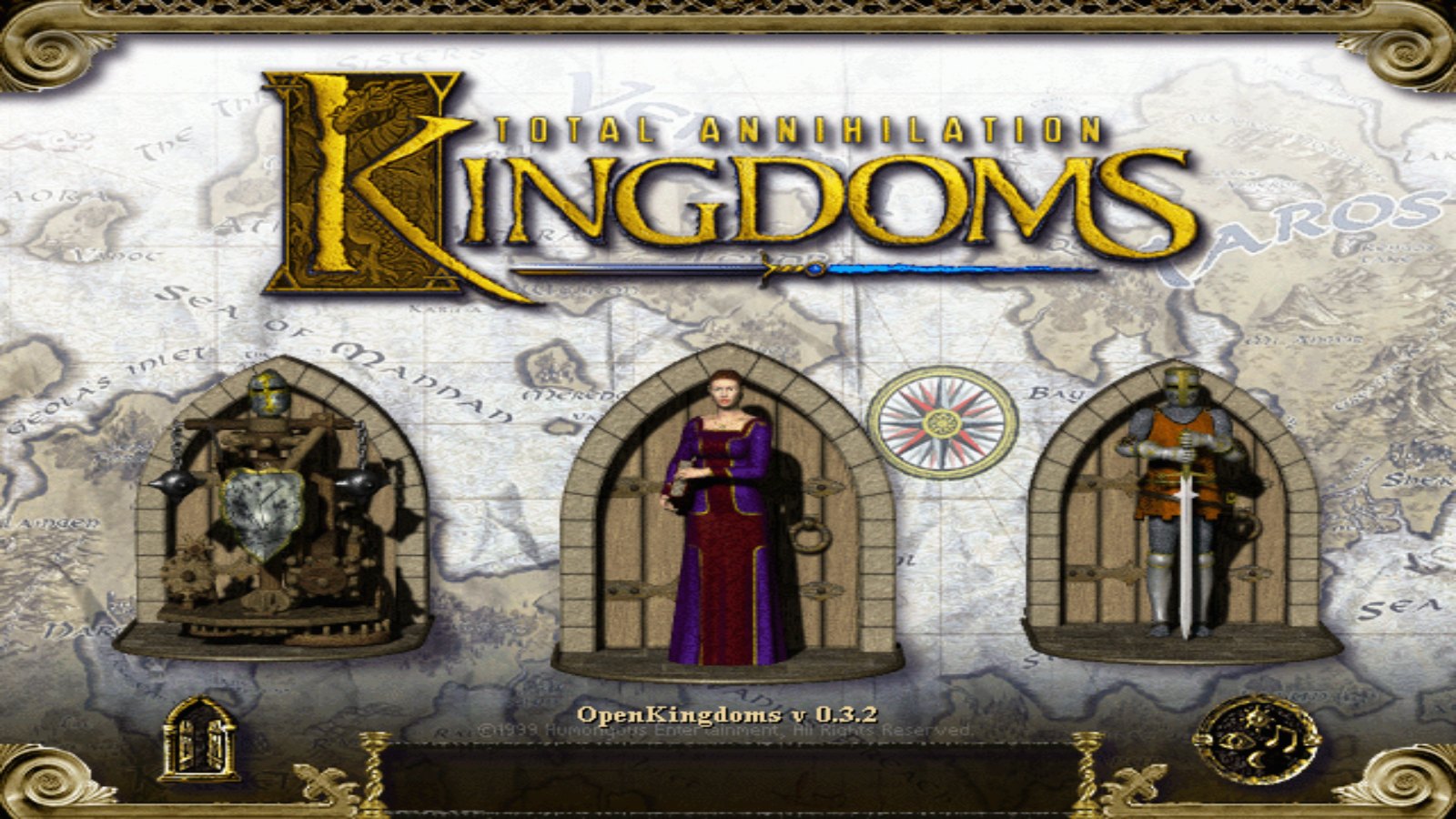 | 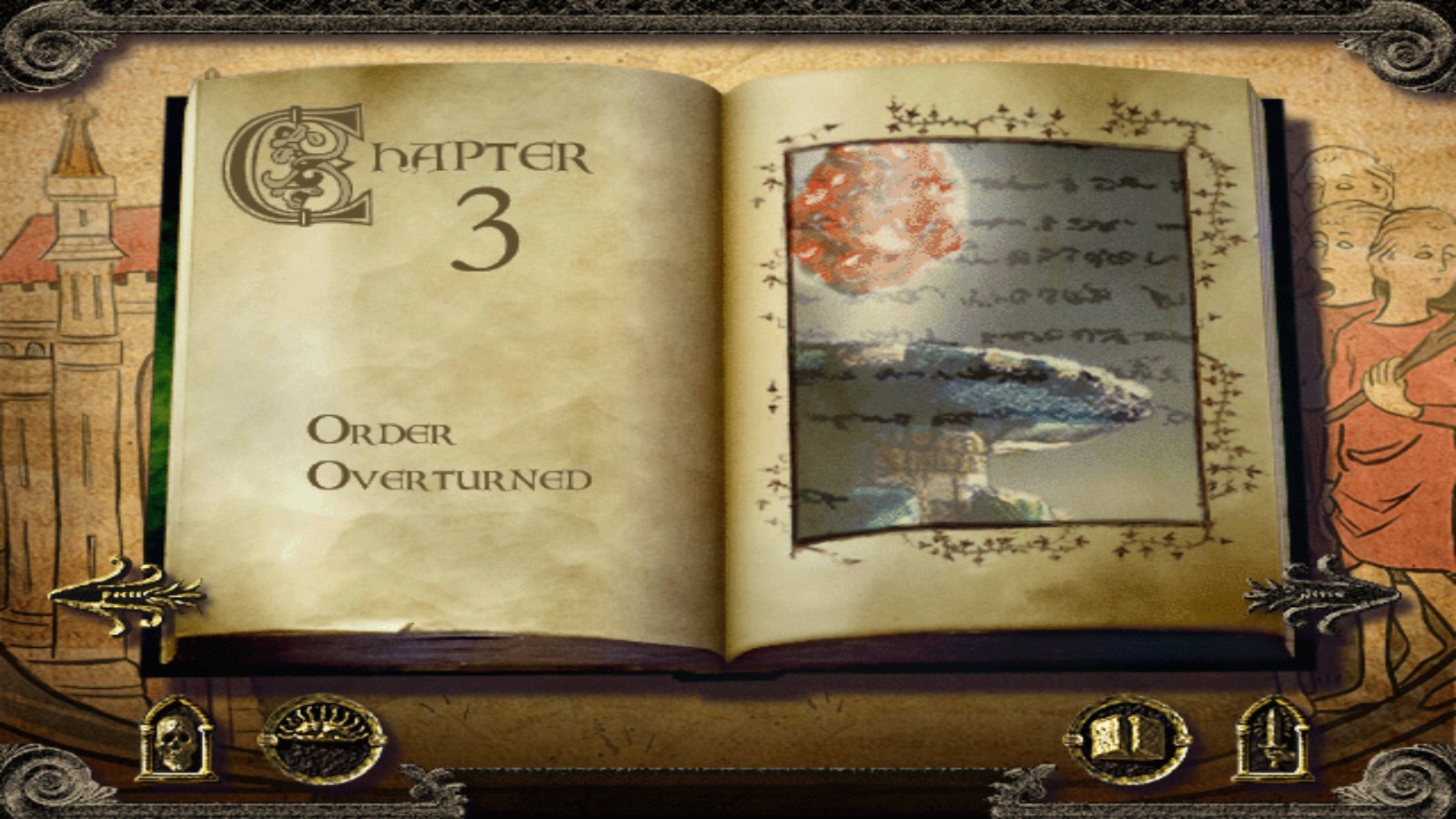 |
| The main menu, doors and all | The Book of Deeds, where the campaigns live |
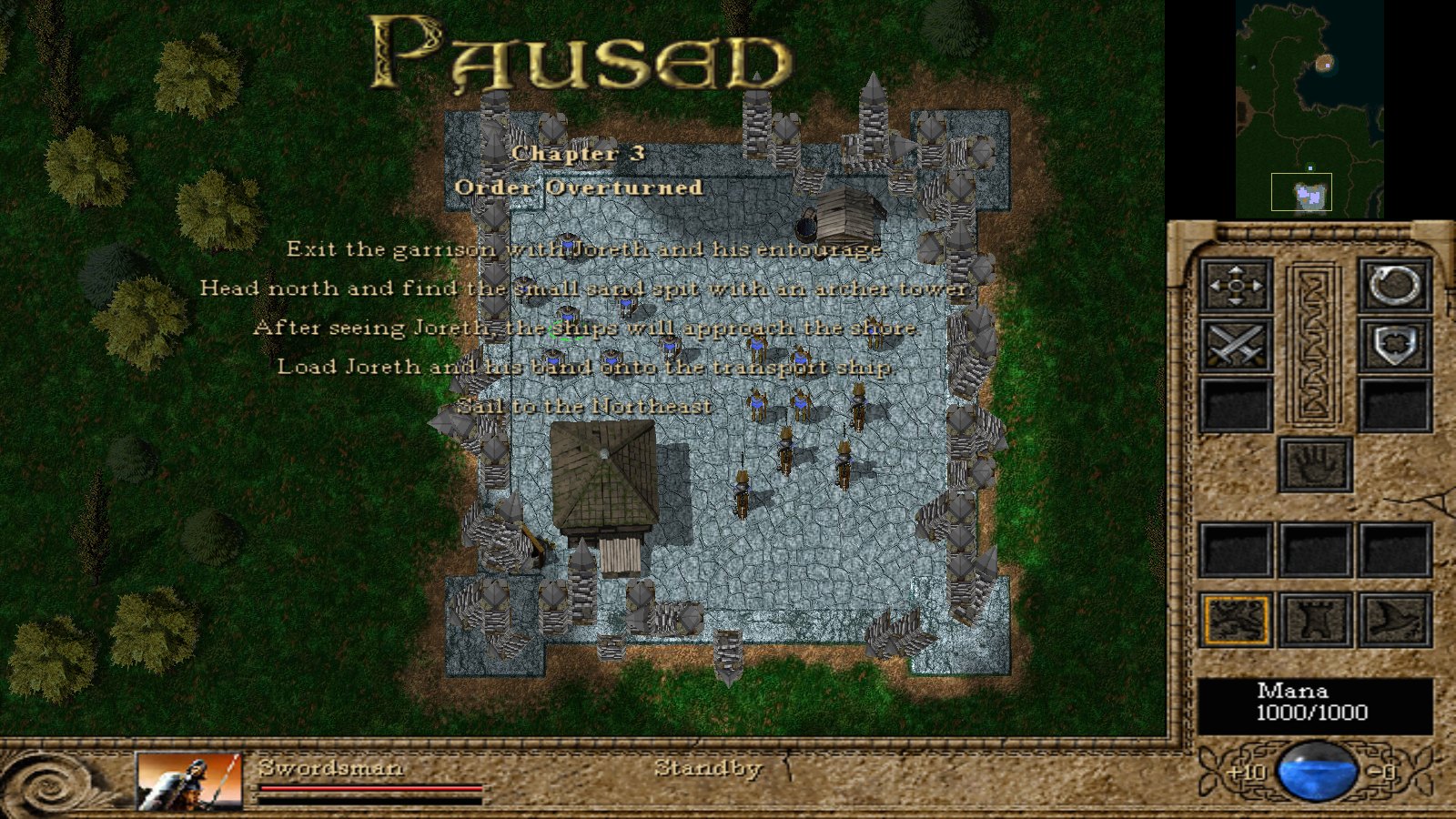 | 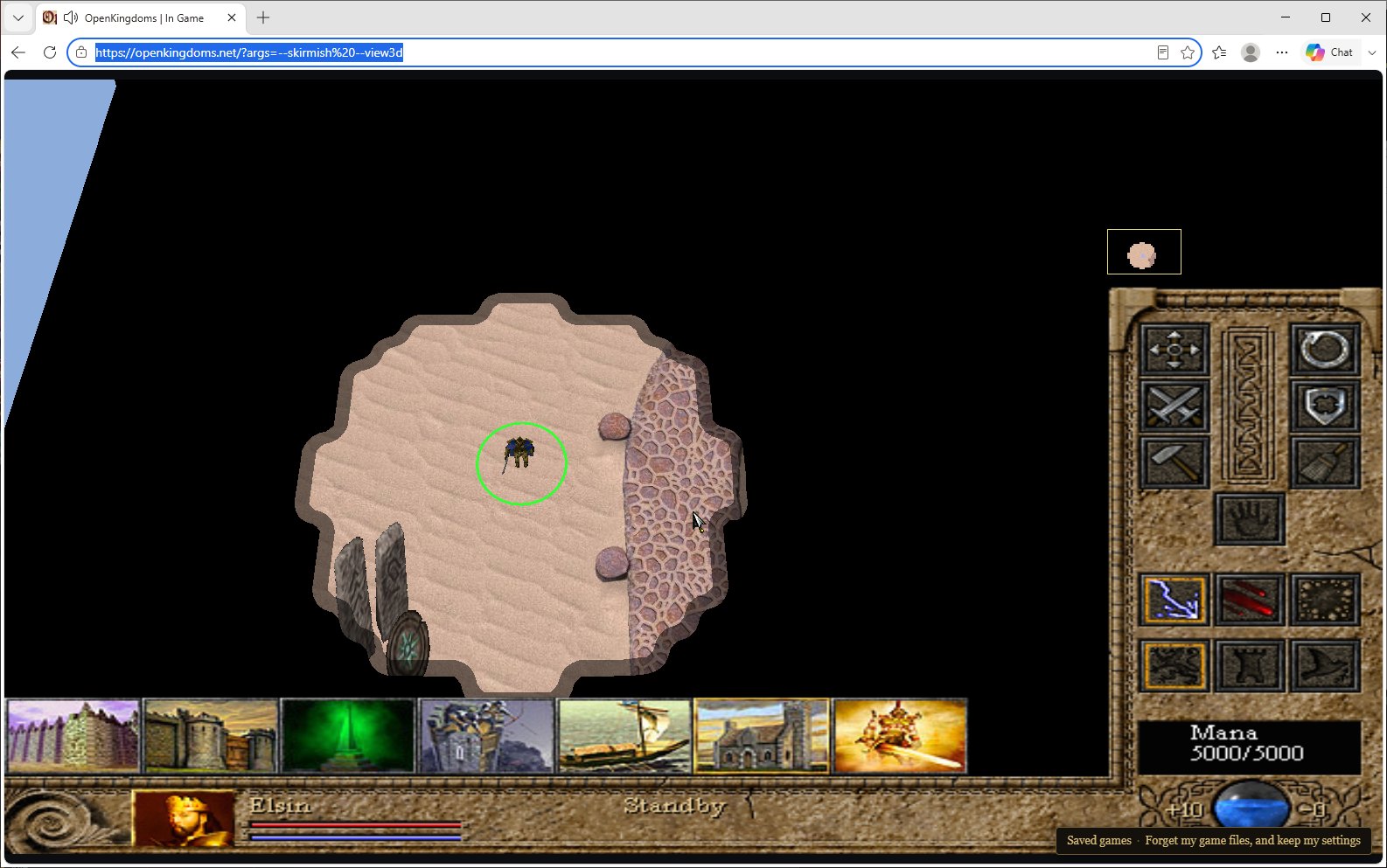 |
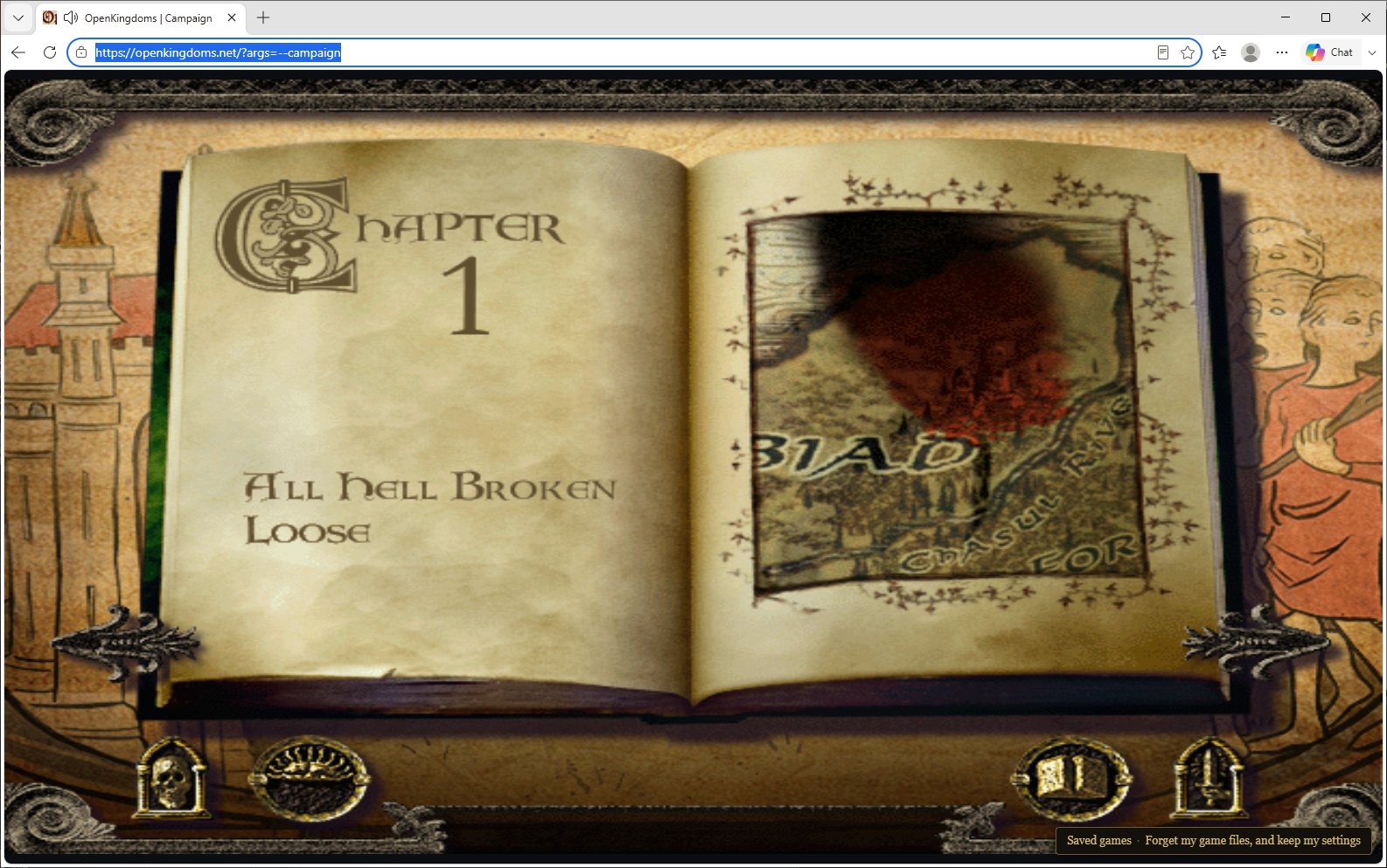
| A chapter opens paused under its briefing | The 3D view runs in the browser too |
Building from source
Every release is built by CI from a tag, so you only need this to develop or to build for a platform we do not ship. To play, take a release or the browser.
Windows
Requires Visual Studio 2022 or later (Desktop C++ workload), CMake 3.20+, and vcpkg.
The first configure also builds FFmpeg through vcpkg. That is what plays
the short clips behind the main menu doors and the loading screen. Pass
-DVCPKG_MANIFEST_NO_DEFAULT_FEATURES=ON to skip it and get still
sprites in those two places instead.
git clone https://github.com/OpenKingdoms/OpenKingdoms.git
cd OpenKingdoms
cmake -B build -DCMAKE_TOOLCHAIN_FILE=<vcpkg>/scripts/buildsystems/vcpkg.cmake `
      -DTAK_GAME_DIR="C:\GOG Games\Total Annihilation Kingdoms"
cmake --build build --config Release
.\build\src\Release\tak-re.exe
macOS
Builds on both Apple silicon and Intel. Released builds are unsigned, so a
download needs xattr -dr com.apple.quarantine OpenKingdoms once.
brew install cmake sdl2 ninja
git clone https://github.com/OpenKingdoms/OpenKingdoms.git
cd OpenKingdoms
cmake -B build -G Ninja -DCMAKE_BUILD_TYPE=Release       -DTAK_GAME_DIR="/path/to/Total Annihilation Kingdoms"
cmake --build build
./build/src/tak-re
Linux
Install dependencies:
# Debian / Ubuntu
sudo apt install build-essential cmake ninja-build libsdl2-dev

# Fedora
sudo dnf install gcc cmake ninja-build SDL2-devel

# Arch
sudo pacman -S base-devel cmake ninja sdl2
Then:
git clone https://github.com/OpenKingdoms/OpenKingdoms.git
cd OpenKingdoms
cmake -B build -G Ninja -DCMAKE_BUILD_TYPE=Release       -DTAK_GAME_DIR="/path/to/Total Annihilation Kingdoms"
cmake --build build
./build/src/tak-re
You don't need Wine or Proton. OpenKingdoms is a native port rather than a compatibility layer.
Getting your game files in
OpenKingdoms reads the original game's .hpi archives directly and never
copies or ships them.
A downloaded build looks for your copy in the usual install locations and remembers what it finds, so most people start it and play. If it cannot find one it prints what to do, and you can name the folder in any of these ways:
OpenKingdoms --game-dir "C:\GOG Games\Total Annihilation Kingdoms"
export TAK_GAME_DIR="$HOME/Games/Total Annihilation Kingdoms"
or put a copy in a folder called game beside the binary. In the browser you
point the page at the folder instead, and the files never leave your machine.
A build you compile yourself can also bake a default in with
-DTAK_GAME_DIR, which is what the development setup does.
Options and saved games live in your user folder, under
%APPDATA%\OpenKingdoms\OpenKingdoms on Windows. Set TAK_CONFIG_DIR to
keep them somewhere else, which is handy for a scripted run that should leave
your own settings alone.
Where to get a copy if you don't have one:
- GOG sells it as part of the Total Annihilation Commander Pack.
- Original CDs work fine. Copy the game folder off the disc.
Full details are in docs/ASSETS.md, and mods are covered in docs/MODDING.md.
Multiplayer
Lockstep netcode over a lightweight relay. The server passes command frames between players and holds no game state and no game data, so hosting one for your friends is cheap and legally uncomplicated.
Choose Multiplayer, type the address of a server and press Enter. The address is remembered. Anyone on that server can host a game or join one, and a browser player and a desktop player use the same server. In the browser the server is already filled in.
A new game puts its invite link at the top of its chat and on your
clipboard, as https://openkingdoms.net/?join=CODE. Paste it to a friend
and the page takes them straight into your game once their game files are
loaded. A desktop build joins the same way with --join CODE.
Every player's game data is fingerprinted when they connect. A game whose
data differs from yours, because one of you has a mod or another release,
is greyed in the list, and joining it says which part differs. Run the
game with --data-report to see the hash of every file.
A room holds any of them. Windows, macOS, Linux and browser players play together, because the simulation carries its own trigonometry rather than borrowing each platform's maths library, which used to round a sine its own way and pull two machines apart over a match. Two gates in CI keep it that