Transformers Armada: Prelude to Energon
Transformers Armada Prelude to Energon is a native PC port of the PlayStation 2 game with a new Direct3D 12 renderer and widescreen support.
- Type: PC port
- Game: Transformers
- Runs on Windows
- By kayliox
- Latest release setup-v0.4.6, 2026-11-10
- Source: https://github.com/kayliox/transformers-armada-recomp
README
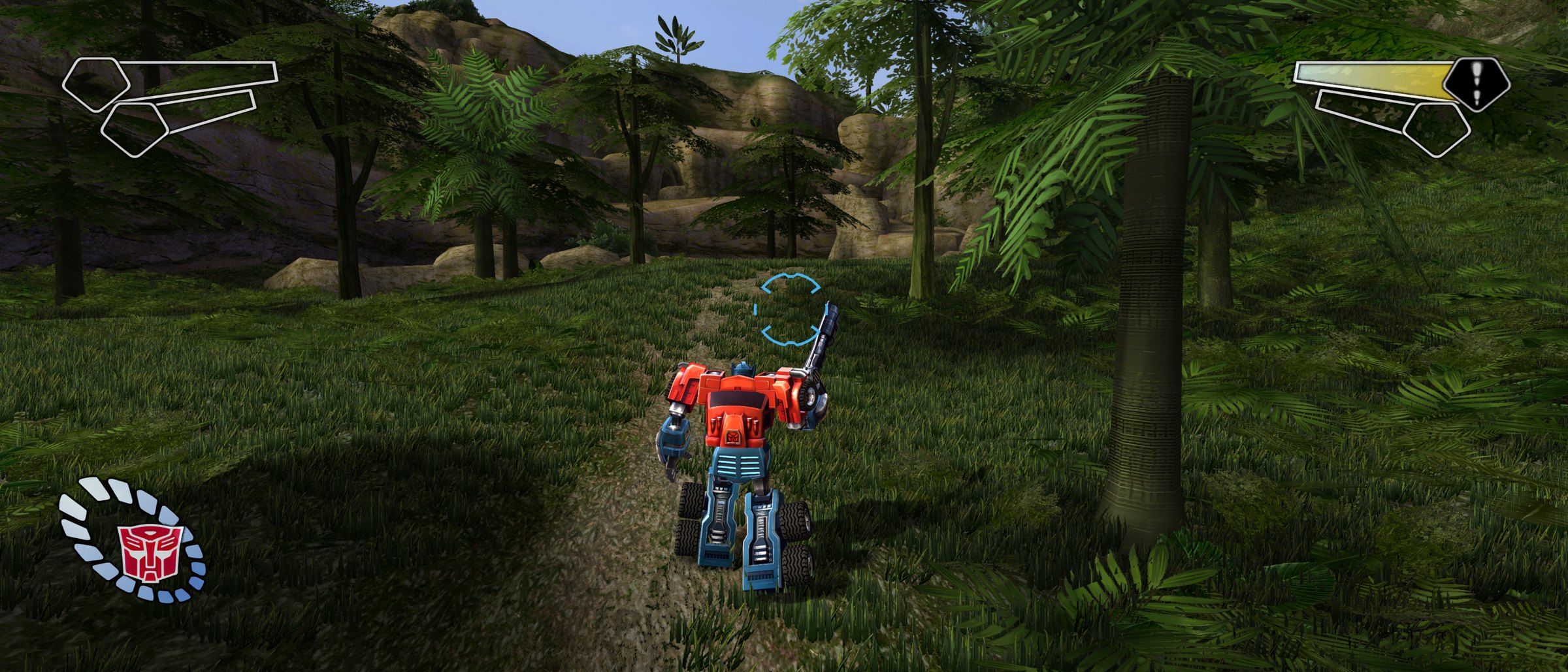
Transformers (PS2): PC Port
The 2004 PlayStation 2 game Transformers (released in North America as Transformers Armada: Prelude to Energon), recompiled into a native Windows game.



The setup contains no game. You need your own copy of Transformers (USA, SLUS-20668) as an
.iso disc image (the European release, SLES-52388, works too, experimentally). The setup installs the tools it needs and builds the game on your PC from your disc.




Trailer
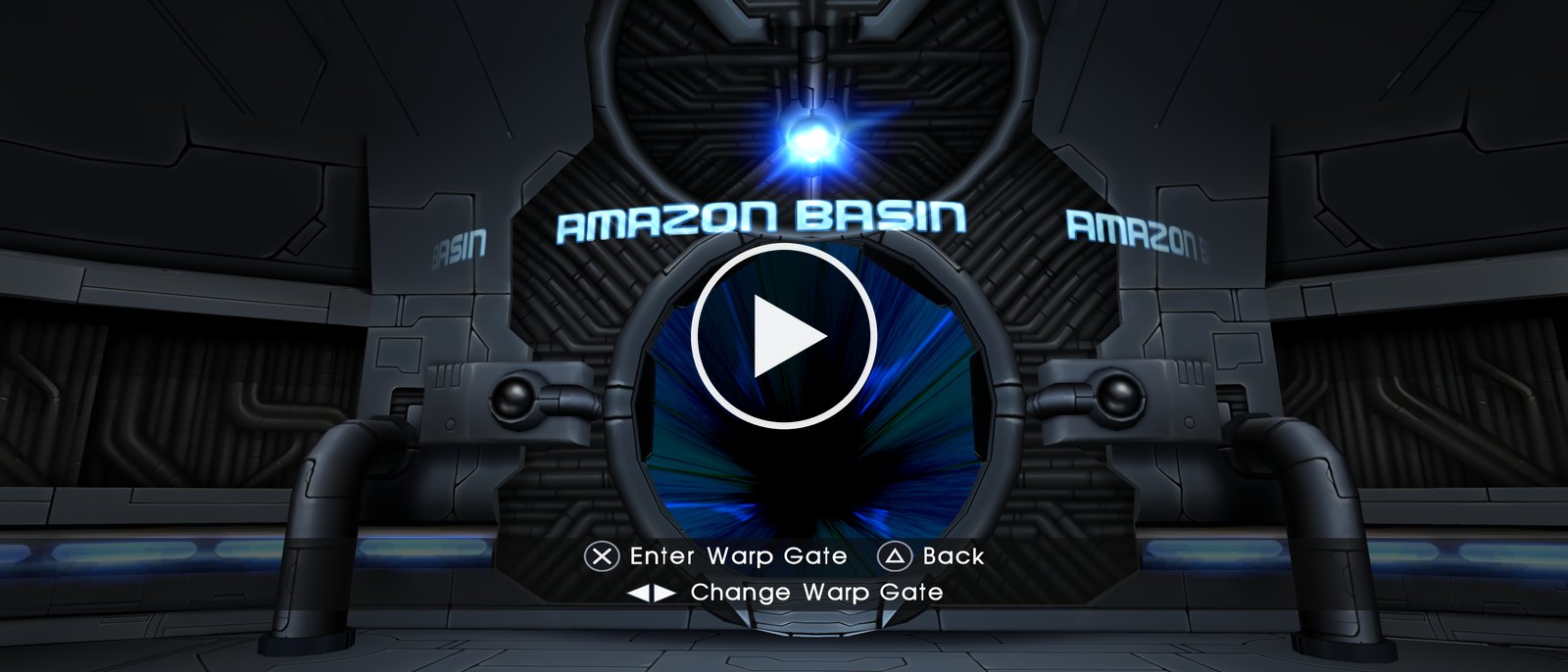
What you get
- A native PC game. The game's own code runs as a Windows program. No emulator to set up.
- A new Direct3D 12 renderer with high resolutions, anti-aliasing, supersampling and sharp textures.
- Widescreen and ultrawide: 16:9, 21:9 and wider, with the HUD at the screen edges and a field of view slider.
- High frame rates: smooth motion up to your screen's refresh rate. The game always runs at its true speed.
- Longer draw distances: the forest, the grass and the scenery reach much further than on the PS2.
- HD textures, made on your own graphics card from your own disc.
- Sharp text and new button prompts for PlayStation, Xbox and keyboard.
- Keyboard and mouse, DualSense, DualShock 4 and Xbox controllers, all at the same time.
- Native PC sound, a settings menu (F1), photo mode (F8) and built-in updates.
The PS2 and the PC port
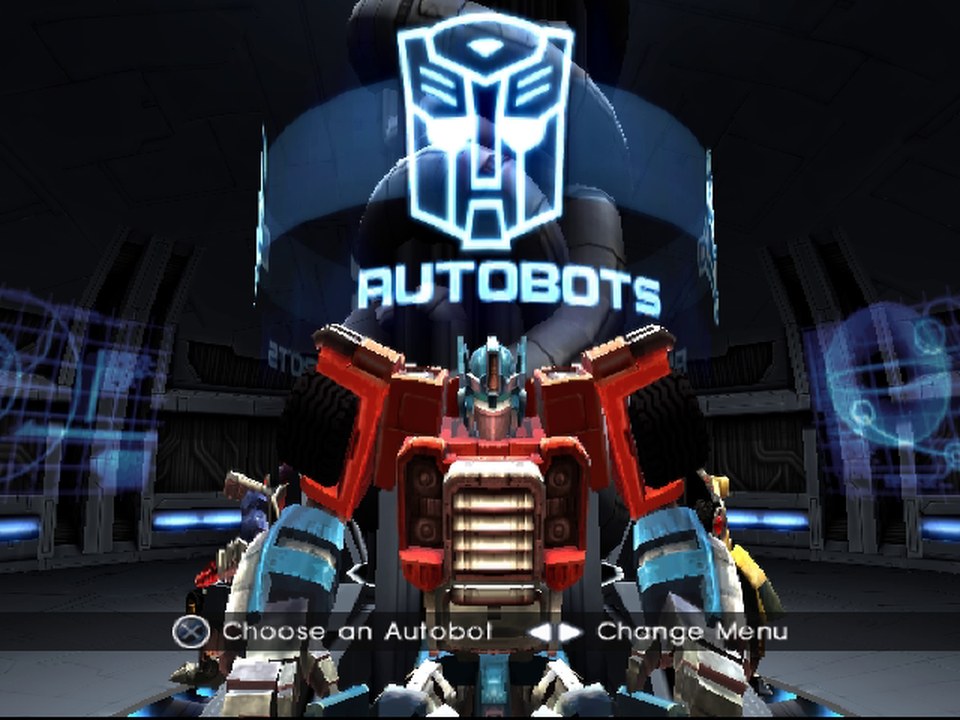
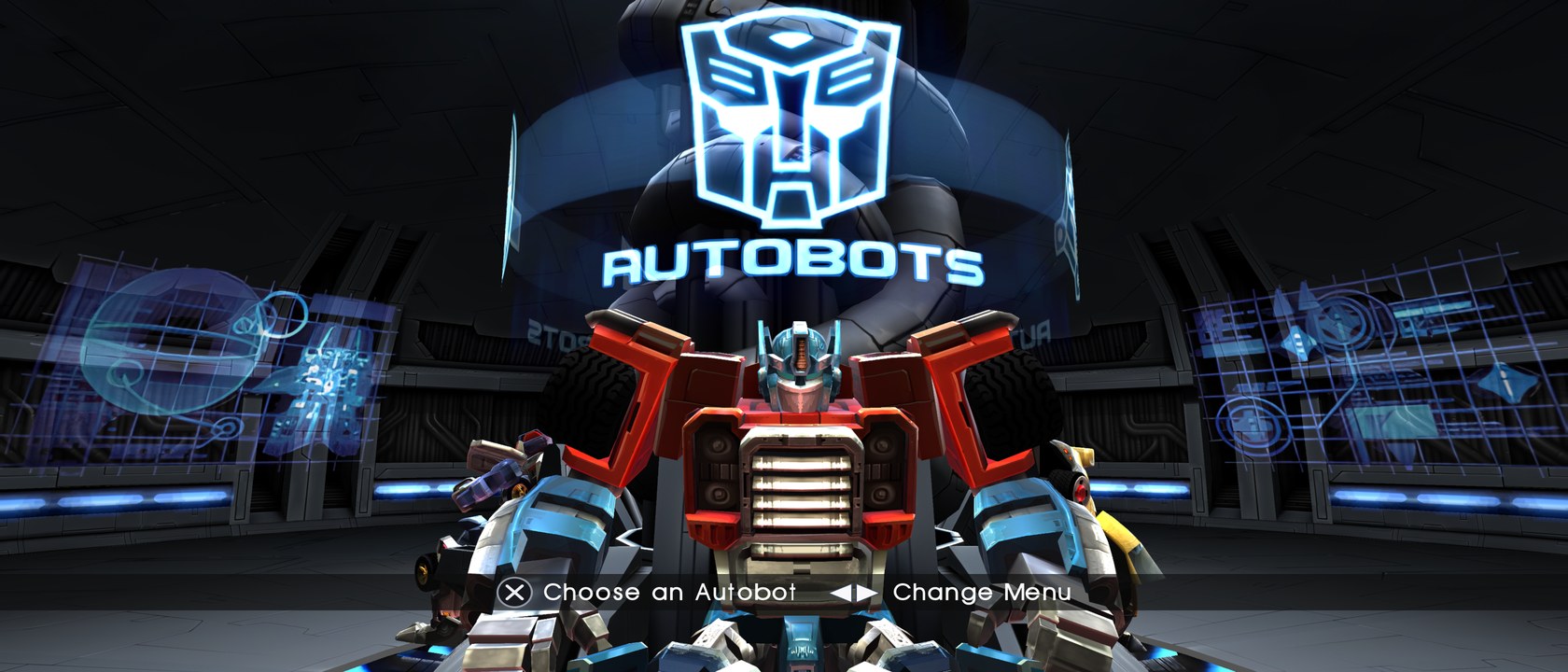
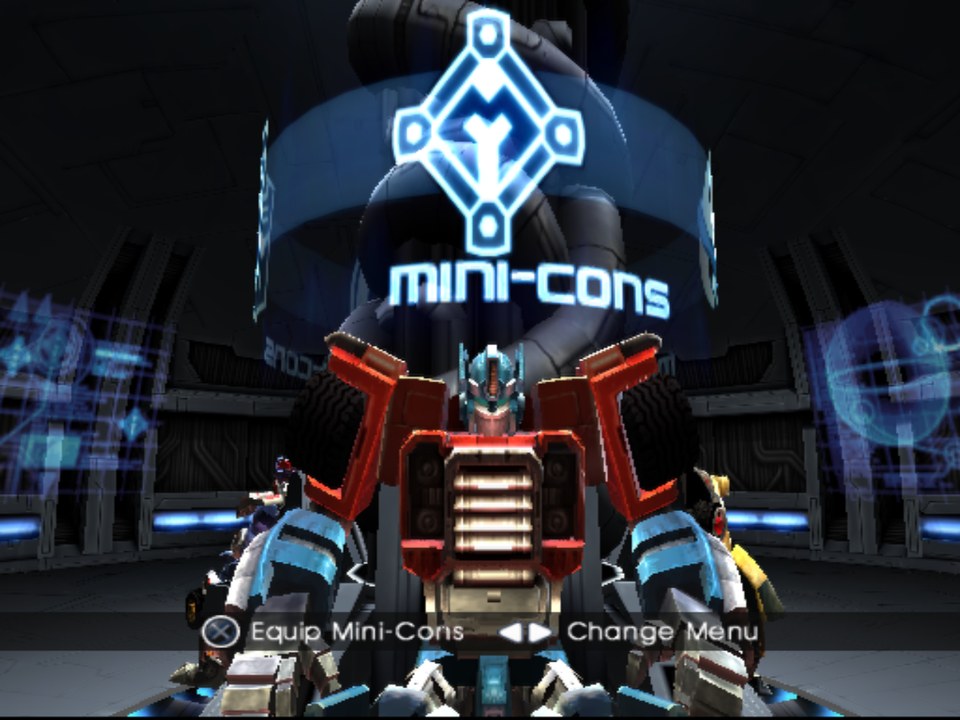
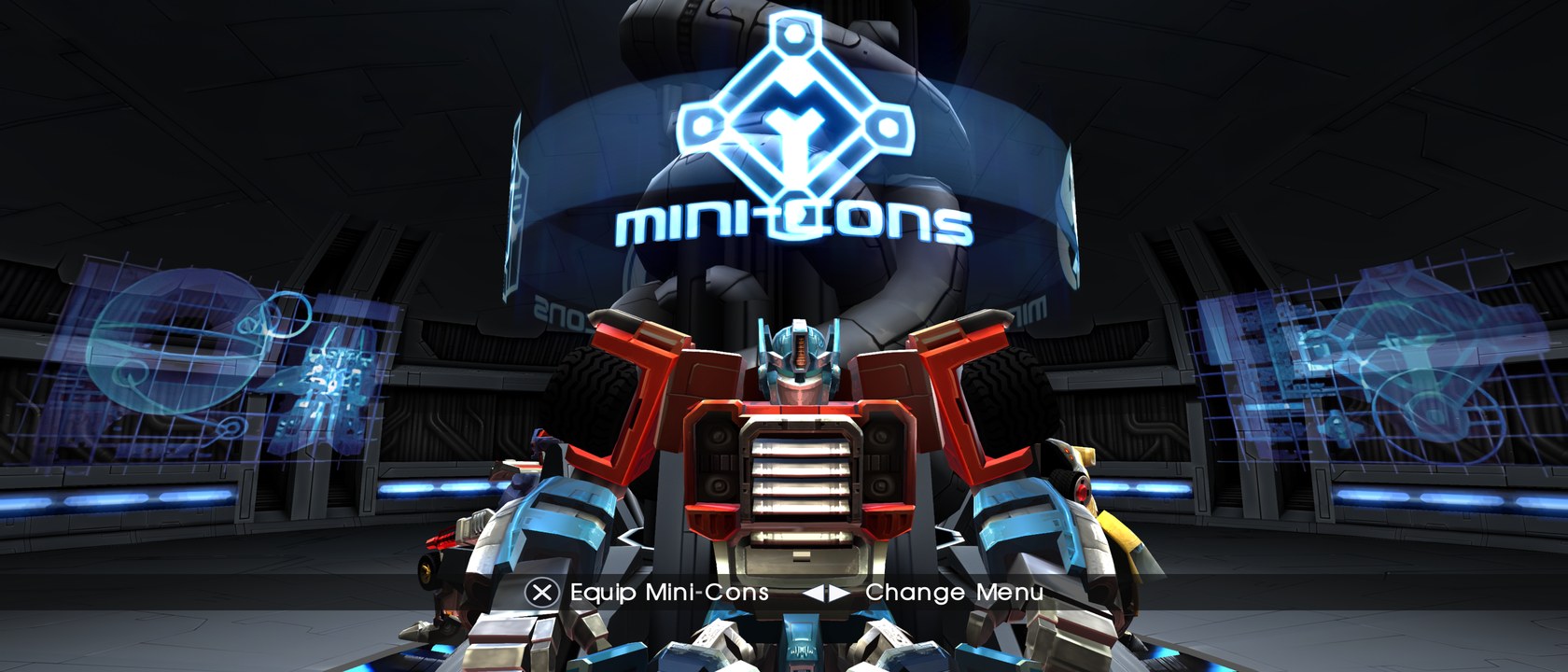
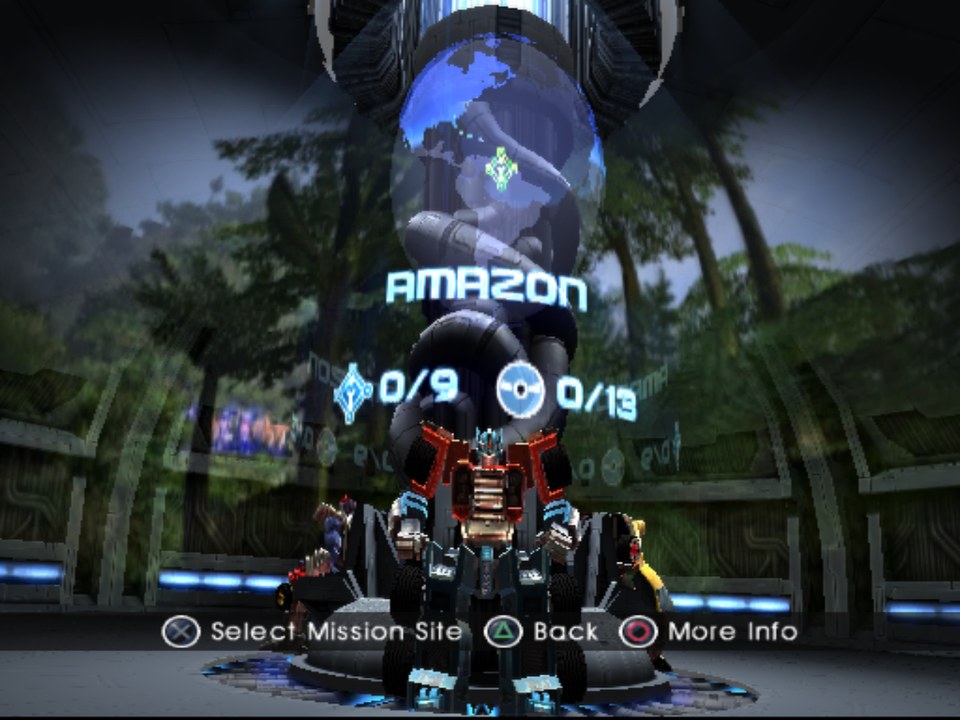
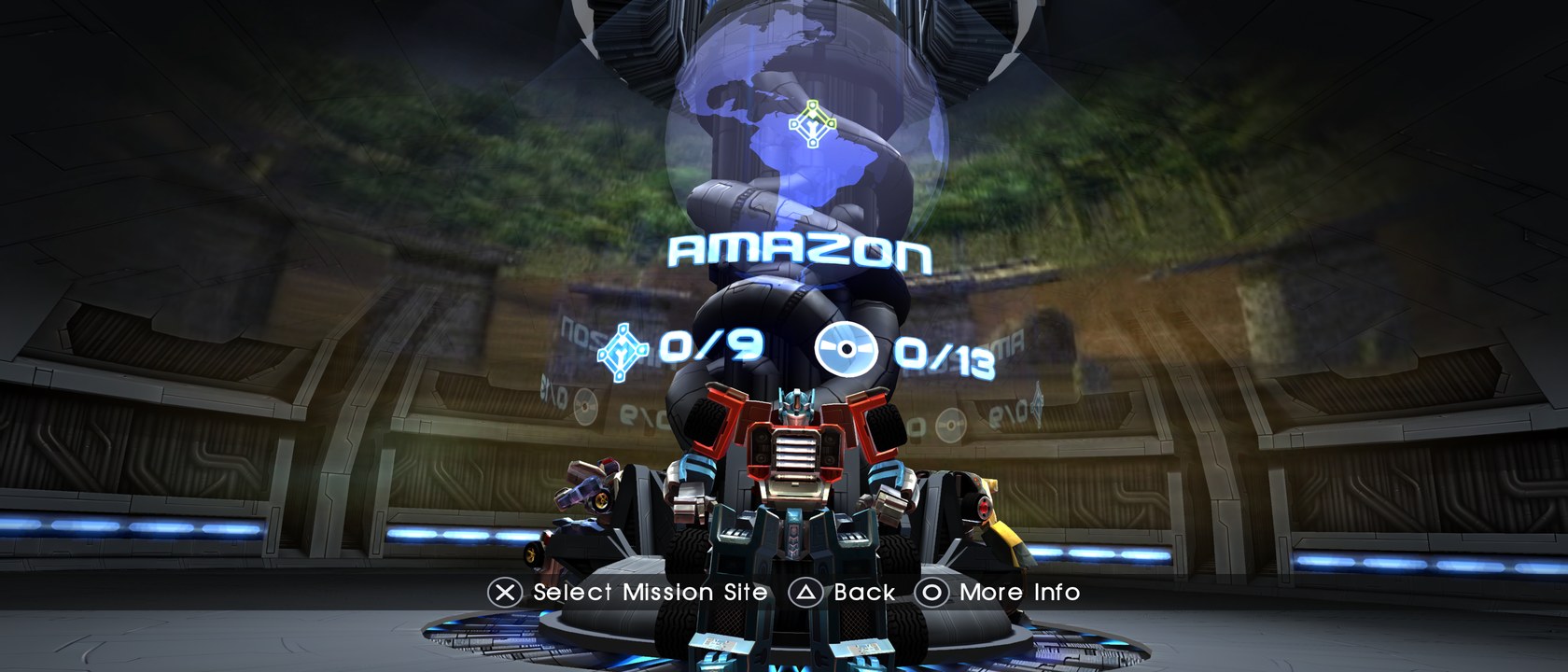
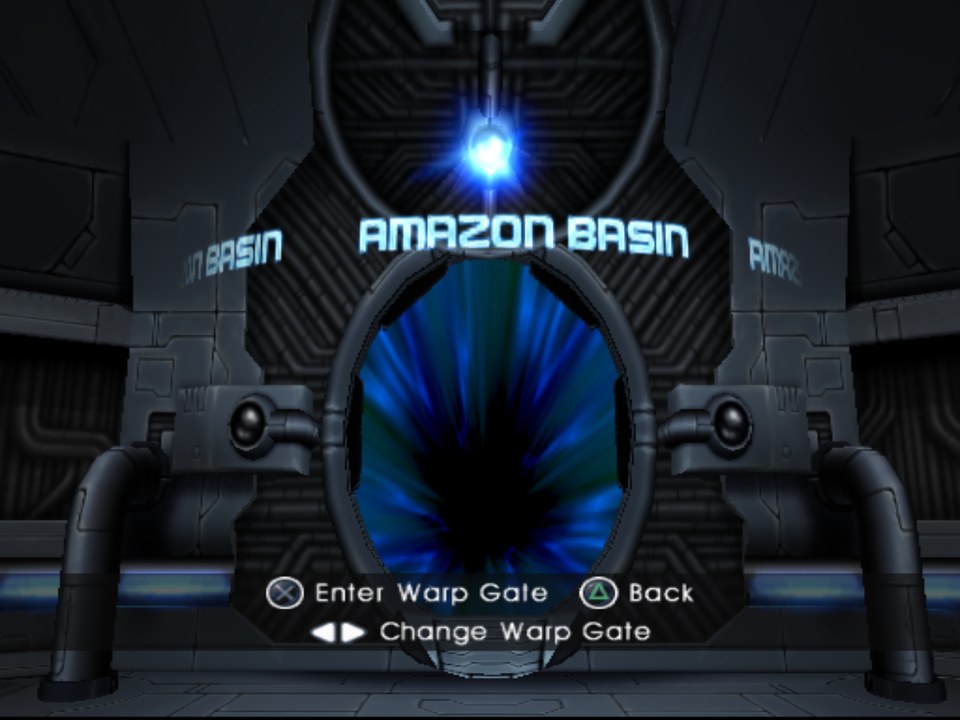
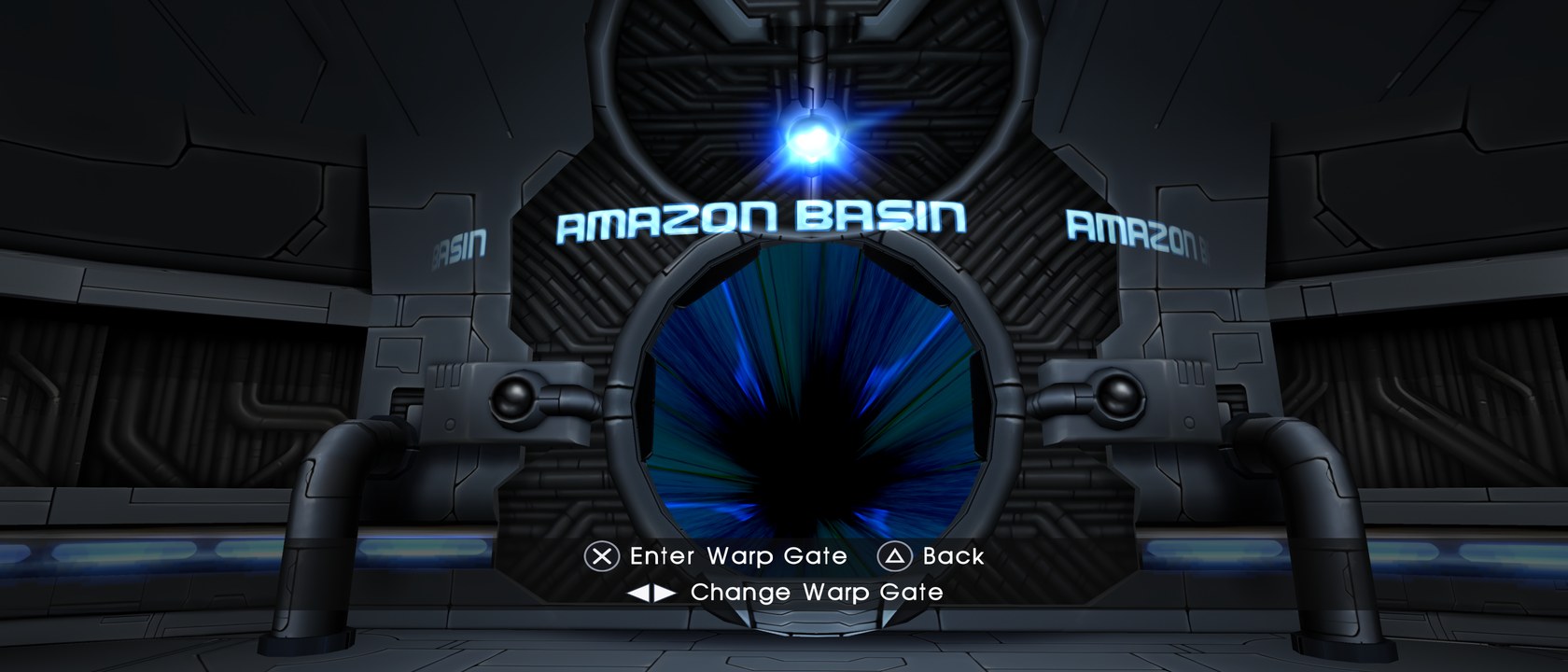
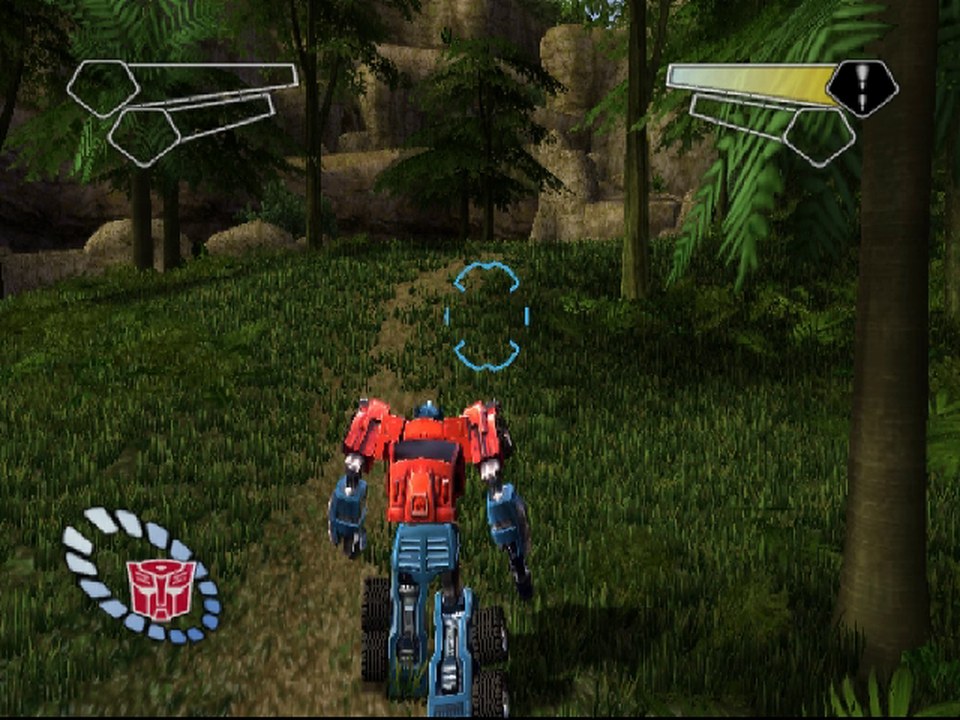
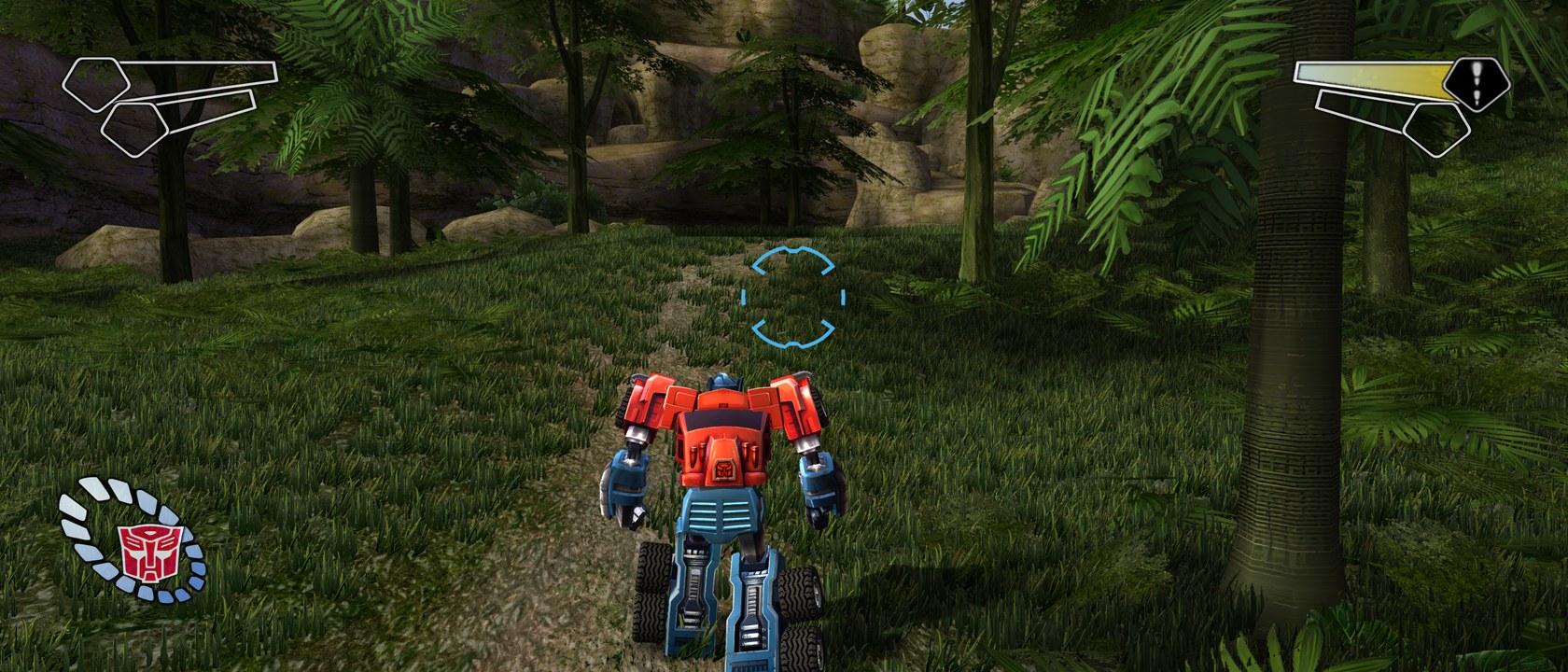
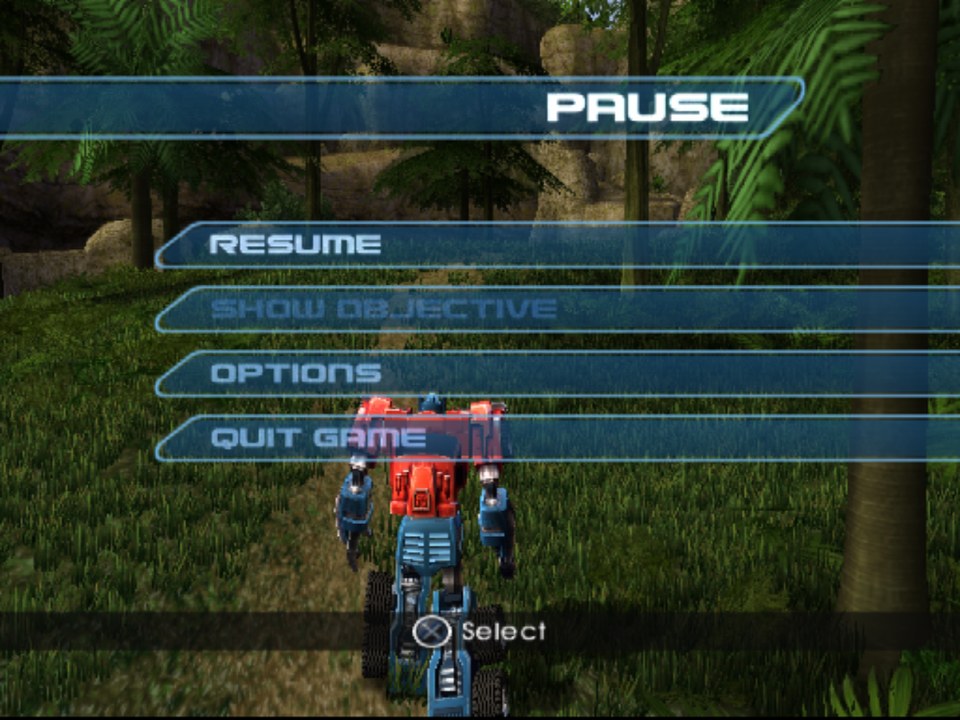
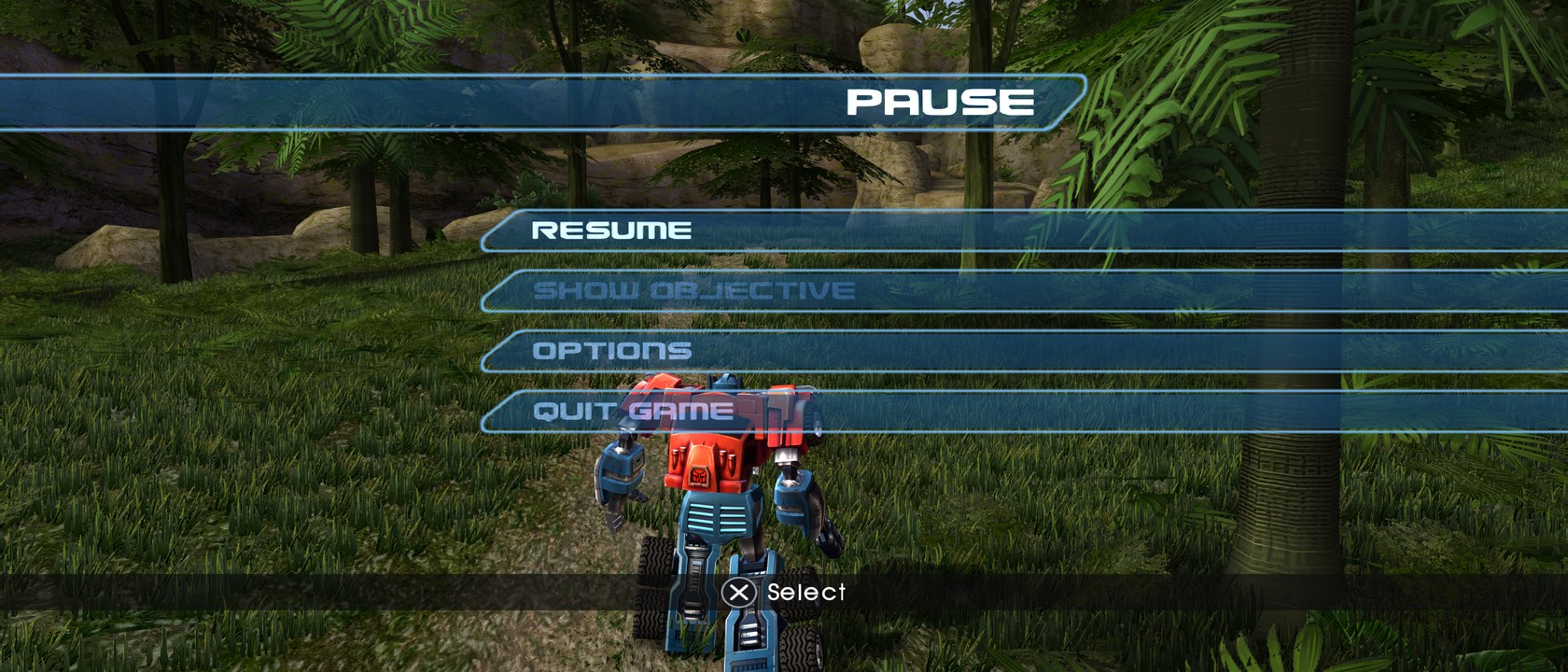
Each pair shows the same place. On the left, the original game as it looks on the PlayStation 2 (4:3). On the right, the PC port at 21:9 with every graphics setting at its maximum.
| PlayStation 2 | PC port, 21:9, Ultra |
|---|---|
 |  |
 |  |
 |  |
 |  |
 |  |
 |  |
Text and button prompts
The game's fonts are redrawn sharp, and the button prompts follow the device you use.
| PlayStation 2 |  |
| PC, PlayStation controller |  |
| PC, Xbox controller |  |
| PC, keyboard and mouse |  |
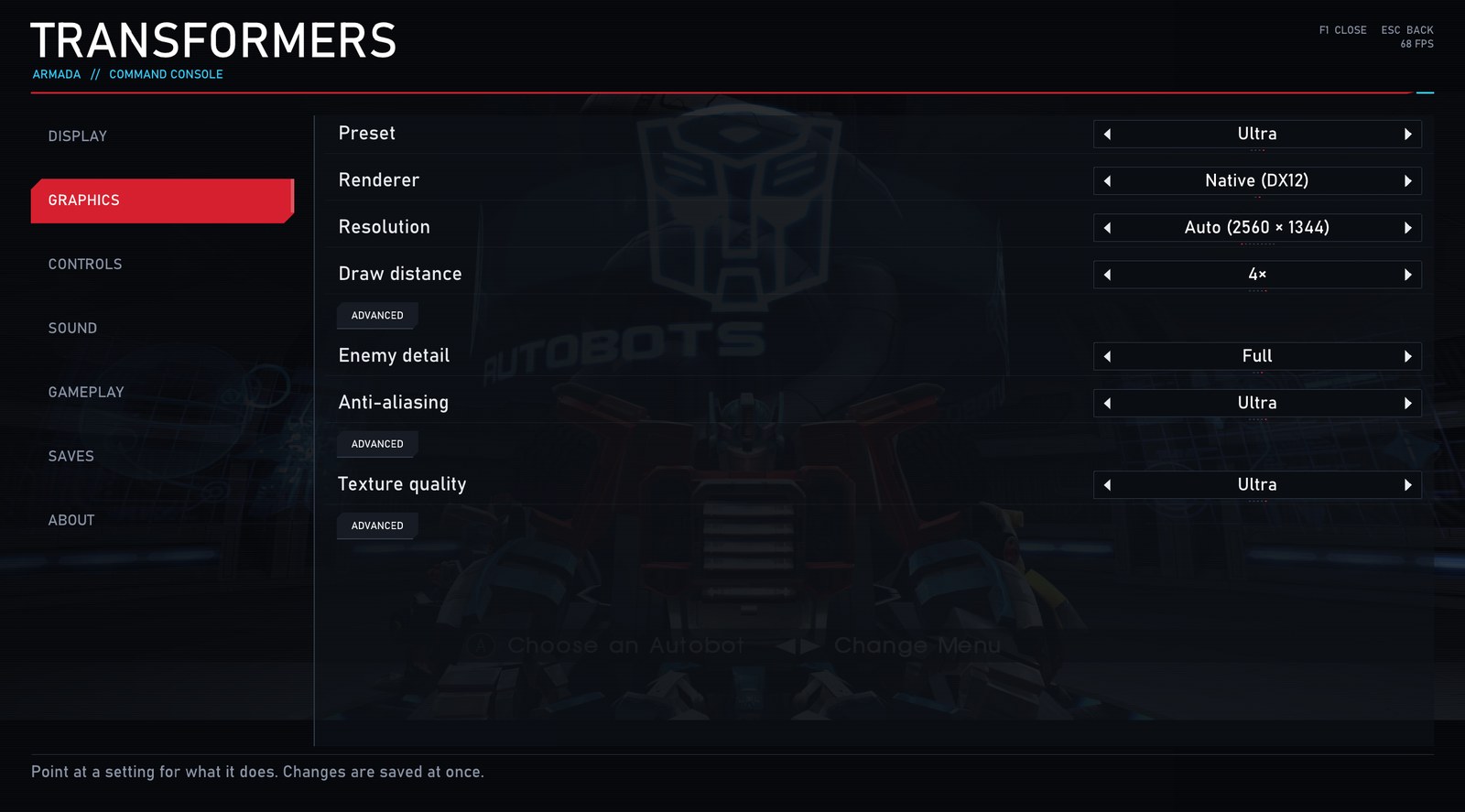
The settings menu
Press F1 at any time. Most settings change at once, while you play.
Original PS2 bugs fixed
Some bugs are in the original game on the PlayStation 2 too. This version fixes them:
- Antarctica, played again after finishing it, has no music from the first warp gate. The level music starts at
a spot on the cliff edge that the game places only on a first visit, so a finished Antarctica stays silent to the
end. Confirmed on the original game. Here a finished Antarctica keeps that spot, for the music only, without the
story's radio call.
TF_REVISIT_MUSIC=0in settings.ini gives the PS2's behaviour back. - Decepticlones dropped by a dropship can hang frozen in the air. If a cutscene that freezes the enemies (for example a Mini-Con's discovery) starts while a dropship is still carrying Decepticlones in, the game wipes their "fall when dropped" instruction, so they stay in mid-air when the ship lets them go. Rare on the PS2 too. Here the passengers keep that instruction through the cutscene, so they land and fight.
Differences from the PS2
A few things behave differently from the original on purpose. Each one can be turned off:
- Transforming fades the vehicle's engine out over 0.15 seconds. On the PS2 the engine stops dead.
TF_ENGINE_SOFT_STOP=0in settings.ini gives the cut back. - Textures stay smooth up close. The PS2 shows hard, blocky texels there. F1 > Graphics > Smooth textures, Off.
- The game starts in its 16:9 mode. The PS2 starts in 4:3. The game's own Options > Widescreen switches it off.
- A light touch of the stick walks, a third of the stick runs. F1 > Controls > Stick response, Off.
- Moving the mouse up looks up, whatever a save's Invert Y option says (that option is the controller's). F1 > Controls > Invert mouse up / down.
Requirements
- Windows 10 or 11, 64-bit.
- A graphics card with DirectX 12 and Vulkan (any recent AMD, NVIDIA or Intel card).
- About 15 GB of free disk space.
- Your own disc image of Transformers (USA),
SLUS-20668. The European release,SLES-52388(English, French, German, Spanish, Italian), works too, experimentally. The Japanese release does not work yet.
The setup installs everything else for you (Git, Python and the Visual Studio C++ build tools).
Install
- Download
tfa-setup.exewith the button above. - Run it, pick your disc image and an install folder, then press Install. The first build takes about 15 to 25 minutes. Making the HD textures takes longer: pick Fast for a quicker set, or skip them. Once they start, Play now lets you play while the rest is made: the ones you see first (the menus, the HQ, the first levels) are made first.
- Play. The setup ends with a Play button. Later, start the game with
Play.batin the install folder, or straight fromout/build/transformers/RelWithDebInfo/TransformersRecomp.exe(for example as a non-Steam game in Steam).
The game checks for updates by itself. When there is one, F1 > About > Update now installs it and puts you back where you were.
Prefer the command line, or want to build it yourself? See docs/BUILDING.md.
Play from Steam, another launcher, or a Steam Deck
RecompLauncher: use the Windows ZIP from Releases. It includes the setup and a
recomplauncher.json manifest, so RecompLauncher
can build from your USA disc, show settings and back up saves. See
the integration guide.
Once the game is built, starting tfa-setup.exe again starts the game itself, so a launcher such as
Quiver that keeps the setup can use it as the game's Play button. Hold Shift while
starting it to open the setup's window instead (updates, repair).
The game can also be started straight from its program file, so any launcher can start it:
<install folder>/transformers-armada-recomp/out/build/transformers/RelWithDebInfo/TransformersRecomp.exe
(<install folder> is the folder you picked in the setup.)
Steam on Windows
- In Steam: Games > Add a Non-Steam Game to My Library, tick Transformers Armada in the list (the setup puts it in the Start menu), then Add Selected Programs.
- Start it from your Steam library like any other game. Steam shows you in game until the game closes, and Steam Input (your controller's dead zones, remapping) works in it.
If it is not in the list, click Browse and pick tfa-setup.exe in your install folder (or TransformersRecomp.exe
above).
Steam Deck
The game has to be built on a Windows PC first: the setup needs Windows to compile it from your disc.
- On your Windows PC, install the game with the setup as described above, and play it once.
- Copy the whole install folder to the Steam Deck, for example with a USB drive, a microSD card or a network share. Keep everything inside it.
- On the Deck, switch to Desktop Mode, open Steam, then Games > Add a Non-Steam Game to My Library >
Browse. Set the file type to All Files, pick
TransformersRecomp.exein the copied folder, then Add Selected Programs. - In your Steam library, open the game's Properties > Compatibility, tick Force the use of a specific Steam Play compatibility tool and choose Proton Experimental (or the newest Proton).
- Go back to Gaming Mode and start the game.
Tips for the Deck:
- The settings menu opens with F1, or by holding View and Menu together on the Deck's controls (the Deck's buttons work like an Xbox controller).
- In F1 > Graphics, the Low or Medium preset suits the Deck best.
- A native Linux and Steam Deck version is planned; until then the game runs through Proton.
Controls
A controller, the keyboard and the mouse all work at the same time. Click into the game window to use the mouse. Esc gives the mouse back.
| Action | PlayStation | Xbox | Keyboard and mouse |
|---|---|---|---|
| Move | Left stick | Left stick | W A S D |
| Camera | Right stick | Right stick | Mouse |
| Fire | R1 | RB | Left mouse button |
| Jump | L1 | LB | Space |
| Transform | Triangle | Y | T or F |
| Mini-Con abilities | L2 / R2 | LT / RT | Left Shift / E |
| Aiming view | R3 | Right stick click | Right mouse button |
| Confirm / Back | Cross / Circle | A / B | X / C |
| Pause | Options (Start) | Menu | Enter or P |
Every key can be changed in F1 > Controls. The full list, with the function keys, is in docs/PLAYING.md.
Where things are
Open the folder you installed into, then transformers-armada-recomp.
- Saves: in
game\mc0. In the game, F1 > Saves imports, exports and backs them up into theSavesfolder, and "Open saves folder" takes you there. - Settings:
settings.ini. - Logs, for a bug report: in the game, F1 > About > "Make a report" makes one zip file with the logs, your
settings and your PC's details (no saves, nothing of the game's files) and opens its folder. Attach that file.
If the game does not start: the logs are in
runs; zip the newestplay_...outandplay_...errfiles. If the install or an update failed, also attachsetup.logorupdate-setup.logfrom the folder you installed into. - Never attach save files, save states or anything from the
gamefolder: they contain game data.
Help
- Player guide: docs/PLAYING.md (settings, controls, updates)
- Problems: docs/TROUBLESHOOTING.md (common fixes and FAQ)
- Bugs and ideas: open an issue. Never attach disc images, save states or memory card files: they contain game data.
How it works
The game's PlayStation 2 program (MIPS code for the Emotion Engine) is translated to C++ ahead of time with PS2Recomp, then built into a Windows program. A runtime stands in for the console hardware. On top of that, this port replaces the PS2's graphics with a native Direct3D 12 renderer and its sound with native PC sound.
The translation happens on your PC, from your disc. This repository holds only the recipe: the tools, the runtime and the port's own code.
No game data
This repository contains no game data: no disc images, no executables, no extracted files and no code generated from the game. Everything is built from your own copy. A commit check keeps it that way.
Contributing
Issues and pull requests are welcome. See docs/CONTRIBUTING.md.
Credits
- PS2Recomp by ran-j: the recompiler and runtime this port is built on (GPL-3.0).
- kayliox: the PC port, the renderer and the sound.
- Jenvery: the HQ frame-rate fix.
- TPepperoni666: the stick response and the Xbox button prompts.
- galaxyawesome: the ARM groundwork and the CPU thread placement setting.
- SirCebollo: testing, and finding and reporting bugs.
- The approach follows Project Amp, which brought Amplitude to PC the same way.
- Third-party components and their licences: THIRD_PARTY_NOTICES.md.
Licence
The code in this repository is licensed under the GNU General Public License v3.0, like PS2Recomp. See LICENSE.
This is an unofficial fan project. It is not affiliated with or endorsed by Hasbro, Atari, Melbourne House or Sony Interactive Entertainment. Transformers is a trademark of Hasbro. The screenshots are captured from the game for illustration.