Virtua Racing Deluxe Enhanced
Virtua Racing Deluxe Enhanced is a port of Virtua Racing Deluxe for Sega 32X with higher resolution, frame rate, and extended draw distance.
- Type: PC port
- Game: Virtua Racing Deluxe
- Runs on Windows and macOS
- By PokaMilkTea
- Latest release v1.0.0, 2026-10-15
- Source: https://github.com/PokaMilkTea/VirtuaRacingDeluxeEnhanced
README
Virtua Racing Deluxe Enhanced
English | 繁體中文
This project is built on the PicoDrive emulator and runs the original Sega 32X version of Virtua Racing Deluxe with enhanced graphics.
Unofficial project. Not affiliated with or endorsed by SEGA. Virtua Racing is a trademark of SEGA. No ROMs or ROM-derived data are included. Non-commercial use only.
Features
Using high-level emulation (HLE), the 3D scene is reconstructed from data sent by the 68000 CPU to the 32X's SH2 processors and rendered on the GPU.
- Higher resolution: Adjustable rendering resolution with optional MSAA.
- Higher frame rate: Smoother motion with frame rates beyond the original 20 FPS.
- Widescreen: Choose between the original 4:3 and an expanded 16:9.
- Extended draw distance: See farther with less scenery pop-in.
- In-game menu: Adjust settings at any time.
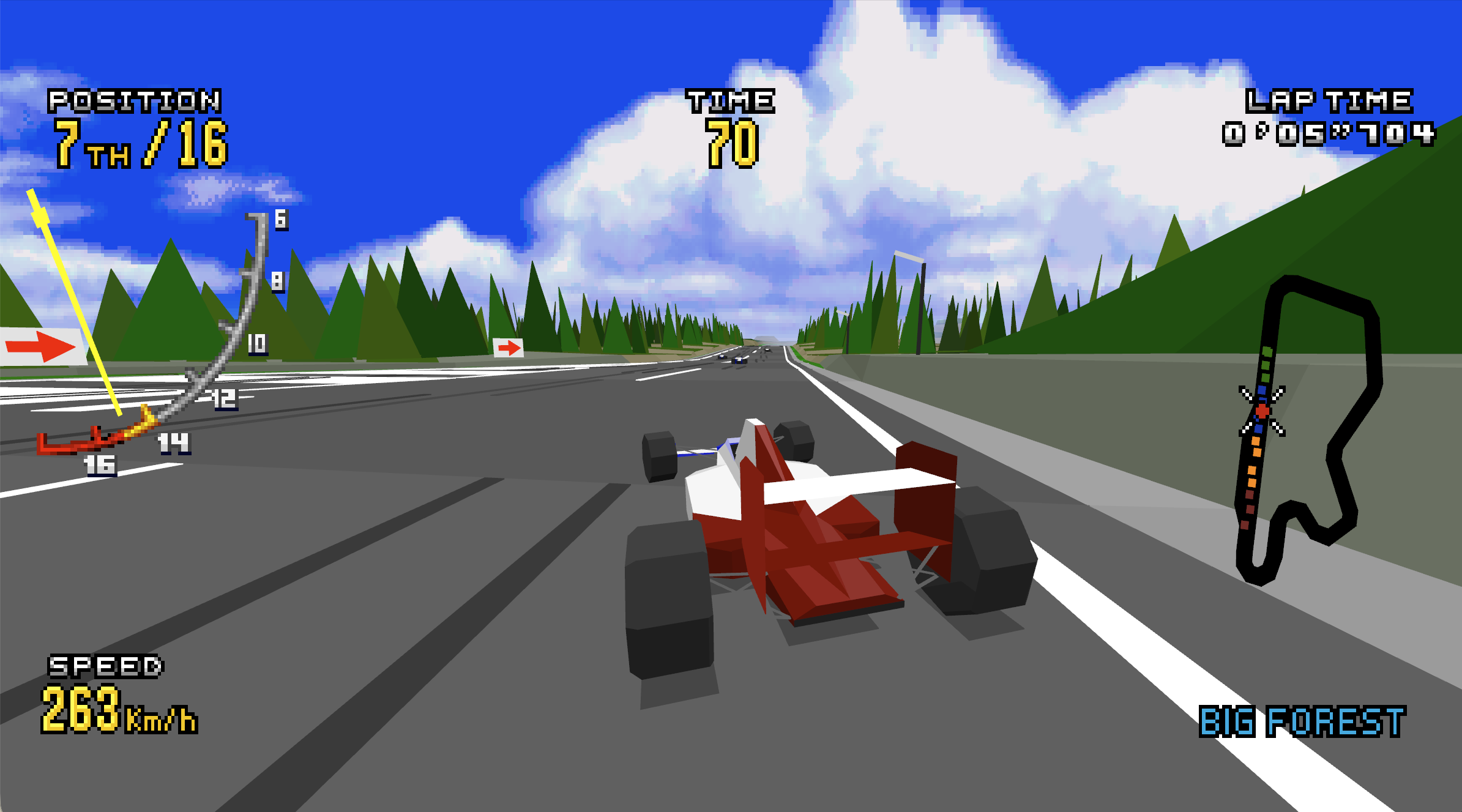
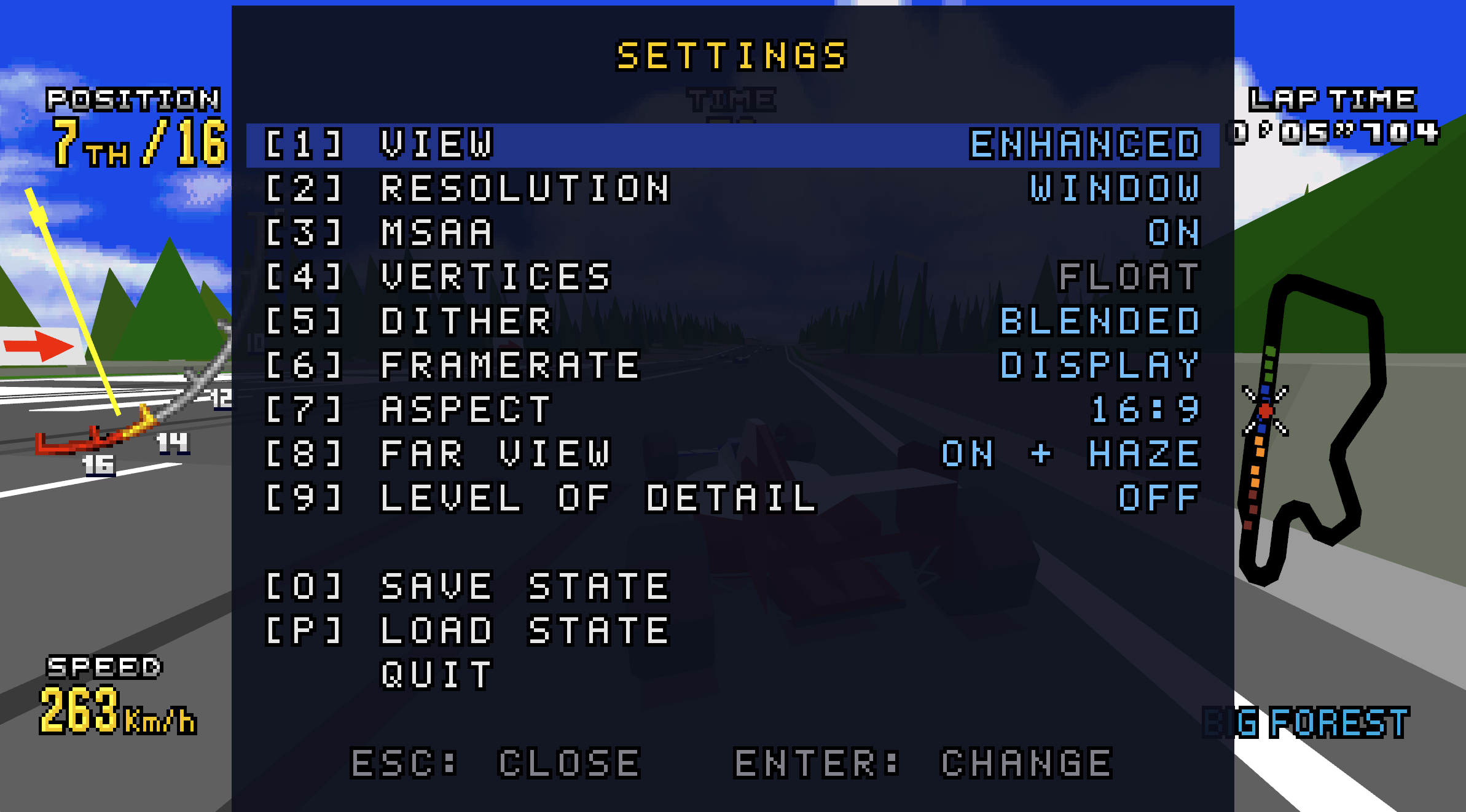
Left: enhanced graphics. Right: settings menu.
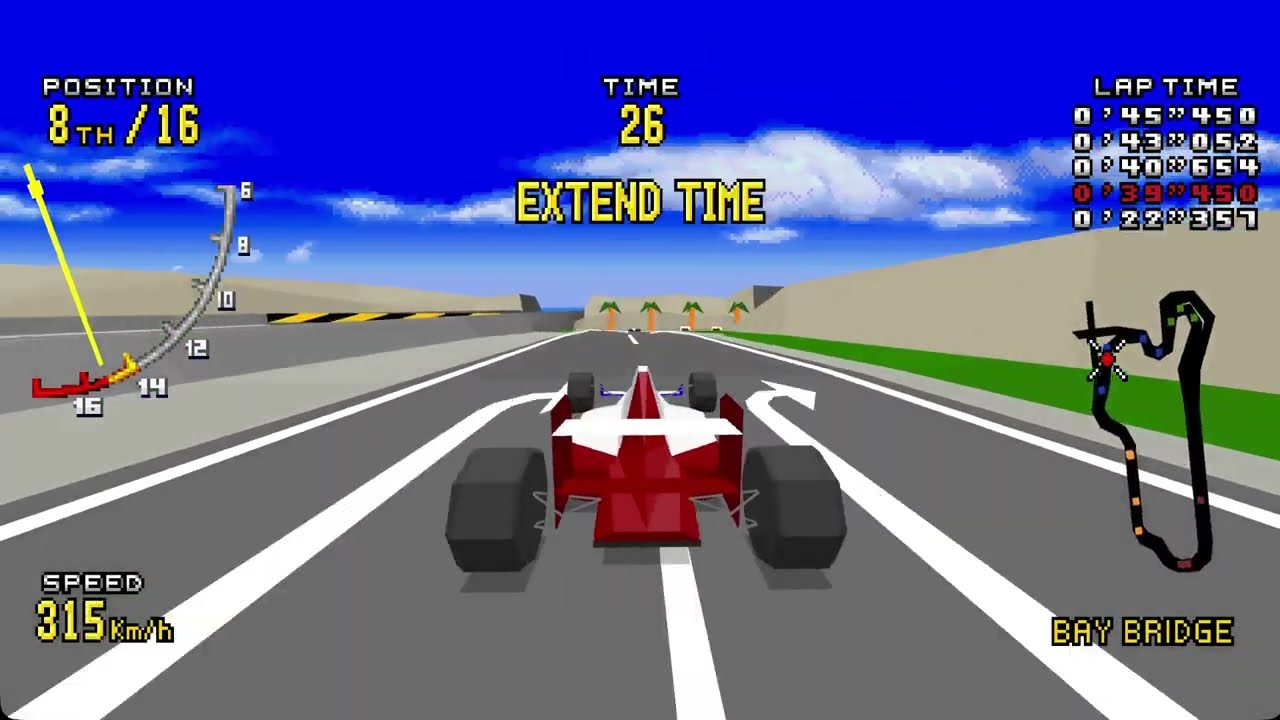
Video on YouTube (click to play).
ROM
This project does not provide any ROM.
Supported version:
| Item | Value |
|---|---|
| Version | Virtua Racing Deluxe (USA) |
| SHA-1 | 18dfdeb50780c2623e60a6587d7ed701a1cf81f1 |
| CRC32 | 7896b62e |
Starting the game
Download a prebuilt release from the Releases page, and have your own ROM ready. If you prefer to build the executable yourself rather than use the prebuilt binary, see how-to-build.md for instructions.
macOS
-
Requires an Apple Silicon Mac (M1 or later).
-
Install SDL2 using Homebrew:
brew install sdl2 -
Open Terminal, navigate to the folder containing
vrde, and run:./vrde "Virtua Racing Deluxe (USA).32x" -
The program is unsigned, so macOS may block it. Go to System Settings → Privacy & Security and select "Open Anyway".
Windows
- Requires 64-bit Windows 10 or later.
- Keep
vrde.exeandSDL2.dllin the same folder, and drag the ROM file ontovrde.exeto start. - The executable is unsigned and Windows may block it. Select "More info" → "Run anyway".
Linux
A Makefile is provided. See how-to-build.md for how to build the binary.
Controls
| Key | Function |
|---|---|
| Arrow keys | D-pad |
| A / S / D | Pad A / B / C (B is the throttle in a race) |
| Z / X / C | Six-button pad X / Y / Z (change the view in a race) |
| F | Start |
| 1 | View: enhanced (default) / original / side by side (original | enhanced) |
| 2 | Resolution: window resolution (default) / 1x / 2x / 4x |
| 3 | MSAA: on (default) / off |
| 4 | Vertices: floating-point projection (default) / the original integer projection |
| 5 | Dither: blended (default) / the original dithering |
| 6 | Framerate: 20 FPS / 30 FPS / 40 FPS / 60 FPS / display refresh rate (default) |
| 7 | Aspect: 16:9 (default) / the original 4:3 |
| 8 | Far view: extended with haze (default) / extended / original |
| 9 | Level of detail: off (default) / on (distant opponents use simpler models, as in the original) |
| O | Save the current emulator state to vrde.mds (single slot; overwrites the previous save) |
| P | Load the saved state from vrde.mds |
| Esc | Open the pause menu. Use the arrow keys and Enter to change settings, save or load a state, or quit. Press Esc again to resume |
| Alt+Enter | Toggle fullscreen (borderless, at the desktop resolution) |
Game controllers are supported, including Xbox, PlayStation, Switch Pro, and other SDL-supported controllers.
Face buttons are mapped by physical position to approximate the Mega Drive six-button layout: A, B, and C correspond to the left, bottom, and right buttons, while Z corresponds to the top button.
| Xbox | PlayStation | Switch Pro | Maps to |
|---|---|---|---|
| D-pad, left stick | same | same | D-pad |
| X (left), left trigger | □, L2 | Y, ZL | Pad A |
| A (bottom), right trigger | ✕, R2 | B, ZR | Pad B |
| B (right) | ○ | A | Pad C |
| LB, RB | L1, R1 | L, R | Six-button pad X, Y |
| Y (top) | △ | X | Six-button pad Z |
| Start | Options | + | Start |
| Back (or Guide) | Share / Create (or PS) | − (or Home) | Menu |
In the menu, the right button changes the selected setting and the bottom button closes the menu, whichever controller is used.
Folders
| Path | Contents |
|---|---|
src/ | This project's code |
tools/ | Research tools: SH2 disassembler, polygon redrawing from SH2 memory access logs, layer splitting |
docs/ | How to build |
third_party/picodrive/ | PicoDrive. Every change is marked VRDE: |
Credits
- notaz and irixxxx: PicoDrive.
- matiaszanolli: sega-vr-disasm, a disassembly of the game used as a reference.
- FAME Motorola 68000 Emulation Library by Oscar Orallo (oscar@m68k.com).
- CZ80 by Stéphane Dallongeville; the SH2 core from MAME.
- AI-assisted development.
License
This project's own code and documents are under the terms in LICENSE: non-commercial use only, the same terms as PicoDrive.
Third-party licenses
This project includes code from PicoDrive
at commit 8b5e91bc92c02a838188da410ccd82f79424ad6a,
located in third_party/picodrive/.
PicoDrive is distributed under a non-commercial license.
See third_party/picodrive/COPYING for the full terms.
Its components (the FAME 68000 core, CZ80, the SH2 interpreter from MAME and others) keep their own terms.
Any redistribution or modification of these components must comply with their respective license terms.