Wario World Recomp
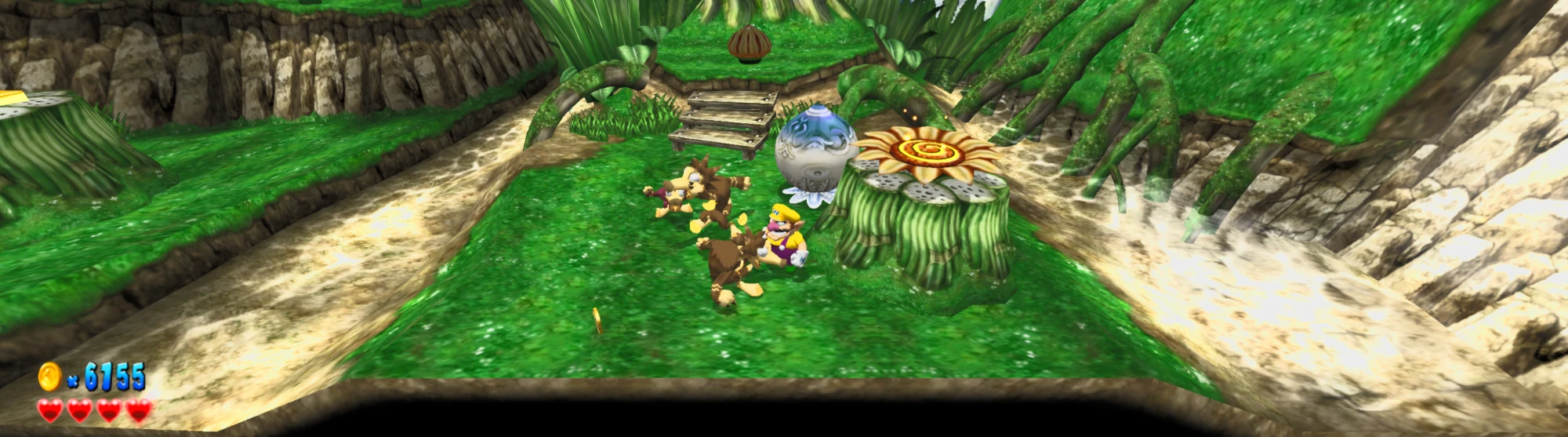
Wario World Recomp is a native Windows PC port of Wario World for GameCube that adds optional enhancements such as high frame rates, widescreen, and HDR.
- Type: PC port
- Game: Wario World
- Runs on Windows
- By Claude
- Latest release v1.0, 2026-10-27
- Source: https://github.com/BigSnek9/wario-world-recomp
README
Wario World Recomp
Wario World (Nintendo GameCube, 2003) as a native Windows PC game.
This is a static recompilation: the game's own code was translated into C and compiled for the PC, running on a GameCube-compatible runtime based on Dolphin. It plays the whole game, start to finish, and adds optional enhancements such as high frame rates, widescreen and HDR.
Made entirely by Claude (Anthropic's AI), working autonomously at the project owner's direction: the recompilation, runtime fixes, enhancements, tools, tests and these docs.
You need your own copy of the game. No game files are included. You need a plain
.isodump of the USA disc (GWWE01, revision 0); other regions and revisions are not supported. The game checks the disc before using it.
Windows only. Windows 10 or 11 (64-bit), the only system it has been built and tested on.
Quick start
- Download
WarioWorldRecomp-vX.Y.zipfrom the Releases page (about 46 MB). - Unzip it into a folder you own (your Desktop or Documents, not Program Files).
- Double-click
WarioWorldRecomp.exeand pick your.iso.
The first time, it checks the disc and copies the game files next to the exe, which takes a few seconds. After that it starts straight away. Nothing else needs installing.
To update, unzip a new version over the old folder. Your saves and settings in
user\ are kept.
Enhancements
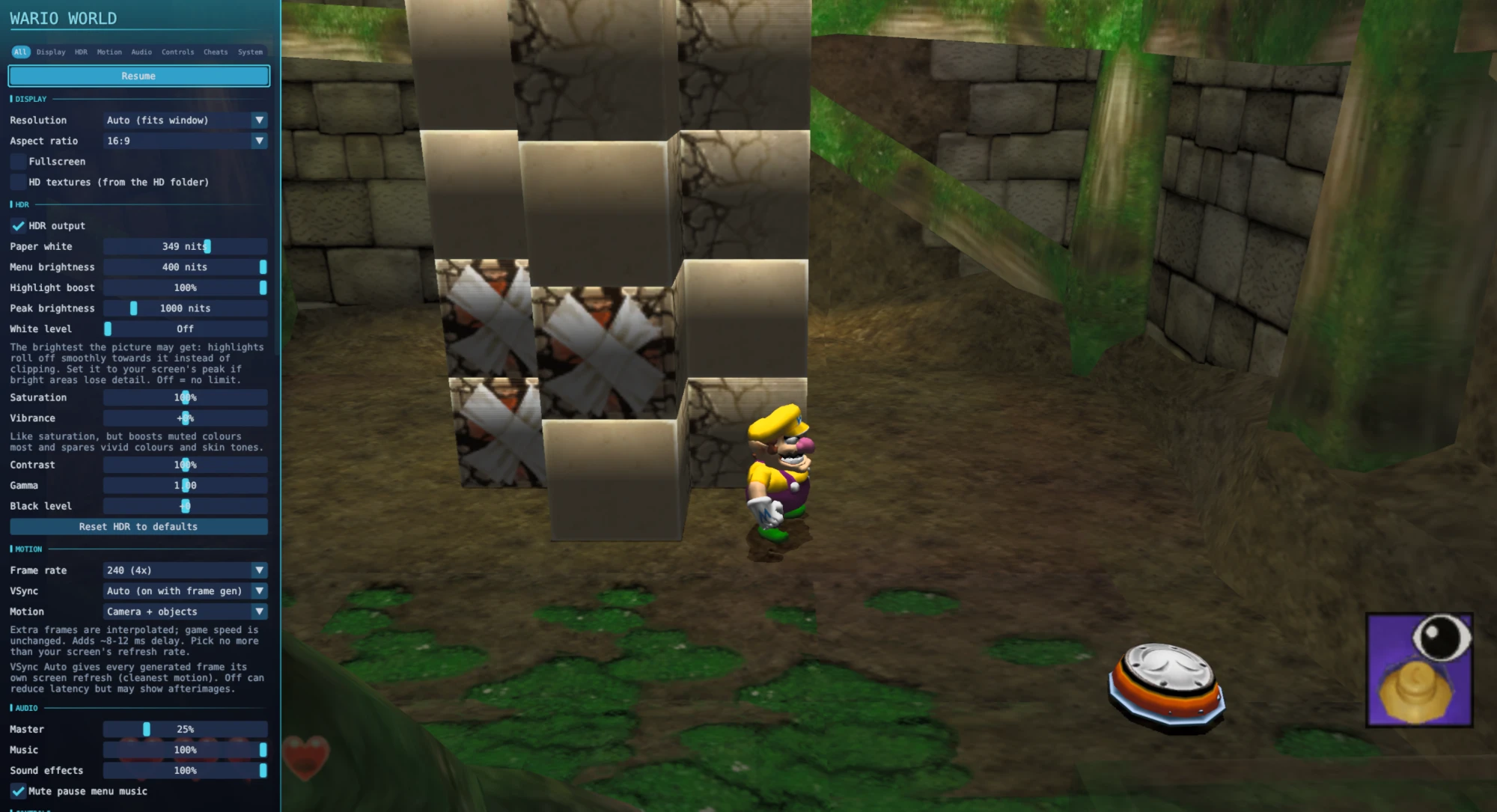
Open the in-game menu with Back on the controller or Tab on the keyboard. Options apply straight away. Out of the box the picture fills your screen at its resolution and shape; the game itself plays exactly like the original, and every enhancement can be switched off for the original 4:3 look.
| Feature | What you get |
|---|---|
| Frame rate | 60, 120, 180 or 240 FPS, or match your monitor. The extra frames come from the game's own camera and object positions, not from guessing between pictures, and are paced to your display. |
| Widescreen | Any aspect ratio (16:9, 16:10, 21:9, 32:9). You see more of the world instead of a stretched picture; the HUD moves to the screen edges and menus, speech boxes and the pause book keep their shape. |
| Resolution | Up to 8x the original, or match your window or monitor (4K and above). |
| HDR | On Vulkan, with paper white, peak brightness, white level, contrast, saturation, vibrance and menu brightness, each with a reset. |
| HD textures | Texture packs load in the background without stutter. |
| Audio | Master, music and sound-effect volume, and an option to mute the pause-menu music. |
| Controls | Xbox and PlayStation pads and keyboard out of the box, with buttons where they sit on a GameCube pad. Rebind any button; rumble on/off and strength. |
| Cheats | Jump height, walk through walls, super punches, unlock all stages, collect everything. The last two are permanent once you save. |
| Performance mode | Runs the graphics on their own thread for slower PCs (takes effect after a restart). |
| Other | OpenGL or Vulkan, fullscreen (F11 / Alt+Enter), menu themes and size, and F12 saves a bug-report snapshot to data\reports. |
Controls
| GameCube | Xbox | PlayStation | Keyboard | In the game |
|---|---|---|---|---|
| A | A | Cross | X | Jump |
| B | X | Square | Z | Punch, grab, throw |
| R | RT | R2 | W | Dash, ground pound, piledriver |
| L / Z | LT / RB | L2 / R1 | Q / D | Hyper Suction (pull in coins) |
| Control Stick | Left stick | Left stick | Arrows | Move |
| C Stick | Right stick | Right stick | I J K L | Camera |
| Start | Menu | Options | Enter | Pause book |
The game's Yes/No prompts use the stick, not the D-pad. Full details: docs/CONTROLS.md.
Your files
Everything stays in the folder you unzipped to:
game\the files copied from your discuser\saves, settings and HD texture packs (user\Load\Textures\GWWE01)data\logs and F12 bug-report snapshots
To set up from the command line without a dialog:
WarioWorldRecomp.exe --iso <your.iso> --setup-only (add --quiet to write errors
only to data\launcher.log).
Building from source
Players don't need this: the release zip is all you need. For developers, manual build steps are in docs/START_HERE.md and making a release zip is in docs/PUBLISHING.md.
Status
- The full game has been played through on this build.
- Known issues: docs/progress/KNOWN_ISSUES.md.
- Current status and test results: docs/progress/CURRENT_STATUS.md.
- All documentation: docs/README.md.
Found a bug? Press F12 where it happens and include the snapshot from
data\reports in your report.
Credits and licences
This project stands on a lot of other people's work. Thank you to:
- DolRecomp (GPLv3), the GameCube static recompiler that translates the game's code to C.
- ModernGekko (GPLv3), the runtime the recompiled game runs on.
- Dolphin (GPLv2 or later), the GameCube and Wii emulator that ModernGekko is built from: its graphics, audio, input and hardware code does most of the heavy lifting here. Huge thanks to the Dolphin team and contributors.
- The libraries bundled with Dolphin and compiled into the runtime, including
SDL, Dear ImGui, cubeb, glslang, SPIRV-Cross, Vulkan-Headers,
VulkanMemoryAllocator, fmt, zstd, zlib-ng, lz4, xxHash, mbedTLS, libspng, curl,
pugixml and others. Every one is listed, with its full licence text, in the release
zip's
LICENSES\folder. - decomp-toolkit and Ghidra for analysing the game during development (not shipped).
This project's own scripts and patches are GPLv3 (LICENSE). The release
zip contains GPL software; its complete source is this repository plus the pinned
upstream commits named in the zip's SOURCE.txt (also attached to each release as
-source.zip).
Wario World is © Nintendo. This is an unofficial fan project, not affiliated with or endorsed by Nintendo. Neither this repository nor the release zip contains any game files: the graphics, sound and data all come from your own disc.