Unchained
Unchained is a native PC port of Whiplash for Windows and Linux that offers higher resolutions, widescreen support, and an in-game settings menu.
- Type: PC port
- Game: Whiplash
- Runs on Windows and Linux
- By devall96
- Latest release v0.1, 2026-11-17
- Source: https://github.com/devall96/Unchained
- Website: https://devall96.github.io/Unchained/
README

Unchained brings Whiplash (original Xbox, 2003) to Windows and Linux as a native PC port. It is a static recompilation: the game's Xbox code is translated ahead of time into a native program, so no emulator runs the game. On top of that sits what a good PC release should have: your screen's full resolution, real widescreen and ultrawide, a HUD at the screen's edges, AMD FSR 1, smooth frame pacing with no shader stutter on later starts, button prompts for the controller in your hands, an in-game settings menu and a Configuration app that sets everything up from your own copy of the game.
⬇ Download Unchained · All releases · Testers wanted · Where it's at · What it does · Getting started · Steam Deck · Known issues · Roadmap · How it was made
Caution
No game files are included, and none ever will be: not in the code, the releases, the issues or the wiki. Unchained is made to be used with your own, legally obtained copy of Whiplash for the original Xbox (USA): its disc image or its extracted files. The game's code is recompiled on your PC, from your copy, the first time you start it. Please don't post disc images, game files, texture dumps or anything taken from them here.
Important
Made with AI. Every line of Unchained's own code, its changes to the recompiler's runtime, the tests, the art and this page were written or made by Claude, Anthropic's AI, through Claude Code. A human, devall96, came up with the idea, directs it and plays every build, but no human reviews the code line by line. Who did what has the details. If you don't want to run code written that way, don't run this. As with anything on the internet, you run it at your own risk.
Warning
Early: version 0.1, tested on one PC. The opening levels (the training lab and the lobby around it) have been played through on Windows and Linux; the rest of the game hasn't been played on Unchained yet. Everything so far has been tested on a single AMD desktop. That's why testers are wanted. Keep a copy of saves you care about (Unchained also backs them up by itself at every start).
Note
Not official. Unchained is a fan project. It isn't made by, affiliated with or endorsed by Crystal Dynamics, Eidos, Square Enix, Embracer Group or Microsoft, or by the authors of the recompiler it's built on. Please open an issue here for Unchained problems.
🧪 Testers wanted
So far Unchained has run on exactly one computer: an AMD Ryzen 7 7800X3D with a Radeon RX 9070 XT, on Windows 11 and on Ubuntu 26.04. That says very little about how it does on yours, so if you own the game and have an evening, you'd help a lot. Hardware it has never seen:
- NVIDIA graphics (any generation) and Intel graphics (Arc and integrated). The new Vulkan renderer has only met AMD's drivers.
- Steam Deck and other PC handhelds (ROG Ally, Legion Go…). The Linux release should run on a Deck (see Steam Deck), but nobody has tried it.
- Laptops, older or slower PCs, and other Linux distros and desktops (the AppImage has only reached the title screen in Ubuntu 24.04, Fedora and Arch containers on the same PC).
- Controllers other than an Xbox pad: DualSense, DualShock 4, Switch Pro, 8BitDo and generic pads.
- Ultrawide (21:9, 32:9), 16:10, high refresh rate and VRR (G-Sync / FreeSync) screens, multi-monitor setups.
How to help:
- Download the Windows installer or the Linux AppImage, point it at your copy of the game and play.
- Play a level, ideally one past the first few that nobody has reported yet, and note anything that looks, sounds or plays wrong.
- Open a bug report. The form asks for:
- your system: Windows version, or Linux distro and desktop (e.g. Fedora 41, KDE Plasma 6, Wayland), or Steam Deck, SteamOS 3.x;
- your GPU and driver version, CPU, and screen size;
- the Unchained version (on the Configuration app's About page);
- where it happened (level and place, menu or cutscene), what you did, what happened and what you expected;
- a screenshot (F12) or a short clip if it's visual, and the F10 overlay if it's about smoothness;
- the newest log:
logs\unchained_NNN.login Unchained's folder on Windows,~/.local/share/Unchained/logs/on Linux, and for a crash the newest file inCrashDumps\.
"It worked fine on my setup" reports are just as useful, so please send those too: knowing a GPU or a handheld is fine is half of what testing is for. And if you can code, contributions are very welcome; a bit of help would go a long way.
Screenshots
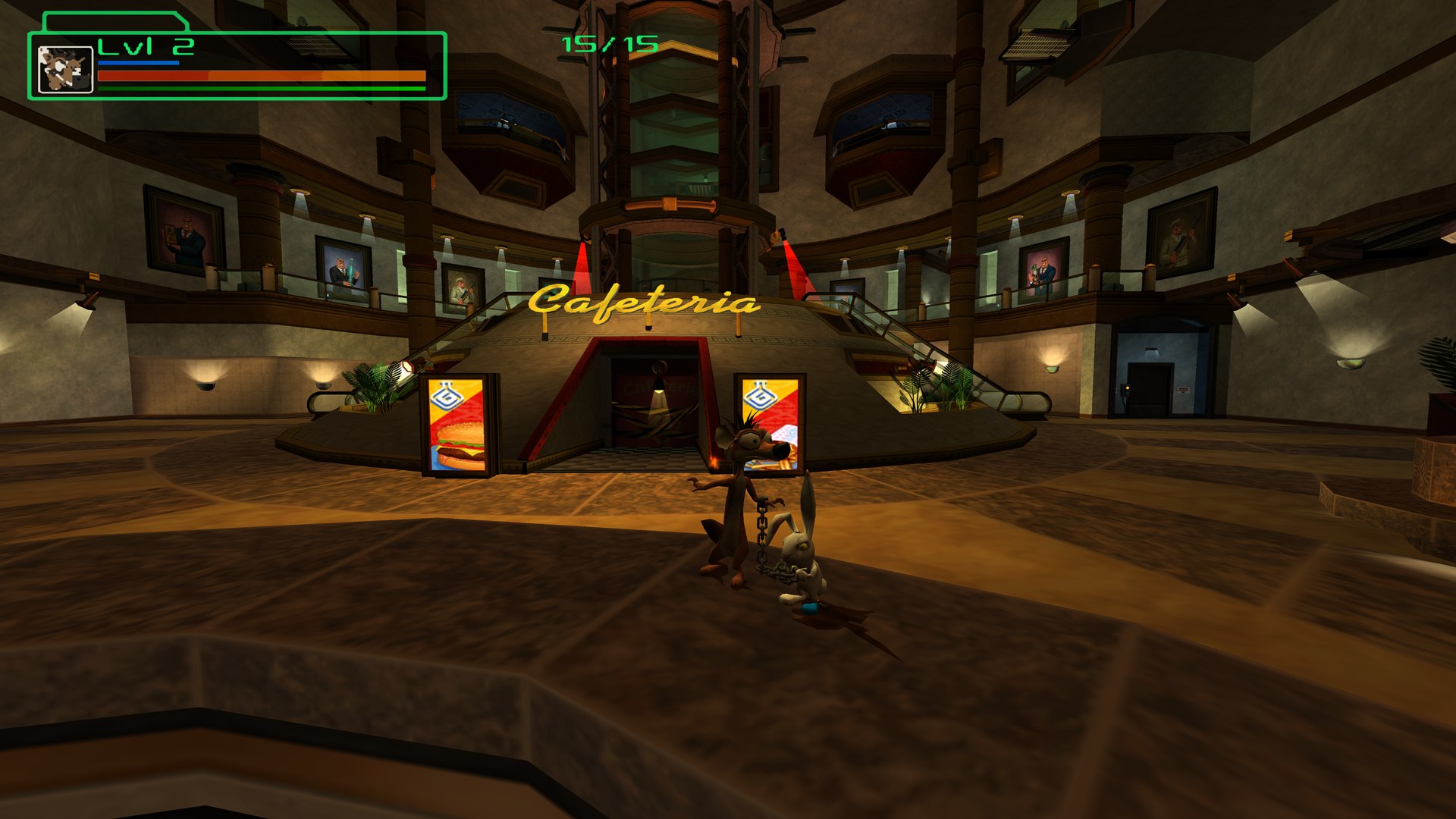
The lobby at 1440p in release 0.1: the game's own view widened to 16:9, the HUD out at the screen's corner.
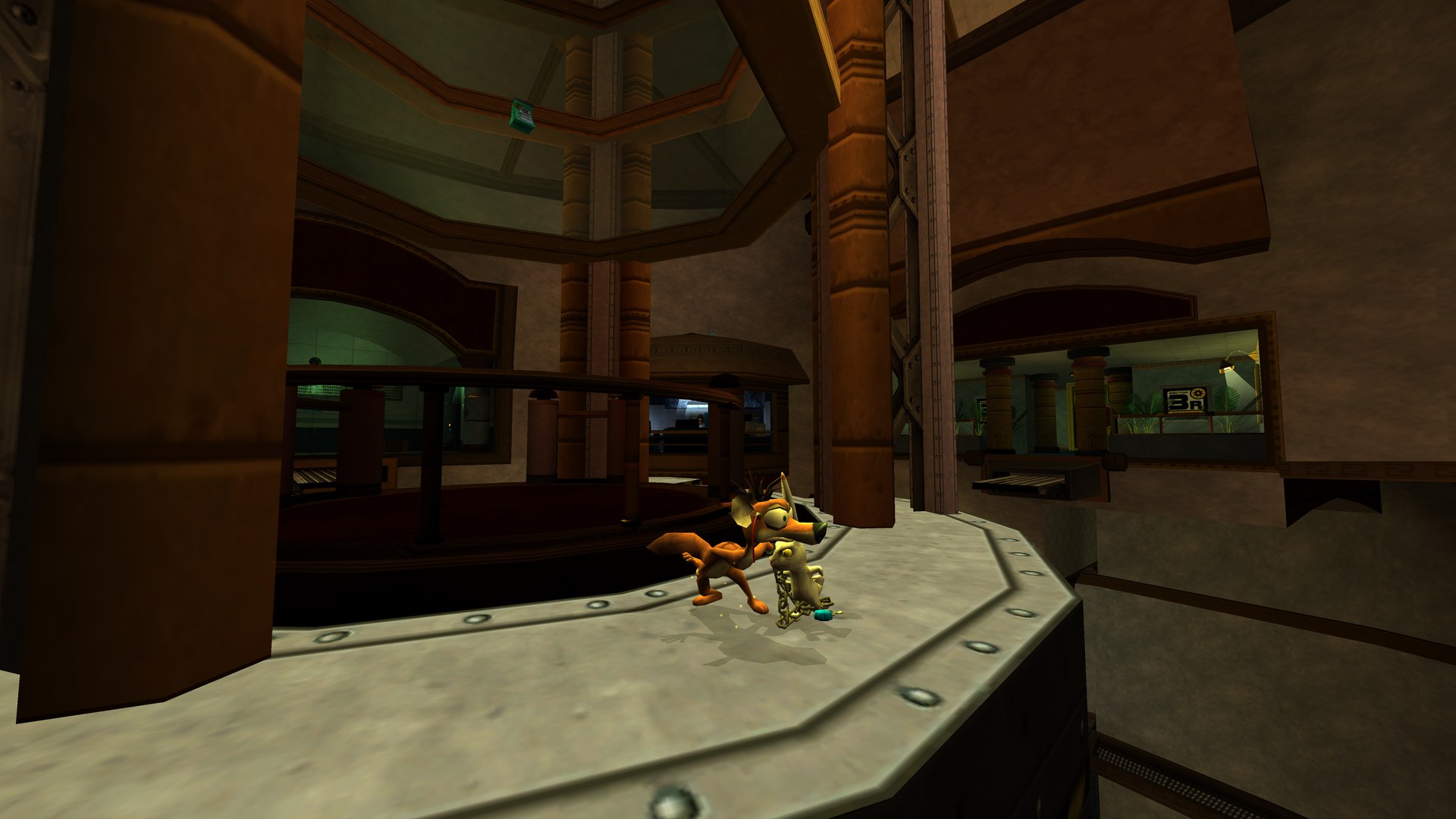 | 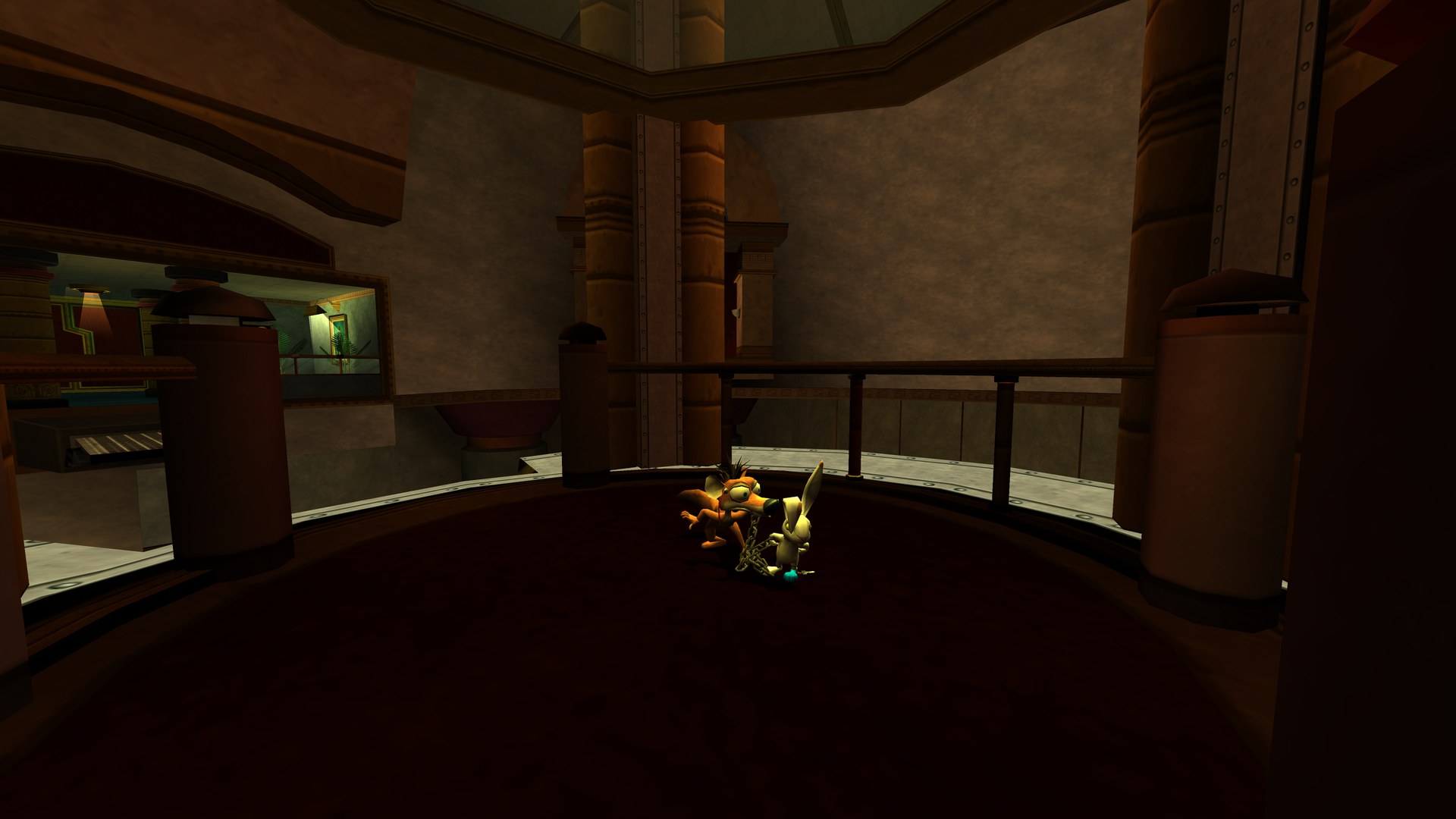 |
The game graphics in these screenshots come from a legally obtained copy of the game, as they do on your PC. They belong to their owners and aren't part of Unchained.
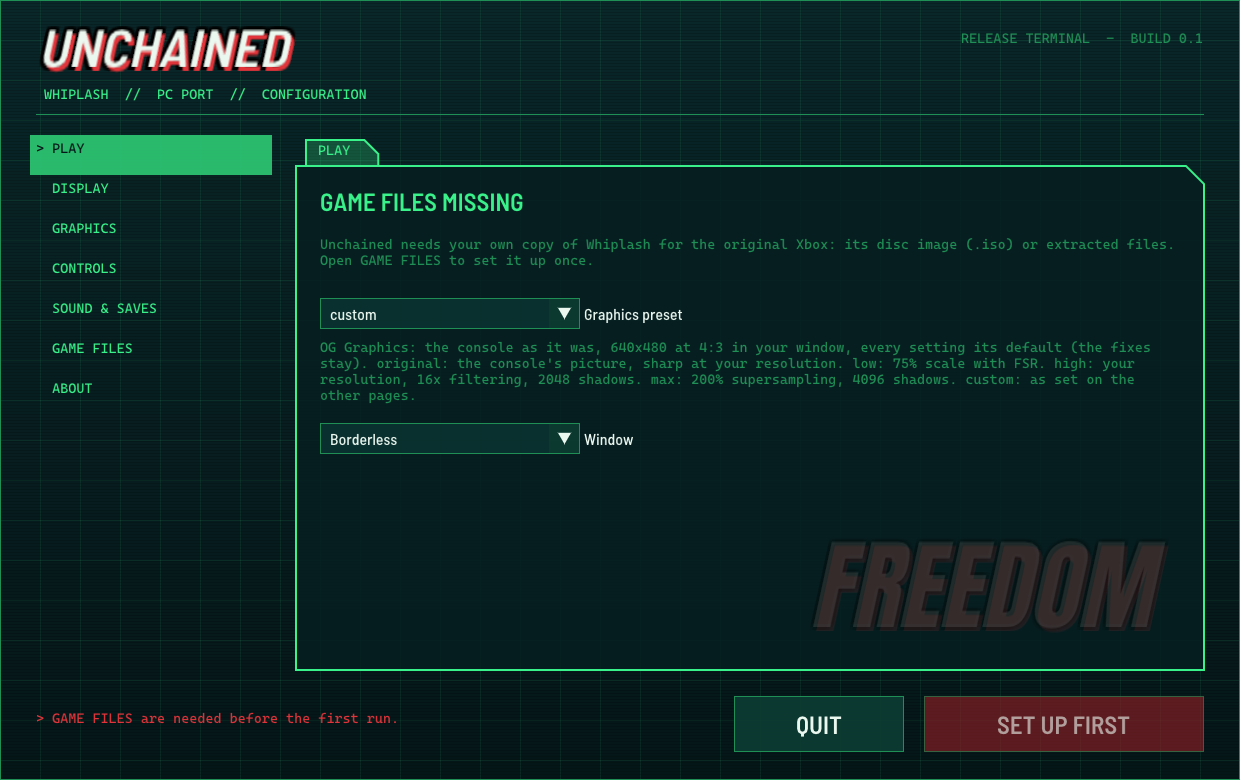
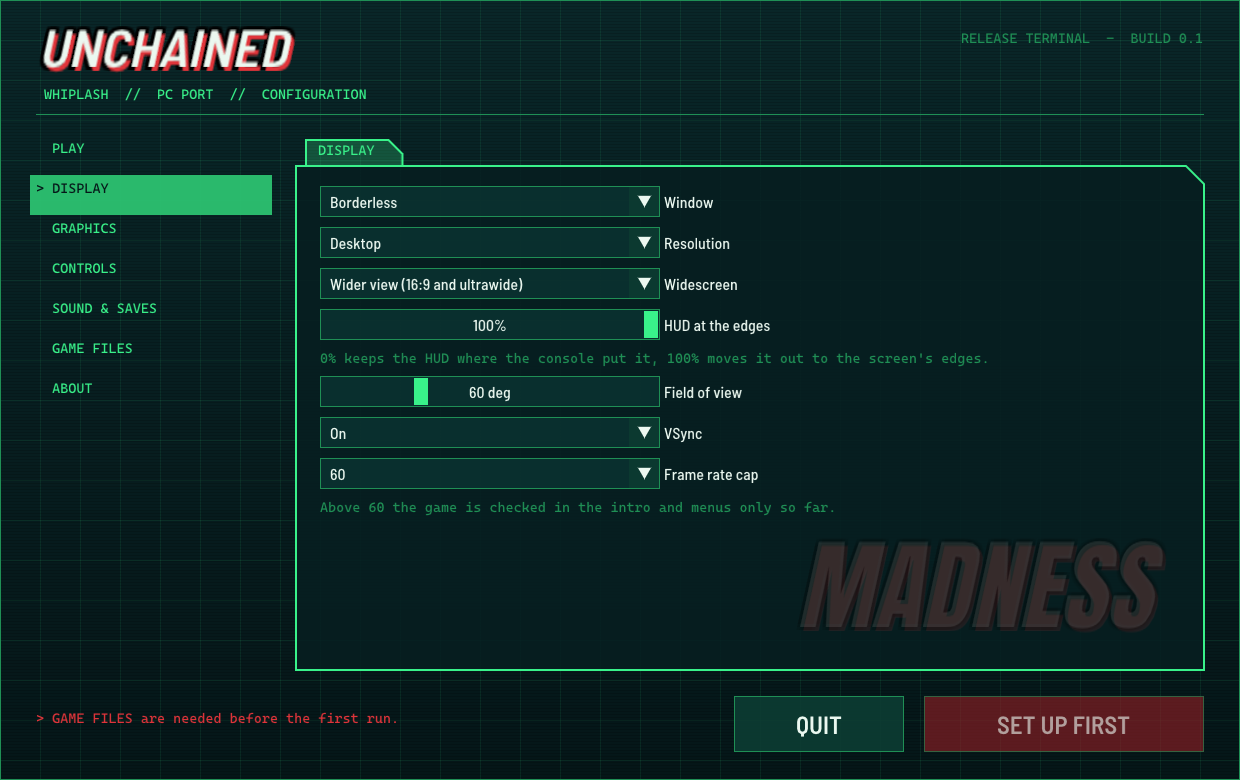
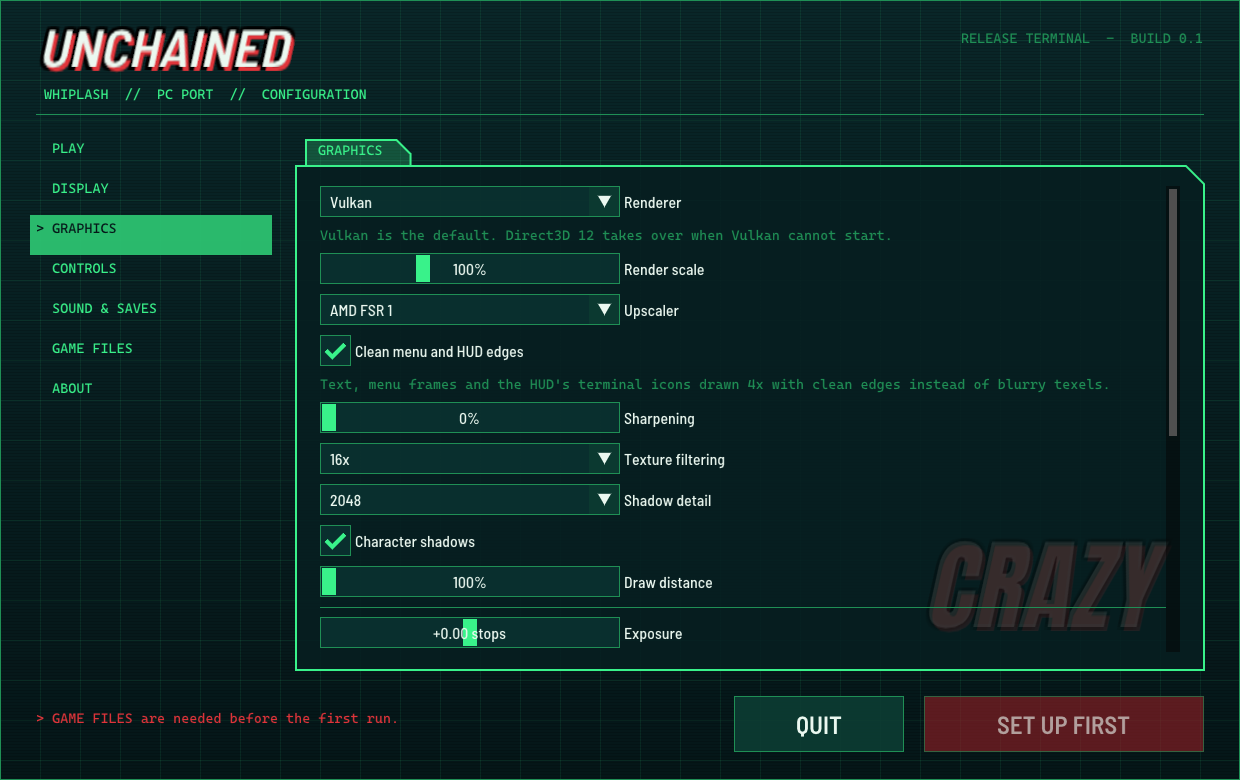
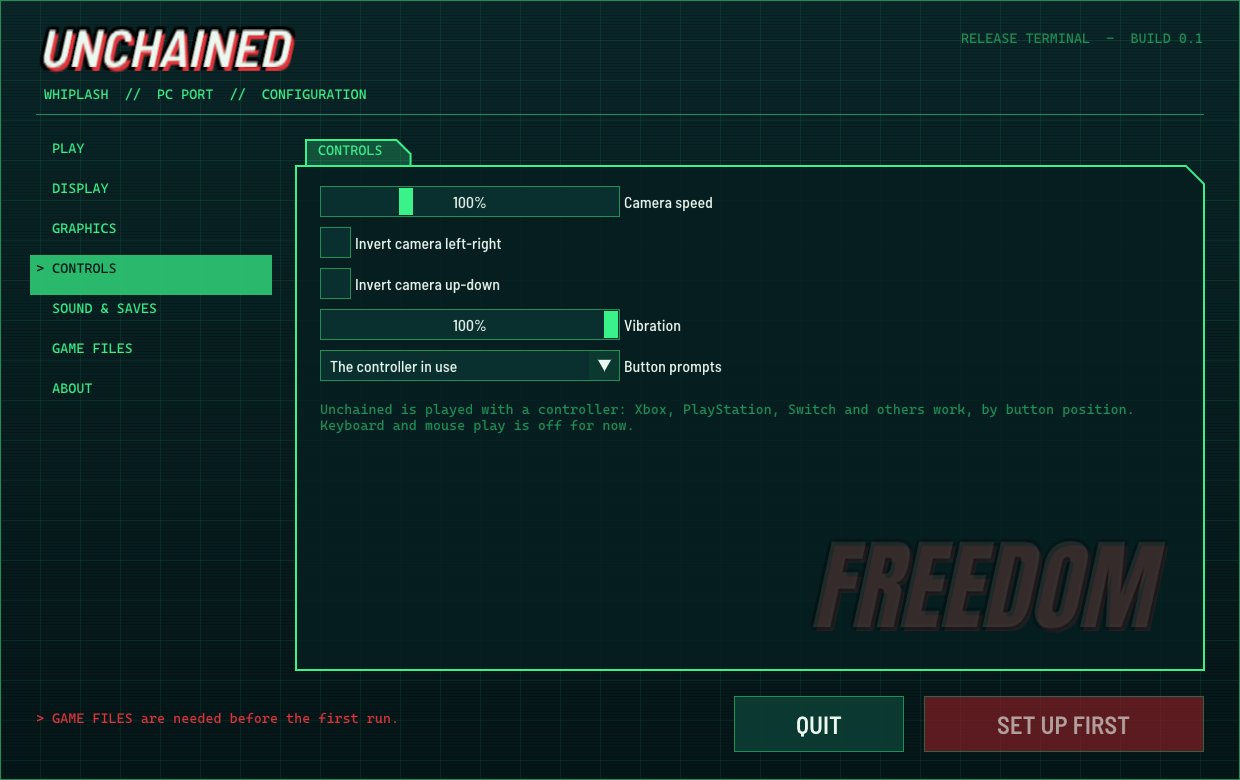
The Configuration app, which sets the game up from your own copy and holds every setting:
 |  |
 |  |
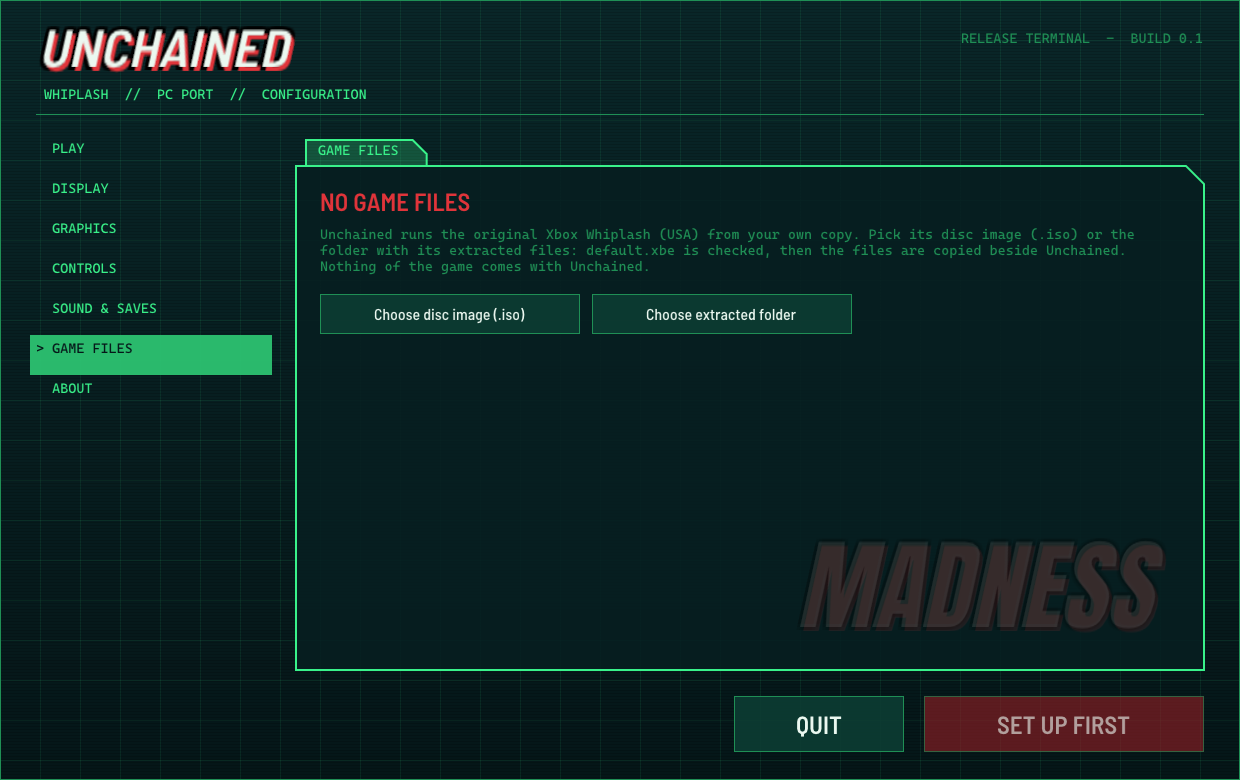 | 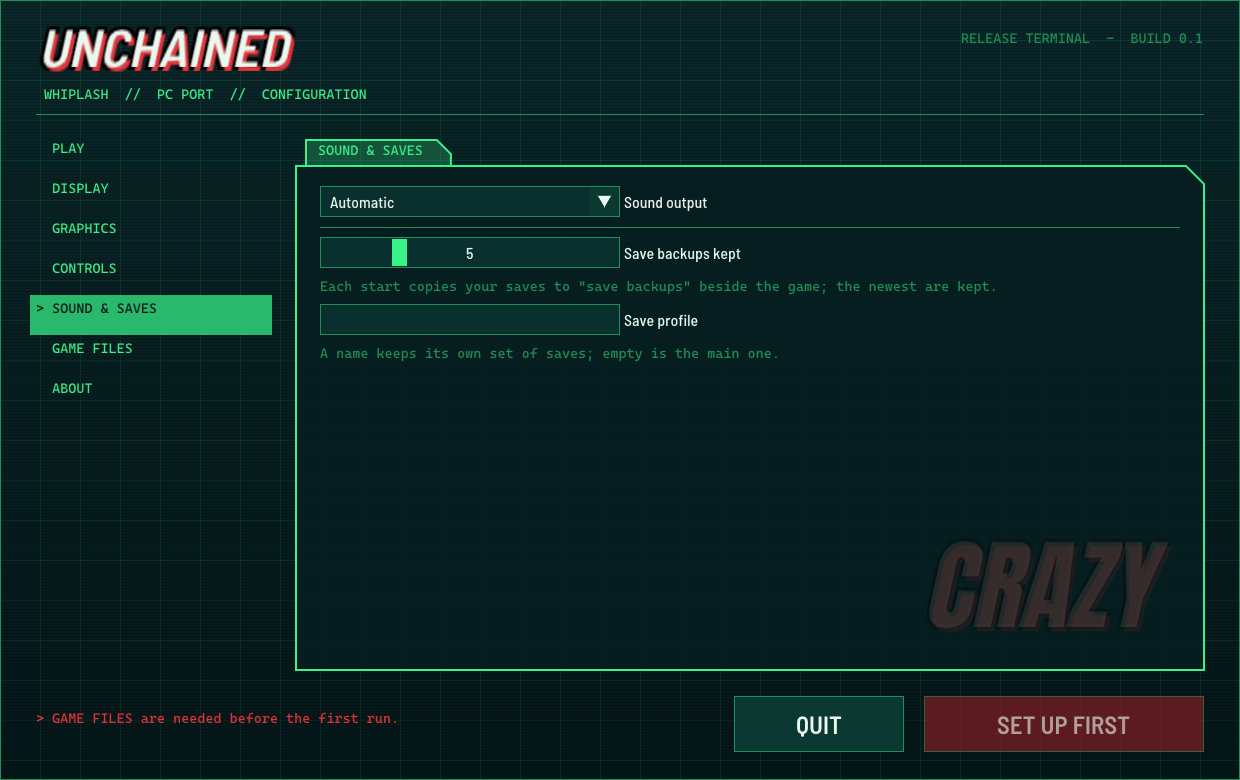 |
Captured from the 0.1 release on a fresh install, before any game files were added.
Where it's at
Unchained started on Sunday 15 November 2026 from the recompiler's game template. Two days later it plays the opening levels with sound, saves and controls on Windows and Linux, and about two thirds of the PC features on its list are in.
PC features from docs/TODO.md (started items count half; the full status is in docs/STATUS.md):
| Area | Progress | Done |
|---|---|---|
| Core | ███████████████░░░░░ | 75% (3 of 4) |
| Platforms and input | █████████████░░░░░░░ | 67% (4 of 6) |
| Performance | ███████████████░░░░░ | 75% (6 of 8) |
| Graphics | ██████████████████░░ | 92% (5.5 of 6) |
| Player features | ████████████░░░░░░░░ | 58% (7 of 12) |
| Adapted to Whiplash | ███████░░░░░░░░░░░░░ | 36% (4 of 11) |
| Launcher, files and theme | ██████████████████░░ | 88% (3.5 of 4) |
| All | █████████████░░░░░░░ | 65% (33 of 51) |
| Status | |
|---|---|
| Boots, menus, saves | ✅ Works |
| Opening levels (training lab, lobby) | ✅ Played through on Windows and Linux |
| The rest of the game | ❓ Not played on Unchained yet: please help |
| Music and sound effects | ✅ Work |
| Spoken dialogue | ⚠️ Some lines don't play yet (see Known issues) |
| Windows (Vulkan, with Direct3D 12 as the fallback) | ✅ Tested on one AMD PC |
| Linux (one AppImage, Vulkan) | ✅ Tested on Ubuntu 26.04; reaches the title in Ubuntu 24.04, Fedora and Arch containers |
| Steam Deck | ❓ Should work, untested |
| macOS | 🗺️ On the roadmap |
What it does
The game, natively
- The whole Xbox game recompiled to native code: 25,805 functions, built on your own PC from your own copy the first time you start it (about 10 to 40 seconds with the bundled compiler). No emulator, no game code in the download.
- Only the supported release starts, so you never chase a bug that comes from a different disc. Another release is refused with a message saying what was found.
- Your saves live on a virtual Xbox hard disk in Unchained's folder, like the console's.
Picture
- Your screen's resolution. The game renders at the size it's shown (never below the console's own), and past 100% it supersamples.
- Real widescreen and ultrawide. Whiplash had no widescreen mode, so Unchained widens the game's own camera: 16:9, 16:10, 21:9 and up to 32:9 show more at the sides instead of stretching, and the game draws what the wider view shows (no pop-in at the edges, even with a wider field of view). 4:3 with bars, and the console's own stretch, are options.
- AMD FSR 1 upscaling when rendering below your screen's size, with RCAS sharpening.
- Sharper shadows (a 2048 shadow map instead of the console's 256), 16x anisotropic filtering, a field of view setting and a draw distance setting.
- Clean menu and HUD edges. Flat 2D art (the font, menu and dialog frames, the HUD's green terminal icons) is redrawn at 4x with clean edges, while painted art, gradients and TV static are left as they were.
- Colour grading: exposure, contrast, saturation, temperature and tint.
- Graphics presets: OG Graphics (the console as it was: its own 640x480 at 4:3, every setting at the console's default, the fixes kept), Original, Low, High and Max.
- Character shadows can be switched off.
HUD and prompts
- The HUD at the screen's edges like a modern game, at any aspect ratio, with menus and centred text kept centred. A slider moves it anywhere from where the console put it to the edges.
- Button prompts for the controller in your hands, switching live: today's Xbox pad, PlayStation symbols or Nintendo letters by position. The console's own glyphs are an option too. The pop-up icons at the top of the screen follow along.
Smoothness
- VSync modes: off, on, adaptive (a tear instead of a held frame when late), fast (no wait, no tear) and VRR for G-Sync and FreeSync screens.
- No shader stutter after the first start. Compiled shaders are kept between runs, and every graphics pipeline the game has used is made ahead in the background at start. The hitches left on a warm start are the game's own level loads at loading-screen cuts.
- A Vulkan renderer on both systems, with Direct3D 12 as the automatic fallback on Windows. In frame-time tests on the test PC, Vulkan's 1% lows were equal to or better than D3D12's in every scene, and it had no frame over 100 ms on a cold start.
- Performance overlay (F10): fps, a frame-time graph, 1% and 0.1% lows, hitches over 25/33/50/100 ms, and the render size.
- The game keeps real time with no frame cap (checked in the intro and menus); the cap stays at 60 by default until gameplay above 60 is checked.
In-game menu
- F1, or Back + Start on a controller, opens every option the Configuration app has, over the game, in the same look. The game gets none of your input while it's open, and your changes are saved when you close it.
Controls
- Any controller through SDL3, read by button position, with camera speed, inverted camera axes and vibration strength.
Saves and files
- Save backups at every start (the last 5 kept), save profiles (named sets of saves, each on its own virtual disk) and a custom save folder.
- Saves, settings, logs and caches stay in one data folder, which
UNCHAINED_DATA_ROOTcan move anywhere.
Configuration app
- A lab-terminal look of its own: dark teal, green terminal frames and big slanted headings, drawn by Unchained with bundled open fonts and no game art. The same app on Windows and Linux.
- Setup: pick your disc image or game folder; it checks the release, copies the files beside Unchained (your originals aren't touched), builds the game's code with its progress on the same page, then PLAY.
- Pages for play, display, graphics, controls, sound and saves, game files and about. After setup,
Unchained.exestarts straight into the game;Unchained.exe --configureopens the app again. - The first-start build window matches the same look, shows a failed build's reason in the window, sizes itself for 150% to 300% display scaling, and goes into the game by itself when it's done.
Extras
- Screenshots (F12) as PNGs in
screenshots\. - Accessibility: colour vision filters (protanopia, deuteranopia, tritanopia, with a strength slider) and a HUD-off switch.
- Texture packs: dump the game's textures, edit or upscale them, and Unchained draws yours instead, picked up while the game runs. See docs/MODS.md.
Every setting, with its default, is in docs/SETTINGS.md.
The fixes that made it run
Whiplash turned out to be an unusual Xbox game, and the recompiler's runtime couldn't run it as it came. These are the main fixes, all made for Unchained:
- About 140 library functions named by hand. The recompiler's signature files matched only 75 of the 248 library functions the game uses, because Whiplash's Direct3D was a different build from the games those signatures came from. The missing Direct3D and DirectSound pieces were found one boot at a time, seventeen boots on the first day, each naming whatever the last crash pointed at.
- A push buffer interpreter. Whiplash mostly skips the Direct3D API and writes the Xbox GPU's raw command stream itself. No version of the runtime, and no fork of it, could run that, so Unchained's runtime got an interpreter for those commands: vertex programs, vertex formats, textures, pixel combiners and every draw type the game uses. That is what made the intro, the title and then the whole game appear.
- The strobe. The game asks for two presents per frame, so every other picture was empty and the screen flashed between the game's colour and black. Fixed so only a real frame is shown.
- Characters, shadows and cutscenes: the characters' vertex data read correctly (they were scraps before), shadows drawn into their own texture with the render targets the game sets itself, the cutscene and intro letterbox kept, culling taken from what the game pushes, and the hyper mode's texture stages.
- Saves: the console's disc check now passes, so the game mounts its hard disk instead of reporting "a hard disk error".
- A sweep for missed pieces: library functions the game calls but nobody had mapped (one misnamed), state the renderer took from the wrong place, and frame buffer addresses (the game was handed the same address for the front and back buffers).
- Widescreen pop-in: with a wider field of view, lights, plants and props vanished near the screen's edges, because the game decided what to draw with its own 60° view. It now uses the same view as the picture.
Getting started
You need: your own copy of Whiplash for the original Xbox (USA), as a disc image (.iso) or its extracted files, and about 5 GB of free disk space.
Windows
Needs: Windows 10 or 11 (64-bit) and a graphics card with Vulkan 1.3 or Direct3D 12 (any AMD, NVIDIA or Intel card from the last several years). Nothing else to install: the compiler and the C++ runtime come with Unchained.
- Download
Unchained-0.1-Setup.exe(55 MB) from the latest release and run it. It installs for your user only (no admin), toC:\Unchainedby default; avoid Program Files, since Unchained keeps its data beside itself. Prefer no installer?Unchained-0.1.zip(83 MB) works the same: extract it to a folder you can write to. - About the Windows warning: Unchained isn't code-signed yet, so SmartScreen may say "Windows protected your PC". Click More info → Run anyway.
- Start Unchained (it opens the Configuration app the first time). On GAME FILES, choose your disc image or game folder. It checks the release, copies the files and builds the game's code once, with its progress on the same page.
- Press PLAY. From then on, Unchained starts straight into the game.
Linux
Needs: a 64-bit distro from about 2022 on (glibc 2.35 or newer: Ubuntu 22.04, Debian 12, Fedora 36, SteamOS 3 and later) and a Vulkan 1.3 driver (Mesa for AMD and Intel, or NVIDIA's own driver). The compiler is inside the AppImage, so there's nothing else to install.
- Download
Unchained-0.1-x86_64.AppImage(148 MB, one file with everything inside) from the latest release. - Make it executable (right-click → Properties → Allow executing file as program, or
chmod +x Unchained-*.AppImage) and run it. It adds Unchained and Unchained Configuration to your applications menu. - Choose your disc image or game folder in the Configuration app, then press PLAY, as on Windows.
If your system has no FUSE, run it with APPIMAGE_EXTRACT_AND_RUN=1. Without a Vulkan 1.3 driver, Unchained tells you which one to install. Your data lives in ~/.local/share/Unchained.
Keys
| Key | What it does |
|---|---|
| F1 (or Back + Start) | The in-game menu |
| F10 | The performance overlay |
| F12 | A screenshot |
Unchained is played with a controller for now; full keyboard and mouse play is on the roadmap.
Which copy of the game works
Unchained works with one version of the game: Whiplash for the original Xbox, the North American (USA) release. If you own the Xbox disc from North America, it's the right one; other regions' discs aren't supported yet.
- What to give it: a disc image (
.iso) made from your disc, or a folder with the game's files copied off it. Both work. - Use an untouched copy. Some tools that make smaller disc images change one small part of the game's main file along the way. Unchained notices that and asks for an unchanged copy, so make your image with a tool that copies the disc as it is.
- It checks for you. When you choose your files, the setup looks at the game's main file and tells you straight away if it's a different version or has been changed, before anything is copied.
- Nothing else is needed: no console files, keys or BIOS. The game is in English only (text and voices), as the disc is.
Steam Deck
Unchained should run on a Steam Deck: SteamOS 3 is newer than the AppImage needs, the Deck's GPU has a Vulkan 1.3 driver, and its controls appear to the game as a controller. But I don't have a Deck, so nobody has tried it yet. If you have one, a report would be very welcome. What should work:
- In Desktop Mode, download the AppImage, make it executable (Properties → Is executable) and run it once to set up your game files. It adds itself to the applications menu.
- To play from Game Mode, add it in Steam with Add a Non-Steam Game (pick Unchained from the list), then start it from your library.
- The Deck's 16:10 screen gets the widened view. If it runs heavy, try the Low preset or a lower render scale with FSR 1.
A handheld preset (30/40/45/60 fps targets at the screen's own size) and a built-in Add to Steam button are on the roadmap.
Known issues
- Spoken dialogue: many of the partner character's lines don't play y