Z-Steel-Soldiers
Z-Steel-Soldiers is a fan remake of the RTS game Z built in Godot 4, using original sprites and sounds.
- Type: PC port
- Game: Z
- Runs on Windows, Linux and macOS
- By sha5b
- Latest release v1.0.0, 2026-10-11
- Source: https://github.com/sha5b/Z-Steel-Soldiers
- Website: https://github.com/sha5b/Z-Steel-Soldiers
README
Z (1996) — Godot Remake
A fan remake of Z, the robot real-time strategy game by The Bitmap Brothers, rebuilt in Godot 4.
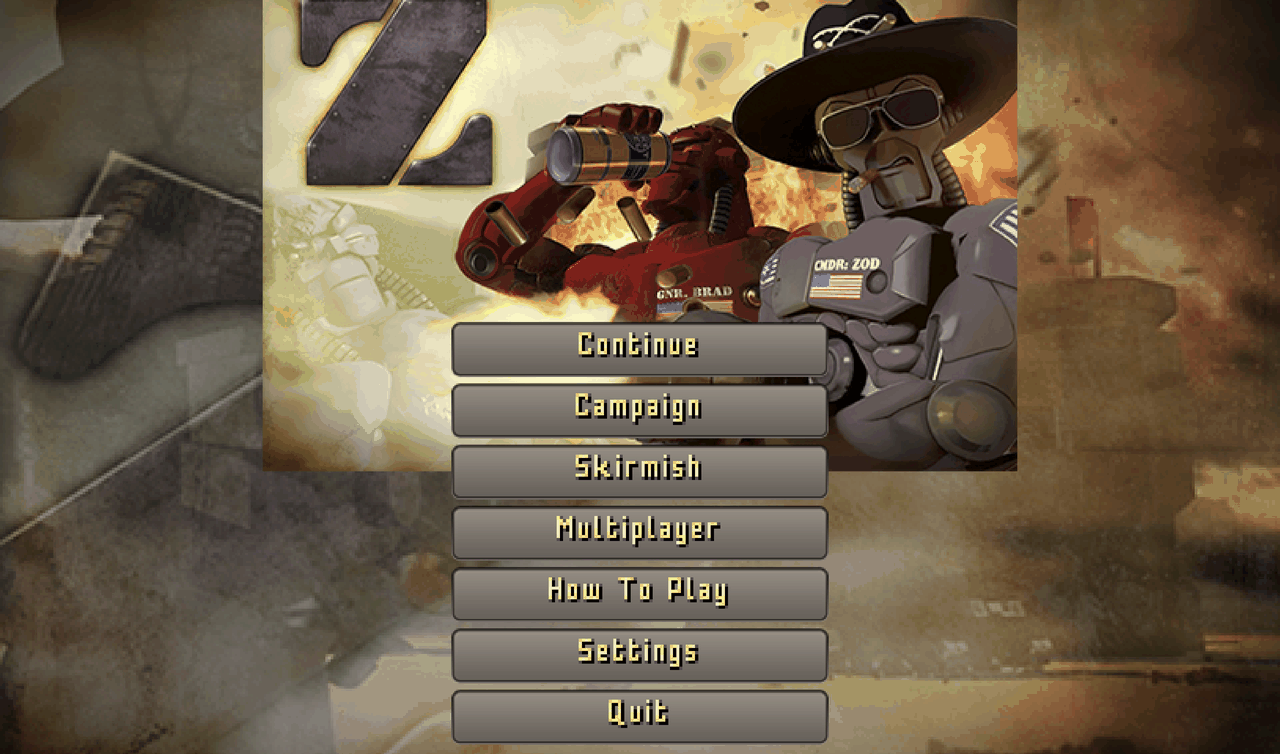
The remake plays the original 20 campaign levels in the game's own order. A converter reads them out of the retail data. It also plays the 57 Zod maps and 5 skirmish maps — and GENERATED skirmish maps: pick players (2-8), size and theme, preview the exact map the seed builds, and play it. The generator learns from the original maps, so a generated map has their rivers and bridges, patches of ground, cliffs and irregular zones. Like the original there is no money: holding zones speeds up production and raises the unit cap, and every unit type has its own build time.
The game runs inside the original HUD frame, and uses the original sprites, sounds and voice lines.
The code in this repository is original. The graphics and sound belong to The Bitmap Brothers and stay out of the repository. You supply your own copy — see Asset licensing.
Status. Single player is feature complete. Multiplayer has a P2P lobby, intent replication, host-authoritative resync and late join. The test suite is 57 headless lanes, and all of them assert. Every lane is green in the editor; run them inside a fresh export too before a release (see Tests).
The Zod Engine source is the reference
The 1996 Bitmap Brothers code was never released. The
Zod Engine is the open
reimplementation that this project's asset pack comes from, so it is the
reference of record. This project reads behaviour from it and cites the
function in docs/RESEARCH.md instead of guessing:
ZBuilding::ProcessBuildingsEffects— how a damaged building burns.zsettings.cpp SetDefaultsandZServer::ProcessMissileDamage— every explosive radius, and the splash model.ZBot::GoAllOut_3— how much of its army the CPU commits, and when.
Read it before you call anything underivable. Two items in
docs/BUGS.md said "cannot be derived from the art alone" and only
needed somebody to open the file.
Screenshots
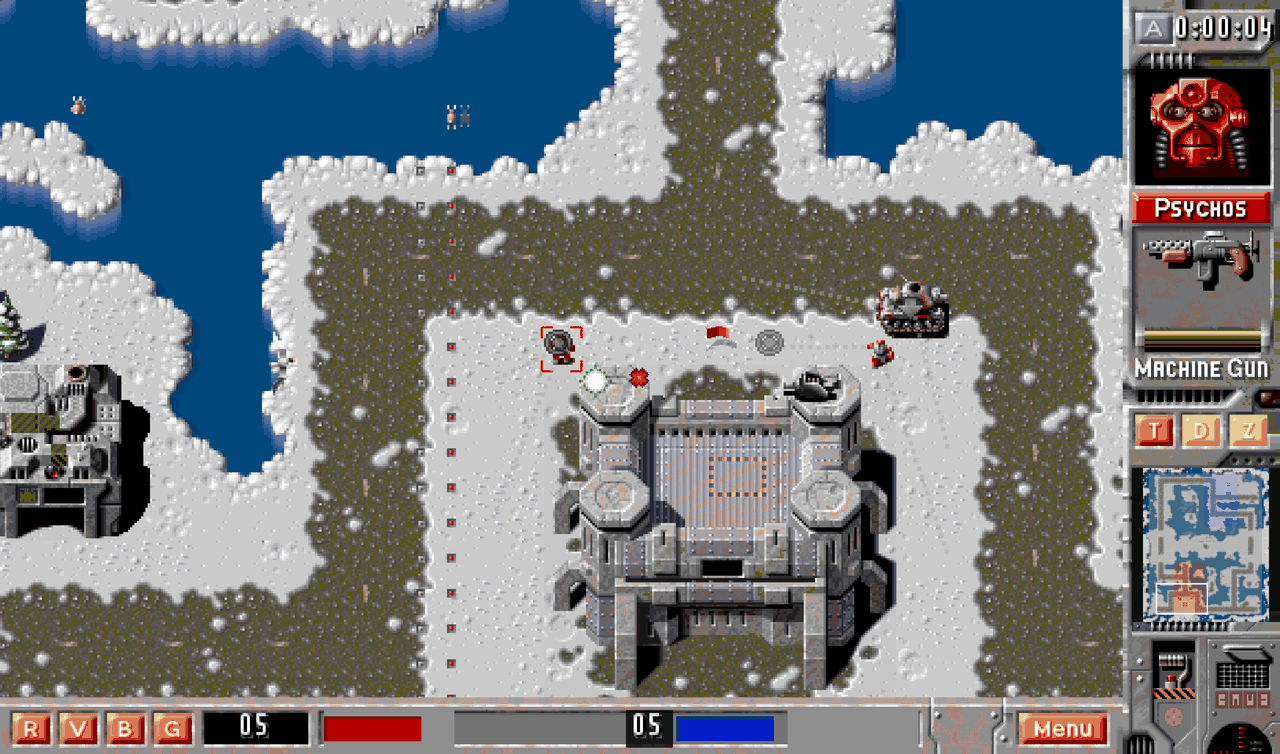
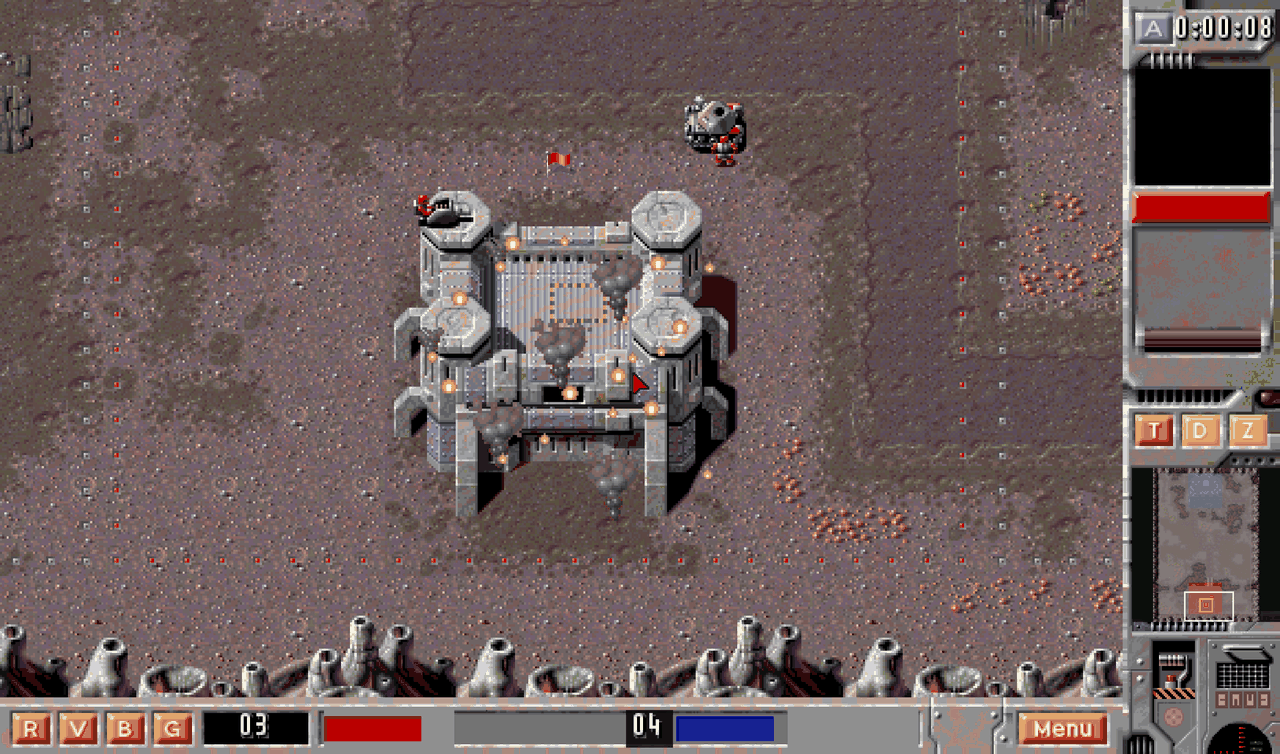
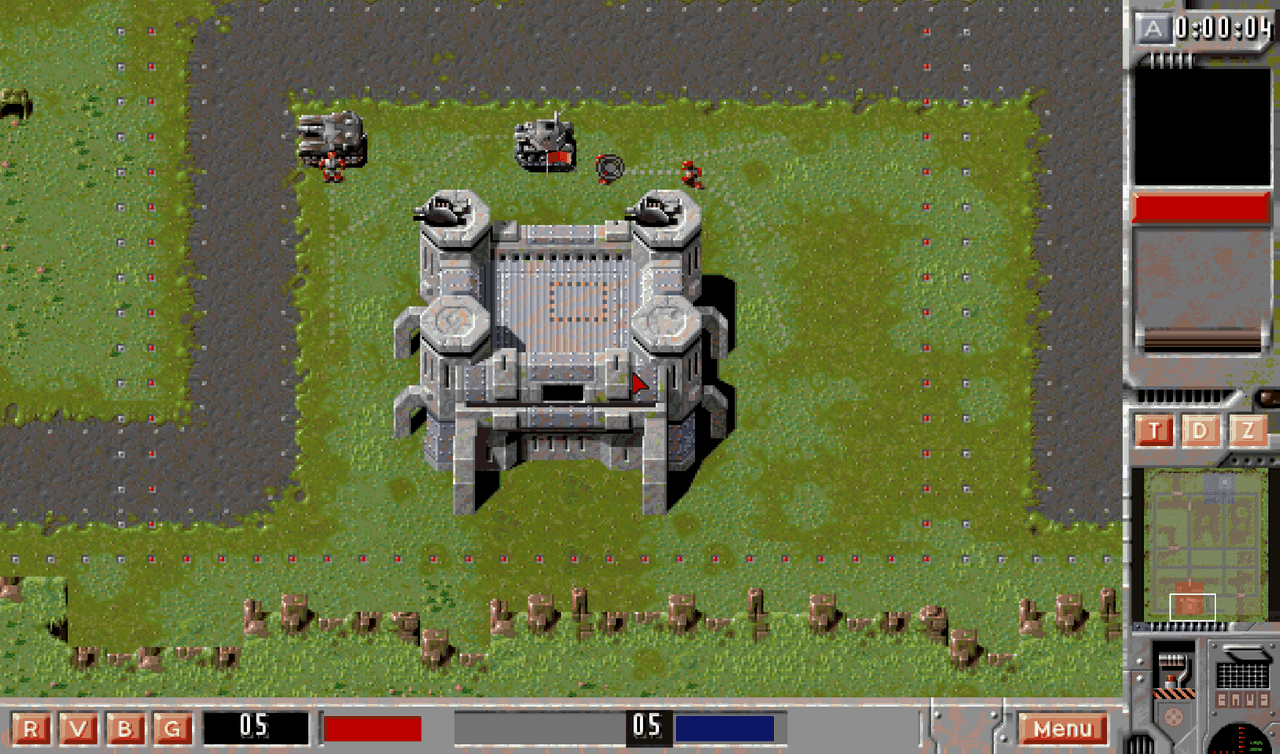
All five planets ship with their own tileset, scenery, rubble and minimap palette. These four are arctic, city, volcanic and jungle.
A Psycho selected on the arctic ice. The sidebar carries the head portrait, the name plate, the weapon plate and the health bar, and the radar window shows the planet's own minimap colors.
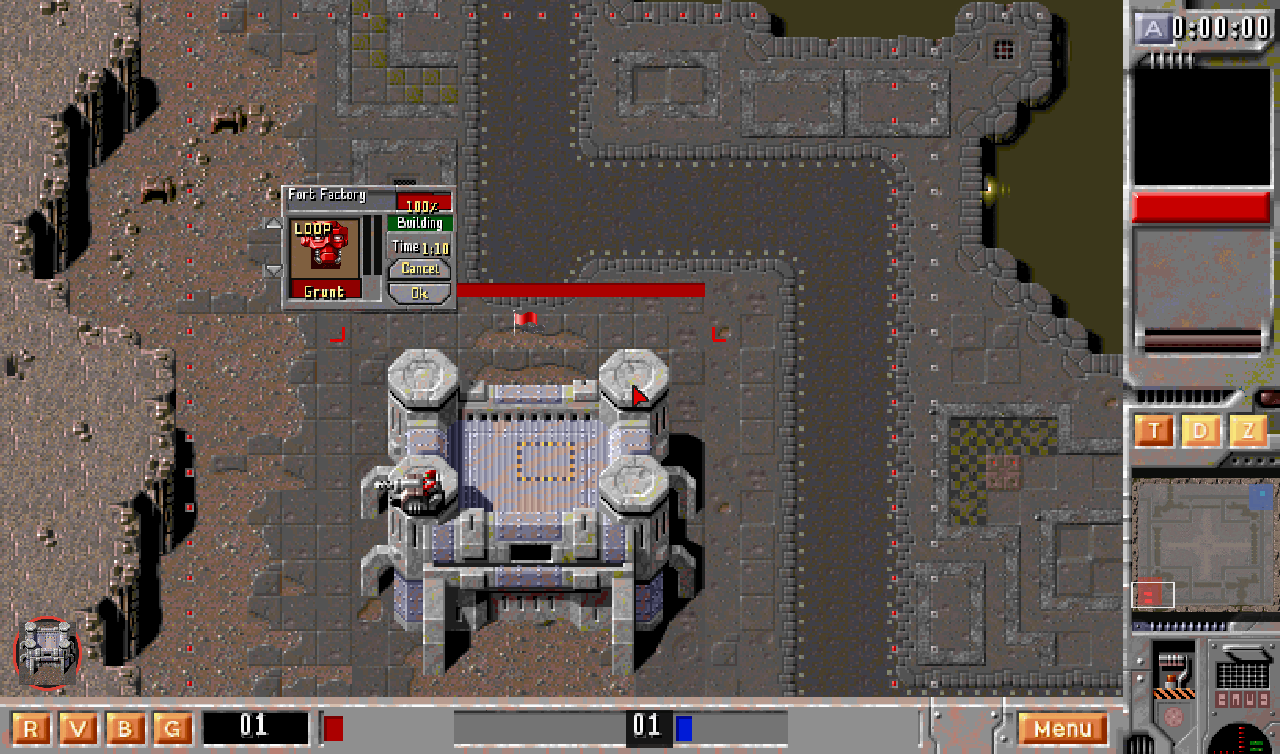
A robot factory on the city streets, with the production window on the release's own 112x80 frame — the Time countdown, the building health readout, the original up/down product selector, and the level and progress gauges. Selected units and buildings also appear as clickable portrait medallions above the command bar; the two army gauges count controlled zones.
A fort burning on volcanic rock. The count of fires and smoke plumes grows as its health falls, and the ruin goes on burning after it falls.
Armour on the jungle grass, in front of a fort with guns mounted on its towers.
Play it
Download a build from the releases page and run it. Nothing to install.
To run it from source you need Godot 4.7.x (built and tested on 4.7.2) and your own copy of the game — see Get the assets in below, then:
flatpak run org.godotengine.Godot # open project/project.godot, press F5
Controls. The arrow keys, the screen edge, a middle-mouse drag or
the radar pan the camera. The wheel zooms. Drag to box-select,
double-click to take every unit of that type on screen, right-click to
order. Ctrl+right-click queues the order behind what the unit is
already doing.
Production is a line, not a queue. Z has no build queue. Select a factory and use the up/down arrows beside its portrait to pick one unit type; it turns that out indefinitely until you pick something else — switching keeps the build clock, Cancel stops the line, and every producer starts on the first entry of its own list. Units do not enter buildings; a fort defends itself with the four tower guns it builds, which can be shot back off it.
Every hotkey is the letter printed on the HUD plate that it presses, so the frame teaches its own keyboard:
| Key | Action | Key | Action |
|---|---|---|---|
A | jump to the last alert | R | select all robots |
T | smart idle | V | select all hardware |
D | defend (toggle) | B | cycle factories |
Z | attack-move (toggle) | G | cycle control groups |
X | dismount | Ctrl+A | select the whole army |
Ctrl+digit assigns a control group. The digit alone selects it, and a
second press moves the camera to that squad. Neither D nor Z lit
means a plain move.
Two commands are not on any plate because the original had neither:
S stops the selection (cancels the order, the waypoint chain and
any held post) and H holds the ground it stands on. The letters
are commands only — WASD no longer pans, because holding D to look
right also flipped the DEFEND stance on the frame it pressed. Shift on a
build button fills that production line to its cap in one press.
Two original habits are on by default: an order drops the selection (a queued order does not, or a chain would be impossible to build), and a click on a unit centers the camera on it. Both are switchable in Settings. The release's own 7 tutorial pages are on the title menu under How To Play.
Get the assets in
None of the game's art, sound or map data is in this repository. You supply it, and one command converts it:
python3 tools/setup_assets.py
That is all of it. The script finds what you have, runs all ten converters in dependency order, rebuilds the editable map scenes, and tells you what it produced. It is idempotent, so run it again whenever you change a converter.
It needs two source sets. Both directories are already in the tree with a note in each saying what belongs there:
| Put it here | What it is |
|---|---|
assets_original/gog/ | The retail game data. Install Z from GOG and copy the game directory's contents in. Expected inside: LEVEL01.MAP, BUILD01.DAT, ARCTIC.PAL, audio/, PNG/, Maps/. |
assets_original/zod/ | The Zod Engine asset pack, which carries the unit and map sprites the retail release keeps engine-packed. You do not need to fetch it: when this directory is empty the script downloads the engine's source snapshot from the GitHub mirror itself — and that snapshot carries the 57 original .map files the installer build never had. Expected inside: units/, buildings/, planets/, teams/, sounds/, fonts/. |
Still packed? Drop the GOG installer in the repository root as
setup_z*.exe and run the script — it unpacks the installer for you with
innoextract (including a ~/.local/opt install), or 7z if that is
what you have, and lifts the game data up out of whatever subdirectory
the installer buried it in.
python3 tools/setup_assets.py --where          # what is missing, and where it comes from
python3 tools/setup_assets.py --only campaign  # re-run one step
python3 tools/setup_assets.py --skip-scenes    # skip the Godot pass at the end
The only thing the script downloads is the open-source Zod Engine
pack (GPL engine, bundled assets) — never the retail data, which you
bought. If the GOG .ogg soundtrack set is incomplete, the same command
also renders a fallback soundtrack from the engine's MIDI files with a
pure-Godot synthesizer — no fluidsynth, no soundfont, nothing external.
What it writes lands in project/assets/, which is gitignored.
Then check it converted cleanly:
godot --headless --path project res://scenes/main.tscn --art-test --quit-after 6000
The individual converters still work on their own, and
docs/ASSET_CONVENTIONS.md documents each one. setup_assets.py only
puts them in the right order with the right arguments.
Build the desktop releases
All three targets cross-build from Linux. You need the export templates
matching your editor exactly — 4.7.2 templates for a 4.7.2 editor —
and the icon set. A mismatch fails with No export template found at the expected path: .../4.7.2.stable/linux_release.x86_64; installing the
templates is Editor > Manage Export Templates, or unzip the .tpz into
~/.var/app/org.godotengine.Godot/data/godot/export_templates/<version>/.
python3 tools/gog/make_icons.py   # cuts the Z logo out of the retail splash
tools/build_releases.sh           # linux + windows + macos
tools/build_rpm.sh                # wraps the Linux binary as a Fedora RPM
| Target | Output | Notes |
|---|---|---|
| Fedora | build/rpm/z-remake-*.rpm | installs /usr/bin/z-remake, a desktop entry and the hicolor icon tree. Release carries a build stamp, so a rebuild always upgrades in place. |
| Linux | build/linux/z-remake.x86_64 | one self-contained binary |
| Windows | build/windows/z-remake.exe | self-contained, with version metadata. The Explorer file icon stays Godot's default, because a custom one needs rcedit, which needs wine. The game window icon is correct. |
| macOS | build/macos/z-remake.zip | universal (x86_64 and arm64), unsigned. A cross-build is fine, but you must sign and notarize on a Mac, so the first launch needs right-click → Open. A .dmg cannot be produced off a Mac. |
Every binary embeds the original art and sound, so a build is not MIT — only the code is.
build/is gitignored, and the release binaries are a convenience for people who already own the game.
The CPU opponent
One brain runs per non-player fort team. Each think pass it produces from every owned facility, defends owned ground, crews the empty hardware on the map, runs maintenance, holds the frontier bridges, then assigns whatever is left.
Production is a line, not a queue: Z has no build queue, so each facility is pointed at one unit type and turns it out indefinitely. The brain keeps its lines sticky (re-aiming every pass would emit a random unit stream), never parks a factory on an unarmed hull, and puts every facility that can make robots onto robots when it is short of crew — vehicles and cannons roll out unmanned and are scrap without a driver.
The assignment ports ZBot Stage1AI_3. It is what stops the brain
swarming one point:
- Posture (
GoAllOut_3). The bot compares its share of the map's zones against a fair share of 1/teams, and reads two numbers off it: what fraction of the idle army to re-task, and how long to wait for the next cycle. A fair share means a small slice on a slow cadence with a wider target list. Falling behind means a third of the army every few seconds. - Targets in the original's priority order. Map items first (zone flags and crates), then buildings, then empty hardware. Enemy units come last, and only once the bot is all out.
- Mutual-nearest matching (
MatchTargets_3,GiveOutOrders_3). A pair gets an order only when the unit is that target's nearest candidate and that target is the unit's. A unit with no mutual partner waits out the cycle. A building takes a squad, which is the focus fire. Everything else takes one unit, so the army fans out.
Above all that sits a strategic read (AiMap: a zone graph with
adjacency, depth from its own fort, and per-sector strength and value)
and an operational layer (AiSquad: bodies of troops that muster behind
the line, advance together, and break off when beaten). A unit is spoken
for by exactly one layer — squad, crossing guard, or the per-unit
assignment — because three layers drafting from "the idle units" is what
used to dissolve every attack.
--tactics-test asserts that the posture table follows the map share,
that the matching spreads units instead of piling them, that the stance
follows the map read, that a squad musters before it commits, and that no
unit is commanded by two layers at once.
Repository layout
| Path | Purpose |
|---|---|
docs/ | research notes, roadmap, bug tracker, asset conventions |
project/ | the Godot project |
packaging/linux/ | RPM spec and desktop entry |
tools/ | asset converters and build scripts — start at setup_assets.py |
assets_original/, project/assets/ | your own asset copy and the working set built from it (both gitignored) |
Asset tools. gog/level_to_json.py converts the original 20 levels
from the retail LEVEL##.MAP data — the format notes are in
docs/RESEARCH.md §6. gog/convert_assets.py takes sfx, music and HUD
art. zod/copy_art.py is a declarative copier for the Zod pack.
zod/build_hud.py bakes the HUD pieces and the animated head portraits,
and recovers the face-piece offsets by brute force (§2e).
zod/map_to_json.py and zod/tileinfo_to_json.py convert the map and
terrain tables. zod/verify_map_planets.py audits and repairs the planet
tag on every converted map — run it after any map conversion.
Maps load as JSON or as editable Godot scenes. Open any
project/assets/maps_scenes/*.tscn, paint terrain with the generated
tilesets, move buildings, zones and units, then press F6 to play.
Regenerate the scenes from the JSON with godot --headless --path project res://tools/build_map_resources.tscn.
Code layout. The autoloads are ContentDB (the content registry,
with inspector-editable .tres defs under content/), Fx
(presentation), SaveSystem (the per-entity save contract),
NavWorld (pathing), MatchState (economy, upgrades, caps),
UnitRegistry (typed unit queries), GameState (match flow and
win), SelectionManager, MusicPlayer and Campaign. Then
scripts/content holds the Resource def classes, scripts/entities the
units, buildings and effects, scripts/game orders, combat, the spawner,
the map loader and the AI, and scripts/ui the signal-driven HUD. To add
content, copy a .tres and drop an art folder — the steps are in
docs/ASSET_CONVENTIONS.md.
Tests
57 headless lanes. Run them in parallel from project/:
res://scenes/main.tscn --<flag>-test --quit-after 6000
--quit-after counts frames, not seconds. It is Godot's own option.
The real-physics lanes need a few thousand frames, so use 6000 for a
whole sweep.
A lane passes with zero SCRIPT ERROR lines and zero CHECK FAILED
lines. The harness lives in project/scripts/tests/. TestRig is the
assertion helper.
Run the suite inside the exported binary too. The title screen hands over to the match scene when it sees a test flag, so the same lanes run against a build:
build/linux/z-remake.x86_64 --headless --art-test --quit-after 6000
This matters. An editor-only green run proves nothing about a build: a
packaged game once loaded no building defs, no unit folders and no effect
art, with all 47 lanes green in the editor, because Godot packs an
imported file as a .import sidecar and every directory scan filtered on
the source extension. The export lane is what found it.
And play every map with no test flag at all. The lanes call game
code directly; only --input-test pushes real input events, and nothing
but an unassisted match runs every system together with real physics:
res://scenes/main.tscn --map=res://assets/maps/<name>.json --quit-after 6000
Zero SCRIPT ERROR lines across every map is the bar.
For a screenshot, add --screenshot <seconds>. It warps the mouse, so
edge pan stays put.
Why this exists
For the sport of it, and to see what it takes to translate a 1996 game's
logic into Godot. That is the whole point, so the interesting part is not
the binary — it is the reading. Where a behaviour came from is written
down next to it: docs/RESEARCH.md cites the function, and
docs/BUGS.md keeps the open questions with their evidence.
License
The code is MIT — see LICENSE. That covers the GDScript,
the Godot project, the converters and build scripts under tools/, the
packaging, and the docs. Take it, read it, port it, reuse it.
It does not cover the original game's graphics, sound, music, voice lines
or map data. Those belong to © The Bitmap Brothers, and nobody here can
license them to you. They are not in this repository: assets_original/
and project/assets/ are gitignored, and the converters read from your
own copy of the retail release. The screenshots are here to document the
work.
A build embeds those assets, so a binary is not MIT either. Build one from your own copy of the game.
This project is unaffiliated with The Bitmap Brothers and with GOG.